Priya Nair had run three SOC 2 Type II cycles before this one, and she thought she knew what to expect. Then, on day two of fieldwork, the auditor from Ashgrove & Tanaka CPAs leaned back from her laptop and asked a question that Priya couldn't answer: "Walk me through how you'd know if someone exfiltrated your customer analytics database at 2:14 a.m. on a Saturday." Priya, VP of Engineering at Lumen Ridge Analytics — a 140-person SaaS platform that ingests marketing data for mid-market retailers — started to describe their application logs, their cloud provider's default dashboards, and the fact that "someone would probably notice eventually." The auditor wrote something down. It was not a good something.
That question, and Priya's non-answer, put a $2.4 million enterprise renewal at risk. The prospective customer's own vendor security team had made a clean SOC 2 Type II report — with no exceptions on system operations — a contract condition. Lumen Ridge had logging. It had a cloud provider. It did not have a monitoring program: no centralized collection, no correlation, no defined alerting, no documented triage process, and no way to demonstrate, with evidence, that anomalies would be detected in a timeframe that mattered. That gap is the single most common reason I see System Operations criteria fail during fieldwork, and it's almost always fixable in one audit cycle if you build it deliberately instead of bolting together whatever logging each engineering team happened to turn on.
Who This Is For
This is for the engineering leader, security lead, or compliance manager who has been told "you need a SIEM for SOC 2" and needs to translate that into an actual build plan — not a vendor pitch. You'll walk away knowing exactly which criteria (CC7.2 and CC7.3) your monitoring program has to satisfy, which log sources actually matter versus which ones are compliance theater, how to stand up centralized logging and correlation without hiring a ten-person SOC, how auditors test alerting and triage, and how to document retention, clock synchronization, and coverage so an auditor never has to ask you Priya's question twice. If you're choosing between SIEM platforms, tuning alert rules, or just trying to figure out what "monitor system components for anomalies" means in practice, this article is the reference.
Why CC7.2 Is the Criterion That Breaks Type II Audits
Of all the Common Criteria in a SOC 2 report, CC7.2 is the one I've watched sink more Type II engagements than any control in the CC6 access family. Access controls are binary and easy to test: does the person have a role, is MFA on, was the leaver deprovisioned within the SLA. Monitoring is different. It's a continuous, evidentiary claim — "we watch our environment, and we would notice if something abnormal happened" — and auditors don't take that claim on faith. They sample. They ask for the alert that fired last quarter. They ask you to reconstruct, from logs, a specific event on a specific date. If the logs don't exist, weren't centralized, or nobody can produce the alert history, the control doesn't just get a note — it can become a documented exception in the final report, the kind of exception that shows up when a prospective enterprise customer's procurement team reads page fourteen.
The Trust Services Criteria don't require a specific tool. They require a demonstrated capability: identify anomalies, evaluate them, and respond. That's a process requirement wearing a technical costume, and most teams build the technical costume (a SIEM license) without building the process underneath it. This article builds both.
The Two Criteria That Govern Monitoring: CC7.2 and CC7.3
CC7.2 is the anchor: the entity monitors system components and the operation of controls to detect anomalies that are indicative of malicious acts, natural disasters, and errors affecting the entity's ability to meet its objectives. CC7.3 picks up immediately after: the entity evaluates security events to determine whether they could or have resulted in a failure to meet objectives (a security incident), and, if so, takes action to prevent or address such failures. In plain terms: CC7.2 is detection, CC7.3 is triage-and-response. You cannot satisfy CC7.3 without CC7.2 producing usable signal, and a monitoring program that stops at "we collect logs" never gets to CC7.3 at all.
Criterion | Plain-language requirement | What auditors test | Common failure mode |
|---|---|---|---|
CC7.1 | Detect and act on new vulnerabilities in the environment | Vulnerability scan cadence, patch evidence | Treated as separate from monitoring; scan results never feed alerting |
CC7.2 | Monitor system components for anomalies indicative of attacks, errors, disasters | Log source inventory, SIEM configuration, alert samples, correlation rules | Logs exist but aren't centralized or correlated; no alert history to sample |
CC7.3 | Evaluate security events and determine if they are incidents | Triage documentation, escalation records, time-to-triage evidence | Alerts fire but nobody documents the disposition (false positive vs. real) |
CC7.4 | Respond to identified security incidents | Incident response plan execution, containment evidence | Covered in depth under incident response, not duplicated here |
CC7.5 | Recover from identified security incidents | Recovery evidence, root cause documentation, lessons learned | Recovery undocumented even when the incident itself was handled well |
This article focuses on CC7.2 and the monitoring half of CC7.3 — logging, SIEM, correlation, and alert triage. Incident response execution under CC7.4 and CC7.5 is covered in depth in SOC 2 Incident Response: Security Event Management and Reporting, and the two programs should be built to hand off cleanly: a triaged alert in your monitoring workflow becomes the trigger event for your incident response process. CC7.1's vulnerability scanning, covered separately in SOC 2 Vulnerability Management: Scanning and Remediation Programs, also belongs in the same pipeline as an additional signal source — a scanner that finds a new critical exposure should generate the same kind of alert as a correlation rule firing.
What "Monitoring for Anomalies" Actually Means to an Auditor
I've sat next to auditors during fieldwork enough times to know the mental model they're running. They're not asking "do you have a SIEM." They're asking three things, in this order: Can you see what's happening across your environment (coverage)? Can you tell the difference between normal and abnormal (correlation and baselining)? And when something abnormal happens, does a human find out and act within a reasonable window (alerting and triage)? A $200,000-a-year SIEM deployment that only ingests firewall logs fails all three just as badly as no SIEM at all, because coverage is the first gate. I've seen small companies with a well-tuned open-source stack sail through fieldwork, and I've seen enterprise SIEM deployments get flagged because nobody could produce a single documented alert triage from the audit period. Tooling is necessary. It is nowhere near sufficient.
"I don't fail companies for using open-source tooling, and I don't pass companies for using expensive tooling. I fail companies that can't show me the last time a real alert fired and what a human did about it. That's the whole test." — Yuki Tanaka, Audit Partner, Ashgrove & Tanaka CPAs
Building the Monitoring Program: A Five-Layer Model
I break every monitoring build into five layers, and I insist clients build them in this order, because building SIEM correlation before you've fixed log source coverage just produces confident-sounding false negatives.
Layer | Purpose | Typical build time | Owner |
|---|---|---|---|
1. Source coverage | Identify and instrument every system that can produce a security-relevant event | 2–6 weeks | Infrastructure/platform team |
2. Centralized collection | Ship logs off-host to a durable, tamper-resistant store | 2–4 weeks | Security engineering |
3. Correlation and detection | Build rules/analytics that turn raw events into signal | 4–8 weeks (ongoing tuning) | Security engineering / SIEM admin |
4. Alerting and triage | Route signal to humans with defined severity and SLAs | 2–3 weeks | Security operations |
5. Evidence and governance | Retention, access control on logs, clock sync, audit reporting | Ongoing | Compliance/GRC |
Skip a layer and the ones above it produce garbage. I've watched teams spend six figures tuning correlation rules against a log source that only covered 40% of their production fleet — the rules were technically excellent and operationally useless.
Log Sources: Mapping Your Environment
Before anything else, build a log source inventory. This single artifact — a spreadsheet or a GRC tool table — is the first thing I ask for in a readiness assessment, and it's the first thing an auditor asks for during fieldwork. It should list every category of system, whether it's logging, where those logs go, and who owns it.
Log source category | Examples | Why it matters for CC7.2 | Typical gap I see |
|---|---|---|---|
Identity and access | IdP (Okta, Entra ID, Google Workspace), SSO, MFA events | Detects credential compromise, impossible travel, privilege escalation | Only login success is logged, not failed attempts or policy changes |
Endpoint | EDR/antivirus, OS event logs, device management | Detects malware, unauthorized software, lateral movement | Laptops logged, servers/containers not |
Network | Firewalls, VPN, network segmentation boundaries, DNS | Detects scanning, exfiltration, unauthorized connections | Cloud security groups not treated as "firewall logs" |
Cloud control plane | AWS CloudTrail, Azure Activity Log, GCP Audit Logs | Detects IAM changes, resource creation, config drift | Enabled in one region/account, not organization-wide |
Application | Auth events, admin actions, API access | Detects abuse of the product itself, insider misuse | App logs exist but were never designed to be security-relevant |
Database | Query logs, privileged access, schema changes | Detects data exfiltration, unauthorized queries | Logging disabled by default for performance; never re-enabled |
SaaS / third-party | Email security, code repo, ticketing, HR systems | Detects account takeover in tools holding sensitive data | Treated as "not our infrastructure," excluded entirely |
Physical/environmental | Badge access, data center alarms (if applicable) | Detects unauthorized physical access | Often owned by facilities, disconnected from security team |
For most SaaS companies pursuing SOC 2, the cloud control plane, identity provider, and application layer carry the highest audit risk, because they're the layers where a real incident (credential theft, over-permissioned API key, insider misuse) is most likely to originate, and they're also the layers most often left out because "the cloud provider handles that." Your provider logs its own infrastructure. It does not monitor your IAM policy changes for you. Pairing your SIEM build with a capable endpoint layer — PentesterWorld's best EDR and XDR platforms comparison is a useful starting point — closes the process- and memory-level blind spot that cloud control-plane logging alone leaves open.
What to Log (and What Not To)
The instinct when building a monitoring program is to log everything. Resist it. Over-logging drives up SIEM ingestion cost (most platforms price by data volume), buries real signal under noise, and — this is the part people miss — creates its own compliance risk if you're capturing more sensitive data in logs than you intended (unmasked PII in application debug logs is a finding I write up constantly).
Category | Log this | Don't log this (or mask it) |
|---|---|---|
Authentication | Success/failure, source IP, MFA status, session creation/termination | Plaintext passwords, MFA seed values |
Authorization | Permission grants/revocations, privilege escalation, role changes | — |
Data access | Admin/privileged reads, bulk exports, access to sensitive tables | Full PII payloads in plaintext debug logs |
Configuration | Security group changes, IAM policy edits, encryption toggling | — |
System | Service start/stop, crashes, resource exhaustion | Verbose debug traces in production long-term |
Network | Connection attempts (esp. denied), DNS queries to new domains | Full packet capture of all traffic (retain metadata, sample payload) |
The rule of thumb I give clients: log the event, the actor, the action, the target, and the timestamp — always. Log the payload only when it's directly relevant to detecting misuse, and mask sensitive fields at the point of generation, not after the fact in the SIEM.
"We spent our first SIEM budget making sure we captured everything. We spent our second SIEM budget making sure we could find anything. Those are very different projects." — Sam Okafor, Head of Platform Engineering, Briarcombe Health Tech
Centralized Logging: Why Scattered Logs Fail Audits
Distributed logs — a server's local syslog, a container's ephemeral stdout, a SaaS tool's 30-day retention window — fail SOC 2 for a mechanical reason before they fail for any analytical one: they don't survive. Continuous monitoring requires that logging persist long enough to be reviewed, correlated across sources, and produced as audit evidence months later. A container that gets rescheduled and takes its logs with it, or a SaaS tool that purges activity logs after 30 days by default, cannot support a 6- or 12-month Type II observation period no matter how good the logging is in the moment.
Centralization solves three problems at once. It gives you a single place to correlate events across sources (the whole point of a SIEM). It gives you durability that survives host termination, container rescheduling, and vendor default retention limits. And it gives you a natural point to apply access control and integrity protection to the logs themselves — which matters, because CC7.2 evidence is worthless if an attacker (or a rogue insider) can quietly delete the log entries that would have revealed them.
Architecture of a Centralized Logging Pipeline
The pipeline shape is consistent across company size — what changes is which specific tools sit at each stage.
flowchart LR
    A[Log Sources<br/>Identity, Endpoint, Network,<br/>Cloud, App, Database, SaaS] --> B[Collectors/Forwarders<br/>Agents, syslog, API pull]
    B --> C[Central Log Store<br/>SIEM ingestion / data lake]
    C --> D[Correlation Engine<br/>Rules, analytics, ML baselining]
    D --> E{Alert Generated?}
    E -->|Yes| F[Alert Queue<br/>Severity-tagged]
    E -->|No| G[Retained for Audit/Forensics]
    F --> H[Triage<br/>Analyst review]
    H -->|False Positive| I[Documented + Rule Tuned]
    H -->|Confirmed Event| J[Escalate to Incident Response]
    G --> K[Retention Store<br/>Immutable, access-controlled]
    C --> K
Every arrow in that diagram is something an auditor can ask you to evidence separately: show me the forwarder config, show me a sample of what landed in the SIEM, show me a correlation rule, show me an alert, show me the triage note, show me the retention policy. Build the pipeline with that scrutiny in mind from day one and the audit becomes a formality instead of a scramble.
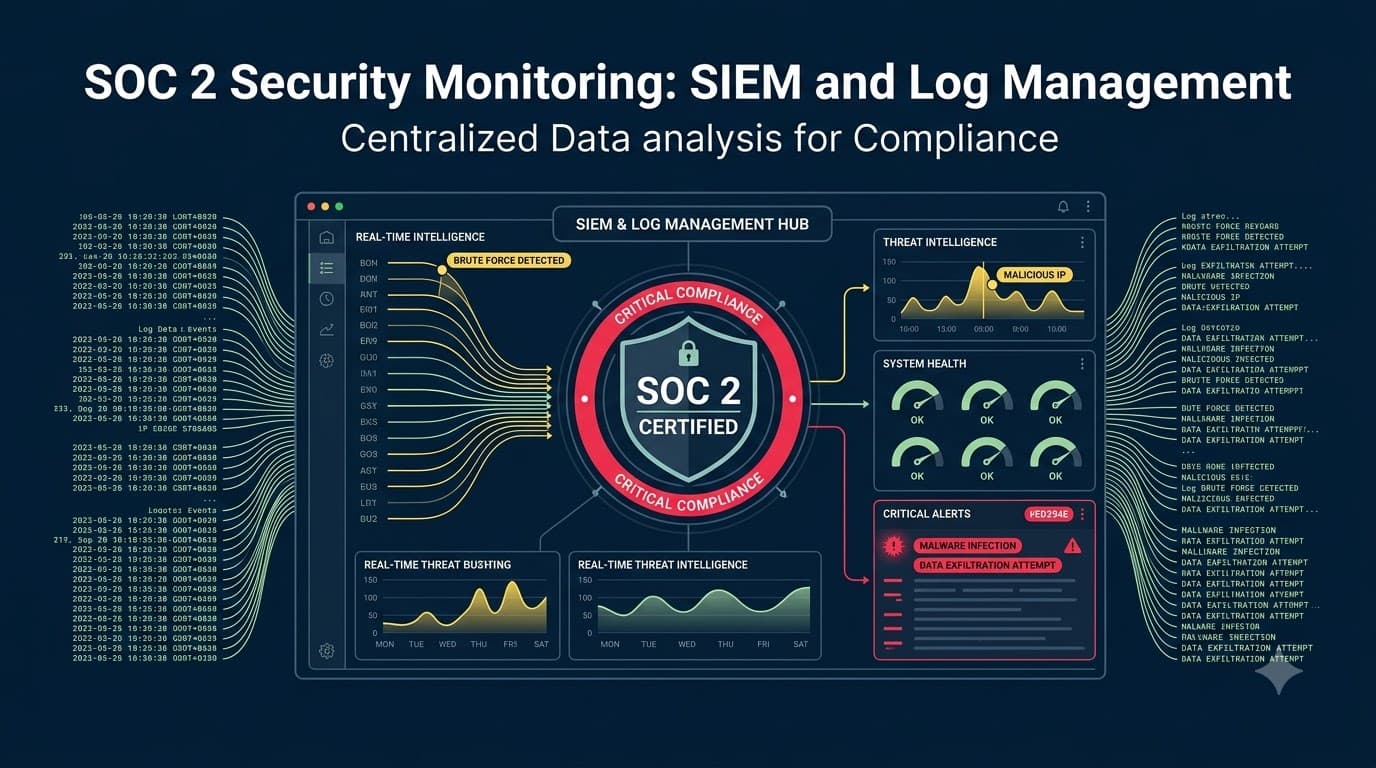
SIEM 101: What the Platform Actually Does
A SIEM — Security Information and Event Management platform — does four jobs: ingest logs from disparate sources into a common format, store them searchably for a defined period, correlate events across sources to surface patterns a human would miss, and generate alerts when correlation rules or anomaly models trigger. Some platforms add a fifth job, orchestration (SOAR — automatically taking response actions), but that's a maturity step most companies add after the core four are solid, not before.
Capability | What it does | Why auditors care |
|---|---|---|
Log normalization | Converts different log formats into a common schema | Enables cross-source correlation, which is the actual "monitoring" claim |
Long-term storage | Retains searchable logs for the retention period | Supports evidence requests for events months in the past |
Correlation rules | Flags patterns (e.g., failed logins + new IP + privilege change) | Demonstrates active detection, not passive collection |
Anomaly/behavioral detection | Baselines normal behavior, flags deviation | Addresses novel threats that static rules miss |
Alerting | Notifies humans via ticket, page, chat integration | Is the mechanism that gets tested via alert sampling |
Dashboards/reporting | Visualizes coverage, alert volume, trends | Used as management review evidence for CC7.2/CC4 |
Role-based access | Restricts who can view/query/modify logs | Supports log protection controls (covered below) |
Retention/archival | Enforces retention policy, supports legal hold | Directly evidences the retention control |
Build, Buy, or Blend: SIEM Platform Options
I get asked "which SIEM should we buy" more than almost any other question in a SOC 2 readiness engagement, and the honest answer is that platform choice matters less than program discipline — but company size and log volume do narrow the realistic field. PentesterWorld's best SIEM platforms comparison is a reasonable starting point for narrowing that field before you sit through vendor demos. These cost figures are illustrative, based on patterns I've seen across engagements, not vendor quotes.
Tier | Example approach | Illustrative annual cost | Best fit | Trade-off |
|---|---|---|---|---|
Open-source self-managed | ELK/OpenSearch stack, self-hosted | $15K–$40K (mostly engineering time) | Early-stage teams with strong platform engineers | High setup/maintenance burden; no vendor support SLA |
Cloud-native SIEM | Cloud provider's native security tooling (e.g., a managed detection service) | $20K–$60K | Single-cloud shops wanting tight integration | Weaker for multi-cloud or SaaS-heavy environments |
Commercial SIEM (mid-market) | Purpose-built SIEM with managed ingestion pricing | $50K–$150K | 50–500 employee SaaS companies, first SOC 2 cycle | Cost scales with log volume; needs tuning discipline |
Enterprise SIEM + SOC | Full platform plus dedicated internal security operations team | $250K+ | Larger orgs, regulated industries, multiple frameworks | Overkill and expensive for early-stage companies |
Managed detection (MSSP) | Outsourced SIEM + 24/7 monitoring | $60K–$180K | Teams without in-house security operations capacity | Less control; vendor management becomes its own discipline |
For a company Lumen Ridge's size, I typically recommend the mid-market commercial tier or a well-run MSSP relationship — the open-source route is viable but only if there's a dedicated owner, and I've seen too many "we'll build it ourselves" ELK deployments quietly rot six months after the engineer who built them left.
Correlation Rules: Turning Logs Into Signal
Raw logs are not monitoring. A firewall log showing a denied connection is a data point; a correlation rule that says "five failed logins from a new country followed by a successful login and a privilege escalation, all within ten minutes" is monitoring. This is the layer where CC7.2 actually gets satisfied, and it's the layer most compliance-driven SIEM deployments skip, because turning on log ingestion is easy and writing good rules takes security engineering judgment.
Detection use case | Sources correlated | Maps to threat | Maps to criterion |
|---|---|---|---|
Impossible travel login | IdP auth logs, geolocation | Credential compromise | CC7.2 |
Privilege escalation after hours | IAM/audit logs, HR calendar (optional) | Insider misuse, compromised admin account | CC7.2, CC6.3 |
Mass data export by single user | Database/app access logs | Data exfiltration | CC7.2, C1.1 (if Confidentiality in scope) |
New admin API key created and used immediately | Cloud control plane logs | Persistence mechanism | CC7.2 |
Repeated failed MFA followed by success | IdP logs | MFA fatigue/push-bombing attack | CC7.2 |
Security group opened to 0.0.0.0/0 | Cloud control plane logs | Misconfiguration or malicious exposure | CC7.2, CC6.6 |
Endpoint disables logging agent | EDR heartbeat, agent logs | Attacker evasion or misconfiguration | CC7.2 |
Terminated employee credential used | HR system + IdP logs | Deprovisioning failure exploited | CC7.2, CC6.2 |
Start with the eight to twelve rules that map to your actual threat model — not a vendor's out-of-the-box rule pack of 400 detections, most of which will be irrelevant to your architecture and will generate noise nobody tunes. I'd rather see a client walk into an audit with fifteen well-tuned, well-documented rules than four hundred stock rules nobody can explain.
"The auditor asked me to explain one correlation rule end to end — what triggers it, who gets paged, what they do. I could only do that for about a third of the four hundred rules our SIEM shipped with by default. That was the moment I understood we didn't have a monitoring program, we had a subscription." — Marcus Ojeda, Director of Security Operations, Cassowary Freight Systems
Alerting and Tuning: The War on Noise
Every monitoring program I've ever seen fail didn't fail from too few alerts — it failed from too many. Alert fatigue is the single biggest threat to CC7.2 in practice: once analysts start reflexively dismissing alerts because 95% of them are noise, the 5% that matter gets dismissed right alongside them. Auditors have started asking pointed questions about alert volume and disposition rates specifically because this failure mode is so common.
Severity | Definition | Example | Target response time |
|---|---|---|---|
Critical | Confirmed or highly likely active compromise | Confirmed malware execution, active exfiltration pattern | 15 minutes |
High | Strong indicator requiring immediate investigation | Privilege escalation outside change window, impossible travel | 1 hour |
Medium | Anomaly requiring investigation, not immediately dangerous | Unusual login time, new device without prior flag | 8 business hours |
Low | Informational, aggregate for trend review | Repeated benign policy violations, expected but logged admin actions | 5 business days / weekly review |
Informational | No action required, retained for correlation only | Routine successful logins, scheduled job completions | No SLA — retained only |
Tuning is not a one-time activity — it's a standing agenda item. I recommend a monthly (minimum quarterly) rule review where the team looks at false-positive rates per rule and either tunes the threshold, adds context to suppress known-benign patterns, or retires rules that never fire true positives. Document these reviews; they double as CC7.2 evidence and as CC4 monitoring-of-controls evidence.
Alert Triage: The Workflow That Proves CC7.2
An alert that fires and disappears into a dashboard nobody checks is not monitoring — it's a decoration. The triage workflow is what converts a signal into a documented, evidenced decision, and it's the artifact auditors sample most directly.
Step | Action | Evidence produced |
|---|---|---|
1. Alert generated | SIEM fires rule, creates ticket | Timestamped alert record |
2. Acknowledgment | Analyst claims the alert within SLA | Ack timestamp vs. SLA target |
3. Initial assessment | Analyst reviews context, related events | Investigation notes |
4. Disposition | Classify as false positive, benign true positive, or security incident | Disposition field, rationale |
5. Action | Tune rule (if false positive) or escalate (if real) | Rule change log or IR ticket link |
6. Closure | Ticket closed with documented outcome | Closed ticket, time-to-resolution |
The two numbers auditors zero in on are time-to-acknowledge and time-to-disposition, because they directly evidence that "monitoring" isn't just collection — it's an active, staffed process. I tell clients to track these as ongoing metrics rather than reconstructing them at audit time; a six-month trend line of "alerts triaged within SLA: 94%" is far stronger evidence than a handful of hand-picked examples pulled together the week before fieldwork.
Staffing the Monitoring Function: In-House SOC, MSSP, or Hybrid
Monitoring needs a human on the other end of every alert, every day, including weekends — the anomaly that matters most is disproportionately likely to happen outside business hours, precisely because attackers know that's when defenses are thinnest.
Model | Description | Illustrative cost | Coverage | Best fit |
|---|---|---|---|---|
Fully in-house SOC | Dedicated security operations staff, 24/7 rotation | $400K–$1M+/year (3–5 FTE) | Full, with organizational context | Larger orgs, high alert volume, regulated data |
Hybrid | Small in-house team owns tuning/escalation; MSSP covers off-hours triage | $150K–$350K/year | Full, blended context | Growing mid-market SaaS (most common fit) |
MSSP-managed | Third party owns monitoring and first-line triage | $60K–$180K/year | Full, less organizational context | Early/mid-stage teams without security hires |
Business-hours only | Internal team monitors during work hours, alerts queue overnight | Lowest direct cost | Partial — clear audit gap | Not recommended; frequently flagged by auditors |
The last row is the one I actively steer clients away from, even though it's the cheapest and most common starting point. "We review alerts each morning" is a real answer, but auditors will ask what happens between 6 p.m. Friday and 9 a.m. Monday, and "nothing, until someone gets in Monday" is not a defensible position for CC7.2 — especially once you can show the auditor your own alert history has confirmed events clustering on weekends. A hybrid model, where an MSSP handles off-hours first-line triage and pages your internal team only for confirmed high/critical events, closes this gap at a fraction of the cost of a full internal SOC.
Log Protection: Integrity, Access, and Tamper-Evidence
Logs are evidence — for you, during an incident, and for the auditor, during fieldwork. If logs can be altered or deleted by the same people (or the same compromised credentials) whose actions they're meant to record, they stop being trustworthy evidence, and CC7.2 quietly fails even if collection and correlation are otherwise solid.
Protection control | Implementation | Maps to |
|---|---|---|
Access restriction on log store | Separate RBAC for the SIEM/log platform, distinct from production access | Least privilege, CC6.1 |
Write-once/append-only storage | Immutable log buckets, WORM-configured storage | CC7.2 integrity |
Segregation from source systems | Logs shipped off-host in near-real-time, not left only on the originating server | Prevents attacker from deleting local evidence |
Encryption at rest | Log stores encrypted, keys managed separately from log-store admins | CC6.7 |
Change monitoring on the SIEM itself | Alerts on modification of retention policy, deletion of log data, disabling of forwarders | Detects "monitoring the monitors" gaps |
Segregation of duties | Log administrators are not the same individuals whose activity is primarily logged | Reduces insider tampering risk |
This is also where SOC 2 and ISO 27001 converge most directly — ISO 27001 addresses this exact control pairing under its technological controls, and I usually point clients running both frameworks to Logging and Monitoring Activities: ISO 27001 Controls 8.15–8.16 for the complementary control language, since a well-built SOC 2 monitoring program satisfies the bulk of that ISO requirement with only minor documentation adjustments.
Retention: How Long, and Why It's Not "Forever"
Retention gets treated as a "longer is safer" decision, and that instinct is wrong on both cost and risk grounds. Longer retention means higher storage cost (which scales with ingestion volume) and a larger blast radius if the log store itself is ever compromised, since logs frequently contain sensitive operational and sometimes personal data. The right retention period is the shortest one that still lets you support your audit period, your incident investigation needs, and any contractual or regulatory obligations layered on top.
Log type | Typical minimum retention | Driver |
|---|---|---|
Authentication/access logs | 12 months (hot/searchable), longer archived | Type II audit period + investigation lookback |
Security/SIEM alert history | 12 months minimum | Direct CC7.2/CC7.3 evidence requirement |
Cloud control plane (CloudTrail-equivalent) | 12 months, often 3+ years archived | Forensic reconstruction of infrastructure changes |
Application audit logs | 12 months | Supports both security and processing-integrity evidence |
Network/firewall logs | 90 days hot, 12 months archived | High volume; balance cost vs. investigative need |
Database access logs | 12 months | Data exfiltration investigations, data breach response |
Endpoint/EDR telemetry | 6–12 months | Malware/lateral-movement investigation window |
Document the retention policy explicitly — including why each period was chosen — because auditors will ask, and "we picked a number" is a weaker answer than "we set 12 months to align with our Type II observation period and typical forensic investigation windows, reviewed annually." Retention should also be tiered: recent logs hot and searchable for active triage, older logs archived to cheaper cold storage but still retrievable within a defined SLA if an auditor or investigator needs them.
Clock Synchronization: The Control Nobody Thinks About Until the Audit
This is the smallest technical lift in this entire article and the one I've seen cause the most embarrassing audit findings. If your servers, containers, and network devices don't agree on the time — even by a few minutes — correlation breaks. An event that your SIEM's correlation rule expects to see within a ten-minute window across three sources can silently fail to trigger if one of those sources' clocks has drifted, and worse, it produces a chain of evidence during an actual investigation that doesn't line up, which is exactly the kind of inconsistency an auditor (or opposing counsel, in a breach scenario) will seize on.
The fix is unglamorous: a documented, monitored NTP hierarchy, with all systems synchronized to a small number of trusted time sources, and — this is the part people skip — an alert that fires if a system's clock drifts beyond a defined tolerance (commonly a few seconds for internal systems). Cloud providers generally offer managed time-sync services that make this close to a checkbox for cloud-native infrastructure; the gap I still find most often is in self-managed servers, on-prem network gear, and third-party appliances that were never enrolled in the corporate NTP configuration. Document clock sync as its own control with its own evidence (an NTP configuration standard plus a periodic drift-check report) — it's a five-minute conversation in fieldwork if you have it, and a surprisingly awkward one if you don't.
"I've had two audits derailed by clock drift — not by anything malicious, just by a stack of forensic timestamps that didn't line up cleanly enough for the auditor to be comfortable with our reconstruction of events. Now NTP monitoring is one of the first five things I check in any environment I inherit." — Damian Rourke, CISO, Fenwick Header Payments
Coverage: Proving You're Not Missing Anything
Coverage is the auditor's favorite gap to find, because it's provable in a way that "is your detection good enough" isn't. If you maintain an asset inventory (and you should, for CC6 as much as CC7), coverage testing is simple: cross-reference every in-scope system against your log source inventory and confirm each one is actually shipping logs to the central store, not just configured to in theory.
Coverage gap example | Why it happens | How auditors find it |
|---|---|---|
New cloud account/subscription not onboarded to SIEM | Org growth outpaces logging automation | Cross-reference cloud billing/org accounts vs. log ingestion sources |
Ephemeral containers with no log shipping sidecar | Deployed via new pipeline that skipped the logging template | Sample recent deployments, check for corresponding log volume |
Third-party SaaS tool holding customer data, unmonitored | "Not our infrastructure" assumption | Review vendor inventory against monitored SaaS log sources |
Decommissioned-in-name-only legacy server still live | Removed from inventory but never actually shut down | Network scan vs. asset inventory reconciliation |
Log forwarder silently failing (disk full, auth expired) | No health-check alerting on the forwarders themselves | Ask for forwarder uptime/health metrics, not just log volume |
Development/staging environments excluded from scope without documentation | Assumed out of scope, never formally descoped | Ask for the documented system boundary and scope rationale |
That last row deserves emphasis: undocumented scoping decisions are a finding even when the underlying risk is low, because SOC 2 requires the system boundary to be explicit. If staging genuinely doesn't touch customer data and is out of scope, say so in writing, in your system description — don't let an auditor discover it as an unexplained gap.
Cloud-Native Monitoring: AWS, Azure, GCP Considerations
Most SOC 2-seeking companies today run primarily in one or more major clouds, and each provider ships native logging that's necessary but not sufficient on its own.
Cloud | Native control-plane logging | Native security monitoring service | What still needs a SIEM |
|---|---|---|---|
AWS | CloudTrail (API activity) | GuardDuty (threat detection) | Cross-account/cross-service correlation, non-AWS sources, custom rules |
Azure | Activity Log, Diagnostic Settings | Microsoft Defender for Cloud, Sentinel | Correlation with on-prem/SaaS sources unless using Sentinel as the SIEM |
GCP | Cloud Audit Logs | Security Command Center | Correlation with app-layer and third-party sources |
Multi-cloud | Each provider's native logs, exported | Varies; often gaps between providers | Centralization is mandatory — native tools don't see across clouds |
The recurring mistake is treating a cloud provider's native security service as a complete substitute for centralized monitoring. Native tools are excellent at what they see, but they don't see your identity provider, your SaaS tools, your endpoints, or (in a multi-cloud environment) each other. If your architecture spans more than one cloud, or blends cloud infrastructure with SaaS tools holding customer data, centralization stops being a nice-to-have and becomes the only way to satisfy CC7.2's cross-environment intent.
Evidence Package: What to Show the Auditor
Build this folder before fieldwork starts, not during it. I've never seen an auditor request shrink because a client showed up organized — I've seen plenty of Type II reports get delayed by weeks because evidence had to be reconstructed live.
Evidence item | What it demonstrates | Format |
|---|---|---|
Log source inventory | Coverage and completeness | Spreadsheet or GRC tool export |
SIEM/monitoring architecture diagram | How sources flow to detection | Diagram + brief narrative |
Correlation rule catalog | Active detection logic, not just collection | Exported rule list with descriptions |
Sample of triggered alerts (spread across audit period) | Monitoring actually operated throughout the period | SIEM/ticketing export, dated |
Triage tickets with disposition and timestamps | Alerts were actually reviewed and acted on | Ticketing system export |
Alert SLA/response-time metrics | Process operated consistently, not ad hoc | Dashboard or report, trended monthly |
Retention policy document | Retention period and rationale | Policy document, version-controlled |
Log access control configuration | Log integrity/tamper-evidence | Access control export, RBAC roles |
NTP/clock sync configuration and drift report | Evidence reliability | Configuration standard + monitoring report |
Rule tuning/review meeting notes | Ongoing program governance, not "set and forget" | Meeting notes or change log, periodic |
Auditors will sample from this package, not review every item exhaustively — but every item needs to exist and be internally consistent, because a Type II report covers a period, and a gap in month four of a six-month observation window is just as much a finding as a gap for the whole period.
Connecting Monitoring to Incident Response
CC7.2 monitoring and CC7.3/CC7.4 incident response are two halves of one workflow, and the seam between them is where I most often find process gaps during readiness assessments — a well-tuned SIEM feeding a well-documented triage process that simply has no defined handoff into a formal incident response plan once something is confirmed real. The triage step's "escalate to incident response" outcome should trigger a specific, named process: an incident ticket, a defined incident commander role, and the classification/severity framework laid out in your incident response program. If you haven't built that program yet, or want the detail on incident classification, communication, and post-incident review, our dedicated SOC 2 Incident Response guide covers it directly, and I'd build the two programs in parallel rather than sequentially — the handoff logic between them is easier to design together than to retrofit later.
The practical integration points worth documenting explicitly: which alert severities auto-create an incident ticket versus require analyst judgment, who has authority to declare an incident, and how the original SIEM alert (with its timestamp and evidence) gets attached to the incident record so the full chain — detection through resolution — is traceable in one place.
Metrics That Matter: MTTD, MTTR, and Alert Economics
Auditors increasingly ask for trend metrics rather than point-in-time snapshots, because trends demonstrate that monitoring operated continuously across the audit period rather than being switched on the week before fieldwork.
Metric | Definition | Why it matters | Illustrative healthy range* |
|---|---|---|---|
Mean time to detect (MTTD) | Time from event occurrence to alert generation | Core evidence of CC7.2 effectiveness | Minutes to low hours, depending on source |
Mean time to acknowledge | Time from alert generation to analyst ack | Evidences staffed, active triage | Under 15–60 min depending on severity |
Mean time to remediate (MTTR) | Time from confirmed incident to resolution | Evidences CC7.4 response effectiveness | Varies by severity; document your own SLA |
Alert-to-noise ratio | Confirmed true positives ÷ total alerts | Evidences tuning discipline, guards against fatigue | Improving trend over time, not an absolute number |
Coverage percentage | In-scope systems logging ÷ total in-scope systems | Direct CC7.2 coverage evidence | 100% target, tracked and gap-remediated |
Rule review cadence | Time since last correlation rule tuning pass | Evidences ongoing governance (CC4) | Monthly to quarterly |
*Illustrative ranges based on patterns across engagements — set targets against your own risk profile and prior-period baseline, not an external benchmark; auditors care far more about a documented, improving trend than about hitting an arbitrary industry number.
Common Pitfalls (and Fixes)
Pitfall | Why it happens | Fix |
|---|---|---|
SIEM deployed but only ingesting one or two sources | Fastest path to "we have a SIEM" checkbox | Build the log source inventory first; ingest by priority, not convenience |
Stock rule pack never customized | Vendor default configuration left as-is | Prune to a curated rule set mapped to your actual threat model |
Alerts fire into a channel nobody owns | No defined triage ownership | Assign named on-call ownership with documented SLA |
No documented disposition for closed alerts | Triage happens verbally/informally | Require a disposition field on every alert ticket, no exceptions |
Retention set to platform default | Nobody revisited vendor defaults against audit needs | Set retention deliberately, document rationale, review annually |
Clock sync assumed but never verified | Treated as "solved" infrastructure hygiene | Add explicit NTP drift monitoring and alerting |
New systems provisioned outside the logging pipeline | Logging not baked into provisioning templates/IaC | Make log shipping a required step in infrastructure-as-code templates |
Monitoring program has no owner after initial build | Built as a project, not an operating function | Assign a named control owner responsible for ongoing tuning and evidence |
The first pitfall in that table is worth a second look, because it's the one I see recur even in mature programs: it's fundamentally a change management gap, not a logging gap. If new infrastructure can reach production without passing through a controlled provisioning path, logging will always be playing catch-up. The tie-in to SOC 2 Change Management: System and Application Updates is direct — a well-enforced change process is one of the most effective, and most overlooked, monitoring-coverage controls you can build.
Cost Modeling a Monitoring Program
Budgeting conversations tend to fixate on SIEM license cost and miss the larger, ongoing cost of staffing and tuning. These figures are illustrative, drawn from patterns across client engagements of varying size, and should be adjusted to your own log volume and headcount.
Cost component | Small SaaS (~50 employees) | Mid-market (~150–300 employees) | Larger org (500+) |
|---|---|---|---|
SIEM platform/ingestion | $20K–$50K/year | $60K–$150K/year | $200K+/year |
Monitoring staffing (in-house or MSSP blend) | $60K–$120K/year | $150K–$350K/year | $500K+/year |
Initial build (integration, rule development) | $15K–$40K one-time | $40K–$100K one-time | $100K+ one-time |
Ongoing tuning/governance (fraction of security engineering time) | 0.25–0.5 FTE | 0.5–1.5 FTE | 2+ FTE |
Total illustrative annual run rate | $95K–$210K | $250K–$600K | $800K+ |
Framed against the cost of a stalled or lost enterprise deal — Lumen Ridge's $2.4 million renewal being a case in point — a mid-market monitoring build in the $250K–$600K range reads very differently than it does as an isolated line item on a security budget. I encourage clients to present it that way internally: not "the cost of compliance," but the cost of being able to say yes to the customers who require it. If you're still scoping where your program stands, PentesterWorld's SOC 2 Gap Analysis Tool is a fast way to size the monitoring build against the rest of your Common Criteria gaps before committing budget.
Case Study: Lumen Ridge Analytics
After the fieldwork question that started this article, Priya Nair's team spent four months building the monitoring program described above: a log source inventory covering all 34 production systems, a mid-market commercial SIEM ingesting identity, cloud control plane, application, and database logs, twelve custom correlation rules mapped to their actual threat model, and a hybrid staffing model pairing an MSSP for off-hours triage with two internal engineers owning tuning and escalation. Mean time to detect went from "we'd typically find out from the customer" to 11 minutes on the rules that mattered most. On their next Type II audit, six months later, the auditor sampled four alerts from across the observation period, requested the triage tickets for each, and found complete, timestamped disposition records for all four. CC7.2 and CC7.3 both closed with zero exceptions. The $2.4 million renewal closed the following month, with the clean report cited explicitly in the customer's vendor security sign-off.
Case Study: Cassowary Freight Systems
Cassowary Freight Systems, a logistics SaaS platform, had the opposite problem: too much monitoring, badly tuned. Their SIEM generated roughly 14,000 alerts per day across a stock rule pack their vendor had shipped by default. Their two-person security team had, unsurprisingly, stopped meaningfully reviewing most of them — the disposition field on most tickets read "reviewed" with no further detail, which is exactly the kind of evidence gap an auditor flags. Marcus Ojeda, brought in as Director of Security Operations, spent six weeks pruning the rule set down to 40 curated correlation rules mapped directly to their threat model, retiring or suppressing the rest. Daily actionable alert volume dropped to roughly 80. Three months later, during a scheduled red-team exercise, the tuned environment detected the simulated intrusion — credential compromise followed by lateral movement toward the customer shipment database — in 6 minutes and 40 seconds from first anomalous event to analyst acknowledgment. The prior year's untuned environment, tested against the same scenario type, had taken over four hours.
Case Study: Fenwick Header Payments
Fenwick Header Payments, a fintech processing merchant settlement data, passed CC7.2 collection and correlation testing cleanly in their first Type II audit but received a qualified note on evidence reliability: several servers in their environment had clock drift exceeding four minutes, which meant the auditor could not fully rely on the sequencing of events in two forensic reconstructions requested during sampling. CISO Damian Rourke's team implemented a centralized NTP hierarchy with drift monitoring and alerting across all production and corporate infrastructure, including previously unenrolled network appliances, within three weeks. The following audit cycle closed with no qualification on CC7.2, and the drift-monitoring report became a standing piece of quarterly evidence the team now produces proactively rather than reactively.
SOC 2 Monitoring as a Business Differentiator
It's easy to frame all of this as audit overhead — one more control to satisfy so the report comes back clean. I'd push back on that framing, because in my experience the companies that build monitoring programs well don't just pass CC7.2; they materially reduce the odds and blast radius of a real incident, and they can say so credibly to prospects during security review calls, not just cite a report. A well-tuned SIEM with documented triage isn't only audit evidence — it's the difference between finding out about a compromised credential from your own alerting in eleven minutes, the way Lumen Ridge Analytics eventually could, and finding out from a customer, a journalist, or a regulator. Enterprise buyers increasingly ask pointed questions in security questionnaires about detection and response times specifically, not just whether a SOC 2 report exists — a strong monitoring program answers both the audit and the sales conversation with the same evidence.
Treat this build as an operational capability with a compliance side effect, not a compliance project with an operational side effect, and the resourcing conversation gets easier internally, the program gets built more durably, and — not incidentally — the audits get shorter.
Getting Started
If you're building or auditing your monitoring program, run your own version of the coverage exercise in this article before your next Type II fieldwork window: inventory every log source, confirm centralization, sample your own alert history for documented triage, and check your clock sync configuration. If you're pursuing SOC 2 alongside ISO 27001, Running ISO 27001 and SOC 2 Together walks through unifying this exact evidence set across both frameworks instead of building it twice. PentesterWorld's SOC 2 Readiness Checklist walks through this and the rest of the Common Criteria in one pass, and the SOC 2 Control Matrix / RACI Template is a practical starting point for assigning named ownership to each layer of the monitoring build described here — ownership gaps, not tooling gaps, are what I see undermine these programs most often after the initial build is complete. For definitions of the terms this article uses throughout, the SOC 2 Glossary is worth bookmarking for the rest of your audit prep.