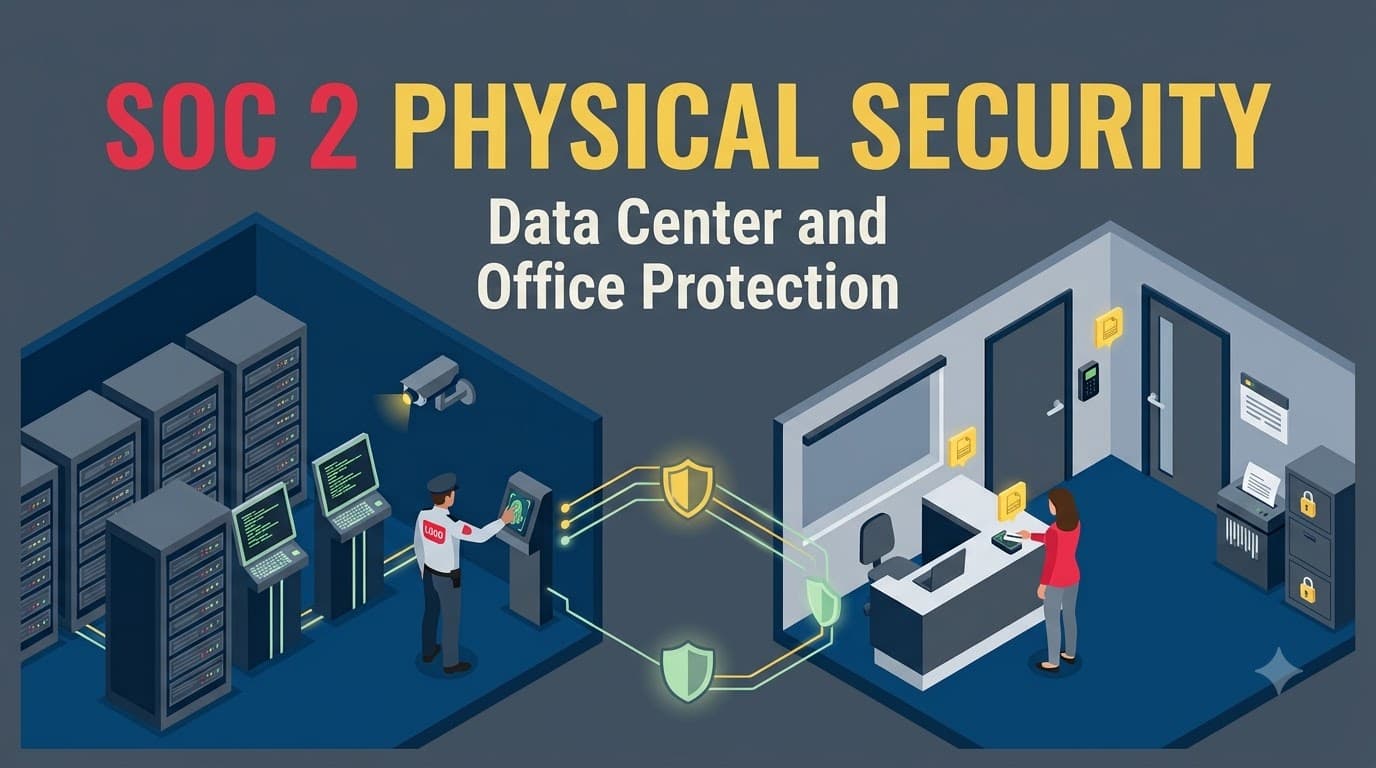
Priya Nandakumar found the finding on page fourteen of the readiness report, sandwiched between a logging gap and a vendor-risk note that felt almost gentle by comparison. As Director of IT at Solstice Health Analytics — a 140-person healthcare analytics SaaS company running entirely on AWS out of a leased office in Denver — she had spent eleven months preparing for her company's first SOC 2 Type II examination. The deal on the line was real money: Meridian Care Partners, a regional hospital network worth a projected $2.4 million in first-year contract value, had made a clean SOC 2 report a condition of signing. Priya's team had poured its energy into encryption, logging, and access reviews. Physical security barely made the punch list, because — as she'd told her CFO more than once — "we don't run a data center, AWS does."
The auditor, Marcus Webb, a CPA and audit partner at Ferris & Cole LLP, saw it differently. His fieldwork turned up a departing contractor whose badge still opened the Denver office six weeks after termination. A visitor log that was really just a paper sign-in sheet nobody reconciled. Three retired laptops sent to an e-waste vendor with no certificate of destruction and no proof the drives had been wiped. None of it touched AWS's data centers — Solstice had no data center of its own — but every one of it sat squarely inside the scope of Common Criteria 6.4 and 6.5, the two criteria that govern physical access to facilities and the secure disposal of physical assets. "You don't get to skip physical security because you're in the cloud," Marcus told her in the exit interview. "You get to redirect it — to the office, to the endpoints, to the people who still hold physical keys to physical things." That single sentence reframed Priya's entire remediation plan, and it is the sentence this article is built around.
Physical security is the part of SOC 2 that experienced cloud-native teams most reliably underestimate, and it is also one of the fastest to remediate once you understand where your actual scope boundary sits. This guide walks through what CC6.4 and CC6.5 require, how the cloud shared-responsibility model changes (but does not eliminate) your obligations, and exactly what evidence auditors pull when they test physical controls — whether you operate a real data center, colocate in one, or run entirely out of a leased office with workloads on AWS, Azure, or Google Cloud.
Who this is for, and what you'll walk away with
This is written for the people who actually own physical security inside a SOC 2 program: IT and security leaders preparing for a first or renewal audit, facilities managers who inherit compliance requirements without a security background, and founders at cloud-native startups convinced (usually wrongly) that "we're in the cloud" means physical security doesn't apply to them. You'll walk away with the real CC6.4/CC6.5 control language mapped to concrete controls, a clear model for what you inherit from your cloud provider versus what you must own directly, the exact evidence auditors request for badge systems, visitor logs, CCTV, environmental monitoring, and asset disposal, and a set of checklists you can hand to a facilities or IT operations team this week. If your organization is 100% cloud-hosted with no data center footprint, pay particular attention to the shared-responsibility sections — that's where most of your risk (and most of your unnecessary anxiety) actually lives.
Why physical security still matters in a cloud-first world
It's tempting to treat physical security as a legacy category — something that mattered when companies ran their own server rooms and matters less now that most SaaS workloads live in AWS, Azure, or Google Cloud availability zones. That instinct is half right. The physical security of the actual data center racks — the concrete, the razor wire, the biometric mantraps around the server floor — genuinely has moved to the cloud provider for the overwhelming majority of SOC 2 service organizations. But Common Criteria 6.4 and 6.5 were never written to cover only data centers. They cover physical access to any facility where a system, or the people and devices that operate it, could be compromised — and that includes your headquarters, your regional offices, your remote employees' home workspaces, and the laptops your engineers carry to coffee shops. A stolen unencrypted laptop, a tailgating incident that lets an unauthorized person into your office network closet, or a hard drive thrown in the trash instead of destroyed can each cause a reportable security incident just as surely as a data center breach can — and auditors know it, which is why CC6.4 and CC6.5 show up in every Security-criteria SOC 2 engagement regardless of hosting model.
CC6.4 and CC6.5: what the Common Criteria actually require
SOC 2's Common Criteria are organized under CC6, "Logical and Physical Access Controls." Most of CC6 (CC6.1–CC6.3, CC6.6–CC6.8) governs logical access — accounts, credentials, network access, encryption. CC6.4 and CC6.5 are the two criteria carved out specifically for the physical world. CC6.4 addresses restricting physical access to facilities and protected information assets to authorized personnel, and CC6.5 addresses the secure disposal of physical assets that could expose data after they leave production use — hardware, media, and paper records alike. Neither criterion names a specific technology or vendor; both are outcomes-based, which is exactly why they apply whether you own a data center, colocate in one, or lease office space above a coffee shop.
In practice, auditors test CC6.4 by asking: who can physically reach a system or the people who administer it, how was that access granted, and how is it removed when it's no longer needed? They test CC6.5 by asking: when a device, drive, or document reaches end of life, how do you prove the data on it can never be recovered? The table below breaks both criteria into the points of focus auditors typically map their testing to.
Criterion | Plain-language requirement | Typical points of focus auditors test | Applies to |
|---|---|---|---|
CC6.4 | Restrict physical access to facilities and protected assets to authorized individuals | Access provisioning/deprovisioning, visitor management, badge/biometric systems, CCTV, environmental monitoring, physical perimeter controls | Offices, data centers, colocation cages, storage rooms, network closets |
CC6.5 | Securely dispose of physical assets that could expose confidential or sensitive information | Media sanitization procedures, cryptographic erasure, certificates of destruction, chain-of-custody logs, disposal vendor due diligence | Laptops, servers, drives, backup tapes, printed records, mobile devices |
Both criteria sit inside the broader Trust Services Criteria structure that underpins every SOC 2 report; if you haven't already mapped how CC6 fits alongside the other Common Criteria families, our companion piece on SOC 2 security criteria implementation is the right place to build that full picture before you specialize into physical controls.
The cloud shared-responsibility nuance: what you inherit, what you own
This is the single most important concept in this article, and it's the one Priya's team got wrong. When your production systems run on AWS, Azure, or Google Cloud infrastructure-as-a-service (IaaS), the physical security of the actual data center — the building perimeter, the server floor, the biometric mantraps, the diesel generators, the fire suppression on the raised floor — is the cloud provider's responsibility, not yours. AWS, Microsoft, and Google each undergo their own SOC 2 Type II examinations (among other attestations) covering exactly those physical controls, and they make summary reports and, under NDA, full reports available to customers. In SOC 2 terms, your cloud IaaS provider is a subservice organization — an entity whose controls your own system depends on but that your auditor doesn't directly test.
Almost every cloud-hosted SOC 2 report handles this using the carve-out method: the data center physical controls are explicitly excluded from your auditor's testing and described as relied upon in your system description, with a reference to the subservice organization's own attestation. The alternative, the inclusive method, would require your auditor to test the cloud provider's physical controls directly — something virtually no hyperscale IaaS provider allows, and something no auditor wants to attempt across a facility with thousands of unrelated tenants. The practical result: if you're cloud-hosted, your CC6.4 and CC6.5 scope narrows sharply to the physical spaces and assets you actually control — your offices, your employees' remote workspaces, and your organization-owned hardware — while the data center itself is addressed by reference and evidence, not direct testing.
"The number one physical security misconception I see in cloud-native SOC 2 engagements is founders assuming 'we're in AWS' means physical security is someone else's problem entirely. It's someone else's problem for the server room. It is very much your problem for the office badge system, the laptop that walked out the door, and the printer nobody thinks about." — Marcus Webb, CPA, Audit Partner, Ferris & Cole LLP
The table below lays out how physical control ownership actually splits across the hosting models we see most often in SOC 2 engagements.
Hosting model | Data center physical controls | Office physical controls | Endpoint physical controls | Who evidences what |
|---|---|---|---|---|
Pure cloud IaaS (AWS/Azure/GCP) | Inherited — cloud provider's own SOC 2/ISO 27001 | Service organization owns fully | Service organization owns fully | You evidence office + endpoints; cite provider's report for data center |
Colocation (you own racks, lease space) | Shared — colo facility owns building/perimeter, you own the cage/rack | Service organization owns fully | Service organization owns fully | You evidence cage-level controls + colo provider's attestation for the building |
Owned/operated data center | Fully owned by service organization | Service organization owns fully | Service organization owns fully | You evidence everything directly — full CC6.4/CC6.5 testing on-site |
Office-only, remote-first workforce | Inherited (if cloud) or N/A | Service organization owns any physical office space (even small) | Service organization owns policy; individuals share operational responsibility | You evidence device controls, home-office CUECs, and any shared workspace |
Fully remote, no office at all | Inherited (if cloud) | N/A — document as out of scope | Service organization owns policy; strong reliance on complementary user entity controls-style employee obligations | You evidence device/endpoint program; auditor tests policy and enforcement |
Understanding this split is exactly why our piece on shared responsibility across common controls pairs so well with this one — CC6.4/CC6.5 is the sharpest, most concrete example of shared responsibility in the entire SOC 2 framework, because the line between "inherited" and "owned" is drawn by a physical wall rather than an abstract policy boundary.
flowchart TB
    A[Production System] --> B{Where does it run?}
    B -->|Cloud IaaS: AWS/Azure/GCP| C[Data Center Physical Security]
    B -->|Colocation| D[Colo Facility + Your Cage]
    B -->|Owned Data Center| E[Fully Owned Physical Security]
    C --> F[INHERITED: Provider's own SOC 2/ISO 27001<br/>Perimeter, mantraps, CCTV, HVAC, fire suppression]
    D --> G[SHARED: Colo owns building<br/>You own cage-level access + your equipment]
    E --> H[OWNED: You test and evidence<br/>every CC6.4/CC6.5 control directly]
    F --> I[YOUR ACTUAL SCOPE:<br/>Office access control<br/>Visitor management<br/>Endpoint/laptop security<br/>Remote worker CUECs<br/>Asset disposal]
    G --> I
    H --> I
Evidencing inherited controls: the subservice organization playbook
Inheriting data center physical controls doesn't mean you can wave your hand at CC6.4 and move on — auditors still expect you to demonstrate that you performed due diligence on the subservice organization whose controls you're relying on. This is where a surprising number of otherwise well-prepared teams stumble, because the evidence isn't something you generate operationally; it's something you have to actively collect and file once a year.
The core artifact is the cloud provider's own attestation report — AWS's SOC 2 Type II report (available through AWS Artifact), Azure's SOC 2 report (via the Microsoft Trust Portal), or Google Cloud's equivalent. Your auditor will want to see that you obtained the current report, reviewed it for exceptions relevant to your system, and documented that review — not just that the PDF sits in a shared drive untouched. If the provider's report notes a control exception, your auditor will ask what you did about it. Many teams also maintain a subservice organization risk register that tracks each vendor whose controls they rely on, the report type and period, and the date of last review.
Evidence artifact | What it proves | How often refreshed | Who owns it |
|---|---|---|---|
Cloud provider SOC 2 Type II report (or ISO 27001 certificate) | Data center physical controls were independently tested | Annually (report period rolls) | Vendor risk / compliance owner |
Documented review of provider report + noted exceptions | You actually read it, not just filed it | Annually | Compliance owner, reviewed by security lead |
Subservice organization register entry | Formal tracking of reliance on the provider | Updated at onboarding + annual review | GRC/compliance function |
Carve-out language in your system description | Auditor and readers understand scope boundary | Each report cycle | Auditor drafts with management input |
Shared-responsibility model documentation (internal) | Internal proof you understand what you own vs. inherit | Reviewed annually or on infra change | Security/IT leadership |
This due-diligence trail is a form of vendor risk management applied specifically to physical infrastructure, and it's worth treating with the same rigor you'd apply to any other critical vendor. Renata Sousa, who runs the SOC 2 program at a remote-first fintech data platform, put it this way when I asked how her four-person compliance team keeps this current:
"We put a calendar reminder the day AWS's new SOC 2 report drops every year. Someone reads it end to end, we log what changed since last year, and we file the review memo in the same evidence folder as our badge logs. Auditors have never once questioned our data center scope because that folder is boring and consistent — which is exactly what you want an auditor to feel about physical security evidence." — Renata Sousa, SOC 2 Program Manager, Halcyon Metrics
Facility access controls: the layered-access model
For every facility inside your actual scope — your headquarters, branch offices, a colocation cage, or an owned data center — CC6.4 expects a layered access model rather than a single lock on the front door. Auditors think in terms of concentric rings: the outer perimeter (parking, building entry), the office or suite entry, and then any restricted interior zones (server closets, records rooms, executive areas with sensitive documents). Each ring should require progressively stronger authorization, and access to the innermost rings should be provisioned on a documented least privilege basis tied to job role, not tenure or convenience.
A well-designed program starts with a facility access policy that names who approves access requests, how access is provisioned and reviewed, and how it's revoked — mirroring the logical access lifecycle most teams already run for system accounts. The mistake I see most often, and the one that caught Solstice, is treating physical access provisioning as a one-time event handled by whoever happens to be at the front desk, with no linkage to the HR offboarding process that triggers logical account deprovisioning. Badge deactivation needs to be a same-day, systematic step in offboarding — not a follow-up task someone remembers three weeks later.
Access ring | Typical control | Provisioning trigger | Review cadence |
|---|---|---|---|
Building/parking perimeter | Property management badge, keypad, or staffed entrance | Lease/property terms — often outside your direct control | Annual, via lease review |
Office/suite entry | Badge reader, biometric, or keyed lock tied to company roster | New hire day one, role change | Quarterly access review |
Restricted interior zones (network closet, records room, server room) | Separate badge tier or biometric, logged entry | Role-based (IT, facilities, executives only) | Quarterly or after role change |
Visitor-accessible areas (lobby, conference rooms) | Escort or receptionist control | Case-by-case, logged per visit | Per visit — no standing access |
Badge and biometric access control systems
Badge systems remain the most common physical access control mechanism auditors encounter, and for good reason — they generate the electronic audit trail auditors want to sample against. A badge system alone, however, is only as strong as its provisioning and deprovisioning discipline. Auditors will pull a badge access report for the audit period and reconcile it against your HR roster: does everyone with active badge access appear as a current employee or approved contractor? Does anyone terminated during the period still show an active badge, even briefly? That reconciliation is precisely the test that caught Solstice's six-week-late deprovisioning.
Biometric systems (fingerprint, iris, facial recognition) add a stronger identity guarantee than a badge alone — a badge can be lent, lost, or cloned; a fingerprint generally can't — and they're increasingly common for the innermost access rings in colocation cages and owned data centers. They come with their own considerations: biometric data is itself sensitive, so a biometric access system introduces a data-handling obligation of its own, and many organizations pair biometrics with a badge as a second factor rather than relying on biometrics alone, particularly for larger workforces where false-rejection rates create friction. PIN codes are the weakest common option — shareable, hard to attribute to an individual — and auditors will flag PIN-only access to sensitive areas as a finding almost every time.
Method | Strength | Auditability | Common use case | Key risk |
|---|---|---|---|---|
Badge (RFID/proximity) | Moderate | Strong — full swipe log per individual | Office entry, most interior zones | Can be lent, lost, or cloned if unencrypted |
Biometric (fingerprint/iris/face) | High | Strong — tied to a unique physical identifier | Data center floor, colocation cage, server rooms | Sensitive data itself; enrollment/revocation process must be tight |
PIN code | Low | Weak — can't attribute to individual reliably | Rarely sufficient alone; sometimes paired as second factor | Shareable, guessable, no individual accountability |
Keyed lock | Low–Moderate | Weak — no electronic log | Legacy or low-risk spaces (storage closets) | No audit trail; key duplication risk |
Badge + biometric (two-factor) | Very High | Strong | Restricted interior zones, data center racks | Cost and enrollment overhead |
Whichever method you choose, the artifact your auditor actually wants is the same: a current access list reconciled against HR records, a provisioning/deprovisioning procedure with evidence it was followed, and a periodic (typically quarterly) access review with sign-off from a facility or security owner. This mirrors the logical access control review cadence covered in our guide to SOC 2 access controls and privilege administration — physical and logical access reviews are different tests of the same underlying discipline, and running them on the same cadence reduces overhead.
Visitor management: the control auditors test first
If there's one CC6.4 test I'd bet on an auditor running in literally every fieldwork session, it's a visitor log review. It's cheap to test, easy to sample, and it reveals a lot about how seriously an organization treats physical security day to day. A mature visitor management program requires every non-employee — job candidates, vendors, contractors, delivery personnel, auditors themselves — to register on arrival, present identification, state the person or purpose they're visiting, receive a visible visitor badge distinct from employee badges, and be escorted or otherwise supervised in any area beyond a public lobby. The log itself, whether a digital kiosk system or (less ideally) a paper sign-in sheet, needs to be retained for the audit period and needs a name, company, time in, time out, host, and purpose for every entry.
The gap Solstice had — a paper sheet nobody reconciled — is extremely common and extremely easy to fix, which is exactly why auditors keep finding it. Digital visitor management systems (Envoy, Traction Guest, and similar tools) solve the reconciliation problem automatically by timestamping entry and exit and tying every visit to a specific employee host, but a disciplined paper process with a named owner who reviews it weekly can pass the same test. What auditors actually want is evidence the log is used, not just kept — a monthly or quarterly reconciliation showing someone reviewed entries for anomalies (a visitor with no recorded host, a "visit" with no exit time weeks later) is the artifact that turns a passive log into an active control.
Visitor management element | Minimum requirement | Best-practice enhancement |
|---|---|---|
Registration | Name, company, purpose, host, time in/out | Government ID scan or digital kiosk capture |
Badge | Distinct visitor badge, visibly different from employee badge | Time-limited or auto-expiring digital badge |
Escort policy | Escorted beyond public lobby/reception | Escort required in ALL non-public areas, no exceptions |
Log retention | Retained for full audit period (typically 12 months) | Retained per data retention policy, searchable digitally |
Reconciliation | Periodic review for anomalies | Monthly review with documented sign-off |
NDA/confidentiality | Required for vendors accessing sensitive areas | Standing NDA on file before visit, not signed at the door |
Tailgating and mantrap controls
Tailgating — an unauthorized person following an authorized person through a secured door before it closes — is the single most common way physical access controls actually fail in practice, and it's a control category auditors probe through interview and observation rather than log review alone. The fix isn't purely technological; it's cultural, reinforced by physical design. Security awareness training should explicitly cover "don't hold the door" norms, and door hardware should be configured to alarm or log when held open beyond a threshold.
For the highest-sensitivity spaces — data center floors, colocation cages, server rooms handling regulated data — a mantrap (a small interlocking vestibule with two doors that never open simultaneously, admitting one person at a time) is the gold-standard control, because it makes tailgating physically impossible rather than merely discouraged. Mantraps are standard in owned or colocated data center environments and are almost never necessary for a standard office, where the cost and friction outweigh the risk. Tom Achebe, a physical security consultant who's designed access programs for both data centers and corporate offices, framed the decision this way:
"I get asked to spec a mantrap for corporate offices more often than you'd think, and I almost always talk clients out of it. A mantrap is the right tool when you're protecting a server floor with thousands of tenants' data behind one door. For a 50-person office, the right tool is a badge reader, a receptionist, and a culture where employees are trained — and empowered — to stop and question a stranger walking in behind them." — Tom Achebe, Physical Security Consultant, Perimeter Grid Consulting
CCTV and physical surveillance
CCTV coverage is a detective control that supports CC6.4 by creating a reviewable record of who accessed a facility and when, and it's frequently the first thing an auditor asks to see camera footage retention policy for, even if they never watch actual footage. What matters to an auditor is coverage of all entry/exit points and sensitive interior areas, a documented retention period long enough to support an investigation (30–90 days is typical for offices; data centers often retain longer), and evidence the system is monitored or at minimum reviewed after an access anomaly. A camera pointed at a door that nobody ever checks and that overwrites itself every 24 hours provides very little actual assurance, even though it looks like a control on a floor plan.
CCTV element | Office minimum | Data center / colocation minimum |
|---|---|---|
Coverage | All exterior entry/exit points, main corridors | All entry/exit points, server floor, loading dock, mantrap, cages |
Retention | 30–90 days | 90 days to 1 year (often contractually specified) |
Monitoring | Reviewed on incident/anomaly | Often actively monitored 24/7 by security operations |
Access to footage | Restricted to security/IT leadership | Restricted, logged access, chain-of-custody for exported footage |
Placement documentation | Camera map maintained and current | Camera map maintained, reviewed at each site audit |
Environmental controls: power, HVAC, and fire
CC6.4's physical-protection intent extends beyond stopping unauthorized people from walking in — it also covers protecting the systems and people inside from environmental hazards. For a data center or colocation cage, this means redundant power (utility feed plus generator or UPS), temperature and humidity control sized to the equipment load, and fire detection and suppression appropriate to a room full of electronics (clean-agent suppression rather than water sprinklers, ideally, plus smoke and heat detection tied to a monitored alarm). For an office, expectations are lighter but not absent: basic fire detection and suppression, a documented emergency evacuation plan, and — increasingly, post-pandemic — attention to any server closet or IT equipment room that still holds on-premises hardware like network switches, local backup appliances, or a legacy file server.
If you're fully cloud-hosted, this entire category is almost always inherited from your IaaS provider for production systems, and your own environmental control obligations shrink to whatever physical IT equipment remains in your office — which for many SaaS companies is just networking gear and employee endpoints, not production servers. Don't skip documenting this, though: an auditor will still ask what environmental risk exists in your office network closet, however small, and "we thought about it and here's why the risk is low" is a perfectly good answer as long as it's written down.
Environmental control | Owned/colocated data center | Office with IT closet | Fully cloud, no IT closet |
|---|---|---|---|
Power redundancy | Generator + UPS, tested regularly | UPS on critical network gear (recommended) | N/A — inherited from cloud provider |
HVAC/temperature monitoring | Continuous monitoring with alerting | Building HVAC; monitor equipment room temp if IT gear present | N/A — inherited from cloud provider |
Fire detection | Smoke/heat detection, monitored alarm | Standard building fire code compliance | N/A — inherited from cloud provider |
Fire suppression | Clean-agent suppression in server areas | Building sprinkler system (standard code) | N/A — inherited from cloud provider |
Water/flood detection | Leak detection under raised floor | Not typically required | N/A — inherited from cloud provider |
Documented risk assessment | Full environmental risk assessment | Lightweight assessment of IT equipment room, if any | Documented statement of inheritance + rationale |
A colocation client of mine, Vantage Ledger — a fintech clearing platform that leases rack space in a Tier III colocation facility rather than running fully cloud-native — learned the environmental piece the hard way during a near-miss. Leo Marchetti, their VP of Engineering, described it to me during a post-incident debrief:
"We had a UPS battery failure during a routine maintenance window and lost about ninety seconds of clean power before the generator kicked in. Nothing went down — the colo facility's redundancy did exactly what it was supposed to do — but it forced us to actually read our colocation provider's environmental SLA line by line instead of assuming 'Tier III' meant we didn't need to know the details. Our auditor asked for that SLA and our incident write-up in the very next cycle." — Leo Marchetti, VP of Engineering, Vantage Ledger
Secure disposal under CC6.5: media, hardware, and paper
CC6.5 is where physical security meets data protection most directly: when a device, drive, backup tape, or paper record reaches end of life, how do you prove the information on it can never be recovered by whoever handles it next? Auditors test this by sampling disposal records against your asset inventory — pulling a handful of retired laptops or decommissioned servers from the period and asking for the corresponding destruction evidence.
There are three broadly accepted approaches, and most mature programs use a combination. Physical destruction (shredding, degaussing, crushing) is the most defensible for drives leaving your control entirely, especially through a third-party e-waste or ITAD (IT asset disposition) vendor — but it only counts as evidence if the vendor provides a certificate of destruction tied to serial numbers, not a generic invoice. Cryptographic erasure — destroying the encryption keys protecting an already-encrypted drive, rendering the data permanently unreadable — has become the standard for cloud and virtualized environments where physical destruction isn't practical, and increasingly for self-encrypting drives in owned hardware too. Data wiping (multi-pass overwrite software) remains valid for drives that will be reused or resold, though it's slower and less definitive than the other two methods.
Disposal method | Best for | Evidence auditors expect | Reuse possible? |
|---|---|---|---|
Physical destruction (shred/degauss/crush) | Drives leaving organizational control permanently | Certificate of destruction with serial numbers, vendor chain-of-custody log | No |
Cryptographic erasure | Cloud volumes, self-encrypting drives, virtualized storage | Key destruction log, timestamp, system record | Yes (device), no (data) |
Multi-pass data wipe | Devices being redeployed or resold internally | Wipe tool report/log per device serial number | Yes |
Paper shredding | Physical records, printed sensitive documents | Shred vendor certificate or in-house shred log | N/A |
Backup tape destruction | End-of-life backup media | Vendor certificate, inventory reconciliation | No |
The chain of custody between "device retired from production" and "certificate of destruction received" is the piece most programs are missing, and it's the exact gap that cost Solstice three findings on a single sample of retired laptops. A simple asset disposal log — device serial number, retirement date, disposal method, vendor, certificate reference, and the employee who initiated the process — closes that gap and gives the auditor a single artifact to trace the entire lifecycle.
Remote work and home-office physical security
The hardest physical security conversation in modern SOC 2 engagements isn't about data centers — it's about the kitchen table where a customer support engineer works three days a week. Remote and hybrid work push a meaningful share of physical security risk into spaces the organization doesn't own, can't inspect, and can't badge-control. SOC 2 doesn't expect you to install CCTV in someone's apartment, but it does expect a documented, enforced policy covering how remote employees protect company devices and the data on them, framed as a set of employee obligations that function much like complementary user entity controls do for customers — expectations the organization sets and depends on, even though it can't directly observe compliance day to day.
A defensible remote work physical security policy typically covers: full-disk encryption enabled on every company-issued device before it leaves the office (or verified remotely via mobile device management), a requirement to lock or store devices when unattended, a prohibition on leaving devices visible in vehicles, guidance on working from public spaces (privacy screens, avoiding sensitive work on unsecured networks), and a clear incident-reporting path for lost or stolen devices with a target reporting window (commonly within 24 hours). The policy alone isn't the control — enforcement evidence is. That means MDM enrollment records showing encryption status across the fleet, signed policy acknowledgments at onboarding and annually thereafter, and an incident log showing lost/stolen device reports were actually acted on (remote wipe triggered, credentials rotated).
Remote/home-office control | Policy requirement | Evidence auditor will request |
|---|---|---|
Device encryption | Full-disk encryption mandatory before device leaves IT custody | MDM report showing encryption status per device |
Screen lock/auto-lock | Auto-lock after short idle period, mandatory | MDM configuration policy export |
Device storage when unattended | Locked away, not left visible in vehicles/public spaces | Signed policy acknowledgment |
Public network/workspace use | Guidance on privacy screens, avoiding sensitive work in public | Security awareness training record |
Lost/stolen device reporting | Reported within defined window (e.g., 24 hours) | Incident log with remote wipe/credential rotation evidence |
Annual policy acknowledgment | Signed at onboarding, re-signed annually | HRIS or e-signature record per employee |
Halcyon Metrics, a fully remote fintech data platform with no physical office at all, took this further than most. Renata Sousa's team built their entire CC6.4 story around device-level and policy-level controls rather than facility controls, because there was no facility to control:
"Our auditor's first question was 'where's your office access review?' and our honest answer was 'we don't have an office — here's why, and here's what we do instead.' We walked through our MDM enrollment rate, our device encryption compliance dashboard, our lost-device incident history, and our remote work policy acknowledgment records. It took one extra conversation to explain the model, and then it tested clean every year since, because the evidence was more consistent than most offices' badge logs." — Renata Sousa, SOC 2 Program Manager, Halcyon Metrics
Endpoint physical security: the asset that actually walks around
Whether or not you have an office, your organization almost certainly has laptops, phones, and other endpoints that hold or can access production data, and those devices are the physical asset category every SOC 2 service organization owns regardless of hosting model. Endpoint physical security sits at the intersection of CC6.4 (protecting the device from unauthorized physical access) and CC6.5 (ensuring the device is properly sanitized at end of life), and it's tested through the same mobile device management tooling most organizations already run for other reasons.
The core expectations are straightforward: full-disk encryption on every device that can access production systems or customer data, an MDM enrollment requirement enforced before a device is provisioned to an employee, remote-wipe capability tested and ready for lost/stolen scenarios, and a data classification-informed policy on what data is permitted to live locally on an endpoint versus accessed only through browser-based or virtualized tools. A clean desk policy — requiring sensitive documents and unlocked devices to be secured when a workspace is unattended — rounds this out for office environments and is a common, low-cost control auditors like to see documented even at small organizations.
Endpoint control category | Control | Evidence type |
|---|---|---|
Encryption | Full-disk encryption (BitLocker/FileVault) mandatory | MDM compliance report |
Enrollment | MDM enrollment required before production access granted | Provisioning checklist + MDM roster |
Remote wipe | Capability tested at least annually | Test log with date and result |
Local data minimization | Sensitive data accessed via browser/VDI, not stored locally where avoidable | Data classification policy + application architecture |
Clean desk | Sensitive materials secured when workspace unattended | Policy + periodic office walk-through log |
Asset inventory | All endpoints tracked with owner, serial, and status | Asset management system export |
Case study: Solstice Health Analytics closes the gap in six weeks
Back to Priya. Once Marcus Webb's exit interview reframed physical security as "office plus endpoints, not data centers," Solstice's remediation moved fast because the fixes were operational, not architectural. Within six weeks the team: (1) integrated badge deprovisioning directly into the HR offboarding workflow so badge deactivation happened the same day as account deprovisioning, closing the gap that let a terminated contractor's badge work for six weeks; (2) replaced the paper visitor sign-in sheet with a digital kiosk system that auto-generated a monthly reconciliation report; (3) retroactively obtained certificates of destruction from their e-waste vendor for the three laptops in question and, going forward, required a serial-number-matched certificate before any device left the building; and (4) built a subservice organization register documenting their annual review of AWS's SOC 2 report, closing the evidentiary gap on the data center controls they'd been correctly, but silently, relying on all along.
The re-test came back clean. Solstice's Type II report shipped on schedule, the Meridian Care Partners contract closed at $2.4 million in first-year value, and — perhaps more importantly for Priya's ongoing program — the badge-to-HR integration and quarterly access review became permanent fixtures that made every subsequent audit cycle faster. Dana Okafor, who took on the newly created role of Facilities Security Manager as part of the remediation, summarized the lesson for other cloud-native teams:
"We weren't lazy about physical security — we were confused about where our physical security actually lived. Once we understood we owned the office and the endpoints, not the data center, the work was maybe fifteen percent of what we thought it would be. The hard part was the mental model, not the implementation." — Dana Okafor, Facilities Security Manager, Solstice Health Analytics
Case study: Vantage Ledger turns a colocation near-miss into a stronger CC6.4 story
Vantage Ledger, the fintech clearing platform introduced earlier, sits in a physical security position that's increasingly rare but still common enough to matter: colocated infrastructure, not pure cloud IaaS and not an owned data center. Before their first SOC 2 Type II, Leo Marchetti's team treated their colocation provider's Tier III certification as a blanket assurance and never documented what, specifically, they were responsible for inside their own leased cage. That gap surfaced during the UPS battery near-miss described above, and it forced a scramble to answer basic questions — what was the colocation facility's contractual environmental SLA, who at Vantage Ledger owned reviewing it, and what evidence existed that anyone had?
The remediation Vantage Ledger built became a template I've reused with other colocation clients since. First, they obtained and filed their colocation provider's own SOC 2 Type II report and cross-referenced it against a written cage-level responsibility matrix, spelling out in one page exactly which controls belonged to the facility (building perimeter, generator, base HVAC, fire suppression) and which belonged to Vantage Ledger directly (cage-level badge access, rack locks, equipment-level environmental monitoring). Second, they installed independent temperature and humidity sensors inside their own cage rather than relying solely on the facility's building-wide monitoring, giving them equipment-level alerting that fed directly into their existing incident response process. Third, they negotiated a contractual amendment with the colocation provider requiring 24-hour advance notice of maintenance windows that could affect power redundancy, closing the exact gap that caused the original near-miss.
The result, verified in their next Type II observation period: zero physical security findings, down from the informal gaps that had existed but gone untested before their first audit, and a cage-level environmental incident response time that dropped from the roughly 40 minutes it took to escalate the UPS event to under 10 minutes once independent sensors were in place. Leo's team also found an unexpected side benefit — the cage-level responsibility matrix they built for audit purposes became the reference document their engineering team used during a subsequent colocation facility migration, cutting weeks off the physical security planning for the move because the ownership boundaries were already documented.
Case study: Halcyon Metrics passes CC6.4 with no office at all
Halcyon Metrics represents the opposite end of the spectrum from Vantage Ledger: a fully remote fintech data platform, roughly 60 employees, zero leased office space, and 100% of production infrastructure on cloud IaaS. When Renata Sousa's team began their first SOC 2 engagement, their auditor initially treated the "no office" answer with visible skepticism — in Renata's words, it read on paper like an attempt to avoid the control rather than a legitimate operating model. The remediation wasn't about adding physical controls Halcyon didn't need; it was about building an evidence package thorough enough to make the absence of an office a documented, tested design decision rather than an unaddressed gap.
The team built four pillars of evidence: a device-level control program (100% MDM enrollment with automated encryption compliance reporting, refreshed weekly), a remote work physical security policy with mandatory annual acknowledgment tracked in their HRIS, a lost/stolen device incident process tested twice during the audit period with documented remote-wipe execution times under two hours in both cases, and — critically — a written system description narrative explicitly stating that no physical office exists, that all production infrastructure is inherited from their cloud IaaS provider under the carve-out method, and that physical security scope is limited to employee-owned-adjacent, company-issued endpoints.
The outcome: a clean Type II opinion with no CC6.4 exceptions, and — more valuable to Renata's team long-term — an evidence package so well-documented that it became their standard answer to enterprise security questionnaires that assumed a physical office existed. "We stopped getting follow-up questions about our office because our answer was more detailed than most companies' answers about an office they actually have," Renata told me. The lesson generalizes well beyond fintech: a fully remote CC6.4 story isn't a weaker story if you document it deliberately — it's often a stronger one, because every artifact is centralized in tooling rather than scattered across physical logbooks and badge systems that are easy to let lapse.
Physical security in vendor due diligence and M&A
Physical security evidence has a second audience beyond your SOC 2 auditor: the customers and acquirers who read your report or your security questionnaire responses looking for exactly this kind of operational discipline. Enterprise procurement teams in healthcare, financial services, and government-adjacent industries routinely ask physical security questions that go beyond what a SOC 2 report states in summary — office locations, device encryption rates, disposal vendor names — and a well-organized physical security evidence package answers those questions in minutes instead of triggering a multi-week back-and-forth with your security team. The same evidence package matters again, often with higher stakes, during M&A due diligence, where an acquirer's security team will specifically probe physical asset disposal history and badge/HR integration as a proxy for how disciplined the broader security program is likely to be.
Due diligence scenario | What's typically requested | Where the evidence lives if you followed this guide |
|---|---|---|
Enterprise customer security questionnaire | Office locations, visitor policy, device encryption rate, disposal process | Physical security evidence package (this guide's evidence table) |
Cyber insurance underwriting | Physical access control summary, environmental controls for any owned infrastructure | Facility access policy, environmental control matrix |
M&A technical due diligence | Asset disposal history, badge/HR integration proof, subservice organization due diligence trail | Asset disposal log, provisioning/deprovisioning records, subservice organization register |
Regulatory examination (e.g., healthcare, financial services) | Documented physical safeguards mapped to applicable regulation | Physical security policy + control-to-requirement mapping |
Building the physical security evidence package auditors actually test
Across dozens of engagements, the physical security evidence auditors request is remarkably consistent regardless of hosting model. Assembling it proactively, in one organized location, before fieldwork begins is the single highest-leverage thing a compliance owner can do for this control area — it turns what could be a multi-day back-and-forth into a single evidence drop.
Evidence category | Specific artifacts | Prepared by |
|---|---|---|
Access provisioning | Badge/biometric access list reconciled to HR roster, provisioning tickets for the period | IT/Facilities |
Access deprovisioning | Termination log cross-referenced against badge deactivation timestamps | IT/Facilities, HR |
Access review | Quarterly access review sign-offs | Security/Facilities lead |
Visitor management | Visitor log for the audit period, reconciliation records | Reception/Facilities |
CCTV | Camera coverage map, retention policy, sample footage-access log | IT/Security |
Environmental | Environmental monitoring logs/alerts, maintenance records, generator/UPS test logs | Facilities/Data center ops |
Disposal | Asset disposal log, certificates of destruction, chain-of-custody records | IT Asset Management |
Subservice reliance | Cloud provider SOC 2 report + documented annual review | Compliance/GRC |
Remote/endpoint | MDM compliance report, policy acknowledgments, lost-device incident log | IT/Security |
Policy documentation | Physical security policy, visitor policy, disposal policy, remote work policy | Security/Compliance |
Common audit findings — and how to avoid every one of them
Having sat through this exact conversation with clients across three hosting models, the same handful of findings recur often enough to be worth naming directly, ranked roughly by frequency.
Finding | Root cause | Fix |
|---|---|---|
Badge access not deprovisioned promptly after termination | Physical access not linked to HR offboarding workflow | Integrate badge deactivation into the offboarding checklist as a same-day step |
Visitor log kept but never reconciled | Log treated as a formality, not an active control | Assign an owner, require monthly reconciliation with sign-off |
No certificate of destruction for disposed hardware | E-waste vendor used without contractual destruction proof requirement | Require serial-matched certificates before device release; log every disposal |
No documented review of cloud provider's SOC 2 report | Report obtained but filed, never actually reviewed | Calendar an annual review with a written memo, filed as evidence |
Quarterly access reviews skipped or undocumented | No assigned owner, treated as optional | Assign a named owner, set a recurring calendar task, require sign-off artifact |
Remote work device encryption unverified | No MDM enforcement, policy exists but isn't checked | Enforce via MDM configuration profile, not policy language alone |
CCTV footage retention shorter than audit period | Default vendor settings never adjusted | Set retention to match or exceed the audit/observation period |
Who owns physical security: a RACI for cross-functional programs
Physical security sits at an unusual organizational intersection — IT and security own the policy and the risk framing, but facilities, HR, and sometimes a landlord or property manager control the actual mechanics of badges, keys, and building access. Without an explicit ownership map, this is exactly the kind of control area that falls through organizational cracks, which is a large part of why it generates so many audit findings relative to its actual implementation cost.
Activity | Responsible | Accountable | Consulted | Informed |
|---|---|---|---|---|
Badge provisioning/deprovisioning | Facilities/IT | Security lead | HR (for termination timing) | Employee's manager |
Visitor management program | Reception/Facilities | Facilities lead | Security | All staff |
CCTV system administration | IT/Security | Security lead | Facilities, Legal (retention) | — |
Environmental monitoring (data center/colo) | Data center ops | Infrastructure lead | Facilities | Security/Compliance |
Asset disposal | IT Asset Management | IT lead | Security (data sensitivity) | Compliance |
Subservice organization (cloud provider) review | Compliance/GRC | Compliance lead | Security, Legal | Leadership |
Remote work/endpoint policy | Security | CISO/Security lead | IT, HR | All staff |
Physical security policy maintenance | Security/Compliance | Security lead | Facilities, HR, Legal | All staff |
Budgeting the program: cost and timeline by organization profile
Physical security remediation is, relative to most SOC 2 control areas, cheap and fast — which is good news for the majority of readers who are cloud-hosted and only need to cover an office and a fleet of endpoints. Organizations running owned or colocated infrastructure carry meaningfully higher cost and longer timelines because they're covering the full environmental and access-control stack directly rather than by reference to a subservice organization's report.
Organization profile | Typical remediation timeline | Typical cost range (tooling + labor) | Primary cost drivers |
|---|---|---|---|
Cloud-hosted, single office | 4–8 weeks | $5,000–$20,000 | Visitor kiosk system, badge/HR integration, MDM licensing |
Cloud-hosted, fully remote (no office) | 2–4 weeks | $3,000–$12,000 | MDM licensing, policy development, remote work training |
Cloud-hosted, multiple offices | 8–12 weeks | $15,000–$40,000 | Multi-site badge standardization, CCTV rollout, per-site visitor management |
Colocation (owned racks in leased data center) | 10–16 weeks | $20,000–$60,000 | Cage-level access controls, environmental monitoring integration, colo contract review |
Owned/operated data center | 16–24 weeks | $50,000–$150,000+ | Mantraps, biometric systems, generator/UPS, fire suppression, 24/7 monitoring |
This is roughly consistent with what I've seen across SOC 2 readiness assessments: physical security is rarely the line item that blows a compliance budget, but it's disproportionately likely to generate a finding if it's left until the last month before fieldwork, simply because the fixes (HR integration, vendor certificates, policy sign-off) take calendar time to operationalize even when they're inexpensive.
Physical security as a business opportunity, not a checkbox
It's easy to treat CC6.4 and CC6.5 as the least interesting part of a SOC 2 program — no exciting architecture diagrams, no clever engineering, just badges, logs, and disposal certificates. But reframe it the way Marcus Webb reframed it for Priya: physical security is the part of your audit that customers, particularly in regulated industries like healthcare, finance, and government contracting, actually picture when they imagine their data being mishandled. A prospect's security questionnaire almost always asks about office access control and device disposal in plain language, long before it asks about your encryption key rotation policy. Getting physical security right — and being able to explain your shared-responsibility model clearly — is a sales enablement asset as much as it is a compliance obligation.
It also compounds well against other frameworks. If your organization is weighing a parallel or future ISO 27001 certification alongside your SOC 2 program, the physical and environmental security controls in ISO 27001's Annex A largely mirror the intent of CC6.4 and CC6.5, which means the evidence you build here — badge reconciliation, visitor logs, disposal certificates, subservice organization due diligence — carries forward with minimal rework. Our guide on running ISO 27001 and SOC 2 together walks through exactly how to build that shared control set once, and if you're still deciding which framework — or both — fits your customer base, ISO 27001 vs SOC 2: which one do you need is the right starting point. Teams managing both frameworks side by side also lean on our ISO 27001, SOC 2 & NIST CSF crosswalk to avoid maintaining duplicate evidence for what is, functionally, the same physical control.
Finally, remember that this evidence lives inside your broader SOC 2 report structure — the system description your auditor writes explicitly names what's inherited and what's owned, and getting the shared-responsibility narrative right there is often what separates a clean opinion from a qualified one when a physical control question comes up in review.
"The clients who struggle with physical security aren't the ones with weak controls — they're the ones who never wrote down what they actually own versus what they're relying on someone else for. Write that down first. The controls almost implement themselves once the scope is clear." — Marcus Webb, CPA, Audit Partner, Ferris & Cole LLP
Get physical security audit-ready
If you're heading into a SOC 2 examination and physical security has been an afterthought behind logging, encryption, and access reviews, start this week with three moves: pull your current badge access list and reconcile it against your HR roster by hand, confirm your cloud provider's latest SOC 2 report is on file with a documented review, and check whether your last three retired devices have serial-number-matched certificates of destruction. If any of those three checks come up short, you've found your highest-leverage fix before an auditor finds it for you.
PentesterWorld's SOC 2 Readiness Checklist walks through this exact triage across every Trust Services Criteria category, not just physical security, and our SOC 2 Control Matrix / RACI Template gives you a starting point for the cross-functional ownership map covered above. If you're building your evidence library from scratch, the SOC 2 Policy Pack includes physical security, visitor management, and asset disposal policy templates you can adapt rather than draft from a blank page. And if you want a structured second opinion before your auditor gives you one, PentesterWorld's compliance and security assessment services can run a physical security walkthrough of your office and evidence package alongside your broader SOC 2 readiness work — the same exercise that turned Solstice's six findings into a clean report in six weeks.