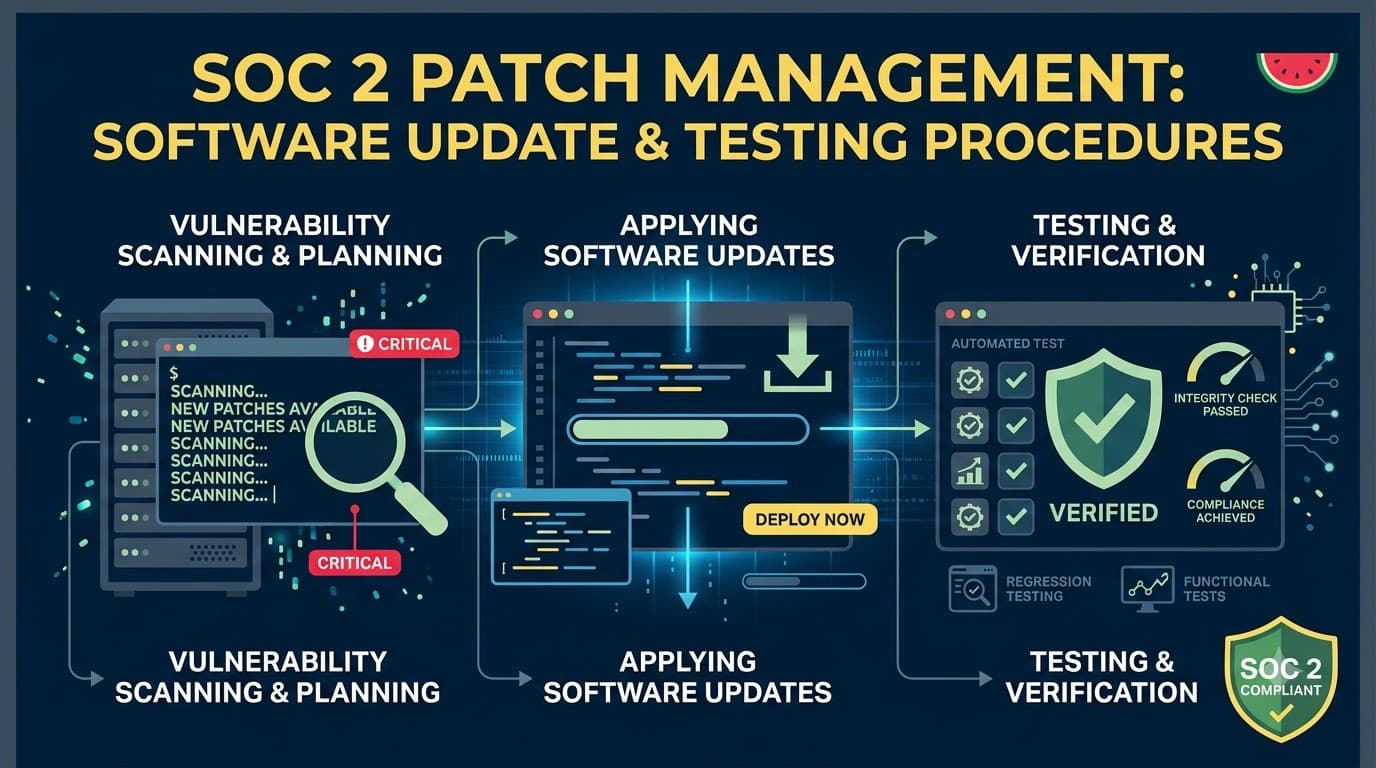
Marcus Chen had eleven days until the Type II observation period closed, and a spreadsheet on his second monitor that made his stomach hurt. Marcus was the CTO of Ledgerline Payments, a 65-person payments-orchestration startup out of Austin processing roughly $180 million a year in transaction volume for mid-market e-commerce clients. Ledgerline's biggest prospective customer, a $2.1 million annual contract with a national furniture retailer, had made SOC 2 attestation a hard gate — no report, no signature. The auditor, a meticulous partner named Dominic Reyes, had just sent a sample request for "evidence of patch deployment timelines against your documented SLA for the last six months, all critical and high-severity findings." Marcus pulled up the vulnerability scanner's dashboard and found forty-one unremediated critical and high findings, several over 200 days old, no documented SLA anywhere, and a patch process that amounted to "the infrastructure team updates things when they get around to it." Two engineers had quietly disabled auto-restart on a batch of EC2 instances eight months earlier to stop nightly reboots from interrupting a batch job, and nobody had ever turned it back on. Marcus had governance, he had a risk register, he even had a decent change management process for application releases — but patching, the unglamorous plumbing of a security program, had fallen through every crack in the org chart. He had eleven days to build an SLA, backfill six months of evidence, and convince Dominic the gap was closed, not painted over.
That scramble — and the $2.1 million riding on it — is why patch management shows up in nearly every SOC 2 finding letter I have reviewed over fifteen years of advisory work. It is one of the most heavily tested areas of any Security-criteria examination, and one of the most commonly under-engineered. This article gives you the whole program: how to inventory what needs patching, how to prioritize by severity instead of gut feel, how to test before you deploy, what SLA windows auditors actually expect, how to handle a zero-day at 2 a.m. without breaking change control, and exactly what evidence a Type II auditor will ask to see.
Who This Is For / What You'll Walk Away With
This is written for security engineers, IT operations leads, and compliance managers building or hardening a patch management program ahead of a SOC 2 Type I or Type II examination — whether you're starting from Marcus's chaos or tightening an already-functioning process. You'll walk away with a severity-based SLA framework you can adopt directly, a test-then-deploy workflow that satisfies both operational stability and CC8 change-control requirements, a documented approach to emergency and zero-day patching that won't get flagged as a change-control bypass, and a complete map of the evidence artifacts auditors sample against CC7.1 and CC8. Nothing here requires a specific vendor stack — the framework works whether you're patching bare-metal servers, cloud-native workloads, containers, or a fleet of employee laptops.
Why Patch Management Sits at the Center of a SOC 2 Security Examination
Auditors care about patch management because it is one of the few controls that directly measures whether an organization closes known, exploitable weaknesses before an attacker finds them. A well-written access control policy or a beautifully diagrammed network segmentation strategy means little if a service organization is running infrastructure with a nine-month-old remote code execution vulnerability that made headlines the week it was disclosed. Patch management evidence is also unusually hard to fake retroactively — either the deployment logs, ticket timestamps, and scan re-checks exist for the sampled period, or they don't — which is exactly why auditors lean on it so heavily during sampling.
Within the AICPA Trust Services Criteria, patch management primarily supports two Common Criteria families. CC7.1 requires the entity to use detection and monitoring procedures to identify changes to configurations that introduce vulnerabilities, and to identify vulnerabilities in the system on a timely basis — patch management is the remediation half of that identify-and-fix loop, working hand in hand with vulnerability management scanning and remediation as the identification half. CC8 governs how an organization authorizes, designs, develops or acquires, configures, documents, tests, approves, and implements changes to infrastructure, data, software, and procedures — and a patch, whether it's a routine monthly cumulative update or an emergency out-of-band fix, is a change. Any patch management program that isn't wired into your change management process will generate a CC8 exception even if the patches themselves were timely and well-tested.
Table 1. Common Criteria supported by patch management activities
Criterion | What It Requires | How Patch Management Satisfies It |
|---|---|---|
CC7.1 | Detect vulnerabilities and configuration deviations on a timely basis | Vulnerability scan findings feed the patch queue; patch cadence closes the loop |
CC7.2 | Monitor system components for anomalies indicating a security event | Unpatched-system alerts and drift detection surface patching gaps |
CC8.1 | Authorize, test, approve, and document changes before implementation | Patch testing, CAB approval, and deployment records satisfy the change trail |
CC6.1 | Restrict logical access using appropriate security software | Patched systems reduce the attack surface that access controls must defend |
CC9.2 | Assess and manage risk from vendors and business partners | Third-party/SaaS patch cadence is assessed as part of vendor risk |
CC3.2 | Identify and analyze risk to achieving objectives | Unpatched CVEs feed the risk register and risk-based prioritization |
The Patch Management Lifecycle, End to End
Every mature patch program I've helped build, regardless of industry or size, runs the same eight-stage loop. Skipping a stage is almost always where the audit finding originates — usually the inventory stage (you can't patch what you don't know you own) or the testing stage (you patch fast but break production, which triggers a rollback and a missed SLA).
flowchart LR
    A[Asset Inventory] --> B[Vulnerability & Patch Intelligence]
    B --> C[Severity Classification & Prioritization]
    C --> D[Change Request & Approval]
    D --> E[Test in Staging/Pre-Prod]
    E --> F{Pass?}
    F -->|Yes| G[Scheduled Deployment]
    F -->|No| H[Remediate/Reschedule/Compensating Control]
    G --> I[Verification Scan & Closure]
    H --> D
    I --> J[Evidence Capture & Reporting]
    J --> A
The loop is circular by design: verification scans feed back into the inventory and intelligence stages, because a patch cycle never really ends — next month's Patch Tuesday or the next critical CVE starts the loop again immediately. Auditors will ask to walk this loop with you during the Type II fieldwork, tracing one or two sampled patches from the original vulnerability finding through to the closure evidence.
Asset Inventory: The Dependency Nobody Talks About
You cannot run a defensible patch management program without an accurate, current asset inventory, and this is the single most common root cause I find when a patch SLA program looks great on paper but fails in practice. If your configuration management database doesn't know a server exists, that server never enters the patch queue, never gets scanned, and sits there quietly aging into the exact kind of finding that sank Marcus's confidence eleven days before his audit close. This is why patch management should never be built as a standalone process — it depends entirely on the same asset inventory and baseline discipline covered in system configuration hardening and baseline management. If your baseline management is weak, your patch coverage will be weak in exactly the same places.
A patch-ready inventory needs more than a hostname and an IP address. It needs enough metadata to drive prioritization and routing decisions automatically, without a human re-deriving criticality every cycle.
Table 2. Minimum asset inventory fields required for patch management
Field | Purpose | Example |
|---|---|---|
Asset ID / hostname | Unique identifier for tracking |
|
Asset class | Determines patch tooling and cadence | Cloud VM, container image, network appliance, endpoint |
Owner / responsible team | Who approves and executes the patch | Platform Engineering |
Environment | Governs test-before-deploy sequencing | Production, staging, dev |
Data sensitivity tier | Feeds prioritization scoring | Tier 1 — cardholder-adjacent |
Internet exposure | Feeds severity/priority multiplier | Public-facing |
Business criticality | Determines maintenance window flexibility | Revenue-critical, always-on |
OS / software version | Matches against vendor advisories and CVEs | Ubuntu 22.04, PostgreSQL 15.4 |
Last patch date | SLA clock and audit trail source | 2026-06-02 |
Patch group / ring | Deployment sequencing | Ring 2 — mid-tier services |
Discovery has to be continuous, not a quarterly spreadsheet exercise. Most organizations combine an authoritative source (cloud provider inventory APIs, MDM enrollment records, a CMDB) with an active discovery tool that flags anything unaccounted for — unmanaged shadow servers, forgotten dev instances left running, or a contractor's laptop that never enrolled in MDM. Every unmanaged asset your discovery tooling finds should generate a ticket the same day, not sit in a backlog.
"I tell every client the same thing in the kickoff call: I will find the box your patch program doesn't know about, and it will be the one running the oldest software on your network. It always is." — Priya Nair, Director of Security Engineering, Vantage Health Analytics
Vulnerability and Patch Intelligence: Where the Queue Comes From
Once your inventory is trustworthy, the next input is a steady, prioritized stream of what actually needs patching. This overlaps closely with — but is distinct from — the identification work covered in vulnerability management scanning and remediation programs: vulnerability management finds and scores the weakness, patch management is the operational machinery that fixes it. Treat them as two gears in the same clock, not two separate programs competing for the same engineers' time.
Table 3. Patch and vulnerability intelligence sources
Source | What It Provides | Typical Cadence |
|---|---|---|
Authenticated vulnerability scans | Confirmed, host-specific missing patches and CVEs | Weekly (infra), continuous (agent-based) |
Vendor security advisories | OS, application, and firmware patch releases with severity | As published |
National Vulnerability Database (NVD) / CVE feeds | CVSS scoring, CVE identifiers, affected version ranges | Continuous |
Confirms active exploitation in the wild | Continuous, high-priority signal | |
Cloud provider security bulletins | Managed-service and platform-level patch notices | As published |
Software composition analysis (SCA) tooling | Vulnerable open-source dependencies in application code | Per build / daily |
Penetration test and red-team findings | Exploitability confirmed under real conditions | Per engagement |
Threat intelligence feeds | Emerging exploitation trends, zero-day chatter | Continuous |
A common early-maturity mistake is relying solely on the vulnerability scanner's own patch-status field, which frequently lags real vendor releases by days or weeks. Cross-referencing the CISA KEV catalog specifically is worth calling out: a vulnerability with a modest CVSS score that CISA confirms is being actively exploited should jump your queue ahead of a higher-scored but theoretical finding. Auditors increasingly ask whether an organization's prioritization model accounts for real-world exploitation, not just base severity scores.
Severity Classification: Turning CVSS Into a Decision
Every patch needs a severity rating before it can be routed into an SLA, and the industry-standard starting point is the Common Vulnerability Scoring System, which produces a 0–10 base score from exploitability and impact metrics. But CVSS alone is a blunt instrument for prioritization — it describes the vulnerability in a vacuum, not its risk to your specific environment. A 9.8 CVSS finding on an air-gapped dev sandbox with no data is a lower operational priority than a 7.4 finding on an internet-facing production API gateway holding customer payment data.
Table 4. Severity classification bands and typical characteristics
Severity Band | CVSS Base Score | Typical Characteristics |
|---|---|---|
Critical | 9.0–10.0 | Remote code execution, no authentication required, actively exploited (KEV-listed) |
High | 7.0–8.9 | Significant impact requiring limited conditions or privileges |
Medium | 4.0–6.9 | Impact requires specific conditions, local access, or user interaction |
Low | 0.1–3.9 | Minimal impact, high complexity to exploit, or requires physical access |
Informational | N/A | Configuration hardening opportunity, no direct CVE |
The organizations that pass SOC 2 examinations cleanly on this control almost always layer a second scoring pass on top of raw CVSS — an internal risk-adjustment step that considers exposure, data sensitivity, and exploit availability together. Document this adjustment logic in your policy; auditors will ask how a finding moves from "scanner says High" to "your team treated it as Critical" or vice versa, and "an engineer's judgment call" is not an answer that survives sampling.
Table 5. Risk-adjustment multipliers applied to base CVSS severity
Factor | Adjustment | Rationale |
|---|---|---|
Internet-facing asset | +1 severity band | Larger attack surface, no perimeter buffer |
Actively exploited (CISA KEV listed) | Escalate to Critical regardless of CVSS | Real-world exploitation confirmed |
Handles regulated/customer data | +1 severity band | Higher breach impact |
Compensating control present (e.g., WAF rule, network isolation) | -1 severity band (documented exception) | Reduces practical exploitability |
No public exploit code available | No change (do not downgrade on this alone) | Absence of evidence isn't evidence of absence |
Asset scheduled for decommission within 30 days | May defer with documented justification | Effort vs. residual risk |
Building the Severity-Based SLA Table
This is the artifact auditors ask for by name, and it is the single most important table in your entire patch management policy. Your SLA needs to specify, per severity band, the maximum time from discovery (not from vendor release — from when you identified it) to remediation, and it needs different tracks for internet-facing versus internal assets, because the exposure difference is real and auditors expect to see it reflected.
Table 6. Sample severity-based patch deployment SLA
Severity | Internet-Facing / Production Assets | Internal / Non-Production Assets | Measured From |
|---|---|---|---|
Critical | 24–72 hours | 7 days | Time of confirmed detection |
High | 7 days | 14 days | Time of confirmed detection |
Medium | 30 days | 45 days | Time of confirmed detection |
Low | 90 days | Next scheduled maintenance cycle | Time of confirmed detection |
Informational | Best effort / next hardening review | Best effort | N/A |
Set SLAs you can actually meet consistently — an auditor sampling six months of tickets will notice a 24-hour Critical SLA that was blown eleven times out of fourteen far more harshly than a realistic 72-hour SLA that was met consistently. I've watched organizations tighten their own SLA right before an audit to look aggressive, then get an exception for missing it repeatedly. A modest, consistently-met SLA beats an ambitious, frequently-missed one every time in a Type II examination, because Type II tests operating effectiveness across the whole period, not intent.
"The finding I write most often isn't 'no SLA.' It's 'SLA exists, SLA was missed nine times in six months, no exception documentation for any of them.' Document the miss and the reason, and it barely dents the opinion. Miss it silently and it's a control deficiency every time." — Dominic Reyes, Audit Partner, Ashford & Reyes CPAs
What Belongs in a Written Patch Management Policy
A patch management policy is the document your auditor reads before they read anything else on this control, and it needs to stand on its own as evidence of design suitability for a Type I opinion, and as the yardstick against which Type II operating effectiveness gets measured.
Table 7. Core sections of a defensible patch management policy
Section | Content |
|---|---|
Purpose and scope | Systems, environments, and asset classes covered |
Roles and responsibilities | Who identifies, approves, tests, deploys, verifies |
Severity classification methodology | CVSS baseline plus internal risk-adjustment factors |
SLA table | Time-to-remediate by severity and asset exposure |
Testing requirements | Pre-deployment validation standards by environment tier |
Change control integration | How patches map to the change management process |
Emergency patching procedure | Expedited path for critical/actively-exploited findings |
Exception process | How and when SLA exceptions are requested and approved |
Rollback procedure | Criteria and steps for reverting a failed patch |
Metrics and reporting | KPIs tracked and reporting cadence to management |
Review cadence | Policy owner and required annual (minimum) review |
Keep the policy readable by someone outside the security team — the auditor is one reader, but so is the engineer on call at 2 a.m. deciding whether a fix qualifies for the emergency path. Policies stuffed with jargon and no decision criteria get followed inconsistently, and inconsistency is exactly what a Type II sample will expose.
Prioritization Beyond the SLA Table: Building the Weekly Patch Queue
The SLA table tells you your ceiling; it doesn't tell you what to work on first inside that ceiling when twelve Critical findings land in the same week, which happens more often than any vendor's marketing suggests. Effective teams run a lightweight weekly triage that ranks the queue using a small, consistent set of factors rather than re-litigating priority from scratch every cycle.
Table 8. Weekly patch triage prioritization factors
Factor | Weight in Ranking | Notes |
|---|---|---|
Severity band (adjusted CVSS) | Highest | Primary driver |
Active exploitation (KEV listing, exploit kits) | Highest | Overrides base severity |
Asset exposure (internet-facing) | High | Larger blast radius |
Data sensitivity of affected asset | High | Regulatory/contractual exposure |
Days remaining against SLA | Medium | Prevents last-minute scramble |
Estimated deployment complexity | Medium | Affects scheduling, not skipping |
Business event calendar (freezes, launches) | Medium | Timing, not deprioritization |
Number of affected assets | Low-Medium | Batch efficiency |
Run this triage on a fixed cadence — weekly for most organizations, daily during an active Critical-severity event — and document who attended and what was decided. That meeting record becomes evidence that prioritization is a governed process, not an ad hoc one, which auditors specifically probe for under CC7.1's "timely basis" language.
Test-Then-Deploy: Why This Is the Control Auditors Trust Least on First Pass
Testing is where patch management programs most often collide with production stability, and it's also where I see the widest gap between what a policy says and what actually happens under deadline pressure. The instinct when a Critical CVE lands is to push the fix everywhere immediately; the instinct that survives an audit is to validate the patch in a lower environment first, even under a compressed emergency timeline, because an untested patch that breaks production creates both an availability incident and a change-control exception in the same afternoon.
Table 9. Test environment tiers and validation standards
Tier | Purpose | Minimum Validation Before Promotion |
|---|---|---|
Development / sandbox | Initial compatibility check | Patch applies cleanly, service starts |
Staging / pre-production | Full functional and regression validation | Automated test suite pass, smoke tests, performance baseline check |
Canary / limited production | Real-traffic validation at reduced blast radius | Error rate and latency within baseline for defined soak period |
Full production | General availability | Canary soak period completed without regression |
Table 10. Standard patch testing checklist
Check | Why It Matters |
|---|---|
Patch applies without error in staging | Confirms basic compatibility |
Dependent services restart cleanly | Catches service-order and dependency breakage |
Core application test suite passes | Confirms functional regression didn't occur |
Authentication and access control paths verified | Confirms the patch didn't alter permission behavior |
Performance/latency within baseline | Catches silent performance regressions |
Rollback tested and confirmed viable | Confirms you can back out if production shows an issue |
Logging and monitoring still functioning post-patch | Confirms detective controls weren't disrupted |
Change ticket updated with test evidence | Creates the audit trail |
For low-risk, well-understood patches — a routine OS cumulative update to a large, homogenous fleet of stateless endpoints, for instance — many organizations reasonably compress or automate this tiered testing using a canary-ring deployment instead of a full staging pass for every single patch. What auditors want to see is that the compression is a deliberate, documented risk decision applied consistently by asset class, not a shortcut taken inconsistently under time pressure.
"The teams that fail this control aren't the ones who skip testing on purpose. They're the ones who tested faithfully for six months, then one Friday afternoon pushed a Critical patch straight to production with no ticket because everyone was tired. That one Friday is what we sample." — Sarah Kowalski, VP of IT Operations, Brightline Logistics
Change Control Integration: Making Patches a First-Class Change
CC8 doesn't carve out an exception for patches — a patch is a change to a production system, full stop, and it needs to move through whatever change management discipline governs any other production change, even when the process is expedited for urgency. This is the connective tissue between patch management and SOC 2 change management for system and application updates: the two controls should share a ticketing system, an approval workflow, and a single source of truth for what changed, when, and who approved it.
Table 11. Minimum fields on a patch change record
Field | Purpose |
|---|---|
Change ID | Unique reference tying together ticket, test evidence, and deployment log |
Affected assets | Scope of the change |
Severity / SLA classification | Justifies timeline and approval path used |
Description of patch | What is being changed and why |
Test evidence / results | Link or attachment showing pre-deployment validation |
Risk assessment | Potential impact if the patch fails |
Rollback plan | Documented steps to revert |
Approver(s) | Named individual(s) who authorized deployment |
Scheduled deployment window | Planned date/time |
Actual deployment date/time | Evidence of when the change occurred |
Post-deployment verification | Confirms the patch succeeded and no regression occurred |
Closure status | Ticket formally closed with outcome recorded |
Table 12. Approval paths by patch severity
Severity | Approval Required | Typical Turnaround |
|---|---|---|
Critical / Emergency | Expedited approval — on-call security + engineering lead (post-hoc CAB review within 48 hrs) | Minutes to hours |
High | Change owner + one peer/lead approval | Same day to 48 hours |
Medium | Standard CAB or asynchronous approval | Within weekly change cycle |
Low | Standard CAB, may be batched | Within monthly maintenance cycle |
Segregation of duties matters here too: the engineer who builds and tests a patch generally should not be the sole approver deploying it to production, particularly for Critical and High severity changes. Smaller teams that can't fully separate these duties should document a compensating control — such as mandatory peer review or automated deployment gates — and be ready to explain it, because an auditor will ask.
Maintenance Windows and Deployment Scheduling
Predictable maintenance windows reduce both operational risk and audit friction, because a documented, recurring schedule is much easier to test for consistency than an ad hoc "whenever it's convenient" approach.
Table 13. Sample maintenance window cadence by asset class
Asset Class | Standard Cadence | Notes |
|---|---|---|
Cloud-native / auto-scaled workloads | Rolling, weekly, low-traffic window | Blue/green or rolling restart minimizes downtime |
Traditional servers / VMs | Monthly, aligned to vendor patch release cycle | Coordinated with "Patch Tuesday"-style vendor cadences |
Network appliances (firewalls, routers) | Quarterly, or per critical advisory | Higher change-freeze sensitivity, requires more lead time |
Employee endpoints | Weekly automated push via MDM/patch agent | Deferral limited to a maximum grace period (e.g., 5 days) |
Databases | Monthly, coordinated with application release calendar | Requires close coordination with data owners |
Containers / images | Per build, before each deployment | Base image rebuilt and rescanned, not patched in place |
Deployment rings — deploying to a small percentage of assets first, watching for regressions, then expanding in waves — are worth formalizing even outside of Critical-severity emergencies, because they turn every patch cycle into a built-in canary test rather than a one-shot gamble across the whole fleet.
Table 14. Example deployment ring structure
Ring | Scope | Soak Period Before Next Ring |
|---|---|---|
Ring 0 | Internal test/dev systems, IT team's own devices | 24 hours |
Ring 1 | Low-risk internal production (5–10% of fleet) | 24–48 hours |
Ring 2 | Broader production, non-customer-facing | 48–72 hours |
Ring 3 | Full production, including customer-facing/revenue-critical | Full rollout on success |
Emergency and Zero-Day Patching: Speed Without Breaking Change Control
Every organization eventually faces a moment like the one that landed on Brightline Logistics' desk: a vendor discloses a Critical, actively-exploited vulnerability in software the company runs in production, with proof-of-concept exploit code already circulating publicly within hours. This is where a patch program either proves it has a real emergency lane or reveals that "emergency" has always meant "we panic and skip the process." The right answer is neither — it's a pre-defined expedited path that is faster than the standard SLA but still produces the evidence CC8 requires, just compressed and often executed retroactively for documentation while deployment happens in parallel.
Table 15. Emergency patch decision matrix
Trigger Condition | Response |
|---|---|
CISA KEV listing + internet-facing exploitable asset | Emergency path — deploy within 24–72 hrs per policy |
Active exploitation confirmed against your own environment | Emergency path + incident response activation |
Critical CVSS (9.0+) but no confirmed exploitation, patch not yet vendor-tested | Expedited standard path — compress testing, do not skip it |
Vendor patch unavailable, exploit active | Apply compensating controls (WAF rule, isolation, disable feature) pending vendor fix |
Critical finding on isolated/low-exposure asset | Standard Critical SLA, not emergency escalation |
Table 16. Emergency patch procedure — step sequence
Step | Action | Typical Owner |
|---|---|---|
1 | Confirm applicability and exposure to your environment | Security engineering |
2 | Activate emergency change process; notify on-call approvers | Incident/change coordinator |
3 | Apply compensating control if patch isn't immediately ready | Security/network engineering |
4 | Rapid smoke test in lowest viable environment (even 30–60 min) | Engineering on-call |
5 | Deploy via canary ring first if feasible, then expand | Engineering on-call |
6 | Verify remediation via rescan | Security engineering |
7 | Complete formal change record and post-hoc CAB review within 48 hrs | Change coordinator |
8 | Root cause / retrospective if the vulnerability existed longer than SLA allowed | Security leadership |
The step that gets skipped most often under real deadline pressure is step 7 — the post-hoc documentation. Teams move fast, fix the problem, and never circle back to formalize the change record, which means six weeks later, when the auditor samples that exact CVE by name because it was in the news, there's no ticket to show. Build a hard rule that no emergency patch is considered closed until its change record is complete, and assign someone specifically to chase that closure.
"Zero-days don't wait for change advisory boards, and no reasonable auditor expects them to. What I expect is a policy that says what 'emergency' means before the emergency happens, and a paper trail that shows you followed your own definition." — Tomás Alves, Head of Platform Security, Fenwick Cloud Services
Rollback Procedures: Planning the Exit Before You Take the Entrance
Every patch deployment — routine or emergency — needs a defined rollback path evaluated before deployment, not improvised after something breaks. This is standard change management hygiene, but patch-specific rollback has its own wrinkles: database migrations bundled with an application patch, configuration changes that don't cleanly reverse, or a security patch that can't simply be "undone" without reopening the vulnerability it fixed.
Table 17. Rollback decision criteria
Condition Observed Post-Deployment | Action |
|---|---|
Elevated error rate or latency beyond defined threshold during canary soak | Automatic halt, rollback to previous ring |
Critical service failure or data integrity issue | Immediate rollback, incident response activated |
Minor, non-critical regression with known workaround | Fix-forward preferred over rollback |
Rollback would reopen the original vulnerability | Apply compensating control instead of reverting the patch |
No issues observed through full soak period | Proceed to next ring / general availability |
Document, in the policy, the specific case where rollback is the wrong answer — reverting a security patch that closes an actively exploited hole simply trades one incident for another. In that scenario, the correct move is a compensating control (isolating the affected service, tightening a firewall rule, disabling the vulnerable feature) rather than a straight rollback, and your procedure should say so explicitly so the on-call engineer isn't making that judgment call alone at 3 a.m.
Exceptions: When You Can't Meet the SLA
No patch program hits 100% SLA adherence across a full observation period, and pretending otherwise is worse than documenting the exceptions honestly. Legitimate reasons for missing an SLA exist — a vendor patch that's still unavailable, a legacy system where patching requires a costly re-architecture, a business-critical freeze window around a product launch — and auditors are far more forgiving of a documented, approved exception than an unexplained miss.
Table 18. Exception request record — required fields
Field | Purpose |
|---|---|
Finding/CVE reference | Ties exception to the specific vulnerability |
Reason for exception | Vendor delay, business freeze, technical constraint, etc. |
Risk assessment | Documented impact of remaining unpatched |
Compensating control applied | What reduces risk while the exception is open |
Approver | Risk owner or security leadership, not the requester alone |
Expiration date | Exceptions are time-bound, not indefinite |
Review/renewal process | How the exception gets re-evaluated |
Set a hard rule against indefinite exceptions. Every exception needs an expiration date and a named owner responsible for either closing it or renewing it with fresh justification — an exception that's been silently "temporary" for eighteen months is functionally an unremediated finding with extra paperwork, and that's exactly how an experienced auditor like Dominic Reyes will read it.
"An exception with a compensating control and an expiration date tells me you're managing risk. An exception with neither tells me you're managing your audit, and those are very different things to defend under questioning." — Elena Petrova, GRC Manager, Northbridge SaaS
Patching Isn't One Process — It's Five, Wearing a Trench Coat
A mistake I see constantly in first-time SOC 2 programs is designing "the patch process" as a single workflow and then discovering it doesn't fit half the assets in the environment. Servers, endpoints, network devices, containers, and SaaS/cloud-managed services all have genuinely different patch mechanics, ownership models, and evidence trails, and your policy should say so explicitly rather than forcing a server-shaped process onto a fleet of laptops.
Table 19. Patch scope and mechanics by asset class
Asset Class | Who Patches | Typical Mechanism | Evidence Source |
|---|---|---|---|
Servers / VMs (on-prem or IaaS) | Infrastructure/platform team | Config management tool (Ansible, Chef, SSM) or manual maintenance window | Deployment logs, config management run history |
Employee endpoints (laptops/desktops) | IT operations | MDM-enforced auto-update policy | MDM compliance dashboard, enrollment reports |
Network appliances (firewalls, routers, load balancers) | Network engineering | Vendor firmware update, often manual | Change tickets, firmware version audit |
Containers / images | Application/platform engineering | Rebuild base image, redeploy (never patch running containers in place) | CI/CD pipeline logs, image scan reports |
SaaS / managed cloud services | Vendor (with your oversight) | Vendor-managed; your role is monitoring and vendor risk review | Vendor SOC 2 report, patch/uptime notices |
Mobile devices | IT operations via MDM | OS-level auto-update enforcement | MDM policy compliance reports |
Containers deserve a specific callout because I still see teams patch running containers in place the way they'd patch a VM — installing updates inside a live container — which breaks the entire point of immutable infrastructure and leaves no clean audit trail. The correct pattern is to patch the base image, rebuild, rescan, and redeploy; the old container is destroyed, not modified. If your evidence for container patching is a shell history of apt upgrade run inside a production pod, that's a finding waiting to happen.
For SaaS and managed cloud services, you're not patching directly — you're relying on the vendor's own patch program — but CC9.2's vendor risk requirements mean you still need to evidence oversight. That typically means reviewing the vendor's own SOC 2 report annually, tracking their status-page/security-bulletin history, and documenting how you'd respond if a subservice organization's patch cadence became a concern. This connects directly to the SOC 2 vulnerability management scanning and remediation program's vendor-risk inputs, and it's worth cross-referencing your subservice organization list so nothing falls into a gap between "we patch it" and "the vendor patches it" with neither side actually confirming.
Third-Party and Vendor Patch Coordination
Beyond SaaS dependencies, most organizations run commercial software — databases, ERP systems, security tools themselves — where the vendor controls the release cadence and you control the deployment timeline. Coordinating these two clocks is a recurring source of audit friction, particularly when a vendor's patch release lags a public CVE disclosure by weeks, which happens more than vendors like to admit.
Table 20. Vendor patch coordination checklist
Practice | Purpose |
|---|---|
Subscribe to vendor security advisory mailing lists for all Tier 1 software | Earliest possible notice of upcoming patches |
Track vendor SLA commitments for patch release after CVE disclosure | Sets realistic expectations for your own SLA clock |
Maintain a compensating-control playbook for "CVE known, vendor patch not yet available" | Bridges the gap without waiting exposed |
Include patch responsiveness in vendor risk assessments | Feeds vendor selection and renewal decisions |
Document escalation path for vendors who miss their own SLA commitments | Accountability beyond your own control boundary |
When a vendor is slow, your SLA clock should still start at the moment you learned of the vulnerability, not at the moment a fix became available — the gap between those two dates is exactly the period a compensating control needs to cover, and it's exactly the period an auditor will ask about if the finding sat open unusually long.
Metrics and KPIs: Proving the Program Works, Not Just Exists
A patch management policy that nobody measures is a policy in name only, and Type II examinations specifically test operating effectiveness — meaning the auditor wants a trend line across the observation period, not a snapshot from the week before fieldwork started. Build a small dashboard, review it on a fixed cadence with named attendees, and keep the historical data; the meeting minutes and trend reports are themselves audit evidence.
Table 21. Patch management KPI dashboard
Metric | Why It Matters | Healthy Target (Illustrative) |
|---|---|---|
SLA adherence rate by severity | Direct measure of control operating effectiveness | 95%+ for Critical/High |
Mean time to remediate (MTTR) by severity | Trend indicator independent of pass/fail SLA cutoff | Declining or stable quarter over quarter |
Number of open exceptions | Signals accumulating risk debt | Low, all with documented expiration |
Percentage of assets covered by active patch management | Measures inventory/coverage completeness | 98%+ |
Emergency patch frequency | Signals volatility of threat landscape or process gaps | Context-dependent, tracked for trend |
Failed deployment / rollback rate | Measures testing effectiveness | Low, investigated when it spikes |
Days since last full vulnerability scan | Confirms detection cadence supporting CC7.1 | Within scan policy interval |
Unpatched Critical findings older than SLA | The single number auditors ask for first | Zero, or fully exception-documented |
Report these metrics to management on a recurring cadence — monthly is typical — and keep the reporting artifact itself (deck, dashboard export, meeting minutes) as evidence. Auditors specifically look for proof that patch performance is visible above the engineering team, because CC1-level governance expects leadership oversight of security-relevant metrics, not just execution at the individual-contributor level.
Evidence a Type II Auditor Will Actually Accept
This is the section Marcus Chen needed eleven days before his fieldwork, and it's worth building this evidence trail continuously rather than reconstructing it under deadline pressure. Auditors sample a defined number of patches across the observation period (commonly 15–25 for Type II, depending on population size and sampling methodology) and trace each one from detection through closure.
Table 22. Evidence artifacts mapped to Common Criteria
Evidence Artifact | Supports | What It Proves |
|---|---|---|
Written patch management policy, version-controlled with review history | CC7.1, CC8.1 | Control design and management commitment |
Asset inventory export with patch-relevant fields | CC7.1 | Scope of what's being managed |
Vulnerability scan reports (before and after) | CC7.1 | Detection and confirmed remediation |
Change tickets with approval, test evidence, deployment timestamp | CC8.1 | Authorized, tested, documented change |
SLA adherence report/trend for the observation period | CC7.1 | Operating effectiveness over time, not a point-in-time claim |
Exception log with approvals and expirations | CC7.1, CC3.2 | Risk-based, governed deviation, not silent non-compliance |
Emergency patch procedure invocations with post-hoc CAB records | CC8.1 | Expedited path still produces a control trail |
Management review meeting minutes referencing patch metrics | CC1, CC4 | Governance oversight of the control |
Vendor/subservice patch oversight records | CC9.2 | Third-party risk management extends to patching |
Rollback/incident records tied to failed patches | CC8.1, CC7.4 | Contingency planning was real, not theoretical |
Auditors typically pick a mix of severities and a mix of "closed on time," "closed late with exception," and — if you're honest about your history — "closed late with no exception," because that mix tells them more about real operating effectiveness than a sample stacked entirely with clean cases. Don't try to hand-select only your best examples; a competent auditor will ask for the full population and sample independently.
Common Audit Findings and How to Avoid Them
I've sat across the table for enough SOC 2 fieldwork debriefs to see the same handful of patch management findings recur across industries, team sizes, and maturity levels. Most of them are avoidable with modest process discipline rather than expensive tooling.
Table 23. Common patch management findings and remediation approach
Finding | Root Cause | Remediation |
|---|---|---|
No documented SLA | Patch cadence exists informally, never written down | Formalize the SLA table in policy before next cycle |
SLA missed repeatedly with no exception documentation | Exceptions happen but aren't logged | Build an exception log; require it before an SLA can be missed |
Unpatched assets not in scanner coverage | Inventory gap; shadow/unmanaged assets | Continuous discovery tooling reconciled against CMDB weekly |
Emergency patches bypass change control entirely | No defined emergency path, so "emergency" means "no process" | Build and train on the expedited path with mandatory post-hoc documentation |
Patch testing evidence missing or inconsistent | Testing happens informally, not recorded | Require test evidence attachment as a mandatory ticket field |
Vendor/SaaS patch oversight absent | Assumed vendor "just handles it" | Add vendor patch review to annual vendor risk assessment |
Container images patched in place | Team treats containers like VMs | Enforce rebuild-and-redeploy pipeline; disallow live patching |
Metrics not reported to management | Program run entirely at engineering level | Add patch KPIs to a recurring leadership/security committee agenda |
The single highest-leverage fix on this list, in my experience, is the exception log. Most organizations already have reasonably good patching discipline; what they're missing is the paperwork that turns "we missed this SLA for a defensible reason" into evidence rather than a silent gap. Build that log before your next audit cycle even if nothing else on this list changes.
Tooling Landscape: What Actually Runs a Patch Program
Tooling doesn't replace policy, but the right stack removes enough manual toil that SLA adherence stops depending on someone remembering to check a dashboard. Most mature programs stitch together tools across a few functional categories rather than relying on one platform to do everything.
Table 24. Patch management tooling categories
Category | Function | Examples of Capability (Illustrative, Not Endorsements) |
|---|---|---|
Vulnerability scanners | Identify missing patches and score severity | Authenticated network/agent-based scanning, CVSS/KEV enrichment |
Patch/configuration management | Automate patch deployment at scale | Scripted or agent-based deployment across server fleets |
Mobile device management (MDM) | Enforce endpoint OS/app update policy | Automated update enforcement with grace-period controls |
CI/CD pipeline integration | Rebuild and rescan container images | Automated image scanning gate before deployment |
Ticketing/ITSM platform | Change record, approval workflow, evidence attachment | Central system of record tying tickets to deployment logs |
SIEM / monitoring | Detect drift and unpatched-system alerts | Continuous visibility supporting CC7.2 |
GRC platform | Track SLA adherence, exceptions, and evidence centrally | Cross-references policy, control, and evidence in one place |
Smaller organizations — Ledgerline's size, roughly — can run a defensible program on a lean stack: one authenticated vulnerability scanner, an MDM for endpoints, a config management tool for servers, and disciplined use of whatever ticketing system already exists. The tooling budget matters far less to an auditor than the consistency of the process running on top of it.
Case Study: Ledgerline Payments Closes the Gap in Eleven Days
Marcus Chen's eleven-day sprint became the template I now walk every early-stage client through. His team couldn't fabricate six months of history, so instead they did three things in parallel: first, they wrote and immediately adopted a severity-based SLA (matching Table 6 above closely), backdating nothing but starting the clock visibly from that date forward. Second, they triaged the forty-one open findings, applied compensating controls — primarily WAF rules and network isolation — to the eleven oldest and most exposed, and built a 30-day burn-down plan for the rest with named owners. Third, they documented the gap itself as a self-identified control deficiency with a corrective action plan, rather than letting Dominic's team discover it independently during sampling.
The result: the Type II report shipped with a qualified opinion carve-out narrowly scoped to the patch management SLA for the first four months of the period, alongside clear evidence that Ledgerline identified, remediated, and closed the gap with a functioning control for the remainder. The furniture retailer's security team, reviewing the report alongside Ledgerline's remediation narrative, signed the $2.1 million contract six weeks later — a qualified opinion with a credible, well-documented remediation story closed the deal faster than most clean reports I've seen, because it demonstrated exactly the kind of self-awareness a sophisticated customer wants from a vendor handling their transaction data.
Case Study: Vantage Health Analytics Cuts Critical SLA Breaches by 80%
Vantage Health Analytics, a healthtech data platform handling protected health information for regional hospital networks, entered its second Type II observation period with a Critical-severity SLA breach rate of roughly 35% — patches were getting done, just consistently late, with no exception trail to explain why. Priya Nair's team traced the root cause to a single bottleneck: every Critical patch, regardless of asset, required full CAB approval on the standard weekly cycle, which meant a Monday-discovered Critical vulnerability sometimes wasn't approved until the following Monday's meeting.
The fix was structural, not a push for individual engineers to move faster: Vantage implemented the expedited emergency approval path (Table 16 above) specifically for Critical findings on internet-facing assets, with post-hoc CAB review replacing pre-approval for that narrow category. Within two quarters, the Critical SLA breach rate dropped from 35% to under 7%, and the ones that remained all carried documented exceptions tied to a specific vendor patch delay. The following year's Type II report showed a clean opinion on the patch management control, and Vantage's sales team began citing the metric directly in enterprise security questionnaires.
Case Study: Brightline Logistics Handles a Zero-Day Without a Change-Control Finding
When a Critical remote-code-execution vulnerability was disclosed in a widely used file-transfer appliance that Brightline Logistics ran for EDI exchanges with freight partners, Sarah Kowalski's team faced the exact scenario that breaks most emergency processes: public exploit code within 18 hours of disclosure, a CISA KEV listing the same day, and an internet-facing appliance holding partner shipment data. Because Brightline had already built and drilled its emergency patch procedure — including a pre-approved compensating-control playbook of "isolate the appliance's management interface behind the VPN immediately if a vendor fix isn't ready within four hours" — the team isolated the exposed interface within ninety minutes of the advisory, applied the vendor's emergency patch fourteen hours later after a compressed thirty-minute smoke test, and closed the change record with full post-hoc CAB documentation within the following business day.
No breach occurred, no SLA was formally breached because the emergency path was invoked correctly, and the auditor's fieldwork sample later included this exact CVE by name — Dominic Reyes' team had seen it in the news and specifically asked for Brightline's response evidence. The complete, timestamped trail from advisory to isolation to patch to closure became one of the strongest pieces of evidence in that year's report, cited directly in the auditor's testing notes as an example of the emergency procedure operating as designed.
Patch Management as a Business Differentiator, Not Just a Checkbox
It's tempting to treat patch management as pure compliance overhead — the unglamorous plumbing nobody notices until it leaks. I'd push back on that framing. In every deal cycle I've watched play out around a SOC 2 report, from Ledgerline's furniture retailer to Vantage's hospital network customers, the buyer's security team eventually asks a version of the same question: "How fast do you close known vulnerabilities?" A crisp, evidence-backed answer — a real SLA, a real trend line, a real exception process — closes deals faster than a vague assurance that "we take security seriously." Buyers doing vendor due diligence have seen enough vague assurances; they recognize operational maturity when they see the artifacts behind it, and they increasingly ask for those artifacts directly during security questionnaires rather than accepting the report cover letter alone.
The same discipline pays off well beyond the audit. Organizations running a real patch program with severity-based SLAs and tested deployment pipelines simply get breached less often by the vulnerabilities everyone already knew about — which, based on the incident postmortems I've reviewed over the years, remain the overwhelming majority of real-world compromises, far more than any novel zero-day. Ransomware operators and opportunistic attackers alike overwhelmingly favor known, already-patched vulnerabilities against organizations that haven't gotten around to applying the fix, because it's the path of least resistance. A mature patch program isn't just audit evidence; it's one of the highest-return security investments an organization can make, and SOC 2 gives you a structured, externally validated reason to finally build it properly.
If you're standing where Marcus Chen stood — an inventory you don't fully trust, an SLA that exists only in someone's head, and an audit date that isn't moving — the fastest path forward is to write the policy this week, however imperfect, and start the evidence clock running today. Auditors reward demonstrated, documented improvement far more consistently than they punish an honest gap. What sinks organizations isn't the finding; it's discovering the finding for the first time in the auditor's sample instead of in your own weekly triage meeting.
Ready to formalize your patch management program before your next audit cycle? PentesterWorld's SOC 2 Policy Pack includes a ready-to-adapt patch management policy template mapped directly to CC7.1 and CC8, and our SOC 2 Readiness Checklist walks through every control area — patch management included — so you know exactly where your gaps are before an auditor finds them. Pair it with the SOC 2 Control Matrix / RACI Template to assign clear ownership across your infrastructure, endpoint, and vendor patching responsibilities, and check your overall audit readiness with our free "Are You SOC 2 Ready?" quiz.