The Saturday morning that cost Solstice Ledger $2.4 million
Priya Nandakumar found out about the breach the way most people do now — not from a SIEM alert, but from a customer.
Priya was VP of Engineering and, since the last security lead had left four months earlier, the acting person-in-charge-of-security at Solstice Ledger, a 140-person invoice-financing SaaS platform in Austin. On a Saturday in March, a mid-market client emailed to ask why one of their finance analysts had received a password-reset notification they hadn't requested. By Monday, Priya's team had confirmed the analyst's account was the least of it.
The entry point was almost embarrassingly simple. A remote-access VPN account belonging to a contractor who'd left three months prior was still active — the offboarding ticket had been closed, but the identity provider group membership never got revoked. The account had no multifactor authentication; Solstice Ledger's secure authentication requirements existed only as a line in a policy document nobody had updated since the company's Series A. An attacker who'd bought the credentials off a criminal marketplace logged in on the first try.
From there, it got worse because of what wasn't in place rather than what was. The production network was flat — application servers, the reporting database, and the finance-analyst desktop subnet all sat on the same broadcast domain, because nobody had prioritized network segmentation when the company was moving fast. The attacker pivoted from the VPN gateway to the primary customer database in under twenty minutes. And because centralized logging had never been finished — half the fleet shipped logs to a SIEM, half didn't, and nobody had built alerting rules against the feed that did exist — the exfiltration of roughly 40,000 customer financial records ran undetected for eleven days.
The final bill: $2.4 million. That figure covered incident response and forensics, mandatory breach notification across four states, a compressed six-week credit-monitoring offer for affected customers, one enterprise client who exercised a termination-for-cause clause worth $310,000 in annual recurring revenue, and roughly 900 hours of engineering time diverted from the product roadmap during the remediation sprint.
Here's the detail that should make every reader of this article sit up: Solstice Ledger's Statement of Applicability already listed control 8.5 (secure authentication), control 8.15 (logging), control 8.16 (monitoring activities), and control 8.22 (segregation of networks) as applicable. The policy documents existed. The auditor who'd done their prior gap assessment had ticked the boxes based on those documents. What didn't exist was the actual engineering work behind them — MFA enforced everywhere, logs centralized and reviewed, networks segmented, joiner-mover-leaver access actually wired into the identity system. A single missing control rarely sinks an organization. A cluster of thin, paper-only technological controls, compounding each other, is what did it here.
That's the story of this article. The Technological theme is the biggest of the four Annex A themes — 34 of the standard's 93 controls — and it's the one where the gap between "we have a policy" and "we have a working control" does the most damage.
Who this is for
This overview is for the person who owns, or is about to own, the technological half of an ISO 27001 program: a CISO or security lead building or refreshing a Statement of Applicability, an engineering or IT leader who's just been told "you own Annex A section 8," or a founder trying to understand what a SOC 2 security audit or ISO 27001 auditor is actually going to ask about their infrastructure. You don't need to be a cryptographer or a network engineer to use this article — you need a map. We'll walk all 34 controls in nine practical clusters, show you what "good" looks like versus what auditors most commonly find instead, and give you a way to prioritize based on your maturity and your stack, whether that's a three-person startup running entirely on managed cloud services or a 2,000-person enterprise running its own data centers.
The Technological theme: 34 of 93 controls, mapped to a modern stack
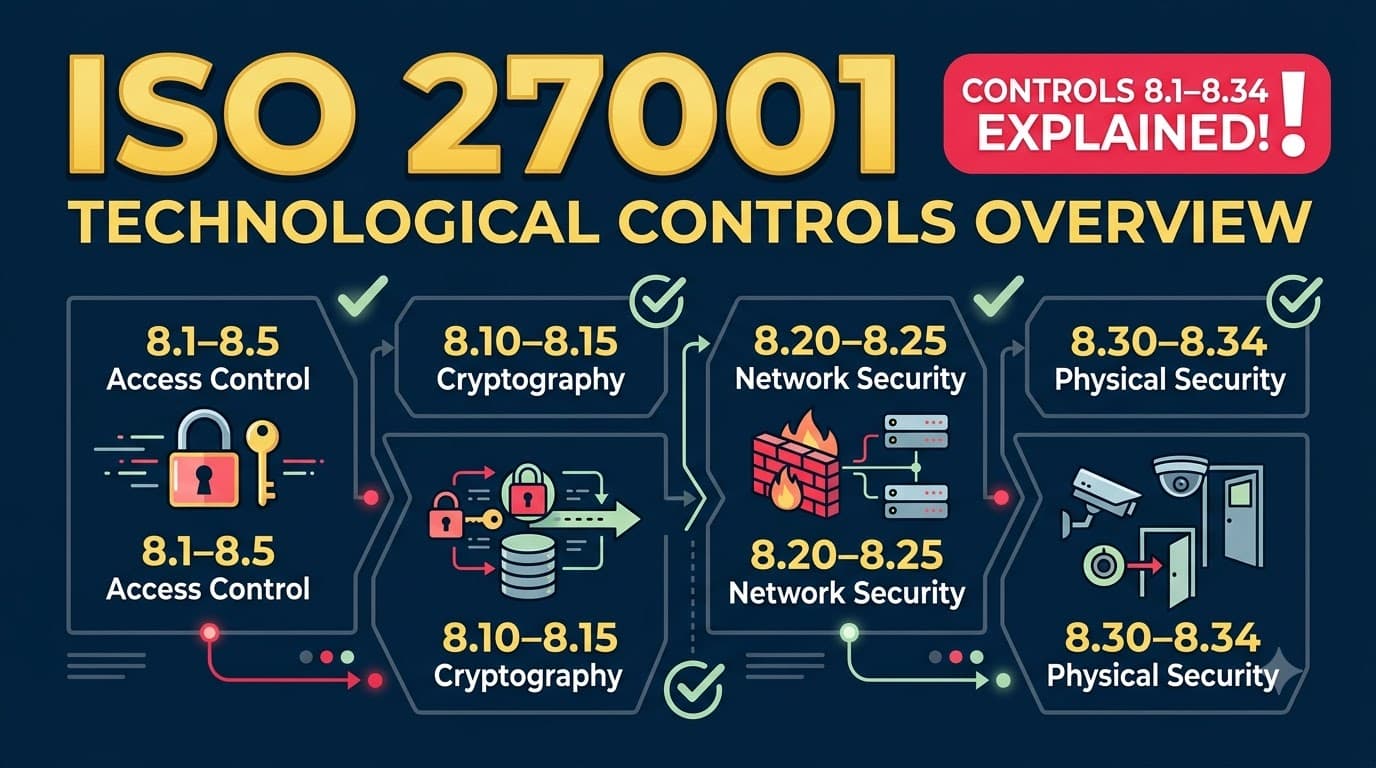
ISO/IEC 27001:2022's Annex A groups its 93 controls into four themes. Organizational controls (5.1–5.37, 37 controls) govern policy, roles, and supplier relationships. People controls (6.1–6.8, 8 controls) govern the human side of the workforce lifecycle. Physical controls (7.1–7.14, 14 controls) govern buildings, equipment, and physical media. Technological controls (8.1–8.34, 34 controls) — more than a third of Annex A by itself — govern the systems, code, networks, and data that everything else exists to protect.
Theme | Clause range | Control count | Rough share of Annex A |
|---|---|---|---|
Organizational | 5.1–5.37 | 37 | 40% |
People | 6.1–6.8 | 8 | 9% |
Physical | 7.1–7.14 | 14 | 15% |
Technological | 8.1–8.34 | 34 | 37% |
The reason Technological is the largest theme isn't arbitrary — it reflects how much of a modern organization's actual attack surface lives in software, identity systems, and data pipelines rather than in filing cabinets or building lobbies. If you overlay the 34 controls on a typical defense-in-depth technology stack, they cluster naturally into layers: who can touch a device or an account, what stops known bad software and known bad configurations, what happens to data at rest, what happens when things fail or get audited, what the network itself enforces, how cryptography is used, and how software gets built and changed safely. That's the structure this article follows — nine clusters, each mapping to a layer of the stack.
graph TD
    subgraph EA["Endpoint & Access -- 8.1-8.5"]
        A1[8.1 User endpoint devices]
        A2[8.2 Privileged access rights]
        A3[8.3 Information access restriction]
        A4[8.4 Access to source code]
        A5[8.5 Secure authentication]
    end
    subgraph CMVC["Capacity / Malware / Vuln / Config -- 8.6-8.9"]
        B1[8.6 Capacity management]
        B2[8.7 Protection against malware]
        B3[8.8 Management of technical vulnerabilities]
        B4[8.9 Configuration management]
    end
    subgraph DP["Data Protection -- 8.10-8.12"]
        C1[8.10 Information deletion]
        C2[8.11 Data masking]
        C3[8.12 Data leakage prevention]
    end
    subgraph BRLM["Backup / Redundancy / Logging / Monitoring -- 8.13-8.16"]
        D1[8.13 Information backup]
        D2[8.14 Redundancy of processing facilities]
        D3[8.15 Logging]
        D4[8.16 Monitoring activities]
    end
    subgraph OH["Ops Hygiene -- 8.17-8.19"]
        E1[8.17 Clock synchronization]
        E2[8.18 Privileged utility programs]
        E3[8.19 Software installation]
    end
    subgraph NS["Network Security -- 8.20-8.23"]
        F1[8.20 Networks security]
        F2[8.21 Security of network services]
        F3[8.22 Segregation of networks]
        F4[8.23 Web filtering]
    end
    subgraph CR["Cryptography -- 8.24"]
        G1[8.24 Use of cryptography]
    end
    subgraph SD["Secure Development -- 8.25-8.31"]
        H1[8.25 Secure development life cycle]
        H2[8.26 Application security requirements]
        H3[8.27 Secure system architecture]
        H4[8.28 Secure coding]
        H5[8.29 Security testing]
        H6[8.30 Outsourced development]
        H7[8.31 Separation of dev/test/prod]
    end
    subgraph CTA2["Change / Test / Audit -- 8.32-8.34"]
        I1[8.32 Change management]
        I2[8.33 Test information]
        I3[8.34 Protection during audit testing]
    end
    EA --> CMVC --> DP --> BRLM --> OH --> NS --> CR --> SD --> CTA2
"Auditors don't fail you for missing a control on paper. They fail you when the control on paper doesn't match the config in front of them. Nine times out of ten, the gap is in the Technological theme, because that's where 'we have a policy' is easiest to confuse with 'we have a working control.'" — Renata Achebe, Lead Auditor, Meridian Assurance Group
All 34 controls at a glance
Before we go cluster by cluster, here's the full inventory — every Technological control, its official name, and which cluster we'll cover it under. Bookmark this table; it's the fastest way to find any specific control number later.
# | Control name | Cluster |
|---|---|---|
8.1 | User endpoint devices | Endpoint & access |
8.2 | Privileged access rights | Endpoint & access |
8.3 | Information access restriction | Endpoint & access |
8.4 | Access to source code | Endpoint & access |
8.5 | Secure authentication | Endpoint & access |
8.6 | Capacity management | Capacity, malware, vuln, config |
8.7 | Protection against malware | Capacity, malware, vuln, config |
8.8 | Management of technical vulnerabilities | Capacity, malware, vuln, config |
8.9 | Configuration management (new in 2022) | Capacity, malware, vuln, config |
8.10 | Information deletion (new in 2022) | Data protection |
8.11 | Data masking (new in 2022) | Data protection |
8.12 | Data leakage prevention (new in 2022) | Data protection |
8.13 | Information backup | Backup, redundancy, logging, monitoring |
8.14 | Redundancy of information processing facilities | Backup, redundancy, logging, monitoring |
8.15 | Logging | Backup, redundancy, logging, monitoring |
8.16 | Monitoring activities (new in 2022) | Backup, redundancy, logging, monitoring |
8.17 | Clock synchronization | Ops hygiene |
8.18 | Use of privileged utility programs | Ops hygiene |
8.19 | Installation of software on operational systems | Ops hygiene |
8.20 | Networks security | Network security |
8.21 | Security of network services | Network security |
8.22 | Segregation of networks | Network security |
8.23 | Web filtering (new in 2022) | Network security |
8.24 | Use of cryptography | Cryptography |
8.25 | Secure development life cycle | Secure development |
8.26 | Application security requirements | Secure development |
8.27 | Secure system architecture and engineering principles | Secure development |
8.28 | Secure coding (new in 2022) | Secure development |
8.29 | Security testing in development and acceptance | Secure development |
8.30 | Outsourced development | Secure development |
8.31 | Separation of development, test and production environments | Secure development |
8.32 | Change management | Change, test, audit |
8.33 | Test information | Change, test, audit |
8.34 | Protection of information systems during audit testing | Change, test, audit |
Seven of these 34 controls are entirely new in ISO/IEC 27001:2022 — they didn't exist as separate controls in the 2013 version. We'll flag those as we go and cover them together in a dedicated table further down, because they're where organizations transitioning from the old standard tend to have the biggest genuine gaps rather than just paperwork gaps.
Cluster 1: Endpoint & access (8.1–8.5)
This cluster is the front door — the controls that decide who can touch a device, an account, a system, or a codebase in the first place. It's also the cluster Solstice Ledger's incident traced back to most directly: control 8.5 (secure authentication) was the actual point of entry, and weak control 8.2 (privileged access rights) hygiene is what let the compromised account reach more than it should have.
Control 8.1, user endpoint devices, covers every laptop, phone, and tablet that touches organizational information — the baseline expectation is a documented topic-specific policy covering encryption, screen locking, remote wipe capability, and separation of personal and corporate data on the device. Control 8.2, privileged access rights, is about the allocation and use of accounts with elevated permissions — administrators, database owners, cloud root accounts — and it's consistently one of the most heavily tested controls in any audit because privileged accounts are the highest-value target for an attacker. Control 8.3, information access restriction, requires that access to information and application functions is restricted in line with the access control policy — in practice, this is where role-based access control (RBAC) and least-privilege enforcement live. Control 8.4, access to source code, is a narrower but critical control for any organization that writes software: read and write access to source code repositories, build tools, and software libraries needs to be restricted and logged, because source code compromise is a supply-chain-level risk. Control 8.5, secure authentication, is the technology layer underneath identity: secure authentication technologies and procedures — multifactor authentication, strong password requirements, protection against credential stuffing and brute-force attempts — based on information access restrictions and the organization's access control policy.
For organizations that want the deeper implementation detail, we've published a dedicated walkthrough of user endpoint devices and secure authentication in ISO 27001 controls 8.1–8.5, and a focused guide to privileged access rights under control 8.2 if that's your current pain point. Both controls sit downstream of the broader access control policy work in controls 5.15–5.18, which sets the rules this cluster technically enforces.
Control | What it requires | What good looks like | Common gap | Evidence auditors expect |
|---|---|---|---|---|
8.1 User endpoint devices | A topic-specific policy for securing devices that access organizational information | MDM/UEM enrollment, enforced disk encryption, remote wipe, BYOD boundary rules | Personal devices with no MDM touching production systems or customer data | MDM enrollment reports, encryption compliance dashboard, policy sign-off records |
8.2 Privileged access rights | Allocation and use of privileged access is restricted and managed | Named privileged accounts, just-in-time elevation, quarterly access recertification | Shared "admin" logins, standing root access with no expiry | Privileged access reviews, PAM tool logs, access request/approval tickets |
8.3 Information access restriction | Access to information and application functions restricted per access control policy | RBAC mapped to job function, automated provisioning/deprovisioning tied to HR events | Access granted ad hoc via Slack message, never revisited | RBAC matrix, access review sign-offs, joiner-mover-leaver tickets |
8.4 Access to source code | Read/write access to source code, build tools, and libraries is managed | Branch protection, mandatory code review, repo access tied to team membership | Ex-contractors retaining repo access for months after offboarding | Repo access logs, branch protection settings, offboarding tickets |
8.5 Secure authentication | Secure authentication technologies and procedures based on access restrictions | MFA enforced org-wide, no shared credentials, brute-force/lockout protections | MFA "available" but not enforced, especially on VPN and legacy admin panels | MFA enforcement policy, IdP configuration export, authentication logs |
"Every privileged access review I run finds at least one account that should have been deprovisioned weeks earlier. The control isn't 'have a PAM tool.' The control is 'prove the tool's rules actually match who left the company.'" — Marcus Webb, Field CISO, Anchor Point Security Advisors
Cluster 2: Capacity, malware, vulnerability, and configuration (8.6–8.9)
This cluster is the "keep the lights on and keep the bad stuff out" layer — the four controls that make sure systems have room to run, aren't infected, aren't running known-exploitable software, and aren't silently drifting away from a secure baseline. Control 8.9, configuration management, is one of the seven controls new in the 2022 revision, and it's arguably the quiet backbone of this whole cluster: without a documented, enforced secure configuration baseline, malware protection and vulnerability management are both fighting a moving target.
Control 8.6, capacity management, requires monitoring and adjustment of resource use in line with current and expected capacity requirements — this is as much an availability control as a security one, since resource exhaustion (disk fill-up, connection pool saturation, memory leaks) is a common root cause of outages that get reported as security incidents. Control 8.7, protection against malware, requires malware protection be implemented and supported by user awareness — modern implementations lean on endpoint detection and response (EDR) rather than legacy signature-based antivirus alone. Control 8.8, management of technical vulnerabilities, is about obtaining timely information on technical vulnerabilities, evaluating exposure, and taking appropriate action — this is the control that governs your patch cadence, your vulnerability scanning program, and your CVE triage process. Control 8.9, configuration management, requires configurations — including security configurations — of hardware, software, services, and networks be established, documented, implemented, monitored, and reviewed.
If malware or vulnerability management is your current focus, we've published deeper dives on protection against malware under control 8.7 and technical vulnerability management under control 8.8. Configuration management (8.9) doesn't yet have its own deep-dive on this site — treat it, for now, as the discipline of maintaining golden images, infrastructure-as-code baselines, and drift detection.
Control | What it requires | What good looks like | Common gap | Evidence auditors expect |
|---|---|---|---|---|
8.6 Capacity management | Monitoring and adjusting resource use against current/projected demand | Autoscaling, capacity dashboards, documented growth forecasting | Manual capacity checks only after an outage already happened | Capacity monitoring dashboards, autoscaling configs, incident post-mortems |
8.7 Protection against malware | Malware protection implemented and supported by user awareness | EDR on all endpoints and servers, automated quarantine, phishing-simulation training | AV installed but alerts unmonitored; EDR missing on Linux/cloud workloads | EDR coverage report, malware incident log, awareness training records |
8.8 Management of technical vulnerabilities | Timely vulnerability information obtained, exposure evaluated, action taken | Continuous scanning, risk-based SLAs (e.g., critical patched in 7 days), tracked remediation | Scan reports generated but findings never assigned or closed | Vulnerability scan reports, patch SLA tracking, remediation tickets |
8.9 Configuration management | Secure configurations established, documented, and monitored for drift | Golden images/IaC templates, CIS benchmark alignment, automated drift detection | Manually configured servers with no baseline to compare against | Configuration baseline documents, drift-detection alerts, IaC repositories |
Cluster 3: Data protection (8.10–8.12)
All three controls in this cluster are new in the 2022 revision, and together they answer a question ISO 27001:2013 never asked directly: what happens to sensitive data across its full lifecycle, beyond just "keep it confidential while it's live in the database"?
Control 8.10, information deletion, requires information stored in information systems, devices, or any storage media be deleted when no longer required — this is the control that turns "we have a data retention policy" into "we can prove data past its retention period is actually gone," including from backups, decommissioned hardware, and SaaS tools nobody remembered to offboard. Control 8.11, data masking, requires data masking be used in accordance with the organization's access control policy and business requirements, considering applicable legislation — this covers techniques like tokenization, pseudonymization, and redaction, most commonly applied to lower (non-production) environments so developers and testers don't work directly against real customer data. Control 8.12, data leakage prevention, requires data leakage prevention measures be applied to systems, networks, and devices that process, store, or transmit sensitive information — in practice this spans DLP tooling on email and endpoints, egress monitoring, and watermarking or classification-aware controls that flag or block unauthorized transfer of sensitive data.
This cluster doesn't have dedicated deep-dive articles yet on this site, so treat the guidance here as your working reference until deeper pieces exist.
Control | What it requires | What good looks like | Common gap | Evidence auditors expect |
|---|---|---|---|---|
8.10 Information deletion | Information deleted when no longer required, per retention rules | Automated retention/deletion jobs, verified deletion from backups and decommissioned assets | Data retained indefinitely "just in case," backups never purged | Retention schedule, deletion job logs, media/asset disposal records |
8.11 Data masking | Data masking applied per access control policy and legal requirements | Tokenized/pseudonymized data in non-production, masking tied to data classification | Production customer data copied straight into staging/test environments | Masking tool configuration, data classification mapping, environment access logs |
8.12 Data leakage prevention | DLP measures applied across systems, networks, and devices handling sensitive data | DLP on email/endpoint/cloud storage, egress alerts tied to classification labels | DLP tool purchased but running in "log only," no one reviewing alerts | DLP policy configuration, alert/incident logs, exception approval records |
Cluster 4: Backup, redundancy, logging, and monitoring (8.13–8.16)
This is the resilience-and-visibility cluster, and it's the one where Solstice Ledger's second and third failures lived. Logging existed in half the environment; monitoring — the human or automated process of actually watching those logs for something abnormal — barely existed at all. That gap is what let an eleven-day exfiltration go unnoticed.
Control 8.13, information backup, requires backup copies of information, software, and systems be maintained and regularly tested in accordance with an agreed backup policy — the "regularly tested" half is the part most organizations skip; a backup nobody has restored from is a hypothesis, not a control. Control 8.14, redundancy of information processing facilities, requires information processing facilities be implemented with redundancy sufficient to meet availability requirements — this is your failover architecture, multi-region or multi-AZ design, and disaster recovery capability. Control 8.15, logging, requires logs that record activities, exceptions, faults, and other relevant events be produced, stored, protected, and analyzed — the "protected" part matters as much as the "produced" part, since attackers routinely try to tamper with or delete logs to cover their tracks. Control 8.16, monitoring activities, is new in 2022 and requires networks, systems, and applications be monitored for anomalous behavior and that appropriate action be taken to evaluate potential information security incidents — this is the control that turns raw logs into an actual detection capability.
Control | What it requires | What good looks like | Common gap | Evidence auditors expect |
|---|---|---|---|---|
8.13 Information backup | Backups maintained and regularly tested per backup policy | Automated backups, encrypted storage, quarterly restore tests with documented results | Backups configured once, never actually restored to verify integrity | Backup policy, backup job logs, restore test reports |
8.14 Redundancy of processing facilities | Sufficient redundancy to meet availability requirements | Multi-AZ/multi-region architecture, tested failover, documented RTO/RPO | Single point of failure in a "critical" system with no tested failover | Architecture diagrams, failover test results, RTO/RPO documentation |
8.15 Logging | Logs produced, stored, protected, and analyzed | Centralized log aggregation, tamper-evident storage, defined retention period | Logs generated locally on servers, rotated out after days, never centralized | SIEM/log platform config, retention settings, log integrity controls |
8.16 Monitoring activities | Networks, systems, applications monitored for anomalous behavior | 24/7 alerting (in-house or via MDR/SOC), documented escalation runbooks | Alerts generated but routed to an inbox nobody checks after hours | Monitoring/alerting configuration, escalation runbook, incident response tickets |
This cluster connects directly to the organizational-side incident process — logging and monitoring are what feed the incident management process covered in controls 5.24–5.28, and backup and redundancy are the technical foundation underneath ICT readiness for business continuity in controls 5.29–5.30. A technological control that isn't feeding an organizational process is just infrastructure — the two themes are meant to interlock.
"I ask every client the same question in the first workshop: when was the last time someone actually restored from backup, not just checked that the job ran green? About half the room goes quiet. That silence is the finding." — Dana Ferreira, Director of Cloud Security, Ferrowave Industrial
Cluster 5: Operational hygiene (8.17–8.19)
These three controls are easy to underestimate because none of them sound dramatic, but each one quietly undermines an entire investigation or an entire environment if it's missing.
Control 8.17, clock synchronization, requires the clocks of information processing systems be synchronized to approved time sources — this sounds trivial until you're three hours into an incident timeline reconstruction and discover that your web servers, your database, and your firewall logs are all reporting events on clocks that drift minutes apart from each other, making it impossible to establish a reliable sequence of events. Control 8.18, use of privileged utility programs, requires the use of utility programs that might be capable of overriding system and application controls be restricted and tightly controlled — this covers things like database admin consoles, low-level disk utilities, and scripting tools that can bypass normal access controls entirely if left unmanaged. Control 8.19, installation of software on operational systems, requires procedures and measures to securely manage software installation on operational systems — this is the control behind "why does this production server have three unauthorized browser extensions and a torrenting client on it," and it governs both end-user software installation rights and the change process for deploying application updates.
None of these three has a dedicated deep-dive article on this site yet, but they're worth documenting explicitly in your ISMS rather than folding silently into a general IT policy, because auditors increasingly ask for them by number.
Control | What it requires | What good looks like | Common gap | Evidence auditors expect |
|---|---|---|---|---|
8.17 Clock synchronization | System clocks synchronized to an approved time source | NTP synchronization across all servers, network devices, and logging systems | Cloud instances and on-prem servers drifting minutes apart, breaking log correlation | NTP configuration, time-drift monitoring, log timestamp audits |
8.18 Privileged utility programs | Utility programs capable of overriding controls are restricted | Utility access limited to named roles, usage logged and reviewed | Generic "DBA" scripts available to the whole engineering team | Access control lists for utilities, usage logs, periodic access review |
8.19 Installation of software on operational systems | Software installation on operational systems managed securely | Approved software catalog, restricted local admin rights, controlled deployment pipeline | Developers with unrestricted local admin installing unapproved tools on prod-adjacent machines | Software installation policy, endpoint privilege management logs, deployment approval records |
Cluster 6: Network security (8.20–8.23)
This cluster is the perimeter and internal-segmentation layer, and it's the one Solstice Ledger's incident exposed most starkly — a flat network meant that a single compromised VPN account had a clear path to the crown-jewel database.
Control 8.20, networks security, requires networks and network devices be secured, managed, and controlled to protect information in systems and applications — this is the broadest control in the cluster, covering firewall rulesets, intrusion detection/prevention, and secure network device management. Control 8.21, security of network services, requires security mechanisms, service levels, and service requirements of network services be identified, implemented, and monitored — this extends the control to third-party and cloud-provided network services (VPN providers, CDNs, DNS providers), not just internally owned infrastructure. Control 8.22, segregation of networks, requires groups of information services, users, and information systems be segregated on networks — this is the direct fix for Solstice Ledger's flat-network problem, and it typically means separating production from corporate IT, separating environments by sensitivity tier, and using microsegmentation or VLANs/subnets/security groups to contain lateral movement. Control 8.23, web filtering, is new in 2022 and requires access to external websites be managed to reduce exposure to malicious content — most commonly implemented through secure web gateways or DNS-layer filtering that blocks known-malicious domains and categories.
None of these four controls has its own deep-dive published yet; for now, treat the guidance below as the working reference for this cluster.
Control | What it requires | What good looks like | Common gap | Evidence auditors expect |
|---|---|---|---|---|
8.20 Networks security | Networks and network devices secured, managed, and controlled | Firewall rule reviews, IDS/IPS deployment, hardened network device configs | Firewall rules accumulated over years, never reviewed or pruned | Firewall rule review records, IDS/IPS alert logs, network device configuration baselines |
8.21 Security of network services | Security mechanisms and SLAs for network services identified and monitored | Documented SLAs with VPN/CDN/DNS providers, monitored uptime and security posture | Third-party network service security assumed, never verified contractually or technically | Network service SLAs, provider security assessments, monitoring reports |
8.22 Segregation of networks | Information services, users, systems segregated on the network | Production/corporate separation, tiered subnets or security groups, microsegmentation for sensitive workloads | Flat network where a compromised endpoint reaches the entire environment | Network architecture diagrams, segmentation policy, penetration test results confirming segmentation |
8.23 Web filtering | Access to external websites managed to reduce malicious content exposure | Secure web gateway or DNS filtering blocking known-bad domains and risky categories | No filtering; malicious domains reachable from any corporate endpoint | Web filtering policy, blocked-domain logs, gateway configuration |
"Segmentation is the control everyone says they'll get to 'next quarter.' It's also the control that turns a contained incident into a front-page breach. I've seen the same VPN-credential attack hit two companies in the same year — one lost a laptop's worth of access, the other lost the whole customer database. The only difference was whether the network was flat." — Marcus Webb, Field CISO, Anchor Point Security Advisors
Cluster 7: Cryptography (8.24)
This is the smallest cluster in the Technological theme — a single control — but it's foundational enough that it deserves its own section rather than being folded into another cluster. Control 8.24, use of cryptography, requires rules for the effective use of cryptography, including cryptographic key management, be defined and implemented.
In practice, auditors decompose this one control into several distinct expectations: a documented cryptography policy stating which algorithms and key lengths are approved (and which are explicitly banned — legacy protocols like SSL 3.0, TLS 1.0/1.1, and outdated hashing algorithms typically fall into this category); encryption of data at rest for sensitive information stores, including databases, object storage, and backups; encryption of data in transit, typically TLS 1.2 or higher for anything crossing an untrusted network; and, critically, key management — how encryption keys are generated, stored, rotated, and revoked. Weak key management is the single most common finding within this control: organizations that encrypt data correctly but store the decryption key in the same location as the encrypted data, or never rotate keys after a personnel change, undermine the entire control regardless of how strong the algorithm is.
This control doesn't have a dedicated deep-dive on this site yet. Given how often cryptography intersects with regulatory obligations — cardholder data encryption requirements under PCI DSS, health data, cross-border transfer requirements — it's worth treating your cryptography policy as a living document reviewed at least annually, not a one-time write-up during your initial certification push.
Control | What it requires | What good looks like | Common gap | Evidence auditors expect |
|---|---|---|---|---|
8.24 Use of cryptography | Rules for effective use of cryptography, including key management, defined and implemented | Documented approved-algorithm list, TLS 1.2+ enforced, managed key lifecycle (HSM/KMS, rotation, revocation) | Keys stored alongside encrypted data, no rotation schedule, deprecated protocols still enabled | Cryptography policy, KMS/HSM configuration, TLS scan results, key rotation logs |
Cluster 8: Secure development (8.25–8.31)
This is the largest cluster in the theme — seven controls — and it's the one that determines whether an organization that builds its own software is actually engineering security in, or bolting it on after the fact. It's also, in my experience, the cluster enterprise customers scrutinize hardest during vendor security questionnaires, because it's the clearest proxy for "does this vendor's development process create predictable risk."
Control 8.25, secure development life cycle, requires rules for the secure development of software and systems be established and applied — this is the umbrella control that the other six controls in this cluster sit underneath. Control 8.26, application security requirements, requires information security requirements be identified, specified, and approved when developing or acquiring applications — security requirements gathered at the same stage as functional requirements, not retrofitted after a design is locked. Control 8.27, secure system architecture and engineering principles, requires principles for engineering secure systems be established, documented, maintained, and applied — this covers defense-in-depth, secure-by-default design, and threat modeling built into the architecture process. Control 8.28, secure coding, is new in 2022 and requires secure coding principles be applied to software development — this is where static analysis (SAST), dependency scanning, and secure coding standards for your language/framework live. Control 8.29, security testing in development and acceptance, requires security testing processes be defined and implemented in the development life cycle — dynamic testing (DAST), penetration testing, and security acceptance criteria before release. Control 8.30, outsourced development, requires the organization direct, monitor, and review outsourced system development activities — a control that matters enormously for organizations using contractors or offshore development shops. Control 8.31, separation of development, test and production environments, requires development, testing, and production environments be separated and secured — this prevents a bug in a test script or a developer's mistake from touching live customer data or production infrastructure directly.
None of these seven controls has a dedicated deep-dive published on this site yet; this overview is, for now, your most complete reference for the secure development cluster as a whole.
Control | What it requires | What good looks like | Common gap | Evidence auditors expect |
|---|---|---|---|---|
8.25 Secure development life cycle | Rules for secure software/system development established and applied | Documented SDLC with security gates at each phase, applied consistently across teams | SDLC document exists but engineering teams follow their own ad hoc process | SDLC policy, sprint/ticket evidence of security gates, developer training records |
8.26 Application security requirements | Security requirements identified and approved during development/acquisition | Security requirements captured in design docs and acceptance criteria before build starts | Security requirements added as an afterthought during a pre-release scramble | Requirements documents, design review sign-offs, procurement security questionnaires |
8.27 Secure system architecture and engineering principles | Secure engineering principles established and applied | Threat modeling for new systems, documented reference architectures, defense-in-depth by default | Architecture decisions made without any documented security review | Threat model documents, architecture review records, reference architecture standards |
8.28 Secure coding | Secure coding principles applied during development | SAST integrated into CI/CD, secure coding standards per language, dependency/SCA scanning | Static analysis tool installed but findings not triaged or fixed before merge | SAST/SCA scan reports, secure coding standards documentation, code review records |
8.29 Security testing in development and acceptance | Security testing defined and implemented across the dev lifecycle | DAST and penetration testing before major releases, security acceptance criteria in release gates | Security testing only happens once a year via an external pentest, disconnected from releases | Test plans, DAST/pentest reports, release gate checklists |
8.30 Outsourced development | Outsourced development activities directed, monitored, and reviewed | Security requirements in vendor contracts, code review of vendor deliverables, vendor access controls | Contractor code merged directly with no differentiated review from in-house code | Vendor contracts with security clauses, code review logs, vendor access audit |
8.31 Separation of dev, test, and production environments | Development, test, and production environments separated and secured | Distinct environments with separate credentials, network segmentation, masked data in lower environments | Developers with standing access to production database "just to debug something" | Environment architecture documentation, access control lists per environment, change logs |
"The fastest way to lose an enterprise deal isn't a missing firewall rule. It's a security questionnaire answer of 'we don't currently separate our test and production databases.' That single line in cluster 8.25 to 8.31 has killed more deals for early-stage SaaS companies than any other Annex A gap I've seen." — Tobias Lindqvist, Head of Platform Engineering, Brightloom Analytics
Cluster 9: Change, test, and audit (8.32–8.34)
The final cluster covers the discipline of making changes safely, protecting test data, and making sure the audit process itself doesn't become a new risk.
Control 8.32, change management, requires changes to information processing facilities and systems be subject to change management procedures — this is the control behind every "who approved this deploy" question, and it covers both infrastructure changes and application changes. Control 8.33, test information, requires test information be appropriately selected, protected, and managed — this control exists because test environments using unmasked production data (a gap that also connects back to control 8.11, data masking) are a recurring source of accidental data exposure. Control 8.34, protection of information systems during audit testing, requires audit tests and other assurance activities involving assessment of operational systems be planned and agreed between the tester and appropriate management — in plain terms, this is the control that governs how penetration tests and vulnerability scans against production are scoped and scheduled so they don't accidentally cause an outage.
Only change management (8.32) is currently without a dedicated deep-dive on this site; test information (8.33) and audit protection (8.34) are covered here at overview depth as well.
Control | What it requires | What good looks like | Common gap | Evidence auditors expect |
|---|---|---|---|---|
8.32 Change management | Changes to systems subject to formal change management procedures | Documented change approval workflow, rollback plans, change advisory review for high-risk changes | Emergency "hotfix" changes routinely bypassing the approval process | Change management policy, change tickets/approvals, post-implementation reviews |
8.33 Test information | Test information appropriately selected, protected, and managed | Synthetic or masked data used in test environments, test data access controlled and time-limited | Full production database copied into a test environment with no masking or access controls | Test data handling policy, masking tool logs, test environment access records |
8.34 Protection during audit testing | Audit/assurance testing of operational systems planned and agreed with management | Documented pentest/scan scope and schedule, rollback and rollback-communication plan, production safeguards agreed in advance | Vulnerability scans run against production without warning, causing an outage | Test authorization forms, scoping documents, post-test incident reports (if any) |
The seven technological controls that are entirely new in 2022
If your organization certified against ISO 27001:2013 and is now transitioning to the 2022 revision, these seven controls deserve disproportionate attention — they're not restatements of existing requirements, they're genuinely new expectations. Across the full standard, eleven controls are new in 2022; seven of the eleven sit inside the Technological theme, which tells you something about where the standard's authors saw the biggest gap between 2013-era practice and 2022-era risk.
New control | Name | Why it was added | Practical implication |
|---|---|---|---|
8.9 | Configuration management | 2013 assumed secure configuration as implicit; 2022 makes it explicit given the rise of cloud misconfiguration incidents | Document and enforce a secure baseline; detect and remediate drift |
8.10 | Information deletion | Growing data-privacy regulation — including the GDPR right to erasure — made deletion a distinct, auditable obligation | Prove data is actually gone, not just "scheduled for deletion" — including in backups |
8.11 | Data masking | Reflects widespread use of production-data copies in test/analytics environments as a real-world risk | Mask or tokenize sensitive fields before data leaves production |
8.12 | Data leakage prevention | Cloud collaboration tools and remote work expanded exfiltration paths beyond what 2013-era perimeter controls addressed | Deploy DLP across endpoint, email, and cloud storage, and actually review the alerts |
8.16 | Monitoring activities | 2013's logging control (8.15 today) didn't explicitly require active monitoring of those logs | Stand up 24/7 alerting and a documented escalation path, in-house or via MDR |
8.23 | Web filtering | Malicious-domain and phishing-driven malware delivery grew significantly since 2013 | Deploy DNS-layer or secure web gateway filtering, not just endpoint AV |
8.28 | Secure coding | 2013 addressed development lifecycle generally but not secure coding practice specifically | Integrate SAST/SCA into CI/CD and adopt language-specific secure coding standards |
"When clients ask me what changed most between the 2013 and 2022 standard, I point straight at this table. It's not that ISO tightened existing rules — it's that seven brand-new expectations landed squarely in the technology stack, and most organizations' gap assessments under-scope how much engineering work sits behind each one." — Renata Achebe, Lead Auditor, Meridian Assurance Group
Prioritizing 34 controls when you can't do everything at once
No organization implements all 34 technological controls with equal rigor on day one. The honest question every security lead asks is: given our stack and our maturity, where do we get the most risk reduction per hour invested? The table below is a starting point, not a substitute for your own risk assessment — but it reflects the pattern I see across engagements at each maturity stage.
Organization profile | First-priority controls | Second-priority controls | Lower urgency (but still in scope) |
|---|---|---|---|
Early-stage, cloud-native, <50 employees | 8.5 Secure authentication, 8.2 Privileged access rights, 8.13 Information backup, 8.7 Protection against malware | 8.9 Configuration management, 8.15 Logging, 8.22 Segregation of networks, 8.31 Separation of dev/test/prod | 8.6 Capacity management, 8.17 Clock synchronization, 8.33 Test information |
Growth-stage, hybrid cloud/on-prem, 50–500 employees | 8.16 Monitoring activities, 8.22 Segregation of networks, 8.8 Vulnerability management, 8.25–8.29 Secure development cluster | 8.12 Data leakage prevention, 8.24 Use of cryptography, 8.32 Change management, 8.14 Redundancy | 8.18 Privileged utility programs, 8.23 Web filtering, 8.30 Outsourced development |
Enterprise/regulated, 500+ employees or handling regulated data | 8.10 Information deletion, 8.11 Data masking, 8.24 Use of cryptography, 8.27 Secure architecture principles, 8.34 Audit-testing protection | Full network cluster (8.20–8.23), 8.30 Outsourced development, 8.9 Configuration management at scale | Controls above are typically already mature; focus shifts to continuous improvement and metrics |
The pattern underneath this table: early-stage companies get the most value from identity and backup basics because that's where breach and total-loss risk concentrates. Growth-stage companies need to close the visibility gap (logging/monitoring) and the segmentation gap before their attack surface outgrows a flat network. Enterprises need to formalize what's already technically present — deletion, masking, crypto governance — because scale turns informal practices into audit findings and regulatory exposure.
SoA mapping: what you own vs. what your cloud provider inherits
One of the most common mistakes in a first-time Statement of Applicability is treating every technological control as something the organization must build from scratch. In a cloud or SaaS-heavy environment, a meaningful share of these 34 controls are partially or fully satisfied by your infrastructure or software providers — but "inherited" doesn't mean "someone else's job to document." Your SoA still needs to state clearly what you rely on the provider for and what evidence you'll present (typically the provider's own SOC 2 report, ISO 27001 certificate, or security whitepaper).
Control cluster | Typical ownership in a cloud/managed-service model | What you still must own |
|---|---|---|
Endpoint & access (8.1–8.5) | Fully your responsibility — cloud providers don't manage your workforce's laptops or your IdP configuration | MDM policy, MFA enforcement, access reviews, source code access management |
Capacity/malware/vuln/config (8.6–8.9) | Physical/hypervisor-layer capacity and patching inherited from IaaS provider; OS and application layer remains yours | Guest OS patching, application vulnerability management, EDR on your workloads |
Data protection (8.10–8.12) | Deletion APIs and masking tooling often provided by the platform; the decision of what/when to delete or mask is yours | Retention policy, DLP configuration, verifying deletion actually occurred |
Backup/redundancy/logging/monitoring (8.13–8.16) | Underlying infrastructure redundancy often inherited (e.g., multi-AZ primitives); backup execution and monitoring of your own data is yours | Backup policy for your data, restore testing, log aggregation and alerting on your application layer |
Network security (8.20–8.23) | Physical network and DDoS protection often inherited from cloud provider | Security group/firewall rules, segmentation design, web filtering policy |
Cryptography (8.24) | Underlying HSM/KMS infrastructure often provided | Key management policy, encryption enforcement, algorithm approval |
Secure development (8.25–8.31) | Not inheritable — this is entirely about how your organization builds software | All seven controls remain fully your responsibility regardless of hosting model |
This is exactly the reasoning that belongs in your Statement of Applicability: for each of the 34 controls, state whether it's inherited, shared, or fully owned, and name the evidence source. Auditors increasingly expect this level of granularity rather than a blanket "cloud provider handles security."
"The phrase that ends a Stage 2 audit badly is 'AWS handles that.' AWS handles the parts of the shared responsibility model AWS actually owns. Your access control config, your logging pipeline, your secure development practice — none of that shows up on anyone's SOC 2 report but your own." — Sam O'Keefe, Security Architect, independent consultant
Common mistakes across the Technological theme
Having walked through all nine clusters, a handful of failure patterns show up again and again regardless of which specific control is involved.
Mistake | Why it happens | Fix |
|---|---|---|
Treating a written policy as equivalent to a working control | Policy documents are easier and cheaper to produce than engineering changes, especially under certification deadline pressure | Require evidence (config export, log, dashboard) alongside every policy statement in your SoA |
Marking controls "not applicable" because "we're in the cloud" | Misreading shared-responsibility as "not our problem" rather than "partially our problem" | Use the SoA mapping approach above — state ownership explicitly, cluster by cluster |
Implementing a control once, never revisiting it | Certification is treated as a project with an end date rather than an ongoing management system | Build control review cadences into your internal audit and management review cycles |
Logging without monitoring | Buying or enabling a SIEM feels like completing control 8.15, but 8.16 requires someone or something watching it | Assign explicit ownership and alerting SLAs for monitoring, separate from the logging line item |
Securing production while leaving test/dev unmasked and unsegmented | Lower environments feel lower-stakes, so masking (8.11) and separation (8.31) get skipped under deadline pressure | Apply data protection and segmentation controls to every environment that touches real customer data |
Running vulnerability scans or pentests against production without coordination | Security and engineering teams operate in separate silos with no shared testing calendar | Formalize control 8.34 with a documented test-authorization process before every assessment |
Overlooking the seven 2022-new controls entirely during a 2013-to-2022 transition | Teams assume "we're already certified, so we're basically compliant" | Run a dedicated gap assessment against just the seven new controls, not a full re-scope |
Case study: Solstice Ledger's 90-day remediation
Picking the story back up — after the $2.4 million incident, Priya Nandakumar's mandate changed overnight from "keep shipping features" to "close the technological control gaps our SoA claimed we already had." Her team ran a 90-day sprint focused on exactly four controls: 8.5 (secure authentication), 8.15 (logging), 8.16 (monitoring activities), and 8.22 (segregation of networks).
MFA was enforced organization-wide within the first two weeks, including on the VPN and every administrative console — a change that had been "on the roadmap" for eight months prior to the incident. Centralized logging was completed across the full server and cloud fleet within five weeks, feeding a managed detection and response provider rather than an in-house SOC the company was too small to staff around the clock. Network segmentation split production, corporate IT, and the finance-analyst subnet into separate security groups with explicit allow-listed paths between them, cutting the theoretical blast radius of a single compromised credential by roughly 90%, according to the team's own internal architecture review.
The result, measured against the next simulated phishing-and-credential-stuffing exercise the company ran three months later: mean time to detect a similar attack pattern dropped from an estimated eleven days (based on the real incident) to under four hours. Solstice Ledger's cyber insurance renewal premium also came down 18% at the next renewal cycle, once the insurer's security questionnaire reflected the new control posture. Priya's team didn't touch all 34 controls in 90 days — they didn't need to. They fixed the four that had failed together and used the momentum to build a realistic roadmap for the rest.
Case study: Ferrowave Industrial's patch backlog
Ferrowave Industrial, a mid-size industrial equipment manufacturer with a hybrid IT/OT environment, came to its ISO 27001 recertification with a vulnerability management program (control 8.8) that was, on paper, mature — quarterly scans, a documented patch policy, a ticketing workflow. In practice, the backlog of open critical and high vulnerabilities had grown to 340 items, some open for over a year, because nobody had built a configuration management baseline (control 8.9) to know what "should" be running on each asset in the first place, and patch prioritization was manual and inconsistent.
Dana Ferreira's team spent a quarter building golden images and infrastructure-as-code templates for every standard asset class, paired with automated configuration drift detection. That single move made vulnerability triage dramatically faster — instead of manually assessing exposure asset by asset, the team could immediately tell which of the 340 open items applied to which systems based on the configuration baseline. Within the following two quarters, the critical/high backlog dropped from 340 to 22, and average time-to-patch for critical vulnerabilities fell from 61 days to 9 days. The lesson Dana took away, and one she now repeats to every new engineering hire: vulnerability management (8.8) and configuration management (8.9) are not two separate line items on a compliance checklist — one is nearly unworkable without the other.
Case study: Brightloom Analytics wins the enterprise deal
Brightloom Analytics, a 30-person B2B analytics startup, had been losing enterprise sales cycles for a specific, recurring reason: security questionnaires kept asking detailed questions about their secure development lifecycle — controls 8.25 through 8.31 — and the honest answers were embarrassing. Developers had standing production database access "for debugging." Test environments ran on unmasked copies of customer data. There was no static analysis in the CI pipeline at all.
Tobias Lindqvist, newly hired as Head of Platform Engineering, treated the secure development cluster as a single connected initiative rather than seven separate asks. Over four months: production access was removed from the default developer role and replaced with a time-boxed, logged elevation process; test environments were rebuilt on a data-masking pipeline that tokenized customer identifiers before any data left production; and SAST and dependency scanning were wired into the CI pipeline with a blocking gate on critical findings. The company's next three enterprise security questionnaires were completed with genuinely strong answers rather than "we're working on it" — and the average enterprise sales cycle length dropped from roughly 5.5 months to 3.5 months once security review stopped being the long pole. Tobias's summary of the project captures the theme of the whole secure development cluster:
"We didn't need a security team. We needed the seven controls in the 8.25 to 8.31 range to actually describe how we already wanted to build software. Once they did, the security questionnaire stopped being a fight and started being a formality." — Tobias Lindqvist, Head of Platform Engineering, Brightloom Analytics
The strategic close: technological maturity is a sales asset, not just an audit line item
It's tempting to treat the Technological theme as the "expensive, technical part" of ISO 27001 — the section where engineering time gets diverted from product work to satisfy an auditor. I'd push back on that framing, based on what I've watched happen across the organizations in this article and dozens like them.
Every one of the 34 controls in this theme maps to a question a serious enterprise buyer, a serious insurer, or a serious regulator is already asking, whether or not you're pursuing certification — the same questions show up almost verbatim in a NIST Cybersecurity Framework protect-function assessment. "Do you enforce MFA?" "How do you segment your network?" "What's your patch SLA?" "Do you mask production data in test environments?" These aren't ISO-specific questions — they're the baseline vocabulary of every security questionnaire, every cyber insurance renewal, and every serious procurement process in software and financial services today. Organizations that build genuine technological controls, evidenced and reviewed rather than merely documented, aren't just derisking an audit. They're shortening sales cycles, reducing insurance premiums, and — as Solstice Ledger discovered the hard way — reducing the odds and blast radius of the incident that would otherwise cost seven figures and a chunk of the customer base.
Certification is a milestone. The 34 controls that make up the Technological theme, done well, are a durable operating capability that keeps paying that dividend long after the certificate is issued.
If you're mapping your own environment against these 34 controls, PentesterWorld's Annex A — All 93 Controls at a Glance cheat sheet is a fast way to keep the full picture in view while you work cluster by cluster, and our Statement of Applicability (SoA) Template gives you the exact structure auditors expect for documenting applicability and ownership control by control. If you're earlier in the process and still trying to figure out where your real gaps are, our ISO 27001 Gap Analysis Tool will walk you through all 93 controls, technological and otherwise, and flag where your evidence is thin. And if you want the fuller implementation playbook behind every cluster in this article, our Complete ISO 27001 Implementation Guide eBook covers the engineering work in more depth than any single article can. Pair it with our ISO 27001 Mandatory Documents Checklist to make sure your policy layer and your technical evidence layer are built together, not one after the other.
For teams that want to go deeper into any single cluster, watch for our dedicated articles on user endpoint devices and secure authentication (controls 8.1–8.5), privileged access rights (control 8.2), protection against malware (control 8.7), and technical vulnerability management (control 8.8) — each of which expands one row of the tables above into a full implementation guide. And if any term in this article — control type, the C/I/A properties, or the Identify/Protect/Detect/Respond/Recover concepts ISO 27002:2022 attaches to each control — wasn't immediately clear, our ISO 27001 glossary of terms is the fastest way to get oriented before your next audit conversation.