Priya Nadarajah found out her network was flat at 2:14 a.m. on a Tuesday, which is the worst possible time to find out anything.
Priya was Director of Infrastructure at Lattice Point Logistics, a regional freight brokerage and warehousing company that had grown from three warehouses to nineteen in under six years. The growth had been the good kind — new contracts, new automation, a warehouse management system (WMS) that talked to route optimization software that talked to the customer portal that talked to the finance system. Nobody had grown the network architecture at the same pace. It had all been bolted onto a single flat corporate LAN, subnetted more for IP address management than for security, with one firewall at the internet edge and trust everywhere behind it.
The incident started, as these things usually do, with something small and human. A dispatcher in the Reno warehouse received an email that looked like it came from a fuel-card vendor, with an attached "invoice" that was actually a loader for a commodity ransomware strain. She opened it on a Friday afternoon. There was no web filtering in place to block the callback domain, no DNS-layer control to catch the beacon, and no network segmentation to stop what happened next. The malware moved from her workstation to the warehouse file share, from the file share to the domain controller in the same broadcast domain, and from the domain controller — over the course of the weekend, while nobody was watching — into the WMS servers, the route optimization platform, and eventually the finance system, because all of it lived on the same open, uninspected network with no internal choke points and no monitoring layer catching lateral movement.
By the time Priya's team found it, encryption had already started on production systems in eleven of the nineteen warehouses. Lattice Point shut down shipping operations for four days. The final tally — ransom negotiation costs, forensic response, WMS rebuild, contractual penalties for missed delivery windows, and the customer contracts that quietly didn't renew that year — came to just over $4.6 million. None of it was caused by a zero-day. It was caused by a flat network, an unfiltered download, and the absence of exactly the four controls this article is about.
Lattice Point got ISO 27001 certified fourteen months later. Priya became one of the more candid voices in our client base about what she wished she'd known before the breach rather than after it — and much of what follows draws on the rebuild she led.
"We didn't get breached because we lacked a firewall. We got breached because our firewall was the only control we had, and everything behind it was one flat, trusting network. Segmentation isn't a nice-to-have architectural refinement. It's the difference between a bad Tuesday and a four-million-dollar quarter." — Priya Nadarajah, Director of Infrastructure, Lattice Point Logistics
Who This Is For and What You'll Walk Away With
This article is written for the people who actually have to build and defend network security controls under ISO 27001: network engineers and architects standing up segmentation, CISOs and information security managers who need defensible evidence for an auditor, and ISMS implementers translating Annex A language into firewall rules, VLAN designs, and web-filtering policies. It assumes you already understand the shape of an ISMS (see the ISO 27001 Technological Controls Overview if you need that grounding) and want the specific, practitioner-level detail on controls 8.20 through 8.23. If any of the terminology below is unfamiliar, our ISO 27001 Glossary of Terms is a quick companion reference.
By the end, you'll have: a clause-by-clause breakdown of what 8.20 (networks security), 8.21 (security of network services), 8.22 (segregation of networks), and 8.23 (web filtering) actually require; a zoning and segmentation design template you can adapt; a comparison of VLAN, microsegmentation, and zero trust approaches; guidance on network service SLAs, cloud VPCs, SASE, and remote access; the metrics an auditor and a board both care about; and the evidence artifacts that turn "we have a firewall" into a passed Stage 2 audit.
The Four Controls at a Glance
Control | Title | Core Requirement | New in 2022? |
|---|---|---|---|
8.20 | Networks security | Networks and network devices shall be secured, managed, and controlled to protect information in systems and applications | No (consolidated from ISO 27001:2013 A.13.1.1–13.1.2) |
8.21 | Security of network services | Security mechanisms, service levels, and service requirements of network services shall be identified, implemented, and monitored | No (from A.13.1.2) |
8.22 | Segregation of networks | Groups of information services, users, and information systems shall be segregated in the organization's networks | No (from A.13.1.3) |
8.23 | Web filtering | Access to external websites shall be managed to reduce exposure to malicious content | Yes — new in ISO 27001:2022 |
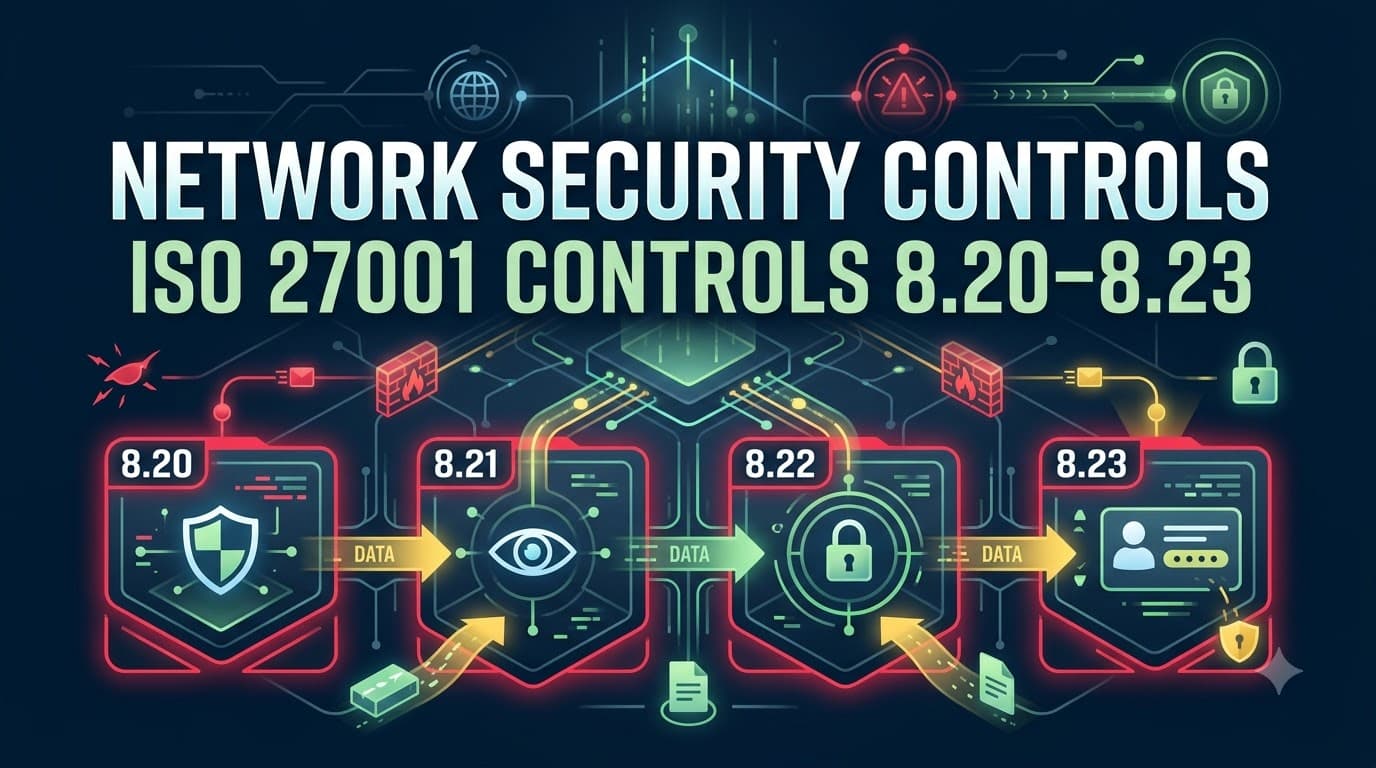
All four sit inside the Technological Controls theme (8.1–8.34) and work together as a single system: 8.20 is the baseline hygiene for the network itself, 8.21 governs the services running over it (including third-party and cloud network services), 8.22 is the architectural discipline of keeping things apart, and 8.23 is the specific control over one of the highest-volume malware delivery paths — outbound web traffic. Treat them as a set in your Statement of Applicability and your architecture diagrams, not as four unrelated checkboxes.
Control 8.20: Networks Security
ISO 27002 guidance for 8.20 describes a network that is actively secured, managed, and controlled — not just cabled together and left alone. In practice that means you can answer, for every network segment: who owns it, what's connected to it, what traffic is permitted across it, and who is watching it. Auditors read 8.20 as the "network hygiene" control, and it is the one most often failed on a technicality — not because organizations lack firewalls, but because nobody can produce a current network diagram, an up-to-date firewall rule justification, or evidence that unused ports and services have been disabled.
The control text is broad by design, because it has to cover everything from a single-office LAN to a multi-region cloud estate. In our engagements, we break 8.20 into five practical obligations: maintain accurate network documentation, control which devices and services can connect, encrypt traffic in transit where appropriate (working alongside Use of Cryptography control 8.24), authenticate network devices and administrative access, and log and monitor network activity in coordination with Logging and Monitoring controls 8.15–8.16. A network you can't see is a network you can't secure — this is why 8.20 and 8.16 are effectively joined at the hip in every mature ISMS.
Requirements and Evidence for Control 8.20
Requirement | What "Good" Looks Like | Evidence for Auditors |
|---|---|---|
Current network architecture documentation | Diagrams showing all segments, trust zones, connection points, and data flows, reviewed at least annually or on material change | Network topology diagrams with version history and review dates |
Network device inventory | Asset register of routers, switches, firewalls, wireless access points, and VPN concentrators with owner and patch status | Extract from CMDB or network asset management tool |
Access control on network devices | Administrative access to network infrastructure restricted, MFA-enforced, and logged | Device configuration standard; admin access review logs |
Firewall and routing rule governance | Rule sets reviewed periodically, unused rules removed, and every rule mapped to a documented business justification | Firewall rule review reports; change tickets referencing business need |
Secure configuration baselines | Hardened configuration standards applied to routers, switches, and wireless controllers (default credentials disabled, unused services off) | Configuration baseline documents; configuration compliance scan results |
Wireless network security | Encrypted wireless (WPA2-Enterprise/WPA3 or equivalent), guest wireless segregated from corporate | Wireless network policy; guest network architecture diagram |
Monitoring and anomaly detection | Network traffic and device logs feeding into a monitoring capability, with defined alert thresholds | SIEM/NDR configuration; sample alert-to-resolution tickets |
Implementing 8.20: Where Organizations Actually Start
Every organization I've walked through this control starts from a different maturity point, but the sequence that works is consistent. First, get the network drawn accurately — not the diagram from the original office build-out five years ago, but what's actually connected today, including the shadow Wi-Fi access point someone plugged in and the site-to-site VPN a regional office set up without telling anyone. Second, inventory every network device and confirm it has an owner, a patch cadence, and a hardened configuration baseline. Third, tackle firewall rule sprawl: in nearly every mid-market environment we assess, 20–40% of firewall rules reference decommissioned systems or have no traceable business justification, and an auditor will ask you to explain any rule you can't justify. Fourth, wire network logging into your existing monitoring pipeline so that 8.20 isn't just architecture — it's architecture someone is actively watching.
The most common gap we find isn't technical; it's documentation drift. A network built correctly in year one and never re-diagrammed by year three is, from an audit perspective, undocumented — and undocumented controls cannot be tested, which means they cannot be certified against.
Control 8.21: Security of Network Services
Control 8.21 asks a deceptively simple question: for every network service you use — internal or provided by a third party — do you know its security mechanisms, its service levels, and its service requirements, and are you monitoring all three? A "network service" under ISO 27002 guidance is broad: it includes internally run services like DHCP, DNS, and internal VPN concentrators, as well as externally provided services like an ISP's managed firewall, a cloud provider's virtual network fabric, an SD-WAN vendor, or a managed SASE platform.
Most organizations get tripped up on 8.21 in one of two ways. Either they never formally identified what network services they consume (an ISP contract signed a decade ago with no security schedule attached), or they identified the services but never defined what "acceptable security" and "acceptable availability" mean for each one — so there's nothing to hold the provider to and nothing an auditor can test against. 8.21 exists to close that gap by tying security mechanisms and monitoring obligations to an actual, documented service level.
Requirements and Evidence for Control 8.21
Requirement | What "Good" Looks Like | Evidence for Auditors |
|---|---|---|
Inventory of network services | Register of all internal and third-party network services in use, including cloud network fabric and ISP-managed services | Network services register with owner and criticality rating |
Defined security mechanisms per service | Encryption, authentication, and access control requirements documented for each service | Service specification sheets; contract security schedules |
Defined service levels | Availability, latency, and incident response time commitments captured for each service | Signed SLAs; service level reports |
Monitoring of service performance and security | Ongoing measurement against agreed SLAs, with escalation for breaches | SLA dashboards; quarterly service review minutes |
Contractual coverage for third-party network services | Security and service-level clauses embedded in supplier contracts | Supplier contracts; procurement checklist referencing security requirements |
Periodic reassessment | Network services reassessed when providers, architecture, or risk profile changes | Review log tied to change management records |
Building a Network Service Security Agreement
The artifact that makes 8.21 auditable is what we call a Network Service Security Agreement (NSSA) — not always a standalone contract, but at minimum a documented schedule that captures, per service, the security mechanisms in force (e.g., IPsec/TLS in transit, authentication method, logging obligations), the agreed service level (uptime target, mean time to respond to a security incident, patching SLA for provider-managed infrastructure), and the monitoring method used to verify both. For internally run services this can be a short internal standard; for third-party and cloud network services, it should be referenced in the supplier contract and reviewed as part of your supplier security process alongside the wider supplier controls in Supplier Relationship Security controls 5.19–5.23.
"The question I ask every client is: 'If your ISP's managed firewall failed silently tomorrow, how would you know, and how fast would they have to tell you?' Half the time, nobody in the room can answer. That's exactly the gap control 8.21 is designed to close." — Owen Marchetti, Principal Network Security Consultant, Cascadia Risk Advisory
Sample Network Service SLA Elements
Service Category | Typical Security Mechanism | Typical Availability SLA | Typical Security Incident Response SLA |
|---|---|---|---|
ISP / edge connectivity | DDoS mitigation, traffic encryption on managed links | 99.9% uptime | Notification within 1 hour of detected attack |
Cloud virtual network (VPC/VNet) | Provider-native security groups, flow logs, encryption in transit | 99.95% (provider SLA) | Shared responsibility — customer monitors, provider notifies on platform-level incidents |
SD-WAN / SASE provider | Encrypted overlay tunnels, centralized policy enforcement | 99.9%–99.99% depending on tier | Defined in vendor security addendum, typically 2–4 hours |
Managed firewall service | Rule change control, 24/7 monitoring | 99.9% uptime, rule change within agreed window | Incident notification within 1 hour |
DNS resolution service | DNSSEC, filtering of known-malicious domains | 99.99% uptime | Notification of filtering bypass or outage within 30 minutes |
Control 8.22: Segregation of Networks
If 8.20 is "secure the network" and 8.21 is "govern the services on it," 8.22 is the control that would have stopped Priya's incident cold: groups of information services, users, and information systems shall be segregated in the organization's networks. This is the control that turns a single flat blast radius into a set of contained zones, so that a compromised dispatcher workstation in Reno cannot reach the domain controller, and a compromised domain controller cannot reach the finance system, without crossing a monitored, restrictive boundary designed specifically to stop it.
ISO 27002 guidance describes several segregation approaches: physically separate networks, logically separate networks using VLANs or software-defined segmentation, and controlling traffic between segments using firewalls, gateways, or access control lists at defined boundary points. It also calls out segregating wireless networks from wired infrastructure, and segregating based on trust level — for example, separating guest networks, IoT/OT devices, and third-party access from core corporate systems. The underlying principle is the same one that shows up across the standard's access control philosophy in Access Control controls 5.15–5.18: grant access on a need-to-connect basis, not a default-open basis.
Requirements and Evidence for Control 8.22
Requirement | What "Good" Looks Like | Evidence for Auditors |
|---|---|---|
Documented segregation rationale | Network zones defined by trust level, data sensitivity, and business function | Segmentation design document with rationale per zone |
Enforced boundary controls | Firewalls, ACLs, or microsegmentation policies enforcing traffic rules between zones | Firewall/ACL rule sets mapped to the zoning diagram |
Segregation of user groups | Different user populations (e.g., staff, contractors, guests) placed in distinct network segments | Network access policy; VLAN assignment records |
Segregation of system types | Servers, endpoints, OT/IoT devices, and management interfaces separated | Asset-to-VLAN mapping; OT/IT segregation diagram |
Segregation of third-party/remote access | External and partner connections terminated into a restricted zone, not the internal core | Remote access architecture diagram; partner connectivity register |
Regular testing of segregation | Periodic validation that boundary controls actually block prohibited traffic | Penetration test or segmentation test reports |
Change control over zone boundaries | Changes to firewall/ACL rules between zones follow formal change management | Change tickets referencing segmentation impact |
Network Segmentation and Zoning Design Table
Use a design table like this as the working artifact for a segmentation project — and as an evidence exhibit for auditors who want to see that segregation decisions were deliberate, not accidental.
Zone | Typical Contents | Trust Level | Inbound Access Allowed From | Outbound Access Allowed To | Monitoring Priority |
|---|---|---|---|---|---|
Internet edge / DMZ | Public-facing web servers, email gateways, reverse proxies | Untrusted boundary | Internet (restricted ports only) | Application zone (specific ports only) | High |
Corporate user zone | Staff workstations, laptops | Trusted, standard | Application zone (defined services) | Application zone, internet (via web filtering) | Medium |
Server / application zone | Application servers, internal APIs | Trusted, elevated | Corporate zone, DMZ (defined services) | Data zone (defined services) | High |
Data zone | Databases, file stores, backup targets | Highly trusted, restricted | Application zone only | Backup/replication targets only | Critical |
Management zone | Network device management interfaces, jump hosts, admin tooling | Privileged, isolated | Named admin workstations only, via jump host | All zones (limited, logged) | Critical |
Guest/BYOD zone | Visitor Wi-Fi, personal devices | Untrusted | N/A | Internet only (via web filtering) | Low–Medium |
OT/IoT zone | Industrial control systems, building sensors, cameras | Isolated, high-consequence | Not accessible from corporate zone directly | Historian/gateway only, no direct internet | Critical |
Third-party/partner zone | Vendor VPN endpoints, supplier integrations | Restricted, monitored | Named partner IPs, defined services only | Application zone (defined services) | High |
Remote access zone | VPN/ZTNA termination point | Controlled, authenticated | Authenticated remote users only | Corporate/application zone per policy | High |
"The zoning table is the single artifact I ask for first in every audit of Annex A control 8.22. If a client can hand it to me with rationale, boundary controls, and a testing history, the rest of the segregation evidence tends to fall into place. If they can't produce it, I already know we're going to spend the rest of the day drawing it together on a whiteboard." — Renata Osei, Lead ISO 27001 Auditor, Thornfield Assurance Group
Visualizing the Zone Model
The diagram below shows how traffic moves through segmented zones and filtering layers — the kind of picture that should exist, in some form, in every organization's network security documentation before an auditor asks for it.
flowchart TB
    INET[Internet] --> FW1[Edge Firewall / Web Filtering Gateway]
    FW1 --> DMZ[DMZ Zone: Public Web, Email Gateway]
    FW1 --> GUEST[Guest / BYOD Zone]
    DMZ --> FW2[Internal Firewall]
    FW2 --> CORP[Corporate User Zone]
    FW2 --> PARTNER[Third-Party / Partner Zone]
    CORP --> FW3[Segmentation Boundary]
    PARTNER --> FW3
    FW3 --> APP[Application / Server Zone]
    APP --> FW4[Data Boundary Firewall]
    FW4 --> DATA[Data Zone: Databases, Backups]
    CORP -.remote access.-> VPN[VPN / ZTNA Gateway]
    VPN --> CORP
    APP -.isolated.-> OT[OT / IoT Zone]
    MGMT[Management Zone / Jump Host] -.logged access.-> FW1 & FW2 & FW3 & FW4
Notice the pattern: every arrow crossing a zone boundary passes through a firewall or gateway, every remote and third-party path terminates into a controlled zone rather than the core, and the management zone reaches every other zone only through logged, jump-host-mediated access. That's segregation in miniature — and it's the same pattern whether you're drawing a single-office LAN or a multi-region cloud estate.
Segmentation Approaches: VLANs, Microsegmentation, and Zero Trust
Control 8.22 doesn't mandate a specific technology — it mandates an outcome. Three broad approaches dominate real-world implementations, and most mature organizations end up using a blend of all three rather than picking one.
VLANs and traditional subnetting remain the most common starting point. They're well understood, supported by virtually every switch vendor, and cheap to implement. Their weakness is that they segregate by broadcast domain, not by policy — once a device is on a VLAN, it typically has broad reach to everything else on that VLAN unless additional controls are layered on top. VLANs are a necessary foundation but rarely sufficient on their own for anything beyond basic zoning.
Microsegmentation moves enforcement down to the workload or host level, typically using software-defined policies that follow the asset regardless of where it sits on the physical or virtual network. This is especially valuable in data center and cloud environments where east-west traffic between servers in the same zone is often where lateral movement actually happens — a compromised web server should not, by default, be able to reach a database server it has no legitimate reason to talk to, even if both sit in the same "application zone." Microsegmentation is more operationally demanding to build and maintain, but it directly addresses the lateral-movement failure mode that broad VLAN zoning misses.
Zero trust network architecture (ZTNA) goes a step further conceptually: it removes the assumption of implicit trust based on network location entirely. Under a zero trust model, every connection — whether from inside the "trusted" corporate zone or from a remote user — is authenticated, authorized, and evaluated against policy before access is granted, and re-evaluated continuously rather than once at login. Zero trust is not a single product; it's an architectural philosophy usually implemented through a combination of identity-aware proxies, device posture checks, and policy engines that sit in front of applications rather than relying on network location as a proxy for trust.
Comparing Segmentation Approaches
Approach | Enforcement Point | Strength | Limitation | Best Fit |
|---|---|---|---|---|
VLANs / subnetting | Switch/broadcast domain | Simple, cheap, universally supported | Coarse-grained; broad trust within a VLAN | Baseline zoning in traditional on-prem networks |
Firewall-enforced zoning | Zone boundary (firewall/router) | Strong at defined choke points | Doesn't stop east-west movement within a zone | Perimeter and inter-zone control |
Microsegmentation | Workload/host level | Granular, limits lateral movement | Higher operational complexity, policy sprawl risk | Data centers, cloud workloads, high-value application zones |
Zero trust network access (ZTNA) | Identity + device posture, per-session | No implicit trust from network location; strong for remote/hybrid work | Requires identity and device management maturity | Remote access, cloud-first and hybrid workforces |
Network access control (NAC) | Endpoint at connection time | Verifies device posture before granting network access | Doesn't continuously re-evaluate after connection | Corporate LAN admission control, BYOD, guest onboarding |
"We didn't rip out our VLANs to do zero trust — we layered zero trust access on top of the segmentation we already had. Auditors sometimes expect an either/or answer. The honest answer for most mid-market companies is 'both, in layers.'" — Devon Achebe, Cloud Security Architect, Northgate Systems Integration
Control 8.23: Web Filtering
Control 8.23 is the newest of the four — added in ISO 27001:2022 — and it exists because of exactly the failure mode that hit Lattice Point: users reaching malicious or inappropriate external content because nothing was managing and restricting where outbound web traffic could go. ISO 27002 guidance frames web filtering as a control to reduce exposure to malicious content, prevent unauthorized access to inappropriate or non-business material, and reduce legal and reputational exposure from the sites employees can reach from corporate devices and networks.
Web filtering works alongside Protection Against Malware control 8.7 rather than replacing it — malware protection catches malicious payloads once they arrive, while web filtering aims to stop the connection to the malicious source before the payload is ever retrieved. In a well-designed control environment, the two overlap deliberately: web filtering blocks the request to a known-bad domain; endpoint malware protection is the backstop if a not-yet-categorized domain slips through.
Requirements and Evidence for Control 8.23
Requirement | What "Good" Looks Like | Evidence for Auditors |
|---|---|---|
Web filtering policy | Documented policy defining what categories of sites are blocked, restricted, or allowed | Approved web filtering / acceptable use policy |
Technical enforcement | DNS-layer filtering, secure web gateway, or proxy enforcing the policy across all managed devices, including remote users | Filtering platform configuration; policy rule export |
Threat intelligence–based blocking | Filtering informed by threat intelligence feeds (known malicious domains, newly registered domains, phishing infrastructure) | Feed subscription evidence; block-list update logs |
Coverage of remote and mobile users | Filtering enforced regardless of network location, not just on-premises | VPN/SASE/DNS-filtering configuration for remote endpoints |
Exception and override process | Documented process for requesting access to a blocked category/site, with approval and logging | Exception request tickets and approval trail |
Monitoring and reporting | Regular reporting on blocked attempts, categories, and trends | Web filtering dashboard exports; monthly/quarterly reports |
Review of filtering effectiveness | Periodic testing that filtering blocks known-malicious test domains and category enforcement works as intended | Test results from simulated access attempts |
Web Filtering Approaches Compared
Approach | How It Works | Strength | Limitation |
|---|---|---|---|
DNS-layer filtering | Blocks resolution of known-malicious or restricted-category domains before a connection is made | Fast, lightweight, works well for remote/roaming devices | Bypassed if a device uses an alternate DNS resolver or hardcoded IP |
Secure web gateway (SWG) / proxy | Inspects and filters HTTP/HTTPS traffic, often including TLS inspection | Granular category and content control, supports data loss prevention integration | Higher latency and complexity; TLS inspection raises privacy/legal considerations |
Next-gen firewall URL filtering | Firewall inspects web traffic against category and reputation databases | Consolidates with existing perimeter control investment | Coverage may weaken for traffic that doesn't route through the firewall (remote users) |
Cloud access security broker (CASB) | Extends filtering and visibility to SaaS and cloud application usage | Strong for shadow IT visibility and cloud app governance | Typically a complement to, not a replacement for, web/DNS filtering |
Endpoint agent-based filtering | Filtering policy enforced directly on the endpoint regardless of network | Consistent enforcement for remote and mobile devices | Requires endpoint agent deployment and maintenance |
Most organizations that get this right layer DNS-layer filtering (fast, broad, low-friction) with an SWG or next-gen firewall for deeper inspection at higher-risk points, then extend the same policy to remote users through endpoint agents or a SASE platform so "outside the office" doesn't quietly mean "outside the policy."
"The gap I see most often isn't that companies lack web filtering — it's that they only filter traffic that happens to route through the office firewall. The day everyone went remote, half our clients' web filtering evaporated along with the office. Control 8.23 forces you to ask: does this policy actually follow the user?" — Simone Ferreira, Security Operations Manager, Palisade Retail Group
Cloud and Remote Realities: VPCs, SASE, and VPN
None of this analysis holds up if you only design it for a traditional office network. Most organizations we work with today run a hybrid estate: a shrinking on-premises footprint, one or more cloud provider virtual networks, and a workforce that is remote, hybrid, or field-based more often than it's sitting behind a corporate firewall. Controls 8.20 through 8.23 have to extend cleanly into all three environments, or the segmentation and filtering you've built only protects the smallest and shrinking part of your estate.
Virtual private clouds (VPCs) and cloud network segmentation
Cloud virtual networks (VPCs, VNets, or the equivalent in your provider of choice) give you segmentation primitives that map directly onto the zoning model above: subnets, security groups, network access control lists, and route tables can enforce the same "application zone cannot reach data zone directly" logic as a physical firewall, often with finer granularity and less hardware. The risk in cloud environments isn't a lack of segmentation tooling — it's default permissiveness. Cloud security groups that were opened broadly during a proof-of-concept and never tightened, or a "default allow" VPC peering connection between environments that should never have been able to reach each other, are among the most common findings in cloud architecture reviews. Treat cloud network segmentation with the same design discipline as the on-premises zoning table: document the rationale for every security group rule, and review cloud network configurations on the same cadence as physical firewall rules.
Secure Access Service Edge (SASE)
SASE converges networking and security into a single cloud-delivered service — combining SD-WAN, secure web gateway, cloud access security broker, firewall-as-a-service, and zero trust network access into one policy plane. For organizations with distributed offices and a largely remote workforce, SASE is an increasingly common way to satisfy 8.20, 8.21, and 8.23 simultaneously: the network security, the service-level monitoring, and the web filtering all sit inside the same platform, with a single policy that follows the user rather than the network location. The trade-off is vendor concentration — a SASE outage or misconfiguration affects networking and security at the same time — which is exactly why the service-level agreement work under control 8.21 matters so much when a SASE provider becomes this central to your architecture.
VPN and remote access
Traditional VPN remains widely used, and there's nothing wrong with it as a transport mechanism — the risk is what a VPN connection is allowed to reach once established. A VPN that drops a remote user straight onto the flat corporate network defeats the purpose of everything covered under 8.22; a VPN that terminates into a dedicated, tightly scoped remote-access zone (as shown in the zoning table earlier) preserves segregation even for remote connections. This is also where control 8.20–8.23 work overlaps directly with Remote Working requirements under controls 6.4–6.7: remote access architecture and remote working policy are two halves of the same control objective, one technical and one procedural.
Zero trust network access (ZTNA) as the remote-access evolution
Where VPN grants network-level access, ZTNA grants application-level access after authenticating the user and evaluating device posture — a materially smaller blast radius if credentials are compromised. Many organizations are migrating from VPN to ZTNA specifically to reduce the segregation risk of remote access without abandoning remote work altogether. Whichever model you use, encrypt the transport (see Use of Cryptography control 8.24 for the cryptographic controls underpinning VPN and TLS), authenticate strongly, and — critically for 8.22 — land the connection in a scoped zone, not the open core network.
Deployment Model | Segmentation Handled By | Web Filtering Handled By | Typical Fit |
|---|---|---|---|
Traditional on-prem + VPN | VLANs/firewalls on-prem, VPN terminates into scoped zone | Perimeter proxy/firewall, must be extended to VPN traffic | Legacy or partially modernized estates |
Cloud-first (VPC/VNet) | Security groups, NACLs, route tables per cloud provider | Cloud-native or third-party SWG integrated with cloud egress | Cloud-native workloads and applications |
SASE | Cloud-delivered SD-WAN + ZTNA policy engine | Built into the SASE platform (SWG/CASB component) | Distributed offices, largely remote workforce |
Hybrid (hardest to get right) | Must reconcile on-prem zoning with cloud security groups and SASE policy | Must apply consistently across all three environments | Most mid-market and enterprise organizations today |
Metrics and KPIs That Matter for Network Security Controls
Auditors want evidence that controls operate; management wants to know whether the investment is working. The metrics below serve both audiences and should feed your management review process under Clause 9.
Metric | Why It Matters | Good Practice Target |
|---|---|---|
Percentage of firewall rules with documented business justification | Directly evidences 8.20 rule governance | 100%, reviewed at least semi-annually |
Mean time to detect lateral movement attempt | Tests whether segmentation and monitoring work together | Minutes to low hours, not days |
Number of network services without a documented SLA | Direct 8.21 compliance gap indicator | Zero for critical/high services |
Percentage of network zones with tested segregation controls | Confirms 8.22 boundaries are enforced, not just diagrammed | 100% of critical zones tested annually |
Blocked malicious web/DNS requests per month | Demonstrates 8.23 is actively reducing exposure | Trend tracked, spikes investigated |
Percentage of remote/roaming devices covered by web filtering | Confirms filtering follows the user, not just the office | 100% of managed endpoints |
Firewall/network device patch compliance rate | Baseline network hygiene indicator | 95%+ within defined SLA window |
Time to remediate a failed segmentation test finding | Shows the organization acts on test results | Defined SLA by risk rating, tracked to closure |
Evidence for Auditors: What to Have Ready
An auditor assessing controls 8.20 through 8.23 will typically ask for a consistent set of artifacts. Assembling these in advance turns a stressful Stage 2 conversation into a straightforward walkthrough.
Evidence Category | Specific Artifacts |
|---|---|
Architecture documentation | Current network diagrams, zoning/segmentation design table, cloud network architecture diagrams |
Policy documentation | Network security policy, web filtering / acceptable use policy, remote access policy |
Technical configuration exports | Firewall rule sets, security group configurations, VLAN assignments, web filtering policy rules |
Service management records | Network service register, signed SLAs/contracts, service level review minutes |
Testing evidence | Segmentation test reports, penetration test findings related to network controls, web filtering bypass test results |
Monitoring evidence | SIEM/NDR dashboards, sample alerts with resolution, web filtering block reports |
Change management records | Change tickets for firewall/ACL/security group modifications |
Training and awareness | Records showing IT/network staff understand segmentation and filtering policy obligations |
This evidence set should be referenced directly in your Statement of Applicability against controls 8.20–8.23, with a clear justification for inclusion (these controls are almost never marked "not applicable," given how few organizations operate with zero network exposure).
Common Mistakes We See in Network Security Control Implementations
Mistake | Why It Happens | Consequence |
|---|---|---|
Network diagram exists but hasn't been updated in over a year | Diagramming treated as a one-time project deliverable, not a living artifact | Auditor nonconformity; team makes decisions on stale architecture |
Firewall rules accumulate with no periodic review | Easier to add a rule than to remove one; nobody owns rule hygiene | Rule sprawl, unjustifiable exceptions, larger attack surface |
"Segmentation" means VLANs only, with flat trust within each VLAN | VLANs are cheaper and faster to stand up than microsegmentation | Lateral movement within a "segmented" zone still succeeds |
Web filtering only applied to office network traffic | Filtering deployed at the perimeter firewall, not extended to remote users | Remote and hybrid workers are effectively unfiltered |
Network services consumed with no documented SLA | Contracts signed by procurement without security/IT input | No basis to hold providers accountable; 8.21 evidence gap |
OT/IoT devices placed on the same network as corporate IT | Convenience during initial deployment, never revisited | High-consequence systems inherit corporate IT's risk exposure |
Segmentation tested once during initial build, never again | Testing treated as a project milestone, not an ongoing control | Configuration drift silently erodes segregation over time |
Web filtering policy has no documented exception process | Blocking is treated as absolute rather than risk-managed | Business friction leads to shadow workarounds (personal hotspots, unmanaged devices) |
Case Studies
Case Study 1: Kestrel Trust Bank — From 14 Hours to 45 Minutes
Kestrel Trust Bank, a regional retail and commercial bank, underwent its ISO 27001 certification audit two years after a contained but alarming incident: a compromised branch workstation was able to reach core banking infrastructure because the branch network and the data center core shared the same trust zone. The incident was caught before any data was exfiltrated, but the containment effort took 14 hours because the incident response team had to manually trace and block paths across an undocumented, effectively flat network. Following the incident, Kestrel rebuilt its network around the zoning model described earlier — separating branch networks, the application tier, the data tier, and a dedicated management zone with jump-host-only administrative access — and implemented microsegmentation across the data center. In the following year's tabletop exercise simulating the same compromise scenario, containment took 45 minutes, and the bank's auditor cited the segmentation redesign as a model example of control 8.22 in practice.
"Forty-five minutes versus fourteen hours isn't an incremental improvement — it's the difference between a contained incident and a front-page one. Segmentation bought us that difference." — Naomi Falk, Chief Information Security Officer, Kestrel Trust Bank
Case Study 2: Anvilworks Manufacturing — Keeping Ransomware Out of the Plant
Anvilworks Manufacturing, a mid-sized industrial equipment maker, had historically run its operational technology (OT) — programmable logic controllers, historian servers, and plant-floor HMIs — on the same network as corporate IT, a common legacy pattern in manufacturing. During an ISO 27001 gap assessment, this was flagged as a critical finding against control 8.22. Anvilworks segregated the OT environment into its own isolated zone, reachable from corporate IT only through a tightly controlled data historian gateway with no direct routing between the two networks. Eight months later, a phishing-driven ransomware attempt compromised several corporate IT endpoints. Because the OT network had no direct path from the corporate zone, the plant floor was never touched, and production continued uninterrupted while corporate systems were remediated. Anvilworks' internal estimate of avoided production downtime, based on comparable incidents in its industry, was approximately $1.2 million.
"The auditor's finding felt like a paperwork exercise at the time. Eight months later it was the reason our plant kept running while our email server didn't." — Radek Kowalski, OT Security Manager, Anvilworks Manufacturing
Case Study 3: Palisade Retail Group — Cutting Off Malware at the Domain
Palisade Retail Group, a multi-state specialty retail chain, implemented DNS-layer web filtering across its store and corporate networks as part of closing out control 8.23 ahead of its first ISO 27001 certification audit. In the first full quarter of operation, the filtering platform blocked roughly 22,000 requests per month to domains categorized as malicious, newly registered, or associated with phishing infrastructure — traffic that previously would have reached endpoint protection only after a connection had already succeeded. Based on the cost of a comparable point-of-sale malware incident Palisade had experienced three years earlier (estimated at $600,000 in forensic response, card brand penalties, and customer notification costs), the security team framed the web filtering rollout internally as having a payback period of well under a year, even accounting only for a single prevented incident of similar scale.
"We used to find out about malicious downloads after the fact, from the antivirus logs. Now we're stopping the connection before the file ever gets requested. That's a completely different posture." — Simone Ferreira, Security Operations Manager, Palisade Retail Group
Turning Network Security Controls Into a Business Advantage
It's easy to treat controls 8.20 through 8.23 as an engineering checklist to clear before an audit, and that framing misses the actual value on offer. A well-segmented, well-filtered, properly governed network is one of the highest-leverage investments an organization can make, precisely because it changes the economics of an attack rather than just adding another detection layer. Lattice Point Logistics didn't just pass its ISO 27001 audit after rebuilding its network — it started winning enterprise contracts that had previously gone to competitors specifically because prospective customers' security questionnaires asked, in detail, about network segmentation and web filtering, and Lattice Point could now answer with evidence instead of assurances.
That's the pattern across every client we've taken through this work: certification is the proof point, but the real asset is a network where a single phishing email or a single misconfigured cloud security group can no longer become a company-wide incident. Segmentation and filtering are also two of the controls that map most directly onto the requirements customers, cyber insurers, and regulators are already asking about — PCI DSS Requirement 1 on network security controls and segmentation for anyone handling card data, SOC 2's common criteria for network security monitoring for SaaS vendors facing enterprise procurement, and the Protect function of the NIST Cybersecurity Framework. Getting 8.20–8.23 right under ISO 27001 puts you most of the way toward satisfying all three without duplicating the underlying engineering work.
If you're building or maturing this control set, start with the artifact that pays off fastest: an accurate, current zoning diagram with rationale for every boundary. Everything else in this article — the firewall rule governance, the SLA documentation, the web filtering policy, the cloud and remote access extensions — becomes easier to design and easier to prove once you can see your network clearly and honestly.
PentesterWorld's Annex A — All 93 Controls at a Glance cheat sheet is a fast way to see how controls 8.20–8.23 sit alongside the rest of your Statement of Applicability. If you're building the wider technological control set from scratch, The Complete ISO 27001 Implementation Guide eBook walks through sequencing network security work against the rest of your ISMS rollout. Teams validating readiness before a Stage 1 review often start with our ISO 27001 Mandatory Documents Checklist to confirm network policies and diagrams are where they need to be, run our ISO 27001 Gap Analysis Tool to pinpoint exactly which of the four controls in this article need attention first, and use our ISO 27001 Risk Register Template to make sure network-related risks — lateral movement, unfiltered web access, unmonitored third-party network services — are formally captured and treated rather than assumed away.
Network segmentation, service governance, and web filtering won't make headlines when they work. They'll just mean your Tuesday nights stay boring — which, as Priya Nadarajah would tell you, is exactly the point.