Marcus Webb had run the incident response playbook a dozen times in tabletop exercises. He never expected to run it for real at 2:40 a.m. on a Tuesday, watching a ransomware note render on the primary transaction database at Vantage Point Payments, a mid-sized payment processor handling roughly $4 billion a year in merchant settlements.
The technical containment was, by his own account, the easy part. Isolate the segment, kill the lateral movement paths, rotate the credentials. What nearly broke the incident was the forensic timeline. Vantage Point ran 140-odd servers across two data centers and a growing AWS footprint. Roughly half of them synchronized to a corporate NTP hierarchy. The other half — legacy Windows boxes acquired in a prior merger, plus a scatter of developer sandboxes that had quietly become "temporary" production dependencies — synced to whatever the local hypervisor host happened to think the time was, or didn't sync at all. When the forensic team pulled logs to reconstruct the attacker's dwell time, they found timestamps that disagreed with each other by anywhere from ninety seconds to fourteen minutes, and on three severely drifted hosts, by over an hour.
That drift didn't just slow the investigation down. It actively hid the story. Events that the SIEM correlated as "simultaneous" weren't. Events the analysts assumed were sequential — attacker escalates privilege, attacker moves laterally, attacker exfiltrates — turned out, once the team painstakingly re-normalized every host's clock offset against a trusted reference, to have happened in a different order than the first-pass timeline suggested. The attacker had used a signed, legitimate disk-imaging utility already present on several servers — the kind of tool a backup administrator uses every day — to quietly copy volume snapshots before triggering the visible encryption event, and that utility's own activity logs were among the ones with the worst clock drift. Nobody had been watching who used it, when, or why, because nobody had classified it as privileged in the first place. To complete the picture: the initial foothold traced back to a free remote-access tool a contractor had installed on a jump box eight months earlier to "save time" on vendor support calls — software nobody in IT had approved, inventoried, or even known existed until the breach forced them to go looking.
The final tally at Vantage Point ran past $2.8 million: forensic consulting fees inflated by the extra weeks spent untangling timestamps, a regulatory inquiry triggered by the delayed breach notification (delayed because the company couldn't confidently state when cardholder data was first accessed until the timeline was rebuilt), customer notification and credit monitoring costs, and a lost enterprise client who cited "inability to produce a coherent incident timeline" as the reason for termination. None of the three root gaps — unsynchronized clocks, an unmonitored privileged utility, and unauthorized software — would have made anyone's top-ten list of exciting security investments. That's exactly why they were still open eighteen months after the company's first ISO 27001 gap analysis.
"Everyone wants to talk about the firewall and the EDR platform. Nobody wants to talk about whether server 47's clock is nine minutes fast. But when the incident happens, that nine minutes is the difference between a two-day investigation and a two-week one." — Marcus Webb, VP of Information Security, Vantage Point Payments
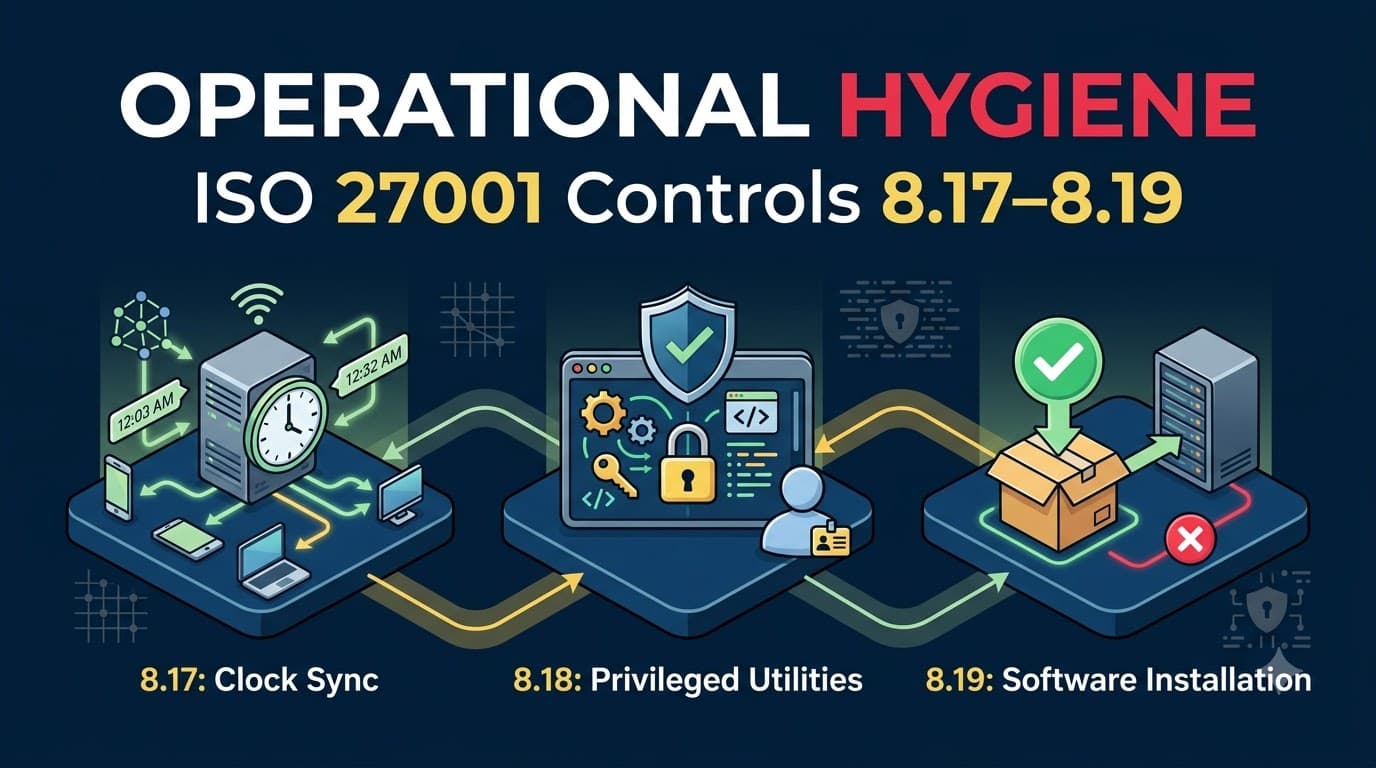
This is the story behind ISO 27001 Annex A controls 8.17, 8.18, and 8.19 — the three "operational hygiene" controls tucked between the glamorous logging-and-monitoring pair (8.15–8.16) and the network security cluster (8.20–8.23). Together, they don't stop a determined attacker on their own. What they do is make sure that when something goes wrong — and something eventually goes wrong at every organization I've worked with — you can actually reconstruct what happened, that the tools capable of bypassing your other controls are on a short leash, and that nobody quietly turns your production environment into a junk drawer of unvetted software.
Who This Is For
This article is written for ISMS managers, IT operations leads, systems administrators, and internal auditors who are staring at controls 8.17, 8.18, and 8.19 in their Statement of Applicability and wondering how three seemingly minor, single-paragraph requirements translate into a defensible, auditable program. You'll walk away knowing exactly what an auditor expects to see for each control, which time sources and utility-restriction models actually hold up under scrutiny, how to build a software-installation process that doesn't grind development to a halt, and what evidence to keep so that Stage 2 and surveillance audits go smoothly instead of generating findings. If you've already implemented logging and monitoring under controls 8.15–8.16, this article is the natural next step — because none of that logging data means anything if the clocks producing it can't agree on what time it is. If any of the terminology below (stratum, allowlisting, privileged utility) is new to you, our ISO 27001 Glossary of Terms is a useful companion reference to keep open alongside this article.
Why "Boring" Hygiene Controls Matter
I've sat through a lot of ISO 27001 kickoff meetings over fifteen-plus years and 200-plus client engagements, and I can tell you with confidence: nobody has ever opened a scoping workshop by asking, "So, how are we handling clock synchronization?" Teams want to talk about firewalls, endpoint detection, encryption, and — understandably — access control. Controls 8.17 through 8.19 rarely generate enthusiasm, because none of them stop an attack in the way a well-tuned intrusion prevention system does.
What they do instead is quietly determine whether every other control you've built actually produces trustworthy, usable evidence. A logging program under control 8.15 that captures every authentication event, every privileged command, and every configuration change is only as good as the timestamps attached to those events. A monitoring capability under 8.16 that correlates alerts across systems is only as good as its ability to establish sequence — which came first, which triggered which. Take away reliable time, and you don't just lose precision; you lose the ability to distinguish cause from coincidence, which is exactly the ability a forensic investigator, a regulator, or a court needs most.
The same logic applies to privileged utilities and software installation, just from a different angle. A privileged utility program — think disk editors, debuggers, backup and recovery tools, database administration consoles, or system configuration utilities — exists specifically to bypass the normal guardrails your applications and operating systems enforce. That's not a flaw; it's the point. A backup administrator needs a tool that can read raw disk blocks regardless of file permissions. But that same capability, in the wrong hands or left unmonitored, is indistinguishable from an attacker's toolkit. And uncontrolled software installation is simply the front door left ajar: every unvetted binary, every "temporary" utility a well-meaning engineer installs to solve today's problem, is a potential malware vector, a potential license liability, and — if it happens to include a privileged utility of its own — a potential 8.18 violation nobody signed off on.
In my experience, roughly a third of organizations arrive at their ISO 27001 gap analysis with no documented clock synchronization approach at all — they simply assume it's "handled" because servers "seem to show the right time." Fewer still have an inventory of privileged utility programs, let alone logging on their use. And software installation controls, when they exist, are often written as a policy nobody enforces technically. These three controls are cheap to fix relative to almost anything else in Annex A, and they close gaps that materially affect how well every other technological control performs during an actual incident.
The Three Controls at a Glance
Before diving into each control individually, it helps to see them side by side — same theme, same underlying logic, different mechanics.
Control | One-Line Requirement | Primary Risk If Absent | Typical Technical Owner |
|---|---|---|---|
8.17 Clock Synchronization | System clocks synchronize to an approved, documented time source | Logs can't be correlated; incident timelines are unreliable | IT Operations / Infrastructure |
8.18 Use of Privileged Utility Programs | Utilities capable of overriding controls are restricted and monitored | Bypass tools operate invisibly; attackers "live off the land" | Security Engineering / IT Operations |
8.19 Installation of Software on Operational Systems | Software installation on production systems follows a governed process | Shadow IT and unvetted software become the initial access vector | IT Operations / Change Management |
Control 8.17: Clock Synchronization
What the Control Requires
ISO 27001 Annex A control 8.17 states, in essence, that the clocks of information processing systems used by the organization shall be synchronized to approved time sources. It's one of the shortest control statements in the whole standard, and it's easy to read it once and assume you're done because your servers show roughly the correct time. The intent goes considerably further: every system that generates timestamped records relevant to security — servers, network devices, endpoints, applications, virtual machines, containers, cloud workloads, even physical access control systems and CCTV — needs to derive its time from a defined, approved, and consistently applied source, so that timestamps across your entire environment can be correlated with confidence.
The reason this matters isn't abstract. Nearly every downstream security activity depends on time being trustworthy: reconstructing an incident timeline, correlating a firewall block with an endpoint alert, proving to a regulator when a breach began and when it was detected, establishing chain of custody for evidence that might end up in litigation, and simply making logging (8.15) and monitoring activities (8.16) function as intended. A SIEM that ingests logs from a hundred sources with a hundred slightly different clocks doesn't correlate events — it produces a plausible-looking but potentially wrong story, and a wrong story during an active incident is worse than no story at all.
Approved Time Sources
"Approved" is the operative word ISO 27002 guidance emphasizes, and it means you need a documented, deliberate choice of time source hierarchy rather than letting every system default to whatever it ships with. Most organizations land on a layered approach: an external, authoritative reference at the top (often a small pool of internet-facing stratum-1 or stratum-2 NTP servers, or increasingly a cloud provider's managed time service), one or two internal time servers that synchronize from that external reference and then redistribute time to the rest of the estate, and endpoint/server-level clients configured to sync only from those internal servers rather than reaching out to arbitrary public pools individually.
Time Source Option | Typical Use Case | Precision | Governance Consideration |
|---|---|---|---|
GPS/GNSS-disciplined appliance | On-premises data centers, trading and payment systems needing high precision | Microsecond to low-millisecond | Physical antenna placement; single point of failure if not paired with a fallback |
Public NTP pool (e.g., stratum-2 pool servers) | General corporate IT, small/mid-size environments | Tens of milliseconds | Should route through internal relay servers, not queried directly by every endpoint |
National/government time service (e.g., NIST, national metrology institutes) | Regulated industries wanting an authoritative, auditable reference | Milliseconds | Often cited specifically in audit evidence as the "approved source" |
Cloud provider managed time sync service | Cloud-native and hybrid environments (AWS, Azure, GCP instances) | Sub-millisecond within provider network | Convenient but should still be documented as the formally approved source, not an unstated default |
Windows Time Service (W32Time) / Active Directory PDC emulator | Windows domain environments | Seconds without tuning; sub-second with configuration | Must be explicitly configured against an external reference — default AD behavior alone is not sufficient evidence of an "approved source" |
chrony / ntpd on Linux and network appliances | Servers, routers, switches, firewalls | Milliseconds | Widely supported; configuration should be centrally managed and audited, not host-by-host |
Precision Time Protocol (PTP, IEEE 1588) | High-frequency trading, industrial control, telecom | Sub-microsecond | Overkill for most environments; reserve for systems with a genuine sub-millisecond requirement |
A pattern I see constantly during gap analyses: an organization has a time source configured somewhere, usually on the domain controller, but has never documented it as the approved source in policy, never validated that every server actually inherits from it, and has no process for catching drift when it happens — which it will, especially on virtual machines whose host-level clock and guest-level clock can disagree, and on any system that's been powered off for an extended period and boots up with a stale hardware clock.
Building a Defensible Clock Synchronization Program
A workable 8.17 implementation has four components: a documented time source hierarchy (what's approved, and why), technical enforcement (systems are configured to pull from that hierarchy, not left to default behavior), drift monitoring (an automated check that flags any system whose clock has drifted beyond a defined tolerance — commonly one to five seconds for general IT systems, tighter for anything feeding legal or financial evidence), and a change-controlled process for updating the time source list itself, since swapping time providers without review can itself become an attack vector (a compromised or spoofed time source can be used to manipulate log timestamps to cover tracks).
8.17 Evidence Artifact | What an Auditor Looks For | Typical Owner |
|---|---|---|
Clock Synchronization Policy/Procedure | Documented approved time source(s), sync frequency, tolerance thresholds | ISMS Manager / IT Operations |
Time source configuration exports | NTP/chrony/W32Time config from a representative sample of servers, endpoints, network devices | Systems Administrator |
Drift monitoring dashboard or report | Evidence of automated checks flagging out-of-tolerance clocks, with remediation records | IT Operations / SOC |
Asset inventory cross-reference | Confirmation that all in-scope systems (including cloud, OT, and physical security systems) are covered by the sync configuration | Asset Owner |
Incident/change tickets referencing time drift | Demonstrates the drift-detection process actually triggers action, not just alerts nobody reads | IT Operations |
SoA entry and justification | Control 8.17 marked applicable with rationale, cross-referenced to 8.15/8.16 | ISMS Manager |
"I ask for the time source policy in almost every audit now, because it's a five-minute check that tells me a lot about the maturity of the whole logging program. If nobody can show me an approved source and a drift tolerance, I already know the incident timeline evidence I'll see later in the audit is going to be shaky." — Renata Sikorski, Lead Auditor, Meridian Assurance Group
Document your approved time sources and the rationale for them in your Statement of Applicability alongside the justification for marking 8.17 applicable — auditors increasingly expect to see the why, not just a checkbox.
Control 8.18: Use of Privileged Utility Programs
What Counts as a Privileged Utility Program
Control 8.18 requires that the use of utility programs capable of overriding system and application controls be restricted and tightly controlled. The definition is broader than most teams initially assume. This isn't only about exotic hacking tools; it's about any legitimate, often pre-installed or routinely deployed program whose entire purpose is to operate below or around the normal access controls that applications and operating systems enforce.
Think about what these tools actually do: a disk-imaging or raw-disk-access utility reads data regardless of file-level permissions. A database administration console can bypass application-layer authorization to read or alter records directly. A configuration or registry editor can change security settings that a standard user interface would refuse to modify. A debugger can attach to a running process and read memory that should be isolated. A network packet capture tool can see traffic a user has no business viewing. Even everyday systems administration tools — PowerShell remoting, WMIC, PsExec-style remote execution utilities, certutil (frequently abused for its ability to decode and download files), and hypervisor management consoles — fall squarely into this category because in the wrong hands, or left unmonitored, they can disable logging, alter audit trails, extract credentials, or move laterally with a level of access no standard application would grant.
Utility Category | Example Tools | Legitimate Use | Misuse Risk |
|---|---|---|---|
Disk/volume utilities | Disk imaging, raw disk editors, forensic duplication tools | Backup, recovery, forensic evidence collection | Bypass file permissions; exfiltrate data undetected |
Remote execution/administration | PowerShell remoting, PsExec-style tools, WMIC, RMM agents | Patch deployment, remote troubleshooting | Lateral movement, fileless malware execution |
Database administration consoles | Native DBA tools, direct SQL/NoSQL shells | Schema changes, data recovery, performance tuning | Bypass application authorization; bulk data access |
System/registry configuration tools | Registry editors, group policy editors, kernel-level config utilities | Environment hardening, troubleshooting | Disable security controls, tamper with audit settings |
Debugging and memory tools | Debuggers, process/memory inspectors | Application troubleshooting, root-cause analysis | Credential extraction from memory, control bypass |
Certificate/encoding utilities | certutil and similar OS-native tools | Certificate management | Encode/decode payloads to evade detection |
Hypervisor/virtualization management | vCenter, Hyper-V Manager, cloud console root access | Infrastructure administration | Snapshot exfiltration, guest isolation bypass |
Restricting and Monitoring Privileged Utilities
A defensible 8.18 program has three layers, and I generally walk clients through them in this order. First, inventory: you cannot restrict what you haven't identified, so the starting point is a documented list of every privileged utility program present across your operational environment, mapped to the systems it's installed on and the roles authorized to use it. Second, restriction: access to these utilities should be limited to specifically authorized individuals, ideally tied to the same privileged access rights framework you use for control 8.2 — separate accounts for privileged utility use, time-bound or just-in-time access rather than standing rights, and removal or disabling of utilities that aren't operationally necessary on a given system (a production web server rarely needs a full debugging toolkit installed by default). Third, monitoring: every invocation of a privileged utility should generate a log record — who, what, when, from where — feeding into the same pipeline governed by logging and monitoring controls 8.15–8.16, ideally with alerting on unusual patterns like privileged utility use outside a change window, from an unexpected account, or on a system it's not normally used on.
8.18 Evidence Artifact | What an Auditor Looks For | Typical Owner |
|---|---|---|
Privileged utility inventory | Documented list of utilities, install locations, and business justification | IT Operations / Security Architecture |
Access authorization records | Named individuals/roles approved for each utility, tied to privileged access reviews | IT Security / Access Management |
Utility usage logs | Timestamped records of invocation, correlated with 8.17 clock sync evidence | SOC / IT Operations |
Removal/disablement records | Evidence that unnecessary utilities were removed from systems where not required | Systems Administrator |
Alerting rules and triage records | SIEM/EDR rules flagging anomalous privileged utility use, with response evidence | SOC |
Periodic access review | Recertification of who retains access to privileged utilities | IT Security Manager |
"The tool that got used against us wasn't malware. It was a legitimate backup utility that had been sitting on twenty servers for years because nobody ever asked whether it still needed to be there. That's the trap with 8.18 — you're not looking for something exotic, you're looking at the software you already trust." — Marcus Webb, VP of Information Security, Vantage Point Payments
A practical starting discipline: for every privileged utility you find during inventory, ask three questions — does this system still need this tool installed at all, who is actually authorized to use it today versus who has access to it, and is its use currently generating a log entry anyone would notice. In most environments I've assessed, the answer to that third question is no more often than it's yes, which is precisely the gap 8.18 exists to close.
Control 8.19: Installation of Software on Operational Systems
What the Control Requires
Control 8.19 requires procedures and measures to securely manage the installation of software on operational systems. "Operational systems" means production environments — the servers, endpoints, and infrastructure that actually run the business, as distinct from development or test environments (which is where control 8.31's separation of environments comes in, though that's a topic for its own article). The intent is straightforward: nothing gets installed on a production system — no application, no utility, no browser extension, no library, no agent — without going through a defined process that checks it's authorized, sourced from somewhere trustworthy, and consistent with the organization's risk appetite.
This is the control most directly implicated in "shadow IT": the free remote-access tool a contractor installs to save time, the browser extension a support engineer adds to speed up ticket handling, the open-source utility a developer pulls from a random GitHub repo to solve a one-off problem and then never removes. None of these installs are usually malicious in intent. All of them are unvetted, and unvetted software on a production system is one of the most common initial-access vectors I encounter in incident response work — often more common than a sophisticated exploit, because it doesn't need to defeat any control that was never applied to it in the first place.
Allowlisting, Controlled Repositories, and Change Control
The most effective 8.19 programs I've implemented combine three mechanisms, and they reinforce each other rather than functioning as alternatives.
Application allowlisting (sometimes still called whitelisting) technically enforces that only pre-approved software can execute on a given system — using tools like Windows AppLocker or Windows Defender Application Control, macOS Gatekeeper and notarization requirements, or Linux equivalents like fapolicyd. This is the strongest control because it doesn't rely on someone remembering to ask permission; unapproved software simply won't run. Blocklisting (denying known-bad software) is easier to implement but structurally weaker, since it can only block what's already known to be bad — it does nothing against the free remote-access tool nobody's flagged yet.
Approach | Mechanism | Strength | Operational Overhead | Best Fit |
|---|---|---|---|---|
Application allowlisting | Only pre-approved software/hashes/publishers can execute | High — default-deny | High initial setup, ongoing exception management | Servers, regulated environments, fixed-function systems |
Application blocklisting | Known-bad software/signatures are blocked | Low-to-moderate — default-allow | Lower setup, requires constant signature updates | Supplementary control, general endpoints alongside EDR |
Controlled internal repositories | Software sourced only from vetted internal mirrors (e.g., internal package repos, artifact registries) | High for the software categories it covers | Moderate — requires repository governance and mirroring | Developer tooling, OS packages, approved libraries |
Manual approval workflow | Installation request reviewed and approved before deployment | Moderate — depends on enforcement | Low technical overhead, high process discipline required | Smaller environments, specialized/one-off software |
Controlled software repositories address the supply side: rather than letting systems pull packages from arbitrary public sources, route installations through internal, vetted repositories or artifact registries (tools like a private package mirror, Artifactory, or Nexus are common examples) where every package has been reviewed, scanned, and approved before it's available to install. This also gives you a clean audit trail of exactly what's available to be installed at any point in time, and it reduces exposure to dependency-confusion and typosquatting attacks that target public package registries directly.
Change control ties the two together procedurally. Any software installation on a production system — even from an approved repository — should flow through the same governance your change management process under control 8.32 already applies to other production changes: a documented request, a risk and impact assessment, an approval from someone with authority over that system, a scheduled window, and a rollback plan. This closes the loop between "the software is technically approved to exist" and "someone specifically authorized deploying it, here, now."
8.19 Evidence Artifact | What an Auditor Looks For | Typical Owner |
|---|---|---|
Software installation procedure | Documented process covering request, review, approval, deployment | ISMS Manager / IT Operations |
Allowlisting policy and configuration exports | Evidence of default-deny enforcement on a representative sample of systems | Systems Administrator |
Approved software/repository catalogue | Current list of vetted software and internal repository configuration | IT Operations / Security Architecture |
Change tickets for software installations | Linkage between installed software and an approved change record | Change Manager |
Exception/deviation log | Documented, time-bound exceptions with compensating controls and expiry | IT Security Manager |
Periodic software audit/reconciliation | Comparison of installed software against the approved catalogue, with remediation of unauthorized finds | IT Operations |
"We used to find out about shadow software during an incident. Now we find out during a scheduled reconciliation scan, and it's a Tuesday-afternoon ticket instead of a Saturday-night war room." — Tom Aldis, IT Manager, Ashford Precision Manufacturing
Software installation control also directly reduces your exposure surface for malware (control 8.7) — every unauthorized install is a potential delivery vector your anti-malware program never got a chance to evaluate before it landed on a production system. Treat 8.19 as the gate that decides what your malware defenses even need to worry about, not a redundant layer sitting behind them.
How the Three Controls Interlock
Controls 8.17, 8.18, and 8.19 rarely appear on anyone's list of "exciting" security investments, but they form a load-bearing wall underneath several other technological controls. Clock synchronization makes your log and monitoring data trustworthy enough to correlate. Privileged utility restriction makes sure the tools capable of bypassing your other controls are themselves under control. Software installation governance makes sure your production environment only ever runs what you've actually vetted. Pull any one of the three out, and the others lose effectiveness — unsynchronized clocks make privileged utility monitoring nearly useless for reconstructing sequence, ungoverned software installation routinely introduces new privileged utilities nobody inventoried, and an unmonitored privileged utility can be used to quietly disable the very logging that would have caught unauthorized software in the first place.
flowchart TD
    A["8.17 Clock Synchronization<br/>Approved time source, drift monitoring"] --> D["Accurate, Correlatable Timestamps"]
    B["8.18 Privileged Utility Control<br/>Inventory, restrict, log usage"] --> E["Restricted, Logged Utility Use"]
    C["8.19 Software Installation Control<br/>Allowlisting, repositories, change control"] --> F["Only Vetted Software in Production"]

    D --> G["8.15 Logging"]
    E --> G
    F --> G
    G --> H["8.16 Monitoring Activities"]
    H --> I["Correlated Alerts & Reliable Forensic Timeline"]

    E --> J["8.2 Privileged Access Rights"]
    F --> K["8.32 Change Management"]
    F --> L["8.7 Malware Protection"]

    I --> M["Faster Incident Response, Reduced Attack Surface, Defensible Evidence"]
    J --> M
    K --> M
    L --> M
Hygiene Control | Primary Dependency Feeding It | Primary Control It Strengthens | Failure Mode If Missing |
|---|---|---|---|
8.17 Clock Synchronization | Approved time source infrastructure | 8.15 Logging, 8.16 Monitoring, forensic/legal evidence | Logs can't be correlated; timelines are unreliable or wrong |
8.18 Privileged Utility Programs | 8.2 Privileged Access Rights | 8.15 Logging, 8.16 Monitoring, insider threat detection | Bypass tools operate invisibly; attackers "live off the land" |
8.19 Software Installation | 8.32 Change Management | 8.7 Malware Protection, attack surface reduction | Shadow IT and unvetted software become the initial access vector |
This is also why I encourage clients to review 8.17–8.19 together rather than treating them as three unrelated line items in the Technological Controls section of Annex A. They share an owner in most organizations (IT operations, sometimes split with security engineering), they share evidence infrastructure (the same SIEM or log aggregation platform typically captures clock drift alerts, privileged utility invocations, and software installation events), and they share a single underlying goal: reducing the gap between what you think is happening in your environment and what's actually happening.
Maturity Model: Where Does Your Organization Sit?
I use a simple three-stage maturity model with clients to figure out how much work is left on 8.17–8.19, and it tends to map cleanly onto how far along the rest of their ISMS is.
Maturity Stage | Clock Synchronization (8.17) | Privileged Utility Programs (8.18) | Software Installation (8.19) |
|---|---|---|---|
Basic (pre-certification) | Default OS time settings, no documented source, no drift monitoring | No inventory; utilities installed by default, unrestricted | Policy exists on paper only; no technical enforcement |
Managed (Stage 2 ready) | Documented approved source, centrally configured, periodic manual checks | Inventory exists; access restricted to defined roles; logging enabled | Manual approval workflow tied to a basic change record |
Optimized (surveillance-audit steady state) | Automated drift monitoring with defined tolerance and alerting | Real-time monitoring with anomaly alerting; regular access recertification | Allowlisting plus controlled repositories, fully integrated with change management |
Most organizations I assess sit at "Basic" on at least one of the three controls even after they've achieved "Managed" or better on the others — clock synchronization in particular tends to lag because it so rarely triggers a visible problem until an incident forces the issue.
Evidence for Auditors
Certification auditors — and internal auditors doing the internal audit cycle that precedes them — approach 8.17, 8.18, and 8.19 the same way they approach every technological control: they want to see a documented procedure, technical implementation that matches the procedure, and operating evidence that the control has actually been exercised, not just configured and forgotten. The single most common finding I see across all three controls isn't a missing policy — it's a policy that exists on paper but doesn't match what the systems are actually doing, because nobody revisited the configuration after the initial rollout.
For clock synchronization, come prepared with your time source hierarchy diagram, configuration exports from a representative sample of systems (don't just show the domain controller — auditors increasingly sample cloud workloads, network devices, and any systems acquired through M&A separately), and at least one example of a drift alert that triggered a remediation action. For privileged utility programs, bring your inventory, your access authorization matrix cross-referenced against your privileged access rights reviews under 8.2, and usage logs that show the monitoring is live, not theoretical. For software installation, bring your allowlisting configuration, your approved software catalogue, and — this is the one people forget — evidence of a rejected or exception-managed installation request, because an approval process with a zero percent rejection rate reads to an experienced auditor as a rubber stamp rather than a functioning control.
Audit Preparation Item | Control(s) Covered | Where to Pull It From |
|---|---|---|
Time source hierarchy diagram and policy | 8.17 | ISMS documentation repository |
Sampled NTP/chrony/W32Time configuration exports | 8.17 | Configuration management database, direct system query |
Clock drift alert + remediation ticket example | 8.17 | SIEM / ticketing system |
Privileged utility inventory and access matrix | 8.18 | Security architecture documentation, IAM/PAM tooling |
Privileged utility usage log sample | 8.18 | SIEM / EDR |
Privileged access review records (cross-referenced to 8.2) | 8.18 | IAM/PAM tooling |
Software installation procedure and allowlisting policy | 8.19 | ISMS documentation repository, endpoint management console |
Approved software catalogue / repository config | 8.19 | Artifact registry, package management platform |
Example installation request — approved and rejected | 8.19 | Change/ITSM ticketing system |
SoA entries with justification for 8.17, 8.18, 8.19 | All three | Statement of Applicability |
"A rubber-stamp approval process is worse than no process at all in an auditor's eyes, because it means the organization built a control specifically to satisfy an audit rather than to manage risk. Show me the request you turned down. That's the evidence that convinces me the control is real." — Renata Sikorski, Lead Auditor, Meridian Assurance Group
Keep evidence collection continuous rather than a pre-audit scramble. The organizations that breeze through Stage 2 and surveillance audits on these three controls are the ones where drift alerts, utility usage logs, and installation tickets are simply a byproduct of daily operations — the audit trail writes itself because the control is genuinely running, not staged.
Common Mistakes
I see the same handful of mistakes on 8.17–8.19 across nearly every engagement, regardless of industry or company size. Most of them come from treating these controls as "set and forget" rather than living processes with ongoing evidence requirements.
Mistake | Why It Happens | Consequence | Fix |
|---|---|---|---|
Assuming default OS time sync is "approved" without documenting it | Nobody explicitly evaluated or selected a time source | No evidence of a deliberate decision; drift goes unnoticed | Document the approved hierarchy explicitly in policy and SoA |
Excluding cloud, OT, or M&A-acquired systems from clock sync scope | Scope creep isn't revisited as the estate grows | Blind spots exactly where incidents tend to originate | Tie clock sync scope to the living asset inventory, not a one-time list |
No inventory of privileged utility programs | Utilities are "just tools," not seen as a risk category | Can't restrict or monitor what isn't identified | Run a dedicated discovery pass across servers and endpoints |
Privileged utility access granted broadly "to be safe" | Easier than defining precise roles | Defeats the purpose of restriction; large blast radius | Tie access to job function, apply least privilege, review periodically |
Software installation policy exists but isn't technically enforced | Policy was written to satisfy the audit, not operations | Shadow IT continues unabated | Pair policy with allowlisting or repository enforcement |
Allowlisting deployed only on servers, not endpoints | Endpoints seen as lower risk or harder to manage at scale | Endpoints become the unmonitored installation path | Extend allowlisting/EDR-based controls to endpoint fleet |
No process for time-bound exceptions | All-or-nothing thinking around control enforcement | Either the business stalls or the control gets quietly bypassed | Build a documented, expiring exception process with compensating controls |
Treating 8.17–8.19 as independent of 8.15/8.16/8.2/8.32 | Controls assigned to different owners without coordination | Evidence gaps at the seams between controls | Assign a single accountable owner across the hygiene cluster |
"The exception process is where most software installation controls quietly die. Someone needs an install fast, there's no fast lane, so they go around the process — and now the process only governs the installs nobody was in a hurry for." — Kwame Osei, Senior Security Consultant
Fixing these mistakes rarely requires new tooling — most organizations already own an endpoint management platform, a SIEM, and an IAM/PAM solution capable of supporting all three controls. What's missing is usually the discovery work (knowing what utilities and software actually exist) and the discipline of tying enforcement back to documented policy rather than letting the technology and the paperwork drift apart.
Typical Implementation Timeline and Effort
Clients often ask how much runway to budget for closing out 8.17–8.19 ahead of a Stage 1 audit. The honest answer is "less than almost anything else on your gap analysis list" — these controls are more about discovery and discipline than new infrastructure spend.
Workstream | Typical Duration | Primary Effort | Illustrative Relative Cost |
|---|---|---|---|
8.17 time source hierarchy design and rollout | 2–4 weeks | Configuration across server/endpoint fleet, drift monitoring setup | Low — mostly existing tooling |
8.18 privileged utility discovery and inventory | 3–6 weeks | Manual and automated discovery across environments | Low to moderate — analyst time |
8.18 access restriction and logging enablement | 2–4 weeks | IAM/PAM configuration, SIEM rule creation | Moderate — depends on existing PAM maturity |
8.19 allowlisting pilot and rollout | 6–10 weeks | Endpoint management configuration, exception handling | Moderate to high — phased rollout to avoid business disruption |
8.19 controlled repository setup | 3–5 weeks | Artifact registry/package mirror configuration | Low to moderate — often reuses existing DevOps tooling |
Most clients run these workstreams in parallel rather than sequentially, since they touch overlapping teams (IT operations and security engineering) but largely independent systems — a realistic target is having all three controls at "Managed" maturity within a single quarter.
Case Studies
Case Study 1: Bellwether Health Network — Rebuilding Trust in the Timeline
Bellwether Health Network operates 60-odd clinics and three hospitals, and like most healthcare systems its infrastructure had grown by acquisition — each clinic bringing its own scattered mix of legacy servers, imaging workstations, and third-party clinical applications. When CISO Dana Ostrowski's team ran a phishing-response tabletop exercise ahead of their ISO 27001 certification, they discovered their simulated "incident" timeline was unreconstructable: workstation clocks across acquired clinics disagreed with the central log server by as much as forty minutes, some hadn't synced since the clinics were onboarded.
Ostrowski's team built a three-tier time hierarchy — two internal NTP servers syncing from a national time reference, with every clinic and hospital system configured to sync from those internal servers rather than reaching out individually — and layered in automated drift monitoring with a five-second tolerance threshold, tied into the same SIEM used for logging and monitoring under 8.15–8.16. Within four months, a real phishing incident hit one of the hospital's billing systems. This time, the forensic team reconstructed a complete, internally consistent timeline — from initial email delivery to credential use to the point of containment — in about four hours, compared to the multi-day reconstruction effort the tabletop exercise had projected under the old, unsynchronized state. The finding that would otherwise have shown up in Bellwether's Stage 2 audit never materialized, and the incident notification to the affected regulator went out within the required window with a timeline the regulator's own investigators didn't dispute.
"Before we fixed clock sync, every incident review started with an hour of arguing about what order things happened in. Now that hour goes into actually fixing the problem." — Dana Ostrowski, CISO, Bellwether Health Network
Case Study 2: NorthGate Systems — Catching Misuse Before Exfiltration
NorthGate Systems, a mid-market SaaS provider, had a reasonably mature security program but had never formally inventoried or restricted its privileged utility programs — PowerShell remoting, WMIC, and certutil were present and usable across most of its Windows server fleet, largely because nobody had questioned defaults. Security Engineering Director Priya Raman's team ran a discovery pass as part of their 8.18 implementation and found forty-plus servers where these utilities were accessible to a far broader set of accounts than operationally necessary.
After tightening access to a defined administrator group and routing utility invocation logs into their SIEM with dedicated alerting rules, the team caught a real event within six weeks: a departing employee, during their notice period, used certutil in an attempt to encode and stage a batch of proprietary source files for exfiltration. The alert fired within minutes of the anomalous certutil invocation — a tool that account had never used before — and the security team intervened before any data left the network. Raman's team credits the win directly to having both the restriction (which narrowed who could plausibly trigger the alert without it being routine noise) and the monitoring (which actually caught the specific behavior) in place simultaneously.
"If we'd only restricted access without monitoring usage, we'd have stopped some people but missed this. If we'd only monitored without restricting, that alert would have been buried in thousands of routine certutil calls from accounts that use it legitimately every day. We needed both halves of 8.18 working together." — Priya Raman, Director of Security Engineering, NorthGate Systems
Case Study 3: Ashford Precision Manufacturing — Closing the Shadow IT Gap
Ashford Precision Manufacturing runs a mix of IT and operational technology across two plants, and IT Manager Tom Aldis inherited an environment where software installation was governed by policy alone — a document employees were supposed to read, with no technical enforcement behind it. During the 8.19 implementation, Aldis's team rolled out application allowlisting on production servers and endpoint management workstations, paired with a controlled internal repository for approved developer and engineering tools, and tied every installation request into the existing change management process (control 8.32).
Two months after go-live, a vendor technician performing routine maintenance attempted to install a free remote-access utility on a plant-floor engineering workstation to make future support visits "easier" — the same category of tool that had opened the door in several publicly reported manufacturing ransomware incidents Aldis had studied while building the business case for allowlisting. The installation was blocked automatically; the attempt generated a ticket, and Aldis's team used it as a teaching moment with the vendor rather than an incident. No breach, no downtime, and a clean data point for the internal audit team the following quarter.
"The install got blocked before I even got a phone call about it. Two years ago, we wouldn't have known that software existed until something went wrong with it." — Tom Aldis, IT Manager, Ashford Precision Manufacturing
Case Study | Control Focus | Before | After | Quantified Outcome |
|---|---|---|---|---|
Bellwether Health Network | 8.17 Clock Synchronization | Up to 40-minute clock drift across acquired clinics | Sub-5-second tolerance, centrally monitored | Forensic timeline reconstruction: days to ~4 hours |
NorthGate Systems | 8.18 Privileged Utility Programs | Broad, unmonitored access to admin utilities on 40+ servers | Restricted access + real-time alerting | Insider exfiltration attempt detected and stopped within minutes |
Ashford Precision Manufacturing | 8.19 Software Installation | Policy-only control, no technical enforcement | Allowlisting + controlled repository + change control | Unauthorized remote-access tool blocked automatically, zero incident impact |
The Strategic Opportunity in Operational Hygiene
It's tempting to treat controls 8.17, 8.18, and 8.19 as compliance overhead — three more boxes to check on the way to a certificate. I'd push back on that framing. In every engagement where I've helped a client actually operationalize these controls, rather than paper over them, the organization came out the other side with something more valuable than a passed audit: the confident ability to answer "what happened, and when" the moment a board member, a regulator, a customer's security questionnaire, or a plaintiff's attorney asks. That confidence is a business asset. Enterprise customers increasingly ask detailed questions about time synchronization, privileged access monitoring, and software governance during vendor security reviews — not because they've read Annex A, but because these are exactly the gaps that show up when a vendor's last incident went badly. Being able to answer those questions with specifics, backed by real evidence, shortens sales cycles and differentiates you from competitors who are still guessing.
There's also a compounding effect worth naming: these three controls generate evidence that quietly strengthens your position for other frameworks your customers may ask about, including SOC 2's system operations and change management criteria, PCI DSS's Requirement 10 time synchronization and system-hardening rules, and the detect and respond functions of the NIST Cybersecurity Framework's Detect function — meaning the work you do here isn't single-purpose. It's infrastructure for every future audit, not just this one. PCI DSS in particular is worth calling out directly, since Requirement 10 explicitly mandates time synchronization technology and its own version of software allowlisting for in-scope cardholder data environments — if your organization touches payment card data, your 8.17 and 8.19 work here does double duty.
ISO 27001 Control | Roughly Equivalent In PCI DSS | Roughly Equivalent In SOC 2 | Roughly Equivalent In NIST CSF |
|---|---|---|---|
8.17 Clock Synchronization | Requirement 10 — time synchronization technology | CC7.2 monitoring criteria (supporting evidence) | Detect (DE) — Anomalies and Events |
8.18 Privileged Utility Programs | Requirement 7/8 — restrict and monitor privileged access and tools | CC6.3 logical access, CC7.2 monitoring | Protect (PR.AC), Detect (DE.CM) |
8.19 Software Installation | Requirement 6/11 — change control and allowlisting on in-scope systems | CC8.1 change management criteria | Protect (PR.IP), Identify (ID.AM) |
These mappings are illustrative starting points for cross-framework conversations, not a substitute for a formal control crosswalk — but they're often enough to show a customer's security reviewer that your ISO 27001 program already covers the ground their own framework cares about.
If you're building or refreshing your Statement of Applicability and want to see how 8.17–8.19 sit alongside every other Annex A control, our Annex A — All 93 Controls at a Glance cheat sheet is a fast way to map the full landscape before you dive into individual controls. For teams building the underlying program from scratch, our Complete ISO 27001 Implementation Guide eBook walks through sequencing technological controls like these alongside the management-system clauses that govern them. And if you're not yet sure where your clock synchronization, privileged utility, and software installation practices stand, our ISO 27001 Gap Analysis Tool is a practical starting point for scoping the work before you commit resources.
Before your next internal audit cycle, cross-check your documented procedures for 8.17–8.19 against our ISO 27001 Mandatory Documents Checklist to confirm you haven't left a policy gap, and hand your auditors a structured walkthrough using our Internal Audit Checklist so the evidence-gathering exercise described throughout this article becomes a repeatable, low-drama part of your ISMS calendar rather than a scramble before certification.
Closing Thought
None of the three controls in this article will ever be the headline of a security conference talk. They're the plumbing — the unglamorous work that determines whether every other control you've invested in actually produces trustworthy evidence when it matters most. Get clock synchronization, privileged utility control, and software installation governance right, and you've built a foundation that makes your logging, monitoring, malware defense, privileged access management, and change management programs measurably more effective, all for a fraction of the cost and complexity of almost anything else in Annex A. Get them wrong — or worse, leave them undocumented and unenforced — and you may not find out until an incident response team is trying to explain to your board, in the middle of a crisis, why nobody can agree on what time it actually was.