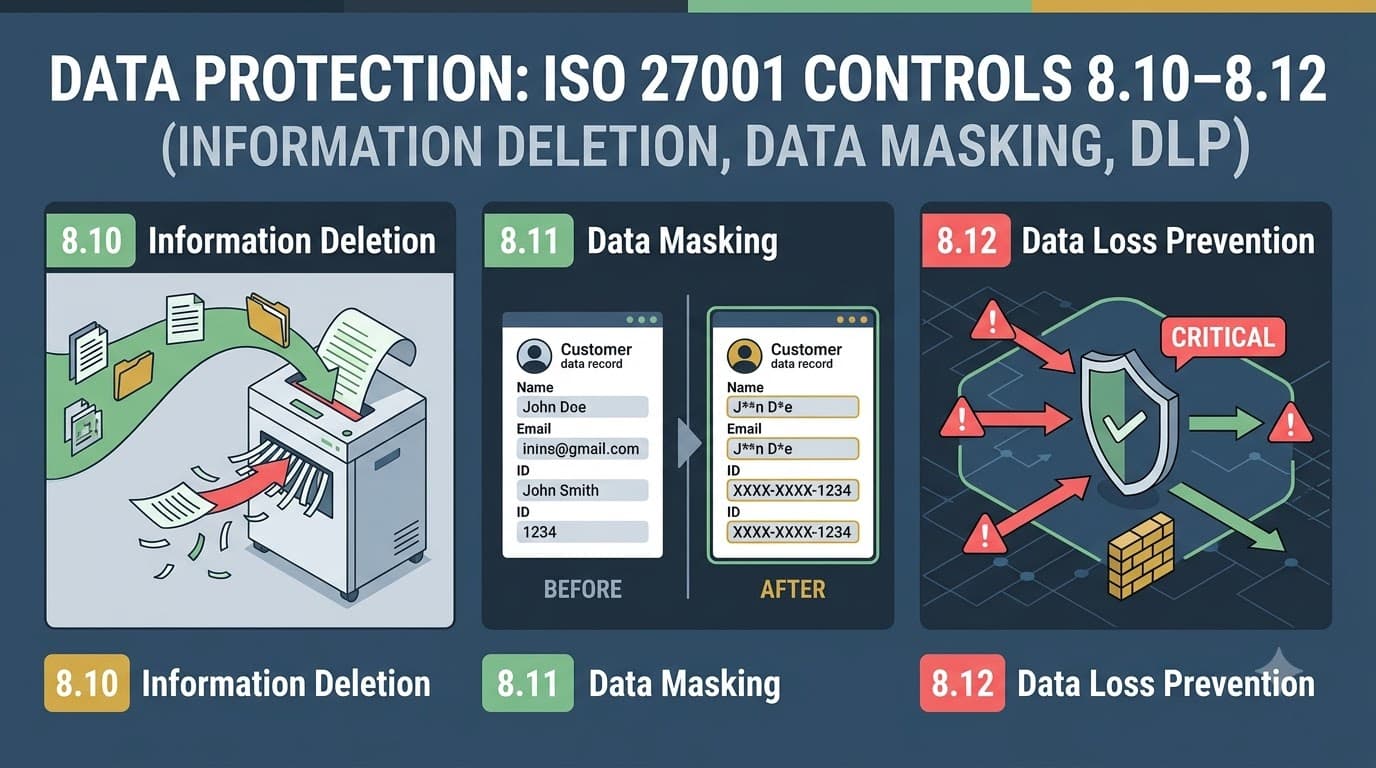
The $6.3 million spreadsheet nobody deleted
Priya Nandakumar had been Director of Data Governance at Kestrel Analytics for eleven months when the email arrived from the company's outside counsel with the subject line "Preservation Notice — Do Not Reply All." Kestrel was a mid-sized marketing analytics firm that ingested customer transaction data from retail partners to build purchase-propensity models. A contractor who had rotated off a project eighteen months earlier had, it turned out, copied a working dataset to a personal cloud drive before his access was revoked. Nobody had noticed. Nobody had been alerted. There was no tooling in place that would have noticed.
The dataset itself was the real problem. It was supposed to be a synthetic sample used to validate a machine learning pipeline in a pre-production sandbox. Instead, because the engineering team had taken a shortcut under a deadline eighteen months before Priya joined, it was a raw extract of 2.3 million real customer records — full names, email addresses, purchase histories, and in a joined table nobody had remembered existed, partial payment card numbers. It had never been masked. It had never been anonymized. And under Kestrel's own data retention schedule, the source records it was derived from should have been deleted eleven months earlier, when the retail partner contract that authorized their collection expired.
Three separate control failures, one incident. There was no reliable process for deleting information once it was no longer required — the underlying customer records lived on in a data warehouse table long after the contractual and legal basis for holding them had lapsed. There was no data masking discipline separating production data from the sandbox environments where engineers built and tested models — real PII had been used as fake test data because masking real data was more work than generating synthetic data, and nobody had built the pipeline. And there was no data leakage prevention capability watching the channels sensitive data moved through — the copy to a personal cloud account should have been visible and blockable, and it was neither.
The forensic accounting after breach notification, regulatory engagement with two state attorneys general, a UK Information Commissioner's Office inquiry (three of the retail partners had European customers), customer notification costs, credit monitoring for affected individuals, and the eventual loss of the retail partner contract that had been Kestrel's largest account came to $6.3 million. Kestrel had been in the process of pursuing ISO 27001 certification for a separate enterprise sales requirement, and the incident happened during the gap analysis phase. Priya's auditor, reviewing the Statement of Applicability draft, pointed at three controls that Kestrel had marked "not yet implemented, low priority" and said, not unkindly, "These are the three that would have stopped what already happened to you."
That is not a coincidence, and it is not unique to Kestrel. Information deletion (8.10), data masking (8.11), and data leakage prevention (8.12) are the three newest technological controls in ISO/IEC 27001:2022, and they exist precisely because incidents like Kestrel's had become common enough, and expensive enough, that the standard's drafting committee decided "protect data while it's in a database" was no longer sufficient guidance. Organizations needed explicit direction on what happens to data when it's no longer needed, how to keep real data out of places it doesn't belong, and how to stop it from walking out the door. This article gives you all three, in the depth an implementer actually needs.
Who this is for, and what you'll walk away with
This article is for ISMS implementers, data protection officers, engineering leads, and security architects who need to stand up or mature the three ISO 27001 controls governing what happens to information across its lifecycle: deletion, masking, and leakage prevention. It assumes you already have — or are building in parallel — a data classification scheme (control 5.12) and an asset inventory, since none of these three controls function in isolation from those foundations. By the end, you'll have a working deletion and retention methodology mapped to storage type and legal basis, a clear framework for choosing between masking, pseudonymization, and anonymization depending on use case, a phased approach to deploying DLP tooling without drowning your security team in false positives, and the specific audit evidence each control requires. We'll also cover how these controls intersect with GDPR's right to erasure and pseudonymization provisions, PCI DSS's data retention and masking requirements, and SOC 2's confidentiality criteria, because in practice almost nobody implements these three controls for ISO 27001 alone.
Why these three controls are new — and why they matter now
None of the concepts behind 8.10, 8.11, and 8.12 are new to information security. Organizations have been deleting old backups, obscuring test data, and worrying about data exfiltration for decades. What's new in ISO/IEC 27001:2022 is that these are now named, standalone Annex A controls with their own explicit requirements, rather than implicit sub-tasks buried inside broader controls like information transfer or access control. That elevation matters, and it happened for a specific reason: privacy regulation caught up with data practices that security teams had long treated as operational housekeeping rather than compliance obligations.
GDPR's Article 17 right to erasure, California's CCPA/CPRA deletion rights, and a growing list of state and national privacy laws turned "we still have data we don't need anymore" from a mild inefficiency into a quantifiable legal liability — every record retained past its justified purpose is a record that can be breached, subpoenaed, or the subject of a deletion request the organization can't fulfill because it doesn't actually know where all the copies live. At the same time, the shift to cloud-native development, contractor-heavy engineering teams, and rapid CI/CD pipelines meant that production data was landing in test, staging, and analytics environments constantly — often without anyone making a deliberate decision that it should. And the rise of SaaS, personal cloud storage, AI writing assistants, and messaging apps as everyday productivity tools meant that the traditional network perimeter, where a firewall could plausibly catch data leaving the building, had effectively dissolved.
The 2022 revision's drafting committee, working from the 2013 standard's structure (a shift covered in more depth in our comparison of ISO 27001:2013 versus ISO 27001:2022), responded by pulling these three practices out as named, auditable controls. That's a deliberate signal: an auditor assessing your ISMS today will expect to see a documented deletion methodology, a documented masking approach, and a documented DLP capability — not "we're generally careful with data."
Regulatory enforcement trends reinforce why this elevation happened when it did. Data protection authorities across multiple jurisdictions have increasingly cited excessive retention and inadequate technical safeguards for test and development data as specific findings in enforcement actions, not just as secondary commentary attached to a larger breach. That shift — from "you got breached, and by the way your retention was also excessive" to "your retention practices themselves are the violation" — is precisely the kind of standalone accountability that justifies giving these practices their own named Annex A controls rather than leaving them as implicit good practice.
Control | Name | Core requirement | Why it's new in 2022 |
|---|---|---|---|
8.10 | Information deletion | Delete information stored in systems, devices, or media when no longer required | Privacy law (GDPR erasure, CCPA/CPRA) turned retained data into explicit legal exposure |
8.11 | Data masking | Apply masking per access control policy, related policies, and business/legal requirements | Cloud-native dev and analytics pipelines routinely exposed real data in low-trust environments |
8.12 | Data leakage prevention | Apply DLP measures to systems, networks, and devices processing sensitive information | Perimeter dissolution (SaaS, remote work, personal cloud) made exfiltration harder to see and stop |
These three controls sit inside the Technological Controls Overview (8.1–8.34) alongside 31 other Annex A technological controls, but they're the ones most directly aimed at the data itself rather than the infrastructure around it — which is exactly why they map so cleanly onto privacy obligations.
Control 8.10: Information deletion
ISO/IEC 27001:2022 states the requirement for control 8.10 plainly: information stored in systems, devices, or any other storage media shall be deleted when no longer required. The deceptively simple phrase "no longer required" is where almost every organization's deletion practice falls apart, because answering it requires you to already know three things most organizations don't track well: what data you have, why you're holding it, and how long the legal, contractual, or business justification for holding it actually lasts.
"Every organization I've walked into has a retention policy document. Maybe one in five has anything that actually enforces it. A policy that says 'delete customer records after seven years' and a database that has never once run a deletion job are not the same thing, and auditors are getting much better at telling the difference." — Marcus Whitfield, CISO, Alderbrook Financial Group
Deletion is not a single technical action — it's a decision process backed by a technical action, and the decision process is the part organizations skip. Before you can delete anything defensibly, you need a retention schedule that ties each category of information (tied to your classification scheme under control 5.12, part of the broader asset management framework in controls 5.9–5.14) to a specific retention period and a specific trigger — contract end date, employee termination date, statutory limitation period, or explicit consent withdrawal. Once that trigger fires, deletion should be a scheduled, logged, and where possible automated event, not a manual task someone remembers to do during a quiet week.
Deletion methods and when to use each
Not all deletion is equal, and the method you choose should match the sensitivity of the data and the type of media it lives on. "Delete" in a file system usually just removes the pointer to the data, leaving the underlying bytes recoverable until overwritten — which is fine for a stale marketing spreadsheet and unacceptable for a database of health records.
Method | What it does | Recoverability | Best suited for |
|---|---|---|---|
Logical deletion (soft delete) | Marks record inactive; data remains in place | Fully recoverable | Data needed briefly for rollback, short grace periods before hard delete |
Standard OS-level delete | Removes file system pointer | Recoverable with forensic tools until overwritten | Low-sensitivity data, non-regulated environments |
Cryptographic erasure | Destroys the encryption key protecting the data, rendering ciphertext permanently unreadable | Effectively unrecoverable if key is properly destroyed | Cloud storage, encrypted volumes, SaaS platforms where physical destruction isn't possible |
Data wiping (overwrite) | Overwrites storage sectors with patterns (single or multi-pass) | Unrecoverable with standard tools | On-premises drives being repurposed, not physically destroyed |
Physical destruction | Shredding, degaussing, or incineration of the media | Unrecoverable | End-of-life drives, tapes, or devices holding highly sensitive data |
Database purge with cascading delete | Removes records and all dependent/joined data across related tables | Recoverable from backups until backup retention expires | Structured relational data with foreign-key relationships, the most common enterprise gap |
That last row is exactly what tripped up Kestrel Analytics: their "deletion" process removed rows from a primary customer table but left the joined transaction and payment-reference tables untouched, because the original schema design predated anyone thinking seriously about deletion. When you're scoping 8.10, map every table, bucket, and file share that references a given data subject or record — not just the obvious primary store.
Retention alignment: connecting deletion to a schedule
A retention schedule is the artifact that makes 8.10 auditable. It should be a living document, reviewed at least annually, that maps information categories to retention periods and legal bases, and it needs to be granular enough to actually drive decisions — "customer data: 7 years" is not specific enough when you have transaction records, support tickets, marketing consent records, and payment tokens all classified as "customer data" with genuinely different retention drivers.
Information category | Retention trigger | Typical retention period | Deletion method |
|---|---|---|---|
Active customer transaction records | Relationship active | Duration of relationship + statutory period | Cryptographic erasure at expiry |
Terminated employee HR files | Termination date | 6–7 years (jurisdiction-dependent) | Database purge + backup rotation |
Marketing consent / opt-in records | Consent withdrawal or 24 months of inactivity | Until withdrawal or inactivity threshold | Logical delete, then hard delete after grace period |
Payment card data (PAN) | Transaction settled | Per PCI DSS — as short as operationally possible | Tokenization at capture; cryptographic erasure of any retained ciphertext |
Security logs and audit trails | Log generation | 12–24 months (align with control 8.15 logging retention) | Automated log rotation and archive expiry |
Contractor/vendor access credentials and data extracts | Contract end date | 0–30 days post-termination | Immediate revocation, scheduled data wipe |
This is exactly the kind of schedule that should live alongside your protection-of-records practice and feed directly into the records section of your Statement of Applicability, because an auditor will ask to see it as evidence that 8.10 isn't aspirational.
Cloud and SaaS deletion: the visibility problem
On-premises deletion is a solved problem technically — the challenge is discipline. Cloud and SaaS deletion is a different, harder problem: visibility. When your data lives in a third-party platform, "delete" means trusting that provider's deletion process, and most organizations never verify it.
Challenge | Why it happens | Mitigation |
|---|---|---|
Backup and replica lag | Provider deletes from primary storage immediately but backups/replicas retain data for their own retention window | Get contractual deletion SLAs; document backup retention as part of your own retention schedule |
Multi-tenant architecture limits physical destruction | Shared infrastructure means cryptographic erasure, not physical destruction, is the only real option | Confirm at contracting stage that the provider supports per-tenant key destruction |
Shadow SaaS and unsanctioned tools | Business teams adopt SaaS tools outside procurement, so security never learns data lives there | Maintain a SaaS/vendor inventory tied to your asset register; require deletion clauses in every data processing agreement |
No deletion confirmation or certificate | Provider deletes data but issues no evidence | Require deletion attestations or certificates of destruction in vendor contracts, especially for regulated data |
API-only deletion with rate limits | Bulk deletion requests throttled, making timely erasure requests (e.g., GDPR Article 17) difficult to fulfill at scale | Build automated deletion workflows against provider APIs well before a deletion-rights deadline forces the issue |
Cloud deletion also intersects directly with physical asset lifecycle: when you decommission on-premises hardware that once held sensitive data, the disposal process is governed by equipment security and maintenance controls 7.8–7.13, specifically the secure disposal or re-use of equipment requirement (7.14), which should reference the same data wiping and physical destruction standards you use for 8.10. Treat these as one continuous process — data deletion decisions upstream, media disposal decisions downstream — documented in a single procedure rather than two disconnected ones owned by different teams.
Employee and contractor offboarding as a deletion trigger
Kestrel's incident began with a contractor offboarding that never triggered a data cleanup — a pattern that shows up in a large share of the deletion failures I see in practice. Termination and role-change events are some of the highest-value deletion triggers an organization has, precisely because they're predictable, discrete, and already tracked by HR and IT for access-revocation purposes. The mistake most organizations make is treating offboarding as purely an access-control event (disable the account, collect the badge) without extending it to a data-cleanup event (find and deal with the copies that person made while they had access).
Offboarding trigger | Deletion/cleanup action required | Owner | Typical timing |
|---|---|---|---|
Employee termination (voluntary) | Revoke access; audit local device and cloud storage for exported sensitive data; wipe/reclaim device | IT + manager | Within 24–48 hours |
Employee termination (involuntary) | Immediate access revocation; forensic review of recent data activity; wipe/reclaim device same day | IT + security | Same day |
Contractor/vendor engagement end | Revoke access; confirm deletion of any extracted datasets per contract terms; disable any standing data feeds | Procurement + IT | Contract end date, no grace period |
Internal role change (reduced data access need) | Right-size access; review and, where appropriate, delete data copies tied to the prior role that are no longer justified | Manager + data owner | Within 30 days of role change |
Building this into your standard offboarding checklist — alongside existing IT and HR steps — closes exactly the gap that let Kestrel's contractor walk away with an unmasked dataset for eighteen months without anyone noticing.
Evidence of secure deletion
Auditors assessing 8.10 will look for four things: a documented retention schedule tied to information categories, a scheduled or automated deletion mechanism (not solely manual), deletion logs or certificates showing the mechanism actually ran, and a sample of records that should have been deleted, verified as absent. Build a deletion log — even a simple one — that records what was deleted, when, by what method, and under what retention rule. This log becomes some of the most persuasive evidence in your entire audit file, because it demonstrates the control operating over time rather than existing only on paper. It also directly supports the protection of records obligations under control 5.33 and gives your Data Protection Officer or privacy lead a ready answer when a regulator asks how the organization fulfills erasure requests in practice.
Control 8.11: Data masking
ISO/IEC 27001:2022 requires that data masking be used in accordance with the organization's topic-specific policy on access control and other related policies, and business requirements, taking applicable legislation into account. In plain terms: wherever real, sensitive data doesn't need to be real to serve its purpose, it shouldn't be real. The control exists because so much of the risk exposure security teams chase — breaches, insider misuse, accidental disclosure — happens not in tightly controlled production systems but in the dozens of downstream copies of that data: test environments, analytics sandboxes, developer laptops, business intelligence dashboards, and outsourced QA teams.
"The production database is the one everyone locks down. Nobody thinks twice about the CSV export sitting in a shared drive that a junior analyst pulled last quarter for a dashboard prototype. That CSV has the same PII, none of the same controls, and usually a much longer, much less monitored life." — Dr. Elena Restrepo, Data Protection Officer, Solace Health Analytics
Masking, pseudonymization, and anonymization are not the same thing
This is the single most common point of confusion in implementing 8.11, and it matters both for security design and for privacy law compliance, because GDPR treats pseudonymized data as still personal data (still in scope for most obligations) while treating truly anonymized data as outside its scope entirely.
Technique | What happens to the data | Reversible? | Regulatory status under GDPR | Typical use case |
|---|---|---|---|---|
Data masking (static or dynamic) | Real values replaced with realistic but fictitious values, using consistent rules (e.g., format-preserving) | Sometimes, if mapping is retained separately | Depends on reversibility; often still personal data | Test/dev environments, demos, training |
Pseudonymization | Identifying fields replaced with a token or reference; mapping key held separately and protected | Yes, by design, with the mapping key | Still personal data, but a recognized risk-reduction measure explicitly named in GDPR | Analytics where re-identification may occasionally be legitimately required |
Anonymization | Data altered or aggregated so no individual can be re-identified by any reasonably available means | No, by design and intent | Outside GDPR scope once genuinely irreversible | Public reporting, long-term research datasets, statistical publication |
Tokenization | Sensitive value replaced with a non-mathematically-derived token; original stored in a secure vault | Yes, via the vault | Still personal/cardholder data | Payment card data (PCI DSS), high-value identifiers |
Encryption (as a masking substitute) | Data rendered unreadable without a key | Yes, with the key | Still personal data; encryption is a safeguard, not de-identification | Data in transit or at rest, not a substitute for masking in low-trust environments |
Get this distinction wrong and you get exactly the failure mode Kestrel experienced: a team believes data has been "anonymized" for test purposes when it has, at best, been lightly masked and remains fully identifiable, fully regulated, and fully exposed to whatever weaker controls exist in the environment it's now sitting in.
Masking techniques and where each fits
Technique | Description | Strengths | Limitations |
|---|---|---|---|
Static data masking (SDM) | Masking applied once, creating a permanently de-identified copy | Simple, good for bulk test-data refreshes | Copy can drift out of sync with production; still needs governance |
Dynamic data masking (DDM) | Masking applied at query time, based on user role/context | Real data stays in one place; different viewers see different levels of exposure | Requires database/platform support; doesn't protect full extracts |
Format-preserving encryption/tokenization | Replaces values with tokens that retain the original format (e.g., 16-digit card number stays 16 digits) | Downstream systems and validation logic keep working unmodified | Requires a token vault or FPE key management infrastructure |
Substitution | Real values swapped for plausible fake values from a reference set (e.g., real names replaced with other real-sounding names) | Data remains realistic for testing and UX validation | Poorly implemented substitution can be reversed by frequency analysis |
Shuffling | Values shuffled within a column across records | Preserves statistical distribution for analytics | Doesn't work well on small datasets; combinations with other fields can re-identify |
Nulling/redaction | Sensitive fields blanked or removed entirely | Simplest, lowest risk | Destroys usability for testing scenarios that depend on realistic values |
Generalization/aggregation | Precise values replaced with ranges or categories (e.g., exact age → age band) | Core technique for true anonymization | Reduces data granularity/usefulness |
Where masking earns its keep: non-production and test environments
The most common and highest-value application of 8.11 is protecting non-production environments. Development, QA, staging, and training environments almost universally have weaker access controls, less monitoring, and broader access (including contractors and outsourced teams) than production — which is exactly why control 8.33, governing test information specifically, exists as its own dedicated requirement alongside 8.11: it addresses the selection, protection, and controlled use of information used for testing, and masking is the primary mechanism for satisfying it when production-derived data is the source.
"We had a standing rule that nobody was allowed to say 'just use a copy of prod' in a sprint planning meeting without someone from security in the room. It sounds heavy-handed until you've seen what a QA contractor with database export access can do with an unmasked customer table in twenty minutes." — Tomás Ferreira, Head of Platform Engineering, BrightPath SaaS
Build a masking pipeline that runs automatically whenever production data is provisioned into a lower environment — not a manual step a developer can skip under deadline pressure. That pipeline should apply consistent, referentially-intact masking (so joined tables still relate correctly to each other after masking) and should itself be tested to confirm it actually removes re-identification risk rather than just obscuring the most obvious fields.
Masking for analytics and PII protection
Beyond test environments, masking and pseudonymization are essential wherever analytics, business intelligence, or machine learning teams need broad access to data patterns without needing the underlying identities. A propensity model, a churn predictor, or a fraud detection algorithm typically doesn't need to know a customer's name — it needs consistent behavioral and transactional signals, which pseudonymized identifiers preserve perfectly well. This is where 8.11 connects directly to your organization's privacy and PII obligations: minimizing the population of systems and people who can see raw personal data is one of the most effective, auditable ways to demonstrate the data protection by design principle that privacy regulation increasingly expects, and it materially shrinks your breach blast radius. Every environment that only ever holds masked or pseudonymized data is an environment that, if compromised, doesn't trigger a breach notification obligation for the underlying individuals.
Control 8.12: Data leakage prevention
ISO/IEC 27001:2022 requires that data leakage prevention measures be applied to systems, networks, and any other devices that process, store, or transmit sensitive information. This is the control that would most directly have caught Kestrel's contractor copying a dataset to a personal cloud drive — and it's also the control organizations most often implement badly, either by buying an expensive DLP platform and never tuning it (so it generates thousands of alerts nobody reads), or by treating "DLP" as synonymous with "email attachment scanning" and ignoring every other channel data can leave through.
"DLP is not a product you install. It's a program you run. I've seen six-figure DLP platforms sitting in monitor-only mode two years after purchase because nobody owned the job of tuning policies and responding to alerts. The tooling was never the hard part." — Grant Okafor, VP Engineering, Vantage Retail Group
Step one: know what you're protecting
DLP cannot function without classification. A DLP system has to know what "sensitive" means for your organization before it can detect it leaving — which is why 8.12 is inseparable from control 5.12, classification of information, and the broader asset management practices in controls 5.9–5.14. Effective DLP programs typically start not with tool deployment but with a data discovery exercise: scanning file shares, databases, and cloud storage to find where regulated and sensitive data actually lives, often turning up copies nobody remembered existed — exactly the kind of orphaned dataset that caused Kestrel's incident. Only once you know what you're protecting and where it lives can you write detection rules — content-matching patterns for card numbers, national ID formats, health record identifiers, or custom fingerprints of your own confidential documents — that a DLP platform can act on.
Data discovery is also where organizations most often confront the gap between what they believe their data footprint looks like and what it actually is. It's routine, in my experience running these exercises, for a first-pass discovery scan to surface two to three times more locations holding regulated data than the organization's own inventory listed going in — old marketing databases nobody decommissioned, a finance team's shadow spreadsheet export process, a partner integration that quietly started syncing more fields than the original agreement specified. Budget real time for this discovery phase rather than treating it as a formality on the way to buying a DLP tool; the quality of everything downstream, detection rules, masking scope, retention schedule coverage, depends entirely on how thorough this initial mapping is.
Monitoring the channels data actually leaves through
Modern data loss happens across far more channels than the classic "email with an attachment" scenario. A mature DLP program needs visibility across all of the following, prioritized by how your organization's data actually moves.
Channel | What to monitor | Common leakage pattern |
|---|---|---|
Corporate email | Outbound attachments, body content matching sensitive patterns, auto-forwarding rules | Employee emails a report to a personal address "to work on over the weekend" |
Web uploads / personal cloud storage | Uploads to unsanctioned cloud storage, file-sharing sites, personal webmail | Copying a database export to a personal Google Drive or Dropbox account |
Endpoint devices (USB, printing, clipboard) | Removable media writes, local printing of sensitive documents, clipboard transfers to unmanaged apps | Copying customer records to a USB drive before departure |
Cloud collaboration platforms (SaaS) | Sharing settings on documents, external-facing links, third-party app integrations | A spreadsheet shared "anyone with the link" that was meant to be internal only |
Messaging and chat tools | File shares and pasted content in Slack/Teams channels, especially external-guest channels | Support agent pastes a customer's full record into a channel to ask a colleague for help |
API and database export activity | Bulk export/query patterns, unusual data volumes pulled by a single account | A compromised or departing-employee credential runs a mass export just before offboarding |
AI assistants and browser extensions | Content pasted into external generative AI tools, unsanctioned browser extensions with page-read access | Developer pastes proprietary source code into a public AI coding assistant for debugging help |
Detecting and blocking exfiltration
DLP detection generally relies on a mix of techniques, each catching different leakage patterns, and most mature programs layer several together rather than relying on one.
Detection technique | How it works | Best at catching |
|---|---|---|
Content inspection / pattern matching | Scans content for regex patterns (card numbers, national IDs, keywords) | Structured, recognizable sensitive data formats |
Contextual/behavioral analysis | Flags anomalies in user behavior — unusual volume, timing, destination | Insider threats, compromised accounts, gradual exfiltration |
Document fingerprinting | Hashes or fingerprints known sensitive documents to detect exact or partial matches elsewhere | Leakage of specific known-sensitive files (contracts, source code, IP) |
Exact data matching (EDM) | Matches against a hashed index of actual sensitive records (e.g., real customer database) | High-confidence detection of real customer/PII data leaving, low false positives |
Machine-learning classification | Trained models classify unstructured content (e.g., "this looks like a resume" or "this looks like financial data") | Unstructured or unlabeled sensitive content without a clean pattern |
Detection is only half the program — the other half is response. Define, in advance, which detections trigger a silent log entry, which trigger a real-time user warning ("this looks like it contains customer PII, are you sure?"), and which trigger an automatic block. This tiered response model is what keeps a DLP program usable rather than either useless (everything just logged, nothing stopped) or hated by the business (everything blocked, legitimate work grinds to a halt).
Rolling out DLP without breaking the business
The single biggest reason DLP programs fail isn't the technology — it's rolling out blocking policies too early, generating a wave of false positives that stop legitimate business processes, and losing executive support before the program matures. A phased rollout avoids this.
Phase | Duration (typical) | Activity | Goal |
|---|---|---|---|
1. Discovery | 4–8 weeks | Scan repositories, classify data, identify where sensitive information actually resides | Build the map DLP policy will act on |
2. Monitor-only | 8–12 weeks | Deploy detection policies in log-only mode across priority channels | Understand real data flows and tune out false positives before anyone is blocked |
3. Targeted alerting | 4–8 weeks | Enable real-time alerts to users and security team for high-confidence detections | Build habit and awareness without disrupting workflow |
4. Selective blocking | Ongoing, phased by channel | Enable hard blocks for highest-risk, highest-confidence scenarios (e.g., card numbers to personal email) | Stop the clearest exfiltration paths with minimal business friction |
5. Continuous tuning | Ongoing | Regular policy review, false-positive reduction, coverage expansion to new channels | Keep the program credible and current as data flows evolve |
DLP's detective capability also depends heavily on the logging and monitoring infrastructure you already have — DLP alerts should feed into the same pipeline covered under logging and monitoring activities, controls 8.15–8.16, rather than living in a siloed console only the DLP administrator ever checks. A DLP alert that never reaches your security operations workflow is functionally the same as no DLP alert at all.
The newest leakage frontier: generative AI and browser-based tools
Every DLP program I've helped stand up in the last two years has had to add a channel that didn't meaningfully exist a few years earlier: generative AI assistants and the browser extensions surrounding them. An employee pasting a customer complaint into a public chatbot to draft a better response, a developer pasting proprietary code into a coding assistant for debugging help, or a browser extension with broad page-read permissions silently capturing form content — these are all data leakage events by any reasonable definition of control 8.12, and most legacy DLP deployments, built around email and file-share monitoring, don't see any of them.
Treat this as a rollout priority, not an afterthought. Practical measures include: extending content-inspection policies to browser traffic and clipboard activity where your endpoint tooling supports it, publishing a clear acceptable-use policy naming which AI tools are sanctioned and which data classifications may never be pasted into them, and where possible routing AI tool usage through enterprise-tier offerings that contractually exclude submitted content from model training and offer admin-level audit logs. This is a fast-moving area, and your DLP channel coverage table should be revisited at least twice a year rather than set once and left alone.
How classification, masking, deletion, and DLP fit together
These three controls, plus classification, aren't separate initiatives competing for budget — they're four stages of a single data lifecycle, and treating them that way is what makes an ISMS coherent instead of a pile of disconnected controls. Data gets classified when it's created or ingested (5.12); wherever it moves into a lower-trust environment it gets masked, pseudonymized, or anonymized (8.11); throughout its life, wherever it moves across a channel, DLP watches for it leaving somewhere it shouldn't (8.12); and once its purpose has been fulfilled, it gets deleted (8.10). Miss any one stage and the other three are working with a gap: DLP without classification doesn't know what to look for; masking without classification doesn't know what needs masking; deletion without classification doesn't know what's safe to keep versus what's overdue for removal.
flowchart LR
    A[Classify\ncontrol 5.12] --> B[Mask / Pseudonymize\ncontrol 8.11]
    B --> C[Monitor & Prevent Leakage\ncontrol 8.12]
    C --> D[Delete on Schedule\ncontrol 8.10]
    D -->|Retention expired| E[Secure disposal\ncontrol 7.14]
    A -.->|feeds detection rules| C
    A -.->|feeds retention schedule| D
    F[Privacy & PII protection\ncontrol 5.34] -.->|drives requirements for| A
    F -.->|drives requirements for| B
    F -.->|drives requirements for| D
This is also the lens through which privacy obligations should shape your technological control design. Control 5.34, governing privacy and protection of personally identifiable information, sits above all three of the controls in this article — it's the organizational-level control that should be driving why you classify certain data as sensitive, why certain fields must be masked before reaching a test environment, and why certain retention periods exist in the first place. If your DPO or privacy lead isn't in the room when you're designing your masking rules and retention schedule, you'll end up with a technically sound implementation that still doesn't satisfy the regulatory intent behind it.
Mapping classification tiers to control intensity
A practical way to operationalize this lifecycle is to build a single reference table that ties your classification tiers (defined under control 5.12) directly to how aggressively each of these three controls applies. This becomes one of the most useful artifacts in your ISMS because it turns an abstract lifecycle diagram into a decision rule any engineer or analyst can apply without escalating to security every time.
Classification tier | Masking requirement (8.11) | DLP monitoring intensity (8.12) | Deletion urgency (8.10) |
|---|---|---|---|
Public | None required | Baseline logging only | Low — standard schedule |
Internal | Optional, recommended for wide-distribution reports | Standard monitoring, alert on external transfer | Standard schedule |
Confidential | Required in all non-production environments | Active monitoring across all channels, alert + review | Retention schedule strictly enforced |
Restricted / Regulated (PII, PHI, PCI) | Mandatory in all environments outside production; pseudonymization or anonymization preferred over reversible masking | Full-channel monitoring with blocking enabled; exact data matching where feasible | Shortest defensible retention period; automated deletion with logged confirmation |
Publish this table as part of your access control and data handling policy set, and reference it directly from your masking standard and DLP policy documents so there's a single source of truth an auditor — or a new engineer — can check rather than needing to interpret intent from several different documents.
Roles and responsibilities: who owns what
One of the fastest ways to stall an 8.10–8.12 implementation is leaving ownership ambiguous. Deletion, masking, and DLP each touch multiple teams — data governance, engineering, security operations, legal/privacy, and individual data/system owners — and without a clear RACI, the natural outcome is that each team assumes someone else is driving. Define ownership explicitly before you start building, and put it in writing as part of your ISMS documentation.
Activity | Responsible | Accountable | Consulted | Informed |
|---|---|---|---|---|
Maintain retention schedule (8.10) | Data governance lead | Data Protection Officer | Legal, business data owners | Internal audit |
Execute scheduled deletion jobs (8.10) | Engineering / data platform team | Data governance lead | Security | Data Protection Officer |
Define masking standard and techniques (8.11) | Security architecture | CISO | Engineering leads, DPO | Internal audit |
Build and maintain masking pipeline (8.11) | Engineering / platform team | Engineering lead | Security architecture | QA/testing teams |
Define DLP policy and monitored channels (8.12) | Security operations | CISO | Legal, HR, business unit leads | All employees (via policy) |
Tune DLP rules and respond to alerts (8.12) | Security operations analyst | Security operations manager | Data owners for confirmed incidents | CISO |
Data classification (5.12, feeding all three) | Business/data owners | Data governance lead | Security, DPO | Engineering, security operations |
Smaller organizations will naturally collapse several of these rows onto the same one or two people — that's fine, and expected. What matters for audit purposes isn't headcount, it's that the responsibility is assigned somewhere specific and documented, rather than left as an implicit assumption that "security handles that."
Metrics that prove the program is working
Auditors and executives both respond better to a small set of tracked metrics than to a narrative description of "we take data protection seriously." Build a lightweight dashboard around these and review it at whatever cadence your management review cycle already runs on.
Metric | What it tells you | Good target direction |
|---|---|---|
% of classified data categories with a documented retention period | Coverage of your retention schedule | Increasing toward 100% |
Average age of data past its retention trigger, at time of deletion | How promptly deletion actually happens | Decreasing toward zero |
% of non-production environments provisioned exclusively via the masking pipeline | Masking pipeline adoption / bypass rate | Increasing toward 100% |
Number of manual "prod copy" exceptions granted per quarter | How often the masking process gets bypassed under pressure | Decreasing toward zero |
DLP alert volume vs. confirmed true positives | Signal-to-noise ratio, tuning health | Ratio improving over time (fewer false positives per true positive) |
Mean time to triage a DLP alert | Operational responsiveness of the DLP program | Decreasing |
Number of channels under active DLP monitoring | Breadth of coverage against the full channel list | Increasing toward full coverage |
% of vendor/SaaS contracts with an explicit data deletion clause | Cloud/SaaS deletion assurance | Increasing toward 100% |
Trending these over two or three audit cycles is far more persuasive to a certification auditor — and far more useful to you internally — than a single point-in-time snapshot.
Evidence auditors will ask for
Internal and certification auditors assess 8.10, 8.11, and 8.12 the same way they assess every Annex A control: they want to see a documented policy or procedure, and then they want to see evidence that the procedure is actually operating, not just written down. Have these ready before your Stage 1 or surveillance audit.
Control | Documentation evidence | Operational evidence |
|---|---|---|
8.10 Information deletion | Data retention schedule; deletion procedure; disposal procedure (linked to 7.14) | Deletion logs/certificates; sample records confirmed deleted per schedule; cloud vendor deletion attestations |
8.11 Data masking | Data masking / pseudonymization standard; list of environments and data flows requiring masking | Masked test dataset samples; masking pipeline configuration/automation evidence; access logs showing who can reach unmasked data |
8.12 Data leakage prevention | DLP policy; list of monitored channels; escalation and response procedure | DLP tool configuration and policy set; alert and incident logs; evidence of tuning/review cadence; sample blocked/flagged event with resolution |
Cross-control | Data classification scheme (5.12); privacy/PII policy (5.34); risk assessment covering data lifecycle risks | Statement of Applicability entries and justification for each control; internal audit findings and closure evidence |
Keep this evidence organized the same way you'd organize evidence for any other control in your Statement of Applicability — auditors move faster, and form a better impression of your ISMS maturity overall, when evidence for related controls is cross-referenced rather than scattered across disconnected folders.
Budgeting for the tooling behind these three controls
Organizations frequently underestimate these three controls in their implementation budget because the underlying concepts — deleting old data, hiding a few columns, watching for suspicious uploads — sound simple in the abstract. The tooling landscape has matured considerably, and cost scales with the sophistication of coverage you need, not just headcount. These figures are illustrative planning ranges, not vendor quotes, and will vary considerably by organization size, data volume, and existing platform investment.
Capability | Entry-level approach (lower cost) | Mid-market approach | Enterprise approach (higher cost) |
|---|---|---|---|
Deletion / retention automation | Scheduled scripts against existing databases; manual retention register | Data lifecycle management module within existing data platform/warehouse tooling | Dedicated data governance platform with automated policy-driven retention across all repositories |
Data masking | Built-in database masking features; open-source masking libraries in CI/CD | Commercial static/dynamic masking tool integrated into deployment pipeline | Enterprise data security platform with format-preserving encryption, tokenization vault, and cross-environment orchestration |
DLP | Native DLP features in existing productivity suite (e.g., Microsoft Purview, Google Workspace DLP) | Cloud access security broker (CASB) or endpoint DLP agent layered on the productivity-suite baseline | Full DLP platform with endpoint agents, network inspection, exact data matching, and unified policy management across all channels |
Whatever tier you're operating at, sequence the spend to match the phased rollout described earlier for DLP, and the same logic for masking and deletion: get the discovery and classification work done first with whatever tooling is cheapest to stand up, and let what you learn about your actual data footprint inform whether the more expensive platform tier is genuinely justified. A common and costly mistake is buying enterprise-tier tooling before anyone has done the discovery work to know what it needs to cover — the tool then gets configured generically, under-delivers, and gets blamed for a scoping failure that happened upstream of it.
A 90-day quick-start roadmap
If you're starting from close to zero on all three controls, sequencing matters more than trying to do everything simultaneously. This roadmap reflects the order that has worked most reliably across the implementations I've been part of — start with the foundation (classification and discovery), then tackle the control with the clearest, fastest win (masking of non-production environments), and treat DLP as the longer-running program it needs to be.
Weeks | Focus | Key deliverables |
|---|---|---|
1–2 | Foundation | Confirm or build the data classification scheme (5.12); inventory systems, databases, and file stores holding sensitive data |
3–4 | Retention schedule | Draft retention periods and triggers per information category; identify owner for each category |
5–8 | Masking pipeline | Build and test automated masking for the highest-risk non-production data flow (usually the primary customer database → QA/staging path) |
6–10 | DLP discovery | Run data discovery scans; deploy baseline DLP in monitor-only mode across email and cloud storage |
9–12 | Deletion automation | Implement first automated deletion job against the highest-priority overdue data category; log results |
11–13 | DLP tuning | Review first weeks of DLP alert data; tune rules; expand channel coverage to endpoint and messaging |
12–13 | Governance and evidence | Finalize RACI, policy documents, and evidence folders for all three controls ahead of internal audit |
By day 90, you won't have a fully mature program in any of the three controls — DLP in particular takes longer than a quarter to mature into selective blocking — but you'll have a documented, operating foundation for all three that can credibly stand up to an internal audit, and a clear, evidence-backed plan for the maturity work still ahead.
What maturity looks like a year in
It's worth setting expectations honestly with your leadership about the difference between a 90-day foundation and a genuinely mature program, because the gap between the two is where most of the durable risk reduction actually happens. At the one-year mark, an organization that has stayed on this path typically has: a retention schedule that's been through at least one full annual review cycle and has demonstrable deletion history across every major information category; a masking pipeline that's become the default, unquestioned path for provisioning any non-production environment, with manual exceptions rare enough to be individually tracked and justified; and a DLP program that has moved through monitor-only and targeted alerting into selective blocking on the highest-risk channels, with a tuning cadence that's become routine rather than reactive. None of that happens by accident — it happens because ownership was assigned early, evidence was captured consistently from day one rather than reconstructed before an audit, and the three controls were treated as one connected data lifecycle program rather than three separate checkbox exercises competing for the same limited security budget.
Common mistakes organizations make
Across dozens of implementations, the failure patterns for these three controls repeat with remarkable consistency.
Mistake | Why it happens | Consequence |
|---|---|---|
Retention policy exists but nothing enforces it | Policy written to pass audit, no technical or process owner assigned to execute it | Data accumulates indefinitely; deletion requests can't be fulfilled reliably |
"Anonymized" data that's actually just lightly masked | Team conflates masking with anonymization without understanding the legal distinction | Regulated data sits in low-trust environments while everyone believes it's out of scope |
Deletion misses joined/related tables | Original schema wasn't designed with deletion in mind | Partial deletion creates false confidence and lingering re-identification risk |
DLP deployed straight to blocking mode | Vendor or leadership pressure to "turn it on" fast | False positives break business workflows, program loses credibility, gets rolled back |
No process for provisioning test data | Masking pipeline never built; "just copy prod" becomes the default | Real PII proliferates across every test and staging environment |
DLP covers email only | Historical tooling investment, narrow initial scope never expanded | Cloud storage, endpoint, and messaging exfiltration paths go completely unmonitored |
Cloud/SaaS deletion assumed but never verified | No one reads the vendor contract's data handling terms | Data persists in backups/replicas well past the assumed deletion date |
Classification and masking/DLP built by disconnected teams | Data governance sits in legal/privacy, DLP sits in security, no shared backlog | Detection rules and masking scope drift out of sync with what's actually sensitive |
"The organizations that struggle with these controls almost never lack the technology. They lack the operating rhythm — who reviews the DLP alert queue every week, who signs off that the deletion job actually ran, who owns keeping the masking pipeline current when the schema changes. Buy the tool later. Assign the owner first." — Aisha Kanu, Internal Auditor, Meridian Assurance Partners
Use this table as a pre-audit self-check rather than waiting for an external auditor to find these gaps for you. Walk through each row with the relevant control owner from your RACI, ask them to point to the specific evidence that the mistake in that row isn't happening in your environment, and treat any hesitation or vague answer as a finding to remediate before your Stage 1 or surveillance audit rather than during it. Internal audits that surface these issues early are, without exception, far less costly and far less stressful than having a certification body raise them as a nonconformity on the record.
Case studies
Case study 1: The retail analytics firm that automated its way out of a compliance backlog
A retail analytics company (assessed during ISO 27001 gap analysis, illustrative figures) discovered during its pre-certification review that it was sitting on 41 months of accumulated customer transaction data with no deletion process ever having run, despite a written seven-year retention policy that implied older records should already be gone. The gap analysis found the real number was closer to "everything since the company's founding." The remediation program built an automated retention engine tied to the data warehouse's partitioning structure, tagging every table against the classification scheme and running scheduled deletion jobs with logged confirmation. Within four months, the company reduced total stored customer records by 34%, cut cloud storage costs by roughly $180,000 annually as an incidental benefit, and — most importantly for certification — walked into its Stage 2 audit with eleven months of clean deletion logs demonstrating the control operating in practice rather than existing only on paper.
Case study 2: The SaaS platform that stopped shipping production data to contractors
A B2B SaaS company relying heavily on offshore QA contractors found, during an internal audit ahead of certification, that its standard process for provisioning new test environments was a direct database snapshot from production — meaning every contractor with test-environment access had effectively had full access to the live customer database for over three years. The remediation team built an automated masking pipeline that ran as part of the CI/CD deployment process: any data provisioned to non-production environments was masked by default, with format-preserving tokenization applied to identifiers so downstream application logic and test assertions continued to work without modification. The team also formally scoped this work against control 8.33's requirements for test information alongside 8.11's masking requirements, treating them as a single workstream rather than two separate initiatives. Engineering initially pushed back, estimating a two-sprint delay; the actual pipeline build took eleven days, and the company reported zero regressions in test reliability in the six months following rollout.
Case study 3: The financial services firm that caught an exfiltration attempt in its first month of DLP monitoring
A regional financial services firm rolling out DLP as part of its technological controls buildout deliberately started in monitor-only mode, following the phased rollout approach, expecting the first quarter to be pure tuning work with no real findings. In week three, exact data matching against the firm's hashed customer account index flagged an employee account attempting to email a large batch of account numbers to an external address, framed in the email as a "reconciliation report" for an outside vendor the employee claimed to be working with informally. Investigation confirmed there was no such vendor engagement on record; the employee was in early conversations to move to a competitor and appeared to be assembling a client list to bring along. Because the program was still in monitor-only mode, the transfer would not have been technically blocked — but the alert reached the security team in real time, the transfer was intercepted before delivery, and the incident became the business case that got the firm's leadership to approve moving DLP into selective blocking mode two months ahead of the original schedule.
Turning data protection into a business advantage
It's tempting to treat 8.10, 8.11, and 8.12 as pure compliance overhead — three more boxes to check on the way to a certificate. That framing undersells what's actually happening when you implement them well. Every organization I've worked with that built a genuine deletion, masking, and DLP capability discovered the same secondary benefit: they finally knew, with confidence, where their sensitive data actually lived and how it moved. That knowledge is a competitive asset. It shortens due diligence in enterprise sales cycles, because you can answer a prospective customer's security questionnaire with evidence instead of assurances. It reduces cloud storage costs, as Kestrel's eventual remediation and our first case study both demonstrated, because most organizations are quietly paying to store years of data they have no remaining reason to keep. And it materially shrinks the blast radius of the breach that, statistically, most organizations will eventually experience in some form — a breach of a fully masked test environment or a database that's been properly purged of expired records is a very different conversation with regulators and customers than the one Priya Nandakumar had to have.
These three controls also age well. Privacy regulation is not trending toward less scrutiny of data retention and data minimization — it's trending toward more, across more jurisdictions, with steeper penalties. Building the deletion, masking, and DLP muscle now, inside your ISO 27001 ISMS, means you're building infrastructure that will keep paying off as that regulatory environment tightens, rather than infrastructure you'll need to rebuild in two years under a compliance deadline.
There's also a reuse dividend that's easy to underestimate at the start of an ISO 27001 project. The retention schedule you build for control 8.10 is largely the same artifact a GDPR data mapping exercise requires. The masking pipeline you build for 8.11 is the same control PCI DSS assessors want to see protecting cardholder data in test environments. The DLP program you build for 8.12 maps directly onto the confidentiality criteria SOC 2 auditors evaluate. Organizations that build these three controls once, well, and with enough documentation rigor to satisfy an ISO 27001 auditor typically find they've done 70–80% of the work multiple other frameworks and regulations separately demand — which is one of the more underrated arguments for treating ISO 27001 as the backbone of a multi-framework compliance program rather than one more parallel obligation.
If you're mapping these controls into your own Statement of Applicability and want the full picture of how all 93 Annex A controls fit together, our Annex A — All 93 Controls at a Glance cheat sheet gives you the complete reference in one place. And if you're building the retention schedules, masking standards, and DLP rollout plans this article walks through, our Complete ISO 27001 Implementation Guide eBook, ISO 27001 Risk Register Template, Mandatory Documents Checklist, and Gap Analysis Tool will save you from building every artifact from a blank page — reach out to PentesterWorld's ISO 27001 advisory team when you're ready to pressure-test your data protection controls against a real auditor's eye before your Stage 1 review.