Devon Okafor found out about the breach from a Slack message at 11:47 p.m. on a Tuesday, sent by a monitoring vendor his company had hired only four months earlier: "We're seeing anomalous outbound transfers from your core payments database. Can someone confirm this is expected?" It was not expected. Devon was VP of Infrastructure at Brightwell Financial Services, a mid-size payments processor that moved roughly $180 million a month for regional retailers, and by the time his team had isolated the affected host, 340,000 customer records — names, account numbers, partial card data — had already left the building.
The forensic timeline that emerged over the following three weeks was the part that stung. A DevOps contractor named in the post-incident report only as "Contractor B" had been offboarded five months earlier, at the end of a six-week engagement to migrate a batch-reporting job to a new cluster. His access had been removed from the HR system, from the badge system, from his named Active Directory account. What nobody had removed was a shared root SSH key — the same key every engineer on the infrastructure team had used for two years to log into the production database hosts, because rotating it meant coordinating downtime with three other teams and nobody had ever prioritized it. Contractor B had copied that key to a personal laptop in week two of his contract, "in case I need to fix something after hours," and never deleted it. Five months after his last day, someone — the investigation never conclusively proved it was him, only that his key was used — logged in as root, dumped the customer table, and exfiltrated it through a DNS tunnel that Brightwell's logging hadn't been configured to flag as unusual, because nobody was reviewing privileged session activity at all.
The direct costs ran to $2.4 million: forensic investigation, breach notification to 340,000 customers, two years of credit monitoring, a regulatory fine from the state banking authority, and a client who terminated a $6 million annual contract citing "unacceptable security governance." The indirect cost was worse — an 18-month remediation program under a consent order, with quarterly attestations to a state regulator, that consumed nearly a third of Devon's security budget for a control that, properly implemented, would have cost a fraction of that to run continuously. The root cause, when Devon's team wrote it up for the ISO 27001 gap analysis that followed, fit in one sentence: privileged access rights had never been treated as a distinct, monitored category of risk. There was no inventory of who held root. There was no expiry on the credential. There was no session logging. There was no separation between "the account you use to read email" and "the account that can delete a production database." That is exactly the gap that ISO 27001 Annex A Control 8.2 exists to close.
Who this is for, and what you'll walk away with
This article is for CISOs, IT security managers, identity and access management (IAM) leads, and ISO 27001 implementation teams who are past the point of having an access control policy on paper and need to actually operationalize privileged access management (PAM) in a way an ISO 27001 auditor will accept as evidence. You'll walk away with a concrete model for inventorying privileged accounts, a decision framework for choosing between standing access, just-in-time (JIT) elevation, and just-enough-administration (JEA), a repeatable approval workflow you can diagram and hand to an auditor, guidance on credential vaulting and session monitoring, a break-glass procedure that won't fall apart under audit scrutiny, and a review cadence that keeps the whole system honest over time.
What Control 8.2 actually requires
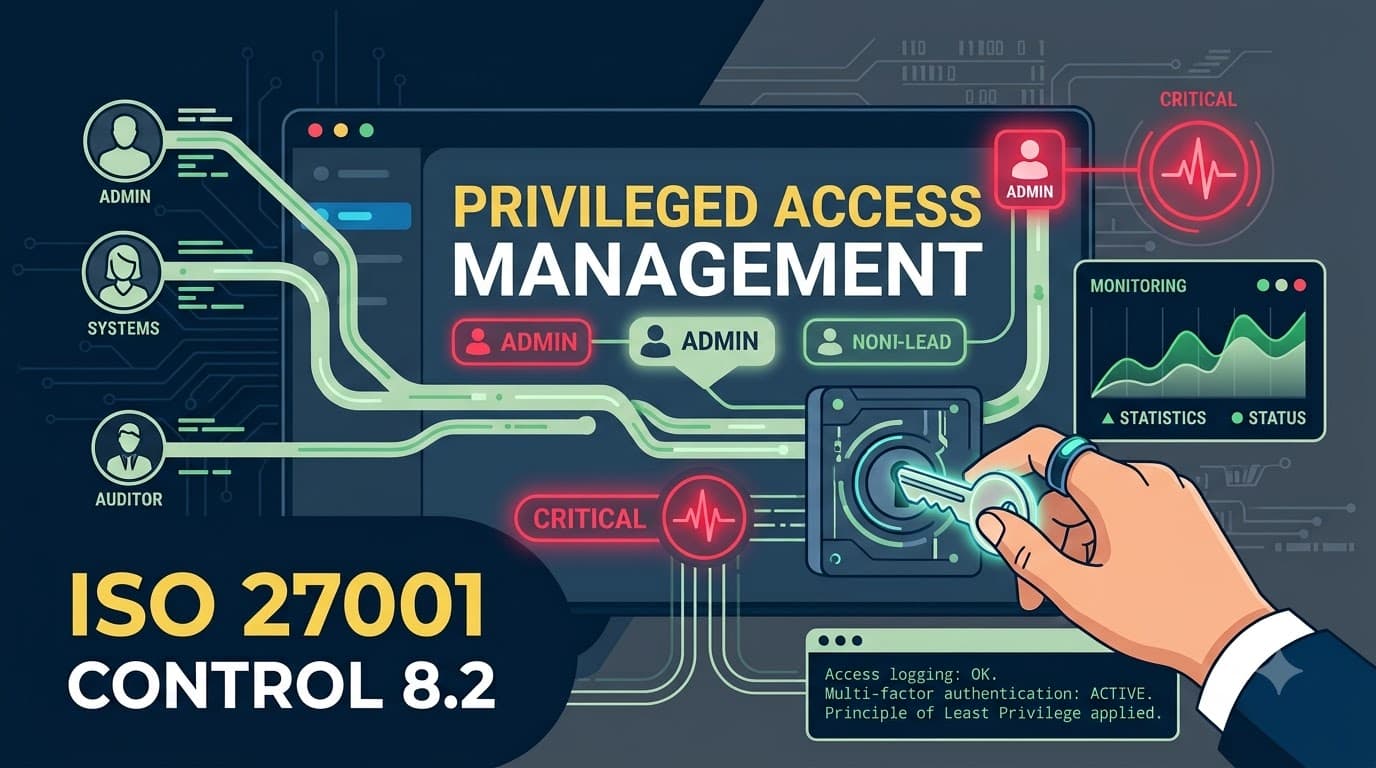
ISO/IEC 27001:2022 Annex A Control 8.2, "Privileged access rights," sits within the Technological Controls theme (8.1–8.34) and states the requirement plainly: the allocation and use of privileged access rights shall be restricted and managed. It's a short sentence carrying a lot of operational weight, and ISO 27002:2022's implementation guidance breaks it into a handful of concrete themes that auditors will look for evidence against:
Identification of privileged access per system or application. You cannot manage what you haven't enumerated. Every system, application, database, network device, and cloud service that has an elevated access tier needs its privileged accounts identified and documented.
Allocation on a need-to-use and event-by-event basis. Privileged rights should be granted only for the duration and scope of the task requiring them, not as a standing default because it's more convenient.
A formal authorization process. Someone other than the requester approves the grant, and that approval is recorded.
Records of every privileged access allocation. Who requested it, who approved it, what was granted, when it started, and when it ended.
Expiry and periodic review. Privileged rights should not persist indefinitely; they should expire automatically or be reviewed on a defined schedule and revoked when no longer needed.
Avoiding generic or shared privileged IDs where possible. Every privileged action should be traceable to an individual, not a shared "admin" or "root" account that half the department can log into.
Separation of privileged accounts from normal user accounts. The account an administrator uses to check email should not be the same account they use to reconfigure a firewall.
None of this is exotic. It's the difference between "we have admins" and "we know exactly who our admins are, why they have that access, for how long, and what they did with it." That distinction is what separates organizations that sail through a Stage 2 certification audit on this control and organizations that pick up a nonconformity.
Why privileged access is a different risk category
Fifteen years of consulting engagements have taught me that most breaches don't start with a privileged account — they end with one. An attacker phishes a marketing coordinator, lands on a low-value laptop, and the entire remainder of the intrusion is a search for a path to something with elevated rights: a domain admin credential cached in memory, a shared service account password pasted into a wiki page, a root SSH key sitting on a jump box. Privileged accounts are the pivot point of nearly every high-impact incident, which is why regulators, cyber insurers, and auditors all scrutinize Control 8.2 harder than almost any other technological control. A standard user account that's compromised gives an attacker one mailbox. A privileged account that's compromised can give them the domain.
That asymmetry is also why privileged access deserves its own governance model rather than being folded into general account management. A single shared root password used by six engineers isn't just a bad password practice — it's an accountability failure. When something goes wrong, "one of the six people who had the password" is not an answer that satisfies a regulator, a cyber-insurance claims adjuster, or, as Brightwell discovered, a class-action plaintiff's attorney.
"I tell every client the same thing in the kickoff meeting: if you can't tell me, right now, the complete list of every human and every service account that can become root or domain admin on your most critical system, you don't have a privileged access program — you have a hope." — Marcus Delacroix, Lead PAM Architect, Ferrovia Consulting
How Control 8.2 relates to the rest of Annex A
Control 8.2 doesn't operate in isolation. It's the specific, elevated-risk instance of a broader access governance framework spread across several other Annex A controls, and auditors expect to see the connections between them documented rather than treated as separate silos.
Related Control | Relationship to 8.2 |
|---|---|
5.15 Access control | Sets the overarching access control policy; 8.2 is the privileged-tier implementation of that policy. |
5.18 Access rights | Governs the general provisioning/de-provisioning lifecycle; 8.2 adds stricter approval, expiry, and review requirements for elevated rights. |
5.3 Segregation of duties | Ensures the person who approves a privileged grant isn't the same person requesting or using it, and that no single privileged role can both execute and conceal a fraudulent action. |
8.5 Secure authentication | Privileged accounts require the strongest authentication tier — hardware-backed MFA, not just a password — before elevated rights are ever exercised. |
8.15 Logging | Privileged sessions must generate logs detailed enough to reconstruct exactly what an elevated account did during a session. |
8.18 Use of privileged utility programs | Covers the powerful system tools (disk editors, debuggers, network sniffers) that can bypass application controls — a related but distinct risk from account-level privilege. |
A mature ISMS treats these six controls as one connected system: policy (5.15) → provisioning lifecycle (5.18) → elevated-risk tier (8.2) → strong authentication (8.5) → activity evidence (8.15) → tool-level restriction (8.18) → duty separation (5.3) running through all of it. If you're building or refreshing your broader access framework, our companion piece on the access control policy spanning ISO 27001 Controls 5.15 through 5.18 walks through that foundation in detail, and the segregation-of-duties mechanics referenced above are covered in our guide to information security roles and responsibilities under Controls 5.2 through 5.4.
Building the privileged access model: start with an inventory
Every privileged access program I have ever helped stand up starts the same way, and it is never glamorous: an inventory. Before you can restrict privileged access, you have to know where it exists, and in most mid-size organizations the honest answer is "more places than anyone expected." I've run this exercise at manufacturing firms, hospitals, fintechs, and SaaS companies, and the pattern repeats — infrastructure teams can list the obvious domain admin and root accounts within a day, but the shared service account behind the nightly ETL job, the "break glass" firewall login from 2019 nobody rotated, and the local administrator account baked into a golden VM image usually take three to four weeks of forensic-style discovery to surface.
The inventory needs to cover more than server room accounts. Think in terms of every layer of the stack:
Privileged Access Layer | Example Accounts/Rights |
|---|---|
Operating system | Windows local/domain Administrator, Linux root, sudo-enabled accounts |
Database | DBA accounts, sysadmin/sa roles, schema-owner accounts |
Network/security devices | Firewall, router, and switch admin logins; VPN concentrator admin |
Cloud platform (IaaS) | AWS root account, Azure Global Administrator, GCP Organization Admin |
SaaS applications | Tenant admin roles in CRM, HRIS, ticketing, and collaboration platforms |
Application-layer | Application "superuser" or configuration-admin roles inside custom apps |
Service/machine accounts | Scheduled-task, API, and CI/CD pipeline accounts with elevated database or infrastructure rights |
Hypervisor/virtualization | vCenter, Hyper-V, and container-orchestration cluster-admin roles |
For each entry, the inventory record should capture, at minimum, the system it applies to, the account name or role, whether it's an individual or shared identity, who owns/sponsors it from a business perspective, its current holders, its authentication method, and its last review date. That inventory becomes the backbone of everything else in this article — the least-privilege model, the approval workflow, the review cadence, and the audit evidence pack all reference it directly. Auditors will ask to see this document by name, and "we don't have a single list, but we could probably pull one together" is one of the more common findings that turns into a formal nonconformity during Stage 2 audits.
"The single biggest predictor of whether a client passes their 8.2 audit cleanly is whether they can produce a current privileged account inventory in under five minutes when I ask for it. If it takes a week to compile, it tells me the list isn't actually being used to manage access day-to-day — it's a document created for the audit, not a living control." — Sana Whitfield, ISO 27001 Lead Auditor, Meridian Assurance
Separating privileged accounts from everyday accounts
One of the most common findings I see in gap assessments is administrators using a single identity for both routine work and privileged tasks — the same login reads email, browses the web, and reconfigures the domain controller. ISO 27002's guidance is explicit that this should be avoided: privileged and standard access should be separated into distinct accounts, ideally with distinct credentials and distinct authentication requirements.
The practical model that works well across the organizations I've advised looks like this: every administrator gets a standard user account for day-to-day work — email, ticketing, document access, general applications — with no elevated rights attached. A separate, uniquely named privileged account (often suffixed, e.g., dokafor for standard use and dokafor-adm for privileged use) is provisioned only for the systems that individual is authorized to administer. The privileged account cannot browse the web, cannot receive external email, and in mature environments is only usable from a hardened administrative workstation or a PAM session broker — never from the same laptop used for everyday productivity work. This single change eliminates an enormous share of privilege-escalation attack paths, because a phishing email or a malicious browser extension on the standard account simply has nothing elevated to steal.
This separation also solves a subtler problem: it makes privileged activity visible. When every privileged action is tied to a distinctly named account that only ever does privileged things, log review and anomaly detection become dramatically easier — a login to the -adm account from an unusual location or at 2 a.m. is inherently suspicious in a way that a login to a general-purpose account never is.
Least privilege, just-in-time, and just-enough-administration
"Need-to-use and event-by-event" is the phrase ISO 27002 uses to describe how privileged rights should be allocated, and in practice that maps onto three complementary practitioner models that most PAM programs blend together rather than choosing just one.
Model | What It Means | Best Fit | Trade-off |
|---|---|---|---|
Standing privileged access | The account holds elevated rights permanently, all the time | Small teams, legacy systems without JIT tooling, roles requiring constant elevated access (rare) | Largest attack surface; every minute the account exists is a minute it can be abused |
Just-in-time (JIT) elevation | Rights are granted only for a defined, time-boxed window tied to an approved request, then automatically revoked | Most infrastructure, database, and cloud admin tasks | Requires workflow tooling and process discipline; some operational friction for genuine emergencies (mitigated by break-glass, covered later) |
Just-enough-administration (JEA) | Rights are scoped narrowly to the specific commands/actions needed, rather than full admin, even during an elevated session | Highly regulated systems, production databases, PowerShell/command-line administration | Requires granular role definition up front; more design effort but the smallest possible blast radius |
The direction of travel across the organizations I've worked with over the last five years has been unmistakable: standing privileged access is shrinking, and JIT combined with JEA is becoming the default expectation, not just for cloud-native shops but for traditional on-premises environments too. A domain admin who only needs elevated rights twice a month to patch a server shouldn't hold that role 24/7/365 — they should request it, have it approved, use it for the two-hour patch window, and lose it automatically the moment the window closes. Most modern PAM platforms and even native tooling (Azure PIM, AWS IAM Identity Center permission sets with session duration limits, Just Enough Administration in PowerShell) support this pattern natively, which means the barrier is rarely technical — it's organizational willingness to give up the convenience of standing access.
"Every time I ask a client why an account has standing domain admin rights, the honest answer is some version of 'because it was easier to set up that way in 2019 and nobody has revisited it since.' Convenience calcifies into risk if nobody owns the job of periodically challenging it." — Tobias Reyner, Head of Identity & Access, Kestrel Manufacturing
The privileged access approval workflow
A defensible Control 8.2 implementation needs a documented, repeatable approval workflow — not an informal Slack message to a manager. The workflow below reflects the shape I've helped most clients converge on, whether they're running a full commercial PAM platform or a lighter-weight ticketing-based process:
flowchart LR
    A[User requests\nprivileged access] --> B{Business\njustification\nprovided?}
    B -- No --> A
    B -- Yes --> C[Approver reviews\nrequest]
    C -- Denied --> D[Request logged\nand closed]
    C -- Approved --> E[JIT grant issued\nvia PAM/PIM tool]
    E --> F[Session monitored\nand logged]
    F --> G[Access expires\nautomatically]
    G --> H[Periodic review of\ngrant history]
    H -- Anomaly found --> I[Investigate /\nrevoke standing rights]
    H -- Clean --> J[Retain records\nfor audit evidence]
Each stage of that lifecycle maps to a specific piece of audit evidence: the request record demonstrates need-to-use justification, the approval record demonstrates segregation of duties between requester and approver, the JIT grant demonstrates event-by-event allocation, the session logs demonstrate monitoring, the automatic expiry demonstrates the "not indefinite" requirement, and the periodic review demonstrates ongoing governance rather than a one-time setup exercise.
Workflow Stage | Responsible Role | Typical Evidence Retained |
|---|---|---|
Request submission | Requesting engineer/administrator | Ticket ID, system targeted, business justification, requested duration |
Approval | Line manager or system owner (not the requester) | Approver name, timestamp, decision, rationale for denials |
Grant issuance | PAM/PIM platform (automated) | Grant start/end time, scope of rights granted |
Session activity | PAM session recorder / SIEM | Session recording or command log, source IP, duration |
Expiry | PAM/PIM platform (automated) | Automatic revocation timestamp |
Periodic review | Access owner or internal audit | Review date, reviewer, findings, remediation actions |
Segregation of duties matters most at the approval stage. The person requesting elevated access to a production database should never be the same person who approves that request — and in higher-risk environments (payment systems, healthcare records, source code repositories) a second-level approval or a documented emergency exception process should apply even to routine requests.
Credential vaulting and privileged access management tooling
If Brightwell had run its production root SSH key through a credential vault instead of letting it live on engineers' laptops as a static secret, the incident that opened this article likely never happens. That's the core value proposition of a Privileged Access Management (PAM) platform: privileged credentials — passwords, SSH keys, API tokens, certificates — are stored in an encrypted vault, never directly known to the human administrators who use them, checked out only for the duration of an authorized session, and automatically rotated on a schedule or immediately after each use.
Commercial and open-source PAM tooling (CyberArk, BeyondTrust, Delinea, HashiCorp Vault, and cloud-native equivalents like AWS Secrets Manager or Azure Key Vault paired with Azure PIM) typically provides some combination of the following capabilities — PentesterWorld's best PAM tools comparison walks through how these platforms differ on exactly this capability set, which is worth reviewing before committing budget to any one vendor. Not every organization needs the full suite on day one — I generally advise clients to prioritize based on the risk of the systems the credentials protect, starting with anything touching customer data, financial transactions, or production infrastructure.
PAM Capability | What It Solves |
|---|---|
Encrypted credential vaulting | Removes static, human-known passwords/keys from circulation entirely |
Automatic password/key rotation | Limits the useful life of any credential that does leak, whether through phishing, an ex-employee's saved copy, or a code repository leak |
Session brokering (no direct credential disclosure) | Administrators connect through the vault, which injects credentials directly into the session — the human never sees the password |
Session recording/keystroke logging | Provides a full audit trail of what a privileged session actually did, not just that it occurred |
Just-in-time check-out with approval integration | Ties credential release to the approval workflow described above |
Emergency/break-glass check-out | Provides a documented, alerted exception path for genuine emergencies (see below) |
Discovery scanning | Continuously finds new privileged accounts and unmanaged credentials across the environment |
Rotation cadence deserves its own attention because it's one of the most commonly under-specified elements of a Control 8.2 program. A policy that says "privileged passwords are rotated periodically" without a defined interval tends not to survive audit scrutiny — auditors want a number.
Credential Type | Recommended Rotation Cadence | Notes |
|---|---|---|
Human-used privileged passwords | After every use (vaulted/checked-out model) or at minimum every 60–90 days if standing | Shorter for higher-risk systems |
Shared/service account passwords | Every 30–90 days, or immediately after any personnel change with knowledge of it | Avoid shared accounts entirely where technically feasible |
SSH keys | Every 90–180 days, and immediately upon any suspected exposure or role change | Individual keys per administrator, never shared |
API tokens/service credentials | Every 90 days or per vendor-recommended interval | Automate via secrets manager to avoid breaking pipelines |
Break-glass/emergency credentials | Immediately after every use, without exception | Treat every use as a security event requiring investigation |
The migration path I usually recommend for organizations without existing PAM tooling is incremental: start by vaulting the highest-risk credentials (domain admin, cloud root, production database sysadmin), layer in JIT approval workflows for the same tier, then expand vault coverage outward to lower-risk systems as budget and process maturity allow. Trying to vault everything on day one is the single most common reason PAM projects stall — pick the ten credentials that would cause the worst day of your career if they leaked, and start there.
Privileged session monitoring and its link to Control 8.15
Restricting who can obtain privileged access is only half of Control 8.2. The other half is knowing what happened during every privileged session, which is where it connects directly to Control 8.15 (Logging). If Brightwell's monitoring vendor caught the exfiltration at all, it was despite the environment's logging posture, not because of it — there was no record tying the specific root session to a specific outbound data transfer, only a generic anomaly alert from a third-party tool bolted on after the fact.
A defensible privileged session monitoring program captures, at minimum, the following for every elevated session, and retains it for a defined period consistent with your organization's log retention policy (typically 90 days to one year for privileged activity, longer if a regulatory framework requires it):
What to Log | Why It Matters |
|---|---|
Identity that initiated the session | Ties every privileged action to a specific human, not a shared account |
Source IP/device/location | Flags sessions originating from unexpected networks or geographies |
Session start and end timestamps | Establishes the exact window of elevated activity |
Commands executed or keystrokes (where feasible) | Enables full reconstruction of what the session actually did |
Files accessed, copied, or transferred | Directly relevant to detecting exfiltration, as in the Brightwell case |
Systems/resources touched during the session | Scopes the blast radius if the session is later found to be malicious |
Authentication method used (MFA confirmation) | Confirms the strong-authentication requirement under Control 8.5 was actually met |
Full session recording (video-style playback of a privileged terminal or RDP session) is increasingly standard for the highest-risk systems — production databases, domain controllers, cloud root accounts — because it removes any ambiguity during an investigation. For lower-risk systems, structured command logging shipped to a SIEM is usually sufficient and considerably cheaper to operate at scale. Either way, the logs need active review, not just passive storage: a monthly or weekly analyst pass looking specifically for after-hours privileged logins, access to systems outside a person's normal scope, and unusually large data transfers during privileged sessions catches exactly the pattern that went unnoticed at Brightwell for five months. For the broader logging requirements that underpin this — retention periods, log integrity, centralization — see our companion piece, "Logging: Control 8.15" (in development).
"Session recording isn't about distrust of your own administrators — it's about being able to prove, in thirty seconds, that a specific privileged session did or didn't touch a specific piece of data. That's the difference between a two-day incident and a two-month incident." — Aiko Fujimori, Cloud Security Architect, Nortide Systems
Break-glass procedures for genuine emergencies
Every JIT and approval-driven privileged access model needs a documented exception path for the 2 a.m. outage when the approver is unreachable and a production system is down. This is "break-glass" access, and its absence — or its presence without controls — is one of the most common gaps I find in otherwise mature PAM programs. Organizations either have no emergency path (which pushes engineers toward informal workarounds like standing shared credentials "just in case") or they have a break-glass account that's poorly controlled and effectively becomes a second standing-access backdoor.
A break-glass procedure that will hold up under audit scrutiny needs each of the following elements:
Break-Glass Element | Requirement |
|---|---|
Dedicated emergency account(s) | Separate from all standing privileged accounts, used only for declared emergencies |
Sealed/vaulted credential | Stored in a vault with a "break the seal" check-out mechanism, not memorized or written down |
Automatic real-time alert | Security team is notified the instant the credential is checked out, before or as the session begins |
Mandatory justification logged at check-out | Requester states the emergency and the system affected before access is granted |
Full session recording, no exceptions | Break-glass sessions are the highest-scrutiny sessions in the environment |
Immediate post-use rotation | The credential is rotated the moment the session ends, regardless of outcome |
Mandatory post-incident review | Every break-glass use triggers a review within a defined window (I recommend 24–48 hours) confirming the emergency was genuine and the actions taken were appropriate |
Reporting to management/ISMS records | Break-glass usage is tracked as a metric and reported at management review, since frequent use signals an underlying JIT process failure |
The goal isn't to eliminate emergency access — that's neither realistic nor safe — it's to make every use of it visible, time-boxed, and reviewed, so that "emergency access" never quietly becomes "access nobody questions." A break-glass account used four times a month isn't an emergency path anymore; it's evidence that your standard JIT workflow is too slow or too bureaucratic for real operational needs, and that's a finding worth acting on before an auditor points it out for you.
Review and revocation cadence
Control 8.2's requirement that privileged rights be reviewed and expired is where I see the most drift between a program that looked good at launch and a program that's still trustworthy two years later. Access reviews decay into rubber-stamping almost by default unless the cadence, ownership, and consequences of the review are explicitly designed. The schedule below reflects what I typically recommend, calibrated by risk tier:
Review Type | Recommended Frequency | Owner | Typical Trigger for Off-Cycle Review |
|---|---|---|---|
Standing privileged account review (all tiers) | Quarterly | System/data owner, with IT security oversight | Personnel change, role change, or incident |
High-risk system privileged review (payment, health, source code, domain admin, cloud root) | Monthly | System owner + security team jointly | Any anomalous session flagged in monitoring |
Service/machine account privileged review | Quarterly, plus at every application release cycle | Application/DevOps owner | Application decommission or architecture change |
Break-glass usage review | Within 24–48 hours of every use | Security team | Every single use, without exception |
Full privileged access inventory reconciliation | Annually, and before every recertification/surveillance audit | ISMS owner/CISO | Major infrastructure change (M&A, cloud migration) |
Revocation needs to be as automatic as the technology allows. Wherever your identity provider or PAM platform supports it, tie de-provisioning to authoritative HR and ticketing events: a termination in the HRIS should trigger automatic revocation of every privileged right that individual held, not a manual checklist item that depends on someone remembering. This is exactly the gap that let Brightwell's five-months-departed contractor's key remain functional — HR processed the termination, IT disabled his named account, and nobody closed the loop on the shared credential he'd also had access to, because the review process only ever looked at named accounts, never at the shared credentials layered underneath them.
Joiners, movers, and leavers deserve specific attention in a privileged access context because role changes are actually the more common failure mode than terminations. An engineer promoted from a support role into an infrastructure role picks up new privileged rights appropriately — but the review process needs to also ask whether they still need the privileged rights tied to their old role, which is the scenario that quietly builds "privilege creep" across an organization's tenure. I've seen environments where a ten-year employee who has moved through four different technical roles still holds standing admin rights to systems from a job they left seven years ago, purely because nobody's review process ever asked "does this still make sense," only "is this account still active."
Cloud and SaaS privileged access: root accounts and IAM
Privileged access management looks different in the cloud, and Control 8.2 applies just as forcefully there — arguably more so, because a compromised cloud root or Global Administrator account can affect an entire organization's infrastructure in minutes, with no physical barrier slowing an attacker down. The most consequential mistake I still see, even among organizations otherwise fairly mature in on-premises PAM, is treating the cloud root/owner account as a convenience login used for day-to-day administration rather than as the single most sensitive credential in the entire environment.
Cloud/SaaS Context | Privileged Access Considerations |
|---|---|
AWS | Root account should be used only for a narrow set of account-level tasks (billing changes, closing the account), secured with hardware MFA, and never used for daily administration. Day-to-day privileged work should flow through IAM roles with time-limited session credentials via AWS IAM Identity Center or STS, not long-lived IAM user access keys. |
Microsoft Azure/Entra ID | Global Administrator role should be held by the minimum number of break-glass-style accounts, with routine administrative work delegated through Azure Privileged Identity Management (PIM) using time-bound, approval-gated role activation rather than permanent role assignment. |
Google Cloud Platform | Organization Admin and Owner roles should be tightly restricted, with Identity-Aware Proxy and time-bound IAM Conditions used to scope and time-limit elevated grants for routine operations. |
SaaS applications (CRM, HRIS, ITSM, collaboration) | Tenant "Super Admin" or "Global Admin" roles should be limited to a small named group, protected with phishing-resistant MFA, and reviewed on the same cadence as infrastructure privileged accounts — SaaS admin compromise is an increasingly common breach vector precisely because it's under-governed relative to infrastructure access. |
Multi-cloud/hybrid environments | A centralized view of privileged access across all platforms is essential; siloed reviews per platform reliably miss individuals who've accumulated elevated rights across three or four different systems that no single reviewer sees in full. |
The underlying principle carries over unchanged from on-premises environments: identify every privileged tier, minimize standing access, require strong authentication, log everything, and review on a defined cadence. What changes in the cloud is the blast radius and the speed at which a compromised privileged credential can be weaponized — an attacker with a stolen cloud root credential can spin up infrastructure, exfiltrate entire data stores, or delete backups within minutes, which is why cloud privileged access reviews tend to run on a tighter cadence than their on-premises equivalents in every mature program I've helped build.
Segregation of duties as a backstop
Control 5.3 (Segregation of duties) deserves a specific callout here because it functions as the structural backstop against privileged access abuse that no amount of logging or approval workflow fully replaces on its own. Even a well-governed, fully vaulted, JIT-only privileged access program can be abused by an insider if a single individual holds enough combined privileged rights to both perform and conceal a fraudulent action — for example, an administrator who can both modify financial transaction records and delete the audit logs that would reveal the modification. Designing privileged roles so that no single identity holds both halves of a sensitive process is what actually closes that gap, and it's why any Control 8.2 program worth certifying should be reviewed jointly with whoever owns segregation-of-duties mapping in your organization, not designed by the infrastructure team in isolation.
Documenting the policy and assigning clear ownership
None of the mechanics above hold together without a written privileged access policy that names who is accountable for each moving part. I've seen technically excellent PAM deployments fail an audit anyway because the documentation didn't match reality — the policy described a review cadence nobody was actually running, or named a role ("the IT Security Manager") without specifying who currently holds it. The policy document itself doesn't need to be long, but it needs to assign explicit ownership using a structure auditors can trace against actual practice.
Responsibility | Typically Owned By |
|---|---|
Maintaining the privileged account inventory | IAM lead or designated privileged access owner |
Approving privileged access requests | System/application/data owner (never the requester) |
Operating and securing the credential vault | Infrastructure or security engineering team |
Reviewing privileged session logs | Security operations/SOC analyst, with defined cadence |
Conducting periodic access reviews | System owner, with ISMS/security oversight |
Authorizing and reviewing break-glass usage | Security team, with management review reporting |
Updating the policy itself | ISMS owner/CISO, reviewed at least annually |
Training matters here too, and it's an easy win auditors respond well to: administrators who hold privileged accounts should receive role-specific security awareness training covering exactly what's expected of them — never sharing credentials, never bypassing the vault for convenience, reporting anomalies they notice during their own privileged sessions, and understanding why the friction of JIT approval exists in the first place. Pairing that training with the general security awareness program your organization already runs under Control 6.3 closes the loop between "we have a policy" and "the people holding the keys actually understand and follow it." A one-page privileged access acknowledgment, signed annually by every privileged account holder, is a small piece of evidence that carries disproportionate weight with auditors, because it demonstrates the policy isn't just filed away — it's actively communicated to the people it governs.
Common mistakes I see repeatedly
Across dozens of Control 8.2 implementations, the same handful of mistakes recur regardless of industry or organization size. Recognizing them in your own environment before an auditor does is the cheapest form of remediation available.
Common Mistake | Why It Happens | Better Practice |
|---|---|---|
Shared "admin" or "root" credentials used by multiple people | Perceived convenience, historical legacy setup, cost of individual licensing | Individual privileged accounts per person, vaulted and rotated; shared accounts eliminated or, where unavoidable, checked out individually with full accountability logging |
No formal inventory of privileged accounts | Nobody was ever assigned ownership of the exercise | Assign a named owner, build the inventory as described above, and treat it as a living document reviewed at least quarterly |
Standing access "because it's always been that way" | Historical convenience never revisited | Migrate high-risk roles to JIT/JEA; require positive justification to keep any standing privileged grant |
Privileged and standard accounts combined | Simpler provisioning at hire time | Separate accounts by default in the joiner process, never as a later retrofit exercise |
No session logging or logs never reviewed | Logging treated as a checkbox, not an operational practice | Assign a specific reviewer and cadence for privileged session logs, tied to Control 8.15 |
Break-glass access left unmonitored or overused | No alerting tied to emergency credential use | Real-time alerting, mandatory post-use review, and usage tracked as a KPI |
Privileged access reviews are a rubber stamp | Reviewer has no context on why access was granted, so approves by default | Provide reviewers with the original business justification and require an explicit "still needed" rationale, not a passive sign-off |
Cloud root/Global Admin used for daily work | Convenience during initial cloud setup, never revisited | Reserve root/Global Admin for account-level emergencies only; delegate daily work through scoped, time-bound roles |
The cost and maturity curve of a privileged access program
Clients often ask how much a Control 8.2 program "should" cost, and the honest answer depends heavily on starting maturity and the number of systems in scope. The rough maturity curve below is illustrative, drawn from patterns across the mid-size organizations (roughly 200–2,000 employees) I've most commonly advised, not a vendor price list.
Maturity Stage | Typical Characteristics | Illustrative Timeline to Reach |
|---|---|---|
Ad hoc | Shared credentials, no inventory, no review cadence, standing access is the default | Starting point for most organizations pre-ISO 27001 |
Foundational | Privileged account inventory exists, accounts separated from standard accounts, basic approval workflow via ticketing | 2–4 months of focused effort |
Managed | Credential vaulting deployed for highest-risk systems, JIT elevation for infrastructure/cloud admin, session logging in place | 4–9 months, often requiring budget for PAM tooling |
Optimized | JEA applied to sensitive systems, full session recording, automated de-provisioning tied to HR events, break-glass fully instrumented, KPIs reported at management review | 9–18 months, typically the target state for a first ISO 27001 certification |
Most organizations pursuing certification don't need to reach full "optimized" maturity to pass a Stage 2 audit — they need to demonstrate the foundational elements are genuinely operating (inventory, separation, approval, some form of review) and show a credible roadmap toward the managed and optimized stages for the highest-risk systems. Auditors are generally more concerned with evidence of active, functioning governance than with which specific commercial tool you've deployed.
Case study: the recovery at Brightwell Financial Services
After the breach and the resulting consent order, Devon Okafor's team rebuilt privileged access management from the ground up as the centerpiece of their ISO 27001 implementation. The first ninety days were spent purely on discovery: a full inventory that eventually surfaced 340 distinct privileged accounts and credentials across on-premises infrastructure, three SaaS platforms, and a single AWS environment — nearly triple what the infrastructure team had estimated going in. Of those 340, 61 were shared credentials used by more than one person, and 22 were service accounts nobody could immediately identify an owner for.
Over the following nine months, Brightwell vaulted every credential in the inventory, eliminated all 61 shared accounts in favor of individually attributable privileged identities, and moved infrastructure and cloud administration onto a JIT model requiring manager approval and automatically expiring after four hours. Break-glass access was instrumented with real-time Slack and PagerDuty alerts to the security team, and every privileged session against the core payments database was recorded in full. Standing privileged accounts dropped from 340 to 38 — reserved for a small number of automated service accounts that genuinely required continuous access, each with compensating monitoring controls. Eighteen months after the incident, Brightwell achieved ISO 27001 certification, and the client that had terminated its contract following the breach returned as a customer the following year, citing the certification and the specific privileged access controls documented in Brightwell's Statement of Applicability as a condition of the renewed agreement.
Case study: just-in-time elevation at a healthcare analytics firm
A healthcare analytics company I advised, which I'll refer to as Meridian Health Analytics, came into their ISO 27001 gap assessment with a specific finding from a prior HIPAA security risk assessment: 47 employees held standing administrator rights to the production environment hosting de-identified patient data, far more than the number who actually needed regular administrative access. Interviews revealed the real number of people performing genuine administrative tasks in a typical month was closer to nine.
Meridian's security team implemented a JIT elevation model using their cloud provider's native privileged identity management tooling, requiring a documented business justification and manager approval for any elevation, capped at a two-hour window renewable only through a fresh approval. Standing administrator rights were eliminated entirely except for two break-glass accounts, vaulted and alerted on use. Within the first full quarter of operation, elevation requests averaged eleven per week — confirming the earlier interview finding that far fewer people needed regular privileged access than had been provisioned — and the security team used the resulting request logs as direct audit evidence during their subsequent ISO 27001 Stage 2 audit, closing what had originally been flagged as a likely major nonconformity risk with zero findings on Control 8.2.
Case study: manufacturing OT/IT convergence and break-glass discipline
A precision manufacturing firm, referred to here as Kestrel Manufacturing (the same organization referenced earlier by its Head of Identity & Access), faced a specific challenge common to organizations bridging IT and operational technology (OT): production-line control systems required rapid administrative intervention during equipment faults, and engineers had historically shared a single "floor admin" credential across three shifts to avoid delays during outages that could cost an estimated $40,000 per hour of stopped production.
Rather than eliminating rapid access — operationally unrealistic given the cost of downtime — Kestrel's team built a formal break-glass procedure specifically for the OT environment: a vaulted, individually attributable emergency credential per shift lead, automatic real-time paging to the security operations team on checkout, mandatory justification entry before the credential was released, and a same-shift review by the OT security lead. Routine, non-emergency administrative work was migrated to a scheduled JIT model requiring supervisor approval, used for planned maintenance windows rather than the shared always-available credential. Break-glass usage was tracked monthly as a formal KPI reported to the ISMS management review; usage that started at roughly 30 activations per month during the transition period dropped to under 4 per month within six months, as the improved routine JIT process absorbed most of what had previously been handled through the emergency path out of habit rather than necessity.
The audit evidence pack auditors actually ask for
When an ISO 27001 auditor scopes Control 8.2 during a Stage 2 or surveillance audit, they're not evaluating whether you've bought a specific PAM product — they're testing whether the requirement's themes are genuinely operating and evidenced. The checklist below reflects what I coach clients to have ready before an audit, organized the way an auditor typically requests it.
Evidence Item | What the Auditor Is Testing |
|---|---|
Current privileged account inventory (all systems/layers) | Whether privileged access has actually been identified, not just assumed |
Privileged access policy/procedure document | Whether allocation, approval, expiry, and review requirements are formally defined |
Sample of recent access request/approval records | Whether the approval workflow is real and segregation of duties is enforced |
Sample of privileged session logs | Whether Control 8.15's logging requirement is being met for elevated sessions |
Break-glass usage log and post-use reviews | Whether emergency access is controlled, monitored, and reviewed rather than a hidden backdoor |
Records of the most recent periodic access review | Whether reviews are genuinely happening on the defined cadence, not just documented as a policy intent |
De-provisioning records tied to recent leavers/role changes | Whether revocation is timely and complete, including shared/service credentials |
Evidence of MFA/strong authentication enforcement on privileged accounts | Whether Control 8.5's authentication requirement extends to the privileged tier specifically |
Auditors will typically sample rather than review every record exhaustively — expect them to pick two or three recent privileged access grants and trace the full lifecycle from request through expiry, and to ask pointed questions about any shared account they discover in the inventory. Being able to explain, with a straight face, exactly why a shared account still exists and what compensating control offsets the risk is far better than being caught unaware that one exists at all.
Metrics worth tracking at management review
Control 8.2 shouldn't be a project that concludes at certification — it's an operating program, and ISO 27001's Clause 9 performance evaluation expectations mean you should be reporting meaningful metrics at regular management review. The metrics I recommend tracking, and that tend to hold auditors' attention favorably, are below.
Metric | Why It Matters |
|---|---|
Number of standing privileged accounts (trend over time) | Should trend downward as JIT/JEA adoption increases |
Number of shared/generic privileged credentials remaining | Should trend toward zero |
Average time-to-revoke privileged access after termination | Should be near-instant; anything measured in days signals a process gap |
Break-glass activations per month | Rising trend signals a JIT process that's too slow or too restrictive for real operational needs |
Percentage of privileged accounts with MFA enforced | Should be 100% for any credible program |
Number of overdue periodic access reviews | Should be zero; overdue reviews are a leading indicator of control decay |
Findings from privileged session log reviews | Tracks whether monitoring is producing actionable outcomes, not just data volume |
The strategic close: privileged access as a business enabler, not just an audit line item
It's tempting to treat Control 8.2 as a compliance checkbox, but the organizations that get the most value from it treat privileged access governance as core operational hygiene that happens to also satisfy an auditor. A well-run privileged access program shortens incident investigations from weeks to hours, because you can immediately answer "who had access and what did they do." It reduces the blast radius of every phishing email and every compromised laptop, because there's simply less standing privileged access left to steal. It gives your board and your cyber-insurance underwriter a concrete, evidenced answer to the question "could an insider or an attacker who compromises one account take down the whole environment" — and increasingly, that answer directly affects insurance premiums and coverage terms, not just audit outcomes.
For organizations selling into regulated industries or enterprise customers, a mature Control 8.2 implementation is also a genuine sales asset. Prospective clients doing security due diligence — particularly in financial services, healthcare, and any B2B SaaS context — routinely ask pointed questions about privileged access specifically, because they've learned, often the hard way, that it's where the worst breaches originate. Being able to walk a prospective client or auditor through your privileged access inventory, your JIT approval workflow, and your session monitoring evidence, calmly and specifically, is a competitive differentiator, not just a certification requirement.
If you're building out your broader technological controls program alongside this one, our overview of the ISO 27001 Technological Controls spanning 8.1 through 8.34 provides the full-theme context, and our detailed guide to endpoint devices and user authentication under Controls 8.1 through 8.5 covers the secure authentication requirements that privileged accounts must meet as a baseline. If terminology across this control set still feels unfamiliar to parts of your team, our ISO 27001 glossary of terms is worth circulating before your next working session, and any control decisions you make here should be reflected consistently in your Statement of Applicability.
This control set also maps cleanly onto adjacent frameworks your organization may already report against. Privileged access governance is a named focus area in SOC 2's logical access controls, sits squarely under NIST Cybersecurity Framework's identity management and access control category, and corresponds directly to PCI DSS Requirement 7 and Requirement 8 on restricting and authenticating access to cardholder data for any organization in scope for payment card processing. Mapping your Control 8.2 evidence once, and reusing it across these frameworks, is one of the more efficient wins available to a multi-framework compliance program.
Getting there doesn't require doing it alone or from a blank page. PentesterWorld's Information Security Policy Template includes a privileged access section you can adapt directly rather than drafting from scratch, and our Annex A — All 93 Controls at a Glance cheat sheet is a useful reference for keeping Control 8.2 positioned correctly against its related controls while you build out your Statement of Applicability. If you're still mapping the risks that justify your privileged access investment, our ISO 27001 Risk Register Template gives you a structured starting point, and our Complete ISO 27001 Implementation Guide eBook walks through sequencing this work alongside the rest of your ISMS build. When you're ready to test whether your evidence pack will actually hold up, run it against our Internal Audit Checklist before an external auditor does it for you.
Privileged access will keep being the pivot point attackers look for first. Whether it's also the point where your controls catch them first is a design choice, and it's one you can make before your own version of that 11:47 p.m. Slack message arrives.