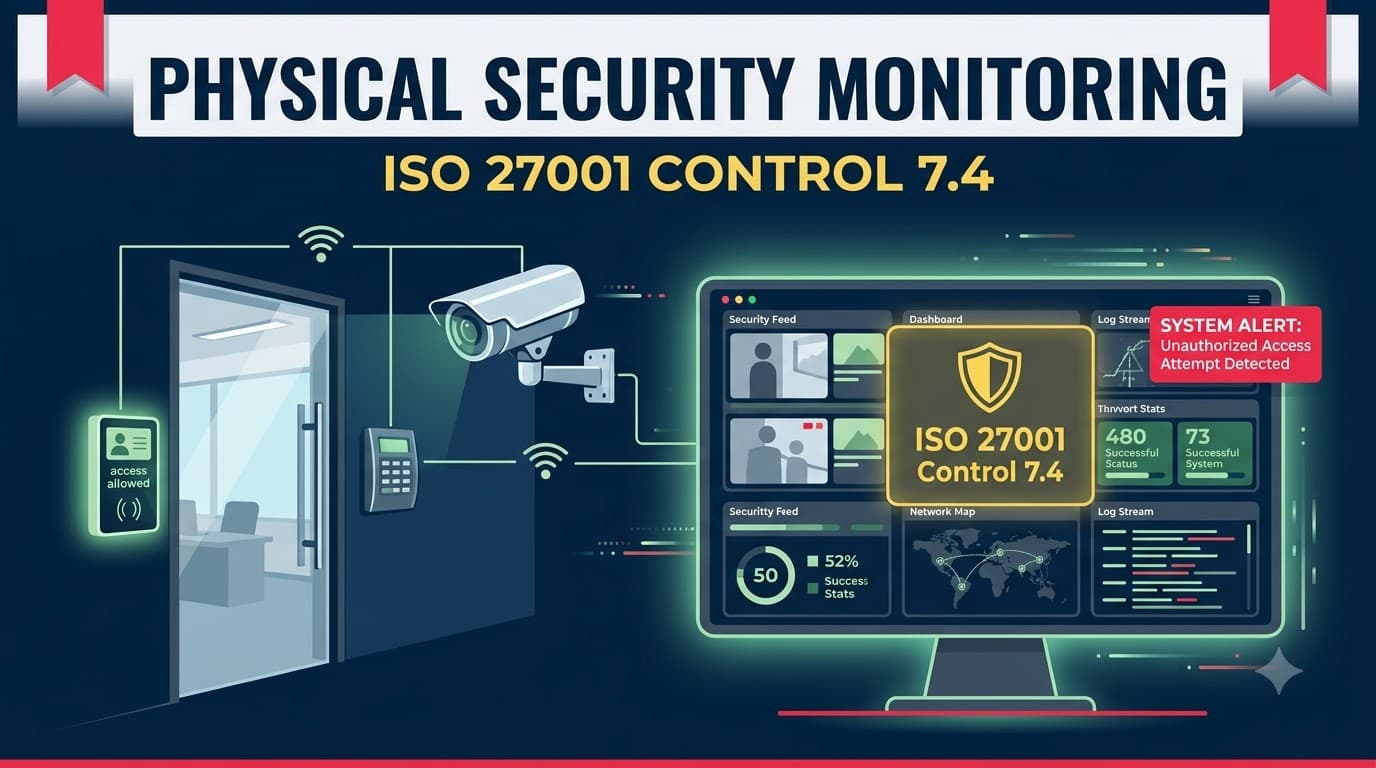
Priya Nair found out about the breach from a due-diligence questionnaire, not from her own security team.
Priya was the facilities and physical security lead at Halloway Analytics, a 140-person data analytics firm in Raleigh that processed location and transaction data for retail clients. Halloway had spent two years building a reputation for careful data handling, and in early 2025 it was eleven weeks from closing a $9 million acquisition by a larger analytics platform. The buyer's security team asked a routine question during technical due diligence: "Can you provide CCTV footage and access logs for the server room for the last 90 days, correlated against your access-control system?"
Priya pulled the request. The server room had badge-controlled entry — that part was fine, and it satisfied Control 7.2 on physical entry. But when she asked the operations team for the correlated footage, she got silence. The camera above the server room door had been recording since installation eighteen months earlier, dutifully writing to a local NVR with a 14-day retention loop. Nobody was watching it live. Nobody had ever reviewed it after the fact unless there was a known incident to investigate. There was no alarm on the door beyond the badge reader itself, no motion-triggered alert, no rule that flagged after-hours entries for review, and no log of who had actually watched — or not watched — the footage.
Digging further, Priya found a badge-reader anomaly from ten weeks earlier: a facilities contractor's badge had been used to enter the server room at 11:40 p.m. on a Tuesday, stayed inside for 26 minutes, and left. No incident ticket existed. When she finally located the corresponding video (barely — it had rolled off the 14-day retention window and only survived because an unrelated backup export happened to capture it), it showed the contractor connecting a USB device to an idle rack-mounted workstation used for firmware updates. Forensics later confirmed the device had exfiltrated a folder of client transaction data. Nobody had been watching. Nobody had been alerted. The evidence had almost not existed at all.
The incident cost Halloway roughly $310,000 in forensics, legal counsel, and breach notification to affected retail clients, and it very nearly killed the acquisition — the buyer renegotiated the purchase price down by $600,000 and demanded a remediation plan as a closing condition. Every element of Priya's physical security program that mattered — the door lock, the badge reader, the camera — had technically existed. What was missing was monitoring: something watching those systems in real time, alerting on anomalies, and preserving evidence long enough for anyone to use it. That is precisely the gap Control 7.4 was written to close.
Who This Is For
This article is for the person who owns physical security operations inside an ISMS — a facilities manager, IT operations lead, CISO, or compliance manager preparing for ISO 27001 certification or a surveillance audit who needs to stand up or formalize physical security monitoring. It assumes you already have (or are building) a physical perimeter and entry-control program under Controls 7.1 and 7.2, and it focuses specifically on the "watching" layer: CCTV, alarm systems, guard patrols, access-log review, and intrusion detection, plus the alerting, evidence-retention, and privacy considerations that come with monitoring people. You'll walk away with a concrete monitoring architecture, a set of tables you can adapt into a control implementation, and a clear picture of what an auditor will ask to see.
What Control 7.4 Actually Requires
ISO/IEC 27001:2022 Annex A Control 7.4, Physical security monitoring, states that premises shall be continuously monitored for unauthorized physical access. That's a short requirement with a long tail of implementation decisions behind it. ISO 27002:2022's guidance for 7.4 describes a monitoring capability built from surveillance systems (CCTV, motion detectors, alarm systems, guards, either directly or via a monitoring/alarm-response service), the need to detect and deter unauthorized entry into buildings, offices, and sensitive areas, and — critically — the obligation to run that monitoring in a way that respects applicable privacy and data protection law.
Read plainly, 7.4 is asking three things of you. First, that unauthorized physical access can actually be detected — not just physically prevented, since preventive controls (locks, perimeters, badge readers) fail, get defeated, or get bypassed by someone with legitimate but misused access, as happened to Priya's team. Second, that detection happens continuously, not on a "someone checks when there's a complaint" basis. Third, that the organization has thought through who is allowed to watch whom, for what purpose, and for how long — because a camera pointed at a workspace is also a camera pointed at employees, and that raises separate legal obligations.
It's worth being precise about what 7.4 does not require. It does not mandate a specific technology (you are not required to install CCTV everywhere, or hire guards, or buy a particular intrusion-detection platform). ISO 27001 is deliberately technology-neutral; your risk assessment determines proportionate controls, and your Statement of Applicability documents which monitoring mechanisms you've selected and why. A single-office professional services firm with a locked server closet may satisfy 7.4 with a doorbell-camera-grade CCTV feed reviewed weekly plus a door-open alarm; a data center operator will need 24/7 monitored CCTV, intrusion detection on every rack and cage, and a live security operations presence. Both can be compliant if the control is proportionate to the risk and the reasoning is documented.
Why Physical Security Monitoring Is New in 2022
Control 7.4 did not exist as a standalone control in ISO 27001:2013. The 2013 Annex A physical and environmental security section (A.11) touched on physical entry controls and securing offices, but "monitoring" was implicit at best — folded loosely into general physical security expectations rather than called out as its own requirement. The 2022 revision restructured all of Annex A into four themes and, in doing so, made physical security monitoring one of eleven brand-new controls (alongside its logical-world counterpart, 8.16 Monitoring activities).
The reason for the addition tracks a broader shift in the 2022 standard: a heavier emphasis on detection, not just prevention. The same instinct produced 5.7 Threat intelligence and 8.16 Monitoring activities on the organizational and technological sides. Regulators, insurers, and certification bodies had all converged on the same observation that Priya's story illustrates — organizations were investing heavily in access control (locks, badges, perimeters) while treating monitoring as an afterthought, which meant unauthorized access frequently went unnoticed for weeks or months, exactly the pattern seen in real-world tailgating incidents, insider misuse of physical access, and after-hours facility intrusions. Control 7.4 forces organizations to close that gap explicitly, and it means auditors auditing against the 2022 revision will ask a question that simply wasn't asked under the 2013 version: "Show me how you would know if someone got in who shouldn't have."
How 7.4 Fits with the Rest of the Physical Control Set
Control 7.4 doesn't operate alone. It's the detection layer sitting on top of the preventive physical controls and feeding the organizational incident-response process. Understanding the handoffs between controls matters because auditors will trace this chain, and because a monitoring program built in isolation from the rest of the physical and organizational controls tends to generate alerts nobody acts on.
Related control | Relationship to 7.4 |
|---|---|
7.1 Physical security perimeters | Defines the boundaries (walls, fences, gates) that monitoring watches for breaches |
7.2 Physical entry | Provides the badge/access-control data that monitoring correlates against video and alarms |
7.3 Securing offices, rooms and facilities | Defines the sensitive interior spaces (server rooms, records rooms) that need heightened monitoring |
7.5 Protecting against physical and environmental threats | Covers threats monitoring may also detect (flooding, fire) but with a different control intent |
7.6 Working in secure areas | Governs behavior inside monitored spaces once someone is legitimately there |
8.16 Monitoring activities | The logical-world equivalent; together with 7.4 gives you unified "detect anomalies" coverage across physical and digital domains |
5.24–5.28 Incident management | Where a 7.4 alert becomes a formal information security incident, is assessed, and is responded to |
5.28 Collection of evidence | Governs how footage/logs captured under 7.4 must be preserved to remain usable as evidence |
For a full walkthrough of the perimeter and entry layer that 7.4 builds on, see our guide to physical security perimeters and entry controls, and for the interior-space requirements, see securing offices, rooms, and facilities. If you haven't yet mapped the full physical control set, our physical controls overview is the right starting point before you drill into monitoring specifically.
"I tell clients that 7.2 answers 'who can get in,' 7.3 answers 'what's behind each door,' and 7.4 answers 'would we know if someone got in who shouldn't have.' Most organizations have solid answers to the first two and no answer at all to the third — until an auditor asks." — Marcus Webb, Director of Physical Security, Coventry Data Partners
Monitoring Methods: Building Your Surveillance Stack
There is no single technology that satisfies Control 7.4 on its own. Effective physical security monitoring is layered — each method compensates for the blind spots of the others. CCTV shows you what happened but rarely alerts you in real time unless paired with analytics. Alarms alert instantly but tell you nothing about intent or identity. Guards add judgment and instant response but cost the most and can't be everywhere. Access-log review catches misuse of legitimate credentials. Intrusion detection catches sensors and tampers, not people who used a valid badge. The table below is the stack I walk clients through when scoping a 7.4 implementation.
Method | What it detects | Strengths | Limitations | Typical cost profile |
|---|---|---|---|---|
CCTV (recorded + live) | Visual confirmation of any physical activity, tailgating, loitering | Strong evidentiary value, deters casual intrusion, works retrospectively | Passive unless actively watched or analytics-enabled; footage quality varies | Low–moderate (cameras, NVR/VMS, storage) |
Video analytics / AI-based CCTV | Tailgating, loitering, object left behind, line-crossing, after-hours motion | Converts passive CCTV into active alerting; scales without more guards | False positives if tuned poorly; added licensing cost | Moderate–high |
Intrusion/burglar alarm systems | Forced entry, door-held-open, glass break, unauthorized zone entry | Fast, reliable, works when no one is watching | No visual context on its own; needs a monitored response path | Low–moderate |
Door/window contact & motion sensors | Unauthorized opening or interior movement outside hours | Cheap, reliable, easy to zone by sensitivity area | Nuisance alarms from staff/cleaners without proper scheduling | Low |
Security guards (on-site or roving) | Anything a human can observe; provides judgment and immediate intervention | Best for ambiguous situations, visitor management, deterrence | Expensive at scale; coverage gaps between patrols; consistency varies by shift | High (ongoing labor cost) |
Remote guarding / monitored alarm response | Same as guards, delivered off-site via live video monitoring | Lower cost than on-site guards, professional escalation | Response time depends on contract SLA; requires reliable connectivity | Moderate |
Access-log review (badge/keycard analytics) | Misuse of valid credentials, after-hours access, anomalous entry patterns | Uses data you already collect from 7.2; catches insider misuse CCTV misses | Reactive unless paired with automated flagging rules | Low (mostly process, some tooling) |
Perimeter intrusion detection (fence sensors, beam sensors, ground sensors) | Approach to or breach of outer perimeter before entry occurs | Earliest possible warning, good for large or remote sites | Higher false-positive rate from wildlife/weather outdoors | Moderate–high |
Most mid-sized organizations land on a combination of CCTV with basic motion analytics, door-contact alarms on sensitive rooms, and structured weekly access-log review — reserving guards and perimeter intrusion detection for higher-risk sites like data centers, cash-handling locations, or facilities storing regulated data at scale.
CCTV: The Backbone of Physical Monitoring
CCTV is usually the first thing an auditor asks about, and for good reason — it's the most common monitoring control and the easiest to implement badly. A camera that records to a seven-day loop nobody reviews satisfies neither the spirit nor, arguably, the letter of "continuously monitored." Continuous monitoring implies an active process, not a passive recording device gathering dust until something goes wrong.
Get four things right. First, camera placement should map to your risk assessment, not to whatever's convenient — cover every entry/exit point, loading docks, server rooms, records storage, and blind spots identified during your perimeter review under 7.1. Second, decide deliberately between live monitoring (someone or something watching in real time, whether a guard, a remote-guarding service, or analytics software generating alerts) and recorded-only coverage reviewed periodically; for most sensitive areas, live monitoring or analytics-triggered alerting is what actually delivers "continuous" detection, while recorded-only footage functions primarily as an evidence source after the fact. Third, set retention deliberately (more on this below) — too short and you lose evidence before anyone knows to look for it, exactly what happened to Priya's team; too long and you accumulate privacy risk and storage cost with no security benefit. Fourth, restrict who can view live and recorded footage, and log those views — footage access is itself a privileged action that needs its own access control and audit trail, echoing the logging principles covered in logging and monitoring activities.
"The single most common finding I write on CCTV during physical security audits isn't 'no cameras.' It's 'cameras exist, footage is never reviewed, and nobody can tell me the retention period without checking with IT.' That's not monitoring — that's decoration." — Elena Kowalski, Lead Auditor, Brightpath Certification Services
Intrusion Detection & Alarm Systems
Alarm systems are the fastest-acting layer of physical monitoring because they don't depend on a human watching a screen. A door-contact sensor on a server room, a motion detector in a records archive after hours, or a glass-break sensor on a ground-floor window generates an alert the instant the triggering condition occurs, whether or not anyone happened to be looking.
The design decisions that matter most are zoning and scheduling. Zoning means segmenting the alarm system so that a triggered sensor tells the monitoring team where, not just that something happened — a server room door alarm should route differently (and with higher urgency) than a general office motion sensor. Scheduling means the system understands your organization's normal operating rhythm well enough to distinguish an authorized 7 a.m. cleaning crew from an unauthorized 2 a.m. entry, which requires integrating the alarm schedule with your access-control system and HR/contractor calendars rather than running it as a standalone system with its own static schedule that inevitably drifts out of sync.
Alarm systems are also where the "protecting the monitoring systems themselves" theme from ISO 27002's guidance becomes concrete: an alarm panel is a target in its own right. Tamper switches on control panels, backup power for alarm systems (so a power cut doesn't blind you at the exact moment an intruder might exploit it), and cellular backup communication paths (so cutting a phone line doesn't disable the monitored response) are standard hardening measures that a competent physical security assessment will check for.
Security Guards and Human Monitoring
Guards remain the most expensive and most capable monitoring method, because they bring judgment that no sensor or camera provides. A guard can distinguish a nervous new employee who forgot their badge from someone deliberately tailgating; a camera and an access-control system, on their own, generally cannot. For higher-risk sites — data centers, facilities with regulated cash or pharmaceuticals, any location with a documented history of attempted intrusion — a guard presence, whether on-site or via remote video guarding, is often the control that actually closes the gap that technology alone leaves open.
Guard-based monitoring introduces its own control needs that 7.4 implementations frequently skip. Guard logs (patrol times, incidents observed, visitor interactions) need to be as rigorously retained and reviewed as CCTV footage — they're evidence, and auditors will ask for sample logs. Guard training needs to cover what "unauthorized access" looks like in your specific environment, not a generic security-guard curriculum; a guard who doesn't know your visitor-escort policy under securing offices, rooms, and facilities can't enforce it. And guard contracts (where outsourced) need the same supplier oversight your ISMS applies to any third party handling security-relevant functions — SLAs for response time, background-check requirements for guard personnel, and incident-reporting obligations back to your organization.
Vendor and Technology Selection Considerations
Most organizations don't build physical monitoring infrastructure from scratch — they buy it, and the vendor selection decision has more downstream compliance impact than it first appears. A camera system that can't export footage in a usable, timestamped format is a camera system that fails an evidence request; an alarm-monitoring vendor with no documented SLA leaves your response times unaccountable; a video management platform with no role-based access control forces you to grant everyone-or-nobody visibility into footage you're supposed to be restricting.
When evaluating monitoring vendors or platforms, weigh them against the same criteria I use with clients scoping a 7.4 build-out.
Selection criterion | Why it matters for 7.4 | Red flag to watch for |
|---|---|---|
Footage export format and chain-of-custody support | Determines whether footage is usable as audit or legal evidence | Proprietary formats with no standard export path |
Role-based access control on the VMS/platform | Enables restricting and logging who views footage | Single shared admin login for the whole team |
Retention configurability | Lets you set retention per zone rather than a single global default | Fixed retention with no per-camera override |
Alerting/analytics capability | Converts passive recording into active detection | "Motion detection" that's really just always-on recording |
Tamper detection and self-monitoring | Confirms the monitoring system watches itself | No alert when a camera goes offline or is obstructed |
Network segmentation support | Lets you isolate camera/alarm traffic per hardening guidance | Cameras that only work bridged onto the main corporate LAN |
SLA for monitored alarm/guard response (if outsourced) | Gives you an enforceable, auditable response-time commitment | Verbal assurances with nothing written into the contract |
Data residency / hosting location | Affects cross-border transfer obligations under privacy law | Cloud storage location undisclosed or unconfirmed |
Vendor selection decisions belong in your supplier oversight process the same way any other security-relevant supplier does — evaluated up front, reviewed periodically, and documented as part of the evidence trail an auditor will want to see behind your 7.4 implementation.
Integrating Physical Monitoring with Your Risk Assessment
Control 7.4 shouldn't be scoped in a vacuum. The right monitoring intensity for any given area is a direct output of the same risk assessment process that drives the rest of your ISMS, and treating physical monitoring as a separate exercise from your formal risk register is one of the more subtle mistakes I see in otherwise well-run programs. If your organization has already built a risk register covering information assets, that register should identify which physical locations house which assets — and the monitoring investment for each location should trace back to a specific, documented risk entry rather than a facilities team's intuition about what "feels" important.
In practice, this means treating a server room's physical monitoring decision the same way you'd treat a decision about encrypting a database: identify the asset (regulated client data, source code, financial records), identify the threat (unauthorized physical access, theft, tampering), assess likelihood and impact, and select a proportionate control — in this case, a combination of the monitoring methods covered above rather than a single generic answer applied everywhere. Organizations building or refreshing this process should reference our broader guidance on risk assessment methodology and, if you haven't already, make sure physical locations and the information assets they house are explicitly represented as line items in your risk register — not folded silently into a generic "physical security" catch-all that gives an auditor nothing specific to trace.
This linkage pays off twice: it gives you a defensible, risk-based justification for your monitoring spend when finance asks why the server room gets cameras and biometric entry while the break room doesn't, and it gives an auditor exactly the kind of traceability — from risk, to control selection, to Statement of Applicability entry, to implemented monitoring — that turns a Stage 2 audit from an interrogation into a walkthrough.
Multi-Tenant Buildings and Shared Facilities
A meaningful share of the organizations I work with don't control their entire building — they lease a floor or a suite in a multi-tenant office building, sharing lobbies, elevators, parking, and sometimes even loading docks with other tenants they have no relationship with. Control 7.4 still applies, but the monitoring boundary gets more complicated, and it's a scenario the standard doesn't spell out in detail, which means it's exactly the kind of judgment call an auditor will want to see you've thought through.
The practical approach splits responsibility cleanly. For common areas controlled by the landlord or building management (main lobby, shared elevators, exterior perimeter), your obligation is to obtain and document reasonable assurance that the building's monitoring meets a baseline standard — a copy of the building's security procedures, confirmation of camera coverage at shared entry points, and an understanding of how a security incident in common areas gets communicated to tenants. This is conceptually similar to the colocation provider relationship described below, just less formalized in most commercial leases. For your own leased space — your suite's entry door, your interior offices, your server closet — full 7.4 accountability sits with you, regardless of what the landlord does in the lobby three floors down.
The gap I see most often: organizations assume the building's lobby security guard and camera system cover their exposure, and stop there, leaving their own suite door as the only control between a determined intruder and their server room. A tailgater who gets past a building lobby without ever raising suspicion (a very plausible scenario in any office building with regular foot traffic) faces no further monitoring at all if the tenant hasn't layered their own entry alarm and camera on their suite door. Treat the landlord's monitoring as a baseline you verify, not a substitute for your own.
Access-Log Review as a Monitoring Control
The most underused monitoring method is also the cheapest: reviewing the access logs you're already generating under Control 7.2. Every badge swipe, every failed access attempt, every door forced open or held open past a threshold produces a log entry, and most organizations let those entries pile up unreviewed until an incident forces someone to go looking — which was exactly the failure that let Halloway Analytics' contractor badge anomaly sit undetected for ten weeks.
A functioning access-log review process needs three things: a defined cadence (daily automated flagging of anomalies, weekly human review of flagged items, monthly trend review of aggregate patterns), defined anomaly rules (after-hours access to sensitive zones, access by terminated or suspended credentials, multiple failed badge attempts, access outside an individual's normal pattern, doors held open beyond a threshold), and a documented escalation path so a flagged anomaly reliably becomes either a closed-as-benign entry or an incident under incident management — never an open question nobody owns.
What to Monitor: Mapping Coverage to Risk
Not every square foot of a facility needs the same monitoring intensity, and treating them all identically wastes budget on low-risk areas while under-covering the ones that matter. Coverage should follow the same asset-and-risk logic you already apply elsewhere in the ISMS — the areas storing or processing the most sensitive information get the most monitoring investment.
Area | Risk driver | Recommended monitoring | Alert priority |
|---|---|---|---|
Building perimeter / fence line | Unauthorized approach before entry | Perimeter intrusion sensors, exterior CCTV with analytics, lighting | Medium |
Main entrance / reception | Tailgating, unauthorized visitors | CCTV, guard or receptionist, visitor log correlation | Medium |
Loading docks / delivery areas | Unmonitored access point, goods theft | CCTV, door alarm, delivery-window scheduling | Medium |
Server rooms / data centers | Direct access to systems and data | CCTV with live/analytics alerting, door-contact alarm, badge + biometric entry, access-log review | Critical |
Network/telecom closets | Access to cabling and network infrastructure | Door-contact alarm, restricted badge zone, periodic physical inspection | High |
Records/archive rooms | Physical records containing regulated data | CCTV, door alarm, access-log review, visitor escort requirement | High |
Executive offices / boardrooms | Confidential discussions, sensitive documents | Access-controlled entry, after-hours motion alerting | Medium |
General office floors | Opportunistic theft, unauthorized after-hours presence | CCTV coverage of key routes, after-hours motion sensors | Low–Medium |
Parking structures / exterior grounds | Vehicle-borne threats, personal safety | CCTV, lighting, periodic patrol | Low–Medium |
Remote/unstaffed sites (branch offices, cell towers, ATMs) | No on-site human presence to notice intrusion | Remote video monitoring, alarm with monitored response, tamper sensors | High |
Use this mapping as an input to your Statement of Applicability justification for 7.4 — auditors respond well to evidence that monitoring intensity was a deliberate, risk-based decision rather than a uniform default.
Alerting and Response: Closing the Loop
A sensor that fires and a camera that records are only half of Control 7.4. The other half — the part that actually prevents Priya Nair's scenario — is what happens between the alert firing and a human deciding what to do about it. Monitoring without a defined response path is theater; it produces evidence after the fact but does nothing to interrupt an intrusion in progress.
A working alert-to-response chain has four stages: detection (the sensor, camera analytic, or log-review rule fires), triage (someone or something classifies the alert's severity within a defined time window — seconds for a monitored alarm central station, hours for a batch access-log review), notification (the right person is paged, and the escalation path doesn't silently die if that person doesn't respond — a documented on-call rotation with escalation tiers matters here), and disposition (the alert is closed as benign, escalated to a physical security response such as a guard dispatch, or escalated further into a formal information security incident under incident management, which brings in evidence-collection obligations under 5.28). Every stage needs a target response time, and every alert needs a record of what happened at each stage — that record is exactly what an auditor will sample.
Alert type | Target triage time | Typical response | Escalates to |
|---|---|---|---|
Server room door forced/held open | Under 2 minutes | Guard dispatch or remote video verification | Incident management if unauthorized |
After-hours motion in sensitive zone | Under 5 minutes | Remote video review, guard dispatch if unconfirmed | Incident management if intrusion confirmed |
Badge access by terminated credential | Same business day | HR/security joint review | Incident management if access occurred |
Repeated failed badge attempts | Within 24 hours (batch review) | Facilities review, possible credential reset | Incident management if pattern suggests attack |
Camera/sensor offline or tampered | Under 15 minutes | Facilities/IT dispatched to verify | Incident management (monitoring-system compromise) |
"Alerting without a response plan just generates a more detailed incident report after the damage is done. I've seen organizations spend six figures on video analytics and never once write down who gets paged when the system flags a break-in. The technology was never the hard part." — Devon Achebe, Physical Security Consultant, Ferro & Achebe Risk Advisory
Monitoring Program Governance: Who Owns What
Physical security monitoring frequently fails not because any individual component is weak, but because ownership is fragmented across facilities, IT, security, and HR with no one accountable for the whole chain from sensor to disposition. Halloway Analytics' failure was exactly this: facilities owned the cameras, IT owned the network the NVR sat on, and nobody owned the review process connecting them. A clear governance model closes that gap before it becomes an incident.
Function | Typical owner | Responsibility |
|---|---|---|
Monitoring policy and standard | CISO / Information Security Manager | Defines scope, methods, retention, and privacy rules |
Camera/sensor/alarm hardware and network | Facilities and/or IT Operations | Installation, maintenance, network segregation, uptime |
Live monitoring / alert triage | Security operations or contracted monitoring service | Real-time or near-real-time response to alerts |
Access-log and footage review | Facilities security + IT security jointly | Scheduled review per the defined cadence |
Footage/log access administration | IT Security | Grants, reviews, and logs access to monitoring systems |
Incident escalation and investigation | Incident response team | Formal handling once an alert becomes a suspected incident |
Privacy and legal compliance | Legal / Data Protection Officer or equivalent | Lawful basis, signage, retention limits, data subject requests |
Vendor and contract oversight (guards, remote monitoring) | Procurement + Security | SLA enforcement, background-check verification, contract review |
Document this ownership explicitly — a RACI chart referenced in your monitoring policy is usually enough — because an auditor who asks "who reviews this footage" and gets three different answers from three different people has just found your nonconformity for you.
"Every physical monitoring program I've audited that failed had a governance gap before it had a technology gap. The cameras were fine. Nobody could tell me, without checking with two other departments, who was supposed to be watching them." — Naledi Dube, Head of Corporate Security, Ashworth & Cole Financial Group
Protecting the Monitoring Systems Themselves
A monitoring system that can be disabled by the intruder it's meant to detect provides no real assurance, so ISO 27002's guidance for 7.4 is explicit that the surveillance infrastructure itself needs protecting. This is the layer organizations forget most often, because it's easy to think of cameras and alarms as purely defensive tools rather than as assets with their own attack surface.
Practical hardening measures include: physically securing DVR/NVR equipment and alarm panels in locked, access-controlled cabinets (not an open server rack anyone can reach); placing camera and alarm network traffic on a segregated network rather than the general corporate LAN, consistent with the segregation principles in network security controls; requiring authentication on camera and alarm system administrative interfaces and changing default credentials (a persistent, embarrassingly common failure in default-configured IP camera deployments); enabling tamper alerts on cameras and sensors so a covered lens or a cut wire generates its own alarm; and maintaining backup power and redundant communication paths so a deliberate power or network cut doesn't blind the system at the moment it's needed most. Access to view, export, or delete footage should itself be logged and restricted to a small, named group — footage integrity is evidentiary integrity, and an auditor or incident investigator needs to trust that footage wasn't quietly edited or deleted after the fact.
Testing and Exercising Your Monitoring Program
A monitoring program that has never been tested is an assumption, not a control. I routinely find organizations that installed alarms and cameras years ago and have never once verified, end to end, that a triggered sensor actually reaches a human who knows what to do with it. Testing physical monitoring deserves the same discipline as testing a backup restore or a business continuity plan — it's cheap relative to finding out it doesn't work during a real incident.
Test type | What it verifies | Recommended frequency |
|---|---|---|
Alarm trigger test (door contact, motion) | Sensor fires and reaches the monitoring station/on-call person | Quarterly |
Camera failover / offline test | Tamper alert fires when a camera is disconnected or obscured | Quarterly |
Footage retrieval drill | Staff can locate and export footage from a specific date/time within a target window | Semi-annually |
Guard/remote-monitoring response drill | Contracted response meets the agreed SLA | Semi-annually |
Access-log anomaly detection test | A deliberately introduced test anomaly is correctly flagged and escalated | Semi-annually |
Tabletop exercise: physical intrusion scenario | Cross-functional response (facilities, security, incident management) works as designed | Annually |
Power/network failover test for monitoring systems | Backup power and communications keep monitoring active during an outage | Annually |
Log every test — date, scope, result, and any remediation — and keep those records with the rest of your 7.4 evidence. Auditors increasingly ask not just "do you have alarms" but "when did you last confirm they work," and a documented test history answers that question far more convincingly than an assurance from the facilities team.
Retention: How Long to Keep Footage and Logs
Retention is where I see the widest variance across organizations, and it's rarely set deliberately — it's usually whatever the CCTV vendor's default happens to be. The right retention period balances three competing pressures: long enough that an incident discovered late (as Halloway's was, ten weeks after the fact) still has usable evidence; short enough to control storage cost and limit privacy exposure; and, where applicable law sets a ceiling (some data protection regimes cap routine CCTV retention absent a specific justification), compliant with that ceiling.
Monitoring data type | Typical minimum | Typical maximum (absent legal hold) | Notes |
|---|---|---|---|
CCTV footage — general areas | 30 days | 90 days | Align with typical detection-lag risk for the area |
CCTV footage — sensitive areas (server rooms, vaults) | 90 days | 180 days | Higher-risk areas justify longer retention |
Access-control logs (badge swipes) | 1 year | 3 years | Often retained longer than video due to low storage cost |
Alarm event logs | 1 year | 3 years | Useful for trend analysis and audit evidence |
Guard patrol / incident logs | 1 year | 7 years | May align with broader records-retention policy |
Footage/logs under legal hold or active investigation | Duration of hold | Duration of hold + defined post-closure period | Suspends normal deletion schedule entirely |
Whatever numbers you land on, write them into a documented retention schedule, apply them consistently, and make sure the schedule itself — not just its existence — is something you can hand an auditor. A retention policy that exists on paper but isn't reflected in the actual NVR configuration (the classic "policy says 90 days, system is still set to the vendor's 14-day default") is one of the most common findings in physical security audits, and it's exactly the gap that cost Halloway Analytics its evidence.
Privacy and Legal Constraints
Physical security monitoring watches people, and that means it intersects with privacy and employment law in ways that access badges alone don't. ISO 27002's guidance for 7.4 explicitly calls out compliance with applicable laws and regulations for monitoring people, and getting this wrong doesn't just create a compliance gap — in many jurisdictions it creates direct legal exposure independent of ISO 27001 certification. Under GDPR, for example, CCTV footage of identifiable individuals is personal data, and covert or disproportionate employee monitoring has drawn regulatory penalties in the EU. ISO 27001 supports these regulatory goals by requiring you to think through monitoring lawfully — it does not itself make you "GDPR compliant," and treating certification as a substitute for a real privacy assessment is a mistake I flag often.
Consideration | What it means in practice | Typical control response |
|---|---|---|
Lawful basis / proportionality | Monitoring must be justified by a genuine security need, not blanket surveillance | Document the risk assessment behind each camera/zone placement |
Employee privacy | Break rooms, restrooms, and similar areas generally should not be monitored | Exclude private/personal-use spaces from camera coverage by policy |
Visitor and contractor privacy | Third parties on-site are also subject to monitoring and have rights too | Cover monitoring notice in visitor agreements, not just employee policy |
Signage / transparency | Individuals should generally be told they're being monitored | Post visible signage at entrances and monitored zones |
Covert monitoring | Reserved for exceptional, specifically authorized investigations only | Require documented legal/HR sign-off before any covert use |
Data subject rights | Individuals may have rights to request footage of themselves | Define a process for handling access/erasure requests against footage |
Cross-border transfer | Cloud-hosted or centrally monitored footage may cross jurisdictions | Assess transfer mechanisms consistent with applicable data protection law |
Retention limits | Some jurisdictions impose maximum routine retention periods | Set retention schedules with legal input, not vendor defaults |
These obligations sit alongside — and are supported by, not replaced by — ISO 27001's own privacy-adjacent control, 5.34 Privacy and protection of personally identifiable information, and organizations subject to GDPR specifically should treat that regulation's guidance on employee and CCTV monitoring as the controlling legal framework, with 7.4 providing the security-management-system structure around it.
Signage and Notice Requirements
Signage sounds like a minor administrative detail, but it's one of the first things a privacy-conscious auditor — or a data protection regulator — will look for, and it's cheap to get right. Effective signage does three things: it states that the area is under video/audio surveillance, it identifies (or references how to find) who is responsible for the monitoring, and it's placed where a person would see it before entering the monitored area, not after. For most organizations, this means signage at every public entrance, at parking structure entries, and at the boundary of any interior zone with materially different monitoring than the general office (a server room with an additional badge-triggered camera, for instance).
Signage doesn't eliminate the need for a documented monitoring policy — it's a notice mechanism, not a substitute for having thought through lawful basis, retention, and access restrictions. But its absence is a fast, visible red flag: an auditor who sees cameras with no signage anywhere on the premises will reasonably ask what else in the monitoring program wasn't thought through.
Cloud, Colocation, and Remote-Site Considerations
Most organizations pursuing ISO 27001 certification today don't own every building where their information assets live, and Control 7.4 still applies — it just applies through a supplier-management lens rather than a direct-operations lens. Three scenarios come up constantly.
Colocation and data center providers own and operate the physical monitoring for the facility, but your organization remains accountable for confirming that monitoring meets your risk requirements. This means requesting and reviewing the provider's SOC 2 Type II report or equivalent independent attestation covering physical security, confirming CCTV and alarm coverage of your specific cage or rack space (not just the building perimeter), and building the review of that evidence into your supplier oversight process under supplier relationship security — you cannot simply take the provider's marketing page at face value.
Cloud service providers (IaaS/PaaS/SaaS) abstract physical monitoring away almost entirely; your organization has no visibility into or control over the provider's data center cameras. Here, 7.4 is satisfied indirectly, through the shared-responsibility model — you rely on the provider's own ISO 27001 or SOC 2 certification covering their facilities, and you document that reliance explicitly in your Statement of Applicability rather than leaving it implicit. Organizations building this out further should see our guidance on ISO 27001 for cloud service providers for how the shared-responsibility boundary is typically documented.
Remote and unstaffed sites — branch offices, small satellite locations, unmanned equipment closets — are the scenario organizations most often underinvest in, precisely because there's no on-site team to notice a gap. These sites benefit disproportionately from remote video monitoring services and monitored alarm systems with guaranteed response SLAs, since the absence of any human presence means detection is entirely dependent on the technology working and someone off-site actually watching it.
flowchart LR
    subgraph Detection["Detection Layer"]
        A1[CCTV Cameras]
        A2[Door / Motion Sensors]
        A3[Perimeter Intrusion Sensors]
        A4[Access-Control Logs]
        A5[Security Guards]
    end

    subgraph Monitor["Monitoring & Alerting"]
        B1[Video Management System /\nAnalytics Engine]
        B2[Alarm Monitoring Station]
        B3[Access-Log Review Process]
    end

    subgraph Response["Response"]
        C1[Triage & Classification]
        C2[Guard Dispatch /\nRemote Verification]
        C3[Incident Management\n5.24-5.28]
    end

    subgraph Evidence["Evidence Retention"]
        D1[Footage Archive]
        D2[Alarm & Access Logs]
        D3[Incident Records]
    end

    A1 --> B1
    A2 --> B2
    A3 --> B2
    A4 --> B3
    A5 --> C1

    B1 --> C1
    B2 --> C1
    B3 --> C1

    C1 --> C2
    C1 --> C3
    C2 --> C3

    B1 --> D1
    B2 --> D2
    B3 --> D2
    C3 --> D3
Building a Monitoring Policy: What to Include
Everything covered in this article eventually needs to live in a written policy — not because ISO 27001 demands a specific document title, but because a policy is what turns a collection of good decisions into something repeatable, trainable, and auditable. A physical security monitoring policy doesn't need to be long; it needs to be complete and it needs to match what's actually implemented, which is the part organizations most often get wrong (a beautifully written policy describing 90-day retention paired with a system still on its 14-day factory default helps no one, least of all in an audit).
Policy section | What it should cover |
|---|---|
Purpose and scope | Which premises, zones, and monitoring methods the policy governs |
Roles and responsibilities | Named or role-based ownership matching your governance model |
Monitoring methods in use | CCTV, alarms, guards, access-log review, intrusion detection — per zone |
Coverage and risk mapping | Reference to the risk-based coverage decisions behind camera/sensor placement |
Alerting and escalation | The alert-to-response chain, target response times, and escalation into incident management |
Retention schedule | Specific retention periods by data type and area, matched to actual system configuration |
Access and authorization | Who can view, export, or delete footage/logs, and how that access is granted and reviewed |
Privacy and legal compliance | Lawful basis, signage requirements, covert-monitoring authorization process, data subject rights handling |
Testing and review cadence | How often the program itself is tested and by whom |
Third-party and outsourced monitoring | Requirements for guard services, remote monitoring vendors, and colocation/cloud providers |
Keep this policy under the same document control discipline as the rest of your ISMS documentation — version it, review it on a defined cycle, and make sure changes to actual system configuration (a retention change, a new camera zone, a vendor swap) trigger a policy update rather than drifting silently out of sync with what's written down.
Evidence Auditors Will Expect
Auditors assessing Control 7.4 during a certification or surveillance audit are looking for proof that monitoring is real, continuous, and acted upon — not just that hardware is installed. Walk into the audit with these ready.
Evidence item | What it demonstrates |
|---|---|
Physical security monitoring policy/procedure | Formal documentation of scope, methods, retention, and privacy handling |
Camera/sensor coverage map | Monitoring intensity aligned to the risk of each area |
Sample CCTV footage export with timestamp/chain-of-custody notes | Footage is retrievable, dated, and usable as evidence |
Access-log review records (last 3–6 months) | Reviews actually happen on a defined cadence, not ad hoc |
Alarm event log with disposition notes | Alerts are triaged and closed, not left unresolved |
Incident tickets originating from physical monitoring alerts | Alerts feed the incident management process when warranted |
Retention schedule + system configuration screenshot | Documented retention matches actual system settings |
List of personnel with footage/system access, with justification | Access to monitoring systems is restricted and reviewed |
Signage photographs from monitored areas | Privacy notice obligations are met |
Guard contract / SLA (if outsourced) | Third-party monitoring is governed and measurable |
Colocation/cloud provider attestation (SOC 2, ISO 27001 certificate) | Physical monitoring at outsourced facilities is independently verified |
Test/drill record for alarm or monitoring failover | Monitoring resilience has been exercised, not just assumed |
Pair this evidence set with your broader Statement of Applicability justification, and keep it organized alongside the rest of your mandatory documentation so it's easy to produce on request rather than assembled under audit-day pressure. If you're still building out that documentation set, our Mandatory Documents Checklist is a fast way to see what's still missing before an assessor finds the gap for you.
Common Mistakes We See in the Field
After walking dozens of organizations through 7.4 implementations and audits, the same handful of mistakes account for most of the findings I write up. Here's the pattern list.
Mistake | Why it happens | Fix |
|---|---|---|
Cameras installed, footage never reviewed | Treated as a one-time capital purchase, not an ongoing process | Assign named ownership and a defined review cadence |
Retention set to vendor default, never revisited | Nobody asked what retention the risk actually requires | Set retention deliberately per area, document it, verify system config matches |
No alerting — purely passive recording | Cheaper up-front, seems "good enough" until an incident is discovered late | Add motion/analytics alerting or a live-monitoring service for sensitive areas |
Alarm triggers with no defined response owner | Alarm system procured by facilities, response never assigned to security/ops | Document an on-call rotation and escalation path, test it |
Monitoring system itself unsecured (default credentials, flat network) | Treated as "just a camera," not as IT infrastructure with an attack surface | Segregate camera/alarm network, enforce authentication, enable tamper alerts |
No signage or privacy notice | Overlooked as a minor administrative step | Add signage at all monitored entrances and zones; document lawful basis |
Access-control logs and CCTV never correlated | Two systems, two owners, no integration | Build a joint review process that cross-references badge and video data |
Monitoring scope doesn't match risk assessment | Cameras placed where convenient, not where risk is highest | Map coverage explicitly to the risk register and document in the SoA |
Guard logs and contracts absent from audit evidence | Outsourced monitoring treated as "someone else's problem" | Apply supplier oversight and require evidence delivery in the contract |
Covert monitoring used without legal/HR sign-off | Ad hoc decision during an active suspicion of misconduct | Require documented authorization before any covert use, every time |
"The organizations that fail this control at audit almost never fail because they lack cameras. They fail because nobody can show me a single instance of the monitoring actually being used — a review, an alert, a response. A camera nobody watches isn't a control. It's a prop." — Renata Souza, ISO 27001 Lead Auditor, Askew Compliance Group
Budgeting for Physical Security Monitoring
Cost is usually the first question a facilities budget owner asks, and the honest answer is "it depends on site count, risk profile, and whether you outsource monitoring or staff it internally." The figures below are illustrative planning ranges I've seen hold up across mid-sized organizations, not vendor quotes — treat them as a starting point for your own budgeting conversation, not a benchmark to cite externally.
Organization profile | Monitoring approach | Illustrative annual cost range |
|---|---|---|
Single small office (under 50 staff) | Basic CCTV (recorded, weekly review) + door alarm | $2,000–$8,000 |
Mid-sized single-site office (50–300 staff) | CCTV with motion analytics, alarm system, monthly access-log review process | $10,000–$35,000 |
Data center or high-security single site | 24/7 monitored CCTV, intrusion detection, on-site or remote guarding | $75,000–$250,000+ |
Multi-site distributed organization (10+ locations) | Centralized remote video guarding + local alarms across sites | $150,000–$400,000+ |
Colocation/cloud-hosted infrastructure | No direct spend; cost embedded in provider fees, offset by supplier oversight effort | Supplier oversight time only |
These ranges cover hardware, software/licensing, monitoring service fees, and a reasonable allowance for internal review time; they exclude major construction-related perimeter work, which falls more under physical security perimeters and entry controls. When building the business case internally, it's worth pairing the cost estimate with the incident-cost comparison from this article's opening case — a $310,000 breach dwarfs even the high end of a data center monitoring budget, and that comparison tends to move budget conversations faster than a compliance argument alone.
Case Study: The Contractor Badge That Nobody Was Watching
This is Priya Nair's story from the opening of this article, and it's worth returning to with the remediation detail. After the $310,000 incident and the acquisition-price renegotiation, Halloway Analytics rebuilt its 7.4 program from scratch over four months. They deployed motion-triggered analytics on the server room camera feed with automatic alerts routed to the on-call operations engineer, extended retention on sensitive-area footage to 120 days, and — the change Priya considers most important — instituted a weekly 30-minute access-log review meeting between facilities and IT security that cross-references badge data against camera spot-checks. The acquisition eventually closed at the renegotiated price nine months later than planned, and Halloway's new parent company cited the rebuilt monitoring program specifically as a condition that was satisfied ahead of schedule. Priya's postmortem line, repeated in three subsequent client presentations: "We had every device. We just never had anyone watching them."
Case Study: Remote Guarding at Scale
Ferro Distribution Group, a mid-sized logistics company with fourteen regional warehouses, faced a different version of the same problem: too many sites, too few security staff to physically monitor them all. Rather than hiring on-site guards at every location — a cost the finance team estimated at over $2.1 million annually — the company implemented a remote video guarding service with AI-assisted analytics that flagged unusual after-hours motion at each site and routed verified alerts to a centralized monitoring center with a 90-second response SLA. In the first year, the system flagged 340 after-hours events; 316 were resolved as benign (delivery drivers, maintenance staff) within the SLA, and 24 were escalated, including two attempted break-ins that were interrupted by a live audio warning from the remote monitoring center before intruders gained entry. Total monitoring cost came in near $290,000 annually — roughly 14% of the on-site guard estimate — while providing continuous coverage across every site, something the original staffing plan could never have achieved evenly.
Case Study: The Audit Finding That Wasn't About Technology
Meridian Behavioral Health, a healthcare provider pursuing ISO 27001 certification to support its broader HIPAA-aligned compliance program, had what looked like a textbook-strong physical monitoring setup: enterprise-grade CCTV, door alarms on every records room, and a contracted guard service. The Stage 2 audit still produced a major nonconformity against Control 7.4. The auditor's finding wasn't about hardware — it was that nobody could produce a single documented instance of footage or logs actually being reviewed in the preceding six months, and the organization had no documented privacy notice or signage covering its waiting-room and records-area cameras, a direct exposure given the sensitivity of the health information involved. Remediation took six weeks: a documented weekly review log, signage at every monitored entrance, and a written privacy notice referencing the organization's handling of monitoring data under 5.34 Privacy and protection of PII. Meridian passed its follow-up review and has since used the corrected program as a selling point in payer security questionnaires.
"Auditors don't certify cameras. We certify evidence that a process runs. If you can show me the camera and the review log side by side, we're usually done in five minutes. If you can only show me the camera, we're going to be talking for a while." — Tomás Reyes, Certification Auditor, Northgate Assurance
Metrics That Prove the Program Works
Auditors respond to evidence, and nothing demonstrates a functioning monitoring program better than a small set of tracked metrics reviewed on a regular cadence. Metrics also give you an internal early-warning system — a rising number of unresolved alerts, or a slipping review cadence, tells you the program is degrading well before an incident or an audit finding forces the conversation.
Metric | What it tells you | Healthy target |
|---|---|---|
Percentage of scheduled access-log reviews completed on time | Whether the review process is actually running | 95%+ |
Mean time to triage a physical alert | Speed of the detection-to-response chain | Under target set per alert type |
Percentage of alerts with documented disposition | Whether alerts are actually closed out, not left open | 100% |
Number of monitoring-system outages (camera/alarm offline) | Reliability of the monitoring infrastructure itself | Trending down |
Number of physical monitoring alerts escalated to incident management | Signal-to-noise ratio and real detection activity | Tracked, not zero (zero can mean nobody's watching) |
Footage/log retrieval success rate during drills | Whether evidence is actually retrievable when needed | 100% |
Time from footage request to retrieval | Practical usability of the retention/export process | Under 24 hours |
Report these metrics to the same governance forum that reviews the rest of your ISMS performance — typically management review under Clause 9 — so physical monitoring gets the same ongoing attention as your logical security controls rather than being treated as a set-and-forget capital investment.
Physical Monitoring as a Business Opportunity, Not Just a Checkbox
It's tempting to treat Control 7.4 as pure overhead — cameras and alarms that exist to satisfy an auditor and otherwise sit idle. That framing misses what monitoring actually buys an organization. A functioning physical monitoring program shortens incident discovery time from months to minutes, which is very often the single biggest driver of breach cost and reputational damage; it's cheaper to catch a contractor plugging in a rogue USB device in real time than to explain to a client, ten weeks later, why it went unnoticed. It also becomes a differentiator in exactly the moments that matter commercially — due diligence questionnaires, cyber insurance renewals, enterprise procurement security reviews, and, as Meridian Behavioral Health found, payer and partner security assessments in regulated industries.
The organizations that get the most value from 7.4 treat it the way they'd treat any other detection capability in the security program: owned, measured, tested, and improved, not installed once and forgotten. That mindset — proportionate, risk-based, continuously operated — is the same one that makes the rest of your ISMS defensible at audit and useful the other 364 days a year when nobody's watching except your own monitoring program.
If you're scoping monitoring investments across your full physical control set, our Annex A — All 93 Controls at a Glance cheat sheet gives you the full picture in one page, and our Complete ISO 27001 Implementation Guide eBook walks through sequencing physical, people, and technological controls together rather than in isolation. Before your next internal or certification audit, run your monitoring evidence through our Internal Audit Checklist and, if you're still early in the process, our Gap Analysis Tool will flag whether 7.4 — and the rest of your physical controls — are ready for assessment or still need work. And if any of the terminology in this article was new to you, our ISO 27001 Terminology and Glossary is a good next stop.
Physical security monitoring sits alongside logical monitoring under 8.16, and organizations that also carry PCI DSS obligations will recognize the same detect-and-respond expectations in Requirement 9's video monitoring provisions, while those pursuing SOC 2 attestations will find the physical monitoring evidence built for 7.4 largely reusable for the Security trust services criteria. Building the control once, well, tends to pay for itself across every framework that asks the same underlying question: would you know if someone got in who shouldn't have?
Ready to close the gap between "we have cameras" and "we're actually monitoring"? PentesterWorld's ISO 27001 advisory team can help you scope a proportionate monitoring architecture, build the retention and privacy policies auditors expect, and walk your evidence package through a mock Stage 2 review before your certification body ever sees it.