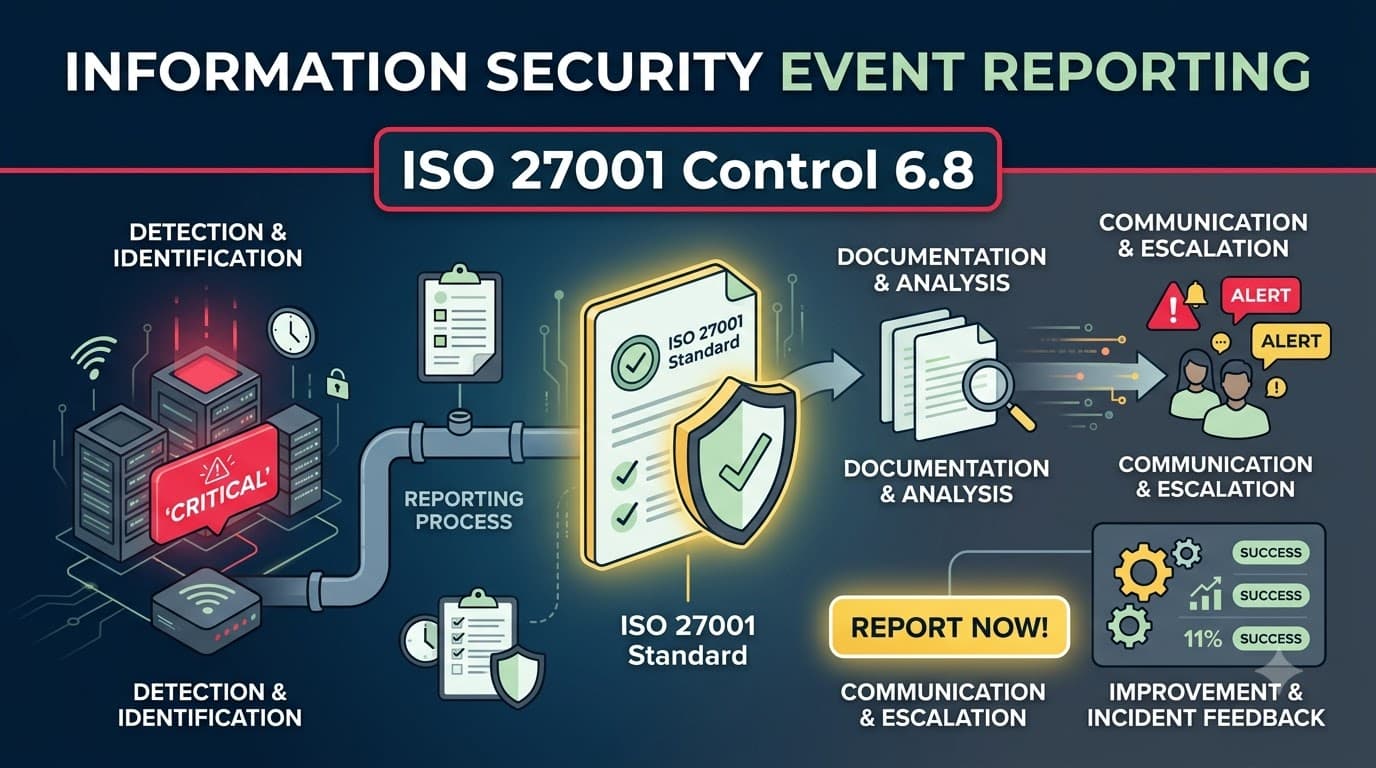
The Email Nobody Reported
Devon Marsh had been a dispatch coordinator at Corriston Freight & Logistics for six years, and he was good at his job — good enough that when something felt off, he noticed. On a Tuesday morning in March, he opened an email that claimed to be from the company's payroll processor, asking him to "re-verify" his direct deposit details before the next pay run. The link looked slightly wrong. The sender's display name said "Corriston Payroll Services," but the domain underneath, when he hovered over it, read something like corriston-payr0ll-verify.com. Devon didn't click it. He also didn't do anything else with it, because he genuinely didn't know what else to do.
He thought about mentioning it to his shift manager, who was mid-conversation with a driver about a missed pickup window and waved him off with "just delete it, that stuff happens all the time." Devon considered emailing IT, but Corriston's IT function was two contractors shared with a sister company, and the last time he'd flagged a slow laptop, it had taken nine days for anyone to respond. There was no security hotline, no dedicated inbox, no button in any tool he used, and no poster in the break room telling him what "suspicious" actually meant or where it should go. So Devon did what a lot of reasonable, conscientious employees do when the reporting path is unclear: he deleted the email and moved on with his day.
He was not the only person at Corriston to receive that message. Eleven other employees got a near-identical email over the following ten days, part of a targeted credential-harvesting campaign aimed at the company's payroll and finance staff. One of them, a payroll clerk under deadline pressure, entered her credentials into the fake portal. Three weeks later, those credentials — reused, as it turned out, on the VPN — gave an intrusion crew a foothold that ended in a ransomware deployment across Corriston's dispatch, billing, and warehouse management systems. The company lost access to live shipment data for six days, missed contractual delivery windows with two major retail clients, and ultimately spent just over $3.1 million on incident response, system rebuilding, contract penalties, and one retail client's decision not to renew. When the incident response team reconstructed the timeline during the post-mortem, they found Devon's original observation sitting eighteen days before the ransomware detonation — an eighteen-day head start that nobody used, because nobody had built a door for that information to walk through.
This is the story I have watched play out, with different names and different dollar figures, more times than I can count across fifteen years of consulting engagements. It is rarely the case that nobody saw anything. It is almost always the case that someone saw something and had no fast, obvious, low-friction, blame-free way to say so. ISO/IEC 27001:2022 Annex A control 6.8, Information security event reporting, exists to close exactly that gap. It is a short, deceptively simple control — arguably the shortest people control in Annex A in terms of how it's usually written into policy — but in my experience it's one of the highest-leverage controls in the entire standard, because it turns your entire workforce into a distributed sensor network for the things your technical monitoring will never catch on its own: the phishing email that slipped past the filter, the tailgater in the stairwell, the misconfigured shared folder a contractor noticed and didn't want to "cause trouble" by flagging, the laptop left on a train.
Who This Is For and What You'll Walk Away With
This guide is for ISMS implementers, CISOs, HR business partners, and internal auditors who are building or auditing the reporting mechanism required by control 6.8 — as a standalone deep-dive or as part of a broader rollout of the People Controls Overview. You'll leave with a clear picture of what 6.8 actually requires versus what belongs to incident management, a practical menu of reporting channels and how to design them for speed, a blueprint for building a genuinely no-blame reporting culture (not just a slogan on a poster), the specific KPIs auditors and boards care about, and the evidence trail you'll need at Stage 2 and every surveillance audit after it. Because this is the 100th article in this series and the piece that completes coverage of all 93 Annex A controls, I've also tried to make it a strong capstone — showing exactly how the reporting control you're reading about now threads back into risk, incident management, awareness, and the broader ISMS you've built across everything else we've covered.
What Control 6.8 Actually Requires
Control 6.8 states that the organization shall provide a mechanism for personnel to report observed or suspected information security events through appropriate channels in a timely manner. Read that sentence slowly, because every clause in it is doing real work.
"Provide a mechanism" means this cannot be an implicit assumption that people will figure out who to call. You need a defined, documented, communicated channel — or, more realistically, a small set of channels — that exists specifically for this purpose. "Personnel" is deliberately broad: employees, but ISO 27002:2022's guidance also extends the spirit of this control to contractors, temporary staff, and other relevant interested parties who interact with your information and systems, since a contractor who spots a tailgating pattern or a client-facing consultant who receives a suspicious request is exactly the kind of observer you want in the reporting loop. "Observed or suspected" is the second important phrase — you are not asking people to confirm anything. You are asking them to notice and pass it along. Confirmation, triage, and classification are downstream steps owned by other people and other controls, which we'll unpack in the next section. "Appropriate channels" means the mechanism has to fit how your people actually work — a channel that requires filling out a five-field ticketing form under IT categories nobody understands is not appropriate for a warehouse floor worker who noticed a stranger badging in behind them. And "timely manner" is the control's implicit performance requirement: a reporting mechanism that technically exists but that people use two weeks after the fact provides almost no defensive value, because by then the attacker has had two weeks of unimpeded dwell time.
None of this exists as its own island. Control 6.8 sits inside the People theme of Annex A (6.1–6.8), alongside screening, employment terms, awareness training, disciplinary process, post-termination responsibilities, confidentiality agreements, and remote working — and it is the natural companion to the awareness and training work covered under security awareness training, because a reporting channel nobody knows exists, or that people don't understand how to use, delivers zero value no matter how well-designed it is on paper.
Control 6.8 requirement (paraphrased from ISO/IEC 27001:2022) | What this means in practice |
|---|---|
Provide a mechanism for personnel to report | At least one, ideally two to three, clearly defined and documented channels |
Extend to relevant interested parties | Contractors, temps, and (where practical) key suppliers/clients should know how to reach you |
Cover observed OR suspected events | Low threshold — people report what they notice, not confirmed incidents |
Use appropriate channels | Fit the channel to the audience and the urgency, not a one-size-fits-all ticket queue |
Report in a timely manner | Speed is a design requirement, not an afterthought — measure time-to-report |
6.8 Reporting vs. Incident Management: Where the Boundary Actually Sits
The single most common confusion I run into during gap assessments — even among experienced security teams — is treating 6.8 and incident management as the same thing. They are not, and the standard is careful to keep them apart. Control 6.8 is the front door. It is a People control, sitting in Annex A theme 6, and its entire job is to get a piece of information from the person who noticed it into the hands of someone who can do something with it, as fast and as frictionlessly as possible. What happens after that piece of information arrives — assessing whether it's really something, deciding how serious it is, responding, learning from it, and preserving evidence — is a different job entirely, governed by a different, adjacent set of controls: incident management under controls 5.24–5.28, which sit in the Organizational theme (5.1–5.37).
I explain this to clients using a fire-alarm analogy that tends to stick. Control 6.8 is the pull station on the wall — simple, ubiquitous, requires no judgment to use, and its entire design goal is that anyone, in any state of alarm or uncertainty, can activate it in under five seconds. What happens after the alarm sounds — the fire brigade's dispatch protocol, the triage of whether it's a real fire or burnt toast, the extinguishing, the after-action report — is the fire department's job, not the job of the person who pulled the lever. If you build a pull station that requires the reporter to first determine whether the fire is "Category 2" or fill in an incident classification form, you have built a bad pull station, and people will stop pulling it.
Dimension | Control 6.8 — Event Reporting | Controls 5.24–5.28 — Incident Management |
|---|---|---|
Annex A theme | People (6.1–6.8) | Organizational (5.1–5.37) |
Who acts | Any employee, contractor, or relevant interested party | Trained incident response / security team |
Threshold to act | "I noticed something" — no confirmation needed | Confirmed or credibly assessed event requiring response |
Primary skill required | Awareness of what to look for and where to send it | Investigation, triage, containment, forensics |
Key sub-control | N/A — reporting is the whole control | 5.25 Assessment and decision on information security events |
Speed expectation | Minutes to hours (report as soon as noticed) | Defined response SLAs once triaged (5.26) |
Output | A raw report reaching the right inbox/queue | A managed incident record, decision, and response |
Failure mode if missing | Nothing gets escalated in the first place | Escalated events are mishandled or poorly resolved |
The handoff point between the two controls is 5.25, Assessment and decision on information security events — the moment a triager looks at what Devon Marsh (or anyone like him) reported and decides: is this nothing, is this a weakness to fix, or is this the leading edge of an incident that needs to move into full response under 5.26? Control 6.8 doesn't make that call. It just makes sure the call gets the chance to be made at all. Auditors who understand this distinction will specifically look for whether your reporting mechanism and your incident management procedure are documented as two connected but distinct processes, with a clear handoff — not one blurred blob of "call IT if something happens."
Event, Incident, and Weakness: Getting the Vocabulary Right
Part of why reporting cultures fail is that organizations never clearly explain to their people what they're being asked to report, and the standard's own vocabulary — event, incident, weakness — gets flattened into a single vague idea of "cyber stuff." I spend real time on this distinction in every awareness session I run, because it directly determines whether Devon Marsh reports the phishing email in eighteen minutes or eighteen days.
An information security event is an occurrence indicating a possible breach of security or a control failure — it hasn't been evaluated yet, and it might turn out to be entirely benign. A strange login prompt, an unexpected email, a badge reader that let someone in without beeping — these are events the moment they're noticed, before anyone knows whether they matter. An information security incident is one or more related events that have been assessed as compromising, or having a significant probability of compromising, business operations and threatening information security — that assessment happens under 5.25, not at the point of reporting. A weakness is a vulnerability or gap — a control that isn't working, software that's unpatched, a process with an obvious hole — that hasn't been exploited (as far as anyone knows) but represents risk if left alone. All three deserve a report. None of them require the reporter to know which category they're in.
Term | Definition (plain language) | Example | Who decides what it becomes |
|---|---|---|---|
Event | Something observed that might indicate a security problem | Suspicious email, odd system pop-up, unfamiliar person in a restricted area | Triager, under 5.25 |
Incident | An event (or set of events) assessed as an actual or highly likely compromise | Confirmed phishing-driven account takeover, active malware execution | Incident manager, under 5.26 |
Weakness | A gap or vulnerability, exploited or not | Unpatched server, a shared drive with excessive permissions, a door that doesn't latch | Risk owner / control owner |
The critical design principle: your reporting channel should accept all three without asking the reporter to self-classify. If your intake form has a mandatory dropdown asking "Is this an Event, Incident, or Weakness?" you have just added a decision point that will cause hesitation, misclassification, and — for a meaningful share of people — silent abandonment of the report altogether.
What to Report: Making the Scope Concrete
Vague instructions produce vague (or absent) reporting. "Report anything suspicious" sounds reasonable in a policy document, but it gives an employee almost nothing to act on in the moment. The organizations I've seen get the highest report volumes — and, more importantly, the highest volume of useful reports — are the ones that give people a short, concrete, memorable list of report-worthy situations, refreshed regularly through the security awareness training program rather than buried once in an onboarding deck.
Category | Examples worth reporting | Why it matters |
|---|---|---|
Suspicious communications | Phishing/smishing/vishing attempts, unexpected requests for credentials or payment changes, impersonation calls | Most breaches still start with a human-targeted message |
Lost or stolen devices | Laptop, phone, tablet, USB drive, access badge left behind or stolen | Data exposure and credential-reuse risk; time-critical to revoke access |
Unauthorized access or physical presence | Tailgating, unfamiliar person in a restricted area, a badge that shouldn't work but did | Precursor to theft, sabotage, or data exposure |
System anomalies | Unexpected pop-ups, unfamiliar software, sluggish performance, unexplained account lockouts | Possible malware or account compromise indicators |
Policy or process violations | Data sent to a personal email account, sensitive files left on a shared drive, clear-desk violations | Often the "weakness" side of reporting — fixable before it's exploited |
Third-party or supplier concerns | A vendor requesting unusual access, a supplier reporting their own breach that might touch your data | Ties into supplier and incident notification obligations |
Near misses | "I almost clicked it," "I almost sent that to the wrong person" | Free intelligence — no harm done, but reveals a real gap |
That last row — near misses — deserves emphasis because it's the category most reporting programs miss entirely, and it's the one with the best risk-reduction-to-effort ratio in the entire list. A near miss costs nothing to have happened, and reporting it costs the organization nothing to receive, yet it tells you precisely where your controls are one bad day away from failing for real.
Designing Reporting Channels for Speed and Ease
The word "appropriate" in the control text is where most of the design work lives, and appropriateness is really a function of two variables: how fast can someone use the channel, and how little judgment does it demand of them at the moment of noticing something. I've audited organizations with beautifully written reporting policies and a single channel — a generic IT service desk ticket queue, triaged on a 48-hour SLA alongside password reset requests — that produced almost no meaningful security reports in a year, not because nobody noticed anything, but because the channel was built for convenience of the IT team, not speed for the reporter. Contrast that with organizations running two or three redundant, low-friction channels, and the difference in report volume and time-to-report is not subtle — it's often a five-to-tenfold difference.
"We didn't get a single unsolicited phishing report in eighteen months under our old system — a ticket queue buried three menus deep in the intranet. We added a single Outlook 'Report Phish' button and a dedicated hotline number printed on the back of every badge. Reports went from roughly two a year to over forty a month, and our median time-to-report dropped from four days to eleven minutes. The channel was never the bottleneck people thought it was — the visibility of the channel was." — Marcus Webb, virtual CISO, Ferrow Consulting Group
Channel | Best for | Speed | Design notes |
|---|---|---|---|
One-click email/tool button (e.g., "Report Phish" plugin) | Suspicious emails, the highest-volume category | Seconds | Integrate directly into the mail client; auto-forward to triage queue and quarantine |
Dedicated security email alias (e.g., security@company.com) | Anything not covered by a one-click button | Minutes | Publish everywhere; auto-acknowledge every submission within minutes |
Phone hotline / SMS line | Urgent, in-the-moment events (tailgating, lost device, active suspicious activity) | Immediate | Staffed or routed to an on-call rotation; works when someone can't type |
Manager / team lead escalation | Employees more comfortable reporting to a known person | Minutes to hours | Managers must be trained to relay immediately, not filter or resolve themselves |
Anonymous reporting tool / whistleblower line | Sensitive reports, policy violations, or fear-driven hesitation | Minutes | Signals psychological safety; often required for confidentiality-sensitive cases |
Ticketing system category (dedicated "Security Event" type, not generic IT) | Organizations already standardized on a service desk | Minutes to hours | Must have its own SLA distinct from routine IT tickets — not the same queue as printer issues |
Physical channel (poster QR code, badge-back number, break-room card) | Non-desk workers — warehouse, retail floor, field staff | Immediate | Essential for any workforce without constant device/email access |
Two design principles cut across every channel choice. First, redundancy beats a single "correct" channel — Devon Marsh, in the cold open, needed at minimum an email alias and a phone number that worked when his manager brushed him off; a single channel is a single point of failure for your entire early-warning system. Second, every channel needs an acknowledgment loop — the reporter should get some signal, even automated, that their report landed and is being looked at, because silence is one of the fastest ways to train people to stop reporting. An employee who reports something and hears nothing for two weeks learns, correctly, that reporting doesn't do anything.
Building a No-Blame Reporting Culture
Channels are necessary but not sufficient. I have walked into organizations with excellent, well-publicized, easy-to-use reporting tools that still produced almost no volume, and in every one of those cases the root cause was cultural, not mechanical: people were afraid that reporting would get them, or a colleague, in trouble. This fear is entirely rational when it's been reinforced by lived experience — the employee who clicked a phishing link and reported it immediately, only to be publicly named in the next all-hands as a cautionary tale, has just taught the entire room a lesson that no policy document can undo: silence is safer than honesty.
A genuine no-blame — sometimes called "just culture" — reporting environment distinguishes between honest mistakes and negligent or malicious behavior, and it treats the act of reporting as something to be rewarded regardless of how the underlying event resolves. This is not the same as zero accountability; a just culture still allows for disciplinary action under the disciplinary process defined in control 6.4 when someone's conduct was genuinely reckless or intentional. What it explicitly does not do is punish the person who clicked the phishing link and then told someone within the hour — because punishing that person guarantees the next person who clicks a similar link says nothing at all, and you lose your best early-warning signal entirely.
"The fastest way to kill a reporting program is to discipline the first person brave enough to use it. We had that exact failure early in our ISMS rollout — a well-meaning manager publicly criticized an employee who'd reported clicking a suspicious link, in front of the whole team, as a teaching moment. Report volume fell by more than half over the next quarter and took nearly a year to recover. We rebuilt trust by publishing a written no-blame charter, and — this was the part that actually moved the needle — by having our CEO personally recount a mistake she'd made and reported, in an all-hands." — Danielle Osei, ISMS Manager, BrightPath Underwriters
No-blame culture: do | No-blame culture: don't |
|---|---|
Thank and acknowledge every report, regardless of outcome | Publicly identify or shame the reporter, even anonymized details that make them identifiable |
Separate the disciplinary conversation (if any) from the reporting act itself, and hold it privately | Let a manager use a report as an on-the-spot performance criticism |
Track "time from mistake to report," not just "who made the mistake" | Track individual employees' report counts as a performance metric used against them |
Have leadership model reporting their own near misses | Let leadership be the exception who never has to admit an error |
Recognize good catches publicly (with consent) — celebrate the save, not the near-disaster | Frame reporting communications around punishment or "we're watching you" |
Make the disciplinary line explicit and narrow (negligence/malice), so people know honest mistakes are covered | Leave the line between "honest mistake" and "punishable" undefined and inconsistently applied |
The written policy matters, but it is not what changes behavior on its own. What changes behavior is what happens the first three or four times someone actually uses the channel. Every reporting program lives or dies on those early data points, because employees watch what happens to the people who went first far more closely than they read the policy that told them to.
Awareness: Making Sure People Know How and What to Report
Control 6.8 cannot function in isolation from security awareness, education, and training under control 6.3. A reporting channel that exists but that nobody has been told about is functionally identical to a channel that doesn't exist at all — and in my experience, "we have a security email alias" is one of the most common answers I get during interviews with staff who cannot actually tell me what that alias is, or who genuinely believe reporting is IT's job and not theirs. Awareness for 6.8 needs to cover three specific things, repeatedly, not just once during onboarding: what counts as reportable (tying back to the event/incident/weakness distinction and the "what to report" categories above), exactly which channel(s) to use and how to reach them in under ten seconds, and — critically — reassurance that reporting will not get them in trouble, reinforced by visible examples of it not getting people in trouble.
This is also where the Employee Training Program does its heaviest lifting for 6.8 specifically: phishing simulation programs, in particular, are only as good as what happens after someone clicks — a simulation that ends with "you failed" and no reinforcement of the reporting path teaches the wrong lesson, while a simulation that immediately shows the reporting button and praises anyone who reports (even after clicking) builds exactly the muscle memory you want.
Awareness element for 6.8 | Delivery method | Frequency |
|---|---|---|
What to report (event/weakness/near-miss categories) | New-hire onboarding + annual refresher | Onboarding, then annually |
Where to report (channel names, contact details, QR codes) | Posters, intranet banner, badge-back card, email signature line | Continuous visibility, refreshed quarterly |
No-blame reassurance | Leadership messaging, all-hands stories, written charter | Ongoing, reinforced after every real incident |
Simulated phishing with reporting reinforcement | Simulated campaigns with immediate "here's the report button" follow-up | Monthly to quarterly |
Role-specific reporting scenarios | Targeted training for high-risk roles (finance, HR, IT admins, execs) | Semi-annually |
Reminder after real incidents | Post-incident "here's what a good catch looks like" comms | After every confirmed incident (with appropriate anonymization) |
A practical test I run during every readiness assessment: stop five random employees in the hallway or on a call, across different departments and seniority levels, and ask two questions — "If you saw something that looked like a phishing email or a stranger badging into a restricted area, who would you tell, and how fast could you do it?" If the answers are inconsistent, vague, or routed through "I'd probably ask my manager and see what they think," the awareness layer underneath 6.8 has a gap, regardless of how good the channel itself is on paper.
From Report to Response: How 6.8 Feeds Triage and Incident Management
The value of a report is entirely dependent on what happens to it in the minutes and hours after it arrives. This is the connective tissue between control 6.8 and incident management controls 5.24–5.28, and it's worth walking through as a single flow, because auditors increasingly want to see this end-to-end path documented as one coherent process rather than two disconnected policies.
flowchart LR
    A[Personnel or interested party\nobserves or suspects an event] --> B{Reports via\nappropriate channel\n(Control 6.8)}
    B --> C[Report reaches\ntriage queue/team]
    C --> D[5.25 Assessment and\ndecision on the event]
    D -->|Not significant / false positive| E[Logged and closed\n— trend data retained]
    D -->|Weakness identified| F[Routed to risk/control owner\nfor remediation]
    D -->|Confirmed or likely incident| G[5.26 Response to\ninformation security incidents]
    G --> H[5.28 Collection\nof evidence]
    G --> I[5.27 Learning from\ninformation security incidents]
    I --> J[Feedback loop:\nawareness updates,\ncontrol improvements]
    J -.reinforces.-> A
Three things about this flow matter more than the diagram alone conveys. First, the triage step (C to D) needs an owner and a target response time — a report that sits unread in a shared inbox for three days has effectively failed, even though technically "a mechanism exists." Second, the disposition at 5.25 is not binary; a meaningful share of reports resolve as weaknesses rather than incidents — Devon Marsh's phishing email, reported promptly, might have led straight to a payroll-team-wide credential reset and a supplier domain blocklist entry, entirely outside full incident response, and still prevented the eventual breach. Third, the feedback loop back to awareness (5.27 into future 6.3 content) is what turns a single report into organizational learning — the best programs I've built explicitly close this loop by feeding real (anonymized) reported events back into the next quarter's awareness materials, which measurably increases both future report volume and report quality.
"Our biggest unlock wasn't a new tool — it was putting a two-hour SLA on acknowledging every report, even the ones that turned out to be nothing. Employees stopped assuming their reports vanished into a void. Within two quarters, report volume tripled, and the quality went up too, because people trusted that someone was actually reading them." — Lena Ferraro, Incident Response Lead, Halyard Cyber
Measuring Reporting: KPIs That Actually Tell You Something
Most organizations either measure nothing about their reporting program, or measure the wrong thing — usually raw report count in isolation, which is a vanity metric that can be misleading in both directions. A spike in reports might mean a genuine attack wave, or it might mean a badly tuned phishing filter dumping junk into people's inboxes. A drop in reports might mean your controls are working and there's genuinely less to report, or — more often, in my experience — it means people have quietly stopped bothering. The metrics below, tracked together and trended over time, give a far more honest picture.
KPI | What it measures | Illustrative healthy target* |
|---|---|---|
Report volume (per month, per 100 employees) | Overall engagement with the reporting mechanism | Trending flat-to-up, not collapsing quarter over quarter |
Median time-to-report | Minutes/hours from observation to submission | Under 30 minutes for digital events, same-day for physical |
Time-to-acknowledge | Minutes/hours from submission to reporter receiving confirmation | Under 2 hours during business hours |
Time-to-triage decision (5.25) | Hours from report to disposition (nothing/weakness/incident) | Under 24 hours for most reports |
Ratio of true positives to total reports | Signal quality — are people reporting relevant things | Track the trend, don't punish a "low" ratio — it usually means training is working, not failing |
Repeat-reporter rate | Share of reporters who report more than once | Rising trend signals trust in the no-blame culture |
Post-incident "could this have been reported earlier" rate | Root-cause reviews checking for missed reporting opportunities | Declining trend over time |
Awareness quiz "know the channel" score | Percentage of staff who can correctly name the reporting channel | 90%+ |
*All figures above are illustrative benchmarks I use to frame conversations with clients, not published industry statistics — calibrate targets to your own baseline and risk appetite.
The metric I push hardest on with clients is time-to-report, because it is the one most directly tied to real-world damage — in Devon Marsh's case, an eighteen-day gap between observation and any action is the entire story of how a phishing email became a $3.1 million ransomware event. Boards and executive sponsors also respond well to this metric specifically, because "our median time-to-report dropped from four days to twenty minutes after we fixed the channel" is a concrete, defensible statement of risk reduction in a way that "we ran an awareness campaign" is not.
"The board didn't care about our phishing simulation click rate. What got their attention was time-to-report — showing that a report which used to take three days to surface now takes under fifteen minutes, on average, changed the whole conversation about whether the awareness budget was worth it." — Tom Bellinger, Head of Security Operations, Quillfield Manufacturing
Evidence Auditors Will Ask to See
Control 6.8 is one of the easier controls to gather compelling evidence for, but only if you've been deliberately collecting it — auditors have grown far more skilled at distinguishing a reporting mechanism that exists on paper from one that's genuinely operating, and the difference always shows up in the evidence.
Evidence type | What it demonstrates | Where it typically lives |
|---|---|---|
Documented reporting procedure/policy | The mechanism is defined, not assumed | ISMS document repository, often referenced in the Information Security Policy |
List of active reporting channels with contact details | Multiple, appropriate, redundant channels exist | Intranet, IT service catalog, physical signage photos |
Sample of actual reports (anonymized) with timestamps | The mechanism is genuinely used, and shows time-to-report data | Reporting tool export, ticketing system, mailbox logs |
Triage/disposition log tied to 5.25 | Reports feed into assessment, not a void | Incident management system |
Awareness training records referencing 6.8 content | Staff were told how and what to report | LMS completion records, session sign-in sheets |
No-blame policy/charter document | Culture commitment is written, not just claimed | HR policy library, ISMS documentation |
Interview evidence (staff can describe the channel) | The mechanism works in practice, not just in policy | Auditor interview notes — you won't produce this, but you should rehearse for it |
KPI trend reports (volume, time-to-report, time-to-acknowledge) | Ongoing monitoring and improvement, tying to Clause 9/10 | Management review packs, security dashboards |
Post-incident reviews referencing report origin | Reporting is linked into the incident management and improvement cycle | Incident post-mortems, corrective action records |
Auditors will frequently do exactly what I described earlier in the awareness section — pull a handful of employees at random and ask them, cold, how they'd report a suspicious email or a lost laptop. This single interview technique exposes more gaps in 6.8 implementations than any document review, because it tests the control the way it will actually be used: under mild uncertainty, by someone who hasn't reread the policy recently. If you want to pressure-test your own program before an auditor does, run that same exercise internally every quarter.
Common Mistakes I See Implementing 6.8
Across dozens of ISMS builds and remediation engagements, the same handful of mistakes account for the vast majority of weak 6.8 implementations. None of them are exotic — they're almost all failures of design empathy: building the channel for the convenience of the security team rather than the speed of the reporter.
Mistake | Why it fails | Fix |
|---|---|---|
One channel only, and it's a generic IT ticket queue | No redundancy; buried under unrelated tickets; slow SLA | Add at least one dedicated, fast, security-specific channel |
No acknowledgment after a report is submitted | Reporters assume it vanished; stop reporting | Automated acknowledgment within minutes to hours |
Punishing or publicly naming reporters after a mistake | Kills future reporting instantly and durably | Enforce a written, practiced no-blame policy |
Treating 6.8 and incident management as one undocumented blob | Auditors can't verify the handoff; process breaks under pressure | Document the reporting mechanism and the assessment/response process (5.24–5.28) as connected but distinct |
Awareness training that mentions reporting once, at onboarding, and never again | People forget the channel exists within months | Refresh reporting guidance quarterly, not annually |
No coverage for contractors or non-desk workers | A meaningful share of your workforce has no path to report at all | Physical channels (posters, hotline numbers) and contractor onboarding coverage |
Requiring reporters to self-classify severity before submitting | Adds friction and hesitation at exactly the wrong moment | Accept all reports at low threshold; let 5.25 do the classification |
No metrics tracked at all | No way to demonstrate the mechanism works, to auditors or to leadership | Track volume, time-to-report, time-to-acknowledge, triage time |
Reporting channel details buried in a document nobody reads | Low awareness translates directly to low report volume | Multi-channel, repeated, visible promotion — posters, email signatures, onboarding, refreshers |
No link back from resolved incidents to the original report | Loses the learning loop; reporters never see the value of having reported | Close the loop under 5.27, learning from incidents, with appropriate anonymization |
The mistake I flag most often during gap assessments is the first one — a single, generic, slow channel — because it is the easiest to spot from the outside and the most consequential in practice. If I ask a client's employees "how would you report a lost laptop right now" and the answer takes them more than a few seconds to produce, the control isn't operating as intended, regardless of what the documentation says.
Roles and Responsibilities
Reporting programs stall when ownership is fuzzy — everyone assumes someone else is monitoring the inbox, updating the posters, or closing the loop on triage. A short, explicit RACI-style table, referenced in your ISMS documentation, removes that ambiguity.
Role | Responsibility for control 6.8 |
|---|---|
All personnel (and relevant contractors/interested parties) | Report observed or suspected events promptly through an appropriate channel |
Line managers | Relay reports immediately without filtering, judging, or attempting to resolve informally; never discourage reporting |
Security/ISMS team | Own and maintain the reporting channels; monitor and acknowledge reports; own triage under 5.25 |
HR | Co-own the no-blame culture commitment; ensure disciplinary process (6.4) stays clearly separated from the act of reporting |
Awareness/training lead | Ensure all personnel know how and what to report, refreshed on an ongoing cadence, tied to control 6.3 |
Incident manager | Own the handoff from triage into full incident response (5.26) and ensure learning loops back (5.27) |
ISMS/Compliance manager | Track and report reporting KPIs into management review; maintain evidence for audits |
Leadership/executives | Visibly model reporting behavior; sponsor and protect the no-blame commitment publicly |
Reporting Tools: What Organizations Actually Use
There's no single mandated technology for control 6.8 — the standard is deliberately implementation-agnostic — but the maturity of the tooling correlates strongly with report volume and speed in my experience, especially for the highest-volume category, phishing.
Tool category | Examples of capability | Best fit |
|---|---|---|
Email client "report phish" plugin | One-click report, auto-quarantine, auto-forward to SOC/triage | Any organization with meaningful email volume — highest ROI, lowest friction |
Dedicated security mailbox/alias | Simple, universally understood, low setup cost | Smaller organizations, or as a redundant channel alongside a plugin |
ITSM/ticketing platform with a dedicated security category | Structured intake, SLA tracking, integrates with existing workflows | Organizations already standardized on a service desk platform |
Anonymous/whistleblower reporting platform | Confidential submission, often third-party hosted | Organizations needing confidentiality assurance, or with compliance/whistleblower obligations |
SMS/hotline service | Immediate, works without a device or app | Field workers, warehouse/retail staff, after-hours coverage |
Chat-integrated bot (Slack/Teams) | Low-friction reporting inside tools people already live in | Organizations with high daily chat-tool engagement |
SOAR/SIEM intake integration | Automatic correlation of reports with technical telemetry | More mature security operations functions |
Whatever combination you choose, resist the temptation to over-engineer the intake experience. The best-performing programs I've built kept the reporter-facing side almost embarrassingly simple — a single click, a single phone number, a single email address — and pushed all the complexity (categorization, correlation, prioritization) to the triage side, where trained people are equipped to handle it.
Implementation Roadmap: Standing Up 6.8 in Practice
Organizations rarely need to build a reporting mechanism from absolute zero — most have some form of IT help desk or informal escalation path already — but formalizing it to meet 6.8's intent, and to survive an audit, typically follows a predictable sequence. This roadmap assumes you're layering 6.8 onto an ISMS that already has, or is building, its risk assessment and Statement of Applicability in place.
Phase | Activities | Illustrative timeframe |
|---|---|---|
1. Assess current state | Interview staff on current reporting behavior; inventory existing channels (formal and informal); baseline report volume and time-to-report if any data exists | Weeks 1–2 |
2. Design channels | Select primary + redundant channels; define SLAs for acknowledgment and triage; assign ownership | Weeks 2–3 |
3. Draft policy and no-blame charter | Document the reporting procedure; write and socialize the no-blame commitment with HR and leadership sign-off | Weeks 3–5 |
4. Build/configure tooling | Deploy report-phish plugin, set up dedicated alias, publish hotline number, configure ticketing category | Weeks 4–6 |
5. Launch awareness campaign | Multi-channel rollout — posters, onboarding update, all-hands communication, manager briefing | Weeks 6–7 |
6. Pilot and gather feedback | Soft-launch with one department; monitor report volume, fix friction points | Weeks 7–9 |
7. Full rollout | Organization-wide launch, including contractors and relevant interested parties | Week 9–10 |
8. Monitor, measure, refine | Track KPIs monthly; feed learnings into security awareness training and management review | Ongoing |
For most mid-sized organizations I've worked with, this entire build fits inside a single quarter, and the tooling costs are modest — the constraint is almost never budget, it's the cultural work of phase 3 and the sustained communication effort of phases 5 through 8. A reporting mechanism launched with a big announcement and then never mentioned again decays back to near-zero awareness within a year, which is why the roadmap doesn't really end at phase 7.
Case Study: Corriston Freight & Logistics — Rebuilding After the Breach
Following the ransomware incident described at the start of this article, Corriston's board mandated a full ISMS build toward ISO 27001 certification, and control 6.8 was one of the first items the newly hired security manager tackled — for obvious reasons. The rebuild replaced the single, slow IT ticket queue with three redundant channels: a one-click "Report Phish" button integrated into the email client, a security hotline number printed on the back of every employee and contractor badge, and a dedicated Teams channel monitored during business hours with an after-hours voicemail routed to on-call. HR and the CEO co-signed a written no-blame charter, and the CEO personally told the story of Devon Marsh's original unreported email — anonymized, but real — in the company-wide kickoff session, framing it explicitly as "the system failed him, not the other way around."
Within the first quarter, reported events rose from an informal, unmeasured trickle to roughly sixty reports a month across a workforce of just under 900 people, and median time-to-report for phishing-category events dropped to under twenty minutes. Nine months after rollout, the new channel caught a second, unrelated credential-harvesting campaign targeting the same finance function — a warehouse supervisor, not even a direct target of the campaign, forwarded a colleague's suspicious email through the hotline after overhearing a conversation about it, and the triage team blocked the sender domain and reset the affected accounts within four hours, well before any credentials were reused. Corriston's security manager estimated the avoided cost of a comparable incident, based on the prior year's ransomware event, at over $2.5 million.
"The technology piece took us two weeks. Rebuilding trust that reporting wouldn't blow back on the reporter took the better part of a year — and honestly, we're still reinforcing it every quarter. But it's the single highest-return security investment we've made, by a wide margin." — Sanjay Bhatt, HR Director, Corriston Freight & Logistics
Case Study: Vantree Software — Chat-Native Reporting for a Remote Workforce
Vantree Software, a 340-person SaaS company operating almost entirely remotely, discovered during its pre-certification gap analysis that its "reporting mechanism" consisted of an unmonitored shared inbox that averaged an 11-day response lag. Because the workforce lived in Slack for nearly all internal communication, the security team built a lightweight reporting bot directly into the company's primary Slack workspace — a single /report-security command that captured a screenshot, a short description, and the reporter's identity (visible to triage, not to the wider channel), and immediately posted an acknowledgment plus a triage ticket.
Time-to-report for suspicious emails dropped from a multi-day average to under five minutes, largely because the reporting action required zero context-switching — employees never had to leave the tool they were already living in. Within six months, report volume had grown fivefold, and the security team used the anonymized report data to identify a recurring pattern: a specific vendor-impersonation template was being sent almost exclusively to the sales team, which led to a targeted awareness refresh for that department specifically rather than a generic, company-wide one.
"Putting the reporting channel inside the tool people already live in all day removed ninety percent of the friction we didn't even realize we had. Nobody wants to open a new app or remember a URL in the middle of their workday — they want to type one command where they already are." — Renata Alcaraz, Internal Auditor, Meridian Assurance Partners (engaged as Vantree's pre-certification advisor)
Case Study: Ashford Industrial Group — Fixing a Punitive Culture After a Stage 2 Nonconformity
Ashford Industrial Group, a manufacturer, walked into its Stage 2 certification audit with a technically compliant reporting mechanism — a documented policy, a functioning email alias, a listed hotline — and still received a minor nonconformity, because the auditor's staff interviews revealed a pattern of hesitation and fear. Multiple employees, when asked how they'd report a lost badge or a suspicious email, described a prior incident in which a maintenance technician had been formally written up in front of his team after reporting that he'd propped open a secure door for a delivery. The mechanism existed on paper; the culture underneath it actively discouraged its use.
Ashford's corrective action, tracked under Clause 10 improvement, centered entirely on culture rather than tooling: a rewritten, HR-co-owned no-blame policy explicitly separating honest-mistake reporting from the disciplinary process, mandatory manager training on how to receive a report without editorializing, and a standing agenda item in monthly all-hands meetings recognizing (with consent) recent good catches. At the surveillance audit eleven months later, staff interviews showed a marked shift — multiple employees specifically referenced the "no-blame" language unprompted — and reported near-miss volume, a category that had been essentially zero at Stage 2, had grown to a steady monthly stream.
Extending Reporting to Contractors, Suppliers, and Other Interested Parties
Control 6.8's language deliberately isn't limited to permanent employees, and I've seen this gap cost organizations dearly — a cleaning contractor who notices a server room door propped open after hours, a temp staffing agency worker who spots a colleague photographing screens, or a key supplier whose own employee flags a suspicious request impersonating your finance team, are all sitting on exactly the kind of early-warning information 6.8 exists to capture, and most organizations never tell these people the channel exists at all.
Practical coverage typically means three things: including reporting instructions in contractor and temp onboarding materials (even a laminated card is better than nothing), ensuring physical channels — hotline numbers, posters, QR codes — are visible in spaces contractors actually occupy (loading docks, server rooms, shared facilities), and, for key suppliers, referencing security event reporting expectations explicitly within supplier agreements, which connects back to the obligations covered under supplier relationship security. None of this needs to be elaborate — the goal is simply that nobody with eyes on your environment is left without a path to tell you what they saw.
How 6.8 Maps Across Other Frameworks
If your organization is pursuing or maintaining multiple certifications and attestations, the good news is that event reporting is a near-universal control concept — the implementation work you do for ISO 27001 control 6.8 substantially reduces the lift for adjacent frameworks, though the terminology and emphasis shift slightly in each.
Framework | How it addresses event/incident reporting | Relationship to ISO 27001 6.8 |
|---|---|---|
Trust Services Criteria expect defined incident identification and communication processes, including how personnel report anomalies | Largely complementary — the same channel and culture work satisfies both | |
The Detect function explicitly relies on personnel and processes to identify and communicate potential events | 6.8 is effectively your human-layer contribution to the Detect function | |
Requires organizational awareness enabling timely detection of personal data breaches, feeding the 72-hour supervisory authority notification clock | A well-functioning 6.8 mechanism is often what starts that clock in time to meet the deadline at all |
I want to be precise here, in keeping with how this whole series treats regulatory alignment: implementing control 6.8 well supports and strengthens your ability to meet obligations under frameworks like GDPR — it does not, by itself, make you "GDPR compliant" or satisfy every requirement of SOC 2 or the NIST CSF on its own. Each of those frameworks has its own full set of requirements, and ISO 27001 certification should be positioned as a strong supporting foundation for those goals, not a substitute for assessing them independently.
The Strategic Close: Reporting as Competitive Advantage, Not Just Compliance
It's worth stepping back, at the end of this piece, to say something plainly that gets lost in the mechanics of channels and KPIs: a workforce that reports early and often is one of the cheapest, highest-leverage security investments an organization can make, and it's one your competitors are less likely to have built well. Technical controls — logging, monitoring, endpoint detection — cost real money and catch what they're tuned to catch. A well-trained, psychologically safe reporting culture costs comparatively little and catches the things no tool was ever going to see: the odd tone in an email that a filter passed through, the person in the parking garage who didn't quite belong, the shared folder permission that felt wrong to a new hire who hadn't yet learned to stop noticing. Corriston Freight's eighteen-day gap between observation and action is not a story about a careless employee — it's a story about $3.1 million sitting behind a door nobody had built. Every organization I've assessed has a version of Devon Marsh somewhere on staff right now, quietly deciding whether it's worth the trouble to say something.
"I tell every board I brief the same thing: your best sensor isn't your SIEM, it's your receptionist, your warehouse lead, and your newest hire — if you've given them somewhere fast and safe to send what they notice. Most breaches I've investigated had a human tripwire that never got pulled, not because it didn't exist, but because nobody built the wire in the first place." — Marcus Webb, virtual CISO, Ferrow Consulting Group
This is also, fittingly, where this series' journey through all 93 Annex A controls comes full circle. We started, many articles ago, by establishing what an ISMS actually is and why organizations pursue certification in the first place. We walked through every organizational, people, physical, and technological control the standard defines — access control, cryptography, supplier risk, physical perimeters, secure development, vulnerability management, and everything in between. Control 6.8 is a fitting place to land, because it is the control that most directly turns everyone in your organization, not just your security team, into an active participant in defending it. A mature ISMS isn't a stack of policies sitting in a document repository; it's a living system where risk gets identified as close to the source as possible, and 6.8 is the mechanism that makes that possible at the human layer, feeding directly into the incident management process (5.24–5.28) and, ultimately, into the continual improvement loop under Clause 10.
If you're building or refining your reporting mechanism, don't start from the technology. Start from the question Devon Marsh's story raises: if one of your people noticed something wrong right now, would they know exactly where to send it, would it get there in minutes rather than days, and would they trust that doing so was the right call rather than a risk to their own standing? Get those three answers to "yes," and the channels, tools, and metrics in this article become implementation details rather than open questions.
If you're still mapping out how event reporting fits into your broader control set, our Complete ISO 27001 Implementation Guide eBook walks through sequencing People controls like 6.8 alongside the rest of your ISMS build, and our ISO 27001 Mandatory Documents Checklist will help you confirm your reporting procedure and no-blame policy are captured where an auditor will expect to find them. For teams drafting the policy language itself, our Information Security Policy Template includes a reporting and escalation section you can adapt directly, and if you want the full 93-control picture in one place — useful context for seeing exactly where 6.8 sits relative to everything else in Annex A — our Annex A: All 93 Controls at a Glance cheat sheet is built for exactly that.
Overcoming Leadership Objections
Even security-conscious leadership teams sometimes push back on investing real time and budget into a reporting program, usually because the value is diffuse and hard to attribute compared to a firewall upgrade or an EDR rollout. Having sat through this exact conversation in board and steering committee meetings more times than I can count, these are the objections I hear most often, and how I respond.
Objection | Response grounded in practice |
|---|---|
"We already have an IT help desk — isn't that enough?" | A generic help desk queue is optimized for routine IT requests, not security speed; a report sitting behind password-reset tickets on a 48-hour SLA has already failed its purpose |
"Won't more reporting channels just create noise and false positives?" | Some false positives are the cost of a working early-warning system — the alternative is silence, which is far more expensive; triage under 5.25 exists specifically to filter signal from noise |
"People should just use common sense and tell their manager." | Manager quality and availability varies wildly; a formal, redundant channel doesn't replace that relationship, it backstops it for the moments it fails |
"A no-blame policy sounds like we're letting people off the hook." | No-blame protects the act of reporting, not negligent or malicious behavior — the disciplinary process under control 6.4 still applies where it's warranted, on its own separate track |
"We don't have budget for new tooling." | The highest-impact channels — a dedicated email alias, a hotline, a posted procedure — cost close to nothing; tooling maturity can scale with budget over time |
"This feels like a soft, unmeasurable initiative." | It isn't — report volume, time-to-report, and time-to-acknowledge are concrete, trendable KPIs that translate directly into board-level risk-reduction language |
Quick-Reference Implementation Checklist
For readers who want the condensed version to hand to a project team, here is the practical minimum a control 6.8 implementation needs to cover before you'd feel confident presenting it to an auditor.
# | Checklist item | Done? |
|---|---|---|
1 | At least one fast, low-friction reporting channel is live and documented | ☐ |
2 | A second, redundant channel exists (different modality — phone, email, physical) | ☐ |
3 | Channels cover non-desk workers and contractors, not just office-based staff | ☐ |
4 | Reporting procedure explicitly covers events, weaknesses, and near-misses — not just confirmed incidents | ☐ |
5 | Reports are acknowledged automatically or manually within a defined SLA | ☐ |
6 | A written no-blame charter exists, co-owned by HR and leadership | ☐ |
7 | Awareness training covers what/how/why to report, refreshed at least annually | ☐ |
8 | Triage/disposition under 5.25 is documented as the connected next step | ☐ |
9 | KPIs (volume, time-to-report, time-to-acknowledge) are tracked and reviewed | ☐ |
10 | Leadership has visibly modeled reporting a mistake or near miss | ☐ |
11 | Post-incident reviews check whether earlier reporting could have helped | ☐ |
12 | Random staff interviews confirm people actually know the channel and trust it | ☐ |
Twelve items, none of them individually complex — but I've rarely seen an organization walk into a Stage 2 audit with all twelve genuinely checked off on the first attempt, which is exactly why this control rewards a deliberate, unhurried build rather than a last-minute documentation exercise the week before the auditor arrives.
Where 6.8 Sits Within the People Controls Set
Control 6.8 doesn't operate in isolation from the rest of Annex A's People theme, and it's worth seeing it in that fuller context rather than as a standalone requirement. Screening decisions made under 6.1, the expectations set in employment terms under 6.2, the ongoing awareness work under 6.3, the disciplinary boundaries under 6.4, and the confidentiality commitments covered in control 6.6 all shape how safe and equipped an employee feels when they notice something and have to decide whether to say so. Our People Controls Overview covering 6.1 through 6.8 walks through how these eight controls work together as a coherent set rather than eight disconnected requirements, and it's worth reading alongside this piece if you're building out the People theme of your ISMS from scratch rather than tackling 6.8 as an isolated gap.
If any of the terminology in this article — event versus incident versus weakness, triage, disposition — felt like it needed a plainer definition than I gave it, our ISO 27001 Glossary of Terms is worth bookmarking; I refer clients to it constantly during awareness rollouts, because getting the vocabulary consistent across HR, IT, and frontline staff is half the battle in getting a reporting mechanism to actually function the way this control intends.
Control 6.8 is a short line in a long standard, but it's the line that decides whether the other 92 controls you've read about across this series get to do their job. A brilliant incident response plan under 5.26 is worthless if nothing ever reaches it. A well-tuned SIEM under logging and monitoring catches what it's built to catch, but your people catch everything else — if, and only if, you've given them somewhere fast, obvious, and safe to take it.
Final Word: Building the Door, Not Just the Policy
I opened this article with Devon Marsh because his story is unremarkable — that's precisely the point. He wasn't careless, he wasn't undertrained in some obvious way, and he wasn't indifferent to his company's security. He was a competent employee who noticed something real and had nowhere fast, obvious, and safe to take it. Control 6.8 asks you to build that door, keep it unlocked, and make sure everyone in the building knows exactly where it is. Everything else in this article — the channels, the KPIs, the no-blame charter, the triage handoff into incident management — is really just the hardware and the etiquette around that one door. Get the door right, and a meaningful share of the incidents that would otherwise cost you seven figures and six days of downtime instead cost you a fifteen-minute triage call and a quiet fix. That trade is available to every organization reading this, regardless of size or budget, and it remains one of the best returns on effort anywhere in Annex A.