Priya Nandakumar had been IT Infrastructure Director at Havenbrook Logistics for six years, and she could recite the company's disaster recovery runbook from memory. That confidence evaporated at 2:47 a.m. on a Tuesday in March, when the on-call engineer's phone lit up with alerts from three regional distribution hubs simultaneously. File servers were renaming themselves with a .lockbit3 extension. Dispatch terminals were frozen. The transportation management system that routed 4,200 daily shipments across the Midwest had gone dark.
The entry point, once the incident responders reconstructed it, was almost embarrassingly simple: a firewall change made eleven months earlier during a network vendor migration had left an RDP port reachable from the internet on a jump box that was supposed to be internal-only. Nobody had documented the change, nobody had reviewed it against the approved baseline, and nobody had noticed the drift because Havenbrook had no configuration monitoring in place at all. The jump box's local administrator password hadn't been rotated since the image was built. It took the attacker nineteen minutes to get from that box to a domain controller.
The second, worse discovery came the following afternoon. Havenbrook's backup strategy looked reasonable on paper — nightly snapshots replicated to a secondary NAS appliance. But the secondary NAS was mapped as a persistent network share, reachable with the same domain credentials the ransomware had already harvested. The backups were encrypted within the same attack window as production. When Priya's team tried to restore from the previous month's cold copy — a tape rotation nobody had test-restored in fourteen months — six of the eleven tapes failed to read. Havenbrook paid a portion of the ransom, lost nineteen days of full operations, and closed the year with $4.3 million in direct remediation, downtime, and customer-penalty costs. Two customers didn't renew their contracts.
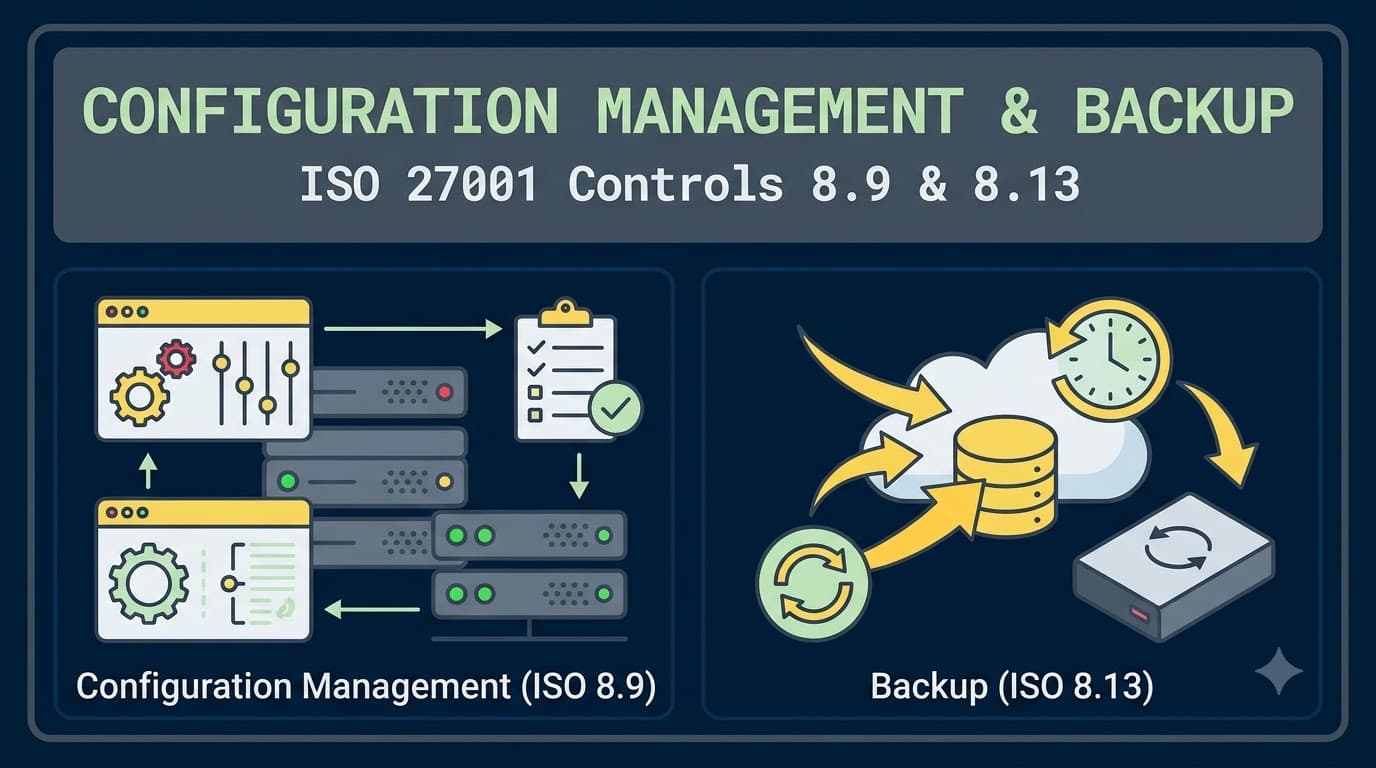
Every part of that story is a control failure that ISO/IEC 27001:2022 addresses directly. Control 8.9, configuration management, exists so that the RDP exposure never happens in the first place — or gets caught within hours instead of eleven months. Control 8.13, information backup, exists so that even when prevention fails, recovery doesn't. Havenbrook's near-collapse is what happens when an organization treats both as IT hygiene rather than as auditable, tested, board-level risk controls. This article is about building both properly.
Who This Is For and What You'll Walk Away With
This is written for IT infrastructure leads, security engineers, ISMS managers, and backup/DR owners who are implementing or improving controls 8.9 and 8.13 as part of an ISO 27001 certification effort — or who are trying to close the gap after an audit finding said "configuration baselines are not documented" or "backup restoration has not been tested." You'll get a working definition of what a secure baseline actually contains, a practical model for drift detection that doesn't require a six-figure tooling budget, a full breakdown of the 3-2-1-1-0 backup rule and where immutability fits, a restore-testing cadence that survives contact with a busy operations calendar, and the specific evidence artifacts an external auditor will ask to see for both controls. We'll also cover how the two controls reinforce each other — because a golden image is only useful for disaster recovery if you also have a tested backup of the data that runs on it. If terms like RPO, RTO, drift, or immutability are new to you, our ISO 27001 terminology glossary covers the vocabulary used throughout this piece in plain language.
Control 8.9: What ISO 27001 Actually Requires
Control 8.9 is one of eleven controls new to the 2022 revision of ISO/IEC 27001, and its inclusion reflects something every experienced consultant already knew from incident postmortems: misconfiguration, not zero-day exploitation, is the dominant cause of real-world breaches. The control text requires that "configurations, including security configurations, of hardware, software, services and networks shall be established, documented, implemented, monitored and reviewed." Five verbs, and each one is a distinct organizational capability an auditor will test separately.
"Established" means you have decided, in writing, what a secure configuration looks like for each class of asset before you deploy it — not after. "Documented" means that decision exists somewhere durable and referenceable, not in one engineer's head or a Slack thread from eighteen months ago. "Implemented" means the documented baseline is actually what's running in production, verified, not merely aspirational. "Monitored" means you have a mechanism — automated wherever possible — that tells you when reality diverges from the documented baseline. "Reviewed" means the baseline itself gets revisited on a schedule, because a hardening standard written for a 2021 operating system release is not automatically correct for a 2026 one.
Auditors assessing 8.9 are looking for a chain of custody from "we decided this configuration is secure" through "this is deployed" to "we would know within a defined window if it drifted." Organizations that fail this control typically have one or two links in that chain but not all five — a hardening guide that was never operationalized, or a monitoring tool with no documented standard to monitor against.
Building Secure Baselines: Hardening Standards and Golden Images
The starting point for 8.9 is almost never a blank page. Practitioners overwhelmingly build baselines from published, community-vetted hardening benchmarks rather than inventing configuration standards from scratch, and the most widely referenced of these are the CIS Benchmarks, which provide prescriptive, testable configuration guidance for operating systems, databases, cloud platforms, and network devices. Using an external benchmark as your starting point also gives you a defensible answer when an auditor asks "why this setting and not another" — you're not guessing, you're adopting an industry-recognized reference and then documenting your organization's approved exceptions.
The practical workflow looks like this: pick the relevant benchmark for each asset class (Windows Server, a Linux distribution, your cloud provider's control plane, your primary database engine, network operating systems for firewalls and switches), run it against a representative build, and produce an internal "baseline standard" document that states which benchmark items you adopt as-is, which you tailor for operational reasons, and which you explicitly exempt with a documented, risk-accepted rationale. That internal standard — not the raw benchmark — is what 8.9 actually requires you to establish and document.
Asset Class | Common Baseline Source | Typical Hardening Focus Areas | Owner |
|---|---|---|---|
Windows Server / endpoint | CIS Benchmark for Windows | Local admin restriction, SMBv1 disablement, audit policy, credential guard | Endpoint engineering |
Linux distributions | CIS Benchmark for the distro | SSH hardening, filesystem permissions, kernel parameters, service minimization | Platform/SRE team |
Cloud platform (IaaS/PaaS) | CIS Benchmark for the cloud provider | IAM least privilege, storage bucket ACLs, logging enablement, network segmentation | Cloud security team |
Network devices (firewalls, switches) | Vendor hardening guide + CIS where available | Default credential removal, unused service disablement, management plane isolation | Network engineering |
Database engines | CIS Benchmark for the database | Authentication mode, encryption at rest, privilege separation, audit logging | Database administration |
Containers / orchestration | CIS Benchmark for Kubernetes/Docker | Pod security standards, image provenance, secrets handling, network policy | DevOps/platform engineering |
Once a baseline standard exists, the next problem is making sure it's what actually gets deployed — every time, not just the first time an engineer remembers to apply it manually.
Standard Templates, Golden Images, and Infrastructure as Code
Manually configuring each server or service against a written checklist does not scale and does not survive staff turnover. The control-8.9 answer is to encode the baseline into something that gets deployed automatically and identically every time: golden images for virtual machines, hardened container base images, and Infrastructure as Code (IaC) templates for cloud resources. When the baseline lives in a Terraform module, a Packer image build pipeline, or an Ansible playbook rather than in a person's memory, "implemented" stops being a matter of individual diligence and becomes a property of the deployment pipeline itself.
This matters enormously for the audit narrative. A CIS-hardened golden image with a documented build pipeline gives you a straight line from "the standard we established" to "the configuration that's actually running" — an auditor can trace it. It also solves a problem most organizations don't realize they have until an incident happens: without a golden image, every server in the estate is a slightly different snapshot of whatever the last engineer who touched it decided to do. Havenbrook's exposed jump box existed precisely because it had drifted from a build standard nobody was actively enforcing.
Golden images also do quiet double duty for a neighboring control: 8.19, installation of software on operational systems. When a hardened image only ships with an approved software manifest, and engineers are prevented from installing arbitrary packages directly onto production servers outside that manifest, you've effectively enforced 8.19 as a side effect of enforcing 8.9. Organizations that skip golden images tend to also fail 8.19 for the same underlying reason — there's no gate stopping someone from installing an unapproved utility, browser plugin, or remote-access tool directly onto a production system.
Approach | Consistency | Speed to Deploy | Drift Resistance | Best Fit |
|---|---|---|---|---|
Manual configuration per checklist | Low | Slow | Very low | Small, static estates only |
Golden image (VM template) | High | Fast | Medium (still drifts post-deploy) | Traditional VM/on-prem environments |
Infrastructure as Code (Terraform, CloudFormation) | Very high | Fast | High (reapplies desired state) | Cloud-native environments |
Configuration management tooling (Ansible, Puppet, Chef) | Very high | Moderate | High (continuous enforcement) | Hybrid and large fleets |
Immutable containers | Very high | Very fast | Very high (replace, don't patch) | Microservices/Kubernetes |
Golden images and IaC solve the "implemented" requirement at the moment of deployment, but configurations don't stay put after go-live — patches get applied inconsistently, engineers make emergency changes under pressure, and "temporary" exceptions become permanent. That's where change control and drift monitoring take over.
Change-Controlled Configuration: Where 8.9 Meets 8.32
Control 8.9 does not stand alone. Every legitimate configuration change — a new firewall rule, a registry setting adjusted for a business application, a database parameter tuned for performance — should pass through the same change management process that governs any other production change. ISO 27001's related control here is 8.32, Change management, which requires that changes to information processing facilities and systems be subject to formal control procedures. In mature ISMS implementations, 8.9 and 8.32 are explicitly cross-referenced: the configuration baseline is the "before" state, the change request and approval record is the mechanism, and the updated, re-documented baseline is the "after" state.
This is precisely the gap that destroyed Havenbrook. The firewall change that exposed RDP was real, business-justified, and made by a competent engineer — but it happened outside any change-approval workflow, was never checked against the network hardening baseline, and was never reflected back into baseline documentation. A functioning 8.9/8.32 pairing would have required a peer review of that rule change against the documented "no inbound RDP from the internet" standard before it went live, which would have caught the exposure in minutes rather than leaving it live for eleven months.
"The auditors kept asking us the same question in different phrasing: 'how would you know if someone changed this outside of the process?' We didn't have a good answer until we tied every configuration change ticket to a specific baseline document version. Now the ticket literally can't close without a baseline diff attached." — Dmitri Volkov, Head of Infrastructure Security, Ferrowatt Manufacturing
Detecting and Correcting Drift
Configuration drift is the gradual, usually undocumented divergence between what a system is supposed to run and what it is actually running, and it is the single most common reason organizations fail control 8.9 during audits — not because they lack a baseline, but because they have no mechanism to notice when reality stops matching it. Drift accumulates from emergency changes, one-off vendor troubleshooting sessions, well-meaning manual tweaks, and — increasingly — from unmanaged shadow IT resources spun up directly in cloud consoles outside the IaC pipeline entirely.
Detecting drift doesn't require an enterprise-grade toolchain from day one. A tiered approach works for organizations at any maturity level: start with scheduled configuration-compliance scans against your baseline (many CIS Benchmarks ship with automated assessment tooling), progress to continuous configuration management agents that both detect and automatically remediate drift, and layer cloud-native drift detection (native to most IaC platforms) on top for cloud-hosted estates. What matters to an auditor is not which specific product you use — it's evidence that detected drift generates a ticket, that the ticket gets triaged against risk, and that remediation (or a documented, approved exception) closes the loop within a defined SLA.
Drift Detection Maturity | Mechanism | Detection Latency | Typical Organization Stage |
|---|---|---|---|
Level 0 — None | No monitoring; drift found only during incidents or manual audits | Months to years | Pre-certification, high risk |
Level 1 — Periodic scanning | Scheduled compliance scans (weekly/monthly) against baseline | Days to weeks | Early ISMS implementation |
Level 2 — Continuous monitoring | Configuration management agents report deviations in near real time | Hours | Maturing ISMS |
Level 3 — Continuous enforcement | Agents detect AND automatically remediate/revert unauthorized drift | Minutes | Advanced, IaC-native environments |
Level 4 — Immutable infrastructure | Non-compliant instances are terminated and replaced rather than patched in place | Near-zero persistence of drift | Cloud-native, container-first estates |
A word of caution from experience: automatic remediation is powerful but needs guardrails. I've seen configuration management tooling revert a legitimate emergency change made during an active incident because it hadn't yet been reflected in the source-of-truth baseline — turning a bad night into a worse one. The fix is procedural, not technical: emergency changes get a fast-track approval that updates the baseline in the same change window, not days later.
Configuration Management Maturity Model
Bringing the pieces together, most organizations I've assessed fall into one of four maturity bands for control 8.9. Knowing which band you're in helps set realistic remediation timelines rather than promising an auditor a Level 3 capability with a Level 0 budget.
Maturity Band | Baseline Documentation | Deployment Method | Drift Monitoring | Typical Audit Outcome |
|---|---|---|---|---|
Reactive | Informal, tribal knowledge | Manual, inconsistent | None | Major nonconformity likely |
Defined | Written baseline standard exists, benchmark-derived | Golden images used inconsistently | Periodic manual review | Minor nonconformity likely |
Managed | Documented and version-controlled baseline | Golden images/IaC used consistently | Scheduled automated scanning | Passes with observations |
Optimized | Baseline reviewed on a fixed cycle, tied to change management | IaC-native, immutable where feasible | Continuous monitoring with SLA-bound remediation | Passes cleanly, cited as strength |
With the configuration side established, the second half of this article turns to what happens when prevention fails anyway — because it eventually will, for every organization, regardless of maturity band.
Control 8.13: What ISO 27001 Actually Requires
Control 8.13 states that "backup copies of information, software and systems shall be maintained and regularly tested in accordance with an agreed backup policy." Read that sentence carefully, because two words carry almost all of the audit risk: "regularly tested." Nearly every organization I've worked with has backups. A much smaller number can produce evidence that those backups have ever been successfully restored. Havenbrook had backups. What it didn't have was a tested restore, and that distinction is precisely what separated a bad night from a nineteen-day, multi-million-dollar catastrophe.
The control also explicitly covers three categories that are easy to under-scope: information (the data itself), software (the applications and their configurations, not just user files), and systems (full system state, including the operating environment needed to actually run the software against the data). An organization that backs up its file shares nightly but has no backup of the custom application configuration or the underlying VM images has satisfied a third of control 8.13 at best — and would struggle to rebuild a functioning system from that backup alone within any reasonable recovery time.
An agreed backup policy, in the ISO sense, is a governance document — approved by a named owner, reviewed on a schedule — that defines what gets backed up, how often, where copies are stored, how long they're retained, who can restore, and how restoration gets tested. Auditors will ask to see that policy document by name, and they will cross-reference its stated commitments against actual backup job configurations and, critically, against test-restore records.
Building a Defensible Backup Policy
A backup policy that will actually survive audit scrutiny needs to answer six questions in writing, for every category of system in scope: what is backed up, how frequently, where the copies live, how long they're retained, who is authorized to initiate a restore, and on what cadence restoration is tested. Vague policies ("critical systems are backed up regularly") fail immediately under questioning because "critical" and "regularly" are undefined and unenforceable. The policy should instead tier systems by criticality and assign specific, measurable parameters to each tier.
Policy Element | Weak Formulation | Audit-Ready Formulation |
|---|---|---|
Scope | "Important servers are backed up" | Named systems/data classes mapped to the asset inventory, tiered by criticality |
Frequency | "Regularly" | Tier 1: continuous/hourly; Tier 2: daily; Tier 3: weekly, with defined RPO per tier |
Retention | "As long as needed" | Explicit retention period per data class, aligned with legal/regulatory requirements and control 8.10 (information deletion) for expiry |
Location | "Backed up to the cloud" | Minimum of three copies, two media types, one offsite, one offline/immutable, per the 3-2-1-1-0 model |
Restoration authority | Undefined | Named roles authorized to initiate restores, with dual-control for production overwrites |
Testing cadence | "When we get to it" | Defined schedule (e.g., quarterly for Tier 1, semi-annual for Tier 2) with documented pass/fail criteria |
Restoration authority deserves more attention than it usually gets. A restore operation, particularly one that overwrites live production data, is one of the most consequential actions any engineer can take, and it should be governed with the same discipline as any other privileged action — the same principle behind privileged access rights management applies here: named individuals, logged actions, and dual-control approval before a production restore proceeds, rather than any engineer with backup console access being able to trigger one unilaterally.
That retention discipline also connects directly to information deletion. Backups that are retained indefinitely "just in case" quietly undermine an organization's information deletion commitments, since deleted production data can persist in old backup sets long after its retention obligation expired — a nuance worth flagging in your policy's cross-references.
The 3-2-1-1-0 Rule in Practice
The most widely used practitioner heuristic for backup resilience is the 3-2-1 rule, extended in recent years to 3-2-1-1-0 to explicitly account for ransomware and integrity verification. It reads: keep at least three copies of your data, on at least two different types of media, with at least one copy offsite, at least one copy offline or immutable, and zero errors confirmed through regular restore testing. It is not an ISO 27001 requirement by name — you won't find "3-2-1-1-0" anywhere in the standard's text — but it is the practitioner translation of what "regularly tested backup copies in accordance with an agreed policy" looks like in a well-run environment, and I use it as the working model with every client implementing 8.13.
The reason the rule expanded beyond the original "3-2-1" is exactly what happened to Havenbrook: modern ransomware actively hunts for network-attached and cloud-synced backup targets and encrypts or deletes them alongside production data. A backup copy that's reachable with the same domain credentials as production isn't really a separate copy from a resilience standpoint — it's an extension of the same blast radius. The "1" for offline/immutable and the "0" for verified integrity are the direct practitioner response to that reality.
Element | Requirement | Why It Matters |
|---|---|---|
3 copies | Production data plus at least two backup copies | Single points of failure eliminated |
2 media types | E.g., disk-based backup plus cloud object storage, or disk plus tape | Protects against media-specific failure modes |
1 offsite | At least one copy stored in a different physical location or region | Protects against site-level disaster (fire, flood, regional outage) |
1 offline/immutable | At least one copy air-gapped or made immutable (cannot be altered/deleted, even by an administrator, for a defined retention window) | Direct defense against ransomware and insider-driven deletion |
0 errors | Zero unresolved errors confirmed via regular test restoration | Converts "we have a backup" into "we know the backup works" |
Immutability and Air-Gapping: Surviving Ransomware
Immutable backups use storage-layer controls — object lock features on cloud object storage, write-once-read-many (WORM) configurations, or dedicated immutable backup appliances — to guarantee that a backup, once written, cannot be modified, encrypted, or deleted by anyone, including an administrator with valid domain credentials, until a defined retention period expires. This is the specific control that would have saved Havenbrook nineteen days of downtime: even with full domain admin rights, the attacker's ransomware would have found the backup copies unmodifiable.
Air-gapping achieves a similar outcome through physical or logical separation rather than storage-layer locking: tape rotated to a vault, a backup target that's only network-connected during a defined backup window and disconnected otherwise, or a completely separate cloud account with no trust relationship to production credentials. Both approaches solve the same underlying problem — that a backup reachable by the same compromised credentials as production is not a meaningfully independent copy — and many mature backup architectures use both in combination: an immutable cloud tier for fast recovery of recent data, plus a periodically air-gapped tape or vaulted copy as a last-resort layer.
Approach | Recovery Speed | Ransomware Resilience | Typical Cost Profile | Operational Overhead |
|---|---|---|---|---|
Standard network-attached backup | Fast | Low (same credential blast radius as production) | Low | Low |
Immutable object storage (cloud object lock) | Fast | High | Moderate | Low once configured |
Air-gapped tape rotation | Slow | Very high | Low media cost, higher labor | Moderate to high (manual handling) |
Logically air-gapped cloud vault (separate account/tenant, no standing trust) | Moderate | Very high | Moderate to high | Moderate |
Immutable + air-gapped combined | Fast (primary) / Slow (last resort) | Very high | Higher | Moderate |
"We used to think of tape as legacy technology we kept around for compliance theater. After watching a peer company lose their entire cloud backup tier to a ransomware operator who'd been sitting in their network for six weeks, we reclassified our air-gapped tape rotation as a primary control, not a formality." — Sana Okafor, Backup and Recovery Architect, Cascade Cloud Services
Encryption of Backups
Backup copies frequently contain the same sensitive information as production systems — sometimes more, since backups aggregate data across systems and time periods that would otherwise never sit in one place. Yet backup encryption is inconsistently applied in practice, particularly for older tape rotations and secondary storage tiers that predate an organization's primary encryption rollout. Control 8.13 doesn't mandate a specific encryption algorithm, but it does require backups to be protected in a manner consistent with the sensitivity of the information they contain, and this is reinforced by the organization's broader approach to cryptography.
Two practical considerations come up repeatedly in implementation work. First, encryption key management for backups needs its own resilience plan — an encrypted backup is worthless if the only copy of the decryption key was stored on the same system that just got encrypted by ransomware, so key material (or a recovery mechanism for it) must be held independently of the production environment it protects. Second, encryption at rest for backup media should be paired with encryption in transit for any replication between the primary and offsite/cloud copies, since backup replication traffic is an underappreciated data exposure path.
Restoration Testing: The Control Everyone Skips
If I had to name the single most common finding across the backup environments I've assessed, it would be this: backups exist, backup jobs report success, and nobody has actually restored from them in a meaningful test within the past year. Backup software reporting "job completed successfully" tells you that data was written somewhere — it tells you nothing about whether that data can be read back, whether the restored system actually boots, or whether the restored application actually functions with its dependencies intact. Havenbrook's tape failures were only discovered during the live incident, which is the single worst possible moment to discover a corrupt backup.
A workable testing program doesn't require restoring every system every quarter — it requires a risk-tiered schedule with clear pass/fail criteria and a record that survives to become audit evidence. Tier 1 systems (those with the shortest tolerable downtime) should get full restore tests, ideally including a functional application test, not just a file-level check. Lower tiers can be tested on longer cycles or via sampling, provided the sampling methodology itself is documented and defensible.
Test Type | What It Verifies | Recommended Frequency (by tier) | Common Failure Found |
|---|---|---|---|
File-level restore | Individual files/objects can be recovered | Monthly (Tier 1–2) | Retention policy misconfiguration |
Full system/VM restore | Entire system image restores and boots | Quarterly (Tier 1), semi-annual (Tier 2) | Driver/hardware mismatch, corrupted image blocks |
Application functional test | Restored system runs the actual application correctly, including dependencies and licensing | Quarterly (Tier 1) | Missing configuration files, expired license keys, broken integrations |
Full disaster recovery exercise | End-to-end recovery of an entire environment against a target RTO | Annual, coordinated with control 5.30 | Undocumented dependencies between systems, unrealistic RTO assumptions |
Tape/offline media integrity check | Offline media is physically readable | Aligned with rotation schedule | Media degradation, missing rotation logs |
"The line I now use in every steering committee meeting is: an untested backup is a hypothesis, not a control. We don't get to claim control 8.13 until we've falsified that hypothesis by actually trying to restore and failing to find a problem." — Tobias Reyes, ISO 27001 Lead Auditor, Meridian Assurance Partners
Backup vs. Redundancy: Two Controls That Get Confused
One mix-up I encounter constantly, including among experienced infrastructure teams, is treating control 8.13 (information backup) and control 8.14 (redundancy of information processing facilities) as interchangeable. They are not, and conflating them leaves a dangerous gap. Redundancy — duplicate servers, clustered databases, multi-region failover, load-balanced application tiers — is about continuity of availability: if one component fails, another takes over, usually within seconds, with minimal or no data loss. Backup is about recoverability from a point-in-time copy after data has been lost, corrupted, or encrypted, and recovery is measured in hours or days, not seconds.
The reason the distinction matters operationally is that redundancy does nothing to protect you against ransomware, logical corruption, or accidental deletion — a replicated database faithfully replicates the encryption or corruption to every redundant node within seconds, because replication doesn't distinguish good writes from malicious ones. Havenbrook, notably, had a small amount of server redundancy for its transportation management system's web tier, and it made no difference during the incident, because the ransomware propagated across the redundant nodes just as fast as it did across everything else. Redundancy answers "what if a component fails," while backup answers "what if the data itself becomes untrustworthy." A mature ISMS documents both, references each by its correct control number, and never lets a redundancy architecture substitute for a genuinely separate, tested backup copy.
How the Two Controls Interlock: Rebuilding From Known-Good
Controls 8.9 and 8.13 are frequently implemented by different teams — infrastructure engineering owns baselines, backup administration owns the data — and treated as unrelated line items on an audit checklist. That separation is a mistake, because a real disaster recovery scenario needs both simultaneously and depends on them fitting together cleanly. Recovering from a catastrophic event isn't just "restore the data." It's rebuilding an entire system: an operating environment configured to the correct, hardened baseline, with the correct application version and settings, populated with the most recent clean copy of the data.
This is the concept practitioners call rebuilding from known-good: your golden image or IaC template supplies the "known-good configuration" half of recovery, and your tested, uncorrupted, immutable backup supplies the "known-good data" half. If either half is missing or unverified, the rebuild fails or reintroduces the same vulnerability that caused the incident in the first place — restoring data onto a system that still has the drifted, unhardened configuration that let the attacker in accomplishes nothing except a faster repeat incident. Havenbrook's team, once they'd recovered enough to rebuild, deliberately rebuilt every affected server from the (newly created, post-incident) hardened golden image rather than restoring the old server images, precisely because they no longer trusted that the pre-incident configuration was clean.
flowchart TD
    A[Baseline Standard Established<br/>CIS-derived hardening spec] --> B[Golden Image / IaC Template Built]
    B --> C[Deployed to Production]
    C --> D{Drift Monitoring}
    D -- No drift --> E[Continuous Compliant State]
    D -- Drift detected --> F[Change Ticket / Remediation]
    F --> A
    C --> G[System Runs & Generates Data]
    G --> H[Backup Job: 3-2-1-1-0]
    H --> I[Offsite Copy]
    H --> J[Immutable / Air-Gapped Copy]
    H --> K[Restore Test — Quarterly/Annual]
    K -- Pass --> L[Verified Recoverable State]
    K -- Fail --> M[Backup Remediation]
    M --> H
    L --> N{Disaster / Ransomware Event}
    E --> N
    N --> O[Rebuild from Known-Good Baseline]
    O --> P[Restore from Known-Good Backup]
    P --> Q[Recovered, Hardened, Verified System]
Building this interlock deliberately also solves a scheduling problem auditors notice: organizations that test backup restores and configuration baselines on entirely disjointed schedules, owned by disconnected teams, tend to discover integration failures (an outdated golden image paired with a much newer backup schema, for instance) only during a real incident. A joint disaster recovery exercise — ideally coordinated with the organization's business continuity and ICT readiness planning — is the single best evidence that the two controls actually function together rather than merely existing in parallel.
Cloud and SaaS Considerations
Cloud adoption changes both controls' implementation without changing their underlying requirement. For configuration management, cloud environments make drift both easier to prevent (IaC is native to how cloud resources are typically provisioned) and easier to introduce invisibly, through console-based changes made outside the IaC pipeline — "ClickOps" drift that never touches version control at all. A disciplined cloud configuration program restricts direct console changes to break-glass emergencies, enforces that all standing infrastructure is provisioned through IaC, and runs continuous drift detection against the deployed state, since cloud environments change far more frequently than traditional on-premises estates.
For backup, cloud and SaaS introduce a shared-responsibility trap that catches organizations constantly: infrastructure-as-a-service providers back up the physical infrastructure and often offer snapshot capabilities, but they do not guarantee recoverability of your specific data unless you configure and test that yourself. SaaS applications are worse in this respect — many SaaS vendors' contractual backup commitments are thin or entirely absent, on the assumption (often incorrect) that the customer will handle their own data protection. Treating "it's in the cloud" or "it's a SaaS platform" as equivalent to "it's backed up" is one of the most consequential misunderstandings I encounter in practice, and it deserves explicit treatment in the backup policy itself: for every SaaS application recorded in the asset inventory, the policy should state whether the vendor provides adequate native backup and retention, or whether a third-party SaaS backup solution is required to meet the organization's own RPO/RTO commitments.
Deployment Model | Configuration Management Implication | Backup Implication |
|---|---|---|
On-premises / traditional VM | Golden images and periodic scanning; slower change velocity | Full organizational ownership of backup infrastructure |
IaaS (cloud infrastructure) | IaC-native; risk of ClickOps drift outside pipeline | Provider backs up physical layer only; organization must configure and test data-level backup |
PaaS (managed platform services) | Provider manages underlying OS hardening; organization configures application-layer settings | Provider-native backup features vary widely; verify SLA and test independently |
SaaS | Organization has little to no configuration control beyond application settings and access policy | Vendor backup commitments often minimal; third-party SaaS backup tooling frequently required |
Metrics and KPIs
Both controls generate metrics that matter to management review under Clause 9 and give an auditor confidence that the controls are actively managed rather than "set and forgotten." The metrics below are illustrative starting points, not prescribed by the standard, and should be tailored to what's operationally meaningful for your environment.
Metric | Control | Target (Illustrative) | Why It Matters |
|---|---|---|---|
Percentage of production assets built from an approved golden image/IaC template | 8.9 | >95% | Measures baseline coverage, not just existence |
Mean time to detect configuration drift | 8.9 | Under 24 hours for Tier 1 systems | Directly reduces exposure window |
Percentage of detected drift remediated within SLA | 8.9 | >90% within 5 business days | Confirms the detect-to-remediate loop closes |
Baseline standard review frequency | 8.9 | At least annually, or upon major OS/platform release | Prevents stale hardening guidance |
Percentage of Tier 1 systems with a successful restore test in the last quarter | 8.13 | 100% | The single most important backup KPI |
Backup job success rate | 8.13 | >99% | Early warning of infrastructure problems |
Recovery Point Objective (RPO) attainment | 8.13 | Within policy-defined RPO per tier | Confirms backup frequency matches business need |
Recovery Time Objective (RTO) attainment during test | 8.13 | Within policy-defined RTO per tier | Confirms recovery speed matches business need |
Percentage of backup copies verified immutable/offline | 8.13 | 100% for Tier 1 | Direct ransomware resilience indicator |
Evidence Auditors Will Expect
Certification and surveillance auditors assessing 8.9 and 8.13 will ask for specific, dated artifacts, not verbal assurances. Preparing this evidence in advance — and keeping it current, not reconstructed the week before an audit — is the difference between a clean pass and a documented nonconformity.
Control | Evidence Artifact | Notes |
|---|---|---|
8.9 | Documented configuration baseline standard(s) per asset class | Should reference the source benchmark (e.g., CIS) and document tailoring/exceptions |
8.9 | Golden image / IaC template repository with version history | Demonstrates "implemented," not just "established" |
8.9 | Drift detection tool configuration and sample detection/remediation tickets | Demonstrates "monitored" |
8.9 | Baseline review records (dates, reviewers, changes made) | Demonstrates "reviewed" |
8.9 | Sample of change management tickets showing baseline cross-reference | Demonstrates the 8.9/8.32 linkage |
8.13 | Approved, current backup policy with named owner | Foundational document |
8.13 | Backup job configuration/reports for a sample of Tier 1 and Tier 2 systems | Confirms policy is implemented in practice |
8.13 | Restore test records with pass/fail outcomes, dated, for the required period | The single most heavily scrutinized artifact |
8.13 | Evidence of offsite and immutable/air-gapped copy configuration | Screenshots/config exports of object-lock settings, tape vault logs |
8.13 | Backup encryption configuration and key management documentation | Confirms protection proportional to data sensitivity |
8.13 | Retention schedule mapped to data classification and legal requirements | Cross-references information deletion practices |
A Practical Rollout Timeline
Organizations starting from a reactive state — no documented baseline, no restore testing — understandably ask how long a credible program takes to stand up before a certification audit. The timeline below is illustrative, based on typical engagement pacing, and assumes a mid-sized environment with a dedicated (even if part-time) owner for each control; smaller or larger estates will compress or extend it accordingly.
Phase | Timeframe | Control 8.9 Activities | Control 8.13 Activities |
|---|---|---|---|
Phase 1: Assessment | Weeks 1–4 | Inventory asset classes; select benchmark sources; assess current drift exposure | Inventory backup jobs in place; identify unbacked-up or untested systems |
Phase 2: Standard-setting | Weeks 5–10 | Draft and approve baseline standards per asset class; document exceptions | Draft and approve backup policy; define tiers, RPO/RTO, retention |
Phase 3: Build | Weeks 11–20 | Build golden images/IaC templates; deploy to a pilot environment | Implement 3-2-1-1-0 architecture; configure immutability/air-gapping |
Phase 4: Monitor and test | Weeks 21–28 | Deploy drift detection; establish remediation SLA | Run first full restore tests per tier; document pass/fail results |
Phase 5: Operationalize | Weeks 29–36 | Integrate baseline reviews into change management (8.32) cadence | Establish recurring restore-test calendar; report metrics to management review |
Phase 6: Audit readiness | Weeks 37–40 | Compile baseline, drift, and review evidence for internal audit | Compile policy, job, and restore-test evidence for internal audit |
Compressing this timeline is possible under pressure — as Havenbrook demonstrated, doing it in the weeks immediately following an incident — but a proactive rollout on this cadence produces better documentation, fewer emergency exceptions, and a materially lower chance that the first real test of your backup program is also the worst day of your organization's history.
Cross-Framework Alignment: SOC 2, PCI DSS, and NIST CSF
If your organization is pursuing ISO 27001 alongside other frameworks — a common position for SaaS vendors selling into enterprise and regulated customers — configuration management and backup evidence largely transfers, which is worth knowing before you build redundant documentation for each framework separately. Under SOC 2, the Availability trust services criterion asks for substantially the same thing as control 8.13: documented backup procedures, defined recovery objectives, and evidence of periodic testing, so a well-run ISO 27001 backup program typically satisfies a SOC 2 Availability assessment with only minor documentation adjustments for terminology.
PCI DSS doesn't dedicate a single numbered requirement to backup the way ISO 27001 does, but qualified security assessors increasingly expect evidence of tested recovery procedures for any system handling cardholder data, and configuration hardening standards for in-scope systems are assessed directly against the same kind of baseline documentation control 8.9 requires. NIST CSF makes the connection explicit in its function structure: the Protect function calls for baseline configurations of information systems and for backups of information to be conducted, maintained, and tested, while the Recover function addresses restoration planning and communications during and after an incident — a near one-to-one conceptual mapping to controls 8.9 and 8.13 respectively. None of this means certifying to ISO 27001 automatically satisfies these other frameworks' formal requirements, but it does mean the operational work — baselines, drift monitoring, tested backups — is largely reusable evidence across all of them.
Common Mistakes
Across dozens of implementations, the same handful of mistakes recur often enough to be worth naming directly, so you can check your own program against them before an auditor does.
Mistake | Why It Happens | Consequence |
|---|---|---|
Treating a published hardening benchmark as the baseline itself, without an internal tailoring document | Seems faster; skips the "establish" step | No documented rationale for deviations; audit finding on traceability |
Golden images built once and never rebuilt | No process owner assigned after initial project | Images silently become stale/vulnerable over months |
Drift monitoring tooling deployed with no defined remediation SLA | Tooling procurement outpaces process design | Alerts pile up unactioned; "monitored" in name only |
Backup success measured only by job-completion status | Easiest metric to pull from backup software dashboards | Corrupted/unrestorable backups discovered only during real incidents |
Backup copies reachable via the same domain credentials as production | Convenience of centralized administration | Ransomware encrypts backups alongside production |
Restore testing performed once, for the initial audit, and never repeated | Treating the control as a one-time project deliverable | Nonconformity at next surveillance audit; false confidence in between |
Assuming SaaS vendors fully back up customer data | Reasonable-sounding but frequently incorrect assumption | Data loss with no recovery path, no vendor liability |
No cross-reference between backup retention and information deletion obligations | Two controls owned by different teams | Data retained (or deleted) inconsistently with policy and legal requirements |
Case Study: Havenbrook Logistics — What Recovery Actually Cost, and What Changed
Returning to Priya Nandakumar's incident with the benefit of hindsight: the nineteen-day recovery at Havenbrook Logistics broke down into a $1.1 million partial ransom payment (against outside counsel's advice, made under board pressure after day twelve), $1.9 million in direct downtime and expedited-shipping penalty costs owed to customers, $650,000 in incident response and forensic consulting fees, and roughly $650,000 in the following year's cyber insurance premium increase. The two customer contracts that weren't renewed represented an additional $400,000 in projected annual revenue. Total exposure: approximately $4.3 million, against a backup and configuration-management remediation program that, implemented eighteen months earlier, would have cost under $180,000 annually.
The post-incident rebuild is the more instructive part of the story. Havenbrook's new infrastructure standard, built directly from this experience, requires every server to be provisioned from a CIS-derived golden image with drift monitoring reporting daily; every configuration change to route through a formal change ticket cross-referenced to the baseline document; and backups replicated to an immutable cloud tier with object-lock enabled, plus a monthly rotated air-gapped copy for the transportation management system specifically. Restore tests for that system now run quarterly with a full functional check, not just a file-level verification, and the results are reported directly to the audit committee. Havenbrook achieved ISO 27001 certification fourteen months after the incident, and control 8.9 and 8.13 evidence were specifically called out by the certification auditor as "exemplary" — a reversal Priya says she still finds strange to hear, given where the program started.
"I used to think of the backup team and the infrastructure hardening team as basically unrelated. Now I run a single joint review every quarter where both teams present together, because the incident taught us the hard way that a hardened server with no tested backup and a tested backup for an unhardened server are both failure modes — just on different timelines." — Priya Nandakumar, IT Infrastructure Director, Havenbrook Logistics
Case Study: Solvent Bay Financial — Drift Caught Before It Became a Breach
Not every configuration story ends in an incident, and Solvent Bay Financial, a regional trust and asset management firm, is a useful counter-example. During a routine cloud migration, an engineer temporarily widened access permissions on a cloud storage bucket containing client statement archives to troubleshoot a permissions error, intending to narrow them again once the issue was resolved. The change bypassed the IaC pipeline entirely — a direct console edit under time pressure — and, as is depressingly common, the "temporary" widening was never reverted.
What made the difference was that Solvent Bay had implemented continuous drift detection eight months earlier as part of its 8.9 remediation following an internal audit finding. The monitoring tool flagged the bucket's permission state as a deviation from the approved baseline within six hours of the change, generating an automatic ticket. Cloud security engineering closed the exception the same afternoon, restoring the bucket to its documented baseline. A subsequent review found no evidence of unauthorized access during the exposure window, though the firm handled the event through its documented incident management process, logging it as a reportable near-miss internally and briefing the audit committee regardless. CISO Marcus Deighton estimates the drift detection investment — roughly $65,000 annually in tooling and a fractional headcount allocation — paid for itself in that single afternoon, against what could easily have been a client-notification-triggering breach involving financial records for several thousand account holders.
"The bucket exposure lasted six hours instead of six months because we finally had something watching the gap between what we documented and what was actually deployed. Six months is roughly how long it would have sat there under our old process, and I don't want to know what that would have cost us in regulatory notification and client trust." — Marcus Deighton, CISO, Solvent Bay Financial
Case Study: Northfield Health Systems — Ransomware Recovery in Fourteen Hours
Northfield Health Systems, a multi-site outpatient healthcare network, was hit by ransomware roughly a year after completing its ISO 27001 certification — proof that certification doesn't prevent attacks, only changes how well an organization survives them. The initial compromise vector was a phishing email that led to credential theft and lateral movement into the electronic health records environment, a scenario the organization's threat intelligence monitoring and malware protections hadn't fully stopped at the perimeter.
What changed the outcome was the backup architecture built specifically around the 3-2-1-1-0 model: patient records and application data replicated to an immutable cloud tier with a 35-day object-lock retention window, entirely isolated from the domain credentials used in production. When the ransomware attempted to reach the backup tier, it found nothing it could authenticate to or encrypt. Lead DevOps engineer Elena Kowalczyk's team restored the affected electronic health records environment from the immutable backup, rebuilding the application servers from the organization's maintained golden image rather than trusting the potentially compromised pre-incident state, and had clinical operations back online in just under fourteen hours — a fraction of Havenbrook's nineteen days. The recovery exercise had, not coincidentally, been rehearsed twice in the preceding year as part of the organization's quarterly restore-testing program.
"Fourteen hours felt like an eternity in the room, but every clinician I talked to afterward compared it to what they'd heard happened at other health systems — weeks of paper charting, ambulance diversions, patients turned away. The difference wasn't luck. It was that we'd restored that exact environment in a test drill ninety days earlier and found two problems then instead of during the real thing." — Elena Kowalczyk, Lead DevOps Engineer, Northfield Health Systems
The Strategic Case: Resilience as a Competitive Differentiator
It's easy to frame controls 8.9 and 8.13 as purely defensive — the unglamorous plumbing that only matters on the worst day of the year. That framing undersells them. Configuration baselines that are documented, hardened, and monitored reduce the operational noise of unplanned outages caused by drift-induced instability, not just security incidents. A backup program with genuine restore confidence lets an organization make bolder decisions elsewhere — faster infrastructure changes, more aggressive cloud migration timelines, more confident vendor negotiations — because the safety net underneath those decisions has actually been tested, not merely assumed.
Increasingly, customers and insurers ask about both directly, independent of ISO 27001 certification status. Cyber insurance underwriters now routinely require evidence of immutable or offline backups and documented restore testing before binding a policy, and enterprise procurement teams doing vendor risk assessments ask pointed questions about configuration hardening standards and backup resilience as a condition of doing business. An organization that can produce Priya Nandakumar's post-incident evidence package — golden images, drift monitoring dashboards, quarterly restore test logs — turns a compliance requirement into a sales asset, closing enterprise deals that a less-prepared competitor loses on security questionnaire responses alone.
This is also where the broader technological controls picture matters: 8.9 and 8.13 don't operate in isolation from the rest of the Technological Controls domain. They connect to malware defense, since ransomware is the scenario that makes backup immutability non-negotiable; to vulnerability management, since unpatched and misconfigured systems are frequently exploited together; and to business continuity planning, since a tested restore capability is a prerequisite for any credible continuity commitment. Building them well, and building them together, is one of the highest-leverage investments an ISMS makes — cheap relative to the incident it prevents, and visible proof of operational maturity to everyone from auditors to enterprise customers to your own board.
If you're mapping this work into your Statement of Applicability, make sure the justification for including controls 8.9 and 8.13 reflects the specific risks in your own risk register — a well-documented Statement of Applicability ties each control directly to a named risk, not a generic clause reference, and auditors increasingly expect that specificity.
Where PentesterWorld Can Help
Building defensible configuration baselines and a genuinely resilient backup program from scratch — or repairing them after an audit finding — is exactly the kind of work that benefits from having done it before, across environments that don't look like a textbook example. If you're mapping your current state against all 93 Annex A controls, our Annex A — All 93 Controls at a Glance cheat sheet gives you a fast reference for where 8.9 and 8.13 sit relative to everything else in scope. If you haven't yet formalized the risk basis for these controls, our ISO 27001 Risk Register Template will help you document configuration-drift and backup-failure scenarios with the specificity an auditor expects. For teams building the full program end to end, The Complete ISO 27001 Implementation Guide walks through sequencing configuration management and backup work alongside the rest of your ISMS rollout, and our ISO 27001 Mandatory Documents Checklist will keep your backup policy and baseline documentation aligned with what auditors expect to see filed. And if you're not yet sure where your gaps are, run your environment through our ISO 27001 Gap Analysis Tool before your next internal audit finds them for you.