The laptop that came back from eBay
In March 2023, a woman named Priya Nandakumar — at the time an IT security manager at a mid-size actuarial and benefits consultancy I'll call Fenwick & Cole — got a phone call from someone who had just bought a used ThinkPad on a secondhand electronics marketplace. The buyer wasn't trying to cause trouble. He'd booted the machine to wipe it before reselling it again, found a Windows profile still logged in, and out of curiosity opened a folder on the desktop labeled "Q3 Data." Inside were eleven spreadsheets containing policy numbers, dates of birth, and partial Social Security numbers for just over 14,000 plan members. He did the right thing and tracked down the company's main switchboard number.
The laptop belonged to a contractor named Ryan Ostrander, who had rolled off an actuarial modeling engagement five months earlier. His manager had confirmed his access to internal systems was revoked — that part of offboarding had worked. Nobody, however, had asked for the laptop back, because nobody at Fenwick & Cole could say for certain that Ryan had one. The device wasn't on any list. It had been issued informally by a project lead using a spare unit from a supply closet, never entered into the asset management tool, never assigned an owner in the way ISO 27001 means the term, never wiped, never recovered. Ryan, for his part, hadn't done anything malicious — he'd simply sold a laptop he considered his own once the engagement ended, the way you'd sell an old phone.
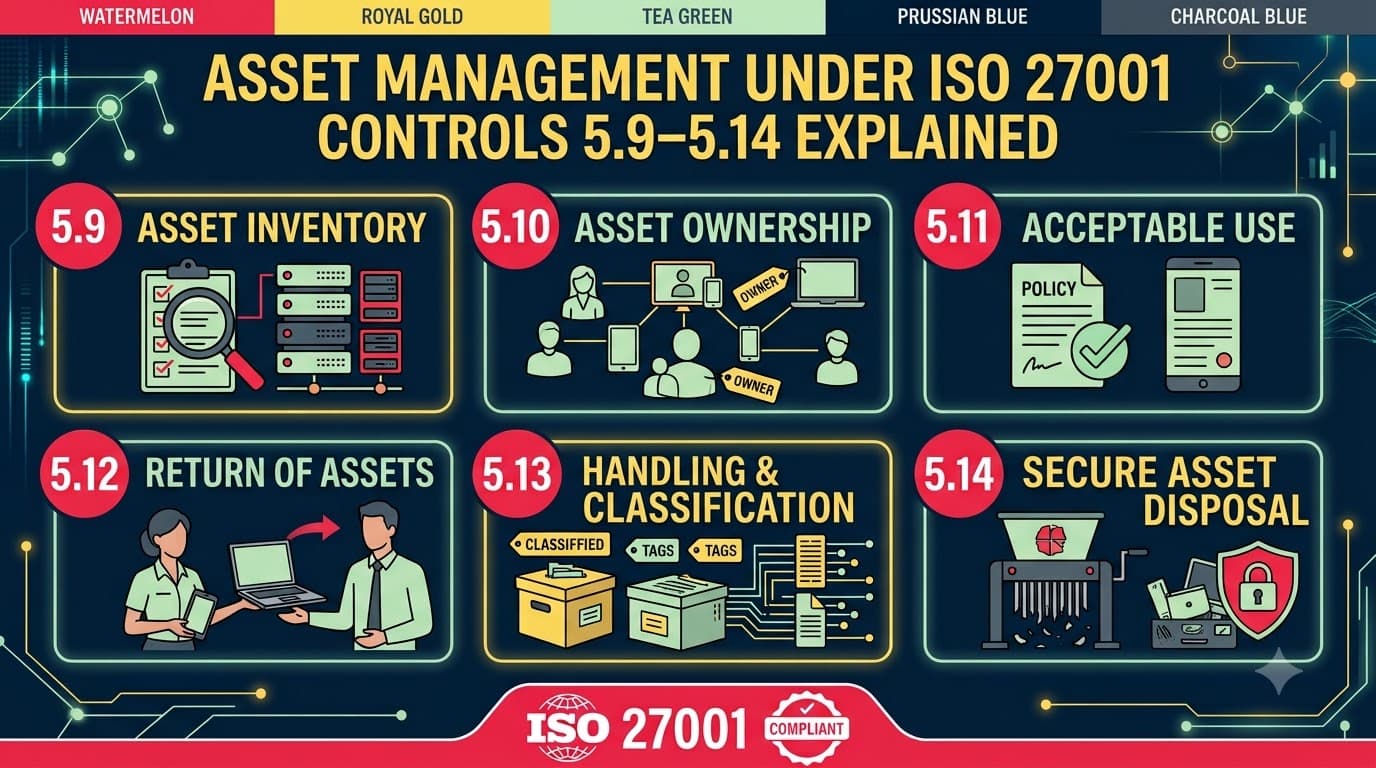
Fenwick & Cole's remediation bill came to just under $290,000: forensic imaging and analysis, legal counsel, a breach notification mailing to 14,000 plan members, two years of credit monitoring for the affected population, and a state insurance regulator inquiry that dragged on for four months. None of it stemmed from a sophisticated attack. It stemmed from a gap between two controls that most people think of as boring paperwork: there was no inventory that included the asset, and there was no classification or labelling that would have told Ryan, his manager, or IT support that the spreadsheets on that machine needed to come back. This is precisely the territory covered by ISO 27001 Annex A controls 5.9 through 5.14 — six controls that, taken together, answer four questions every organization needs to be able to answer instantly: what do we have, who owns it, how sensitive is it, and where is it allowed to go.
Who this is for
This article is for ISMS implementers, IT asset managers, information security officers, and internal auditors who need to stand up — or repair — the asset management backbone of an ISO 27001 program: the inventory, ownership assignments, acceptable-use rules, return-of-assets process, classification scheme, labelling convention, and information transfer controls that sit at controls 5.9 through 5.14. You should already understand the basic shape of the Annex A organizational controls; if you need that grounding first, our complete overview of the Annex A organizational controls covers all 37 controls in the 5.1–5.37 range. What you'll walk away with here is concrete: a worked four-tier classification scheme with handling rules per tier, an asset register template with the fields auditors actually check, a channel-by-channel information transfer control matrix, and enough war stories to know where the gaps usually hide.
Why these six controls travel together
If some of the terminology in this article is new to you — "asset owner," "classification tier," "custodian" — our ISO 27001 glossary of key terms is worth keeping open in a second tab as you read.
ISO/IEC 27001:2022 groups 5.9 through 5.14 back to back for a reason: they describe one continuous lifecycle, not six independent chores. An asset gets identified and entered into inventory (5.9), someone is made accountable for it and told how they may use it (5.10), the information on it gets classified according to its sensitivity (5.12) and marked accordingly (5.13), it moves around the organization and beyond under transfer rules that respect that classification (5.14), and eventually the asset is recovered when the relationship with its custodian ends (5.11). Break any link and the rest of the chain becomes theater. Fenwick & Cole had reasonably good classification training on paper — new hires sat through a slide deck about "confidential data" — but because the laptop was never in the inventory, nobody could apply that training to a real, physical asset at the moment it mattered.
flowchart LR
    A["Identify Asset\n(Control 5.9)"] --> B["Assign Ownership\n& Acceptable Use\n(5.9 / 5.10)"]
    B --> C["Classify Information\n(Control 5.12)"]
    C --> D["Label per Scheme\n(Control 5.13)"]
    D --> E["Handle & Transfer\n(Control 5.14)"]
    E --> F{"Asset still\nin use?"}
    F -- "Yes, ongoing" --> D
    F -- "Role/employment ends" --> G["Return of Assets\n(Control 5.11)"]
    G --> H["Secure Disposal or\nRe-use (Control 7.14)"]
    H --> A
Practitioners coming from other frameworks will recognize the shape of this lifecycle immediately — it maps closely to the asset management category under the Identify function in the NIST Cybersecurity Framework, even though the two frameworks structure and word their requirements differently.
Read left to right, this is the lifecycle an auditor will trace during a Stage 2 audit: pick an asset from the register, ask who owns it, ask what's classified on it, ask how that classification is expressed physically or digitally, ask what would happen if it were emailed to an external party, and ask what happens the day its custodian leaves. If you can answer all five without hesitation, you have a functioning asset management program. If you stumble on any one of them, you have exactly the kind of gap that turned into a six-figure incident at Fenwick & Cole.
"Auditors don't ask to see your asset register because they enjoy spreadsheets. They ask because the register is the one artifact that proves you know the boundaries of what you're protecting. If you can't produce it in under two minutes, that's already a finding." — Elena Marchetti, Lead ISO 27001 Auditor, Meridian Assurance Partners
What a gap actually costs
Before walking through each control in detail, it's worth being concrete about what failure looks like in dollar terms, because "asset management" reads as abstract paperwork right up until an incident makes the stakes obvious. The figures below are illustrative composites drawn from the pattern of engagements I've supported over the years, not a single audited source — but they're realistic enough to use in a business case for the budget and headcount these controls actually require.
Control Gap | Illustrative Incident Scenario | Illustrative Cost Range |
|---|---|---|
No inventory / shadow assets (5.9) | Unregistered device holding customer data is lost, stolen, or resold | $150,000–$400,000 (forensics, notification, regulatory inquiry) |
No acceptable-use enforcement (5.10) | Employee installs unauthorized cloud sync tool; sensitive files replicate to personal account | $40,000–$150,000 (investigation, legal review, contract remediation) |
Weak return-of-assets process (5.11) | Departed contractor retains device/data after termination | $200,000–$300,000 (as at Fenwick & Cole: forensics, notification, credit monitoring) |
No/inconsistent classification (5.12) | Sensitive contract terms shared with the wrong internal audience, triggering client dispute | $50,000–$250,000 (legal costs, contract renegotiation, reputational impact) |
Labels lost across format conversion (5.13) | Exported spreadsheet of "Confidential" data emailed externally with no visible marking | $75,000–$300,000 depending on data type and regulatory exposure |
No verbal/physical transfer rules (5.14) | Call-center agent discloses account details without identity verification, enabling account takeover | $30,000–$120,000 per incident (remediation, customer restitution) |
The pattern across every row is the same: these are not exotic, sophisticated attacks. They're process failures at the seams between people, and they're precisely the failures that a disciplined asset management program is designed to close before they ever reach an incident responder's desk.
Control 5.9 — Inventory of information and other associated assets
Control 5.9 requires an organization to identify its information and other associated assets — hardware, software, information itself, services, people, and physical premises where relevant — assign an owner to each, and keep the resulting inventory current. "Associated assets" is deliberately broad in ISO 27001:2022; it isn't limited to hardware serial numbers. It covers datasets, cloud services, source code repositories, SaaS subscriptions, and even intangible assets like reputation-bearing intellectual property where the organization treats them as in-scope.
Requirement Element | Detail |
|---|---|
What it requires | A documented inventory covering information assets and associated assets (devices, software, services, data stores), each with a named owner, kept accurate as assets are added, moved, or retired. |
What good looks like | A single source of truth (CMDB, asset management platform, or a rigorously maintained spreadsheet for smaller orgs) reconciled against procurement, HR onboarding/offboarding, and cloud billing at a fixed cadence — monthly for high-churn environments, quarterly at minimum. |
Common gap | Shadow assets: contractor laptops issued outside procurement, personal devices used under informal arrangements, SaaS tools purchased on a team credit card, forgotten legacy servers. Inventories that are "current" only as of the last annual audit prep sprint. |
Evidence for audit | Exported inventory report with owner field populated for every row, a change log showing recent additions/retirements, and a reconciliation record tying the inventory to HR leaver reports and procurement receipts. |
The Fenwick & Cole laptop is the textbook shadow asset: procured off-book, never entered anywhere IT or security could see it. The fix isn't a better spreadsheet template — it's a control that catches assets acquired outside the normal channel, which in practice means quarterly reconciliation between the asset register, the finance system's fixed-asset ledger, and a physical spot-check of a sample of desks and storage cabinets.
Control 5.10 — Acceptable use of information and other associated assets
Control 5.10 requires rules for the acceptable use of information and associated assets to be identified, documented, and implemented. This is the control that turns "you have a laptop" into "you have a laptop, and here is what you may and may not do with it" — personal use limits, prohibitions on installing unauthorized software, rules for connecting to unmanaged networks, and expectations around data handling on the device.
Requirement Element | Detail |
|---|---|
What it requires | Documented acceptable-use rules covering both information (how it may be used, copied, stored) and physical/technical assets (devices, accounts, cloud services), communicated to and acknowledged by every user. |
What good looks like | A concise acceptable-use policy, tied to onboarding, reissued or re-acknowledged annually, referenced in employment terms, with explicit coverage of BYOD, removable media, and use of personal cloud storage or personal email for work data. |
Common gap | A policy that exists but was acknowledged once at hire three years ago and never revisited; no mechanism connecting acceptable use to actual device configuration (policy says "no unauthorized cloud storage" but nothing technically prevents it). |
Evidence for audit | Signed/logged acknowledgment records per user, the policy document itself with a version history, and a sample of technical controls (DLP rules, MDM restrictions) that operationalize the policy rather than just stating it. |
Acceptable use and classification are closely linked in practice: an acceptable-use policy that says "handle Confidential information only on company-managed devices" is unenforceable unless people can actually tell which information is Confidential — which is exactly what controls 5.12 and 5.13 exist to solve, further down this article.
Control 5.11 — Return of assets
Control 5.11 requires personnel and other interested parties to return all organizational assets in their possession upon change or termination of their employment, contract, or agreement. It's the control most directly implicated at Fenwick & Cole, and the one auditors probe hardest because offboarding is where security processes are most likely to fray under time pressure or interpersonal awkwardness.
Requirement Element | Detail |
|---|---|
What it requires | A documented process, triggered automatically by HR/contract-end events, to recover devices, access cards, media, and any organizational information held by a departing employee, contractor, or third party — with confirmation of return recorded. |
What good looks like | An offboarding checklist owned jointly by HR and IT/security, triggered the moment a termination date is entered into the HR system, with return of physical assets tracked to completion (not just access revocation) and a final sign-off before the final paycheck or contract closeout. |
Common gap | Access revocation happens reliably (it's automatable and IT owns it cleanly); physical asset return is treated as an afterthought, especially for contractors, remote workers, and informally issued equipment that never made it into the asset register in the first place. |
Evidence for audit | A sample of completed offboarding checklists for the last 12 months showing device serial numbers returned and dates, cross-checked against the HR leaver list — with zero unexplained gaps. |
This is also where control 5.11 intersects with People control 6.5, Responsibilities after termination or change of employment: 5.11 is about getting the physical and information assets back; 6.5 is about the confidentiality obligations that survive the relationship. An auditor who finds a gap in one will usually go looking for a gap in the other.
Control 5.12 — Classification of information
Control 5.12 requires information to be classified according to the information security needs of the organization, based on confidentiality, integrity, and availability requirements, plus legal, contractual, and business value considerations. This is the control most people associate with "sensitivity labels," but it's really a decision framework: given a piece of information, what protection does it need, and who decides?
Requirement Element | Detail |
|---|---|
What it requires | A defined classification scheme (levels, criteria for assigning them, and rules tied to each level), applied consistently across information regardless of format, and reviewed as business or legal context changes. |
What good looks like | A small number of levels (three to five — more than that and adoption collapses), criteria that reference confidentiality/integrity/availability impact plus legal and contractual triggers (e.g., PII, card data, IP), and an owner-driven classification step built into document creation, project intake, and data ingestion workflows. |
Common gap | Either no scheme at all (everything is informally "sensitive" or "not sensitive," which fails audit outright), or a scheme too granular to use (seven levels, inconsistent criteria) that employees route around by defaulting everything to the lowest tier to avoid friction. |
Evidence for audit | The classification policy/scheme document, a sample of classified assets or documents showing the scheme applied in practice, and records showing classification review triggered by relevant events (new regulatory obligation, M&A, new data type onboarded). |
We build out a full worked classification scheme — levels, criteria, and handling rules — later in this article, because a scheme description without the handling rules attached is exactly the kind of policy-only artifact that fails to change behavior.
Control 5.13 — Labelling of information
Control 5.13 requires an appropriate set of procedures for information labelling to be developed and implemented, in accordance with the classification scheme adopted under 5.12. Classification decides what a piece of information is; labelling makes that decision visible to the next person who touches it — a document footer, a file naming convention, an email banner, a physical folder color, a database column tag, a cloud storage bucket policy.
Requirement Element | Detail |
|---|---|
What it requires | Consistent labelling — visible to humans and, where feasible, machine-readable — applied across all formats the information exists in: paper, email, documents, databases, cloud storage, removable media. |
What good looks like | Labels embedded at creation (document templates with classification in header/footer, email client add-ins that force a sensitivity selection, metadata tags on structured data) rather than relied upon as a manual afterthought; labels that persist through copy, export, and format conversion. |
Common gap | Labelling that only exists in the original document template and is lost the moment content is copied into an email, exported to CSV, or pasted into a chat tool — precisely the failure mode behind most "unlabelled asset" leaks. |
Evidence for audit | A sample of documents/data assets across formats showing labels present and consistent with their classification, plus configuration evidence for any automated labelling tooling (DLP, rights management, email add-ins). |
This article covers labelling at the policy and process level; if you're looking to go deeper into the technical enforcement side — automated tagging, rights management, and the data masking and data leakage prevention controls (8.11/8.12) that keep labels alive across formats — that's a dedicated deep-dive topic in its own right, not something a single control article can do justice to.
Labelling gaps are usually format-transition gaps, not creation gaps. Organizations get good at labelling the Word document; they get much worse at labelling what happens when someone exports the underlying data to a spreadsheet, forwards an email chain that strips the original banner, or takes a screenshot. A labelling procedure that only covers "documents" and ignores structured data, chat, and screenshots is incomplete by design.
"The classification training slide deck is the easy part. The hard part is making sure the word 'Confidential' survives three copy-pastes and an export to Excel. If your label dies the moment someone reformats the file, you don't have labelling — you have decoration." — Derek Voss, IT Asset Manager, Cascadia Freight Holdings
Control 5.14 — Information transfer
Control 5.14 requires information transfer rules, procedures, or agreements to be in place for all types of transfer facilities within the organization, between the organization and external parties, covering electronic transfer, physical media transfer, and verbal communication. It's the control that operationalizes classification and labelling at the moment information actually moves — which is also the moment most incidents happen.
Requirement Element | Detail |
|---|---|
What it requires | Documented rules for each transfer channel (email, file share, API, courier, verbal disclosure over phone/video), scaled to the classification of the information being moved, plus transfer agreements with external parties handling anything above the lowest classification tier. |
What good looks like | A transfer control matrix mapping classification level to permitted channel and required safeguard (encryption, approval, agreement in place), enforced technically where possible (DLP, encrypted-only send options) and procedurally where not (verbal disclosure protocols for call centers, ID verification steps). |
Common gap | Rules exist for email and file transfer but nothing addresses verbal transfer (a support agent confirming account details over the phone without verification) or physical media (unencrypted USB drives, printed reports left in a courier envelope with no chain of custody). |
Evidence for audit | The transfer control matrix or policy, sample transfer agreements with key third parties, and DLP/logging evidence showing enforcement for electronic channels — plus training records covering verbal-disclosure protocols for customer-facing staff. |
We expand control 5.14 into a full channel-by-channel matrix later in this article, because in practice the gap is rarely "no policy" — it's a policy that covers the channels security teams think about (email, file transfer) and quietly ignores the ones frontline staff actually use every day (phone calls, instant messaging, personal chat apps).
A worked classification scheme you can actually adopt
The single biggest reason classification programs fail isn't a bad policy document — it's a scheme with too many levels, vague criteria, or handling rules nobody bothered to write down. The scheme below uses four tiers, which in my experience across 200-plus ISMS engagements is the sweet spot: three tiers is sometimes too coarse for organizations handling regulated data (you need to separate "Confidential" from data that triggers specific legal obligations), and anything above five tiers collapses under its own complexity within about six months.
Level | Definition & Trigger Criteria | Examples | Handling Rules (Storage) | Handling Rules (Transfer) | Handling Rules (Disposal) |
|---|---|---|---|---|---|
Public | Approved for release outside the organization; no confidentiality impact if disclosed | Marketing materials, published pricing, press releases, job postings | No restriction | Any channel, no encryption required | Standard deletion |
Internal | Not for external release, but low impact if disclosed accidentally; default tier for day-to-day business information | Internal memos, org charts, meeting notes, non-sensitive project plans | Company systems only; not on personal cloud storage | Internal channels freely; external transfer requires manager approval | Standard deletion; no special disposal chain |
Confidential | Disclosure would cause material business, financial, or reputational harm; includes most customer data, contracts, financial results pre-release | Customer records, contracts, HR files, unreleased financials, source code | Encrypted at rest; access restricted to named roles; no local unmanaged-device storage | Encrypted transfer only; external transfer requires a data transfer/confidentiality agreement; verbal disclosure requires identity verification | Secure wipe per control 8.10 (Information deletion); certificate of destruction for media |
Restricted | Disclosure would cause severe harm — regulatory penalty, safety impact, or loss of competitive position; includes regulated PII, cardholder data, trade secrets, M&A materials | Health records, card PANs, national ID numbers, active M&A documents, cryptographic key material | Encrypted at rest and in use where feasible; access on a named, logged, need-to-know basis only; no removable media without explicit written exception | Encrypted transfer with recipient authentication; external transfer requires signed agreement plus security-team sign-off; verbal disclosure prohibited except through pre-approved, recorded channels | Cryptographic erasure or physical destruction; disposal witnessed and logged |
A few implementation notes that separate schemes people actually use from schemes that decay into shelfware:
Criteria, not vibes. Each level needs a testable trigger — "contains a national identifier," "governed by a signed NDA," "would violate a contractual confidentiality clause if disclosed" — not just "feels sensitive." Testable triggers are what let a new hire classify a document correctly on day one without asking anyone.
Default to Internal, not Public. When classification is skipped (and it will be, under deadline pressure), the fallback should be the second-lowest tier, not the lowest. Fenwick & Cole's actuarial spreadsheets were never actively classified as anything — they defaulted to nothing, which behaved like Public.
Tie the scheme to control 5.34. Anything meeting the Restricted trigger for regulated personal data should also trip the organization's obligations under control 5.34, Privacy and protection of personally identifiable information (PII) — classification is the mechanism that operationalizes privacy obligations at the document and dataset level rather than leaving them as an abstract policy statement. Organizations already mapping to GDPR's special-category data requirements will find most of that mapping transfers directly into this tier.
Borrow directly from payment card and healthcare handling rules where they already exist. If your organization already classifies cardholder data under PCI DSS's cardholder data protection requirements, don't build a parallel scheme — fold that data straight into your Restricted tier and reuse the existing handling controls rather than duplicating them.
Review triggers, not just annual review. A scheme reviewed once a year misses the M&A negotiation that starts in March or the new regulatory obligation that lands in June. Build classification review into change management and legal/compliance intake, not just the annual policy refresh cycle.
Connect classification to retention. How long an asset should be kept, and when it must be securely destroyed, depends heavily on its classification tier and any legal retention obligation attached to it — a topic detailed enough (retention schedules, litigation holds, secure destruction certification) that it deserves its own records-retention deep-dive rather than a paragraph here.
"We tried a six-level scheme in year one because it felt thorough. By month four, ninety percent of documents were classified 'Internal' because nobody could remember the difference between 'Confidential' and 'Restricted — Tier 2.' We collapsed to four levels and adoption tripled inside a quarter." — Sarah Okonkwo, Data Protection Officer, Vantable Pharma
Asset register template: the fields auditors actually check
Control 5.9 doesn't mandate a specific tool — spreadsheets are perfectly acceptable for smaller organizations, provided the register is genuinely maintained and access-controlled. What matters is the field set. The table below is close to what I hand clients as a starting template; add columns for your environment, but don't remove any of these without a documented reason.
Field | Purpose | Notes |
|---|---|---|
Asset ID | Unique identifier | Ties to asset tag, serial number, or system UUID |
Asset name/description | Human-readable identification | Avoid cryptic internal codenames with no cross-reference |
Asset type | Category | Hardware, software/license, information asset, service, physical facility |
Owner | Accountable individual (not just a team) | Named person, not "IT Department" — ownership must be assignable to one accountable human |
Custodian/user | Day-to-day holder, if different from owner | Relevant for shared or pooled assets |
Location | Physical or logical location | Office, data center, cloud region, "off-premises with [named individual]" |
Classification | Highest classification of information the asset holds or processes | Drives the handling rules in the section above |
Business criticality | Impact if unavailable | Feeds business continuity planning under control 5.29/5.30 |
Acquisition date | When it entered the environment | Supports lifecycle and depreciation tracking |
Last verified date | Last reconciliation check | Should never be older than your reconciliation cadence |
Disposal/return date | When retired or recovered | Closes the lifecycle loop back to control 5.11/7.14 |
Linked agreements | Any transfer or confidentiality agreements tied to the asset | Relevant for third-party-held assets under control 5.14/5.20 |
The field that gets skipped most often — and the one that would have saved Fenwick & Cole $290,000 — is "Owner." Teams frequently populate it with a department name rather than a person, which sounds like accountability but functions as none: nobody personally answers for a laptop assigned to "IT Support."
Information transfer rules: channels and required safeguards
Control 5.14 asks for rules covering electronic transfer, physical media transfer, and verbal communication — three categories that get very uneven attention in practice. The matrix below is a starting point for a transfer control policy, scaled against the four-tier classification scheme above.
Channel | Public | Internal | Confidential | Restricted |
|---|---|---|---|---|
Internal email | No restriction | No restriction | Encrypted, internal recipients only | Prohibited — use approved secure workspace instead |
External email | No restriction | Manager approval | Encryption required + transfer agreement on file | Prohibited without security-team exception |
File-sharing platform (approved) | No restriction | No restriction | Access-controlled folder, expiring links only | Access-controlled, watermarked, download disabled |
Removable media (USB, external drive) | No restriction | Discouraged; log if used | Encrypted device only, logged issuance | Prohibited except with written exception and encryption |
Printed/physical documents | No restriction | No restriction | Marked, tracked courier with signature on receipt | Hand-delivered or bonded courier, sealed, signed chain of custody |
Verbal (phone/video) | No restriction | No restriction | Identity verification required before disclosure | Prohibited except via pre-approved, recorded, need-to-know call |
Instant messaging/chat apps | No restriction | Discouraged for business records | Prohibited on unmanaged apps; approved enterprise chat only | Prohibited |
API/system-to-system | No restriction | Authenticated endpoint | Encrypted in transit, authenticated, logged | Encrypted in transit and at rest, mutual authentication, logged with alerting |
Two things this matrix makes visible that a narrative policy usually hides. First, verbal transfer is a real channel with real rules, not an afterthought — call centers and account-management teams disclose Confidential and even Restricted information out loud every day, and if your transfer policy is silent on verbal disclosure you have a documented gap the moment an auditor asks about it. Second, "prohibited" is a legitimate answer for a channel at a given classification level; the matrix's job is to make that explicit rather than leaving staff to guess whether something is merely discouraged.
Where information moves to external parties routinely — a claims processor, an auditor, a cloud provider — the transfer rule should point to a signed agreement, and this is where control 5.14 overlaps directly with supplier controls 5.19 through 5.23 and with the cryptographic requirements in control 8.24, Use of cryptography, which governs how the encryption referenced throughout this matrix is actually implemented and key-managed.
BYOD and remote work: where these controls get tested hardest
Every one of controls 5.9 through 5.14 gets harder the moment the asset in question is a personal phone, a home laptop, or a kitchen table instead of a managed corporate device on a corporate network. Since the shift to hybrid and remote work became permanent for most of the organizations I work with, this is consistently the area where asset management controls are weakest at Stage 1 audit — not because the controls are wrong, but because they were designed with an office-based asset model in mind.
Nuance | Why it breaks the standard control | Practical mitigation |
|---|---|---|
Personal devices holding company data (BYOD) | Control 5.9's inventory assumes company-owned, trackable assets; a personal phone with the corporate email app installed is neither fully visible nor fully controllable | Mobile device management (MDM) with a containerized work profile; inventory the container, not the device, and require enrollment before any Confidential-tier access is granted |
Home networks and shared households | Transfer-channel safeguards (control 5.14) assume a managed network perimeter; a home Wi-Fi network shared with family members isn't one | Mandate VPN or zero-trust access for anything above Internal classification; prohibit printing Confidential/Restricted material at home without a documented exception |
Return of assets for remote leavers (control 5.11) | No in-person handoff moment to prompt device return; shipping introduces delay and cost, and remote terminations are more likely to be adversarial | Pre-paid, tracked return shipping kits triggered automatically by the HR termination event; remote wipe capability confirmed before the termination conversation happens, not after |
Verbal transfer over video calls | Screen-sharing and recording features turn a "verbal" disclosure into a de facto document transfer with none of the labelling controls applied | Extend the transfer matrix explicitly to screen-share and meeting-recording scenarios; disable recording by default for calls handling Confidential/Restricted topics |
Personal cloud storage and browser sync | Acceptable-use policies (control 5.10) are routinely silent on personal iCloud/Google account sync running on a company-enrolled device | Technical controls (DLP, MDM policy) blocking personal cloud accounts on managed devices, not just a policy sentence asking employees not to use them |
Control 6.7, Remote working, sets the broader framework for securing remote work arrangements; controls 5.9 through 5.14 are where that framework gets applied specifically to what assets exist, who's accountable for them, and what may move across a home network boundary. Control 8.1, User endpoint devices, is the technical control layer — MDM enrollment, disk encryption, remote wipe — that makes several of the mitigations above actually enforceable rather than aspirational.
Common mistakes I see across engagements
Mistake | Why it happens | Consequence |
|---|---|---|
Ownership assigned to a team, not a person | Feels more "correct" organizationally; avoids naming an individual as accountable | No one actually checks the asset during reconciliation; classic root cause of the Fenwick & Cole incident |
Classification scheme with too many levels | Built by committee, trying to satisfy every stakeholder's edge case | Staff default everything to the lowest tier to avoid decision fatigue |
Labelling that lives only in the original template | Easiest thing to implement; looks complete in a demo | Labels vanish on export, copy-paste, or format conversion — the single most common root cause of unlabelled-data leaks |
Transfer policy silent on verbal disclosure | Security teams think in terms of systems, not phone calls | Call-center and account-management staff disclose sensitive data with no verification step, and no one notices until a complaint or audit |
Asset register updated only before the annual audit | Reconciliation treated as an audit-prep task rather than an operational habit | Shadow assets accumulate for months between audits, exactly the window where incidents happen |
Return-of-assets process that stops at access revocation | Access revocation is automatable and satisfying to complete; physical recovery is manual and easy to defer | Departed personnel retain devices and, often, the information on them, indefinitely |
Classification applied at document creation only, never re-reviewed | No trigger tied to changing business or legal context | Data that becomes regulated (e.g., after a new privacy law takes effect) stays mislabeled at its original, lower tier |
"I ask every client the same question in kickoff: 'If I picked a random laptop off a random desk right now, could you tell me who owns it and what's classified on it in under sixty seconds?' The honest answer is almost always no, the first time we ask." — James Whitfield, Founder, Whitfield Security Consulting
How 5.9–5.14 map to the rest of the control set
Asset management controls don't operate in isolation — they're the foundation that a half-dozen other control families build on. Getting this mapping straight helps you avoid duplicating work (or worse, contradicting a related control) elsewhere in the ISMS.
Related Control | Relationship to 5.9–5.14 |
|---|---|
Defines the accountability model that asset ownership under 5.9 plugs into | |
New projects should trigger asset inventory entries and classification decisions from day one, not retroactively | |
5.15–5.18, Access control | Access rights should be granted based on an asset's classification level (5.12) — classification is upstream of access decisions, not the reverse |
5.19–5.23, Supplier relationship security | Information transfer to third parties (5.14) is governed contractually through supplier agreements |
5.29–5.30, Business continuity and ICT readiness | Asset criticality ratings in the register feed directly into business continuity and ICT readiness planning |
5.31, Legal, statutory, regulatory and contractual requirements | Feeds classification criteria — what triggers Confidential or Restricted status often comes directly from legal obligation |
5.34, Privacy and protection of PII | Regulated personal data should map to your highest applicable classification tier and inherit its handling rules |
6.5, Responsibilities after termination | Complements 5.11 — return of assets is the physical/informational counterpart to surviving confidentiality obligations |
7.9, Security of assets off-premises; 7.14, Secure disposal or re-use of equipment | Physical-control counterparts governing assets once they leave the office and once they're retired |
8.1, User endpoint devices | Technical enforcement layer (MDM, encryption) for BYOD and remote-work nuances under 5.10/5.14 |
8.10, Information deletion | Governs secure deletion referenced in the classification scheme's disposal column |
8.12, Data leakage prevention | Technical enforcement of the transfer control matrix for electronic channels |
8.24, Use of cryptography | Governs how "encrypted" requirements throughout the transfer matrix are actually implemented |
If your organization hasn't yet built out the access control side of this picture, our guide to access control policy under controls 5.15 through 5.18 picks up exactly where classification leaves off — deciding who gets to see what, once you already know what "what" is.
Assigning ownership: a RACI across the six controls
One of the fastest ways an asset management program stalls is ambiguity about who actually does the work day to day versus who signs off on it. A RACI model — Responsible, Accountable, Consulted, Informed — makes that explicit across the six controls, and it's one of the first artifacts I ask a client to produce during scoping, because arguments about who owns "the spreadsheet" or "the classification decision" are exactly the arguments that stall implementation for months if left unresolved.
Activity | Responsible | Accountable | Consulted | Informed |
|---|---|---|---|---|
Maintain asset inventory (5.9) | IT asset management team | CISO/Information Security Manager | Finance (fixed-asset ledger), Procurement | Department heads |
Assign/confirm asset ownership (5.9) | Department managers | CISO | HR (org structure changes) | IT asset management team |
Publish and enforce acceptable use (5.10) | Information security team | CISO | Legal, HR | All personnel |
Execute return-of-assets process (5.11) | HR + IT Support | HR Director | Line managers | Payroll/Finance |
Define classification scheme (5.12) | Information security team | CISO | Legal, Compliance, Data Protection Officer | All personnel |
Apply classification to a document/dataset (5.12) | Content/data owner | Department manager | Information security team | — |
Implement labelling tooling (5.13) | IT/Security engineering | CISO | End users (usability feedback) | All personnel |
Approve and monitor transfer agreements (5.14) | Legal + Procurement | CISO | Supplier management team | Affected business units |
Notice that "Accountable" for most rows sits with the CISO or equivalent information security leader, while "Responsible" — the actual doing — is distributed across IT, HR, legal, and individual content owners. That distribution is intentional and matches how ISO 27001 frames ownership: the standard expects a named accountable owner per asset, not a single team executing every task, which is precisely the gap that let the Fenwick & Cole laptop slip through unassigned.
Building the program: a 90-day rollout roadmap
Clients who are starting from close to zero — no register, no scheme, no transfer rules — consistently ask the same question: how long will this actually take? The honest answer depends heavily on organizational size and existing tooling, but the roadmap below reflects a realistic first pass for a mid-size organization (roughly 200–500 employees) building controls 5.9 through 5.14 from a standing start, ahead of a certification audit.
Phase | Timeframe | Key Activities | Milestone |
|---|---|---|---|
Discovery | Days 1–15 | Inventory sweep across procurement records, network discovery tooling, and physical spot-checks; identify shadow assets | Draft asset register populated, gaps flagged |
Ownership assignment | Days 16–30 | Map every asset to a named owner via department heads; resolve disputed or orphaned assets | 100% of register rows have a named owner |
Classification scheme design | Days 20–40 (overlaps) | Draft tiered scheme, validate criteria against legal/compliance obligations, pilot with two departments | Scheme approved by information security steering group |
Labelling rollout | Days 35–55 | Deploy document templates, email add-in or DLP tagging, structured-data metadata tags | Labelling live for at least 80% of active document repositories |
Acceptable use & transfer rules | Days 40–60 | Publish/refresh acceptable-use policy; build transfer control matrix; identify third parties needing agreements | Policies approved and communicated to all staff |
Return-of-assets process | Days 45–65 | Redesign offboarding checklist jointly with HR; integrate trigger into HR termination workflow | First test run completed on a live leaver with zero gaps |
Validation & internal audit | Days 66–90 | Sample-test register accuracy, classification consistency, and offboarding completions; remediate findings | Internal audit dry run passes with no major nonconformities |
This 90-day window compresses considerably for smaller organizations with less asset sprawl, and stretches for organizations with significant legacy infrastructure, multiple business units, or unresolved shadow-IT issues — but it's a useful anchor for scoping conversations with leadership who tend to underestimate how much of this work is process design rather than tooling procurement.
Case study: Fenwick & Cole, one year later
After the eBay laptop incident, Priya Nandakumar led a twelve-month remediation that became, unusually, the anchor case study in Fenwick & Cole's successful ISO 27001 certification eighteen months later. The fixes were unglamorous: a quarterly reconciliation between the asset register, the finance department's fixed-asset ledger, and HR's active-contractor list; a rule that no device leaves the supply closet without an asset-tag scan tied to a named owner; and an offboarding checklist that blocks final contractor payment until IT confirms physical asset return. Within a year, the company went from zero confidence in its asset register to a 98% reconciliation match rate at each quarterly check, and its Stage 2 auditor specifically noted the return-of-assets evidence as a strength rather than a finding.
"The board wanted a bigger tool, a fancier platform, some AI-driven asset discovery system. What actually fixed it was tying asset return to the last paycheck and refusing to let anyone skip that step, ever, for any reason. Boring controls are boring because they work." — Priya Nandakumar, CISO, Solvix Health Systems (formerly IT Security Manager, Fenwick & Cole)
Case study: classification adoption at Northbridge Capital
Northbridge Capital, a wealth management firm with roughly 340 employees, came to their ISO 27001 project with a classification policy that had been unchanged since 2016 and was, by their own CISO Tomas Reyes's admission, "completely ignored." Client portfolio data, trade instructions, and internal research sat side by side in the same file shares with no distinguishing marks. The remediation collapsed an old seven-level scheme down to the four-tier model described earlier in this article, embedded classification selection directly into the document management system's "save" dialog (so classifying became a forced step rather than an optional one), and rolled out an email add-in that required a sensitivity tag before any external send.
Within six months of full rollout, Northbridge's DLP alerts for unclassified external transfers of client data dropped by roughly 70%, and — more tellingly — an internal phishing-simulation follow-up test showed a measurable drop in staff willingness to forward client account data over unencrypted channels, because the labelling itself now served as an in-the-moment reminder.
"The old policy was a PDF nobody had opened in years. The new one is a dropdown you can't get past without picking an answer. That's the entire difference between a classification scheme and a classification decoration." — Tomas Reyes, Head of Information Security, Northbridge Capital
Case study: BYOD return-of-assets at a distributed logistics firm
Cascadia Freight Holdings runs a largely remote dispatch and account-management workforce across four time zones, and — as IT Asset Manager Derek Voss discovered during gap analysis — had no formal process for recovering company data from personal phones enrolled for email access when someone left the company. The fix combined an MDM containerization rollout (isolating corporate email and documents into a wipeable container rather than trying to manage the entire personal device) with a revised offboarding workflow that triggers a remote container wipe the moment HR enters a termination date, independent of whether any physical hardware needs to be shipped back.
In the twelve months following rollout, Cascadia recorded zero instances of retained corporate data on a departed employee's personal device during post-termination audits, down from an estimated — by their own prior informal assessment — as many as a dozen unaddressed cases a year under the old, undocumented process.
The strategic case: asset management as competitive advantage, not paperwork
It's easy to treat controls 5.9 through 5.14 as compliance overhead — six more boxes to tick before an auditor signs off. I'd push back on that framing. Every enterprise procurement questionnaire I've reviewed in the last five years asks some version of "do you maintain an asset inventory" and "how do you classify and protect customer data," usually before it asks anything about firewalls or penetration testing — the same underlying discipline that SOC 2's confidentiality trust services criteria evaluates from a different angle. A functioning asset register, a classification scheme your staff actually use, and a transfer control matrix you can produce on request are sales enablement as much as they are risk reduction — they're the difference between a two-week security review and a two-month one when a large client's procurement team comes knocking. Fenwick & Cole didn't just avoid a repeat incident after their remediation; they used the asset management program as differentiated proof of maturity in RFP responses for the next two years, in a market where "we take security seriously" is a sentence every competitor writes on page one of every proposal.
None of these six controls asks for anything technologically ambitious. They ask for discipline: knowing what you have, saying who's accountable for it, deciding how sensitive it is, marking it so the next person knows too, moving it carefully, and getting it back when the relationship ends. Organizations that treat that discipline as a genuine operational habit — not an annual audit-prep sprint — consistently spend less time firefighting and more time closing deals that require a mature security posture as a precondition.
If you're building or repairing your asset management program from scratch, start with our Annex A — All 93 Controls at a Glance cheat sheet to see exactly where 5.9–5.14 sits in the fuller control picture, then pull our ISO 27001 Risk Register Template to connect your new asset inventory directly to risk treatment. If you're not sure what's missing yet, our ISO 27001 Mandatory Documents Checklist will tell you in ten minutes whether your classification policy, acceptable-use policy, and asset register are documented to the standard an auditor expects — and our Gap Analysis Tool will take you deeper if the checklist turns up more than a couple of gaps. For teams building the whole program end to end, The Complete ISO 27001 Implementation Guide walks through asset management alongside every other control family in the sequence that gets you certification-ready fastest.