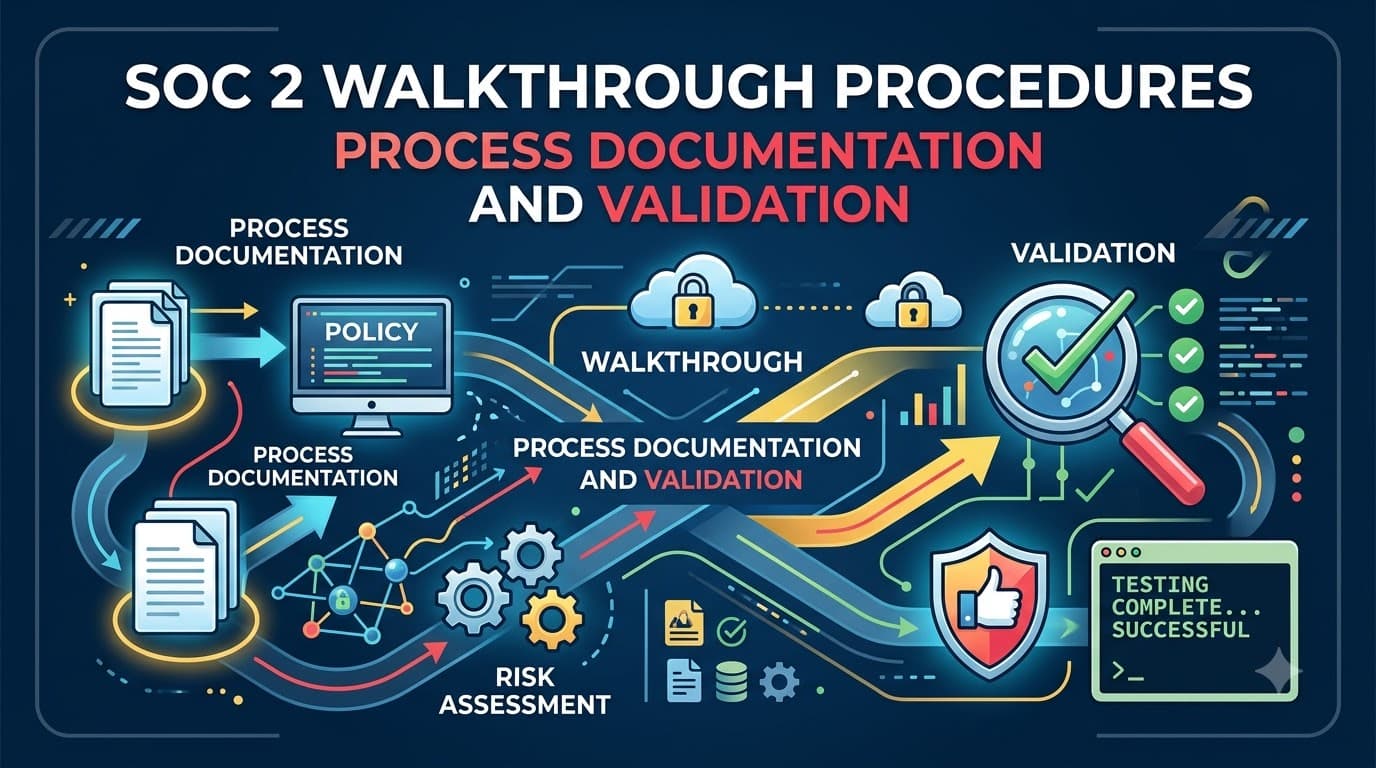
Priya Nandakumar had run two SOC 2 Type II audits before, and both times she thought she understood what "fieldwork" meant. Then, on day three of her third audit as Director of Security Engineering at a claims-processing platform called Ledgerhaus, the engagement lead from the CPA firm asked a question that stopped her cold: "Walk me through what happens, step by step, from the moment a new hire's manager submits an access request to the moment that hire can log into the production database." Priya had a policy document that said access was "reviewed and approved before provisioning." She did not have an answer for what "reviewed" meant in practice, who actually clicked the approve button, whether that person had ever denied a request, or what system recorded the decision. The auditor wasn't testing anything yet — she was still trying to understand the process well enough to know what to test. That ninety-minute conversation, called a walkthrough, ended up reshaping three of Ledgerhaus's access-management controls before testing even began, and it saved the company from what would likely have been a qualified opinion and a very uncomfortable board conversation about a $2.4 million enterprise contract that hinged on a clean report.
Walkthroughs are the most underestimated hour of a SOC 2 audit. Everyone braces for control testing — the sampling, the evidence requests, the exception letters. Almost nobody braces for the walkthrough, because it doesn't feel like an exam. It feels like a conversation. That's exactly why it matters so much: a walkthrough is where an auditor forms their first real opinion of whether your organization actually knows how its own controls work, and that opinion colors everything that follows.
Who This Is For
This article is for control owners, security and engineering leads, compliance managers, and first-time SOC 2 program owners who are about to sit across from an auditor and narrate a process out loud for the first time. You'll walk away understanding exactly what a walkthrough is (and isn't), who shows up to one, what a process narrative and a flowchart need to contain to survive scrutiny, the difference between walkthrough evidence and testing evidence, and the specific mistakes that turn a routine design conversation into a documented deficiency. If you've read our companion pieces on the SOC 2 audit process, evidence collection, and control testing, this article sits at the seam between all three — it's the bridge from "we think we have a control" to "the auditor is now going to test it."
What a Walkthrough Actually Is
A walkthrough is a structured procedure in which the auditor traces a single instance of a business process from initiation to completion, in conversation with the people who actually perform it, to confirm that the control as described on paper matches the control as it operates in reality. The auditor is not yet asking "did this control work every time during the audit period?" They are asking a narrower, more foundational question: "does this control exist, is it designed to address the risk it claims to address, and do the people who run it understand it the same way management described it?"
That distinction — design versus operating effectiveness — is the single most important concept in this article, and we'll return to it repeatedly. A walkthrough is a suitability of design exercise. It happens early, it happens once (or once per major process per audit cycle), and it produces understanding, not a pass/fail verdict on twelve months of history.
Auditors perform walkthroughs for essentially every significant process in scope for the examination: user access provisioning and deprovisioning, change management, incident response, vendor onboarding, backup and recovery, vulnerability remediation, and — if Availability, Processing Integrity, Confidentiality, or Privacy are in scope — the process cycles specific to those criteria too. If your SOC 2 covers ten major control cycles, expect somewhere between eight and fourteen separate walkthrough conversations, because some cycles split into sub-processes (provisioning and deprovisioning are often walked through separately, for example).
Where Walkthroughs Sit in the Audit Timeline
Walkthroughs happen early in fieldwork, almost always before the auditor pulls a single evidence sample for testing. In a Type II report examination, they typically occur at or near the start of the observation period, sometimes repeated or refreshed partway through a long audit window if a process changes materially. In a Type I report examination, the walkthrough largely is the engagement — since Type I only opines on design at a point in time, the walkthrough plus a small amount of corroborating evidence is often sufficient.
The sequencing matters because everything downstream depends on what the auditor learns here. Our SOC 2 audit process article maps the full engagement timeline — scoping, readiness, fieldwork, reporting — and walkthroughs sit squarely inside the fieldwork phase, usually in the first one to three weeks. Get the walkthrough wrong (an inaccurate narrative, a confused control owner, a process that doesn't match the system description) and the auditor either has to redo the walkthrough later, which burns budget and goodwill, or worse, they build a test plan against a control that doesn't actually work the way it was described, which surfaces as an exception much later when it's harder and more expensive to fix.
Audit Phase | Primary Activity | Walkthrough Role |
|---|---|---|
Scoping & readiness | Define system boundary, select TSC | None yet — walkthroughs come after scope is fixed |
Early fieldwork | Understand and validate control design | Core activity — walkthroughs happen here |
Mid-to-late fieldwork | Test operating effectiveness | Walkthrough understanding informs sample design |
Reporting | Draft opinion, description of tests and results | Walkthrough findings shape narrative accuracy checks |
Walkthroughs vs. Tests of Operating Effectiveness
This is the distinction control owners get wrong most often, so it's worth a dedicated, unambiguous table before we go any further.
Dimension | Walkthrough | Test of Operating Effectiveness |
|---|---|---|
Question being answered | Is the control designed suitably and does it exist as described? | Did the control operate consistently throughout the audit period? |
Timing | Early in fieldwork, typically once per cycle | Throughout fieldwork, after walkthroughs are complete |
Sample size | One instance ("walkthrough sample" or a test of one) | A statistically or judgmentally sized sample across the period |
Primary technique | Inquiry, observation, inspection of a single trace | Inspection, re-performance, sometimes observation, across many instances |
Applies to | Type I and Type II engagements alike | Type II engagements only (operating effectiveness has no meaning at a point in time) |
Output | Confirmed or corrected process narrative/flowchart; refined test plan | Deviation rate, exceptions, conclusion on operating effectiveness |
Failure mode | Design gap — the control as described wouldn't address the risk even if followed perfectly | Operating gap — a properly designed control wasn't consistently followed |
Both procedures matter, and a full explanation of the second column lives in our control testing article. The short version for this piece: you cannot skip the walkthrough and go straight to testing, because the auditor has to know what "correct" looks like before they can judge whether twenty-five sampled instances matched it.
Type I, Type II, and the Walkthrough's Changing Role
Because Type I and Type II reports answer different questions, the walkthrough carries different weight in each.
Report Type | What's Opined On | Walkthrough's Weight in the Engagement |
|---|---|---|
Type I report | Design suitability at a point in time | Very high — walkthrough plus limited corroboration is close to the entire fieldwork |
Type II report | Design suitability + operating effectiveness over a period (usually 3–12 months) | High but foundational — walkthrough sets up the much larger testing phase that follows |
If you're deciding between report types, our Type I vs. Type II comparison covers the tradeoffs in depth. What matters here is that even in a Type II audit — where most of the auditor's hours go into testing — a botched walkthrough poisons everything downstream. If the auditor misunderstands your access-review process during the walkthrough, they'll design a test plan for the wrong process, discover the mismatch mid-testing, and have to restart. That costs you calendar time and costs the audit firm hours they'll often pass back to you as scope creep or a fee amendment.
"I tell every client the same thing before their first walkthrough: this is not the exam, this is the syllabus. If you get the syllabus wrong, every question on the exam is going to feel unfair. Slow down, use the actual words your team uses internally, and don't perform a version of the process that only exists in the policy binder." — Marcus Feldhoff, Senior Manager, Haverstock & Yun CPAs
Who Participates in a Walkthrough
A walkthrough is a small meeting by design — the auditor deliberately keeps the room tight so they can ask follow-up questions without the conversation turning into a committee debate. Here's the typical cast.
Role | Who Fills It | Responsibility in the Walkthrough |
|---|---|---|
Lead auditor / engagement senior | CPA firm staff, often a senior associate or manager | Asks the questions, drives the trace, takes notes for workpapers |
Control owner | The person who actually performs the control day-to-day | Narrates the process from lived experience, not from the policy document |
Process owner / manager | The control owner's manager or the department lead | Provides context on exceptions, escalations, and why the control was designed this way |
Compliance/audit liaison | Internal SOC 2 program manager | Keeps the conversation on scope, pulls supporting screenshots or system access if needed live |
System/tool expert (as needed) | Engineer who built or administers the underlying system | Answers technical questions about how the tool enforces the control |
Scribe (optional) | Junior auditor or internal note-taker | Captures the narrative for later comparison against the written process document |
A common mistake is sending the compliance manager alone, because they "know the whole program." Compliance managers know the policy; they rarely operate the control personally, and auditors can tell the difference within a few questions. Bring the person who actually clicks the button.
The Anatomy of a Process Narrative
A process narrative is a written, plain-language description of how a control operates from trigger to completion. It's the artifact you hand the auditor before or during the walkthrough, and it's also the artifact the auditor will hold up next to what you say out loud to check for consistency. A strong narrative answers six questions for every control:
Narrative Element | What It Must Capture |
|---|---|
Trigger | What event starts the process (e.g., a new-hire ticket, a merge request, a monitoring alert) |
Actors | Who is involved, by role, at each step |
Inputs | What information or artifacts are needed to act |
Steps | The sequence of actions, in order, including decision points |
System of record | Where the action is logged or evidenced (ticketing system, IAM platform, CI/CD pipeline) |
Exit condition | What marks the process complete, and what happens on exception or rejection |
Narratives should be written by the control owner, reviewed by their manager, and never copy-pasted from a policy template that describes the ideal rather than the actual. Auditors have seen thousands of narratives; a narrative that reads like marketing copy ("all access requests are rigorously reviewed by senior leadership") rather than an operational description ("the requesting manager submits a Jira ticket; the IT admin on rotation reviews it against the access matrix and approves or denies within one business day") is an immediate red flag that triggers more probing questions, not fewer.
The Anatomy of a Flowchart
Where a narrative describes a process in prose, a flowchart (or swimlane diagram) shows it visually, and for processes with multiple actors or systems, a good flowchart often communicates more accurately than a paragraph ever could — especially for processes with branching logic, like an access request that can be approved, denied, or escalated.
Flowchart Element | Purpose |
|---|---|
Swimlanes | Separate each actor or system so responsibility is unambiguous |
Decision diamonds | Show every branch point (approve/deny, pass/fail, escalate/close) |
Start/end terminators | Mark exactly where the process begins and ends |
System touchpoints | Note which tool or platform each step happens in |
Evidence markers | Indicate where a record is created (ticket, log entry, approval email) |
Below is a simplified example of what a well-built access-provisioning flowchart communicates to an auditor — the kind of diagram a designer or process owner could build from a whiteboard session.
flowchart TD
    A[Manager submits access request in ticketing system] --> B{Request includes role justification?}
    B -- No --> C[Ticket returned to requester for detail]
    C --> A
    B -- Yes --> D[IT admin reviews against role-based access matrix]
    D --> E{Access level matches least-privilege policy?}
    E -- No --> F[Request denied; reason logged in ticket]
    E -- Yes --> G[Access provisioned in IAM platform]
    G --> H[Provisioning event logged automatically]
    H --> I[Manager and requester notified of completion]
    F --> J[Requester and manager notified of denial]
That single diagram, walked through out loud, is usually enough for an auditor to identify the control points worth testing later: the justification requirement (B), the least-privilege check (E), and the automatic logging (H). Notice that the flowchart also exposes a gap most companies don't think about until an auditor asks: what happens to the denial at F? If there's no logged reason, no audit trail, and no re-submission path, that's a design weakness the walkthrough will surface immediately.
Inquiry, Observation, and Inspection: The Three Walkthrough Techniques
Auditors triangulate understanding using three complementary techniques during a walkthrough, and a well-run session uses all three rather than relying on the control owner's word alone.
Technique | What It Involves | What It Confirms |
|---|---|---|
Inquiry | Asking the control owner to narrate the process, including probing "what if" questions | The control owner understands the process and can explain exceptions |
Observation | Watching the control owner perform (or demonstrate) a step live, such as navigating the IAM console | The system behaves as described and the interface supports the stated control |
Inspection | Reviewing a sample artifact — a completed ticket, an approval email, a log entry — from a real, already-completed instance | The described process leaves the evidence trail it claims to leave |
A walkthrough that relies on inquiry alone is weak, and experienced auditors know it. If a control owner says "the system automatically locks accounts after five failed login attempts," a rigorous walkthrough asks to see either the configuration setting (observation) or a log entry showing a real lockout event (inspection) — not just a nod. This is also why you should never treat a walkthrough as a formality you can wing; bring your laptop, be ready to screen-share the actual tool, and have one or two real historical tickets on hand.
"The moment I ask 'can you show me' instead of 'can you tell me,' I learn ninety percent of what I need to know about a control. Teams that can show me instantly, without hunting for the right screen, have almost always internalized the control. Teams that scramble usually have a control that exists on paper more than in practice." — Renata Aoyama, Audit Manager, Cascade Assurance Partners
Common Walkthrough Cycles and What Gets Traced
Every SOC 2 engagement walks through a recognizable set of process cycles, though the exact list depends on scope and which Trust Services Criteria beyond Security are in play.
Process Cycle | Typical Trigger Traced | Typical Participants |
|---|---|---|
User access provisioning | New hire or role change request | HR, hiring manager, IT admin |
User access deprovisioning | Termination or role transfer | HR, IT admin, manager |
Periodic access review | Scheduled recertification cycle | Control owner, system owner |
Change management | Code merge or infrastructure change request | Engineer, reviewer, release manager |
Incident response | Detected security event or alert | On-call engineer, security lead, incident commander |
Vulnerability management | Scan result or CVE disclosure | Security engineer, engineering lead |
Backup and recovery | Scheduled backup job or restore test | Infrastructure/DevOps engineer |
Vendor onboarding | New subservice organization engagement | Procurement, security, legal |
Physical access (if in scope) | Badge request for office/data center | Facilities, security |
Data classification and handling | New data type introduced to the system | Data owner, engineering lead |
If any of these cycles feel unfamiliar, several of our other pillar articles dig into them individually — see our pieces on change management, incident response, and vulnerability management for the control-design detail behind each cycle.
Preparing Process Narratives Before the Audit
The single highest-leverage thing you can do before fieldwork starts is write your process narratives before the auditor asks for them, not during the walkthrough itself. Waiting to improvise a narrative live, in front of an auditor, is how vague or contradictory descriptions happen.
Preparation Step | Why It Matters |
|---|---|
Interview the actual control owner, not their manager | Prevents "policy voice" narratives that don't match reality |
Walk the process yourself internally first | Surfaces gaps before the auditor does |
Cross-check the narrative against the system description | Prevents contradictions between your SOC 2 narrative and your public-facing description |
Identify the evidence artifact at each step | Speeds up both the walkthrough and later testing |
Version and date the narrative | Shows the auditor you maintain these as living documents, not one-off artifacts |
Have the control owner review and sign off | Confirms the written version matches the operator's understanding |
Teams that go through a formal readiness assessment before their first Type II audit almost always produce better walkthrough outcomes, because readiness work forces exactly this kind of narrative-writing discipline months before an auditor is in the room. If you haven't been through readiness yet, our readiness assessment guide is the natural companion to this one.
Evidence You Bring Into a Walkthrough
Walkthrough evidence is different from testing evidence, and conflating the two is a common source of friction. Testing evidence has to demonstrate a control operated across a population of instances; walkthrough evidence just has to corroborate a single trace convincingly enough that the auditor believes the described process is real.
Evidence Type | Example | What It Demonstrates |
|---|---|---|
Process narrative | Written description of the access request lifecycle | The control owner's documented understanding |
Flowchart | Swimlane diagram of the change management pipeline | Visual confirmation of actors, systems, and decision points |
Screenshot or live demo | IAM console showing role-based permission tiers | The system configuration supports the described control |
Single completed artifact | One closed access-request ticket with timestamps | A real instance leaves the evidence trail the narrative claims |
Policy excerpt | Relevant section of the access control policy | Alignment between documented policy and described practice |
Org chart or RACI | Who owns each step | Clarity on segregation of duties and escalation paths |
Our evidence collection article covers the broader universe of audit evidence requested throughout an engagement, including the formal PBC list auditors issue before fieldwork. Walkthrough evidence is a small, front-loaded subset of that list — often just one or two artifacts per cycle, compared to the dozens of samples requested during testing.
The Walkthrough Sample: Tracing One Real Instance
The most credible walkthroughs don't stop at narration — they trace one genuine, already-completed instance of the process from start to finish, checking that each described step actually happened and left the evidence the narrative claims. This is sometimes informally called a "test of one," though it's technically part of the walkthrough rather than a formal test of operating effectiveness (which requires a properly sized sample, not a single instance).
For an access-provisioning walkthrough, that might look like: pick one real employee hired during the past quarter, pull their access request ticket, confirm the manager's justification is on record, confirm the IT admin's approval timestamp precedes the provisioning timestamp, confirm the provisioning event appears in the IAM platform's audit log, and confirm the new hire's access matches the role they were approved for — nothing broader, nothing narrower. If that single trace works cleanly, the auditor has strong corroboration the process is real. If it doesn't, the walkthrough itself surfaces a design or documentation gap before a single dollar of testing budget is spent finding it the hard way.
Trace Step | Evidence Checked | Common Break Point |
|---|---|---|
Request initiated | Ticket creation timestamp and requester identity | Requests submitted verbally or via chat, with no ticket |
Justification documented | Role or business reason recorded | Justification field left blank or generic |
Review performed | Approver identity and decision timestamp | Approver is the same person as the requester (segregation of duties gap) |
Access provisioned | IAM platform log entry | Manual provisioning with no system log |
Access matches approval | Actual granted permissions vs. approved role | Over-provisioning beyond what was approved |
Notification sent | Confirmation to requester/manager | No closing communication, so no defined "done" state |
Common Walkthrough Pitfalls
Across years of sitting in on these sessions, the same handful of pitfalls show up again and again, and almost all of them are avoidable with modest preparation.
Pitfall | Why It Happens | Consequence |
|---|---|---|
Narrative describes the policy, not the practice | Written by compliance, not by the operator | Auditor catches the mismatch during inquiry, credibility drops |
Control owner can't demonstrate the system live | No dry run before the walkthrough | Session runs long, auditor schedules a follow-up |
No single source of truth for the process | Process lives in someone's head or an outdated wiki page | Inconsistent answers across multiple walkthrough participants |
Segregation of duties gap surfaces mid-walkthrough | Same person requests and approves their own access | Design deficiency identified before testing even starts |
Flowchart and narrative contradict each other | Built by different people at different times | Auditor has to reconcile two documents, extending fieldwork |
Evidence artifact can't be located quickly | No indexed evidence repository | Wastes walkthrough time and signals weak evidence discipline |
Control owner uses hedging language ("usually," "typically") | Process isn't consistently followed | Auditor flags this as a likely deviation-rate risk for testing later |
From Walkthrough Gaps to Documented Deficiencies
Not every gap found in a walkthrough becomes a finding in the final report — many are fixed on the spot, before the audit period even closes, especially in a Type I engagement or at the start of a Type II observation window. But gaps found during the observation period, or gaps discovered too late to remediate before testing begins, do carry forward.
Gap Timing | Typical Outcome |
|---|---|
Found before the Type II observation period starts | Remediate immediately; walkthrough re-confirms the fix; no impact on the report |
Found early in the observation period | Remediate quickly; auditor notes the control was not effective for a portion of the period |
Found late in the observation period or during testing | Likely surfaces as a control deficiency or exception in the report |
Found and never remediated | Can lead to a qualified opinion if the deficiency is material |
Our exception management article covers the full lifecycle of a deficiency once it's identified, including how to draft a corrective action plan and manage management response language in the final report. The point to internalize here is that a walkthrough is your cheapest opportunity to catch a design problem — everything discovered later costs more in time, testing scope, and reputational exposure with the auditor.
What the Auditor Documents After a Walkthrough
Auditors don't just walk away with an impression — they produce formal workpapers that become part of the audit file and, eventually, inform the "description of tests of controls" section of a Type II report.
Auditor Output | Purpose |
|---|---|
Updated process narrative (auditor's own words) | Independent record of the auditor's understanding, used to design tests |
Risk-and-control matrix entry | Maps the control to the specific Trust Services Criteria and points of focus it addresses |
Design conclusion | A stated conclusion on whether the control, as designed, is suitable to address the identified risk |
Test plan for the cycle | The sampling approach and test procedures that will follow, informed directly by the walkthrough |
Open items list | Any gaps or follow-up questions the walkthrough surfaced |
This is worth knowing because it reframes what "success" looks like in a walkthrough: you're not trying to pass an exam, you're trying to give the auditor an accurate enough picture that their test plan matches how your control actually works. A walkthrough that goes smoothly but is subtly inaccurate is more dangerous than one that surfaces friction, because it sets up a test plan that will eventually collide with reality.
Walkthrough Timing and Duration by Cycle
Clients consistently underestimate how long walkthroughs take, and then overcorrect the following year by blocking out too much time for cycles that have become routine. Durations below are illustrative planning benchmarks based on typical engagement patterns, not a rule from any standard.
Process Cycle | Typical Session Length | Typical Number of Sessions |
|---|---|---|
User access provisioning/deprovisioning | 60–90 minutes | 1–2 (often split) |
Change management | 60–90 minutes | 1 |
Incident response | 45–60 minutes | 1 |
Vulnerability management | 45–60 minutes | 1 |
Backup and recovery | 30–45 minutes | 1 |
Vendor/subservice onboarding | 45–60 minutes | 1 |
Physical security (if in scope) | 30–45 minutes | 1 |
Data classification and handling | 45–60 minutes | 1 |
A first-year Type II audit typically runs eight to twelve hours of combined walkthrough time across all cycles, spread over one to two weeks. Second- and third-year audits ("SOC 2 renewals") often compress this significantly, because the auditor already has prior-year narratives to refresh rather than build from scratch — provided nothing material changed in the process, which the auditor will confirm before shortening the session.
Remote vs. Onsite Walkthroughs
Most SOC 2 walkthroughs today happen over video call, which changes the mechanics slightly but not the substance of what's being validated.
Factor | Remote Walkthrough | Onsite Walkthrough |
|---|---|---|
Screen-sharing for live system demos | Standard and expected | Still common, sometimes on a shared monitor |
Physical control observation (badge readers, server rooms) | Requires photos/video or a separate site visit | Directly observable |
Scheduling flexibility | High — easier to coordinate across time zones | Lower — requires travel coordination |
Note-taking and recording | Often recorded (with consent) for auditor workpapers | Typically handwritten or typed live |
Cost to the service organization | Lower — no travel, no facility prep | Higher — travel, facility access, escort staff |
Best suited for | Cloud-native SaaS companies with fully digital processes | Organizations with significant physical infrastructure or data centers |
If your organization operates its own data center or has a meaningful physical security scope, expect at least one onsite component even in an otherwise remote-first engagement — physical access controls are difficult to walk through convincingly over video.
Tools Teams Use to Build Narratives and Flowcharts
You don't need specialized audit software to produce walkthrough-ready documentation. What matters is that the artifact is current, accurate, and accessible on demand.
Tool Category | Examples | Best For |
|---|---|---|
Diagramming software | Lucidchart, Miro, draw.io | Swimlane flowcharts with multiple actors/systems |
Documentation-as-code | Markdown/Mermaid in a version-controlled repo | Engineering-heavy teams that want narratives to live alongside code |
GRC platforms | Dedicated compliance automation tooling | Centralizing narratives, evidence links, and control mappings in one place |
Wiki/knowledge base | Confluence, Notion | General-purpose narrative storage, though harder to version-control rigorously |
Office suite documents | Word/Google Docs with embedded diagrams | Simple, familiar, but prone to going stale without an owner |
Whichever tool you choose, assign a named owner and a review cadence — quarterly at minimum, and immediately after any material process change. A narrative that hasn't been touched in eighteen months is one of the fastest ways to fail a walkthrough, because it almost never matches current reality.
Narrative Hygiene Practice | Recommended Cadence |
|---|---|
Full narrative review by control owner | Quarterly |
Flowchart accuracy check against live system | Quarterly |
Update trigger: any tooling change | Immediately |
Update trigger: any personnel change in the control owner role | Within two weeks |
Full re-walkthrough internally before external audit | 2–4 weeks pre-fieldwork |
Walkthrough Preparation Checklist
Use this as a working checklist in the weeks before your auditor arrives for fieldwork.
Checklist Item | Owner | Status Check |
|---|---|---|
Process narrative drafted and reviewed by control owner | Control owner | Written in operational, not policy, language |
Flowchart built and cross-checked against narrative | Compliance liaison | No contradictions between the two artifacts |
One real, completed instance identified for tracing | Control owner | Ticket/log/artifact located and accessible |
Control owner has done a dry run with the compliance liaison | Compliance liaison | Live system demo rehearsed |
Segregation-of-duties gaps checked internally | Compliance liaison | Requester and approver roles confirmed distinct |
Relevant policy excerpt printed or linked | Compliance liaison | Matches the described process |
Calendar invite sent with correct participants | Compliance liaison | Control owner, manager, and any technical SME included |
System access confirmed working before the call | Control owner | No last-minute login or permission issues |
Interview Question Bank: What Auditors Actually Ask
Preparing a control owner for a walkthrough is easier when they've seen the shape of the questions in advance. These are illustrative examples drawn from common walkthrough patterns, not a script any specific auditor will follow verbatim.
Question Type | Example Question |
|---|---|
Trigger | "What specifically starts this process — who initiates it, and how?" |
Actor clarity | "If you're out sick, who performs this step instead?" |
Exception handling | "What happens when a request doesn't meet the criteria — walk me through a denial." |
System behavior | "Can you show me where that gets logged?" |
Timing | "How long does this typically take from request to completion?" |
Segregation of duties | "Could the same person both request and approve this?" |
Consistency | "Is this the same process for every team, or does engineering do it differently than finance?" |
Escalation | "What happens if this step is skipped or missed — is there a check that catches it?" |
Pair this question bank with our SOC 2 Report Reader's Guide eBook, which walks control owners and first-time compliance leads through exactly how auditors think about evidence and process narratives before the real conversation happens.
Common Mistakes Control Owners Make
Even well-prepared control owners fall into a handful of predictable traps during a live walkthrough.
Mistake | What It Signals to the Auditor | Better Approach |
|---|---|---|
Answering with what the policy says instead of what happens | Possible gap between design and practice | Describe the actual last time you did this step |
Overselling the control's rigor | Raises suspicion, invites deeper probing | Be honest about manual steps and their limitations |
Guessing when unsure | Undermines confidence in the whole narrative | Say "let me check" and follow up rather than guess |
Speaking only in generalities | Auditor can't map the answer to a specific control point | Reference the specific system, ticket, or log |
Bringing too many people to "help" | Creates conflicting answers and a longer session | One primary narrator, one or two SMEs on standby |
Treating the walkthrough as adversarial | Creates a defensive, less transparent conversation | Treat it as a genuine explain-and-improve conversation |
"The teams that struggle most are the ones who think a good walkthrough means having zero gaps. I've never once believed a company with zero gaps — it usually means they're not being candid. The teams that impress me are the ones who say, 'here's a manual step we know we want to automate, here's our interim compensating control, and here's the ticket tracking the fix.' That's a mature control environment talking." — Devon Okafor-Reyes, Partner, Okafor-Reyes & Lin LLP
Case Study: Ledgerhaus and the Access-Provisioning Gap
Returning to Priya Nandakumar's story from the opening of this article: the walkthrough at Ledgerhaus, a mid-sized claims-processing SaaS company with roughly 140 employees, exposed that access requests were technically routed through a Jira ticket, but approvals sometimes happened over Slack instead, with no requirement that the Slack approval be pasted back into the ticket. The auditor's traced instance — a real hire from six weeks prior — showed a fourteen-hour gap between when access was provisioned and when any documented approval appeared in the system of record. Priya's team spent the following two weeks enforcing a hard rule: provisioning in the IAM platform would be blocked programmatically until a ticket carried an approval field populated by the approver's own account, not a paste-in from Slack. When the auditor re-traced three fresh instances four weeks later, all three showed approval-before-provisioning with full timestamps. The control moved from a likely deficiency to a clean design conclusion before the Type II observation period closed, and Ledgerhaus renewed its $2.4 million enterprise contract on schedule with an unqualified opinion in hand.
Case Study: A FinTech's Change Management Flowchart Rebuild
A payments infrastructure startup — we'll call it Northfield Rails for this illustration — went into its first SOC 2 Type II walkthrough with a change management narrative that described a formal pull-request review and a change advisory board sign-off. In reality, engineers routinely merged hotfixes directly to production during incidents, bypassing both. The walkthrough's traced instance happened to land on a normal, non-emergency deploy, which passed cleanly — but the auditor asked a pointed follow-up: "What does this process look like during an incident?" Northfield's engineering lead answered honestly, describing the bypass path. Rather than treat this as a failure, the compliance team worked with engineering to formally document an emergency-change procedure as a distinct, secondary control path, complete with mandatory post-incident retroactive review within 24 hours. That second path became its own line in the flowchart, tested separately during the audit. The result: instead of one control that quietly failed under pressure, Northfield ended up with two well-documented controls, and the auditor's report described both accurately — with zero exceptions related to change management for that cycle.
Case Study: A Healthcare Platform's Vendor-Onboarding Walkthrough
A digital health scheduling platform handling patient-adjacent data went through its walkthrough for subservice organization onboarding and discovered a narrower but costly gap: the security questionnaire sent to new vendors was thorough, but nobody could produce evidence that anyone had reviewed the answers before a vendor was approved — the questionnaire was collected and filed, not evaluated. The single traced instance showed a vendor onboarded nine days after submitting a questionnaire with no reviewer sign-off anywhere in the record. The fix was inexpensive: a mandatory sign-off field in the procurement ticketing system, tied to a named security reviewer, with a two-business-day SLA. It took the compliance team roughly three days to implement and back-test against two more historical vendors before the auditor's testing phase began. The takeaway the company's VP of Compliance later shared internally: the gap cost almost nothing to fix once it was visible, but it would have shown up as a control deficiency in the final report — and in front of the healthcare customers reading it — had it surfaced during testing instead of during the walkthrough.
"A walkthrough finding is a gift. It's the cheapest deficiency you will ever fix, because you're fixing it before it's counted against a whole audit period. By the time the same gap shows up in testing, you're not fixing a process anymore — you're explaining an exception in a report your prospects are going to read." — Elena Vasquez-Tran, VP of Compliance, Meridian Health Scheduling
Walkthrough Cost and Time Budget
Understanding roughly how walkthrough time translates into audit fees helps you budget realistically, particularly if you're negotiating scope with a CPA firm for the first time.
Engagement Stage | Typical Auditor Hours (Illustrative) | Cost Sensitivity |
|---|---|---|
Walkthrough prep (auditor reviewing your narratives/policies) | 4–8 hours | Lower if narratives are clear and current |
Walkthrough sessions (all cycles combined) | 8–14 hours | Scales with number of in-scope TSC and process cycles |
Walkthrough follow-up and workpaper documentation | 3–6 hours | Higher if gaps require re-walkthroughs |
Re-walkthrough due to material process change mid-period | 2–5 hours per cycle affected | Avoidable with good change communication to the auditor |
Poorly prepared walkthroughs are one of the most common — and most avoidable — sources of scope creep in a SOC 2 engagement budget. Our cost management article breaks down the full fee structure across an engagement; walkthrough inefficiency is consistently one of the top three line items compliance leads flag as "wish we'd known to prepare for."
From Walkthrough to Sample Selection
Once the walkthrough confirms a control's design and produces (or corrects) the narrative and flowchart, the auditor uses that understanding to build the actual test plan — deciding how large a sample to pull, over what period, and using what method. That handoff is where walkthrough work ends and testing work begins.
Walkthrough Output | How It Shapes the Test Plan |
|---|---|
Confirmed process frequency (daily, weekly, per-event) | Determines whether a small test of one or a larger audit sampling approach applies |
Identified system of record | Tells the auditor exactly where to pull the testing population for sampling |
Confirmed control points (approval, review, logging) | Defines what the auditor will specifically inspect or re-perform in each sampled instance |
Identified manual vs. automated steps | Automated controls may warrant a smaller sample once configuration is confirmed; manual controls typically need larger samples |
Any gaps found and remediated pre-period | May require the auditor to test both the pre-fix and post-fix state separately |
Our sample selection article picks up exactly where this one leaves off, covering how auditors size and choose samples once the walkthrough has done its job. Together, walkthroughs and sample selection form the two halves of "understanding the control" and "proving the control worked" — and conflating them is the single most common misunderstanding first-time SOC 2 clients bring into fieldwork.
Walkthroughs Across the Trust Services Criteria
Walkthroughs aren't limited to Security controls. Every Trust Services Criterion in scope for your engagement gets its own set of process walkthroughs, and the topics shift accordingly.
Trust Services Criterion | Example Walkthrough Topic |
|---|---|
Trust Services Criteria — Security (Common Criteria, required) | Access provisioning, change management, incident response |
Capacity monitoring, failover testing, incident escalation for downtime | |
Input validation, reconciliation, error-handling and correction workflows | |
Confidentiality | Data classification tagging, access restriction to confidential data types |
Consent capture, data subject access request handling, retention/deletion procedures |
If your engagement scopes in Availability or Processing Integrity, expect two to four additional walkthrough sessions covering those criteria's specific control cycles — capacity planning and reconciliation processes, in particular, tend to surprise first-time clients with how much operational detail an auditor wants walked through, because these controls often live partly in engineering runbooks that were never written with an audit in mind.
Multi-Year Walkthroughs: What Changes in Renewal Audits
First-year walkthroughs are the most time-consuming because the auditor is building understanding from zero. In renewal years, the dynamic shifts: the auditor already has last year's narrative and flowchart on file, and the walkthrough becomes a confirmation-and-update exercise rather than a ground-up build.
Factor | Year One (First SOC 2) | Renewal Year |
|---|---|---|
Starting point | No prior narrative exists | Prior-year narrative and flowchart as baseline |
Typical session length | Full 60–90 minutes per cycle | Often 20–40 minutes if no material change |
Auditor's questions | Broad, exploratory | Targeted at what changed since last year |
Risk of surprises | Higher — first exposure to real process gaps | Lower, but new tooling or reorgs can reintroduce risk |
Client preparation burden | High — narratives built from scratch | Moderate — update existing artifacts, flag changes |
The renewal-year efficiency only holds if you proactively tell your auditor what changed. Teams that stay quiet about a new IAM platform, a reorganized on-call rotation, or a new subservice organization and let the auditor discover the change mid-walkthrough lose the renewal-year time savings entirely, because the auditor has to treat the changed process as effectively new. A short pre-fieldwork call flagging "here's what's different since last year" routinely saves hours of walkthrough time.
Building a Walkthrough-Ready Culture Year-Round
The organizations that breeze through walkthroughs aren't the ones that cram in the two weeks before fieldwork — they're the ones that treat process documentation as a living part of how the team operates, independent of the audit calendar.
Practice | What It Looks Like Day to Day |
|---|---|
Narrative ownership embedded in role definitions | The control owner's job description explicitly includes "maintain the current process narrative" |
Documentation reviewed at every tooling change | Narrative updates are a checklist item in the change management process itself |
New hires trained against the current narrative | Onboarding for control-owner roles includes walking the actual documented process |
Internal mock walkthroughs | Compliance runs a lightweight internal walkthrough one to two months before fieldwork |
Evidence indexed continuously | Tickets, logs, and approvals are tagged or linked for fast retrieval, not hunted for after the fact |
This is also where a broader governance, risk, and compliance mindset pays off — treating control documentation as an operational asset rather than an annual audit chore. Organizations pursuing both ISO 27001 certification and a SOC 2 report often find that ISO's emphasis on documented procedures and internal audits builds exactly this muscle; our cross-pillar guide on running ISO 27001 and SOC 2 together explains how the two frameworks' documentation requirements reinforce each other rather than duplicate effort. If you're still deciding which framework to pursue first, ISO 27001 vs. SOC 2: which one do you need is a useful primer, and the ISO pillar's own internal-audit content pairs closely with the SOC 2 walkthrough concept — ISO 27001's Clause 9.2 internal audit requirement functions as a close cousin, using similar process-tracing techniques to validate an information security management system rather than a Trust Services Criteria-based control set. Teams running both programs often reuse the same process narratives and flowcharts across both audits, which is one of the more concrete efficiency wins of a dual-framework strategy, a topic our ISO 27001, SOC 2 & NIST CSF crosswalk explores from the control-mapping side.
Walkthroughs as a Business Opportunity, Not Just an Audit Step
It's tempting to treat walkthroughs as a compliance chore to survive, but the organizations that get the most value out of SOC 2 treat them as a free, expert-led process review. You're getting an experienced auditor's honest assessment of whether your access management, your change process, and your incident response actually hold together under scrutiny — insight most companies would otherwise pay a consultant to provide. Every design gap a walkthrough surfaces is a gap your customers, your board, and eventually a real incident would have found anyway, just later and at a much higher cost. Priya Nandakumar's team at Ledgerhaus didn't just fix a control for the sake of the audit; they fixed a real security weakness that had been sitting in their access-provisioning process for over a year, invisible until someone asked the right question in the right order.
The teams that consistently produce clean, efficient walkthroughs share a pattern: they don't build documentation for the auditor, they build it for themselves, and the audit becomes a byproduct of already knowing how their own controls work. That posture also plays well commercially — sales and customer-success teams increasingly get asked pointed security questions during procurement, and a compliance program that can produce a clear, accurate process narrative on demand is a genuine competitive advantage in an enterprise sales cycle, not just an audit artifact.
If you're heading into your first walkthrough season, start with our SOC 2 Readiness Checklist to identify which process cycles need narrative work before fieldwork begins, and use our SOC 2 Control Matrix / RACI Template to assign clear ownership for every control before the auditor asks "who does this." For teams building their documentation program from scratch, our SOC 2 Policy Pack gives you a starting structure that maps cleanly to the narrative elements auditors expect to see, and PentesterWorld's broader assessment and advisory services can help you run an internal mock walkthrough before the real one, so the only surprises left for fieldwork are the good kind.