Owen Marsh found out how unforgiving the Common Criteria are three weeks before his auditor's fieldwork was supposed to close.
Owen is the VP of Security at Cascadia Health Analytics, a Seattle-based healthtech company that turns claims data into risk-adjustment insights for regional hospital networks. Cascadia had spent eleven months chasing a $4.2 million, four-year contract with Highline Regional Health System — a deal that would double the company's enterprise book of business, but only if Cascadia could produce a clean SOC 2 Type II report before Highline's board met to finalize the vendor selection. Owen's team had built what they believed was a solid control environment: single sign-on everywhere, a documented risk assessment, a change management process nobody had complained about in over a year. The report, they assumed, was a formality.
Then the auditor's interim testing letter arrived. Two findings, both squarely inside the Common Criteria. First, a terminated contractor's VPN credentials had stayed active for eleven days after his last day — a CC6.2 logical access exception, caught because the auditor sampled exactly that termination out of a population of forty-one. Second, three of twenty-five sampled production changes had no documented approval before deployment — a CC8.1 change management exception, because two engineers had pushed hotfixes directly and backfilled the Jira tickets afterward. Neither finding involved a breach. Neither finding involved data loss. Both findings were still going to appear in Section IV of the report, in writing, for Highline's audit committee to read.
"You have three weeks to remediate before we finalize testing," the audit partner told Owen on the call. "I can't erase what already happened during the period — the exceptions will be documented regardless. But I can document your remediation alongside them, and that's a very different report than one where nothing changed." Owen spent the next three weeks doing what he should have built into the control design from day one: an automated deprovisioning workflow tied to the HR termination trigger, and a hard block in the CI/CD pipeline that would not let code reach production without a linked, approved change ticket. The report that reached Highline's board showed two exceptions and a documented, verifiable remediation for each — dated, evidenced, and closed before the report was issued. The deal closed on schedule. But Owen has told that story to every new hire on his team since, because it is the cleanest illustration he has of a truth that catches a lot of first-time SOC 2 companies off guard: the Security criteria aren't a checkbox category. They're the floor the entire report stands on, and there is no version of SOC 2 where you get to skip them.
Who this is for and what you'll walk away with
This article is for the person actually responsible for making the Common Criteria real — implementing controls, generating evidence, and standing behind them when an auditor samples your population and asks you to prove it. You'll walk away with a control-by-control breakdown of all nine CC areas (CC1 through CC9), concrete implementation examples for each, the specific evidence artifacts auditors expect to see, how the Common Criteria map to the underlying COSO framework, the exceptions that show up most often in real Type II testing, and a phased roadmap for building this out if you're starting close to zero. Eighteen tables, a diagram of how the nine areas fit together, three case studies with quantified outcomes, and the vocabulary you need to have a precise conversation with your auditor instead of a vague one.
Security isn't one of five options — it's the floor everything else stands on
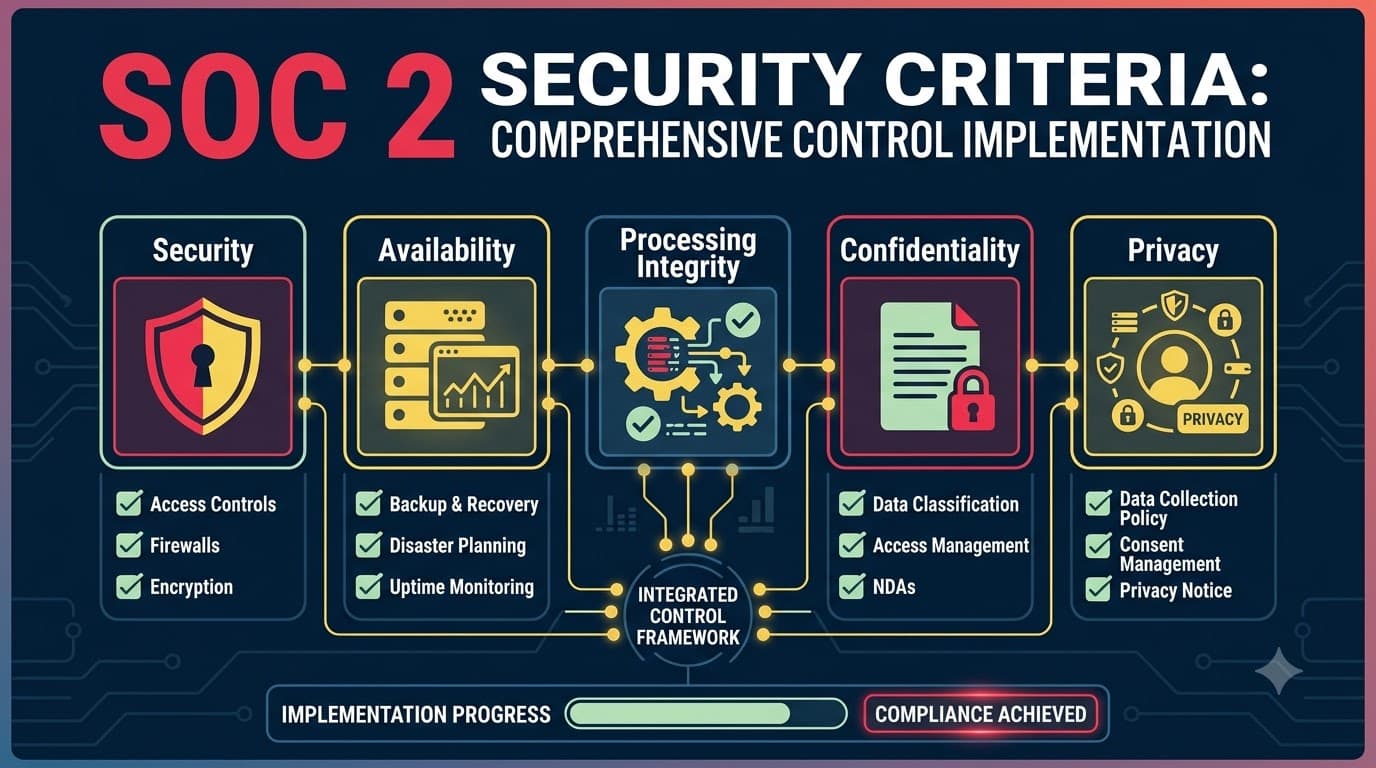
Every SOC 2 report is built on the Trust Services Criteria — five possible categories an organization can be examined against: Security, Availability, Processing Integrity, Confidentiality, and Privacy. Only one of those five is mandatory. The Common Criteria, also called the Security criteria or the CC-series, must appear in every single SOC 2 report, Type I or Type II, regardless of industry, regardless of what a company sells, regardless of what the sales team promised a prospect during a demo. There is no version of a SOC 2 engagement where a service organization opts out of the Common Criteria the way it can opt out of Availability or Privacy. If you've read our companion piece on SOC 2 Trust Services Criteria: Security, Availability, Processing Integrity, Confidentiality, Privacy, you already know that broader shape. This article goes deep on the one category every service organization has to implement regardless of scope decisions.
The other four TSC categories are additive — you select them based on the commitments you've made to customers and the nature of your system. A company that stores customer files selects Confidentiality. A company processing financial transactions selects Processing Integrity. A company with uptime SLAs selects Availability. A company handling consumer personal data at scale may select Privacy. None of those decisions change what's required in the Security criteria, because the Common Criteria answer a different, more fundamental question than any of the optional categories: does this organization have a functioning system of internal control at all? Everything else in a SOC 2 report is evaluated against a control environment the Common Criteria establish first.
TSC Category | Required or Optional | What It Covers | Where We Cover It |
|---|---|---|---|
Security (Common Criteria) | Required in every SOC 2 | Access control, system operations, change management, risk mitigation, and the underlying control environment — this article | This article |
Availability | Optional, add if you've made uptime/performance commitments | System availability for operation and use as committed | SOC 2 Availability Criteria: System Uptime and Performance Management |
Processing Integrity | Optional, add if system processing accuracy is a customer commitment | Completeness, validity, accuracy, timeliness, and authorization of processing | SOC 2 Processing Integrity: Data Accuracy and Completeness Controls |
Confidentiality | Optional, add if you hold confidential (not just personal) customer data | Protection of information designated as confidential per agreement | SOC 2 Confidentiality Criteria: Information Protection Beyond Security |
Privacy | Optional, add if you collect/process personal information at meaningful scale | Collection, use, retention, disclosure, and disposal of personal information | SOC 2 Privacy Criteria: Personal Information Management and Protection |
Nearly every scoping conversation I've run with a first-time SOC 2 client starts with a version of "which criteria do we need?" The honest answer is that Security isn't a decision — it's the baseline. The decision is which of the other four to layer on top, and that decision doesn't touch a single control described in this article.
The nine Common Criteria areas, at a glance
The Common Criteria are organized into nine lettered-and-numbered areas, CC1 through CC9, each broken into numbered points of focus (for example, CC6.1, CC6.2, and so on through CC6.8). The first five areas, CC1 through CC5, map directly onto the five components of the COSO internal control framework. The remaining four, CC6 through CC9, are AICPA-specific additions that extend COSO's general control principles into the technical territory a SOC 2 examination actually has to test — access, operations, change, and third-party risk.
CC Area | Name | What It Governs | COSO-Aligned? |
|---|---|---|---|
CC1 | Control Environment | Tone at the top, org structure, HR practices, board oversight, competency | Yes — COSO Component 1 |
CC2 | Communication and Information | Internal/external communication of policies, objectives, responsibilities | Yes — COSO Component 2 |
CC3 | Risk Assessment | Identifying, analyzing, and managing risk to objectives, including fraud risk | Yes — COSO Component 3 |
CC4 | Monitoring Activities | Ongoing and separate evaluations of control effectiveness, deficiency remediation | Yes — COSO Component 4 |
CC5 | Control Activities | Selecting, developing, and deploying controls, including technology controls | Yes — COSO Component 5 |
CC6 | Logical and Physical Access Controls | Identity, authentication, authorization, encryption, physical access, malware | AICPA extension |
CC7 | System Operations | Vulnerability management, monitoring, incident detection and response | AICPA extension |
CC8 | Change Management | Authorizing, developing, testing, and approving changes to systems | AICPA extension |
CC9 | Risk Mitigation | Business disruption mitigation and vendor/business partner risk management | AICPA extension |
Think of CC1 through CC5 as the governance and organizational scaffolding — the kind of thing an auditor could largely evaluate through interviews, policy review, and board minutes. CC6 through CC9 are where the scaffolding gets tested against real systems: can you show, with logs and tickets and configuration exports, that access is actually controlled, operations are actually monitored, changes are actually reviewed, and vendors are actually managed. Most of the exceptions I see in Type II reports concentrate in CC6 through CC9, not because CC1 through CC5 don't matter, but because governance controls are easier to design correctly on paper than technical controls are to operate consistently for six to twelve months straight.
flowchart TB
    subgraph COSO["COSO-aligned governance (CC1–CC5)"]
        CC1[CC1 Control Environment]
        CC2[CC2 Communication & Information]
        CC3[CC3 Risk Assessment]
        CC4[CC4 Monitoring Activities]
        CC5[CC5 Control Activities]
    end
    subgraph EXT["AICPA technical extensions (CC6–CC9)"]
        CC6[CC6 Logical & Physical Access]
        CC7[CC7 System Operations]
        CC8[CC8 Change Management]
        CC9[CC9 Risk Mitigation]
    end
    CC1 --> CC5
    CC2 --> CC5
    CC3 --> CC5
    CC4 --> CC5
    CC5 --> CC6
    CC5 --> CC7
    CC5 --> CC8
    CC5 --> CC9
    CC6 -.evidence feeds.-> CC4
    CC7 -.evidence feeds.-> CC4
    CC8 -.evidence feeds.-> CC4
    CC9 -.evidence feeds.-> CC4
"New clients almost always underestimate CC6 through CC9 and overestimate CC1 through CC2. They'll show up with a beautiful information security policy and no idea whether their last twenty account terminations actually got deprovisioned on time. I'd rather see the reverse — sloppy policy language backed by airtight access logs — because I can help you fix wording in an afternoon. I can't retroactively create six months of access review evidence you never ran." — Renata Kucera, Audit Partner, Kucera & Ames CPAs
How the Common Criteria map to COSO's 17 principles
The AICPA didn't invent the underlying logic of the Common Criteria from scratch. It adopted the COSO Internal Control – Integrated Framework, the same framework auditors have used for financial-reporting internal controls for decades, and mapped its five components and seventeen principles directly onto CC1 through CC5. If you've worked in internal audit or financial controls before moving into security compliance, this mapping will look immediately familiar. If you haven't, it's worth internalizing, because it explains why CC1 through CC5 read the way they do — less like technical security controls and more like classic governance controls, because that's exactly their lineage.
COSO Principle | Principle Description (Summarized) | Maps to CC Area |
|---|---|---|
Principle 1 | Demonstrates commitment to integrity and ethical values | CC1 |
Principle 2 | Board demonstrates independence and oversight | CC1 |
Principle 3 | Establishes structure, authority, and responsibility | CC1 |
Principle 4 | Demonstrates commitment to competence | CC1 |
Principle 5 | Enforces accountability | CC1 |
Principle 6 | Specifies suitable objectives | CC3 |
Principle 7 | Identifies and analyzes risk | CC3 |
Principle 8 | Assesses fraud risk | CC3 |
Principle 9 | Identifies and analyzes significant change | CC3 |
Principle 10 | Selects and develops control activities | CC5 |
Principle 11 | Selects and develops general controls over technology | CC5 |
Principle 12 | Deploys controls through policies and procedures | CC5 |
Principle 13 | Uses relevant, quality information | CC2 |
Principle 14 | Communicates internally | CC2 |
Principle 15 | Communicates externally | CC2 |
Principle 16 | Conducts ongoing and/or separate evaluations | CC4 |
Principle 17 | Evaluates and communicates deficiencies | CC4 |
Notice there's no principle mapped to CC6, CC7, CC8, or CC9 — because there isn't one. COSO's seventeen principles are deliberately technology-agnostic; they were written to apply to any organization's internal control system, financial or otherwise. The AICPA added CC6 through CC9 specifically because a trust-services examination has to test something COSO alone doesn't require: whether the technical implementation of access, operations, change, and vendor risk actually functions the way the governance layer says it should. CC1 through CC5 tell you whether the organization is structured to manage risk. CC6 through CC9 tell you whether that structure produces working controls on real systems.
CC1: Control Environment
CC1 establishes the tone, structure, and accountability that every other control in the report ultimately rests on. Auditors evaluate CC1 largely through document review and interviews, but "largely through interview" doesn't mean "hard to fail" — I've seen CC1 exceptions from companies that had strong technical controls everywhere else, simply because nobody could produce evidence that leadership had formally reviewed and approved the security policy in the last twelve months.
Control Example | Implementation Detail | Evidence an Auditor Will Sample |
|---|---|---|
Written information security policy | Approved by executive leadership, reviewed and re-approved at least annually | Signed/dated policy document, version history, approval meeting minutes |
Code of conduct / acceptable use policy | Signed by every employee and contractor at onboarding, re-attested annually | Signed acknowledgment records in HR/HRIS system |
Background checks | Criminal and employment verification performed before start date for all new hires | Redacted background check confirmation records tied to hire dates |
Defined security roles and responsibilities | Org chart and RACI showing who owns which control domain | Current org chart, job descriptions referencing security duties |
Board or leadership security oversight | Quarterly security review presented to executive leadership or board | Meeting minutes, presentation decks, attendance records |
Performance accountability | Security responsibilities included in relevant employees' performance reviews | Sample performance review templates/records referencing security duties |
"The most common CC1 exception I write isn't 'no policy exists.' It's 'the policy exists but nobody can show me it was reviewed this year.' Policies expire the moment they stop being read by the people responsible for them. Put a review date and an owner on every policy document, or that document becomes a liability instead of an asset the day an auditor asks for the last approval." — Renata Kucera, Audit Partner, Kucera & Ames CPAs
CC2: Communication and Information
CC2 tests whether the organization actually gets the right information to the right people — internally, so employees know what's expected of them, and externally, so customers and other stakeholders understand relevant commitments. It's the criteria area most often reduced to "did people watch the training video," and that reduction is exactly how CC2 evidence ends up too thin to survive sampling.
Control Example | Implementation Detail | Evidence an Auditor Will Sample |
|---|---|---|
Security awareness training | Mandatory annual training for all staff, tracked to completion, new-hire training within first 30 days | LMS completion reports with names, dates, and pass/fail status |
Policy communication and acknowledgment | Central policy repository (wiki/intranet) with required acknowledgment on publish and update | Acknowledgment logs tied to policy version |
Incident/whistleblower reporting channel | Documented, confidential channel for reporting security concerns or ethics violations | Whistleblower policy, sample (redacted) reports and resolution records |
External communication of security commitments | Public-facing security/trust page describing commitments and how to reach the security team | Trust portal content, published security.txt file, contact records |
Internal escalation paths | Documented escalation matrix for security-relevant decisions and incidents | Escalation policy/runbook, sample escalation records |
Onboarding security briefing | New hires receive a live or recorded security orientation covering acceptable use and reporting | Onboarding checklist records, session attendance |
A trust portal is worth calling out specifically here, because it does double duty: it satisfies part of the CC2 external-communication expectation and it's increasingly what enterprise prospects check before a sales call even happens. If you're building or updating one, make sure the content actually reflects your current control environment — a trust portal describing controls you retired eighteen months ago is its own kind of CC2 problem.
CC3: Risk Assessment
CC3 asks a deceptively simple question: does the organization identify and analyze the risks to its objectives, including fraud risk, on an ongoing basis? The exception I see most in this area isn't "no risk assessment exists" — it's "the risk assessment exists but was performed once, two years ago, and never updated when the business changed."
Control Example | Implementation Detail | Evidence an Auditor Will Sample |
|---|---|---|
Formal annual risk assessment | Documented methodology (likelihood × impact), covering internal and external risk sources | Risk assessment report with methodology, date, and sign-off |
Risk register | Living document tracking identified risks, owners, treatment plans, and status | Current risk register export with dates and change history |
Fraud risk consideration | Explicit fraud risk component within the broader risk assessment | Fraud risk section of the assessment, or standalone fraud risk memo |
Change-triggered reassessment | Risk register updated when significant business, system, or personnel changes occur | Risk register entries tied to specific change events (e.g., new product launch) |
Vendor/third-party risk consideration | Vendor risk folded into the enterprise risk assessment, tiered by data sensitivity | Vendor risk tiering documentation, cross-referenced with CC9 |
Risk treatment approval | Leadership reviews and approves risk treatment decisions (accept/mitigate/transfer/avoid) | Meeting minutes or sign-off records approving treatment plans |
"I ask every client the same question during readiness work: 'What changed in your business this year, and did your risk assessment change with it?' If they launched a new product, hired a hundred people, or moved to a new cloud region and the risk register looks identical to last year's, that's not a stable control environment — that's a risk assessment nobody actually revisits." — Priya Chandrasekaran, GRC Lead, Bramwell Data
CC4: Monitoring Activities
CC4 tests whether the organization checks its own work — through ongoing operational monitoring, periodic separate evaluations, or both — and whether deficiencies it finds actually get communicated and fixed. This is the criteria area that turns every other control area from "designed" into "verified as operating," which is exactly why Type II auditors care about it so much: CC4 evidence is often the clearest proof that a control ran consistently across the whole audit period, not just on the day someone remembered to check.
Control Example | Implementation Detail | Evidence an Auditor Will Sample |
|---|---|---|
Internal control self-assessments | Designated control owner or internal audit function tests key controls quarterly | Testing workpapers, results, and sign-off |
Continuous monitoring tooling | Compliance automation platform continuously checks control status (e.g., MFA enforcement, encryption config) | Platform dashboard exports, historical control-status logs |
Management review of control metrics | Leadership reviews a security/compliance scorecard on a defined cadence | Scorecard decks, meeting minutes |
Deficiency tracking and remediation | Findings from any source (internal test, pentest, audit) logged and tracked to closure with an SLA | Deficiency/finding tracker with open/closed status and dates |
Escalation of unresolved deficiencies | Overdue findings escalated to leadership per a defined threshold | Escalation records, leadership acknowledgment |
The rise of continuous-control-monitoring platforms has changed what "good" CC4 evidence looks like. A screenshot from a point-in-time review used to be acceptable; increasingly, auditors expect to see a system that was checking control status continuously across the period, with a queryable history — because that's a fundamentally stronger form of evidence than a person remembering to run a manual check once a quarter.
CC5: Control Activities
CC5 is where COSO's control-activities component gets operationalized: the organization selects and develops the specific controls — including technology controls — that actually mitigate the risks identified in CC3, and deploys them through documented policies and procedures. In practice, CC5 is the connective tissue between "we know what our risks are" (CC3) and "here's exactly how CC6 through CC9 address them" — auditors use CC5 evidence to confirm that control selection was deliberate, not accidental.
Control Example | Implementation Detail | Evidence an Auditor Will Sample |
|---|---|---|
Control matrix / RACI | Documented mapping of risks to controls, with named owners | Current control matrix export |
Segregation of duties | No single individual can both initiate and approve a sensitive transaction or change | SoD matrix, access provisioning records showing separation |
Policy-to-procedure documentation | Every policy has an accompanying operational procedure describing how it's carried out | Paired policy and procedure documents, review dates |
Technology controls embedded in the SDLC | Security requirements (code review, dependency scanning) built into the development lifecycle | SDLC policy, pipeline configuration, sample enforcement logs |
Control ownership and review cadence | Every control has a named owner and a defined review frequency | Control matrix with owner and last-reviewed-date columns |
"CC5 is where I can usually tell within the first ten minutes of a walkthrough whether a company's control environment is going to hold up. If the person in the room can point to a control matrix and tell me, without looking anything up, who owns each control and when it was last reviewed, the rest of the engagement tends to go smoothly. If they have to go find someone else to answer that, we're going to be talking again." — Renata Kucera, Audit Partner, Kucera & Ames CPAs
CC6: Logical and Physical Access Controls
CC6 is the largest and most technically dense of the nine areas, and it's where I see the highest concentration of real-world exceptions — not because companies don't understand access control conceptually, but because CC6 demands consistent operation across dozens or hundreds of individual access events over the entire audit period, and consistency is harder to sustain than good design. CC6 spans eight points of focus, from logical access infrastructure through physical security and malware prevention.
Sub-Criteria | Focus Area | Representative Control | Representative Evidence |
|---|---|---|---|
CC6.1 | Logical access security software/infrastructure | IAM platform enforcing SSO and role-based access control across in-scope systems | IAM configuration export, RBAC policy documentation |
CC6.2 | User registration and deprovisioning | Automated deprovisioning workflow triggered by HR termination event, target SLA under 24 hours | Termination-to-deprovisioning timestamp comparison for sampled population |
CC6.3 | Role-based access, least privilege, periodic review | Quarterly access review with manager and system-owner sign-off, least-privilege default on provisioning | Signed access review artifacts for the sampled quarter |
CC6.4 | Physical access restrictions | Badge access control at offices/data centers, visitor logs, escorted-access policy | Badge system logs, visitor log samples, access-grant/revoke records |
CC6.5 | Asset disposal and media sanitization | Certified data destruction process for decommissioned hardware (e.g., NIST 800-88 aligned) | Sanitization/destruction certificates matched to asset inventory |
CC6.6 | Protection against external threats | Encryption at rest (e.g., AES-256), network boundary controls, firewall rulesets | Encryption-at-rest configuration export, firewall rule review records |
CC6.7 | Data transmission protection | TLS 1.2+ enforced for all data in transit, internally and externally | Encryption-in-transit configuration, TLS scan results |
CC6.8 | Malware prevention | Endpoint detection and response (EDR) deployed fleet-wide, automatic signature updates | EDR deployment coverage report, sample detection/response tickets |
The multi-factor authentication question deserves its own callout, because it's the single most common access-control gap I still find during readiness assessments. MFA enforced for standard user accounts but exempted for admin, service, or "break-glass" accounts is a pattern auditors specifically test for, precisely because those exempted accounts are the ones with the most damage potential if compromised. The control statement that survives sampling is "MFA is enforced for all accounts, including privileged and service accounts, without exception" — not "MFA is enforced for user accounts."
Privileged accounts deserve a control layer of their own, separate from standard user access. A dedicated privileged access management tool — vaulting admin credentials, issuing time-boxed elevated sessions instead of standing admin rights, and recording privileged session activity — closes a gap that generic IAM controls alone don't reach, and it's increasingly what I expect to see when I ask a CC6.1 walkthrough question about how admin access to production is actually granted. The broader architectural direction worth aiming for, especially for companies re-platforming access controls from scratch, is zero trust: treat every access request as unverified by default, authenticate and authorize it explicitly regardless of network location, and pair it with network segmentation so that a compromised credential or device in one segment can't reach production data by default. None of this is required by name in the Common Criteria — the criteria are outcome-based, not architecture-prescriptive — but zero trust and segmentation are the design patterns that make CC6.1, CC6.3, and CC6.6 dramatically easier to satisfy and evidence consistently, rather than fighting a flat network and standing admin access every audit cycle.
"The deprovisioning gap is the single most common CC6 finding I write, and it's almost never a technology failure. It's a communication failure — HR processes the termination in the HRIS, and nobody's workflow tells IT to pull access at the same moment. The fix isn't a better ticketing system. It's connecting the HR termination event directly to the deprovisioning trigger so there's no human handoff step to drop." — Renata Kucera, Audit Partner, Kucera & Ames CPAs
CC7: System Operations
CC7 covers the operational discipline that keeps a system secure day to day: detecting vulnerabilities, monitoring for anomalous activity, and responding to security events when they occur. Like CC6, this area rewards evidence of sustained operation over the period rather than a single well-documented policy — an incident response plan nobody has tested is a CC7 gap even if it reads beautifully.
Sub-Criteria | Focus Area | Representative Control | Representative Evidence |
|---|---|---|---|
CC7.1 | Vulnerability detection | Automated vulnerability scanning (weekly/monthly) plus annual penetration testing | Scan reports with remediation tracking, pentest report and remediation letter |
CC7.2 | Monitoring for security events | Centralized SIEM ingesting logs from in-scope systems, with defined alert rules | SIEM alert configuration, sample triaged alert tickets |
CC7.3 | Evaluation of detected security events | Documented triage process to determine if a detected event is a security incident | Triage records/tickets showing evaluation and disposition |
CC7.4 | Incident response execution | Documented incident response plan covering containment, eradication, recovery, and communication | IR plan, incident tickets with full timeline, tabletop exercise records |
CC7.5 | Recovery from identified incidents | Post-incident recovery validated, root cause analysis performed and remediated | Post-mortem/root-cause reports, remediation closure evidence |
Patch management sits underneath CC7.1 in practice and deserves an explicit SLA rather than an informal "we patch when we can" approach — the pattern I see hold up best under testing is a tiered SLA (for example, critical vulnerabilities remediated within 15 days, high within 30, medium within 90), tracked in a dashboard that shows actual remediation time against the SLA, not just a list of patches applied. Auditors will pull a sample of vulnerabilities identified during the period and check whether each one was actually closed within the committed window — a policy stating an SLA that the evidence doesn't support is worse than no stated SLA at all.
"Every incident response plan looks competent on paper. What separates the plans that survive an actual incident from the ones that don't is whether the team has run it — a tabletop exercise, even a short one, twice a year. I've watched teams with excellent written plans freeze during a real event because the plan existed only as a document, never as a rehearsed muscle memory. That gap shows up in the audit too: 'when was this plan last tested' is a question every CC7.4 walkthrough asks." — Devon Ashby, Director of Security Engineering, Ridgeline Payments
CC8: Change Management
CC8 has a single point of focus, CC8.1, but don't let the short numbering fool you — change management generates more sampled exceptions in my experience than any Common Criteria area besides CC6. The criteria requires that changes to infrastructure, data, and software — from a one-line config tweak to a major release — are authorized, designed, developed, configured, documented, tested, and approved before implementation.
Control Example | Implementation Detail | Evidence an Auditor Will Sample |
|---|---|---|
Documented change management policy | Defines required steps, approvers, and exceptions (e.g., emergency changes) for any production change | Current policy document, version history |
Mandatory code review | No code reaches production without at least one independent peer review and approval | Pull request records showing reviewer, approval timestamp, and merge |
CI/CD pipeline gates | Automated pipeline blocks deployment without a linked, approved change ticket and passing tests | Pipeline configuration, sample blocked/allowed deployment logs |
Environment segregation | Development, testing, and production environments are logically and access-separated | Environment access control lists, separation-of-duties evidence |
Change advisory review for high-risk changes | Higher-risk changes (schema migrations, security-relevant config) reviewed by a change advisory group before deployment | CAB meeting minutes, high-risk change approval records |
Emergency change process | Defined process for changes made outside the normal window, with mandatory retroactive approval | Emergency change log with retroactive approval timestamps |
The exception pattern that caught Owen Marsh's team at Cascadia — engineers pushing hotfixes directly and backfilling tickets afterward — is close to the most common CC8.1 finding I see across engagements. The fix isn't a policy rewrite; it's a technical control that makes the unapproved path impossible rather than merely discouraged. A pipeline that physically cannot deploy without a linked, approved ticket produces evidence by construction. A policy that asks engineers to remember to open a ticket produces evidence only when everyone remembers, every time, for the entire audit period — and over a six-to-twelve-month Type II window, someone eventually won't.
"I tell every engineering team the same thing during change management remediation: stop trying to get people to comply with the process and start making the non-compliant path technically unavailable. Every CC8 exception I've helped a client fix for good involved moving the control from a human habit into the pipeline itself." — Devon Ashby, Director of Security Engineering, Ridgeline Payments
CC9: Risk Mitigation
CC9 closes out the Common Criteria with two points of focus that often get underinvested relative to their real-world importance: mitigating the impact of business disruptions, and managing risk introduced by vendors and business partners. If you've read our piece on SOC 2 Complementary Controls: Client Implementation Requirements, you know vendor risk also intersects with how subservice organizations are handled in report scoping — CC9.2 is the control-level counterpart to that scoping decision.
Sub-Criteria | Focus Area | Representative Control | Representative Evidence |
|---|---|---|---|
CC9.1 | Business disruption mitigation | Business continuity and disaster recovery plan with defined RTO/RPO, tested at least annually | BCDR plan document, DR test results, after-action report |
CC9.2 | Vendor and business partner risk management | Tiered vendor risk management program — critical vendors reviewed at onboarding and annually | Vendor risk register, vendor SOC 2 reports/security questionnaires on file, contractual security clauses |
A practical detail worth flagging: CC9.2 evidence quality depends heavily on tiering. Reviewing every vendor with the same depth — from the payroll processor to the office coffee subscription — wastes effort and dilutes the evidence auditors actually care about. A defensible program tiers vendors by data access and system criticality, then applies proportionate scrutiny: critical vendors (those touching production data or in-scope systems) get a documented risk assessment, a collected SOC 2 report or equivalent attestation, and a signed security addendum; low-risk vendors get a lighter intake questionnaire. Cyber insurance, while not a control in the traditional sense, also belongs in most CC9.1 discussions as a risk-transfer mechanism auditors increasingly ask about during walkthroughs, even though it's rarely a tested control itself.
"Vendor risk is the CC9 area companies treat as an afterthought until a critical subprocessor has an incident and the first question from a customer is, 'did you know this vendor could access our data, and what did you do to vet them?' A tiered vendor register with SOC 2 reports on file for every critical vendor turns that conversation from a scramble into a five-minute lookup." — Sana Whitfield, Enterprise Security Architect, Northfield Cloud Systems
Control-to-evidence: what an auditor actually pulls, area by area
Every control example in the tables above is only as good as the evidence behind it. Auditors work from four broad evidence-gathering techniques — inquiry (asking), observation (watching a control happen live), inspection (reviewing documents/logs/configurations), and reperformance (independently redoing the control to confirm the result). Type II testing leans heavily on inspection and reperformance because those techniques produce evidence that a control operated consistently, not just that it exists. The table below maps one representative control per CC area to the evidence technique an experienced auditor is most likely to use, and why that technique fits the control.
CC Area | Representative Control | Primary Evidence Technique | Why This Technique Fits |
|---|---|---|---|
CC1 | Annual policy approval by leadership | Inspection | Approval is a discrete, dated event — a document either shows it or doesn't |
CC2 | Security awareness training completion | Inspection | LMS records provide a complete, queryable population to sample from |
CC3 | Annual risk assessment | Inspection + inquiry | Document review confirms it exists; inquiry confirms the process was substantive, not pro forma |
CC4 | Deficiency tracking and remediation | Inspection | Tracker history shows dates opened/closed against SLA, independent of any one person's memory |
CC5 | Control matrix with named owners | Inspection | A living matrix is either current or stale — easy to verify against interview answers |
CC6 | Deprovisioning within SLA | Reperformance | Auditor independently compares HR termination date to actual access-removal timestamp for a sample |
CC7 | Vulnerability remediation within SLA | Reperformance | Auditor recalculates remediation time from scan data, independent of the internal dashboard's claim |
CC8 | Change approval before deployment | Inspection + observation | Ticket/PR history shows approval timestamps; pipeline configuration can be observed directly |
CC9 | Vendor SOC 2 report collection | Inspection | Auditor confirms a current report is on file and was actually reviewed, not just received |
Reperformance is the technique that trips up the most companies, because it's the one where "we have a dashboard that says we're compliant" isn't sufficient on its own — the auditor is independently recalculating the answer from raw data. If your internal tooling reports a 100% on-time deprovisioning rate but the auditor's own recalculation from HR and IAM timestamps finds an exception, the dashboard's number doesn't win. Build your evidence collection so the underlying raw data (timestamps, logs, tickets) is exportable and auditable on its own — not just the summary dashboard sitting on top of it.
Common exceptions by CC area — and how to prevent them
Type II testing exceptions cluster in predictable places once you've seen enough audit cycles. None of the exceptions below are exotic; all of them come from a gap between what a policy says should happen and what the evidence actually shows happened, consistently, across the full period.
CC Area | Common Exception | Root Cause | Prevention |
|---|---|---|---|
CC1 | Policy not formally re-approved within the period | Annual review calendar not tracked; owner turnover drops the task | Assign a policy calendar with automated reminders tied to a named owner, not a team |
CC2 | Training completion incomplete for the sampled population | New hires miss the 30-day window; LMS records not reconciled against current headcount | Automate LMS enrollment from the HRIS; report incompletion weekly, not annually |
CC3 | Risk assessment not updated after a significant business change | Risk register treated as an annual artifact rather than a living document | Trigger a risk register review from defined events (new product, new region, major hire) |
CC4 | Identified deficiencies not tracked to closure with dates | Findings logged informally (email, Slack) rather than in a tracked system | Route every finding — internal, pentest, or audit — into a single tracker with an SLA |
CC5 | Control matrix out of date relative to actual systems in use | Matrix built once during readiness, never updated as the environment changed | Review the control matrix on the same cadence as the risk register |
CC6 | Terminated user's access not removed within the stated SLA | Manual handoff between HR and IT; no system-triggered workflow | Trigger deprovisioning automatically from the HR termination event, not a ticket |
CC6 | Quarterly access review skipped or performed without documented sign-off | Review owner turnover; no calendar enforcement | Automate the review's scheduling and require e-signed sign-off before the quarter closes |
CC7 | Critical/high vulnerabilities remediated outside the stated SLA | SLA defined in policy but not tracked against actual remediation dates | Dashboard remediation time against SLA in real time, escalate breaches automatically |
CC7 | No evidence the incident response plan was tested during the period | Plan exists but tabletop exercises treated as optional | Schedule and document at least one tabletop exercise per half-year, tied to the IR plan |
CC8 | Sampled change lacks documented approval prior to deployment | Emergency/hotfix path bypasses the standard ticket-and-approval flow | Add a pipeline gate that blocks deployment without a linked, approved ticket |
CC9 | Business continuity/DR plan not tested during the period | Plan drafted once, treated as complete, never rehearsed | Schedule an annual DR test with a documented after-action report |
CC9 | Critical vendor missing a current SOC 2 report or risk assessment | Vendor onboarded before the tiering program existed; no renewal tracking | Track vendor report expiration dates and flag renewals automatically |
"Nearly every exception I write traces back to the same root cause across all nine CC areas: a control that depends on a human remembering to do something manually, with no system-level backstop if they forget. The clients with the cleanest reports aren't the ones with the most elaborate policies — they're the ones who removed as many manual dependencies as possible and let the systems themselves generate the evidence." — Renata Kucera, Audit Partner, Kucera & Ames CPAs
Implementation roadmap: building the Common Criteria from close to zero
Companies rarely build all nine CC areas simultaneously, and trying to is usually a mistake — governance controls (CC1 through CC5) need to exist before technical controls (CC6 through CC9) can be evaluated meaningfully, and technical controls need to run for weeks or months before they generate the evidence history a Type II examination requires. The roadmap below reflects the sequence I recommend to companies building the Common Criteria for the first time, whether they're headed toward a Type I report first or straight into a Type II observation period.
Phase | Timeframe | Focus | Key Deliverables |
|---|---|---|---|
Phase 0: Scoping and gap analysis | Weeks 1–3 | Define system boundary, run a gap analysis against all nine CC areas | Scope document, gap analysis report, remediation backlog |
Phase 1: Governance foundation (CC1–CC5) | Weeks 3–8 | Policies, org structure, risk assessment, control matrix | Approved policy set, risk register, control matrix with owners |
Phase 2: Access and infrastructure controls (CC6) | Weeks 6–14 | IAM/SSO/MFA rollout, RBAC provisioning, encryption, physical access | IAM configuration, access review process, encryption verification |
Phase 3: Operations and change controls (CC7–CC8) | Weeks 10–18 | Vulnerability management program, SIEM/logging, IR plan, pipeline change gates | Vuln management SLA, SIEM deployment, tested IR plan, CI/CD gate |
Phase 4: Risk mitigation and vendor program (CC9) | Weeks 14–20 | BCDR plan and test, vendor tiering and risk register | Tested BCDR plan, vendor risk register with tiering |
Phase 5: Evidence automation and dry run | Weeks 18–24 | Continuous evidence collection tooling, internal mock audit | Automated evidence exports, mock-audit findings closed |
Phase 6: Observation period | 3–12 months (Type II) | Controls operate continuously; evidence accumulates | Full evidence population for auditor sampling |
Phases overlap deliberately — CC6 and CC7 work typically start before CC1 through CC5 documentation is fully signed off, because the technical build takes longer and needs the runway. The phase that companies most often try to skip or compress is Phase 5, the internal dry run, and it's the one I'd protect hardest if time gets tight elsewhere. A mock audit against your own evidence — pulling the same samples an external auditor would pull — routinely surfaces exactly the kind of gap that becomes a real exception if it isn't caught first internally.
Building an evidence collection calendar
The single biggest predictor of a clean Type II report I've observed across engagements isn't control sophistication — it's whether evidence collection is scheduled and owned, or left to whoever remembers before fieldwork starts. Every control example in this article implies a cadence, and the moment that cadence isn't calendared against a named owner, it quietly slips. Building a single evidence calendar that spans all nine CC areas turns nine separate compliance conversations into one operational rhythm the business can actually sustain across a six-to-twelve-month observation period.
Cadence | Representative Evidence to Capture | CC Areas Covered | Typical Owner |
|---|---|---|---|
Continuous/automated | Deprovisioning timestamps, MFA enforcement status, encryption configuration, SIEM alerts, PAM session logs | CC4, CC6, CC7 | Security engineering (via tooling) |
Weekly | Vulnerability scan results, high-priority alert triage, change ticket approval spot-check | CC4, CC7, CC8 | Security operations lead |
Monthly | Patch/remediation SLA compliance report, deficiency tracker review | CC4, CC7 | GRC/compliance lead |
Quarterly | Access reviews with sign-off, control matrix review, vendor risk register update | CC3, CC5, CC6, CC9 | Control owners + GRC lead |
Semi-annual | Incident response tabletop exercise, security awareness training refresh | CC2, CC7 | Security lead + People/HR |
Annual | Risk assessment refresh, policy re-approval, BCDR test, penetration test, critical vendor SOC 2 report renewal | CC1, CC3, CC7, CC9 | Executive leadership + GRC lead |
Notice that the calendar deliberately separates "continuous/automated" from every other cadence, because that row is where the biggest evidence-quality gains come from. Anything a system can generate on its own — a deprovisioning timestamp, an MFA enforcement check, a SIEM alert — should never depend on a person remembering to capture it manually. Reserve human-owned cadences for the judgment-based activities that genuinely require a person: reviewing a risk assessment, signing off on an access review, running a tabletop exercise. That division of labor is exactly what separates Bramwell Data's three-day audit prep from the six-week version it replaced.
"I tell every client building their first evidence calendar to ask one question per control: 'if I disappeared for two months, would this evidence still get generated?' If the answer is no, that control isn't ready for a twelve-month observation period — it's ready for a two-week demo. The calendar isn't the deliverable. The automation behind the calendar is." — Marcus Delacroix, Compliance Automation Lead, Fenwick Analytics
Sizing the Common Criteria for company stage
A ten-person startup and a five-hundred-person enterprise both have to satisfy all nine CC areas — there's no size-based exemption in the criteria themselves, as the FAQ below reiterates — but what a proportionate control looks like scales sharply with headcount, system complexity, and customer expectations. Companies that copy an enterprise-grade control design too early waste scarce engineering time; companies that stay lightweight too long walk into their first Type II audit with controls that can't survive sampling once the population of access events, changes, and vendors grows past what informal tracking can handle.
Company Stage | CC6 Access Control Approach | CC7 Monitoring Approach | CC9 Vendor Risk Approach |
|---|---|---|---|
Early-stage (under 25 employees) | Cloud IAM defaults with MFA enforced org-wide; manual quarterly access review in a spreadsheet | Cloud provider's native logging plus a lightweight alerting tool; founder or first security hire triages | Simple tiered vendor list, SOC 2 reports collected for the handful of critical vendors |
Growth-stage (25–250 employees) | Dedicated IAM/SSO platform, automated deprovisioning tied to HRIS, PAM for admin accounts | Centralized SIEM, defined on-call rotation, documented IR plan with at least one annual tabletop | Formal vendor risk register with tiering criteria, security addenda in vendor contracts |
Enterprise-stage (250+ employees) | Zero trust architecture, network segmentation by data sensitivity, continuous access analytics | 24/7 monitoring (in-house or MSSP), dedicated incident response team, semi-annual tabletops, red team exercises | Dedicated third-party risk function, continuous vendor monitoring tooling, contractual right-to-audit clauses |
The mistake I see most often isn't picking the wrong approach for a company's actual stage — it's picking last year's approach for this year's headcount. A company that just crossed 200 employees but is still running access reviews from a spreadsheet three people maintain informally isn't behind because the spreadsheet is a bad tool; it's behind because the population of access events has outgrown what a spreadsheet can track reliably enough to survive an auditor's sample. Revisit this sizing table whenever headcount, system count, or customer base crosses a meaningful threshold, not just when the next audit cycle forces the conversation.
Case study: Cascadia Health Analytics closes a $4.2 million deal despite two exceptions
The cold open of this article left Owen Marsh's team three weeks from fieldwork close with a CC6.2 deprovisioning exception and a CC8.1 change-approval exception already baked into the audit period — neither one erasable, both about to appear in Section IV of the report Highline Regional Health System's audit committee would read. What changed the outcome wasn't the exceptions disappearing. It was what Cascadia did next, and how thoroughly they documented it.
Owen's team built two things in three weeks. First, an automated deprovisioning workflow that subscribed directly to the HRIS termination event and disabled VPN, SSO, and application access within minutes rather than depending on a support ticket someone might forget to open — closing the CC6.2 gap at its root cause rather than adding a reminder to an existing manual process. Second, a hard gate in the CI/CD pipeline that rejected any deployment without a linked, approved change ticket, converting CC8.1 from a policy expectation into a technical impossibility to bypass. Both fixes were operating, and generating evidence, before fieldwork closed — which meant the auditor could test the remediation directly rather than take Cascadia's word for it.
Metric | Before Remediation | After Remediation |
|---|---|---|
Reported CC6/CC8 exceptions in the Type II report | 2 (both disclosed, with documented remediation) | 0 new exceptions in the following period |
Average deprovisioning time (termination to access removal) | 11 days (worst case in sample) | Under 15 minutes (automated) |
Sampled changes with pre-deployment approval | 22 of 25 (88%) | 25 of 25 (100%) in the following period |
Highline deal timeline impact | At risk of delay past board vote date | Closed on original schedule |
Contract value | $4.2M over 4 years | Closed at full value, no discount concession |
The report Highline's board received disclosed both exceptions honestly — SOC 2 doesn't let you hide a finding that occurred during the period — but paired each one with dated, verified remediation evidence. Highline's vendor risk team told Owen afterward that the remediation narrative, not the absence of findings, was what moved the deal forward: it demonstrated Cascadia could detect a gap and close it quickly, which is arguably a stronger signal of a mature control environment than a report with no findings at all from a company that's never been tested hard enough to find one.
Case study: Ridgeline Payments learns CC7 the hard way
Ridgeline Payments, a payments infrastructure company, had strong CC1 through CC6 controls and an incident response plan that read well on paper — but had never run a tabletop exercise, and its SIEM alert rules hadn't been tuned since initial deployment eighteen months earlier. Three months into their first Type II observation period, a misconfigured API key with excessive scope was exposed in a public code repository for six hours before an automated secret-scanning tool outside the company caught it and notified Ridgeline's security team.
The underlying exposure was real but limited — the key was scoped to a non-production environment, and forensic review confirmed no customer data was accessed. The CC7 problem wasn't the exposure itself; it was what happened next. Because the SIEM's alert rules hadn't been tuned to flag credential-pattern exposures, Ridgeline's own monitoring never caught the leak — an external party did. And because the incident response plan had never been rehearsed, the on-call engineer spent almost two hours determining who had authority to revoke the key and rotate downstream credentials, well past what the documented plan's timeline implied.
Metric | During the Incident | After CC7 Remediation |
|---|---|---|
Detection method | External secret-scanning service (not internal SIEM) | Internal SIEM alert rule, tuned to credential-pattern exposure |
Time from exposure to internal awareness | ~5.5 hours (external notification lag) | Target under 15 minutes (automated alert) |
Time from awareness to key revocation | ~2 hours (authority/process confusion) | Under 20 minutes (documented, rehearsed escalation path) |
Tabletop exercises run in prior 12 months | 0 | 2 per year, scheduled and documented |
Type II report outcome | 1 disclosed CC7.2/CC7.4 exception with remediation plan | Exception disclosed; remediation verified operating in following period |
Ridgeline's auditor issued the Type II report with the exception disclosed — an unqualified opinion was still achievable because the exception was isolated, the impact was limited, and the remediation was documented and partially verified within the same period. But Devon Ashby, who led the remediation, is candid that the incident reshaped how the company thinks about CC7: monitoring and incident response aren't controls you finish building once. They're controls you have to actively rehearse, or the first real test of them happens during an actual incident instead of a tabletop — which is a far more expensive way to find the gap.
Case study: Bramwell Data cuts audit prep from six weeks to three days
Bramwell Data, a mid-market analytics SaaS company, had passed two consecutive SOC 2 Type II examinations using an entirely manual evidence-collection process: spreadsheets, screenshots, and a compliance lead — Priya Chandrasekaran — who spent roughly six weeks before each audit cycle chasing down access review sign-offs, vulnerability scan exports, and change ticket approvals from a dozen different systems by hand.
The manual process wasn't just slow; it was fragile. A missed screenshot, an access review performed but never formally signed off, a change ticket closed without the approval field filled in — each was individually minor, but collectively they created exactly the kind of exceptions this article's tables describe, because evidence that exists somewhere in a system isn't the same as evidence that's been captured, dated, and organized for an auditor's sample. Bramwell's third audit cycle nearly produced a CC4 exception when Priya discovered, two days before fieldwork, that a quarter's access review had been performed on time but the sign-off had been recorded in a Slack thread instead of a trackable system.
Metric | Manual Evidence Process | After Automation |
|---|---|---|
Audit prep time per cycle | ~6 weeks | ~3 days |
Evidence sources requiring manual export | 14 systems, individually | 1 consolidated dashboard, continuously updated |
Near-miss exceptions caught only during last-minute prep | 3 in the prior cycle | 0 in the following cycle |
Compliance team hours spent per audit cycle | ~200 hours | ~40 hours |
Auditor sample requests answered same-day vs. multi-day | ~30% same-day | ~95% same-day |
Bramwell's fix wasn't a policy change — it was investing in continuous monitoring tooling that pulled evidence directly from source systems (the IAM platform, the vulnerability scanner, the CI/CD pipeline, the HRIS) on an ongoing basis rather than reconstructing it from memory before fieldwork. Priya's compliance role shifted from evidence archaeologist to evidence reviewer — a meaningfully different, and far less stressful, job. The lesson generalizes well beyond Bramwell: every control example in this article's tables gets dramatically cheaper to prove once the evidence is generated automatically by the system operating the control, rather than manually assembled by a person remembering to document it after the fact.
"I used to dread audit season. Now it's a Tuesday. The difference wasn't working harder during those six weeks — it was never letting six weeks of undocumented evidence accumulate in the first place." — Priya Chandrasekaran, GRC Lead, Bramwell Data
The Security criteria as a business asset, not just an audit requirement
It's easy to treat the Common Criteria as a compliance tax — nine areas of control overhead that exist because a customer's procurement team demands a report before signing a contract. That framing isn't wrong, exactly, but it undersells what a well-implemented Security criteria program actually produces. Every table in this article — the CC6 access control matrix, the CC7 vulnerability remediation SLA, the CC9 vendor risk register — is also a sales asset the moment a prospect's security team starts asking hard questions during due diligence. Cascadia Health Analytics didn't just close a deal despite two exceptions; they turned a remediation story into evidence of organizational maturity that a company with a spotless but never-stress-tested report couldn't have told as convincingly.
The companies that get the most business value out of their Security criteria implementation are the ones that stop thinking of CC1 through CC9 as nine separate audit checkboxes and start thinking of them as nine components of one operating system for trust. Access control, monitoring, change management, and vendor risk aren't just what an auditor samples once a year — they're the daily operational discipline that actually prevents the incident that would otherwise cost you the deal, the customer, or the headline. Get the Common Criteria right, and the Type II report becomes a byproduct of how you already run the business, not a separate project bolted on before renewal season.
If you're building out your Security criteria implementation from scratch or hardening an existing one, our SOC 2 Control Matrix / RACI Template gives you a starting structure for mapping controls to owners across all nine CC areas, and our SOC 2 Trust Services Criteria Mapping Template helps you connect each control back to the specific point of focus it satisfies. If you're earlier in the process and still assessing where your gaps are, run our SOC 2 Gap Analysis Tool against your current control environment, or take the "Are You SOC 2 Ready?" quiz for a faster gut check before committing to a full readiness engagement. And if you want the full policy language to pair with the technical controls described here, our SOC 2 Policy Pack covers the CC1 and CC2 documentation most teams underinvest in relative to the technical work.
For a broader view of how the Security criteria fit alongside the optional Trust Services categories, revisit our SOC 2 Complete Guide: Understanding AICPA Trust Services Criteria, and if your organization is weighing SOC 2 against a certifiable framework, our cross-pillar piece on ISO 27001 vs SOC 2: which one do you need walks through how the two approaches differ in practice — or, if you're pursuing both, Running ISO 27001 and SOC 2 Together shows where the control work in this article overlaps with Annex A implementation instead of duplicating it.