Renata Alvarez had eleven days left in her Type II observation period when she found the spreadsheet.
She was Head of Security and Compliance at ClearBooks Cloud, a mid-market SaaS platform that handled bookkeeping, payroll, and tax-prep workflows for about 3,000 accounting firms. A $3.1 million enterprise renewal — ClearBooks's single largest customer, a regional bank holding company that used the platform to manage books for its business-banking clients — was contractually gated on a clean SOC 2 Type II report. No exceptions in the Confidentiality section. The bank's procurement team had said so in writing.
The auditor, a sharp associate from a regional CPA firm doing a walkthrough of ClearBooks's shared drives as part of testing criterion C1.1, pulled a random folder called Finance_Ops_Archive. Inside was a CSV file named recon_master_2024.csv — 12,000 rows of customer bank routing numbers, account numbers, and EINs, sitting unlabeled, unencrypted at rest beyond the platform's default disk encryption, and shared with the "All Employees" group in the file system. Nobody had classified it. Nobody had restricted it. It had been sitting there for fourteen months, copied there once by a finance analyst doing a reconciliation project and never cleaned up.
The auditor's finding was blunt: ClearBooks could not demonstrate that it identified and maintained confidential information consistent with the entity's confidentiality commitments, because ClearBooks had no functioning classification scheme at all. Everything was either "obviously secret" by gut feel or not thought about. There was no policy, no labeling, no inventory, and no way to prove — with evidence, not assurance — that confidential and sensitive data was even known to exist in a given location, let alone protected according to its sensitivity.
Renata had six weeks before the report needed to ship. What she built in that window — and what she built out further over the following two quarters — is the backbone of this article: a practical, auditable SOC 2 data classification program that a CPA firm will actually accept as evidence, and that gives your security team a real operational tool instead of a compliance decoration.
Who this is for, and what you'll walk away with
This is for security, compliance, and engineering leaders building or hardening the data classification program that underpins their SOC 2 Confidentiality and Privacy criteria — whether you're preparing for your first Type II, remediating a finding like Renata's, or scaling a labeling scheme that's currently just "confidential" stamped on everything. You'll walk away with a working 3–4 tier classification scheme, a labeling and handling matrix by tier covering access, storage, transmission, and disposal, a data inventory and DLP integration approach, and the specific evidence artifacts auditors test against C1.1 and CC6.1. It's opinionated, built from fifteen-plus years of running these programs across two hundred-plus organizations, and it does not pretend classification is a one-time policy document you file and forget.
Why data classification matters to your SOC 2 auditor
Most companies think of data classification as a labeling exercise — slap "Confidential" on a document header and move on. Auditors don't test labels. They test whether you can demonstrate, with evidence, that you know what confidential information you hold, where it lives, who can touch it, and that your controls are calibrated to its sensitivity. That's a fundamentally different bar, and it's why classification programs that look fine on paper routinely produce exceptions during testing.
Confidentiality (TSC) is one of the five Trust Services Criteria categories, and it's optional in scope — but the moment a service organization commits to protecting client data under NDA, contract, or its own privacy notice, Confidentiality criteria typically get pulled into scope, and classification becomes the load-bearing wall underneath nearly every other confidentiality control. You cannot restrict access to confidential information you haven't identified. You cannot encrypt it correctly if you don't know its sensitivity tier. You cannot dispose of it securely if you don't know it exists. Classification is the prerequisite, not a nice-to-have alongside it.
It also matters because classification failures are disproportionately visible to auditors. A missing patch is invisible unless someone scans for it. An unclassified, over-shared spreadsheet full of financial account data is the kind of thing an auditor finds in the first hour of a walkthrough, because it's exactly the kind of artifact testing procedures are built to surface — sampling shared drives, pulling access-control lists, asking "show me your data inventory." Renata's finding wasn't unusual. It's one of the two or three most common Confidentiality-criteria exceptions I see in Type II reports, right behind stale access reviews.
"I can tell within the first day of fieldwork whether a company has a real classification program or a policy PDF nobody's read. I ask three questions: show me your data inventory, show me a labeled file, show me who approved the label. If any of those three stalls, we're writing a finding." — Tom Reyes, Audit Partner, Whitfield & Marsh LLP
The two SOC 2 criteria that live and die on classification
Two criteria carry almost the entire weight of a data classification program, and it's worth being precise about which is which, because auditors test them differently.
C1.1, under the Confidentiality category, requires the entity to identify and maintain confidential information to meet the entity's objectives related to confidentiality. This is squarely about classification: do you know what's confidential, is that determination documented, and is it kept current as new data types and systems appear. It's a Confidentiality-specific criterion, so it only applies if Confidentiality is in your report's scope — but most B2B SaaS companies handling customer data under contract include it.
CC6.1, part of the Common Criteria (the Security category, mandatory in every SOC 2 report regardless of which optional categories you add), requires the entity to implement logical access security software, infrastructure, and architectures over protected information assets based on an assessment of the risk posed by the type and sensitivity of the information. That last clause is the classification hook. CC6.1 doesn't ask "do you have access controls" in the abstract — it asks whether your access controls are calibrated to sensitivity, which is impossible to demonstrate without a working classification scheme feeding them.
The relationship between the two is worth internalizing: C1.1 is about knowing and declaring what's confidential; CC6.1 is about acting differently based on that declaration. A classification scheme that sits in a policy document but never changes an access grant, an encryption setting, or a retention rule satisfies neither criterion in substance, even if it satisfies C1.1 on paper for a quarter.
Criterion | Category | What it actually tests | Classification's role |
|---|---|---|---|
C1.1 | Confidentiality | Confidential info is identified and maintained per commitments | The scheme itself — definitions, inventory, labeling |
C1.2 | Confidentiality | Confidential info is disposed of to meet objectives | Disposal rules tied to tier |
CC6.1 | Common Criteria (Security) | Logical access is risk-based on data type/sensitivity | Access tiers mapped to classification levels |
CC6.6 | Common Criteria (Security) | Logical access restricted for information assets outside network boundaries | Transmission/external-sharing rules by tier |
CC6.7 | Common Criteria (Security) | Data transmission, movement, and removal is restricted and protected | Encryption and handling rules by tier |
P4.2 | Privacy | Personal information is retained/disposed per commitments | Overlaps with disposal rules for PII-tier data |
Full detail on the confidentiality-specific criteria set, including C1.2's disposal requirements, is covered in SOC 2 Confidentiality Criteria: Information Protection Beyond Security — that article is the criteria-level companion to this one; this article is the operational build-out of the control that satisfies it.
"Confidentiality criteria feel abstract until you realize C1.1 is basically asking 'do you know what you're protecting.' Most companies fail it not because they lack security controls, but because they never wrote down what counts as confidential in the first place." — Dr. Aisha Kone, CISO, PeopleGrid
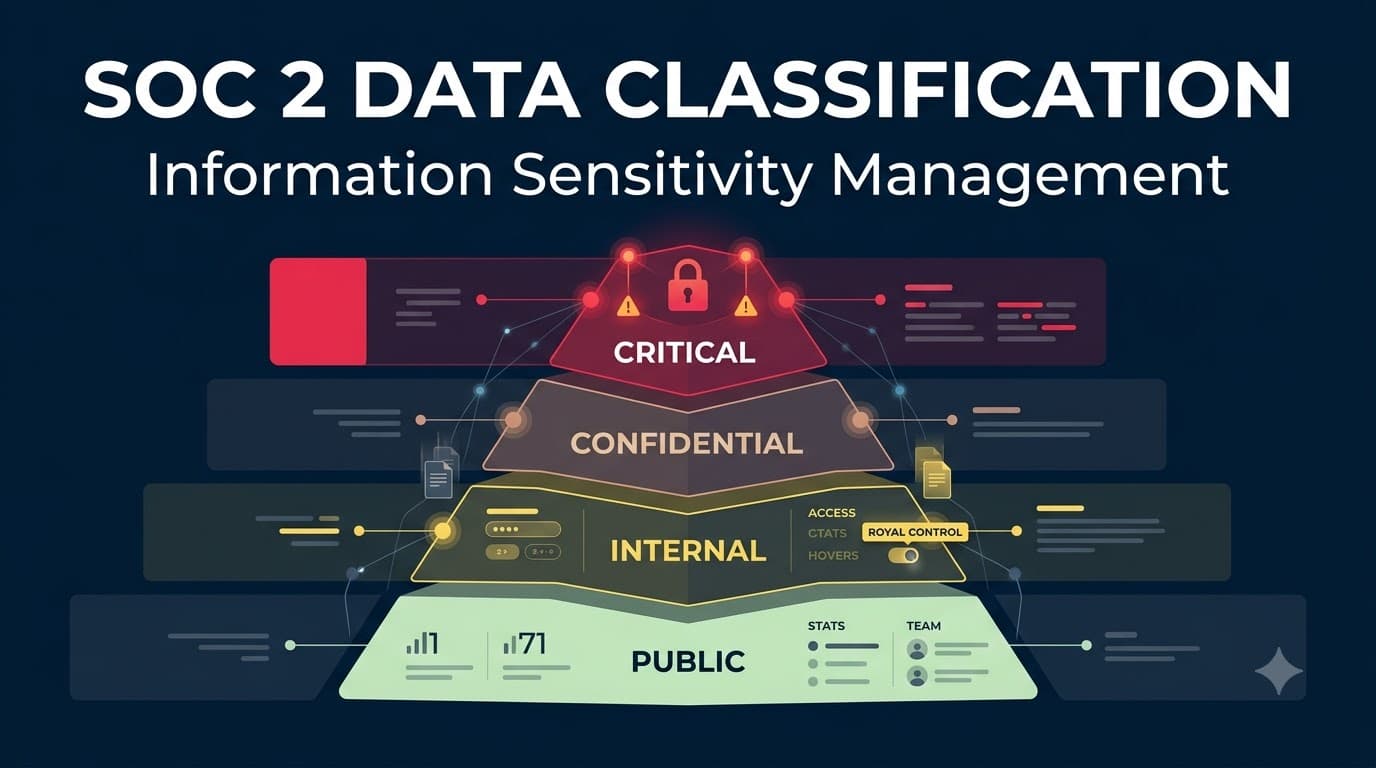
Building your tier scheme: how many levels, and what they mean
The single most common classification mistake I see isn't too few tiers — it's too many, applied inconsistently, by people who were never trained to use them. A five- or six-tier scheme sounds thorough and produces chaos: employees can't reliably tell "Highly Sensitive" from "Restricted" from "Confidential Level 2," so they default to over-labeling everything as maximally sensitive (which kills productivity and trains everyone to ignore the labels) or under-labeling out of confusion (which is the exact failure mode that put Renata's spreadsheet on an open share).
I recommend a 3-tier scheme for smaller and mid-market SaaS companies, and a 4-tier scheme once you're handling regulated categories — cardholder data, health information, or large volumes of financial account data — where a single "Confidential" bucket can't carry the operational weight of genuinely different handling requirements.
Tiers | Best fit | Tradeoff |
|---|---|---|
3-tier (Public / Internal / Confidential) | Early-stage SaaS, single data type of real sensitivity (customer PII) | Simple to train, but under-differentiates high-risk data from routine confidential data |
4-tier (Public / Internal / Confidential / Restricted) | Mid-market and above, multiple regulated data categories, financial/health data, large customer base | More precise controls, but needs stronger governance to avoid mislabeling |
5+ tier | Rare — usually large enterprises or highly regulated sectors with mature GRC tooling | High precision, high maintenance burden; not recommended without dedicated classification staff |
Renata's post-incident scheme at ClearBooks landed on four tiers, because the company held three genuinely distinct high-risk categories (bank account data, tax identifiers, and internal financial models) that needed different handling than routine internal Confidential data like HR records or contracts. Here's the scheme, which is a reasonable default starting point for most SOC 2 programs in scope for Confidentiality and Privacy criteria.
Tier | Definition | Typical examples | Default access |
|---|---|---|---|
Public | Approved for unrestricted external release | Marketing site content, published pricing, press releases | Anyone, no NDA required |
Internal | Not for external release, but broad internal access is fine | Internal wikis, org charts, non-sensitive meeting notes, internal roadmaps | All employees/contractors |
Confidential | Sensitive business or customer information; disclosure would cause meaningful harm | Customer contracts, employee records, source code, internal financials, vendor agreements | Named roles/teams on a need-to-know basis |
Restricted | Highest sensitivity; disclosure could cause severe harm, regulatory exposure, or contractual breach | Customer bank/payment data, PII in bulk, authentication secrets, encryption keys, tax IDs | Named individuals, logged access, MFA-gated |
This table is your starting draft, not your finished policy — you still need to walk it through your legal, privacy, and business-unit stakeholders, because "what counts as Confidential vs. Restricted" is a judgment call specific to your data and your contractual commitments. But starting from a clean four-row table, rather than an open-ended brainstorm, is what keeps the scheme small enough to actually train.
Tier deep dive: Public and Internal
Public and Internal tiers rarely cause audit findings, but they're worth defining precisely anyway, because a scheme that only defines its high-sensitivity tiers leaves employees guessing on everything else — and guessing is where mislabeling starts. Public data is anything your company has affirmatively approved for external release: marketing copy, the pricing page, a published case study. The test isn't "would this embarrass us" — it's "has someone with authority to approve external release actually approved it." A leaked internal roadmap isn't Public data that leaked; it's Internal data that was mishandled.
Internal is the default bucket for the ordinary business operation of the company — meeting notes, internal Slack history, non-sensitive process documentation, org charts. The key design decision here is resisting the urge to make Internal a dumping ground for things people are too lazy to properly classify as Confidential. I've audited companies where 80% of the file system was labeled "Internal" by default, including customer lists and vendor contracts that clearly belonged in the tier above. Internal should mean "broadly useful to employees, low harm if seen by the wrong internal party" — not "we didn't think about it."
Tier deep dive: Confidential
This is your workhorse tier, and it's where the bulk of your Confidentiality-criteria evidence will concentrate. Confidential data is anything whose disclosure would cause real business or reputational harm but doesn't rise to regulatory, contractual-breach, or life-safety severity: customer contracts, employee compensation records, unreleased product plans, vendor pricing, source code, internal financial statements before public disclosure (if applicable), and most customer data that isn't in the Restricted category.
The operational discipline that matters most at this tier is need-to-know access — not "all employees," but named roles or teams whose job function requires it. This is also the tier where least privilege access reviews earn their keep, because Confidential is typically your largest tier by data volume, and access sprawl here is what makes CC6.1 testing painful. If your access review process for Confidential-tier systems is a rubber stamp, your auditor will find stale grants — I have never once seen this tier pass a first-year audit without at least one access-review exception.
Tier deep dive: Restricted
Restricted is reserved for the data that would produce the worst possible outcome if exposed — regulatory penalty, contractual termination, direct financial fraud, or safety harm. For most SaaS companies this means bulk customer PII, payment and banking details, authentication secrets (API keys, password hashes, session tokens), encryption keys themselves, and any data category singled out by name in a customer contract or DPA as requiring enhanced protection. ClearBooks's recon_master_2024.csv — 12,000 rows of routing numbers and EINs — was textbook Restricted data sitting in a Confidential-or-lower access context, which is precisely the mismatch C1.1 and CC6.1 testing is designed to catch.
Restricted-tier handling should look meaningfully different from Confidential, not just "the same controls but stricter." That means named-individual access rather than role-based groups in many cases, mandatory multi-factor authentication for any system touching it, full audit logging of every read/write, and — critically — a much smaller set of people who can even grant access to it. If your Restricted tier has the same number of people with standing access as your Confidential tier, you haven't actually built a fourth tier; you've built a label with no teeth.
Tier | Illustrative data types at ClearBooks Cloud | Encryption baseline | Standing access (post-remediation) |
|---|---|---|---|
Public | Pricing page, blog content | None required | Unrestricted |
Internal | Internal wiki, all-hands recordings | Platform default at rest | All employees |
Confidential | Customer contracts, source code, HR files | AES-256 at rest, TLS 1.2+ in transit | ~140 employees (role-based) |
Restricted | Bank routing/account data, tax IDs, API secrets | AES-256 at rest with dedicated key, TLS 1.2+ in transit, field-level encryption for high-volume PII | 9 named individuals |
Data inventory and mapping: knowing what you have before you label it
You cannot classify data you don't know exists, which is why every functioning program starts with a data inventory — sometimes called a data map — before a single label gets applied. A data inventory is a structured record of what data types you hold, where they live (systems, databases, file shares, SaaS tools, backups), who owns them, how they flow between systems, and what regulatory or contractual obligations attach to them. It is distinct from an asset inventory (which tracks hardware/software) though the two should cross-reference each other.
Renata's team built theirs in three passes: first, a structured interview of every department head asking "what data do you create, receive, or touch that isn't already obvious" (HR, Finance, Sales/CS, Engineering, Support); second, an automated discovery scan of file shares, cloud storage buckets, and databases using pattern matching for common sensitive-data signatures (routing numbers, SSNs, card numbers); third, reconciliation of the two lists, which is where the Finance_Ops_Archive folder finally got flagged and fixed. The interview pass alone would have missed it — nobody remembered the file existed. The automated pass alone would have flagged it but with no context about who owned it or why it existed. You need both.
Field | Purpose | Example |
|---|---|---|
Data element/category | What the data is | Customer bank account numbers |
System(s) of record | Where it's created/stored | Payments DB, |
Classification tier | Sensitivity assignment | Restricted |
Data owner | Accountable individual | VP Finance |
Legal/contractual basis | Why you hold it | Customer contract, ACH processing requirement |
Retention period | How long it's kept | 7 years post-account closure |
Downstream flows | Where it's shared/copied | Payment processor (encrypted API), backups |
Disposal method | How it's destroyed at end of life | Cryptographic erasure of backup, secure delete |
Treat the inventory as a living artifact, not a one-time project deliverable. It should be reviewed at least annually and refreshed any time a new system, integration, or data source is introduced — new SaaS tool, new customer data field, new analytics pipeline. Auditors will ask for the current inventory and a change log showing it's been maintained, not just a document dated from your first Type I engagement two years ago.
Data discovery: finding what people forgot about
Interviews find what people remember. Discovery tooling finds what they forgot — and in my experience, the forgotten data is disproportionately where the highest-risk exposures live, because forgotten data has no active owner pushing back against sprawl. Discovery approaches range from lightweight (scheduled scripts using regex patterns against file shares for card-number or SSN-like strings) to purpose-built data security posture management (DSPM) and DLP discovery modules that classify structured and unstructured data across cloud storage, SaaS apps, and databases automatically, often with machine-learning-assisted content inspection rather than pure pattern matching.
Whichever approach you use, discovery output needs a human review step before it becomes policy. Automated tools produce false positives (a routing-number-shaped test fixture in a QA database isn't necessarily Restricted production data) and false negatives (a scanned PDF of a bank statement won't match a text pattern without OCR). Renata's team ran discovery quarterly against all cloud storage and file shares, with findings routed to data owners for a 5-business-day confirm-or-correct window before classification tags were finalized — a cadence and process an auditor can actually test.
"The inventory is the artifact I ask for first, every time. Not the policy — the policy is easy to write. The inventory tells me whether the company actually knows what it's protecting, and it's the fastest way to spot a program that exists on paper only." — Tom Reyes, Audit Partner, Whitfield & Marsh LLP
Labeling: manual, automated, and where each one breaks
Labeling is the mechanism that turns a classification decision into something systems and people can act on — a header, a metadata tag, a folder structure, a DLP-readable attribute. There are two broad approaches, and most mature programs end up running both in different contexts.
Manual labeling relies on the creator or owner of a piece of content selecting a classification at creation time — a dropdown in the document properties, a required field when uploading to a system, a header stamped on a template. It's cheap to implement and puts the judgment call in the hands of the person with the most context about the content. It also degrades fast: creators forget, default to the path of least resistance (usually mislabeling down, occasionally mislabeling everything up to "Confidential" out of caution, which is its own failure mode), and provide no coverage for legacy content created before the scheme existed.
Automated labeling uses content inspection — pattern matching, machine learning classifiers, or metadata rules — to apply or suggest a classification without relying on the creator's judgment. It scales to legacy content and doesn't degrade with employee fatigue, but it needs tuning to your actual data (out-of-the-box "credit card number" detectors miss internal identifiers that look nothing like a public pattern) and it can misfire in both directions if left unmonitored.
Approach | Coverage of new content | Coverage of legacy content | Accuracy driver | Typical failure mode |
|---|---|---|---|---|
Manual (creator-applied) | Good, if enforced at creation | Poor — retroactive labeling is rarely done | Creator training and judgment | Label fatigue, default mislabeling |
Automated (content inspection) | Good | Good, if backfilled via scan | Pattern/classifier tuning to your data | False positives on look-alike data, missed unstructured/scanned content |
Hybrid (automated suggest, human confirm) | Best | Good, with initial backfill project | Combination of both, with reconciliation | Requires workflow discipline to close the loop |
My default recommendation is hybrid: automated tools suggest a classification at the point of creation or upload (most modern productivity suites, from Microsoft 365 sensitivity labels to Google Workspace DLP labels, support this natively), the creator confirms or overrides with a one-click action, and a periodic discovery scan catches drift and legacy content. This is what ClearBooks moved to after the incident — Microsoft Purview sensitivity labels applied automatically based on content-matching rules for the Restricted categories (bank account patterns, SSN/EIN patterns), with mandatory manual confirmation for anything the engine couldn't confidently classify.
Data type | Recommended labeling method | Notes |
|---|---|---|
Office documents (Word/Excel/PPT) | Native sensitivity labels (M365/Google Workspace) | Persists with the file even if moved/downloaded |
Header/metadata label + DLP policy enforcement | Applies at send time; can trigger encryption automatically | |
Structured databases | Column/table-level tagging in schema or data catalog | Enables field-level encryption and query auditing |
Cloud storage (S3/GCS/Blob) | Bucket/object tagging + DSPM scanning | Tag at bucket level minimum; object-level for mixed-sensitivity buckets |
Code repositories | Repo-level classification + secrets scanning | Source code is typically Confidential by default; secrets are Restricted |
Physical documents/media | Printed label/cover sheet, secure storage | Often overlooked in cloud-first programs — still relevant for paper records |
Handling rules: access, storage, transmission, and disposal by tier
A classification label that doesn't change what happens to the data is decoration. The handling matrix is where classification becomes controls, and it's the artifact your CC6.1 and C1.1 testing will trace back to most directly. I build it as four separate rule sets — access, storage, transmission, disposal — because each maps to a different control family and a different piece of evidence an auditor will ask for.
Access control by tier
Tier | Access model | Authentication | Access review cadence | Logging |
|---|---|---|---|---|
Public | Open | None | N/A | Not required |
Internal | All employees/contractors | SSO | Annual | Standard system logs |
Confidential | Role/team-based, need-to-know | SSO + MFA | Quarterly | Access-event logging |
Restricted | Named individual, smallest viable group | MFA mandatory, hardware key preferred | Quarterly + triggered on role change | Full read/write audit trail, alerted on anomalies |
This is where access control and role-based access control design decisions get made concrete. Full detail on building the underlying access architecture — provisioning, deprovisioning, review workflows — lives in SOC 2 Access Controls: User Management and Privilege Administration and SOC 2 Logical Security: System Access and Authorization; this table is the sensitivity-driven policy those mechanisms enforce.
Storage requirements by tier
Tier | Encryption at rest | Storage location constraints | Backup handling |
|---|---|---|---|
Public | Not required | Anywhere | Standard |
Internal | Platform default | Approved internal systems only | Standard |
Confidential | Required, AES-256 | Approved systems; no unmanaged personal storage/USB | Encrypted, access-controlled |
Restricted | Required, AES-256, dedicated/segregated keys | Approved systems only, explicitly enumerated; no general file shares | Encrypted, immutable where feasible, restricted access equal to production |
Transmission and encryption requirements by tier
Tier | Internal transmission | External transmission | Email handling |
|---|---|---|---|
Public | Unencrypted acceptable | Unencrypted acceptable | Normal |
Internal | TLS preferred | TLS required if external | Normal |
Confidential | TLS required | TLS required + recipient verification | DLP-scanned; encryption prompted for external recipients |
Restricted | TLS required, network segmentation preferred | Encrypted channel mandatory (TLS 1.2+, or encrypted attachment); no unencrypted external email | DLP-blocked from unencrypted external send; requires approved secure-transfer method |
Encryption standards, key management, and the at-rest/in-transit mechanics referenced across these tables are covered in full in SOC 2 Encryption Controls: Data Protection at Rest and in Transit — that article is where you'll find the algorithm-level and key management detail; this table is the sensitivity-driven policy layer that decides when those controls apply. In practice, encryption at rest and encryption in transit should be non-negotiable defaults for anything Confidential or above — the exceptions process for opting out of encryption on sensitive data should be rare enough that it requires a named approver and a documented compensating control.
Disposal and retention by tier
Tier | Retention default | Disposal method | Evidence retained |
|---|---|---|---|
Public | Per business need | Standard deletion | None required |
Internal | Per business need or 3 years | Standard deletion | None required |
Confidential | Per contract/legal requirement | Secure deletion (overwrite or verified delete) | Deletion log entry |
Restricted | Per contract/legal/regulatory minimum only | Cryptographic erasure or certified secure destruction | Certificate of destruction, deletion log with approver |
Disposal is where C1.2 (Confidentiality's disposal-specific criterion) gets tested directly, and it's a tier that trips up companies who nail the front-end controls but never build a back-end process — data gets classified and protected while it's actively used, then quietly outlives its retention period in a backup nobody scheduled for deletion. If your Restricted-tier retention schedule exists only in a policy document and not in an actual automated deletion job or a tracked manual process with sign-off, expect an exception.
DLP: the enforcement layer for your classification scheme
Data loss prevention tooling is where classification stops being a label and starts being a barrier. A DLP policy engine reads classification tags (or performs its own content inspection when tags are absent or unreliable) and takes action — block, quarantine, warn-and-log, require encryption, require approval — based on what's leaving the environment and where it's going. Without DLP tied to classification, your handling matrix is a set of instructions people are trusted to follow manually, which is exactly the trust model that produced the ClearBooks finding.
The design principle that matters most: DLP policies should escalate in strictness with tier, not apply uniformly. A blanket "block all external email attachments over 10MB" policy catches almost nothing useful and annoys everyone equally. A tiered policy — warn on Confidential-tagged content leaving via unapproved channels, hard-block Restricted-tagged content from any unencrypted external transmission, require a documented business justification and manager approval for any Restricted-tier bulk export — produces far fewer false positives and gives you the audit trail auditors specifically test for under CC6.7.
Tier | External email | Cloud upload (unsanctioned SaaS) | USB/removable media | Bulk export/download |
|---|---|---|---|---|
Public | Allow | Allow | Allow | Allow |
Internal | Allow, logged | Warn | Allow | Log |
Confidential | Warn, prompt encryption | Block | Block | Warn + approval for >100 records |
Restricted | Block unless via approved secure channel | Block | Block | Block; requires named-approver justification |
Post-remediation, ClearBooks configured exactly this escalation using their existing M365 environment's DLP engine paired with sensitivity labels, and instrumented the "Restricted bulk export" rule with a Slack-based approval workflow so the control produced a timestamped, attributable log entry every time it fired — precisely the artifact their next Type II sample testing would need.
"DLP without classification is just noise — you end up either blocking too much and training everyone to route around it, or blocking too little and missing the thing that matters. Tie it to tier, and suddenly the alerts you get are the ones worth looking at." — Ling Zhao, Director of Platform Security, Northwind Logistics
Access control mapping: RBAC, ABAC, and least privilege by tier
Classification tells you what needs protecting; your access model is how you enforce who can reach it. Most SOC 2 programs run on role-based access control for Internal and Confidential tiers — access is granted by job function (Finance role sees Finance systems, Support role sees the support ticketing tool) — because it's auditable and scales with predictable headcount growth. Attribute-based access control becomes valuable at the Restricted tier or in complex multi-tenant environments, where access decisions need to account for more than role alone — data residency, customer-specific contractual restrictions, or time-bound project assignments.
Model | Best fit | Classification tie-in | Audit friendliness |
|---|---|---|---|
RBAC | Internal, Confidential | Role definitions map cleanly to tier access | High — role-to-access mapping is easy to sample |
ABAC | Restricted, multi-tenant/regulated environments | Fine-grained rules (role + tier + customer + time) | Moderate — requires policy-engine logs to demonstrate |
Discretionary (owner-granted) | Rarely recommended above Internal | Inconsistent — depends on individual judgment | Low — hard to demonstrate consistent enforcement |
Whichever model you use, least privilege is the operating principle underneath both: default-deny, grant only what's needed for the current role, and re-certify regularly. The quarterly access review cadence in the handling matrix above isn't arbitrary — it's the cadence most Type II audit periods (six or twelve months) can absorb two to four review cycles of, which is what auditors want to see tested, not just described.
Classification in cloud and SaaS environments
Classification programs built for file shares and email routinely fall apart the moment you account for the reality of a modern SaaS stack: data doesn't live in one place, it lives in the production database, the data warehouse, three or four SaaS tools (CRM, support desk, HR platform, expense system), assorted backups and snapshots, and whatever an engineer copied into a local CSV for debugging last Tuesday. A classification scheme that only covers "documents" misses most of where Restricted-tier data actually accumulates.
The practical fix is treating classification as a property that travels with the data regardless of where it's copied, not a one-time tag applied at a single storage location. For structured data, that means classifying at the schema level — tagging specific database columns and warehouse tables as Restricted or Confidential — so that any tool querying that schema (BI dashboards, data pipelines, analytics exports) inherits the classification and can be gated accordingly. For SaaS tools, it means an inventory entry for every third-party application that touches Confidential-or-above data, with its own access review and, ideally, single sign-on enforcement so deprovisioning is centralized rather than scattered across a dozen individual app admin panels.
Cloud storage buckets deserve specific mention because they're a recurring audit-finding source across every framework, not just SOC 2: a bucket provisioned for one purpose (say, storing product screenshots) quietly accumulates higher-sensitivity content over time as engineers reuse the path of least resistance. Tag buckets at creation with an intended maximum classification tier, alert on any object uploaded that content-inspection flags as exceeding that tier, and review bucket-level access policies on the same cadence as your file-share reviews. Network segmentation between environments handling different tiers — isolating production Restricted-tier data stores from general corporate network access, for instance — is a complementary control worth pairing with classification rather than relying on classification alone to carry the weight.
Third-party and vendor data sharing by classification tier
Every SOC 2 program eventually runs into the question of what happens to classified data once it leaves your direct control — a payment processor, an analytics vendor, a customer support tool, an outsourced development shop. This is vendor risk management territory, but classification is what should determine the rigor of that vendor's due diligence and contract terms, rather than applying the same checklist to every vendor regardless of what they touch.
Tier | Vendor due diligence required | Contract terms | Ongoing monitoring |
|---|---|---|---|
Public | None beyond standard procurement | Standard MSA | None |
Internal | Basic security questionnaire | Standard MSA + confidentiality clause | Annual review |
Confidential | Security questionnaire + evidence review (SOC 2 report, pen test summary) | NDA, data processing terms, breach notification clause | Annual review + report refresh |
Restricted | Full assessment, evidence review, on-site/virtual audit for critical vendors | NDA, DPA, breach notification with defined SLA, right-to-audit clause, subprocessor restrictions | Continuous/quarterly review, incident reporting tie-in |
ClearBooks's payment processor — which touched the exact Restricted-tier bank data that caused the original finding — got moved from an annual questionnaire-only review to a quarterly evidence refresh (current SOC 2 report, confirmation of encryption-in-transit configuration, subprocessor list review) as part of the same remediation project. The lesson generalizes: classification should directly drive how hard you look at a vendor, not just how hard you look at your own systems.
Training and culture: labeling is a human behavior problem first
Every tool in this article assumes someone, at some point, makes a judgment call about sensitivity — a creator picking a label, an owner confirming an automated suggestion, an approver signing off on a Restricted-tier export. Get the human layer wrong and no amount of DLP tooling fully compensates, because tooling reacts to what people do rather than replacing the need for people to do the right thing in the first place.
The training model that's worked best across the programs I've run is short, role-specific, and scenario-based rather than a single annual all-hands module covering the entire policy. Finance and Support teams — who handle the highest volume of Restricted-tier data day to day — get a dedicated session covering exactly what their function's Restricted data looks like and what the escalation path is when they're unsure. Engineering gets a session on classification at the schema and repository level, since their mistakes tend to be structural (an unclassified new database table) rather than behavioral (an ill-considered email attachment). New hires get classification training in week one, tied to their system access provisioning, not buried in a generic onboarding module six months delayed.
The single highest-leverage cultural habit is normalizing "I'm not sure what tier this is, who do I ask" as a fast, low-friction path rather than a bureaucratic one. Programs that make classification questions slow or embarrassing train employees to guess instead of ask, and guessing is where both the over-classification-kills-productivity failure and the under-classification-creates-exposure failure both originate. Security awareness training programs that fold in classification scenarios — "here's a real (anonymized) example of a file that was mislabeled and what happened" — land better than abstract policy walkthroughs.
The classification lifecycle, visualized
Classification isn't a single event — it's a loop that runs continuously as data is created, used, shared, and eventually retired. The diagram below is the operational model I use with clients: a cycle with a feedback loop back to discovery, because new systems and new data types appear constantly, and a static classification scheme decays the moment it stops accounting for them.
flowchart LR
    A[Discover<br/>data inventory + scanning] --> B[Classify<br/>assign tier per policy]
    B --> C[Label<br/>manual + automated tagging]
    C --> D[Apply Controls<br/>access, encryption, DLP by tier]
    D --> E[Monitor<br/>DLP alerts, access reviews, audit logs]
    E --> F[Review & Retire<br/>retention, disposal, reclassification]
    F --> A
    E -.triggers.-> B
The feedback arrow from Monitor back to Classify matters as much as the main loop: a DLP alert firing repeatedly on a data source suggests either a genuine control gap or a classification that no longer matches how the data is actually used, and either finding should trigger a reclassification review rather than just a one-off remediation of the specific alert.
Case study: ClearBooks Cloud's six-week remediation
Back to Renata's spreadsheet. With eleven days left in the observation period and a $3.1 million renewal contingent on a clean report, ClearBooks couldn't fix the underlying gap in time to erase the finding from that year's report — the exception was going to appear. What they could control was the remediation speed and the quality of the corrective action plan, both of which auditors and, ultimately, the customer's procurement team, weigh heavily.
Within 48 hours, the file was moved to an access-restricted location, the "All Employees" share permission was revoked, and a scoped review confirmed no external access had occurred (the file's access logs, thin as they were, at least existed). Within two weeks, Renata's team had built the four-tier scheme described in this article, run the first discovery scan across all file shares and cloud storage, and reclassified roughly 40,000 files — flagging 340 as previously-unidentified Confidential or Restricted content that had been sitting in Internal-access locations. Within six weeks, at report issuance, the exception was documented with a specific, time-bound corrective action plan: completed remediation, a new access model, a new DLP policy set going live the following month, and a management response the auditor could reference.
The renewal closed. The bank's security team reviewed the exception and the corrective action plan directly with Renata on a call — a conversation her VP of Sales had assumed would kill the deal — and the plan's specificity is what carried it: not "we take security seriously" but "here is the exact control gap, here is what we changed, here is the evidence." The following year's Type II report showed zero Confidentiality exceptions. Renata's team now runs discovery scans quarterly, and the corrective-action-plan artifact from that first incident is still used internally as the template for how they respond to any future finding.
Metric | Before remediation | 6 weeks post-incident | 12 months post-incident |
|---|---|---|---|
Files with no classification tag | ~85% of file shares | ~30% (active reclassification project) | 4% (steady-state drift) |
Restricted-tier files on over-permissioned shares | Unknown (undiscovered) | 340 identified and corrected | 0 recurrences |
DLP policies tied to classification tier | 0 | 4 (tier-based) | 4, tuned quarterly |
Confidentiality exceptions in Type II report | 1 (this finding) | — | 0 |
"The renewal almost died on that call, and it didn't because Renata walked in with a plan instead of an apology. Auditors and customers both forgive a finding. What they don't forgive is a company that can't explain what happened or what's different now." — Renata Alvarez, Head of Security and Compliance, ClearBooks Cloud
Case study: PeopleGrid's automated-labeling rollout
Not every classification story starts with a near-miss. PeopleGrid, an HR-tech SaaS platform handling employee data for roughly 600 customer companies, built its classification program proactively ahead of its first SOC 2 Type II, aiming to include both Confidentiality and Privacy in scope from day one given the sensitivity of the HR and payroll data flowing through the platform.
CISO Dr. Aisha Kone's team started with manual labeling only — a required dropdown at document creation — and found within the first quarter that only about 40% of new content was being labeled correctly on the first pass, based on spot audits against the discovery-scan baseline. The gap wasn't laziness; it was that engineers and product staff genuinely couldn't tell, in the moment of creating a file, whether it counted as Confidential or Restricted under the new scheme without pausing to look it up.
The fix was moving to automated content-inspection labeling for the two data types responsible for most of the mismatch — files containing SSNs/national ID numbers and files containing compensation data — with the tool auto-applying a suggested tier and requiring a one-click confirmation rather than a blank dropdown. Correct first-pass labeling rose from roughly 40% to 89% within six months, measured against the same quarterly discovery-scan baseline. The remaining gap was concentrated almost entirely in unstructured content (scanned documents, images of forms) that the content-inspection engine couldn't reliably parse without OCR, which the team addressed in a follow-on project.
Metric | Manual-only labeling | 6 months post automation |
|---|---|---|
First-pass labeling accuracy | ~40% | ~89% |
Time to classify new sensitive file | 3–5 minutes (manual lookup + selection) | <15 seconds (confirm suggested tag) |
Discovery-scan findings requiring correction (monthly) | ~220 | ~24 |
Employee complaints re: labeling friction | Frequent (help desk tickets) | Rare |
"We assumed the problem was training. It wasn't — it was that we were asking people to make a judgment call in the middle of their actual job, under time pressure, with a definition they'd read once in onboarding. Automating the first guess and just asking for a confirmation fixed more in a quarter than a year of training ever did." — Dr. Aisha Kone, CISO, PeopleGrid
Case study: when over-classification becomes its own risk
The failure mode in the opposite direction deserves equal attention, because I see it almost as often as under-classification, and it's less discussed. Vantage Analytics, a data-analytics SaaS provider, rolled out a classification scheme where risk-averse middle management encouraged staff to "classify up when in doubt" — with no real guardrail on what "in doubt" meant. Within four months, roughly 70% of the company's internal file volume was tagged Restricted, including onboarding checklists, internal meeting agendas, and marketing drafts.
The operational fallout was significant: help desk access-request tickets tripled, because Restricted-tier access required named-individual approval even for content that posed no genuine risk. Legitimate cross-team collaboration slowed, because people couldn't quickly share routine internal documents without routing through an approval process built for bank account data. And — the ironic part — genuine Restricted-tier content got harder to spot, because it was buried in a sea of over-tagged noise that had trained employees to treat every Restricted label as background static rather than a meaningful signal.
Data Protection Officer Sam Okafor's fix was a recalibration project: a cross-functional review of every Restricted-tagged file against the actual tier definitions, downgrading roughly 60% of the tagged volume to Confidential or Internal, paired with clearer, example-driven tier definitions and a "classify to the lowest tier that's defensible, not the highest tier that feels safe" principle communicated explicitly to managers. Restricted-tier volume dropped from 70% of files to roughly 12% within two months, access-request ticket volume fell by more than half, and — measured by discovery-scan flags — genuine sensitive-data exposures actually became easier to identify because they stood out again.
Metric | Peak over-classification | Post-recalibration |
|---|---|---|
Files tagged Restricted | ~70% of file volume | ~12% of file volume |
Weekly access-request tickets | ~340 | ~150 |
Median time to grant legitimate Restricted access | 4.2 business days | 1.1 business days |
Discovery-scan "genuine exposure" identification rate | Low (signal buried in noise) | Materially improved |
"Over-classification feels like the safe failure mode, but it isn't — it's just a slower-motion version of the same problem. If everything is Restricted, nothing is, and your team stops paying attention to the label right when it matters most." — Sam Okafor, Data Protection Officer, Vantage Analytics
Common classification mistakes I see repeatedly
Across two hundred-plus engagements, the same handful of mistakes account for most classification-related audit findings. Naming them plainly is more useful than another abstract best-practices list.
Mistake | Why it happens | Consequence | Fix |
|---|---|---|---|
No written scheme, just "gut feel" | Nobody prioritized it until an audit forced the question | C1.1 fails outright — nothing to test | Write the 3–4 tier scheme and get it approved before your next audit period starts |
Scheme exists but never drives controls | Policy written for the auditor, not for operations | CC6.1 fails — access isn't actually risk-based | Tie every tier to a concrete access/encryption/DLP rule, not just a definition |
One-time classification project, never repeated | Treated as a project with an end date, not an operating process | Drift — new systems and data types go unclassified | Quarterly discovery scans, annual full policy review |
Over-classification ("when in doubt, mark it Restricted") | Risk-averse culture, unclear tier definitions | Productivity loss, alert fatigue, genuine risk buried in noise | Example-driven definitions, "lowest defensible tier" principle |
Under-classification (default to Internal or nothing) | Unclear ownership, no discovery tooling, label fatigue | Sensitive data left exposed on broad-access systems | Hybrid manual/automated labeling, ownership assigned per data category |
Inventory not maintained after initial build | Treated as a compliance deliverable, not a living artifact | Stale inventory doesn't match current systems; auditor finds gaps immediately | Assign an owner, tie updates to the change-management process for new systems |
Classification doesn't extend to backups/exports | Focus stays on primary systems | Restricted data persists unprotected in secondary locations | Extend discovery scanning and retention rules to backups, exports, and data warehouse copies |
No reclassification process | Scheme assumes classification is permanent | Data whose sensitivity changes (e.g., after a new contract) never gets updated | Trigger reclassification review on contract changes, new regulatory scope, or DLP alert patterns |
What auditors actually want to see: the evidence checklist
Testing procedures for C1.1 and CC6.1 are fairly consistent across CPA firms, even though the specific sample size and walkthrough approach vary. Auditors are looking to trace a straight line from policy to practice to evidence — not just confirm a document exists.
Evidence artifact | What it demonstrates | Common gap |
|---|---|---|
Data classification policy (approved, dated, versioned) | The scheme is formally defined and owned | Policy exists but was never formally approved or hasn't been reviewed in over a year |
Current data inventory/map | Confidential info is identified per C1.1 | Inventory is stale or excludes newer systems/SaaS tools |
Sample of labeled files/records across tiers | Labeling is actually applied, not theoretical | Auditor pulls a sample and finds unlabeled or mislabeled content |
Access-control lists mapped to classification tier | CC6.1's risk-based access requirement | Access grants don't visibly correlate with data sensitivity |
Audit trail of access to Restricted-tier systems | Logging and monitoring controls are operating | Logs exist but aren't reviewed or retained long enough for the audit period |
DLP policy configuration + alert/incident log | Enforcement mechanism ties to classification | DLP exists but policies aren't tier-differentiated, or alerts aren't triaged |
Access review records (with sign-off) | Periodic re-certification per tier | Reviews are performed but not evidenced (no sign-off, no ticket) |
Disposal/destruction records for Restricted data | C1.2 disposal requirements | No certificate of destruction or deletion log for expired data |
Training records/completion for classification training | Human-layer control is operating | Training exists but completion isn't tracked or tied to specific roles |
Discovery scan results and remediation log | Ongoing monitoring for drift | Discovery was a one-time project with no recurring cadence |
Every one of these should exist as audit evidence that's collected as a byproduct of running the program, not manufactured retroactively when the auditor's fieldwork request list arrives. If your evidence-gathering process only starts once the engagement letter is signed, you're already behind — the Type II period requires evidence spanning the entire observation window, commonly six to twelve months, which is covered in more depth in SOC 2 Observation Period: Understanding the Review Timeframe.
Roles and responsibilities: who owns what
Classification programs stall when ownership is diffuse — "security owns it" sounds right until you realize security can't unilaterally decide that a Sales-owned CRM field is Restricted, and business units can't be expected to independently invent a consistent scheme. A RACI model keeps the program moving without security becoming a bottleneck for every labeling decision.
Activity | Security/Compliance | Data Owner (business unit) | IT/Engineering | Legal/Privacy |
|---|---|---|---|---|
Define classification scheme and tiers | Responsible | Consulted | Consulted | Consulted |
Approve final policy | Accountable | Consulted | Informed | Consulted |
Maintain data inventory | Accountable | Responsible (their data) | Consulted | Informed |
Apply labels to new content | Consulted | Responsible | Consulted | Informed |
Configure/tune DLP and access controls | Responsible | Informed | Responsible | Informed |
Conduct access reviews | Accountable | Responsible (approve/revoke) | Responsible (execute) | Informed |
Approve Restricted-tier data sharing/exports | Consulted | Accountable | Consulted | Consulted |
Investigate classification-related incidents | Responsible | Consulted | Consulted | Consulted |
Annual policy review | Accountable | Consulted | Informed | Consulted |
Metrics that show the program is actually working
Auditors care about evidence; your own leadership should care about whether the program is trending the right direction between audits. These are the metrics I put in front of a security steering committee quarterly.
Metric | What it signals | Healthy trend |
|---|---|---|
% of file/data volume with a current classification tag | Coverage of the scheme | Rising toward >90%, then stable |
First-pass labeling accuracy (vs. discovery-scan baseline) | Whether creators/tools are labeling correctly | Rising over time, especially post-automation |
Discovery-scan findings requiring correction (per cycle) | Drift rate | Falling or stable at a low baseline |
Restricted-tier files on over-permissioned access | Direct risk exposure | Trending to zero |
Time from discovery flag to correction | Operational responsiveness | Days, not months |
Access review completion rate (on schedule) | CC6.1 control operation | 100% on-time completion |
DLP policy alert-to-triage time | Enforcement layer health | Hours, not days |
Classification training completion rate by role | Human-layer readiness | >95% for high-exposure roles |
Cost and timeline: what building this actually takes
Scope and cost vary with company size and how much of this already exists in some form, but the ranges below reflect what I've seen across mid-market SaaS companies building a classification program from scratch through to steady-state operation — illustrative figures tied to programs like ClearBooks's and PeopleGrid's, not published industry benchmarks.
Phase | Typical duration | Primary cost driver |
|---|---|---|
Scheme design (tiers, definitions, policy draft) | 2–4 weeks | Internal staff time; light consulting if needed |
Initial data inventory build | 3–6 weeks | Staff interviews + discovery tooling setup |
Discovery scan + baseline reclassification | 2–4 weeks | Discovery/DSPM tooling license, remediation labor |
Labeling infrastructure rollout (manual + automated) | 4–8 weeks | Sensitivity-label tooling (often included in existing M365/Workspace tiers) or dedicated DSPM platform |
DLP policy build and tuning | 4–8 weeks | DLP platform licensing, tuning labor |
Training rollout | 2–3 weeks | Content development, role-specific sessions |
Steady-state operation (ongoing) | Continuous | Quarterly discovery scans, access reviews, annual policy review |
Most mid-market programs I've run land the full build — scheme through DLP tuning — in a twelve-to-twenty-week window run in parallel workstreams rather than sequentially, assuming existing productivity-suite tooling (M365/Google Workspace) is leveraged rather than a net-new platform procured. A net-new dedicated DSPM/DLP platform procurement adds meaningful time for vendor selection and integration, typically extending the timeline by another six to ten weeks.
Tooling landscape: what supports each layer
I avoid naming specific vendors in a compliance-education piece like this one, because the market shifts fast and a specific product recommendation ages badly — but the categories are stable and worth knowing so you can evaluate what you already have before buying something new.
Category | Function | Often already available via |
|---|---|---|
Native sensitivity labeling | Manual/semi-automated labels on documents and email | Microsoft Purview, Google Workspace DLP — usually included in higher licensing tiers you may already hold |
Data security posture management (DSPM) | Discovery and classification across cloud storage, SaaS, databases | Dedicated cloud-native platforms; increasingly bundled into CNAPP/cloud security suites |
DLP (endpoint/network/cloud) | Policy enforcement — block, warn, quarantine, encrypt | Native to major productivity suites; also dedicated endpoint/network DLP products |
Data catalog / schema tagging | Column/table-level classification for structured data | Data warehouse-native catalogs, dedicated data governance platforms |
Secrets scanning | Detects credentials/keys in code repositories (Restricted-tier) | Native to most source control platforms; dedicated secrets-scanning tools |
GRC/compliance platform | Ties classification evidence to audit requirements | General GRC tooling used for broader SOC 2 evidence management |
The right sequencing is almost always: audit what your existing productivity suite and cloud provider already include (native labeling and basic DLP are commonly under-licensed rather than absent), close obvious gaps there first, and only evaluate dedicated DSPM/DLP platforms once you've hit the limits of what's already paid for.
The Privacy connection: classification and personal information
Classification and privacy programs overlap heavily but aren't identical, and it's worth being precise about the boundary. Classification asks "how sensitive is this data and how should it be handled." Privacy asks a narrower and more specific question about a subset of that data: personal information specifically, and whether its collection, use, retention, and disclosure match what the organization committed to (in a privacy notice, a DPA, or applicable law).
In practice, most of what lands in your Restricted tier for a consumer- or employee-data-heavy business will be personal information, which means your classification program does double duty as a major input to your Privacy (TSC) controls if Privacy is in your report's scope. Retention schedules, disposal rules, and access restrictions built for Restricted-tier data under Confidentiality criteria are frequently the same mechanisms that satisfy Privacy criteria around data minimization and retention limits (P4.1, P4.2) — build them once, map them to both criteria sets, rather than running parallel programs that drift apart. The criteria-level detail on what Privacy specifically requires — and where it diverges from Confidentiality — is covered in SOC 2 Privacy Criteria: Personal Information Management and Protection.
Writing the policy document itself
Everything above needs to land in an actual written, approved policy — the document an auditor requests on day one of fieldwork. A good data classification policy is short enough that people actually read it and specific enough that it resolves real edge cases, which is a harder balance than it sounds. I keep them to eight sections: purpose and scope, tier definitions with concrete examples (not abstract descriptions), roles and responsibilities (the RACI above, simplified), labeling requirements by data type, the handling matrix (access/storage/transmission/disposal), exception process (who can approve a deviation and how it's documented), review cadence, and a revision history table.
The exception process deserves special attention because it's where policies either stay credible or quietly become fiction. Every real organization will occasionally need a documented, approved deviation — a legacy system that can't support field-level encryption yet, a legitimate business need to share Confidential data with an unusual external party. A policy with no exception process either gets silently ignored the first time reality doesn't fit it, or it gets rewritten so loosely it stops meaning anything. Build the exception path in from the start: named approver, time-bound approval, compensating control required, logged centrally.
If you're building this from a blank page, our SOC 2 Policy Pack includes a data classification policy template pre-structured around this exact eight-section format, mapped to C1.1 and CC6.1 language — useful as a starting draft rather than a finished policy, since your tier definitions and examples still need to reflect your actual data.
Cross-framework note: classification beyond SOC 2
If your organization is also pursuing or maintaining ISO/IEC 27001 certification alongside SOC 2 — increasingly common for companies selling into both US and international enterprise markets — your classification program doesn't need to be rebuilt twice. ISO 27001's Annex A includes controls specifically addressing classification of information and labelling of information, and a well-built SOC 2-driven scheme like the one in this article maps cleanly onto those requirements with only light adjustment, typically around documentation format and the specific evidence an ISO auditor expects to see during a certification audit versus what a CPA firm expects during a SOC 2 examination.
If you're weighing which framework to pursue first, or how to run both without duplicating effort, ISO 27001 vs SOC 2: Which One Do You Need and Running ISO 27001 and SOC 2 Together both cover the practical sequencing questions in depth. For teams mapping controls across both frameworks plus NIST CSF, the ISO 27001, SOC 2 & NIST CSF Crosswalk is worth bookmarking — classification is one of the cleaner control areas to cross-map, since the underlying operational work (inventory, tiers, handling rules) is close to identical regardless of which framework is asking for it.
Classification as a business advantage, not just an audit line item
It's easy to treat data classification as pure audit overhead — a box to check for C1.1, a policy to produce when the auditor asks. That framing undersells what a well-run program actually does for the business. Every enterprise deal that stalls on a security questionnaire, every prospect's legal team asking "how do you handle sensitive customer data differently from routine internal data," every renewal negotiation where a customer's security team wants specifics rather than assurances — a working classification program is the fastest, most concrete answer available. "We have four tiers, here's what Restricted-tier data gets, here's the access review cadence, here's the DLP enforcement" is a materially stronger answer than "we take security seriously," and enterprise buyers can tell the difference immediately.
It also compounds with the rest of your control environment rather than sitting in isolation. A good risk assessment process should be informed by what your classification program surfaces — the highest-risk data categories from your inventory are exactly what your risk register should weight most heavily, a connection covered further in SOC 2 Risk Assessment Process: Identifying and Managing Risks. Your security monitoring and logging investment gets more efficient when it's tuned to watch Restricted-tier systems more closely than Public-tier ones, rather than treating all logs as equally worth reviewing — see SOC 2 Security Monitoring: SIEM and Log Management. And your broader SOC 2 Complete Guide: Understanding AICPA Trust Services Criteria is worth revisiting once your classification program is live, since it changes how several other criteria get satisfied in practice, not just Confidentiality's.
The companies that get the most business value out of this work are the ones that stop treating classification as something built once for an auditor and start treating it as an operating discipline that makes every other security decision easier to make correctly — what to encrypt first, whose access to review most carefully, which vendor deserves the deepest due diligence, which incident gets escalated fastest. Renata's team didn't just close an exception; they built a tool the rest of the security program now runs on.
Get your classification program audit-ready
If you're staring at your own version of Renata's spreadsheet — or you'd rather find it yourself before an auditor does — start with an honest inventory, not a policy rewrite. Our SOC 2 Readiness Checklist walks through exactly where classification fits in a broader pre-audit gap review, and the SOC 2 Gap Analysis Tool can help you baseline where your current controls stand against C1.1 and CC6.1 specifically. For assigning ownership once you know what needs to change, the SOC 2 Control Matrix / RACI Template mirrors the roles-and-responsibilities model in this article. And if classification terminology across SOC 2, ISO 27001, and general security practice still gets confusing across your team, our SOC 2 Glossary is worth bookmarking for the whole organization, not just the security team.
PentesterWorld's compliance and technical assessment teams help service organizations build classification schemes that hold up under real Type II testing — not just policy documents that look complete until an auditor pulls the first sample. If you want a second set of eyes on your tier definitions, your DLP configuration, or your data inventory before your next audit period opens, reach out and we'll walk through where your program stands today.