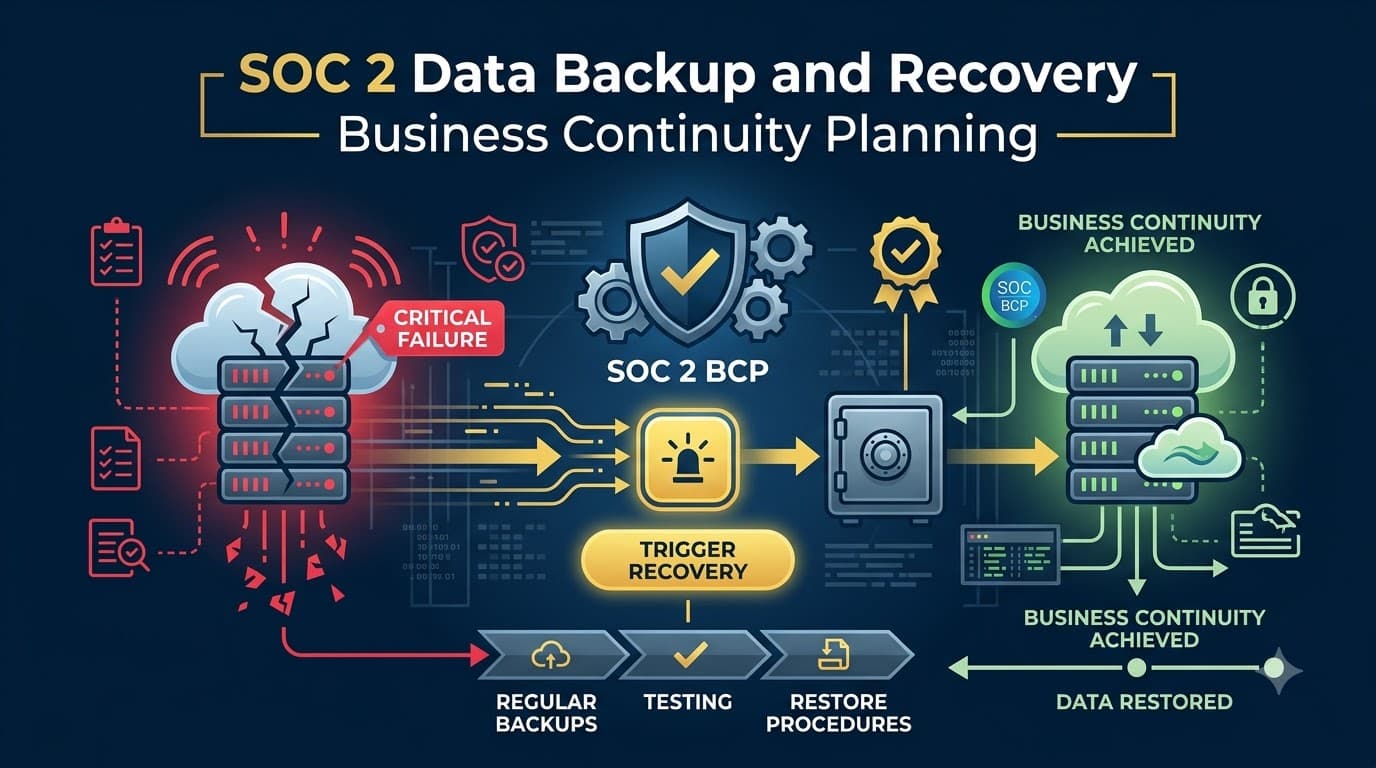
Renata Cole found out how good her backups actually were at 2:14 a.m. on a Tuesday, which is the worst possible time to find out anything. Beacon Ledger, the mid-market payments platform where she ran infrastructure, had just been hit by a ransomware crew that encrypted production databases, three of four application clusters, and — this was the part that made her stomach drop — two of the four backup targets the runbook said were "isolated." The runbook was wrong. Nobody had verified it in fourteen months.
By the time Beacon Ledger's engineers restored a clean environment, eleven days had passed. The company's largest customer, a regional bank processing $340 million a month through Beacon's API, invoked a contractual service-level penalty and started sourcing a replacement vendor. Beacon's SOC 2 Type II audit was already in its observation period when the incident happened, and the CPA firm's fieldwork turned up exactly what you'd expect: no evidence of a tested recovery time, no documented recovery point objective, and a disaster recovery plan last updated under a previous VP of Engineering who'd left the company two years earlier. The exception the auditors wrote against Availability criterion A1.2 cost Beacon Ledger a clean opinion, and the near-loss of the bank contract cost them a board-level mandate to fix continuity planning in ninety days.
Nine months later, Beacon Ledger's recovery time for a full regional failure was forty-one minutes, verified quarterly, with automated evidence flowing straight into their audit binder. That gap — between a backup policy that exists on paper and a recovery capability that actually works when the disk is spinning down at 2 a.m. — is what this article is about.
I've spent more than fifteen years building and auditing continuity programs across 200-plus organizations, from three-person startups running everything in one AWS region to logistics companies with data centers on two continents. The pattern is remarkably consistent: everyone has backups. Almost nobody has tested recovery. SOC 2 auditors have caught on, and the Availability additional criteria — specifically A1.2 and A1.3 — exist precisely to force the gap closed.
Who This Is For
This guide is for engineering leaders, IT operations managers, and compliance owners who are building or hardening a backup and disaster recovery program to satisfy SOC 2's Availability category as part of a broader business continuity strategy, most commonly alongside the required Security criteria. You should already know whether Availability is in your Trust Services Criteria scope; if you're not sure, start with our companion piece on the SOC 2 Availability criteria before diving into the mechanics here. You'll walk away with a concrete backup strategy, a framework for setting RTO and RPO by system, a disaster recovery plan structure, a recovery-testing cadence auditors accept as evidence, and a ransomware-specific recovery posture — plus the exact exceptions I see auditors write most often, so you can close them before fieldwork starts.
Why Backup and Recovery Sits at the Center of SOC 2 Availability
Availability is one of the four optional Trust Services Categories layered on top of the required Security criteria, and organizations typically add it when customers care about uptime commitments — SLAs, contractual availability percentages, or simply the operational reality that a payments platform, a healthcare records system, or a logistics dispatch tool cannot go dark for days without real financial and reputational damage. The category exists to answer one question for a prospective customer reading your report: if something breaks — hardware failure, a natural disaster, a ransomware attack, a bad deployment that corrupts data — can this vendor actually get my service and my data back, and how do they know?
Backup and recovery is not a side detail of Availability; it is the mechanism by which the criteria get satisfied. You can have redundant infrastructure, environmental controls, and capacity monitoring — all genuinely part of A1.1 — but if your data cannot be restored to a known-good state within a defined and tested window, none of that matters when the disruption is severe enough. That's why A1.2 and A1.3 exist as distinct, sharply-focused criteria rather than being folded into a generic "resilience" bullet point.
"I stopped asking clients whether they have a backup policy years ago. Everyone has a backup policy. I ask them when they last restored from it, who did it, and how long it took. If the answer is 'we haven't,' I already know what the exception is going to say." — Priya Anand, SOC 2 Lead Auditor, Kestrel & Vance CPAs
The Availability Additional Criteria: A1.1, A1.2, A1.3 in Plain Language
The AICPA structures Availability into three criteria, and it's worth being precise about what each one actually demands, because auditors test them separately and expect separate evidence for each.
A1.1 covers capacity planning and monitoring — the entity maintains, monitors, and evaluates current processing capacity and use of system components to manage capacity demand and to enable the implementation of additional capacity to help meet its objectives. This is the "do you have enough headroom and do you know it" criterion, and it's covered in depth in our Availability criteria article.
A1.2 is the one this article focuses on: the entity authorizes, designs, develops or acquires, implements, operates, approves, maintains, and monitors environmental protections, software, data backup processes, and recovery infrastructure to meet its objectives. Read that clause again — it's not "the entity has backups." It's a full lifecycle: authorize, design, implement, operate, monitor. Auditors interpret A1.2 as requiring a documented, approved, actively-operated backup and recovery infrastructure, not a Word document nobody has opened since onboarding.
A1.3 is the testing criterion: the entity tests recovery plan procedures supporting system recovery to meet its objectives. This is where most organizations lose points. A1.3 is explicit that a plan must be tested — not just written, not just reviewed in a meeting, but exercised against a defined scenario with results documented.
Criterion | What It Covers | Typical Evidence Auditors Request | Most Common Gap |
|---|---|---|---|
A1.1 | Capacity planning and monitoring | Capacity dashboards, forecasting reports, scaling runbooks | No forward-looking capacity forecast, only reactive alerts |
A1.2 | Environmental protections, backup processes, recovery infrastructure | Backup policy, backup job logs, encryption configuration, DR architecture diagrams | Backup policy exists but backup job success/failure isn't monitored or reviewed |
A1.3 | Testing of recovery procedures | DR test plans, test execution records, RTO/RPO actuals vs. targets, remediation tickets | No test conducted during the audit period, or test was tabletop-only with no technical validation |
Where CC7 System Operations Overlaps with Backup and Recovery
Because Security is required in every SOC 2 report, backup and recovery controls also get tested under the Common Criteria, particularly CC7 — system operations. CC7.4 and CC7.5 address incident response and recovery from security incidents, which is functionally inseparable from disaster recovery when the "disaster" is a cyberattack rather than a hardware failure. If your organization has Availability in scope, auditors will look for consistency between your CC7 incident response procedures and your A1.2/A1.3 recovery procedures — a ransomware event should trigger the same restoration muscle memory as a data center outage, just with additional forensic and containment steps layered on top.
This overlap is a gift, not a burden. Organizations that treat incident response and disaster recovery as one continuous capability — detect, contain, recover, verify — build a much stronger program than those maintaining two disconnected binders. I encourage every client to build a single continuity framework with the recovery mechanics shared across both scenarios, then let the front-end triage (is this a security incident or an infrastructure failure) determine which playbook opens first.
"The best DR programs I've audited don't distinguish between 'the data center flooded' and 'someone deployed ransomware.' The recovery steps — isolate, restore from a known-good backup, validate integrity, cut over — are almost identical. Companies that build two separate plans end up maintaining two stale plans." — Dorian Fisk, Director of Site Reliability, Meridian Cloud Services
The 3-2-1 Rule, Updated for Ransomware: Immutability as the Fourth Leg
The 3-2-1 backup rule has been industry shorthand for decades: keep three copies of your data, on two different media types, with one copy offsite. It remains a sound baseline, and auditors generally recognize it as a reasonable design standard when evaluating A1.2. But ransomware operators have adapted specifically to defeat 3-2-1 — modern ransomware groups routinely search for and encrypt or delete backup targets before triggering the encryption payload on production systems, exactly what happened to Beacon Ledger. That's why I now teach clients "3-2-1-1-0": three copies, two media types, one offsite, one immutable or air-gapped, and zero verified errors on your last restore test.
Immutability means the backup copy cannot be altered, encrypted, or deleted — not by an attacker, not by an over-permissioned administrator, not even by the backup software itself — for a defined retention window. Object-lock storage with write-once-read-many (WORM) policies, air-gapped tape rotated genuinely offline, and backup vaults with delayed-deletion and multi-person approval for purges are the three most common ways organizations achieve this. The point isn't the specific technology; it's that at least one copy of your data sits somewhere a compromised administrator credential cannot reach.
Layer | Requirement | Common Implementation | Ransomware Resistance |
|---|---|---|---|
3 copies | Production + 2 backup copies minimum | Primary DB, snapshot backup, cross-region replica | Low alone — all reachable from same identity plane |
2 media types | Reduces single-point media failure | Disk-based snapshots + object storage or tape | Moderate — different failure modes, not different trust domains |
1 offsite | Geographic separation from primary site | Cross-region or cross-cloud replication | Moderate — protects against site loss, not credential compromise |
1 immutable/air-gapped | At least one copy attackers cannot alter | Object-lock (WORM) storage, offline tape, immutable snapshots | High — designed specifically to defeat encryption/deletion attacks |
0 verified errors | Last restore test passed cleanly | Automated restore-and-checksum job, logged and reviewed | Confirms the immutable copy is actually restorable, not just present |
Backup Strategy: What Auditors Expect to See Documented
A backup policy that will hold up under SOC 2 Type II testing needs to answer specific questions in writing, not just describe good intentions. I ask every client to walk through this checklist before their readiness assessment, which pairs well with the broader SOC 2 readiness assessment process.
Backup Strategy Element | What It Must Specify | Evidence Auditors Sample |
|---|---|---|
Scope | Which systems, databases, and file stores are backed up (and an explicit statement of what is excluded and why) | Asset inventory cross-referenced to backup job configuration |
Frequency | Backup interval per system (continuous, hourly, daily, weekly) tied to RPO | Backup schedule configuration, job history logs |
Retention | How long each backup generation is kept, and why | Retention policy document, storage lifecycle rules |
Encryption | Encryption standard applied at rest and in transit for backup data | Encryption configuration, key management records |
Access control | Who can initiate, restore, modify, or delete backups | IAM policy exports, privileged access logs |
Immutability/air-gap | Which copies are protected from deletion/alteration and for how long | Object-lock configuration, WORM policy settings |
Monitoring | How backup job success/failure is detected and escalated | Alerting configuration, on-call escalation records |
Ownership | Named role accountable for the backup program | RACI or org chart reference in the policy |
Encryption, Access Control, and Key Management for Backups
Backups are frequently the softest target in an otherwise well-defended environment, precisely because teams focus hardening effort on production and treat backup infrastructure as an afterthought. Every backup at rest should carry encryption at rest, and every backup in transit — especially replication to a secondary region or a third-party storage provider — needs encryption in transit. Beyond encryption itself, key management is where I most often find gaps: backup encryption keys stored in the same identity and access plane as production, meaning a single compromised admin account can decrypt everything, including the "isolated" copies.
Access control for backup systems should be treated as more sensitive than production access, not less. Apply least privilege, require multi-factor authentication for any backup console or restore action, and — critically — separate the identity that can delete or modify backup retention settings from the identity used for day-to-day operations. If the same engineer who deploys code can also purge backup history with no second approver, you have a single point of failure an auditor will flag and an attacker will find.
"We had a client whose backup admin console used the same SSO group as general engineering. The ransomware actor didn't even need to find the backups separately — they already had the keys. That's the exact scenario A1.2 is designed to prevent, and it's an easy fix once you see it." — Grant Sullivan, VP Engineering, Northbridge Payments
RTO and RPO: The Two Numbers Every Auditor Will Ask About
Recovery Time Objective (RTO) and Recovery Point Objective (RPO) are the two metrics that translate business risk tolerance into a technical specification, and they are the first thing a competent SOC 2 auditor asks for when testing A1.2 and A1.3.
RTO answers "how long can this system be down before the business impact becomes unacceptable?" It's measured from the moment of disruption to the moment the system is back in production use — not just "data restored," but fully operational, validated, and serving traffic. RPO answers a different question: "how much data can we afford to lose, measured in time?" If your last backup ran six hours before an outage and your RPO target is four hours, you have a gap, even if the restore itself is fast.
These are not IT-invented numbers. They should come out of a business impact analysis with input from product, finance, customer success, and legal — the people who understand what an outage actually costs per hour, per customer segment, per regulatory obligation. Setting RTO/RPO purely as an engineering guess ("we'll say four hours, sounds reasonable") is one of the fastest ways to end up with targets that don't survive contact with an auditor asking "how did you derive this number?"
System Tier | Example Systems | Typical RTO | Typical RPO | Rationale |
|---|---|---|---|---|
Tier 0 — Critical revenue path | Payment processing, core transaction database | 15–60 minutes | Near-zero (continuous replication) | Direct revenue and contractual SLA exposure per minute of downtime |
Tier 1 — Customer-facing core | Primary application, authentication service | 1–4 hours | 15 minutes – 1 hour | Customer trust and usage impact, but not per-minute financial loss |
Tier 2 — Internal operations | Support ticketing, internal dashboards, BI tools | 4–24 hours | 4–12 hours | Delays operations but doesn't halt customer-facing service |
Tier 3 — Archival/reference | Historical logs, compliance archives, cold data | 24–72 hours | 24 hours | Low operational urgency; primarily needed for audit or legal retrieval |
A word of caution from experience: don't set aggressive RTOs across the board because it looks good in the policy document. An auditor testing A1.3 will ask you to demonstrate the RTO was actually achieved in a real test. A four-hour RTO you can prove beats a fifteen-minute RTO you can't.
Conducting a Business Impact Analysis (BIA)
The business impact analysis is the connective tissue between "what could go wrong" and "how fast do we need to recover." A proper BIA inventories every critical business process, maps it to the systems it depends on, and quantifies the impact of that process being unavailable across increasing time windows — one hour, four hours, one day, one week. It should also identify upstream and downstream dependencies, including subservice organizations whose own downtime becomes your downtime.
I run BIAs as structured interviews with process owners rather than a survey nobody fills out honestly. Ask finance what happens if invoicing is down for a day. Ask customer support what happens if the ticketing platform is unreachable during a major incident. Ask the executive team what a publicized four-day outage does to sales pipeline and renewal conversations. The dollar figures that come out of these conversations become your justification for RTO/RPO targets — and your justification for the infrastructure spend required to hit them.
Impact Category | 1-Hour Outage | 4-Hour Outage | 24-Hour Outage | 7-Day Outage |
|---|---|---|---|---|
Direct revenue loss | Minimal, absorbed by SLA credits | Noticeable, triggers SLA penalty clauses | Material, customer escalations begin | Severe, contract termination risk |
Customer trust | Negligible | Minor support volume increase | Public visibility, churn risk for at-risk accounts | Brand damage, competitive displacement |
Regulatory/contractual exposure | None typically | Possible breach notification clock starts (if data involved) | Formal SLA breach, contractual remedies owed | Regulatory inquiry likely for regulated customers |
Internal operations | None | Support backlog builds | Cross-team disruption, manual workarounds | Full operational crisis mode |
Building the Disaster Recovery Plan
A disaster recovery plan is the operational document that turns your RTO/RPO targets and your backup infrastructure into a step-by-step response when disruption actually occurs. It should be usable by someone who is not the person who wrote it — a tired on-call engineer at 2 a.m., not just the architect who designed the system. That single requirement disqualifies most DR plans I review during readiness assessments, which read more like architecture diagrams than executable runbooks.
The plan needs clear activation criteria (who declares a disaster and under what conditions), a communication tree (internal stakeholders, customers, and — where contractually required — regulators), technical recovery procedures per system tier, and explicit roles so nobody is guessing who does what during the incident itself. It should also name the point at which the team declares recovery complete and stands down, because "when do we know we're done" is surprisingly often left undefined.
DR Plan Component | Purpose | Common Failure Mode |
|---|---|---|
Activation criteria | Defines what triggers formal DR invocation vs. routine incident response | Vague thresholds lead to hesitation or premature escalation |
Roles and responsibilities | Assigns incident commander, technical leads, communications lead | Roles undefined until the incident itself, causing confusion |
Communication plan | Internal, customer, and regulatory notification procedures with templates | No pre-drafted customer communication, delaying transparency |
System recovery runbooks | Step-by-step technical restoration procedures per system tier | Runbooks reference decommissioned infrastructure or departed staff |
Dependency map | Order of recovery based on system interdependencies | Systems restored out of order, causing cascading failures |
Data validation steps | How integrity of restored data is confirmed before cutover | No defined validation, "restored" assumed to mean "correct" |
Stand-down criteria | Defines when the incident is formally closed | Team continues in crisis mode long after service is stable |
Post-incident review | Structured lessons-learned process feeding plan updates | Review happens informally or not at all |
Failover Architectures: Active-Active, Active-Passive, Warm and Cold Standby
The recovery infrastructure half of A1.2 is about the physical and architectural design that makes fast recovery possible, independent of backups themselves. Four common patterns cover most organizations, and the right choice is a direct function of your RTO target and your budget — there's no universally "correct" answer, only the right trade-off for your risk tolerance.
Active-active runs full production capacity in two or more locations simultaneously, with traffic distributed across both and automatic failover if one fails — the fastest recovery, effectively near-zero RTO, but the most expensive to build and operate. Active-passive keeps a fully provisioned standby environment ready but not serving live traffic, cutting over on failure with a short but non-zero RTO. Warm standby runs a scaled-down version of the environment continuously, requiring a scale-up step during failover. Cold standby means infrastructure is defined (often as code) but not running, provisioned only when disaster strikes — cheapest to maintain, slowest to activate.
"Most companies I meet think they need active-active because it sounds impressive in a sales deck. Then I ask what their actual RTO requirement is, and it's four hours. Warm standby gets them there for a fraction of the cost. Match the architecture to the number, not the number to the architecture you already bought." — Lena Osei, Business Continuity Manager, Fortview Logistics
Architecture | RTO Range | Relative Cost | Operational Complexity | Best Fit |
|---|---|---|---|---|
Active-active | Seconds – minutes | Very high | High — requires continuous synchronization, conflict handling | Tier 0 revenue-critical systems with strict SLA exposure |
Active-passive | Minutes – 1 hour | High | Moderate — standby requires ongoing patching/config parity | Tier 1 customer-facing core systems |
Warm standby | 1–4 hours | Moderate | Moderate — scale-up automation must be tested regularly | Tier 1–2 systems with meaningful but not instant urgency |
Cold standby | 4–24+ hours | Low | Lower ongoing cost, higher activation risk if untested | Tier 2–3 internal or archival systems |
Cloud Backup and the Shared Responsibility Trap
Most SOC 2 clients I work with today run entirely or mostly on cloud infrastructure, and the single most common A1.2 misunderstanding is assuming the cloud provider's built-in durability guarantees satisfy the criterion. They don't, at least not by themselves. AWS, Azure, and Google Cloud each provide extremely durable underlying storage — but storage durability is not the same thing as a tested, recoverable backup with a defined RTO/RPO that survives an account compromise, a misconfiguration, or a malicious insider with delete permissions across your entire environment.
The shared responsibility model applies to backup exactly as it does to security generally: the provider is responsible for the durability of the infrastructure; you are responsible for configuring, testing, and monitoring your own backup and recovery process on top of it. A snapshot policy that replicates within the same account and region protects against hardware failure but not against a compromised root credential that deletes both production and its snapshots in the same session — which is precisely the scenario immutable, cross-account backups are designed to prevent.
Responsibility | Cloud Provider | Customer (You) |
|---|---|---|
Underlying storage durability | Yes — typically 99.999999999% durability claims | N/A |
Regional/zone redundancy of raw storage | Yes, if configured to use it | Must select and configure multi-AZ/multi-region options |
Backup scheduling and retention policy | No | Yes — fully your responsibility to define and monitor |
Protection against account-level compromise | No | Yes — requires cross-account or offline immutable copies |
Application-consistent backups (not just disk snapshots) | No | Yes — requires application-aware backup tooling |
Restore testing and RTO/RPO validation | No | Yes — entirely your responsibility |
Encryption key management for backups | Provides KMS tooling | Yes — you own key policy, rotation, and access control |
Subservice Organizations, CUECs, and Your Backup Chain
If your backup or recovery infrastructure depends on a third party — a cloud hosting provider, a managed backup service, a colocation facility — that vendor is a subservice organization with respect to your SOC 2 scope, and you need to know whether your auditor is treating it under the carve-out method or the inclusive method. Under the carve-out method, you're relying on the vendor's own SOC 2 report (or equivalent attestation) to cover their backup controls, and you need a process to obtain and review that report annually — including checking whether it covers the right period and whether any exceptions in their report affect your recovery capability.
Equally important are your own complementary user entity controls — the things your customers must do for your recovery commitments to hold. If you offer customer-configurable backup retention or customer-initiated restore requests, document clearly what you're responsible for versus what the customer must configure or request on their end. This ties directly into the broader discipline covered in our piece on SOC 2 complementary controls, and it's a common source of confusion during fieldwork when nobody can say definitively who owns a given step in the recovery chain.
Subservice Relationship | Backup/Recovery Dependency | Your Obligation |
|---|---|---|
Cloud hosting provider | Underlying storage, regional infrastructure | Review their SOC 2/ISO report annually; confirm your configuration uses available redundancy |
Managed backup/DRaaS vendor | Backup execution, retention, restore capability | Contractually require test participation and evidence sharing |
Colocation facility | Physical environmental controls for on-prem hardware | Confirm environmental protections (power, cooling, fire suppression) via facility attestation |
Payment or core banking processor (if applicable) | Transaction data continuity | Document CUECs for reconciliation after any processor-side disruption |
Recovery Testing: The Evidence Auditors Actually Want
This is the section that matters most, because A1.3 is precisely where I see the largest gap between what organizations believe they have and what actually holds up under audit sampling. A backup policy and a disaster recovery plan are necessary but not sufficient — SOC 2 Type II auditors are testing operating effectiveness over the audit period, which means they need to see that recovery procedures were actually exercised, not merely written.
There's a hierarchy of test rigor, and auditors increasingly expect organizations with meaningful Availability commitments to move beyond the lowest tier. A tabletop exercise — walking through the plan verbally with the team, discussing what each person would do — is valuable for building familiarity and catching planning gaps, but it does not prove the technical restoration actually works. A walkthrough or partial technical test restores a subset of systems or data to validate specific mechanics without a full cutover. A simulation test executes a more complete recovery in an isolated environment, measuring actual RTO/RPO against targets. A full interruption test — the most rigorous and least common — actually fails over live systems to the recovery environment, which is powerful evidence but carries real operational risk and needs careful planning to avoid becoming the outage it was meant to test resilience against.
Test Type | What It Validates | Operational Risk | Evidence Produced | Recommended Frequency |
|---|---|---|---|---|
Tabletop exercise | Team understanding of roles, plan completeness | None | Meeting notes, gap list, action items | Quarterly |
Walkthrough / partial restore | Specific technical restoration steps for a subset of data/systems | Low | Restore logs, checksum validation, time-to-restore data | Quarterly to monthly |
Simulation test | End-to-end recovery in an isolated environment against real RTO/RPO targets | Low to moderate | Test report with actual vs. target RTO/RPO, remediation tickets | Semi-annually |
Full interruption / live failover | Actual cutover of production traffic to recovery environment | Moderate to high | Production failover logs, customer-facing uptime data, post-mortem | Annually (for Tier 0/1 systems) |
"The exception we write most often isn't 'no DR plan exists.' It's 'a tabletop happened once, eighteen months ago, and nothing technical has been validated since.' Type II tests operating effectiveness across the whole period — one meeting a year and a half ago doesn't cover twelve months of assertions." — Priya Anand, SOC 2 Lead Auditor, Kestrel & Vance CPAs
Recovery Test Cadence and Evidence: What to Log Every Time
Every recovery test — regardless of type — needs a consistent evidence package so it can be sampled during fieldwork without a scramble to reconstruct what happened. I give clients a standard test-completion template so nothing gets lost between the exercise and the audit request six months later.
Cadence | Test Scope | Evidence to Capture | Owner |
|---|---|---|---|
Monthly | Automated restore-and-verify job for critical databases | Job success/failure log, checksum/integrity result, alert if failed | Infrastructure/Platform team |
Quarterly | Tabletop exercise walking through DR plan with response team | Attendance list, scenario used, gaps identified, action items with owners/dates | Business continuity manager |
Semi-annually | Simulation test of Tier 0/1 systems in isolated environment | Actual RTO/RPO achieved vs. target, screenshots/logs of restoration, deviations noted | Infrastructure lead + BC manager |
Annually | Full interruption test for at least one Tier 0 or Tier 1 system | Failover execution log, customer impact assessment (if any), executive sign-off, lessons-learned report | CTO/VP Engineering sponsor |
After every real incident | Post-incident recovery review | Actual recovery timeline vs. RTO/RPO, root cause, plan updates made as a result | Incident commander |
A practical note: auditors don't expect every single system to undergo a full interruption test annually — that would be operationally reckless for most organizations. What they expect is a risk-based testing program where the highest-impact systems get the most rigorous, most frequent testing, and lower-tier systems are still tested but with proportionally lighter methods. Document that risk-based logic explicitly in your testing policy; it preempts the "why wasn't everything tested the same way" question before it's asked.
Ransomware Recovery: A Specific and Growing Focus
Ransomware deserves its own section because it breaks assumptions that traditional disaster recovery planning was built around. Classic DR planning assumes the disaster is external and instantaneous — a fire, a flood, a power failure — and that your backups, unaffected by the event, are ready to restore from. Ransomware is different: it's an internal, identity-driven compromise that frequently has weeks of dwell time before detonation, during which the attacker specifically searches for and targets backup infrastructure, because a well-defended organization with untouched backups can simply restore and refuse to pay.
Auditors testing A1.2 and A1.3 increasingly ask ransomware-specific questions directly: do you have at least one backup copy an attacker with full domain admin credentials cannot reach or alter? How do you detect that a backup has been silently corrupted or partially encrypted before you rely on it during a real recovery? Do you have a clean-room recovery environment, isolated from the compromised network, to restore into so you're not simply re-infecting a freshly restored system?
Ransomware Recovery Element | Purpose | Implementation Note |
|---|---|---|
Immutable/air-gapped backup copy | Ensures at least one copy survives credential compromise | Object-lock storage or genuinely offline media, separate identity plane |
Backup integrity scanning | Detects corrupted or partially encrypted backups before reliance | Automated checksum and malware scanning of backup contents |
Clean-room recovery environment | Prevents restoring into a still-compromised network | Isolated VPC/network segment used only during confirmed clean recovery |
Credential rotation runbook | Assumes all credentials are compromised during a ransomware event | Pre-staged process to rotate all secrets, keys, and passwords rapidly |
Extended retention for immutable copies | Accounts for dwell time before detonation | Retention window longer than typical undetected dwell time (30–90+ days) |
Decision framework for ransom payment | Removes ambiguity and legal risk during crisis | Pre-agreed legal/executive decision tree, ideally payment is never the plan |
"The company that recovers well from ransomware isn't the one with the most sophisticated firewall. It's the one that can prove, on a Tuesday afternoon with no warning, that their oldest immutable backup restores clean. We test that specifically now, every quarter, because it's the single control that determines whether a ransomware event is a bad week or a company-ending event." — Tomás Rivera, CISO, Alderpoint Health Systems
Common Audit Exceptions in Backup and Recovery
Across 200-plus engagements, the exceptions auditors write against A1.2 and A1.3 cluster around a fairly predictable set of gaps. I keep this list in front of every client during readiness work because closing these before fieldwork is dramatically cheaper than remediating a written exception after the fact.
Common Exception | Root Cause | Remediation Approach |
|---|---|---|
No recovery test performed during the audit period | Plan exists but testing was never scheduled or tracked | Build testing into the compliance calendar with named owners, not ad hoc scheduling |
Backup job failures not monitored/reviewed | Alerts configured but nobody owns triage of failures | Assign explicit on-call ownership and require documented review of failed jobs |
RTO/RPO targets undocumented or not derived from a BIA | Numbers picked informally, no traceable justification | Run a formal BIA with business stakeholders and document the derivation |
DR plan references decommissioned systems or departed staff | Plan not updated after infrastructure or org changes | Require DR plan review as a mandatory step in change management and offboarding |
Backup encryption keys accessible to same identities as production | No separation of duties between backup admin and general engineering access | Restrict backup key management to a distinct, tightly scoped access group |
Test results not documented or retained | Tests happen informally with no evidence trail | Standardize a test-completion template and store results in the audit evidence repository |
Subservice organization backup dependency not reviewed | No process to obtain/review vendor's own attestation report | Add subservice report review to the annual vendor risk cycle |
No immutable/air-gapped copy for ransomware resilience | 3-2-1 implemented without the ransomware-specific fourth leg | Add object-lock or air-gapped copy with defined retention |
Roles and Responsibilities: Who Owns Continuity
Ambiguous ownership is a silent killer of continuity programs — everyone assumes someone else is watching the backup dashboard until an incident proves otherwise. A functioning program names specific roles, even in smaller organizations where one person may wear multiple hats.
Role | Primary Responsibility | Typical Title |
|---|---|---|
Executive sponsor | Approves DR investment, signs off on residual risk, chairs post-incident reviews for major events | CTO, VP Engineering, or COO |
Business continuity manager | Owns the DR plan document, schedules and coordinates testing, tracks remediation items | BC/DR Manager, sometimes dual-hatted with compliance |
Incident commander (per incident) | Leads response during an active disaster recovery event | Rotates among senior engineering leads |
Backup/infrastructure owner | Operates and monitors backup systems day-to-day, owns job success/failure triage | Infrastructure or Platform Engineering Lead |
Communications lead | Manages internal, customer, and regulatory communications during an event | Customer Success or Marketing/Comms lead |
Compliance/audit liaison | Ensures evidence from tests and incidents is captured and retained for SOC 2 evidence | GRC Manager or Compliance Lead |
The Continuity Documentation Set
Auditors sampling A1.2 and A1.3 will typically request a specific set of documents, and having them centralized, version-controlled, and current dramatically shortens fieldwork. I recommend a single continuity binder — physical or, more realistically, a shared drive or GRC platform folder — containing the following, reviewed and re-approved at least annually or after any material infrastructure change.
Document | Purpose | Review Cadence |
|---|---|---|
Backup policy | Defines scope, frequency, retention, encryption, and ownership | Annually or after infrastructure change |
Disaster recovery plan | Step-by-step recovery procedures, roles, communication plan | Annually and after every real incident |
Business impact analysis | Justifies RTO/RPO targets with business-derived impact data | Annually or after major business change |
Recovery test schedule and results | Evidence of ongoing A1.3 compliance | Continuous, logged after every test |
Subservice organization attestation reviews | Confirms third-party backup dependencies are adequately controlled | Annually |
Post-incident review reports | Captures lessons learned and resulting plan updates | After every real incident |
Change log for the DR plan | Tracks what changed, when, and why | Continuous |
Metrics and KPIs to Track Year-Round
A continuity program that's only visible during audit season tends to decay between audits. I push clients to track a small set of metrics continuously and review them at the same cadence as other operational KPIs — this is also exactly the kind of evidence that demonstrates continuous monitoring rather than point-in-time compliance theater.
Metric | What It Tells You | Target Direction |
|---|---|---|
Backup job success rate | Reliability of the underlying backup process | As close to 100% as operationally realistic, with failures triaged same-day |
Actual RTO achieved in last test | Whether your recovery capability matches your documented target | At or below target RTO |
Actual RPO achieved in last test | Whether data loss exposure matches your documented target | At or below target RPO |
Days since last recovery test (by tier) | Whether testing cadence is being honored in practice | Within policy-defined intervals per tier |
Percentage of critical systems with immutable backup coverage | Ransomware resilience posture | 100% for Tier 0/1 systems |
Mean time to detect backup failure | Speed of the monitoring/alerting loop | Same-day detection |
Open remediation items from last test | Whether test findings are actually being closed | Trending toward zero, none open past 90 days |
Common Pitfalls We See Across 200+ Engagements
Beyond the specific audit exceptions listed earlier, there's a set of programmatic mistakes that tend to undermine continuity programs even when the individual controls look fine on paper.
Pitfall | Why It Happens | What Good Looks Like Instead |
|---|---|---|
DR plan written once for the initial audit, never revisited | Treated as a compliance artifact rather than an operational tool | Plan reviewed on a fixed calendar and after every infrastructure change |
Testing scheduled but consistently deprioritized under deadline pressure | Feels lower-urgency than shipping features | Executive sponsorship that protects test windows from being bumped |
RTO/RPO set once and never revisited as the business grows | Targets set at Series A no longer match a company processing 50x the transaction volume | BIA and targets reassessed at least annually or after major growth milestones |
Backup monitoring exists but nobody is paged on failure | Alerting configured during initial setup, ownership drifted after a reorg | Explicit on-call rotation with backup failures as a defined alert class |
DR plan assumes key personnel will be available | Single points of knowledge, no cross-training | Runbooks written for someone unfamiliar with the system, cross-trained backups for key roles |
Immutable backups configured but retention window shorter than realistic ransomware dwell time | Default retention settings left unchanged | Retention extended to cover realistic dwell-time windows, reviewed against current threat intelligence |
Visual: The Backup, Disaster Recovery, and Recovery-Test Cycle
The mechanics above form a continuous loop rather than a one-time project. Backups feed disaster recovery readiness, recovery testing validates (or disproves) that readiness, and the results of testing feed back into an updated backup and DR strategy. Treating this as a closed loop — rather than three disconnected initiatives — is the single biggest mindset shift I try to instill in every engagement.
flowchart LR
    A[Data Sources\nProduction systems & databases] --> B[Backup Execution\n3-2-1-1-0 strategy]
    B --> C[Backup Verification\nintegrity checks, monitoring]
    C --> D[DR Infrastructure\nfailover architecture & standby capacity]
    D --> E[Recovery Testing\ntabletop -> simulation -> full interruption]
    E --> F[Evidence & Metrics\nRTO/RPO actuals, test reports]
    F --> G[Remediation & Plan Updates\nclose gaps, update runbooks]
    G --> B
    F --> H[SOC 2 Audit Evidence\nA1.2 / A1.3 support]
Case Study: Beacon Ledger's Ransomware Recovery
Beacon Ledger, the payments platform from this article's opening, rebuilt its continuity program over nine months following the exception written against A1.2. The fix started with a proper BIA that reset RTO targets for the core transaction database to sixty minutes, backed by an active-passive failover architecture and a genuinely air-gapped immutable backup copy stored with a separate cloud provider account and identity plane from production. Quarterly simulation tests were mandated at the board level, with results reported directly to the audit committee.
Nine months after the incident, Beacon Ledger's next full interruption test achieved a forty-one-minute recovery for a simulated regional outage, comfortably inside the sixty-minute target, with a clean checksum validation on the immutable backup copy. Their subsequent SOC 2 Type II report carried an unqualified opinion on Availability, and the bank customer that had begun sourcing a replacement vendor renewed its contract, citing the improved continuity posture directly in the renewal conversation.
Case Study: Fortview Logistics' Failed First Test
Fortview Logistics, a regional freight dispatch platform, scheduled its first-ever full interruption test ahead of a Type II audit at my recommendation — and the test failed. The failover to their warm-standby environment took six hours against a four-hour target, and dispatch data arrived at the recovery site eighteen minutes stale against a five-minute RPO commitment made to enterprise customers. Rather than treat this as a failure to hide, Fortview documented the gap, the root cause (an under-provisioned database replication pipeline that hadn't scaled with transaction volume growth), and a remediation plan with a ninety-day deadline.
The auditor's response was instructive: a documented, remediated test failure with a clear corrective action plan and a follow-up test showing the fix worked was treated far more favorably than a suspiciously clean first-ever test would have been. Fortview's second test, sixty days later, hit a three-hour-forty-minute RTO and an eight-minute RPO — both within target — and the whole sequence became some of the strongest evidence in their audit package precisely because it showed a real test, a real gap, and real remediation.
Case Study: Alderpoint Health Systems Automates the Evidence Trail
Alderpoint Health Systems, a healthcare SaaS provider handling patient scheduling data, struggled for two consecutive audit cycles with the same finding: recovery tests happened, but evidence was scattered across email threads, personal notes, and a shared drive nobody consistently updated. Their third cycle focused entirely on evidence automation rather than technical changes to the recovery process itself — a monthly automated restore-and-checksum job for the critical database, quarterly tabletop exercises logged through a standardized template in their GRC platform, and a dashboard showing RTO/RPO actuals against targets for the trailing twelve months, refreshed automatically after every test.
The result wasn't a faster recovery — Alderpoint's RTO stayed roughly flat at ninety minutes across the cycle — but a dramatically smoother audit. Fieldwork time spent on A1.2/A1.3 sampling dropped by an estimated sixty percent because every request the auditor made was answered from a single, current source rather than reconstructed after the fact. The lesson generalizes well beyond healthcare: a mediocre recovery number with airtight evidence often produces a better audit outcome than a great recovery number with no consistent trail behind it.
How This Pairs with the Availability Criteria and Your Broader SOC 2 Program
Backup and recovery is one piece of a larger Availability story. If you haven't already, read this alongside our dedicated breakdown of the SOC 2 Availability criteria, which covers A1.1 capacity planning and monitoring in depth — the two articles together give you full coverage of the Availability additional criteria category described in our Additional Criteria overview.
It's also worth connecting continuity work back to change management: infrastructure changes that aren't reflected in your DR plan are one of the fastest ways a tested recovery process silently goes stale, which is why we recommend cross-referencing your SOC 2 change management process to trigger a DR plan review whenever production architecture shifts materially. Similarly, your recovery testing program should feed the same monitoring activities cadence you use for other ongoing control assessments, so continuity doesn't become the one control area reviewed only once a year.
For organizations pursuing both frameworks, it's worth noting that ISO 27001 requires closely related controls — backup (Annex A control 8.13) and ICT readiness for business continuity — under its own Annex A structure, and the operational work of building tested recovery capability largely transfers between the two. If that's your situation, our guide to running ISO 27001 and SOC 2 together walks through how to build one evidence set that satisfies both, and the ISO 27001 vs SOC 2 comparison is a useful primer if you're still deciding which to pursue first. Organizations with obligations under other frameworks may find similar overlap with the NIST CSF Recover function, though that mapping deserves its own dedicated treatment.
From Compliance Checkbox to Competitive Advantage
It's tempting to treat backup and recovery as pure defensive spending — the insurance policy nobody wants to buy until the building is on fire. I'd push back on that framing. In every sales cycle I've watched closely over the past several years, security and procurement teams at enterprise customers have gotten measurably more specific about recovery capability, not less. "Do you have a SOC 2 report" used to be the whole question. Now it's frequently followed by "what's your actual RTO for the service tier we're buying, and can you show us your last test."
Organizations that can answer that question with a specific number, a recent test date, and a clean audit trail win procurement conversations that organizations with a vague "we have backups" answer lose — often without ever knowing they lost on that specific point. Beacon Ledger's renewed contract with its bank customer wasn't saved by a clever sales pitch; it was saved by a forty-one-minute recovery time they could prove. Treating A1.2 and A1.3 as the floor of a genuinely resilient operation, rather than the ceiling of what compliance requires, is what turns this from an audit line item into a durable competitive edge.
If you're building or maturing this program and want a second set of eyes before your next audit cycle, PentesterWorld's team has walked hundreds of organizations through exactly this work — reach out to talk through your recovery architecture, your testing cadence, or your readiness for the Availability criteria specifically.