Daniel Osei had the RFP response due in six days, and the security questionnaire on his screen had a line item that could either save Vesper Grid Systems a $3.1 million contract or blow up its audit timeline by four months.
Daniel was Head of Security and Compliance at Vesper Grid Systems, a 90-person company whose real-time monitoring platform sat inside the control rooms of fourteen regional electric utilities, watching load balancing, outage detection, and demand forecasting across substations that, between them, served about six million residential customers. Vesper's SOC 2 Type II report already covered Security, and it had carried the company through two years of smaller utility deals. Now Continental Grid Cooperative — a multi-state utility co-op — wanted in, with a three-year, $3.1 million contract for grid-wide deployment. Their security questionnaire didn't just ask for the report. It asked, in bold: "Confirm your SOC 2 scope includes Availability and Processing Integrity criteria, or provide a compensating explanation." Three lines down, a second question: "Confirm your SOC 2 scope includes Privacy criteria for any personal information processed."
Daniel's first instinct was to say yes to everything — add all four optional categories and stop arguing about scope. His auditor talked him out of it in about four minutes. Vesper's platform didn't collect names, addresses, or account numbers; it ingested grid telemetry — voltage readings, transformer load, outage timestamps — tied to device IDs, not people. There was no personal information to protect, which meant there was no Privacy criteria to satisfy, and adding it anyway would mean building notices, consent workflows, and retention schedules for data the company simply didn't have — roughly ten extra weeks and $40,000 for a category with nothing behind it. Availability and Processing Integrity were a different story entirely. If Vesper's dashboards went dark during a demand spike, or a corrupted telemetry feed caused a utility to misjudge grid load, people's power went out. Those two categories mapped precisely to what Continental Grid actually cared about.
Daniel spent the next two weeks doing what this article walks through: mapping his company's real commitments, contracts, and data against each of the four optional Trust Services Categories, one at a time, and building a scope his auditor could defend and his sales team could point to with a straight face. Continental Grid signed. The audit added roughly nine weeks and stayed inside the budget Daniel had pre-cleared with his CFO — because he'd scoped in exactly two categories instead of four.
Who this is for / what you'll walk away with: This article is for anyone staring down the same decision Daniel faced — founders, compliance leads, engineering managers, and sales engineers who know their SOC 2 will always include Security but aren't sure whether Availability, Processing Integrity, Confidentiality, or Privacy belong in scope too. You'll walk away with a repeatable framework for deciding category by category, based on service type, contractual commitments, and the data you actually handle; a clear read on what each category costs in time and effort; and language for explaining your scoping decisions to customers, auditors, and your own board without guessing.
One required, four optional — the shape of every SOC 2 scope
Every SOC 2 examination, without exception, is built on the Security category — also called the Common Criteria, because it applies to every SOC 2 regardless of what else is in scope. Security covers the CC1 through CC9 series: control environment, communication and information, risk assessment, monitoring activities, control activities, logical and physical access, system operations, change management, and risk mitigation. It maps to COSO's internal-control framework, and an auditor cannot issue a SOC 2 report — Type I or Type II — without testing it. If you read nothing else in the SOC 2 Common Criteria: Universal Requirements for All SOC 2 Reports article, know this: Security is the floor, not a menu item.
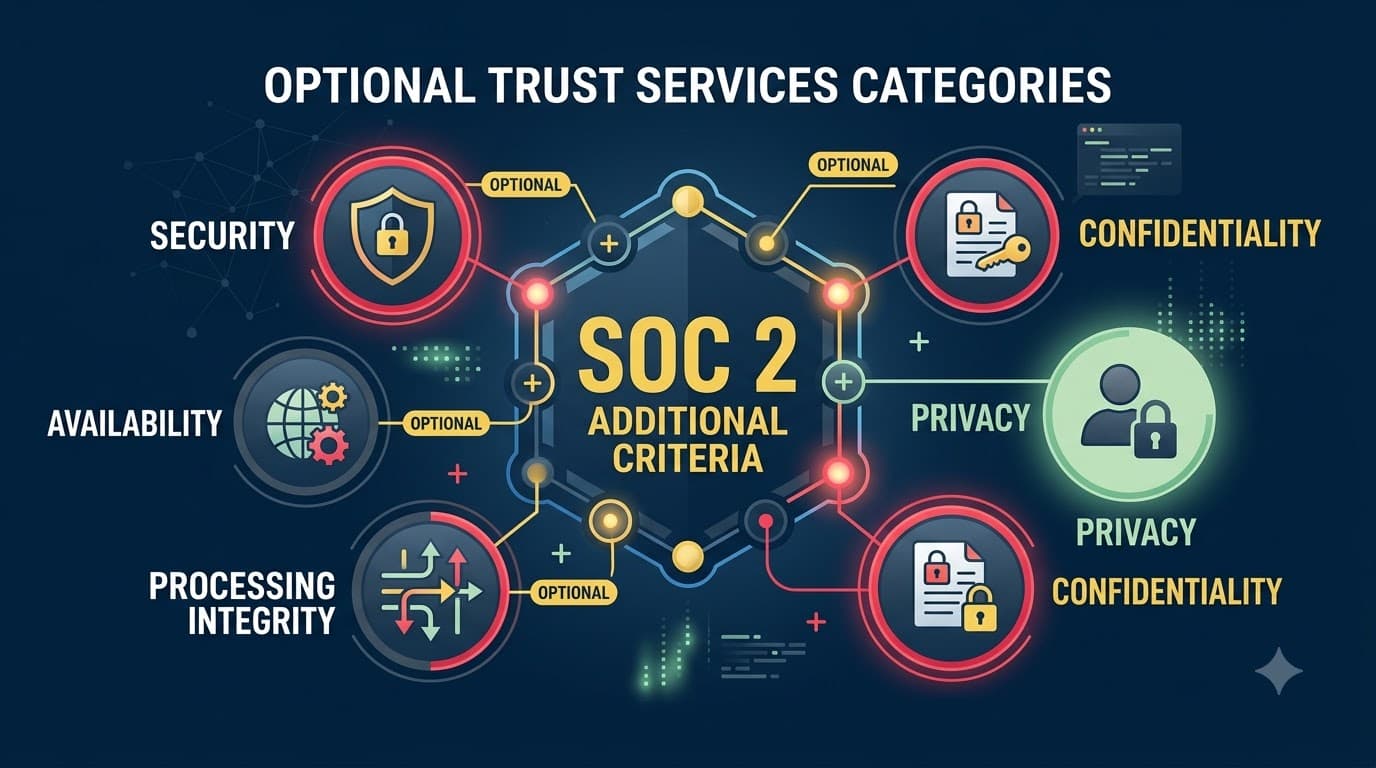
Everything else — Availability, Processing Integrity, Confidentiality, and Privacy — is optional, in the specific sense that the AICPA's Trust Services Criteria structure lets a service organization and its auditor agree to include only the categories relevant to the system's actual commitments. "Optional" does not mean "extra credit" or "nice to have if you feel like it." It means the criteria are conditional on what you promised your customers and what kind of data or processing sits inside your system boundary. A Type II report that includes Availability without any evidence of an availability commitment looks just as wrong to a sharp auditor — or a sharp customer's vendor-risk analyst — as one that includes Security controls nobody actually implemented.
Within each criterion — required or optional — the AICPA sets out illustrative points of focus: characteristics an auditor may consider when evaluating whether the criterion is met. Points of focus aren't a separate checklist to satisfy line by line; they're examples of what "meeting the criterion" can look like, which is why two companies in different industries can both pass A1.1 with genuinely different-looking control sets. Keep that in mind as you read the category summaries below — the goal is matching the intent of each criterion to your system, not reproducing a template.
This article covers all four optional categories at the decision-making level: what triggers each one, what it costs, and how the four interact. If you've already decided to add a specific category and need the full criteria-by-criteria implementation detail, the deep dives are SOC 2 Availability Criteria: System Uptime and Performance Management, SOC 2 Processing Integrity: Data Accuracy and Completeness Controls, SOC 2 Confidentiality Criteria: Information Protection Beyond Security, and SOC 2 Privacy Criteria: Personal Information Management and Protection. This piece is the map before you pick a road.
Table 1: The Five Trust Services Categories at a Glance
Category | Required or Optional | AICPA Criteria Series | Number of Criteria | One-Line Purpose |
|---|---|---|---|---|
Security (Common Criteria) | Required in every SOC 2 | CC1.1–CC9.2 | 9 series, ~33 criteria | Protects systems against unauthorized access, use, or disclosure |
Availability | Optional | A1.1–A1.3 | 3 criteria | System is available for operation and use as committed |
Processing Integrity | Optional | PI1.1–PI1.5 | 5 criteria | Processing is complete, valid, accurate, timely, and authorized |
Confidentiality | Optional | C1.1–C1.2 | 2 criteria | Confidential information is protected consistent with commitments |
Privacy | Optional | P1.0–P8.0 | 8 series | Personal information is collected, used, retained, and disclosed per stated notice |
"I tell every client the same thing before we scope their first SOC 2: Security is the entry fee. The other four are what you tell the world you're good at. Get that mixed up and you either underdeliver on a promise you made in a sales deck, or you pay an auditor to test something nobody asked for." — Renata Kowalski, Director of Assurance, Bastion CPA Group
Why "optional" doesn't mean "default no"
The instinct to minimize scope is usually right — smaller scope means fewer controls to design, fewer evidence artifacts to produce every quarter, and a shorter, cheaper audit. But treating every optional category as a cost to be avoided, rather than a commitment to be matched, creates its own failure mode: a SOC 2 report that technically exists but doesn't answer the question the customer actually asked. I've sat across from a Series C CFO who was stunned that her company's SOC 2 didn't cover Availability, because her sales team had been promising 99.95% uptime in every enterprise deal for a year. The report was accurate. It was also useless for the conversation her sales team was actually having.
The right posture is neither "add everything" nor "add nothing" — it's "add what you've already promised, explicitly or implicitly, and what the data in your system demands." If your marketing site advertises an SLA, Availability probably belongs in scope. If your platform touches Social Security numbers, Privacy isn't really optional in any practical sense, whatever the AICPA calls it. If you process nothing but anonymized aggregate metrics for internal dashboards, Privacy may genuinely have nothing to attach to, and forcing it into scope just manufactures busywork. The SOC 2 Trust Services Criteria: Security, Availability, Processing Integrity, Confidentiality, Privacy article covers what each category means in AICPA terms; this one is about the judgment call of which ones apply to your system.
The three-question framework for scoping decisions
Every scoping conversation I've run — and I've run this exercise with roughly sixty service organizations — collapses into three questions, asked against each of the four optional categories in turn:
1. What kind of service do you run? Some service types carry near-universal expectations. A payments processor without Processing Integrity in scope will get flagged by nearly every serious enterprise buyer. A pure internal-tools SaaS with no uptime SLA and no transaction processing may legitimately need nothing beyond Security for years.
2. What have you already committed to, contractually or publicly? Read your own master service agreements, SLAs, and marketing pages before you read the AICPA criteria. If you've promised 99.9% uptime in a contract, that promise already exists — the only question is whether your SOC 2 evidences it. The same logic applies to data-handling promises in your privacy policy or a signed NDA.
3. What data and processing actually live inside your system boundary? This is the audit scope question, and it's the one people get wrong most often, in both directions — either forgetting that a "just metadata" field is actually personal information, or assuming a category applies because the data sounds sensitive when it isn't tied to an individual at all.
Answer those three questions honestly for each category, and the scoping decision mostly makes itself. The SOC 2 Scope Definition: Determining What's In and Out article walks through defining your system boundary in more depth — this framework assumes that boundary is already roughly drawn and asks which criteria apply inside it.
Table 2: Decision Matrix — Likely Category Relevance by Service Type
Service Type | Security | Availability | Processing Integrity | Confidentiality | Privacy |
|---|---|---|---|---|---|
General B2B SaaS (project mgmt, collaboration) | Always | Common | Rare | Situational | Situational |
Fintech / payments platform | Always | Usually | Almost always | Usually | Usually |
Health-tech / health-adjacent SaaS | Always | Usually | Situational | Almost always | Almost always |
HR / payroll platform | Always | Common | Usually | Usually | Almost always |
E-commerce / marketplace | Always | Usually | Almost always | Situational | Usually |
B2B data & analytics platform (non-personal data) | Always | Common | Usually | Usually | Rare |
Cloud infrastructure / IaaS / hosting | Always | Almost always | Rare | Usually | Rare |
Managed security service provider (MSSP) | Always | Usually | Situational | Almost always | Situational |
Marketing / adtech platform | Always | Situational | Situational | Situational | Almost always |
Industrial IoT / OT / grid & sensor monitoring | Always | Almost always | Usually | Situational | Rare |
"Common," "Usually," and "Situational" are illustrative directional guidance based on typical commitments for each archetype, not a substitute for reading your own contracts — a company in any row can land differently depending on what it has actually promised.
Availability: what it adds and when it belongs in scope
Availability is the most intuitive of the four optional categories, and usually the easiest sell internally, because most engineering organizations already have some version of the underlying discipline — capacity planning, redundancy, disaster recovery, and incident response — even before a SOC 2 conversation starts. The category asks whether your system is available for operation and use as you've committed, covered by three criteria: A1.1 (capacity monitoring and forecasting to meet availability commitments), A1.2 (environmental protections, backup, and recovery infrastructure), and A1.3 (recovery plan testing).
Include Availability when you've made an explicit or implicit uptime promise — an SLA in a contract, an uptime number on your status page, or a customer base for whom downtime has real operational consequences (transaction processing, patient care, industrial monitoring, anything customer-facing at scale). Skip it, at least for now, if your system has no meaningful uptime commitment and outages, while embarrassing, don't breach anything you've promised in writing. A ten-person internal tool with no SLA doesn't need it; a platform sixty enterprise customers depend on for real-time operations almost certainly does. The full criteria-by-criteria build is in SOC 2 Availability Criteria: System Uptime and Performance Management — this section is about the go/no-go decision, not the implementation.
Table 3: Availability — Inclusion Triggers, Criteria, and Evidence
Element | Detail |
|---|---|
Criteria series | A1.1 – A1.3 |
Include when | You have a contractual/published SLA; downtime has direct customer operational impact; customers ask about uptime in security questionnaires |
Skip when | No uptime commitment exists; system is internal-only or low-criticality; customers have never raised availability in a deal |
A1.1 tests | Capacity monitoring, forecasting, and management to meet availability commitments |
A1.2 tests | Environmental protections, backup processes, and recovery infrastructure |
A1.3 tests | Recovery plan procedures are tested periodically |
Typical evidence | Uptime/monitoring dashboards, incident tickets, capacity reports, backup logs, disaster recovery test results, failover test records |
Common blind spot | Backup exists but recovery has never actually been tested end-to-end |
"Availability is the category where I see the most confidence and the least testing. Everyone says they have backups. Half the companies I audit have never actually restored from one in the last twelve months. That's the gap A1.3 exists to close." — Sam Whitcombe, Audit Partner, Lindgren & Cole LLP
Processing Integrity: what it adds and when it belongs in scope
Processing Integrity is the category most often underestimated by companies that don't think of themselves as "financial," even though the criteria have nothing to do with accounting — they're about whether your system's processing is complete, valid, accurate, timely, and authorized. Five criteria carry this: PI1.1 (defining and communicating processing specifications), PI1.2 (input completeness/accuracy), PI1.3 (processing completeness/accuracy), PI1.4 (output completeness/accuracy and appropriate distribution), and PI1.5 (storing inputs, outputs, and data appropriately to support complete, accurate processing).
Include Processing Integrity when your system does something to data on a customer's behalf, not just stores it — calculates, transforms, routes, matches, reconciles, or transacts. Order-management platforms, payment processors, billing engines, data-transformation pipelines, and anything performing calculations customers rely on for downstream decisions are strong candidates. Skip it when your system is largely a pass-through storage or communication layer without meaningful transformation logic — a file-sharing tool or a messaging app usually has little to test here, because there's no "processing" claim being made in the first place. The implementation depth — input validation, reconciliation, exception handling, output controls — lives in SOC 2 Processing Integrity: Data Accuracy and Completeness Controls.
Table 4: Processing Integrity — Inclusion Triggers, Criteria, and Evidence
Element | Detail |
|---|---|
Criteria series | PI1.1 – PI1.5 |
Include when | System calculates, transforms, transacts, or routes data on a customer's behalf; customers depend on output accuracy for financial, operational, or clinical decisions |
Skip when | System is primarily storage, hosting, or communication with no material transformation logic |
PI1.1 tests | Processing specifications are defined, documented, and communicated |
PI1.2 tests | Inputs are complete, accurate, and validated before processing |
PI1.3 tests | Processing itself is complete, accurate, timely, and authorized |
PI1.4 tests | Outputs are complete, accurate, and distributed to the right parties |
PI1.5 tests | Data is stored to support complete and accurate processing over time |
Typical evidence | Input validation logs, reconciliation reports, exception/error queues, processing job logs, output distribution records |
Common blind spot | Error-handling and exception queues exist but nobody reviews them on a defined cadence |
"The question I ask every prospective client is simple: if your system produced a wrong number tomorrow, would a customer's business decision be wrong because of it? If yes, you need Processing Integrity, whether or not you think of yourself as a 'financial' company." — Marcus Delaney, CISO, Fenwick Pay
Confidentiality: what it adds and when it belongs in scope
Confidentiality is easy to confuse with Security or Privacy, and the confusion causes more mis-scoped audits than any other category. Security protects the system generally; Privacy protects personal information specifically; Confidentiality protects designated confidential information — which may or may not be personal — consistent with commitments made to the party that shared it. Think contracts, source code, pricing models, M&A materials, proprietary algorithms, unreleased product plans, or a client's confidential business data that has nothing to do with any individual. Two criteria carry the category: C1.1 (identification and maintenance of confidential information to meet commitments) and C1.2 (disposal of confidential information to meet commitments).
Include Confidentiality when your customer contracts include confidentiality clauses or NDAs specific to the data you handle, when you store a client's proprietary business information (not just their employees' personal data), or when a customer's procurement team asks for it explicitly — a common ask from legal-tech, consulting, M&A-adjacent, and enterprise B2B platforms. Skip it when the only sensitive information in your system is already personal information better addressed under Privacy, or when nothing in your system rises to a "confidential" designation beyond ordinary business records. The SOC 2 Confidentiality Criteria: Information Protection Beyond Security article covers classification schemes and disposal controls in depth.
Table 5: Confidentiality — Inclusion Triggers, Criteria, and Evidence
Element | Detail |
|---|---|
Criteria series | C1.1 – C1.2 |
Include when | Contracts/NDAs designate specific data as confidential; you store client IP, pricing, or business plans; customers explicitly request Confidentiality in scope |
Skip when | Only sensitive data is personal information (covered better under Privacy); no confidentiality commitments exist beyond general security |
C1.1 tests | Confidential information is identified and protected consistent with commitments and requirements |
C1.2 tests | Confidential information is disposed of appropriately when no longer needed |
Typical evidence | Data classification policy and labeling, access restriction logs on confidential repositories, NDA/contract clause mapping, disposal/deletion certificates, encryption configuration for classified data |
Common blind spot | Confidential data is protected while active but has no defined retention or destruction schedule |
Privacy: what it adds and when it belongs in scope
Privacy is the broadest and most operationally demanding of the four optional categories, covering the full lifecycle of personal information: notice, choice and consent, collection, use/retention/disposal, access, disclosure, quality, and monitoring/enforcement — organized as P1 through P8. It's also the category most directly shaped by PII sensitivity: a platform holding names and email addresses faces a lighter lift than one holding Social Security numbers, health information, or financial account details, even though both technically "have personal information."
Include Privacy when your system collects, uses, retains, or discloses personal information as a core part of the service — HR and payroll platforms, healthcare-adjacent SaaS, consumer apps, marketing and adtech platforms handling identifiable profiles, and any B2B platform whose end users are individuals rather than businesses. Skip it, cautiously, when the only personal information in your system is limited to your own employees' HR records and a handful of customer business contacts — data most auditors and customers treat as covered adequately under Security and Confidentiality rather than warranting a full Privacy scope. That's a judgment call worth making with your auditor, not alone: Privacy is the category most likely to get flagged by a sophisticated customer's legal team if it's missing and should be there. Note that adding Privacy doesn't put the entire burden on you — some P-series expectations, like a customer configuring its own consent and marketing-preference settings correctly, are reasonably assumed to be complementary user entity controls the customer operates on their end, not something your system can control unilaterally. The full P1–P8 build is in SOC 2 Privacy Criteria: Personal Information Management and Protection.
Table 6: Privacy — Inclusion Triggers, Criteria Series, and Evidence
Element | Detail |
|---|---|
Criteria series | P1.0 – P8.0 |
Include when | Personal information collection/use/retention/disclosure is core to the service; end users are individuals; customer contracts reference privacy obligations |
Skip when | Personal data is limited to incidental internal HR records with no external processing role |
P1 | Notice and communication of privacy objectives |
P2 | Choice and consent |
P3 | Collection |
P4 | Use, retention, and disposal |
P5 | Access |
P6 | Disclosure and notification |
P7 | Quality |
P8 | Monitoring and enforcement |
Typical evidence | Privacy policy/notice, consent capture records, data subject access request logs, retention schedules, disclosure/third-party sharing register, data breach notification procedures |
Common blind spot | Privacy notice exists publicly but internal retention and disposal practices don't match what it says |
"Privacy is the category people either massively over-scope or dangerously under-scope. I've seen a project-management tool add all eight P-series criteria because a customer used the word 'privacy' in an email — total overkill. I've also seen a payroll platform sitting on Social Security numbers for 1.4 million people try to argue Privacy wasn't 'core' to the business. Read your own data inventory before you decide." — Dr. Elena Vasquez, Privacy Counsel, Meridian HR
Cost and effort: what each category actually adds
Every optional category adds three kinds of cost: policy and control-design work up front, ongoing evidence generation every audit period, and auditor testing hours that show up in your invoice. None of the four are free, but they aren't equally expensive either, and the differences matter when you're deciding what to commit to for a customer you haven't signed yet.
Availability tends to be the cheapest add for companies that already run any kind of serious operations discipline — most of the evidence (monitoring, backups, incident tickets) already exists and just needs to be organized and tested on a defined cadence. Processing Integrity and Confidentiality sit in the middle: they usually require some new control design (input/output validation logic, a data classification scheme) but build on infrastructure most engineering teams already have. Privacy is consistently the most expensive, because it touches legal, product, and engineering simultaneously — notices need legal review, consent flows need product and engineering work, and data subject request handling needs an operational process that didn't previously exist in most companies.
Table 7: Cost and Effort by Optional Category (Illustrative)
Category | Typical New Policy/Control Work | Typical Timeline Added to First Audit | Typical Incremental First-Year Cost | Ongoing Evidence Burden |
|---|---|---|---|---|
Availability | Low–Medium (formalizing existing DR/capacity practices) | 3–6 weeks | $15,000–$35,000 | Medium (quarterly capacity + annual DR test) |
Processing Integrity | Medium (input/output/reconciliation controls) | 5–9 weeks | $25,000–$60,000 | Medium–High (ongoing reconciliation review) |
Confidentiality | Low–Medium (classification scheme, disposal procedures) | 3–5 weeks | $15,000–$30,000 | Low–Medium (periodic classification review) |
Privacy | Medium–High (notices, consent, DSAR process, retention) | 8–14 weeks | $40,000–$100,000+ | High (ongoing DSAR handling, disclosure register) |
Figures are illustrative ranges drawn from typical engagement patterns, not a quote — actual cost depends heavily on how much of the underlying control already exists before you start.
"Clients ask me to rank the four by cost like it's a fixed price list. It isn't. If you've already built solid backup and recovery, Availability might cost you three weeks. If you've never tested a restore, it might cost you three months. The starting point matters more than the category." — Renata Kowalski, Director of Assurance, Bastion CPA Group
A decision flow for selecting categories
The three-question framework works as a linear conversation, but it's easier to apply consistently as a flow you can run against your own service, one category at a time, always starting from the Security baseline that's already fixed.
flowchart TD
    A[Start: Security / Common Criteria is always in scope] --> B{Do customers rely on\nan uptime or SLA commitment?}
    B -- Yes --> C[Include Availability A1.1-A1.3]
    B -- No --> D{Does the system calculate, transform,\nroute, or reconcile data/transactions\non customers' behalf?}
    C --> D
    D -- Yes --> E[Include Processing Integrity PI1.1-PI1.5]
    D -- No --> F{Do contracts or NDAs designate\nnon-personal business data\nas confidential?}
    E --> F
    F -- Yes --> G[Include Confidentiality C1.1-C1.2]
    F -- No --> H{Does the system collect, use,\nretain, or disclose personal\ninformation as a core function?}
    G --> H
    H -- Yes --> I[Include Privacy P1-P8]
    H -- No --> J[Finalize scope with auditor\nand document the rationale]
    I --> J
Run every category through the flow independently — a "no" on Processing Integrity doesn't disqualify Confidentiality, and a "yes" on Privacy doesn't automatically mean "yes" on Availability. The four categories are evaluated on separate merits, not as a bundle.
Category selection examples
Abstract frameworks are easier to trust once you've seen them applied. Here's how the decision plays out across a handful of company archetypes I've worked with — names changed, patterns real.
Table 8: Category Selection by Company Archetype
Archetype | Categories Selected | Primary Reason |
|---|---|---|
Project-management SaaS, no PII beyond business contacts | Security only | No SLA in contracts, no transformation logic, no confidential-data commitments, minimal personal data |
Payments/billing platform | Security, Availability, Processing Integrity, Confidentiality | Uptime SLAs in every contract; transaction accuracy is the core product; merchant financial data is confidential |
HR/payroll platform | Security, Availability, Processing Integrity, Privacy | SSNs and bank details processed at scale; payroll calculations must be accurate; uptime matters during pay cycles |
Legal-tech document platform | Security, Confidentiality | Client contracts, redlines, and negotiation data are confidential business information, not personal data |
Industrial IoT / grid monitoring | Security, Availability, Processing Integrity | Uptime and telemetry accuracy are safety-relevant; no personal information in the data set |
Consumer health app | Security, Availability, Confidentiality, Privacy | Health data is both confidential and personal; uptime affects care-adjacent use cases |
B2B analytics platform on anonymized data | Security, Processing Integrity | Output accuracy matters to customer decisions; no confidential or personal data retained |
Managed security service provider (MSSP) | Security, Availability, Confidentiality | Client security data is highly confidential; uptime of monitoring/alerting is a contractual commitment |
Case study: getting the scope right the first time
Fenwick Pay was an 80-person payments-orchestration startup routing card and ACH transactions for mid-market e-commerce merchants when its CISO, Marcus Delaney, started planning the company's first SOC 2 Type II. Fenwick's board wanted a report fast — the company's biggest prospect, a $2.6 million annual deal with a multi-brand retail group, was waiting on it. Marcus's first draft scope, built without much analysis, included only Security and Availability, on the theory that "everyone asks about uptime" and "Processing Integrity sounds like an accounting thing that doesn't apply to us."
His auditor flagged the gap in the scoping call: Fenwick's core product recalculated transaction totals, applied currency conversion, and reconciled settlement batches against merchant records — the textbook definition of processing customers rely on for accuracy. Marcus added Processing Integrity before fieldwork began, which meant six extra weeks of building input-validation logging and reconciliation review evidence, but it also meant the report that reached the retail group's procurement team answered the exact question their finance department was going to ask about transaction accuracy. The deal closed on schedule. Marcus estimates that catching the gap during scoping — rather than after a customer's audit of the report — saved Fenwick a remediation cycle he pegs at four to five months and a renewal at risk.
Case study: the cost of over-scoping
Bramwell Cloud Storage, a 45-person file-sync-and-share SaaS company serving small professional-services firms, took the opposite approach. Its VP of Compliance, Aisha Bello, joined a security-questionnaire review meeting where a prospective customer's procurement checklist mentioned "privacy" twice, and left the meeting convinced Bramwell needed all four optional categories to look serious to enterprise buyers. The company added Availability, Processing Integrity, Confidentiality, and Privacy to its first SOC 2 scope in one pass.
The audit took fourteen weeks longer than a comparably sized company's typical first Type II, and cost roughly $95,000 more than a Security-plus-Availability-plus-Confidentiality scope would have. The Processing Integrity criteria, in particular, turned into a slog: Bramwell's platform stored and synced files but didn't meaningfully transform or calculate anything, so there was almost no natural evidence to test, and the team spent weeks manufacturing artificial "processing controls" around file checksums that didn't map to any real customer commitment. Aisha's own retrospective, six months later: "We added Privacy because a customer said the word 'privacy' in a meeting. We should have asked what they meant." A follow-on scope review with a new auditor dropped Processing Integrity for the next audit cycle, after confirming no customer had ever asked for it specifically.
Case study: phasing categories in as the business grows
ClauseHarbor, a legal-tech SaaS company, added Confidentiality to its SOC 2 scope in year one — an easy call, given that its core product stored client contract drafts and negotiation histories for law firms. It deliberately left Privacy out of scope at that point: while some documents contained employee names, the platform's primary function was contract management, not personal-data processing, and no customer had asked for Privacy specifically. Eighteen months later, ClauseHarbor launched a new module handling employee-related HR agreements at scale for corporate clients, materially increasing the volume and sensitivity of personal information in the system. Its compliance lead added Privacy to the following year's audit cycle, timed to the product launch rather than reacting to a customer demand after the fact. The phased approach meant each addition arrived with a clear, defensible trigger — a new module, not a guess — and each category's evidence had months to mature before the audit period began, rather than being assembled under deadline pressure.
Table 9: Case Study Outcomes Summary
Company | Categories Added | Approach | Quantified Outcome |
|---|---|---|---|
Fenwick Pay | Security, Availability, Processing Integrity | Corrected scope during pre-audit planning | $2.6M deal closed on schedule; est. 4–5 month remediation cycle avoided |
Bramwell Cloud Storage | Security, Availability, Processing Integrity, Confidentiality, Privacy (over-scoped) | Added all four without a documented trigger | 14 weeks longer audit; ~$95,000 in avoidable cost; Processing Integrity dropped next cycle |
ClauseHarbor | Confidentiality (year 1), Privacy (year 2, phased) | Added categories tied to specific product/business triggers | Each addition arrived with mature evidence and a defensible rationale, no rushed scramble |
Common mistakes in category selection
Most mis-scoped SOC 2 reports fail in one of a small number of predictable ways. Recognizing the pattern before your own scoping meeting is worth more than any framework.
Table 10: Common Mistakes and How to Fix Them
Mistake | Why It Happens | Fix |
|---|---|---|
Adding a category because a customer used the word once, without checking their actual requirement | Reactive scoping instead of reading the underlying contract/questionnaire language | Ask the customer's vendor-risk team directly which criteria they require, in writing |
Skipping Privacy because "we're B2B" | Assuming B2B means no personal information, ignoring employee/end-user data inside the platform | Run a data inventory; personal information can exist even in a B2B product |
Treating Confidentiality as redundant with Security | Not recognizing Confidentiality protects designated non-personal data under specific commitments | Check contracts/NDAs for confidentiality clauses referencing specific data types |
Adding all four categories "to be safe" | Confusing more scope with more credibility | Map each category to an explicit commitment before including it |
Never revisiting scope after launching a new product | Treating the SOC 2 scope decision as a one-time event | Reassess categories at each renewal and whenever the system boundary changes materially |
Including Processing Integrity for a storage-only system | Assuming any data handling counts as "processing" | Confirm the system performs meaningful transformation, calculation, or transaction logic |
"The single most avoidable audit-fee overrun I see is a company that added Privacy without a data inventory to back it up, then spent three months of fieldwork proving controls over data they weren't sure they even had. Do the inventory first. It's cheaper than the audit hours." — Tom Yashiro, Founder, a 30-person developer-tools startup that added Confidentiality but held off on Privacy for two years
Where the categories overlap — and where they don't
None of the five categories operate in a vacuum. Security controls (encryption, access control, monitoring) underpin every other category's evidence, and it's common for a single control to satisfy testing across more than one category at once. Understanding the overlap helps you avoid building redundant control sets — and helps you see where a category everyone assumes is "covered already" actually isn't.
The overlap that trips people up most is Confidentiality versus Privacy. Both protect sensitive information from unauthorized disclosure, and both rely heavily on classification and access restriction. But they answer different questions: Confidentiality asks whether information a party designated as confidential is protected per that commitment, regardless of whether it's personal; Privacy asks whether personal information specifically is collected, used, retained, and disclosed consistent with notice given to the individual it's about. A company can need one without the other — a legal-tech platform holding non-personal contract data needs Confidentiality but may not need Privacy; a marketing platform holding email addresses under a public privacy policy needs Privacy but may not have any separately "confidential" business data to protect under Confidentiality.
Table 11: Category Overlap and Distinction Analysis
Category Pair | Where They Overlap | Where They Diverge |
|---|---|---|
Security & Availability | Both rely on system operations, monitoring, and incident response controls | Security protects against unauthorized access; Availability protects against downtime, independent of a breach |
Confidentiality & Privacy | Both restrict access to sensitive data and rely on classification/access controls | Confidentiality covers any designated sensitive data (personal or not); Privacy covers only personal information and its lifecycle/notice obligations |
Processing Integrity & Security | Both depend on change management and access controls over processing systems | Security asks who can access the system; Processing Integrity asks whether the processing itself is accurate and complete |
Availability & Processing Integrity | Both can involve capacity and system-operations evidence | Availability asks if the system is up; Processing Integrity asks if the output produced while it's up is correct |
Confidentiality & Security | Confidentiality evidence (encryption, access restriction) is a subset of general Security controls | Confidentiality adds specific commitments and disposal obligations Security alone doesn't test |
Contractual and customer-driven triggers to watch for
Most category-addition decisions I've been part of weren't triggered by an internal risk assessment — they were triggered by a specific line in a customer contract, security questionnaire, or renewal conversation. Knowing the common trigger phrases helps you spot the signal before it becomes an urgent scramble.
Table 12: Common Customer-Driven Triggers by Category
Trigger Language / Situation | Category Usually Implicated |
|---|---|
Contract includes an uptime SLA with financial penalties for breach | Availability |
Security questionnaire asks about "data accuracy," "reconciliation," or "transaction integrity" | Processing Integrity |
NDA or MSA designates specific categories of data as "Confidential Information" | Confidentiality |
Customer requests a Data Processing Addendum (DPA) or asks about GDPR/CCPA alignment | Privacy |
Procurement checklist explicitly lists required Trust Services Categories | Whichever categories are named |
Prospect's legal team asks how personal data of their own customers is handled | Privacy |
Enterprise renewal references "mission-critical" or "24/7" dependency on your platform | Availability |
Finance/audit team of a customer asks how your system prevents processing errors | Processing Integrity |
If you see a trigger phrase appear in more than one deal in a quarter, treat it as a pattern, not a one-off — that's usually the signal it's time to formally evaluate the category rather than negotiate it deal by deal.
Phasing additional categories in over multiple audit cycles
You don't have to add every relevant category in your first SOC 2. In fact, for most first-time examinees, I recommend against it. Trying to stand up Security plus three optional categories simultaneously, with no prior evidence history, is how scope creep turns a six-month project into a ten-month one and burns out the small compliance team usually running point. A phased approach — Security first, then the one or two categories with the clearest, most urgent commitment, then the rest as the business grows into them — tends to produce cleaner evidence and fewer exceptions in the auditor's report than trying to do everything in a single, compressed cycle.
Table 13: Illustrative Phased Roadmap for Adding Categories
Phase | Typical Timing | Categories Added | Rationale |
|---|---|---|---|
Phase 1 | First SOC 2 (Type I or Type II) | Security (always) + the one optional category with an existing, explicit commitment | Establishes the evidence baseline without overloading the first cycle |
Phase 2 | Second audit cycle (6–12 months later) | Add the next-most-requested category based on real customer/questionnaire signals | Evidence from Phase 1 controls is now mature and reusable |
Phase 3 | Third cycle or triggered by a new product/market | Add remaining categories tied to specific business changes (new data type, new customer segment) | Keeps scope additions tied to documented triggers, not guesses |
Ongoing | Every renewal | Reassess whether any in-scope category should be dropped or any new one added | Scope should track the business, not stay frozen from year one |
How auditors evaluate whether your category selection is appropriate
Auditors don't just accept whatever categories you propose — as part of accepting the engagement, a competent CPA firm will push back on a scope that doesn't match your system description, your commitments, or your data. This is a normal, healthy part of the readiness assessment conversation, not an obstacle to route around.
Table 14: How Auditors Assess Category Selection Appropriateness
Auditor Question | What They're Checking |
|---|---|
Does your system description match the categories you've proposed? | Consistency between what you say the system does and what you're claiming to test |
Do your customer contracts/SLAs support the categories included? | Whether commitments actually exist to justify the criteria |
Is there a category you've excluded that your marketing or contracts imply you should include? | Gaps between public claims and audit scope |
Do you have evidence history for the controls under each proposed category? | Whether Type II testing has anything real to sample across the period |
Has your data inventory been reviewed recently? | Whether Privacy/Confidentiality scoping reflects current, not stale, data flows |
Are subservice organizations handling in-scope criteria addressed (carve-out or inclusive)? | Whether the scope correctly accounts for third parties performing in-scope functions |
"I've turned down engagements where a client wanted Privacy in scope but had no privacy policy, no consent records, and no idea what personal data they held. You can't test evidence that doesn't exist. Get your house in order before you ask me to scope it." — Sam Whitcombe, Audit Partner, Lindgren & Cole LLP
Working with your auditor and internal stakeholders on scope
The scoping conversation works best as a three-way negotiation between your compliance lead, your customer-facing teams (sales, customer success, legal), and your auditor — not a decision made in isolation by whoever owns the audit relationship. Sales and customer success know what customers are actually asking for in the field; legal knows what your contracts already commit to; your auditor knows what the criteria require and what's realistically testable in your evidence set. Skipping any one of the three tends to produce a scope that's technically defensible but practically wrong — either too narrow for what your sales team is promising, or too broad for what your engineering team can actually evidence.
Bring your auditor into the scoping conversation before you commit to a category in a customer-facing document. I've seen sales teams promise "SOC 2 with Privacy" in a security questionnaire before the compliance team had even started the internal evaluation — a commitment that then had to be walked back or delivered under enormous time pressure. The SOC 2 Management Assertion: Taking Ownership of Your Controls article covers how management formally signs off on scope and controls; treat the category-selection conversation as the input to that assertion, not an afterthought to it.
Documenting your scoping rationale
Whatever categories you land on, write down why. A one-page scoping memo — which categories were included, which were excluded, and the specific commitment or data finding that drove each decision — does two things: it gives your auditor a defensible basis to accept the engagement scope, and it gives your own team (and your next compliance hire) a record they don't have to reconstruct from memory eighteen months later when a customer asks why Privacy isn't in the report. I ask every client to keep this memo current at each renewal, updated with any new triggers — a new product line, a new data type, a new large customer's specific requirement — that changed the calculus since the last cycle. This is one of the artifacts an auditor will often ask to see directly as part of assessing whether your audit scope is reasonable, and it's also one of the fastest ways to shorten a scoping conversation in a future audit, because the reasoning is already written down instead of being re-argued from scratch.
Mapping common data types to likely categories
If you're still not sure where you land, working backward from the data itself is often faster than working forward from the criteria. Here's a rough mapping I use as a starting point in scoping workshops — always confirmed against actual contracts and system behavior, never taken as a final answer on its own.
Table 15: Data Type to Likely Category Mapping
Data Type Handled | Categories Most Often Implicated |
|---|---|
Payment card / bank account data | Processing Integrity, Confidentiality |
Health information (clinical or health-adjacent) | Confidentiality, Privacy |
Employee HR records (your own employees only) | Security; occasionally Confidentiality |
Customer PII (names, emails, addresses, phone numbers) | Privacy |
Government ID numbers (SSNs, passport numbers) | Privacy, Confidentiality |
Proprietary source code, algorithms, trade secrets | Confidentiality |
Financial transaction or ledger data | Processing Integrity, Confidentiality |
Anonymized or aggregate analytics data | Typically Security only |
Real-time operational or sensor telemetry (no personal data) | Availability, Processing Integrity |
Contracts, M&A materials, pricing/negotiation data | Confidentiality |
Scoping across multiple products or business lines
Category selection gets more complicated once a company sells more than one product under a single SOC 2, or serves customer segments with meaningfully different data profiles. A company with both a core project-management product and a newer billing add-on, for instance, might find that Processing Integrity is clearly required for the billing module but has nothing to attach to in the core product. The AICPA framework doesn't require uniform criteria across every feature — it requires that the criteria you select apply to the system as described in your system description, which you control.
The practical approach is usually one of two: either define your system boundary narrowly enough that the categories apply consistently across everything inside it (common for companies that keep a newer, differently-scoped product on a separate SOC 2 report or a later addition), or include the category across the whole system once any material part of it triggers the requirement, accepting that some evidence will show controls operating more heavily in one product area than another. Neither approach is inherently right — the choice depends on how tightly integrated the products are, and it's exactly the kind of edge case worth raising directly with your auditor before you draft your system description, rather than after. Companies that wait until fieldwork to sort out cross-product scope tend to end up re-drafting their system description under time pressure, which is a worse position than deciding it up front.
Framing category selection as a business opportunity
It's easy to think about optional Trust Services Categories purely as a cost center — more criteria, more evidence, more audit fee. The more useful frame is competitive precision. A SOC 2 scope that matches exactly what your customers need, no more and no less, is a sharper sales tool than a maximal one: it tells a prospect's vendor risk management team that you understand your own system well enough to know precisely what it does and doesn't put at risk. A report padded with categories that don't map to anything real reads, to a sophisticated buyer, as compliance theater — box-checking without operational substance. A report that's missing an obviously relevant category reads as a gap that will surface in due diligence anyway, just later and more expensively.
Organizations running both an ISO 27001 program and a SOC 2 also get a second benefit from doing this scoping work carefully: much of the evidence built for Availability, Processing Integrity, and Confidentiality overlaps directly with ISO 27001 Annex A controls around business continuity, operations security, and information classification, covered in more depth in Running ISO 27001 and SOC 2 Together. If you're weighing which framework to pursue first, or how the two map to each other control-by-control, ISO 27001 vs SOC 2: Which One Do You Need and the ISO 27001, SOC 2 & NIST CSF Crosswalk are worth reading before you finalize scope in either direction — a control built once, for the right reason, can often satisfy evidence requests across more than one framework.
Daniel Osei's experience at Vesper Grid is the pattern I've seen play out dozens of times: the company that wins the deal isn't the one with the most Trust Services Categories in its report. It's the one whose scope precisely matches what the customer actually asked for, delivered on a timeline the business could absorb, with a rationale the compliance team can defend two renewal cycles later without having to reconstruct it from a Slack thread.
If you're heading into your first scoping conversation, don't guess your way through the four optional categories — pull your contracts, your data inventory, and your sales team's actual commitments into one room, run each category through the framework in this article, and bring your auditor in early. PentesterWorld's SOC 2 Trust Services Criteria Mapping Template is built for exactly this exercise — mapping each of the five categories against your contracts and data inventory before you commit to anything in writing. Pair it with the SOC 2 Cost Calculator to budget each category's realistic timeline and fee impact, and the SOC 2 Gap Analysis Tool once you've settled on scope, to see exactly which controls you already have versus which ones you'll need to build. If any of the AICPA terminology in this article was new to you, the SOC 2 Glossary is a fast way to get the whole team speaking the same language before the scoping conversation starts.