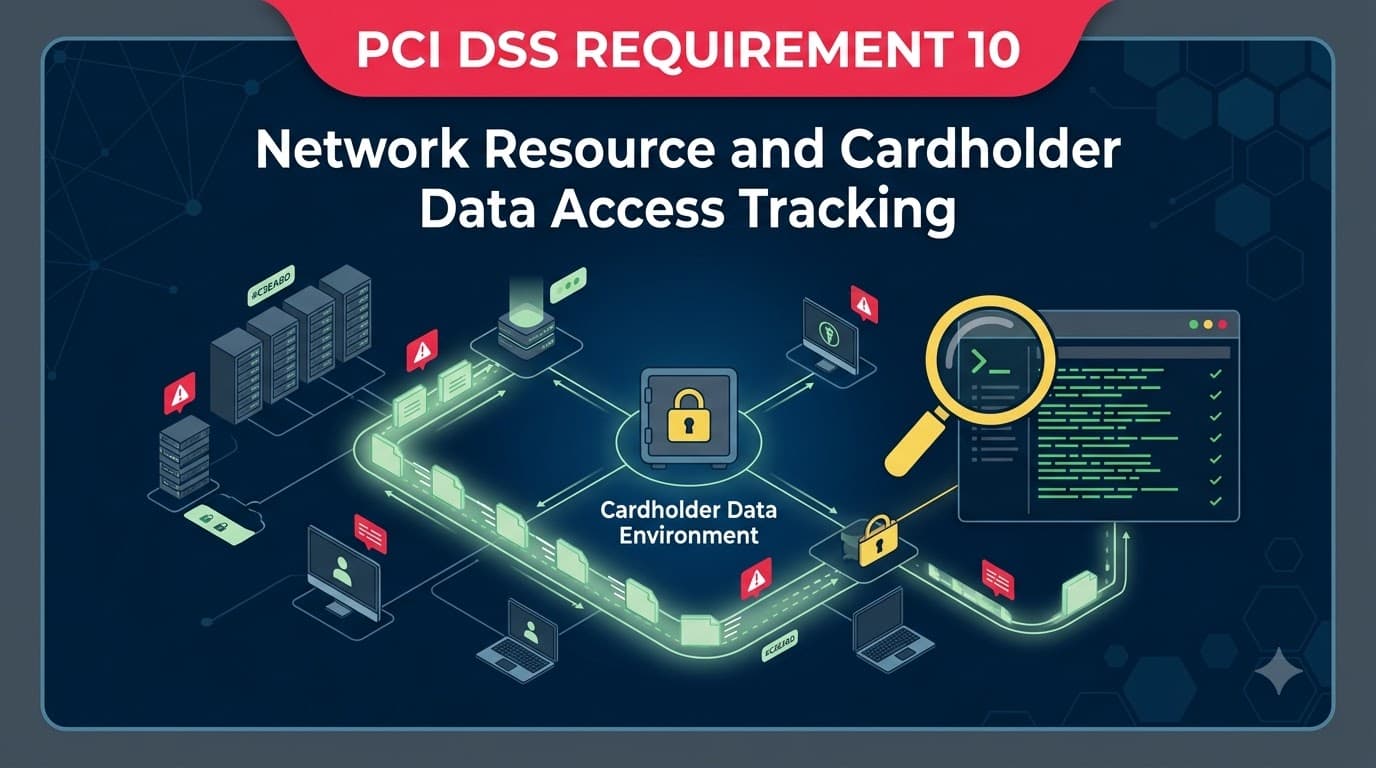
Maria Ibarra found out what "we think" costs at 2:40 a.m. on a Tuesday in March. As VP of IT Security at Solstice Retail Group — a 340-store apparel chain with an e-commerce arm processing roughly 2.1 million card transactions a month — she was on a bridge call with a PCI Forensic Investigator (PFI), two acquiring-bank risk officers, and outside counsel. Point-of-sale malware had been skimming track data from Solstice's payment terminals. The question that mattered most wasn't "how did they get in" — the malware signature made that obvious within hours. It was "how long were they in, and what did they touch?" Solstice's log retention policy kept audit logs for fourteen days before automatic rotation. The compromise had been live for months. Nobody could say, with evidence, when it started, which stores were affected, or whether the attacker had pivoted into other systems, because the audit trail that would have answered those questions no longer existed.
The acquiring banks assessed $2.4 million in card-brand fines, forensic costs, and cardholder reimbursement — not because Solstice had weak firewalls or unpatched servers, but because it could not produce the log-in records, access logs, and admin-action history needed to bound the security incident. The forensic report's core finding fills one sentence: "Insufficient logging prevented determination of the compromise window." That sentence is the entire business case for PCI DSS Requirement 10.
Requirement 10 — "Log and Monitor All Access to System Components and Cardholder Data" — is where compliance stops being about what you built and starts being about what you can prove happened. Firewalls (Requirement 1), encryption (Requirements 3 and 4), and access controls (Requirements 7 and 8) reduce the odds of a bad day. Requirement 10 determines how bad that day actually is, because it governs whether you can detect the intrusion quickly, scope it accurately, and demonstrate — to your acquirer, the card brands, and your own board — exactly what an attacker did and did not reach.
Who This Is For and What You'll Walk Away With
This article is written for the people who own the audit-log program: security engineers standing up centralized logging, IT directors preparing for a Qualified Security Assessor (QSA) assessment, compliance managers translating "10.2 through 10.7" into a project plan, and executives who need to understand why "we have logs somewhere" is not the same as being compliant. You'll walk away knowing exactly which events PCI DSS v4.0.1 requires you to log and what fields each entry must contain, how to protect audit logs from tampering, what "daily review" and "automated mechanisms" actually require operationally, how long to retain logs and in what state, and how the new v4.0 requirement to detect failures of critical security controls changes what "monitoring" means. We'll also walk through what assessors flag most often, so you can fix the gaps before they show up in a Report on Compliance.
Requirement 10 in Context: Where Logging Fits Among the 12 Requirements
PCI DSS organizes its twelve requirements into six control goals. Requirement 10 sits inside Goal 5, "Regularly Monitor and Test Networks," alongside Requirement 11 (security testing). It's easy to read that pairing as redundant — testing and logging both sound like "checking your work" — but they answer different questions. Requirement 11 (vulnerability scanning, penetration testing, and intrusion detection) asks "where are we exposed?" Requirement 10 asks "what actually happened?" One is proactive risk discovery; the other is the forensic and operational record that makes incident response possible at all.
Goal | Requirements | Primary Question Answered |
|---|---|---|
1. Build and Maintain a Secure Network and Systems | Req 1–2 | Is the perimeter and configuration hardened? |
2. Protect Account Data | Req 3–4 | Is cardholder data unreadable if stolen? |
3. Maintain a Vulnerability Management Program | Req 5–6 | Are known weaknesses patched and malware blocked? |
4. Implement Strong Access Control Measures | Req 7–9 | Can only authorized people reach the data? |
5. Regularly Monitor and Test Networks | Req 10–11 | What happened, and where are we still exposed? |
6. Maintain an Information Security Policy | Req 12 | Is the program governed and sustained? |
If you haven't yet read the full breakdown of how these goals fit together, the PCI DSS Complete Guide covers all twelve requirements end to end. This article goes deep on the seven control objectives inside Requirement 10 alone — because in my experience assessing and remediating logging programs, Requirement 10 generates more re-testing cycles and more delayed Attestations of Compliance than almost any other requirement except Requirement 6.
"Every QSA has a Requirement 10 story. Mine is a call center that had beautiful SIEM dashboards and zero retained history past thirty days because nobody had checked the storage bill. The dashboards were theater. The requirement isn't 'have a SIEM' — it's 'be able to answer a forensic question about something that happened four months ago.'" — Priya Nair, QSA, Meridian Assurance Partners
The Seven Control Objectives of Requirement 10
PCI DSS v4.0 restructured logging requirements around outcomes rather than a flat checklist, and Requirement 10 now reads as seven numbered control objectives (10.1 through 10.7), each with detailed sub-requirements. Treat this table as your project skeleton — everything else in this article expands one row.
Objective | Focus | What "Done" Looks Like |
|---|---|---|
10.1 | Roles, responsibilities, and documented processes | Written logging/monitoring policy; assigned ownership; annual review |
10.2 | Audit logs implemented for all system components | Logging enabled on every in-scope system, capturing defined events |
10.3 | Audit logs protected from destruction and tampering | Restricted read access, centralized storage, file integrity monitoring |
10.4 | Audit logs reviewed to identify anomalies | Daily review of critical logs, increasingly via automated mechanisms |
10.5 | Audit log history retained and available | 12 months minimum, 3 months immediately accessible |
10.6 | Time synchronization across systems | NTP or equivalent, protected time data, consistent settings |
10.7 | Detect and respond to failures of critical security controls | Alerting and defined response process when a control (FIM, IDS, AV, etc.) stops working |
10.7 is the objective most teams underestimate. It's new emphasis in v4.0, and it inverts the usual question: instead of "did the control catch the attacker," it asks "did we notice when the control itself broke?" We'll come back to it in depth after covering the logging fundamentals.
10.1: Defining Who Owns Logging Before You Touch a Config File
Every Requirement 10 remediation I've run starts the same way — not with a SIEM purchase, but with a whiteboard session answering: who is accountable for logging policy, who configures log sources, who reviews the output daily, and who owns the response when a review turns up something real? PCI DSS 10.1 requires a documented, role-assigned process describing how the organization implements and manages logging and monitoring — and requires personnel to know and follow it. Assessors will ask to interview the person named as the log-review owner, not just read the policy document. If the named owner can't describe what they actually do each day, that's a finding regardless of how good the policy document reads.
This matters because Requirement 10 fails quietly. A firewall misconfiguration produces an obvious outage; a logging gap produces silence. Nobody notices a missing log source until the day they need it — which is exactly the Solstice Retail Group scenario. Ownership has to be assigned before the tooling, not after, or the tooling becomes shelfware.
10.2: What Counts as "All System Components"
10.2 requires audit logs to be enabled and active for every in-scope system component — servers, databases, applications, network devices, virtualization layers, cloud workloads, and any system that stores, processes, transmits cardholder data (CHD), or could impact the security of the cardholder data environment (CDE). "In scope" under PCI DSS includes connected and security-impacting systems even if they never touch a card number directly — a jump box used to administer database servers is in scope for logging even though it holds no cardholder data itself.
The most common scoping mistake I see is treating logging as a CDE-only exercise and skipping the connected systems: identity providers, patch management servers, backup infrastructure, and remote-access gateways. If a compromised jump box can reach the CDE, its logs matter as much as the database's.
System Category | Example Components | Commonly Missed? |
|---|---|---|
Payment applications | POS software, e-commerce checkout, payment gateway integrations | Rarely missed |
Databases storing CHD | Transaction databases, tokenization vaults | Rarely missed |
Network infrastructure | Firewalls, routers, switches, wireless controllers | Sometimes — device-native logs get ignored |
Identity and access systems | Active Directory, IAM/SSO platforms, VPN gateways | Frequently missed |
Administrative jump hosts / bastion servers | Privileged access workstations | Frequently missed |
Cloud control planes | IAM policy changes, storage bucket permissions, API gateway logs | Frequently missed in cloud-first environments |
Backup and log-management infrastructure itself | Backup servers, the log server/SIEM | Almost always missed — "who logs the logger?" |
The Six Categories of Events PCI DSS Requires You to Log
This is the operational core of the requirement. PCI DSS v4.0 lists seven specific categories of events that must generate an audit-log entry wherever they occur on an in-scope system. Miss one category and you have a gap that will surface the moment an assessor samples that event type — or, worse, the moment you need it during an actual incident.
# | Required Logged Event | Why It Matters Forensically |
|---|---|---|
10.2.1.1 | All individual user access to cardholder data | Establishes exactly who touched CHD and when — the single most-cited log requirement in breach investigations |
10.2.1.2 | All actions taken by any individual with administrative access, including interactive use of application or system accounts | Admin and service-account misuse is a top privilege-escalation vector |
10.2.1.3 | Access to all audit logs | Detects an attacker (or insider) attempting to review or cover their tracks |
10.2.1.4 | Invalid logical access attempts | Surfaces brute-force, credential-stuffing, and reconnaissance activity |
10.2.1.5 | Changes to identification and authentication credentials (account creation, privilege elevation, changes/deletions to accounts with admin access) | Flags unauthorized account creation and privilege escalation — a hallmark of lateral movement |
10.2.1.6 | Initialization, stopping, or pausing of audit logs | Detects tampering with the logging mechanism itself |
10.2.1.7 | Creation and deletion of system-level objects | Flags rootkits, malicious services, or unauthorized software installs |
Notice the pattern: three of the seven categories (10.2.1.3, 10.2.1.6, and part of 10.2.1.5) are about protecting the integrity of the logging system itself, not just watching for attacker behavior elsewhere. PCI DSS treats the audit trail as a target in its own right — because sophisticated attackers go after logs first, specifically to buy themselves time. Pair 10.2.1.2's admin-action logging with a proper privileged access management (PAM) solution so administrative sessions are brokered and recorded, not just observed after the fact.
"The first thing a competent attacker does after gaining a foothold is check whether logging is centralized. If it isn't — if logs live only on the box they just compromised — they'll clear the local event log and you'll never know they were there. Requirement 10.2.1.6 exists because we've all seen that exact move." — Elena Restrepo, Forensic Investigator, Blackridge Forensics
What Every Log Entry Must Contain: The 10.2.2 Fields
Enabling logging isn't enough if the entries themselves are useless. PCI DSS 10.2.2 specifies six data elements that every audit-log record must capture, regardless of which system generated it. If your log format is missing any of these fields, the entry doesn't meet the requirement even if the event category is correctly captured.
Field | Requirement | Example |
|---|---|---|
User identification | Who performed the action (unique user ID, not a shared/generic account) | jsmith, svc-payment-api, admin-3382 |
Type of event | What action occurred | "Login success," "Privilege elevated," "File deleted," "Config changed" |
Date and time | When it occurred, to a synchronized, accurate clock | 2026-03-14 02:41:07 UTC |
Success or failure indication | Whether the action succeeded or was denied | Success / Failure / Denied |
Origination of event | Where the action came from | Source IP, hostname, terminal ID, application name |
Identity or name of affected data, system component, resource, or service | What was touched | Database name, table, file path, account ID modified |
I use a simple test with clients: pull ten random log lines from a system and ask, "Could a stranger reconstruct exactly who did what, when, from where, and whether it worked, using only this line?" If the answer is no for any line, the log format needs rework before you worry about volume or retention.
Case Study — Solstice Retail Group: From 14-Day Rotation to 11-Day Detection. After the incident that opened this article, Solstice rebuilt its logging program from the ground up: centralized collection into a SIEM, all seven 10.2.1 event categories mapped per system type, and the 10.2.2 fields enforced at ingestion (records missing a required field were flagged and routed for source remediation rather than silently accepted). Eighteen months later, a second intrusion attempt — a compromised vendor VPN credential used for reconnaissance — was detected and contained in 11 days, down from an estimated 200+ days of undetected dwell time in the original incident. Solstice's QSA cited the rebuilt program as an effective compensating control against a repeat card-brand escalation, and the security team estimated it avoided a comparable $1.8 million exposure on the second event.
10.3: Protecting Audit Logs from the People Who Generated Them
An audit log that a compromised administrator account can silently edit isn't evidence — it's a suggestion, and it won't survive a forensic chain of custody challenge if an incident ends up in litigation or a card-brand dispute. 10.3 requires that audit logs be protected from destruction and unauthorized modification, with four specific controls.
Control | Requirement | Common Implementation |
|---|---|---|
10.3.1 | Read access to audit logs limited to those with a job-related need | Role-based log access in the SIEM; not "all admins can view everything" |
10.3.2 | Audit log files protected to prevent modification by individuals | Write-once storage, append-only log shipping, restricted OS-level file permissions |
10.3.3 | Audit log files (including external-facing technology) promptly backed up to a secure, central, internal log server or media difficult to alter | Real-time or near-real-time forwarding to a centralized log server/SIEM |
10.3.4 | File integrity monitoring or change-detection used on audit logs so unauthorized changes generate alerts | FIM tooling watching log directories and the central log store |
Restricting log read-access to a defined subset of staff (10.3.1) also enforces segregation of duties between the people who generate log events through their daily work and the people who review those events for anomalies — the same person should rarely be able to both act and audit their own action unchecked.
The word "promptly" in 10.3.3 is doing real work. If logs sit on a local, publicly-reachable web server for hours before being shipped centrally, an attacker who compromises that server has a window to delete the evidence before it's ever protected. This is precisely why centralization architecture matters as much as the logging configuration itself.
Local-Only Logging | Centralized Logging |
|---|---|
Logs live only on the source system | Logs forwarded in near-real-time to a hardened central store |
Attacker with local access can delete evidence | Deleting local logs doesn't remove the centralized copy |
No single view across systems for correlation | Cross-system correlation possible (e.g., failed login on VPN + admin action on database, same minute) |
Retention limited by local disk space | Retention governed by centralized storage policy |
Common in legacy or unmanaged environments | Expected baseline for any environment claiming Requirement 10 compliance |
"I tell clients: if your incident response plan says 'pull the logs off the server,' you've already failed Requirement 10.3. By the time you're pulling logs off a compromised box, you're trusting evidence the attacker had the opportunity to edit." — Tomas Alvarez, SOC Manager, Coastal Payments Processing
10.4: Daily Review and the Shift Toward Automation
This is where PCI DSS v4.0 changed the game most significantly relative to prior versions. 10.4.1 requires daily review of a defined set of logs — but 10.4.1.1 now requires that this review use automated mechanisms, a requirement that became mandatory as a future-dated control on 31 March 2025. Manual, human-only daily log review — someone scrolling through a dashboard once a day — no longer satisfies the letter of the requirement for the systems it covers, though a human still has to act on what the automation surfaces.
Log Category | Review Frequency | Method Required |
|---|---|---|
All security events | At least daily | Automated mechanisms (10.4.1.1) |
Logs of systems that store, process, or transmit CHD/SAD | At least daily | Automated mechanisms |
Logs of all critical system components | At least daily | Automated mechanisms |
Logs of servers/system components performing security functions (firewalls, IDS/IPS, auth servers, AV consoles) | At least daily | Automated mechanisms |
Logs of all other in-scope system components | Periodically, per a targeted risk analysis (10.4.2.1) | Manual or automated, frequency risk-justified |
Exceptions and anomalies identified during any review | Addressed per documented process | 10.4.3 — must have a defined response, not just detection |
"Automated mechanisms" doesn't mandate a specific product — it means correlation rules, alerting thresholds, or use-case detections that flag anomalies without requiring a human to manually inspect every line. A SIEM is the most common implementation, but purpose-built log analytics platforms, cloud-native detection services, and managed detection and response (MDR) providers all satisfy the intent if they demonstrably review the required logs daily and surface exceptions for human triage.
Case Study — Coastal Payments Processing: Cutting Manual Review by 85%. Coastal, a mid-size payment processor and PCI service provider, was running daily log review manually across six analysts, consuming roughly 40 analyst-hours per week reading through dashboards with no correlation logic — a process that was compliant on paper but exhausting and error-prone in practice. After implementing automated correlation rules mapped directly to the 10.2.1 event categories (flagging, for example, three failed admin logins followed by a successful one from a new source IP), manual review time dropped to about 6 hours per week, and the false-positive rate on escalated alerts fell by roughly 70% because the rules were tuned to actual attack patterns rather than raw event volume. The QSA's re-assessment specifically noted that 10.4.1.1 automation reduced both audit findings and analyst fatigue — a rare case where a control requirement improved operational sanity rather than adding to it.
10.5: Retention — 12 Months, With 3 Immediately Available
Retention is the requirement most likely to be quietly violated by a storage-cost decision made outside the security team. 10.5.1 requires audit log history retained for at least 12 months, with the most recent 3 months immediately available for analysis — meaning online, or restorable quickly enough to support an active investigation, not archived to cold storage requiring a multi-day retrieval request.
Retention Tier | Minimum Requirement | Typical Implementation | Failure Mode If Skipped |
|---|---|---|---|
Immediately available (hot) | 3 most recent months | Indexed, searchable within the SIEM/log platform | Investigators can't query recent activity in real time |
Extended retention (warm/cold) | Months 4–12 | Compressed archive, restorable within hours to a few days | 12-month history exists but is too slow to use during active response |
Beyond 12 months | Not mandated by PCI DSS | Organization-specific (legal hold, cyber insurance, internal policy) | N/A for PCI DSS, but often required by other obligations |
Solstice Retail Group's original failure was a 14-day retention window against a months-long compromise — an order of magnitude short of the 12-month floor. That gap is more common than it should be, usually because someone set a default log-rotation value years earlier for disk-space reasons and nobody revisited it once storage got cheap. Retention should be a policy decision reviewed against 10.5.1, not a default left over from a smaller SIEM deployment.
Driver of Retention Shortfalls | Why It Happens |
|---|---|
Default log-rotation settings never revisited | Vendor defaults (7, 14, 30 days) ship far short of 12 months |
Storage cost treated as a pure IT budget line, not a compliance requirement | Security team not consulted on retention-policy changes |
Multiple log sources with inconsistent retention | Firewall keeps 90 days, application keeps 30, database keeps 7 — no unified floor |
"Available" interpreted loosely | Logs technically retained on tape/cold archive but not restorable within a useful window |
10.6: Time Synchronization — the Requirement Nobody Thinks About Until It Bites
Every field in a Requirement 10.2.2 log entry is only as trustworthy as the clock that stamped it. If your firewall's clock is nine minutes fast and your database server's clock is four minutes slow, correlating "the failed login on the VPN" with "the successful login on the database two minutes later" becomes guesswork. 10.6 requires time-synchronization technology (commonly NTP — Network Time Protocol) across all in-scope systems, with three specific controls.
Control | Requirement |
|---|---|
10.6.1 | System clocks and time are synchronized using time-synchronization technology |
10.6.2 | Systems are configured with the correct and consistent time, including a designated central time server (or servers), peer servers accepting updates only from accepted industry sources, protection of time data from unauthorized modification, and time settings received only from accepted external sources |
10.6.3 | Time synchronization settings and data are reviewed periodically, and errors identified during review are addressed |
Case Study — Alderbrook Hospitality Group: The ROC Exception Nobody Expected. Alderbrook, a 60-property hotel and resort chain, sailed through most of its PCI DSS assessment on schedule — until the QSA sampled timestamps across ten properties and found a spread of up to 22 minutes between properties for events that should have been simultaneous, because a subset of properties had never been pointed at the corporate NTP hierarchy and were drifting on local hardware clocks. The finding delayed the Report on Compliance by three weeks and cost an estimated $95,000 in QSA re-testing fees and internal remediation labor. The fix itself — pointing every property's edge devices at two internal NTP servers synced to a stratum-1 external source, and adding 10.6.3 as a quarterly review item — took two engineers about a week. The expensive part wasn't the fix; it was discovering the gap during the assessment instead of during a self-review.
"Time sync gets treated as an IT hygiene item, not a compliance control, right up until an investigator asks you to prove the sequence of events across three systems and your timestamps don't agree with each other. Then it's the only thing anyone cares about." — Grace Whitfield, CISO, Alderbrook Hospitality Group
10.7: Detecting Failures of the Controls You're Relying On
This is the objective PCI DSS v4.0 expanded the most, and it's conceptually different from everything else in Requirement 10. Where 10.2 through 10.6 govern the logs themselves, 10.7 governs the other security controls your CDE depends on — and requires you to detect, alert on, and respond promptly when any of them stop working. A firewall that silently fails open, a file integrity monitoring agent that crashes, or an antivirus service that stops updating is a bigger risk than a firewall that was never installed, because everyone believes it's still protecting them.
Critical Security Control | Failure Scenario | Why It's Dangerous Silently |
|---|---|---|
Firewalls / network security controls | Rule set reverts, service crashes, fails open | Perimeter assumption breaks with no alert |
Intrusion-detection / intrusion-prevention systems | Sensor goes offline, signature updates stop | Attacks proceed undetected |
File integrity monitoring (FIM) | Agent stops, baseline goes stale | Unauthorized file changes go unflagged |
Anti-malware solutions | Service disabled, definitions stop updating | New malware variants pass unblocked |
Physical access controls | Badge reader or alarm system goes offline | Unauthorized physical entry undetected |
Logical access controls | Authentication service degrades or fails open | Access restrictions silently bypassed |
Audit logging mechanisms | Logging agent crashes or log forwarding breaks | You lose the evidence 10.2–10.5 depend on |
Segmentation controls (if used for scope reduction) | Firewall rule or VLAN misconfiguration bridges segments | CDE boundary quietly expands, scope assumptions become invalid |
Automated audit log review mechanisms (10.4.1.1) | Correlation engine or SIEM ingestion pipeline breaks | Daily review requirement silently unmet |
10.7.3 then requires a defined response when a failure is detected: restore the security function, determine the duration and cause of the failure, assess whether cardholder data was exposed during the gap, remediate the root cause, and resume monitoring — documented, not informal. For service providers specifically, 10.7.1 raises the bar further, requiring detection and prompt response to these failures as an explicit, tested process rather than an assumed byproduct of general monitoring.
"10.7 is the requirement that finally forced us to monitor our monitoring. We had excellent FIM coverage — until the agent silently stopped reporting on 40 servers for six weeks and nobody noticed because the dashboard just showed 'no alerts,' which looked identical to 'nothing bad happened.' Now every control we rely on has a heartbeat check, and the heartbeat check has its own alert." — Sam Okafor, PCI Program Lead, Fenwick Logistics
Requirement 10 vs. Requirement 11 vs. Requirement 12: Don't Conflate Them
Because Requirements 10, 11, and 12 all sound like "monitoring," teams sometimes collapse them into one workstream and lose the distinct evidence each one demands. PCI DSS Requirement 11 (testing security of systems and networks) governs periodic vulnerability scanning, penetration testing, and intrusion-detection validation — proactively probing for weakness. Requirement 12 governs the overarching information security policy program. Requirement 10 is the continuous, passive record of what actually occurred.
Requirement | Core Activity | Cadence | Primary Artifact |
|---|---|---|---|
Requirement 10 (this article) | Log and monitor access to systems and CHD | Continuous, reviewed daily | Audit logs, SIEM alerts, retained history |
Requirement 11 (testing) | Vulnerability scans, penetration tests, IDS/IPS validation | Quarterly scans, annual+ pen tests | Scan reports, pen test reports, ASV attestations |
Requirement 12 (policy) | Governance, risk assessment, awareness, incident response plan | Annual policy review; ongoing program | Policies, risk assessments, training records |
I generally advise clients to build Requirement 10 first among the three, because Requirement 11's penetration test and Requirement 12's incident response plan both depend on having reliable logs to investigate findings against. We cover the scanning and testing side of that pairing in PCI DSS Requirement 11 (testing security of systems and networks regularly) — a companion piece to this one.
SIEM and the Centralized Logging Architecture
Nothing in Requirement 10's text mandates a specific product category, but in practice, meeting 10.2 through 10.4 across more than a handful of systems without centralized logging tooling is close to impossible. A SIEM (or equivalent log management/analytics platform) does four things that satisfy multiple sub-requirements simultaneously: ingests logs from every source in near-real-time (supports 10.3.3), stores them centrally with access controls (supports 10.3.1 and 10.3.4), applies correlation rules for daily review (supports 10.4.1.1), and retains searchable history (supports 10.5.1).
Architecture Component | Requirement(s) Supported | Notes |
|---|---|---|
Log forwarding agents on every in-scope system | 10.2, 10.3.3 | Must cover servers, network devices, cloud services, and containers |
Central log server / SIEM | 10.3.1, 10.3.2, 10.3.4 | Access-controlled, write-restricted, integrity-monitored |
Correlation and detection rules | 10.4.1.1 | Mapped explicitly to the seven 10.2.1 event categories |
Hot storage tier (searchable) | 10.5.1 (3-month floor) | Must support fast forensic querying |
Warm/cold archive tier | 10.5.1 (12-month floor) | Restorable within a defined, tested SLA |
Time synchronization service (NTP hierarchy) | 10.6.1–10.6.3 | Feeds accurate timestamps to every log source |
Control-failure heartbeat/health monitoring | 10.7.2, 10.7.3 | Monitors the monitoring tools, not just the environment |
Log Source Coverage: A Practical Checklist by System Type
Different system types generate different native log formats, and mapping them to the 10.2.1 event categories is where implementation projects actually live or die. This table is the checklist I hand engineering teams at the start of a Requirement 10 build.
System Type | Native Log Source | Key Events to Map to 10.2.1 |
|---|---|---|
Operating systems (Windows/Linux) | Event Viewer / syslog / auditd | Logon success/failure, privilege use, account changes, object access |
Databases | Native audit logging (must be explicitly enabled) | Query access to CHD tables, schema changes, admin queries |
Payment applications / POS | Application-level audit logging | CHD field access, transaction voids/refunds, config changes |
Firewalls / network security controls | Syslog export | Rule changes, connection denials, admin logins |
Identity providers / SSO | Auth logs | Login attempts, MFA challenges, privilege escalation, new account creation |
Cloud platforms (IaaS/PaaS/SaaS) | Cloud-native audit trail (e.g., control-plane API logs) | IAM policy changes, storage permission changes, resource deletion |
Endpoint security tools | Agent logs | Detection events, agent stop/start (feeds 10.7) |
Backup infrastructure | Job and access logs | Who accessed backup sets containing CHD |
Common Requirement 10 Audit Findings — and How to Prevent Them
Across the assessments I've either led or reviewed, the same handful of Requirement 10 gaps recur far more often than exotic ones. If you're preparing for a QSA visit, treat this as a pre-flight checklist.
Common Finding | Root Cause | Preventive Fix |
|---|---|---|
Retention shorter than 12 months | Default log-rotation settings never revisited | Set retention policy explicitly against 10.5.1; audit storage configs annually |
Missing 10.2.2 fields on some log sources | Default application logging doesn't capture user ID or outcome | Enable verbose/audit logging modes explicitly; validate field completeness at onboarding |
No automated daily review (10.4.1.1) | Manual dashboard-scrolling treated as "review" | Implement correlation rules mapped to required event categories |
Time drift across systems | NTP not deployed consistently, especially at remote sites | Centralize on internal NTP hierarchy synced to a trusted external source; review quarterly |
Local-only logging on external-facing systems | Logs not forwarded promptly to central store | Real-time or near-real-time forwarding; treat forwarding lag as a monitored metric |
No documented response to 10.7 control failures | Alerting exists but no defined escalation/remediation process | Document failure-response runbook; test it like an incident response tabletop |
Audit-log access itself not logged (10.2.1.3) | Assumed low-risk, deprioritized | Explicitly enable and monitor log-of-log-access |
Connected systems excluded from logging scope | Scoping exercise focused only on the CDE, missed security-impacting systems | Re-validate logging scope against the same boundary used for CDE scoping |
Roles and Responsibilities: Who Owns Each Piece
Requirement 10 fails organizationally almost as often as it fails technically — usually because "logging" was assigned to IT operations as an afterthought rather than owned jointly with security. This RACI-style breakdown reflects how I structure it with clients.
Activity | Security Team | IT/Infrastructure | Application Owners | QSA / Internal Audit |
|---|---|---|---|---|
Define logging policy (10.1) | Accountable | Consulted | Consulted | Reviews |
Enable logging on systems (10.2) | Responsible (standards) | Responsible (execution) | Responsible (app-level logs) | Verifies sampling |
Protect log integrity (10.3) | Accountable | Responsible | Informed | Verifies |
Daily review and triage (10.4) | Responsible | Informed | Informed | Verifies process/evidence |
Retention management (10.5) | Accountable | Responsible (storage) | Informed | Verifies |
Time synchronization (10.6) | Consulted | Responsible | Informed | Verifies |
Critical control failure detection (10.7) | Accountable | Responsible | Consulted | Verifies |
Illustrative Cost and Effort by Organization Size
These figures are illustrative planning ranges drawn from typical remediation engagements, not a price quote — actual cost depends heavily on existing tooling, system count, and cloud vs. on-premises mix.
Organization Profile | Typical Log Source Count | Rough Build Effort | Ongoing Monthly Cost Driver |
|---|---|---|---|
Small merchant (SAQ A-EP/B-IP range) | 5–20 | 2–4 weeks, 1 engineer | Hosted log management subscription |
Mid-market merchant (SAQ D) | 50–200 | 2–4 months, small team | SIEM licensing by ingestion volume + storage tiering |
Large enterprise / Level 1 merchant | 500–5,000+ | 6–12 months, dedicated program | Enterprise SIEM, dedicated SOC staffing, tiered archive storage |
Service provider (Level 1/2) | Varies widely, often multi-tenant | Ongoing program, not a one-time build | Per-client log isolation, 10.7.1 dedicated monitoring |
Requirement 10 and Your SAQ or ROC Path
How deeply you must demonstrate Requirement 10 depends on your validation path. Merchants completing a Self-Assessment Questionnaire (SAQ) still answer Requirement 10 questions relevant to their environment, though a fully outsourced CDE (SAQ A) has a much smaller logging footprint than an organization handling its own CHD storage and processing (SAQ D). Organizations undergoing a full Report on Compliance work through every 10.1–10.7 sub-requirement with a Qualified Security Assessor, including sampling actual log entries and observing the daily review process in action, not just reading the policy.
Validation Path | Typical Requirement 10 Scope | What Gets Sampled |
|---|---|---|
SAQ A (fully outsourced e-commerce) | Minimal — mostly applies to the third party, self-assessment confirms outsourcing | Vendor attestations |
SAQ A-EP / B-IP | Logging on directly-controlled systems in the reduced CDE | Direct config review |
SAQ D (merchant or service provider) | Full 10.1–10.7 self-assessment | Self-attested evidence, sometimes ISA-reviewed |
ROC (Level 1, QSA-led) | Full 10.1–10.7 with independent testing | Log samples, interviews, live observation of daily review |
The Log Pipeline: Collect, Protect, Review, Retain
Requirement 10 is easiest to operationalize as a continuous loop rather than a one-time build. Logs get collected from every in-scope source, protected in transit and at rest, reviewed daily (with automated mechanisms for critical categories), retained for the required window, and — critically — control failures anywhere in that chain feed back into the incident response process rather than disappearing silently.
flowchart LR
    A[Collect<br/>10.2 — all system components,<br/>seven required event categories] --> B[Protect<br/>10.3 — restricted access,<br/>central storage, FIM]
    B --> C[Review<br/>10.4 — daily, automated<br/>for critical logs]
    C --> D[Retain<br/>10.5 — 12mo total,<br/>3mo immediately available]
    D -.feeds forensic queries.-> C
    C --> E{Exception or<br/>Anomaly Found?}
    E -->|Yes| F[Respond<br/>10.4.3 / Incident Response]
    E -->|No| C
    G[Time Sync<br/>10.6 — NTP across all sources] -.accurate timestamps.-> A
    H[Control Failure Detection<br/>10.7 — FIM, IDS, AV,<br/>logging pipeline itself] -.monitors.-> A
    H -.monitors.-> B
    H -.monitors.-> C
    F --> H
Requirement 10 as Continuous Security, Not a Compliance Checkbox
The most durable Requirement 10 programs I've helped build stop treating logging as an annual audit artifact and start treating it as part of continuous monitoring — the organization's institutional memory for security events, maintained daily rather than dusted off once a year. That reframing changes staffing decisions, tooling budgets, and — most importantly — what happens the next time something goes wrong. Solstice Retail Group's second incident cost them a rebuild project and some sleepless nights; it did not cost them $2.4 million and a scramble to explain to card brands why they couldn't answer basic questions about their own environment. That's the actual return on Requirement 10 investment: not passing an assessment, but being able to answer "what happened" with evidence instead of guesses.
There's a second-order benefit that's easy to undersell in a compliance-focused conversation: a well-built log pipeline is also your best source of operational intelligence. The same centralized logging that satisfies 10.2 through 10.5 gives engineering teams visibility into performance issues, gives fraud teams a data source for anomaly detection beyond the PCI mandate, and gives leadership a defensible answer when a customer, insurer, or regulator asks "how do you know your controls are working?" Framed that way, Requirement 10 stops being a cost center you fund reluctantly once a year before an assessment and becomes infrastructure your security program was going to need anyway.
If you're benchmarking Requirement 10 against other frameworks your organization carries, the underlying discipline — centralized collection, protected storage, timely review, adequate retention — maps closely to expectations in SOC 2 security monitoring and SIEM log management and to ISO 27001's logging and monitoring controls. Organizations juggling PCI DSS alongside SOC 2 or ISO 27001 obligations can often build one logging architecture that satisfies all three with framework-specific tuning rather than three parallel programs.
"The board doesn't care about sub-requirement numbers. What they care about is: if we get breached, can we tell our customers exactly what was and wasn't touched within days, not months? Requirement 10, done properly, is the honest answer to that question — and it's the difference between a bad week and a bad year." — Priya Nair, QSA, Meridian Assurance Partners
Getting there doesn't require building everything from scratch. Our PCI DSS 12-Requirements Checklist breaks every requirement, including all seven Requirement 10 objectives, into trackable action items you can hand straight to an engineering team. If you're not sure where your current logging posture stands relative to 10.1–10.7, run it through our PCI DSS Gap Analysis Tool to get a prioritized remediation list before your next assessment window opens. And if policy documentation is the piece still missing — the 10.1 process definition assessors will ask to see — our PCI DSS Policy Pack includes a logging and monitoring policy template built to the current v4.0.1 sub-requirement structure. For teams still mapping unfamiliar terminology across CHD, CDE, SAD, and the rest of the PCI vocabulary, the PCI DSS Glossary is worth bookmarking before your next assessor conversation.
Requirement 10 will not stop an attacker from getting in. What it does is make sure that when — not if — someone eventually tries, your organization is the one with the evidence, the timeline, and the answers, instead of the one on a 2 a.m. bridge call trying to explain why fourteen days of logs weren't enough.