I'll never forget sitting across from a frustrated CISO in 2020 who had just spent $480,000 on a "comprehensive GRC platform" that his team refused to use. The software was powerful, feature-rich, and completely wrong for their organization. Six months in, they were back to managing ISO 27001 compliance in spreadsheets while their expensive platform collected digital dust.
"How did this happen?" he asked me, genuinely bewildered.
The answer was simple but painful: they chose the tool before understanding their requirements.
After fifteen years of helping organizations implement ISO 27001, I've seen this mistake more times than I can count. Companies get dazzled by vendor demos, swayed by impressive feature lists, or pressured by aggressive sales teams. They buy tools that look perfect in a conference room but fall apart in the real world.
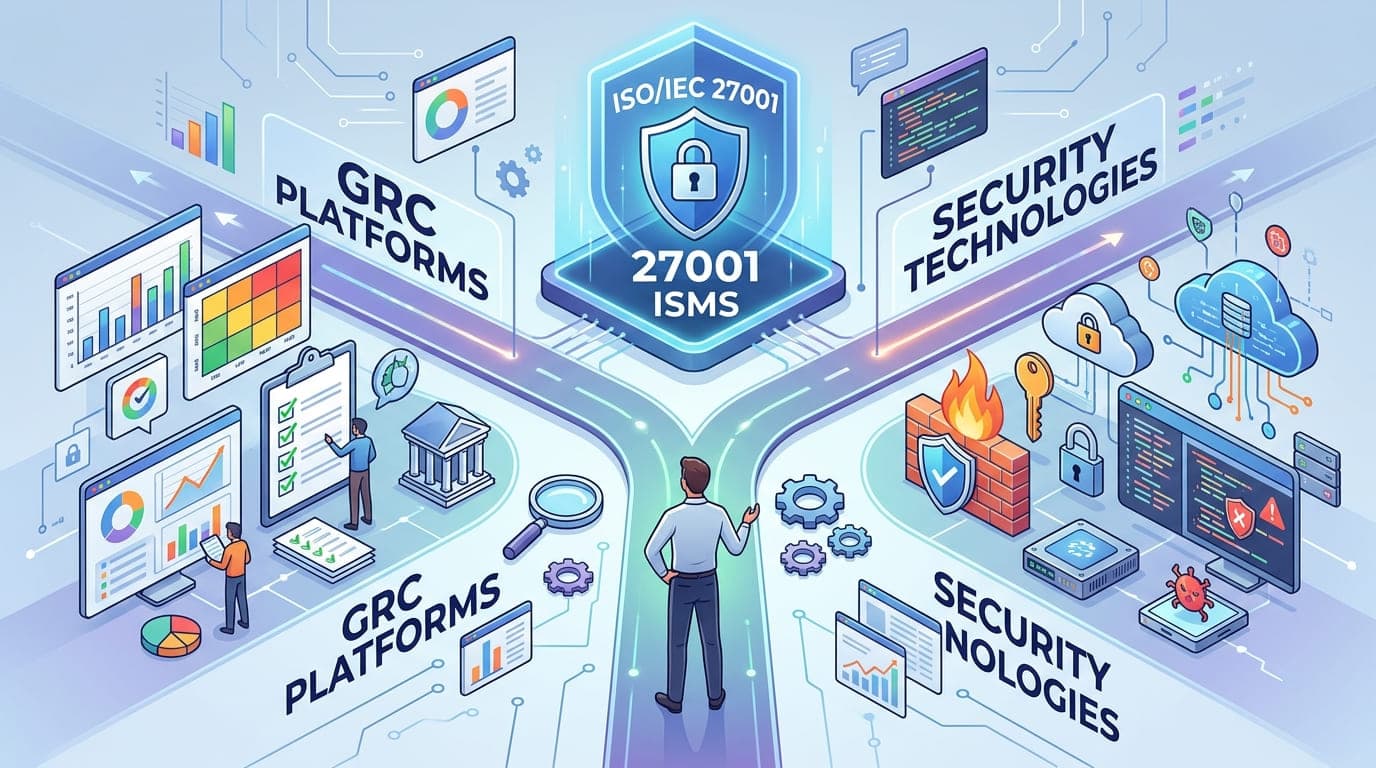
Let me save you from that pain. This guide distills everything I've learned about selecting the right tools for ISO 27001 compliance—from GRC platforms to security technologies—based on actual implementations, not vendor marketing materials.
The Tool Selection Trap: Why Most Organizations Get This Wrong
Here's a hard truth from my consulting experience: about 60% of organizations I work with have bought the wrong tools for their ISO 27001 program. Not because the tools are bad, but because they're the wrong fit.
I worked with a 75-person fintech startup that purchased an enterprise GRC platform designed for organizations with 10,000+ employees. The platform could do everything—risk management, compliance tracking, policy management, audit coordination, vendor assessments, and about fifty other things they didn't need.
The problem? It took their compliance manager 40 hours just to configure the basic ISO 27001 control set. The learning curve was so steep that after three months, only two people in the company could actually use it. The annual licensing cost was $85,000—more than 15% of their entire security budget.
Meanwhile, a competitor with similar size and needs spent $12,000 on a simpler platform, had their entire team trained in two days, and achieved certification three months faster.
"The best tool for ISO 27001 compliance isn't the one with the most features. It's the one your team will actually use every single day."
Understanding What You Actually Need
Before we dive into specific tools, let's talk about what ISO 27001 compliance actually requires from a tooling perspective. This is where most organizations go wrong—they skip this critical analysis phase.
The Core Requirements: What ISO 27001 Actually Demands
ISO 27001 doesn't mandate specific tools. Instead, it requires you to demonstrate certain capabilities. Here's what you genuinely need:
1. Asset Management
Inventory of all information assets
Classification of assets by criticality and sensitivity
Ownership and responsibility tracking
Regular review and update processes
2. Risk Management
Risk identification and assessment methodology
Risk treatment planning and tracking
Risk acceptance documentation
Periodic risk reassessment
3. Policy and Documentation Management
Centralized policy repository
Version control and change tracking
Distribution and acknowledgment tracking
Regular review and update workflow
4. Control Implementation Evidence
Evidence collection for all 93 ISO 27001 controls
Control effectiveness monitoring
Gap identification and remediation tracking
Continuous improvement documentation
5. Incident Management
Incident logging and categorization
Investigation and response tracking
Root cause analysis documentation
Lessons learned and improvement actions
6. Audit Management
Internal audit scheduling and planning
Finding tracking and remediation
Management review documentation
Continuous monitoring evidence
I worked with a healthcare organization in 2021 that made a brilliant move. Before looking at any tools, they spent two weeks mapping exactly what they needed to do for ISO 27001 compliance. They documented their current processes, identified gaps, and defined their requirements.
When they finally started evaluating tools, they had a 3-page requirements document that made decision-making crystal clear. They eliminated 8 out of 10 vendors in the first screening call simply because the vendors couldn't meet their specific needs.
They selected a mid-range GRC platform, implemented it in six weeks, and achieved certification in nine months. Total tool cost: $28,000 annually. Their compliance manager told me: "We didn't buy the best tool on the market. We bought the best tool for us."
The ISO 27001 Tool Ecosystem: Understanding Your Options
Let me break down the tool landscape based on what I've actually seen work in real organizations.
Category 1: Comprehensive GRC Platforms
These are the all-in-one solutions that promise to handle everything. Here's the reality:
Tool Category | Best For | Price Range | Implementation Time | Key Consideration |
|---|---|---|---|---|
Enterprise GRC Platforms | Organizations 500+ employees, multiple compliance frameworks | $50,000-$500,000+/year | 3-12 months | Powerful but complex; requires dedicated resources |
Mid-Market GRC Solutions | Organizations 100-500 employees, 1-3 compliance frameworks | $15,000-$75,000/year | 1-3 months | Balanced features and usability |
Small Business GRC Tools | Organizations <100 employees, single framework focus | $3,000-$20,000/year | 2-6 weeks | Simple and fast, may lack advanced features |
DIY/Spreadsheet Approach | Very small teams, limited budget | Free-$500/year | 1-2 weeks | Maximum flexibility, minimum automation |
Enterprise GRC Platforms (ServiceNow, RSA Archer, MetricStream)
I've implemented these at Fortune 500 companies, and they're remarkable—if you have the resources. A global manufacturing company I worked with deployed ServiceNow GRC for their ISO 27001 program alongside SOC 2, NIST, and industry-specific requirements.
The platform handled everything beautifully, but:
Implementation took 8 months with a team of 4 people
Required two full-time administrators to maintain
Cost $340,000 annually in licensing alone
Needed extensive customization ($180,000)
For them, it was worth every penny because they were managing compliance across 40 countries with 15,000 employees. For a smaller organization, it would have been overkill.
Mid-Market Solutions (Secureframe, Vanta, Drata, AuditBoard)
These are the sweet spot for most organizations pursuing ISO 27001. I've had tremendous success with these platforms for companies in the 50-500 employee range.
A SaaS company I advised implemented Secureframe for their ISO 27001 journey. Within three weeks, they had:
Automated evidence collection for 70% of controls
Integration with their existing tools (AWS, GitHub, Okta)
A clean dashboard showing compliance status in real-time
Automated employee training and acknowledgment
Cost: $24,000 annually. Time to productive use: 2 weeks. Their compliance manager could handle the entire program solo with about 10 hours per week of maintenance.
"Mid-market GRC tools have reached a maturity level where they provide 80% of enterprise functionality at 20% of the cost. For most ISO 27001 implementations, that's the perfect ratio."
Small Business Tools (Tugboat Logic, Thoropass, Laika)
For smaller organizations or those just starting their compliance journey, these streamlined platforms offer tremendous value.
I worked with a 22-person startup that used Tugboat Logic for their ISO 27001 certification. The platform was opinionated—it had one way of doing things—but that actually helped them. They didn't have to figure out how to structure their program; the tool guided them through a proven methodology.
They achieved certification in 7 months with a total tool cost of $8,400. The founder told me: "The tool basically gave us a step-by-step recipe for ISO 27001. We just had to follow it."
Category 2: Specialized Security Tools
Beyond GRC platforms, you need actual security technologies to implement ISO 27001 controls. Here's what matters:
Security Tool Category | ISO 27001 Controls Addressed | Typical Cost Range | Priority Level |
|---|---|---|---|
Identity & Access Management (IAM) | A.9.1, A.9.2, A.9.3, A.9.4 | $3-$15 per user/month | Critical - Required for most orgs |
Endpoint Detection & Response (EDR) | A.12.2, A.12.6 | $5-$25 per endpoint/month | Critical - Essential security control |
SIEM/Log Management | A.12.4, A.16.1 | $5,000-$100,000+/year | High - Required for monitoring evidence |
Vulnerability Management | A.12.6, A.18.2 | $2,000-$50,000/year | High - Continuous assessment needed |
Backup & Recovery | A.12.3, A.17.1 | $500-$10,000+/month | Critical - Business continuity requirement |
Email Security | A.13.2 | $2-$8 per user/month | High - Common attack vector |
Network Security (Firewall/IDS) | A.13.1 | $5,000-$100,000+/year | Critical - Perimeter protection |
Data Loss Prevention (DLP) | A.8.2, A.13.2 | $10,000-$100,000+/year | Medium - Depends on data sensitivity |
Encryption Tools | A.10.1 | Built-in to $50,000+/year | High - Data protection requirement |
Security Awareness Training | A.7.2 | $10-$50 per user/year | High - Human factor control |
The Integration Reality
Here's something most vendors won't tell you: tool integration is where ISO 27001 programs live or die.
I worked with a financial services company that had 23 different security tools. Each tool was best-in-class for its category. But they didn't talk to each other.
Their compliance manager spent 25 hours per week manually gathering evidence from different systems for their ISO 27001 audit. She had to log into 15 different platforms, export data, correlate information, and compile reports. It was soul-crushing work.
We implemented a mid-market GRC platform with API integrations to their key tools. Suddenly:
Access reviews that took 8 hours now took 15 minutes (automated pull from Okta)
Vulnerability reports that required 4 hours of manual work were generated automatically (integration with Tenable)
Employee training compliance that needed 3 hours of checking was now real-time (integration with KnowBe4)
Her weekly compliance workload dropped from 25 hours to 6 hours. The integration project cost $12,000 and paid for itself in saved time within 2 months.
My Tool Selection Framework: The Method That Actually Works
After helping over 40 organizations select their ISO 27001 toolset, I've developed a framework that eliminates costly mistakes. Here's exactly how I approach it:
Phase 1: Understand Your Context (Week 1)
Before looking at any tools, answer these questions honestly:
Organizational Context:
How many employees do you have?
How distributed is your team (offices, remote, global)?
What's your annual security budget?
How many dedicated compliance resources do you have?
What's your technical maturity level?
Compliance Context:
Is ISO 27001 your only framework, or are you pursuing multiple certifications?
What's your timeline for certification?
Do you have existing tools that need to be incorporated?
What's your auditor's preference (if already selected)?
Technical Context:
What's your current tech stack?
What tools do your teams already use and love?
What integration capabilities do you have?
What's your IT team's capacity for tool implementation?
I had a client—a 200-person e-commerce company—who rushed into buying an enterprise GRC platform because their competitor used it. After going through this analysis, they realized:
They had only 1 full-time person for compliance
Their IT team was already stretched thin
They needed something operational within 4 weeks
They had a limited budget of $25,000 annually
The enterprise platform they were considering required $80,000+ annually plus a 6-month implementation. We pivoted to a mid-market solution that was operational in 3 weeks and cost $22,000 annually. They achieved certification 4 months faster than their competitor.
Phase 2: Define Requirements (Week 2)
Create a requirements matrix. Here's the template I use:
Requirement | Priority | Current Solution | Gap | Must-Have Features |
|---|---|---|---|---|
Asset Management | Critical | Excel spreadsheet | No automation, version control issues | Auto-discovery, classification workflow, API integration |
Risk Assessment | Critical | Manual process in Word | No tracking, no workflow | Risk library, treatment tracking, approval workflow |
Policy Management | High | SharePoint | Poor version control, no acknowledgment tracking | Version control, e-signature, distribution workflow |
Evidence Collection | Critical | Manual screenshots | Time-consuming, inconsistent | Automated collection, API integration, timestamp verification |
Control Monitoring | High | Manual checks | Labor-intensive | Continuous monitoring, automated testing, alerting |
Audit Management | High | Email and Excel | Disorganized, no central tracking | Finding management, remediation tracking, report generation |
A manufacturing company I worked with created this matrix and discovered that 4 of their 6 critical requirements could be met by improving their existing tools rather than buying new ones. They invested $15,000 in better configuring their current systems and spent $18,000 on a lightweight GRC platform for the gaps.
Total savings versus their original plan: $67,000 annually.
Phase 3: Shortlist and Evaluate (Week 3-4)
Now you're ready to look at actual tools. Here's my evaluation approach:
Initial Screening: Create a shortlist of 3-5 tools that meet your basic requirements and budget. Use peer recommendations, analyst reports (Gartner, Forrester), and community feedback (Reddit, LinkedIn groups).
Deep-Dive Evaluation Criteria:
Evaluation Factor | What to Look For | Red Flags |
|---|---|---|
Ease of Use | Intuitive interface, minimal training needed, quick time-to-value | Requires extensive training, complex navigation, heavy customization needed |
Integration Capabilities | Pre-built integrations with your tools, API access, webhook support | Limited integration options, requires custom development, weak API |
Automation Level | Automated evidence collection, workflow automation, reporting automation | Mostly manual processes, limited automation options, rigid workflows |
Scalability | Grows with your organization, additional frameworks supported, performance at scale | Fixed capacity, single framework only, performance degrades with data growth |
Support Quality | Responsive support, compliance expertise, implementation assistance | Slow response times, limited availability, no compliance guidance |
Vendor Stability | Established company, strong financials, regular updates | Startup with uncertain future, no product roadmap, stagnant development |
Total Cost | Transparent pricing, reasonable TCO, clear upgrade path | Hidden fees, expensive add-ons, unclear pricing structure |
Compliance Expertise | ISO 27001-specific features, built-in control mappings, audit support | Generic compliance tool, no ISO 27001 specialization, limited audit prep features |
The Proof of Concept
Never—and I mean never—buy a GRC platform without doing a proof of concept. I've seen too many disasters from companies that signed contracts based on demos alone.
A technology company I advised was ready to sign a $65,000/year contract with a GRC vendor based on an impressive demo. I convinced them to request a 2-week POC with their actual data and workflows.
Within three days, they discovered:
The tool couldn't handle their complex AWS environment
Integration with their ticketing system didn't work as advertised
The reporting features couldn't generate the specific formats their auditor required
The user interface was confusing for their non-technical employees
They walked away and selected a different vendor. The POC saved them from a $195,000 three-year commitment to the wrong platform.
"A two-week proof of concept is worth more than a hundred vendor demos. Demos show what's possible; POCs show what's practical."
Phase 4: Implementation Planning (Week 5)
Once you've selected your tools, plan the implementation carefully. Here's the timeline I recommend:
Weeks 1-2: Foundation
Set up core infrastructure
Configure basic settings
Integrate identity management
Create user accounts and permissions
Weeks 3-4: Core Functionality
Import asset inventory
Set up ISO 27001 control framework
Configure policy repository
Establish basic workflows
Weeks 5-6: Integration
Connect security tools
Set up automated evidence collection
Configure monitoring and alerting
Test integration workflows
Weeks 7-8: Training and Optimization
Train compliance team
Train control owners
Train end users
Optimize workflows based on feedback
A healthcare provider I worked with followed this timeline religiously. They had a fully operational GRC platform in 8 weeks. Their compliance manager told me: "We were generating our first audit report by week 9. I've never seen an implementation go this smoothly."
Compare that to another organization that rushed implementation without planning. Six months in, they were still trying to get basic functionality working properly.
Real-World Tool Combinations That Work
Let me share some actual tool stacks I've implemented successfully for different organization sizes:
Small Organization (25-50 Employees)
The Lean Stack - Total Annual Cost: ~$15,000
Tool | Purpose | Annual Cost | Why It Works |
|---|---|---|---|
Drata or Tugboat Logic | GRC Platform | $8,000-$12,000 | Opinionated, fast implementation, good automation |
Google Workspace or Microsoft 365 | IAM, Email, Collaboration | Existing cost | Built-in security features, easy to audit |
1Password or LastPass | Password Management | $400-$800 | Simple MFA, good audit logs |
Cloudflare | Network Security | $2,400 | Easy DDoS protection, firewall capabilities |
KnowBe4 Lite | Security Awareness | $600-$1,200 | Affordable training, tracks completion |
Backblaze or Crashplan | Backup | $600-$1,200 | Set-and-forget backup solution |
Real Example: A 35-person marketing agency I worked with used this stack and achieved ISO 27001 certification in 8 months. Their compliance manager spent about 10 hours per week on the program. The tools handled 75% of evidence collection automatically.
Medium Organization (100-300 Employees)
The Balanced Stack - Total Annual Cost: ~$65,000
Tool | Purpose | Annual Cost | Why It Works |
|---|---|---|---|
Secureframe or Vanta | GRC Platform | $24,000-$36,000 | Strong automation, good integrations, scales well |
Okta | IAM | $12,000-$18,000 | Enterprise-grade SSO and MFA, excellent audit logs |
CrowdStrike or SentinelOne | EDR | $15,000-$20,000 | Industry-leading endpoint protection, great visibility |
Rapid7 or Tenable | Vulnerability Management | $8,000-$12,000 | Comprehensive scanning, good reporting |
Datadog or Splunk Cloud | SIEM/Monitoring | $10,000-$20,000 | Strong log aggregation, alerting capabilities |
KnowBe4 | Security Awareness | $3,000-$5,000 | Comprehensive training library, phishing simulation |
Veeam or AWS Backup | Backup & Recovery | $5,000-$10,000 | Reliable, scalable, good recovery testing |
Real Example: A 180-person SaaS company implemented this stack and achieved ISO 27001 in 11 months. The GRC platform integrated with all other tools, providing automated evidence for 82% of controls. Their annual surveillance audits now take 2 days instead of 5.
Large Organization (500+ Employees)
The Enterprise Stack - Total Annual Cost: ~$250,000
Tool | Purpose | Annual Cost | Why It Works |
|---|---|---|---|
ServiceNow GRC or RSA Archer | GRC Platform | $80,000-$150,000 | Handles complexity at scale, multiple frameworks |
Okta or Azure AD Premium | IAM | $30,000-$50,000 | Enterprise SSO, advanced governance features |
CrowdStrike Falcon Enterprise | EDR/XDR | $40,000-$60,000 | Advanced threat detection, incident response |
Qualys or Rapid7 InsightVM | Vulnerability Management | $15,000-$25,000 | Enterprise scanning, compliance modules |
Splunk Enterprise Security | SIEM | $50,000-$100,000 | Advanced analytics, threat intelligence integration |
Proofpoint or Mimecast | Email Security | $20,000-$35,000 | Advanced threat protection, DLP capabilities |
Rubrik or Commvault | Enterprise Backup | $25,000-$50,000 | Enterprise-scale backup, disaster recovery |
Real Example: A 2,000-employee financial services company I consulted for used this stack to manage ISO 27001, SOC 2, and PCI DSS simultaneously. The enterprise GRC platform provided unified visibility across all frameworks. Annual audit preparation time dropped from 8 weeks to 3 weeks after full implementation.
The Hidden Costs Nobody Talks About
Here's where most organizations blow their budgets: they only consider licensing costs.
Let me break down the real total cost of ownership for a typical mid-market GRC platform:
Cost Category | Year 1 | Year 2 | Year 3 | Often Overlooked? |
|---|---|---|---|---|
Software Licensing | $30,000 | $31,500 | $33,075 | No - This is obvious |
Implementation Services | $15,000 | - | - | Sometimes - Many assume they can DIY |
Integration Development | $8,000 | $2,000 | $2,000 | Yes - Often not budgeted until needed |
Training | $4,000 | $1,000 | $1,000 | Yes - Ongoing training for new hires |
Support/Maintenance | Included | Included | Included | No - Usually included in license |
Internal Labor (10 hrs/week) | $26,000 | $26,000 | $26,000 | Yes - Most companies forget this |
Additional Modules/Features | - | $5,000 | $5,000 | Yes - Needs often expand |
Total Cost | $83,000 | $65,500 | $67,075 | |
TCO (3 Years) | $215,575 |
A manufacturing company came to me frustrated that their GRC platform was "way over budget." They'd budgeted $25,000 per year based on licensing costs. The reality was closer to $70,000 per year when all factors were included.
We reset expectations and actually found ways to reduce costs:
Used vendor's implementation services instead of expensive consultants (saved $8,000)
Negotiated a multi-year contract for better pricing (saved $4,500 annually)
Used built-in integrations instead of custom development (saved $12,000)
Revised total: $52,000 annually—much more manageable and actually within their realistic budget.
Common Tool Selection Mistakes (And How to Avoid Them)
Let me share the mistakes I see repeatedly:
Mistake #1: Choosing Based on Features Instead of Fit
A retail company I worked with selected a GRC platform because it had 300 features. They used 23 of them. The complexity of the unused features made the tool harder to use and more expensive to maintain.
The Fix: Focus on the 20% of features you'll use 80% of the time. Everything else is noise.
Mistake #2: Ignoring User Adoption
An engineering firm bought an enterprise platform without involving the people who would actually use it. The interface was clunky, the workflows were unintuitive, and nobody used it properly.
The Fix: Include actual users in the evaluation process. If your control owners hate the interface during the demo, they'll hate it after you've spent $50,000.
Mistake #3: Buying for Today Instead of Tomorrow
A startup I advised bought a tool that perfectly fit their current 30-person size. Six months later, they'd grown to 120 employees and the tool couldn't scale. They had to switch platforms mid-certification.
The Fix: Project your growth over the next 3 years and ensure your tools can scale with you.
Mistake #4: Overlooking Integration Requirements
A technology company selected a GRC platform without verifying it could integrate with their AWS environment. Turns out it couldn't. They spent $45,000 on custom integration development.
The Fix: Verify integration capabilities during the POC with your actual environment, not a demo environment.
Mistake #5: Forgetting About the Auditor
An e-commerce company built their entire ISO 27001 program in a GRC platform with excellent internal dashboards but poor audit reporting. Their auditor requested evidence in specific formats the tool couldn't generate. They spent weeks manually reformatting data.
The Fix: Involve your auditor (or certification body) early in tool selection. Ask them: "What evidence format do you need, and can this tool provide it?"
"The best tool is the one that makes your auditor's job easier. If your auditor is happy, your certification process is smooth."
Making the Final Decision: My Selection Scorecard
Here's the scorecard I use to make final tool decisions. Rate each factor from 1-10, apply the weight, and calculate the total score:
Factor | Weight | Vendor A Score | Vendor A Weighted | Vendor B Score | Vendor B Weighted |
|---|---|---|---|---|---|
Ease of Use | 20% | 8 | 1.6 | 6 | 1.2 |
ISO 27001 Features | 20% | 9 | 1.8 | 7 | 1.4 |
Integration Capabilities | 15% | 7 | 1.05 | 9 | 1.35 |
Total Cost (3-year) | 15% | 7 | 1.05 | 8 | 1.2 |
Implementation Speed | 10% | 8 | 0.8 | 6 | 0.6 |
Vendor Support | 10% | 7 | 0.7 | 8 | 0.8 |
Scalability | 5% | 6 | 0.3 | 9 | 0.45 |
Reporting Capabilities | 5% | 7 | 0.35 | 6 | 0.3 |
Total Score | 100% | 7.65 | 7.3 |
A fintech company I worked with used this scorecard to evaluate five vendors. The vendor that scored highest wasn't the one with the most features or the lowest price—it was the one that best matched their specific needs and constraints.
They made their decision with confidence, implemented successfully, and achieved certification without any tool-related setbacks.
The Bottom Line: Tools Enable Success, They Don't Guarantee It
After implementing ISO 27001 programs for over a decade, here's what I know for certain:
The right tools make ISO 27001 compliance 3-5x easier. But the wrong tools make it 10x harder.
I've seen organizations achieve certification with nothing but spreadsheets and determination. I've also seen organizations with $500,000 GRC platforms fail their audits because they didn't use the tools properly.
The tool is not the program. The tool is the enabler of the program.
Choose tools that:
Match your organization's size and maturity
Integrate with your existing technology stack
Your team will actually use every day
Scale with your growth
Provide clear audit evidence
Fit within your realistic budget (including hidden costs)
And remember: you can always start simple and upgrade later. Many successful ISO 27001 programs began with basic tools and evolved as the organization matured.
A healthcare startup I advised started with a $8,000/year GRC platform. As they grew from 40 to 400 employees, they upgraded to a $45,000/year platform that could handle their increased complexity. They didn't overbuy early, and they didn't struggle with inadequate tools later.
That's the sweet spot you're looking for.
Your Action Plan
Ready to select your ISO 27001 tools? Here's your roadmap:
This Week:
Document your organizational context (size, budget, resources, timeline)
Map your technical requirements using the framework I provided
Identify your must-have versus nice-to-have features
Next Week: 4. Create a shortlist of 3-5 tools that match your requirements 5. Request demos focused on your specific use cases 6. Check references from organizations similar to yours
Week 3: 7. Negotiate proof-of-concept periods with your top 2 choices 8. Test with real data and actual workflows 9. Involve your team and get their feedback
Week 4: 10. Calculate true total cost of ownership for 3 years 11. Use the scorecard to make your final decision 12. Negotiate contract terms (multi-year discounts, implementation support)
Month 2: 13. Begin implementation following the 8-week timeline 14. Train your team thoroughly 15. Start using the tools immediately—don't wait for perfection
The right tools won't make your ISO 27001 program perfect, but they'll make it possible, manageable, and sustainable. And that's what matters.
Choose wisely. Implement deliberately. Succeed confidently.