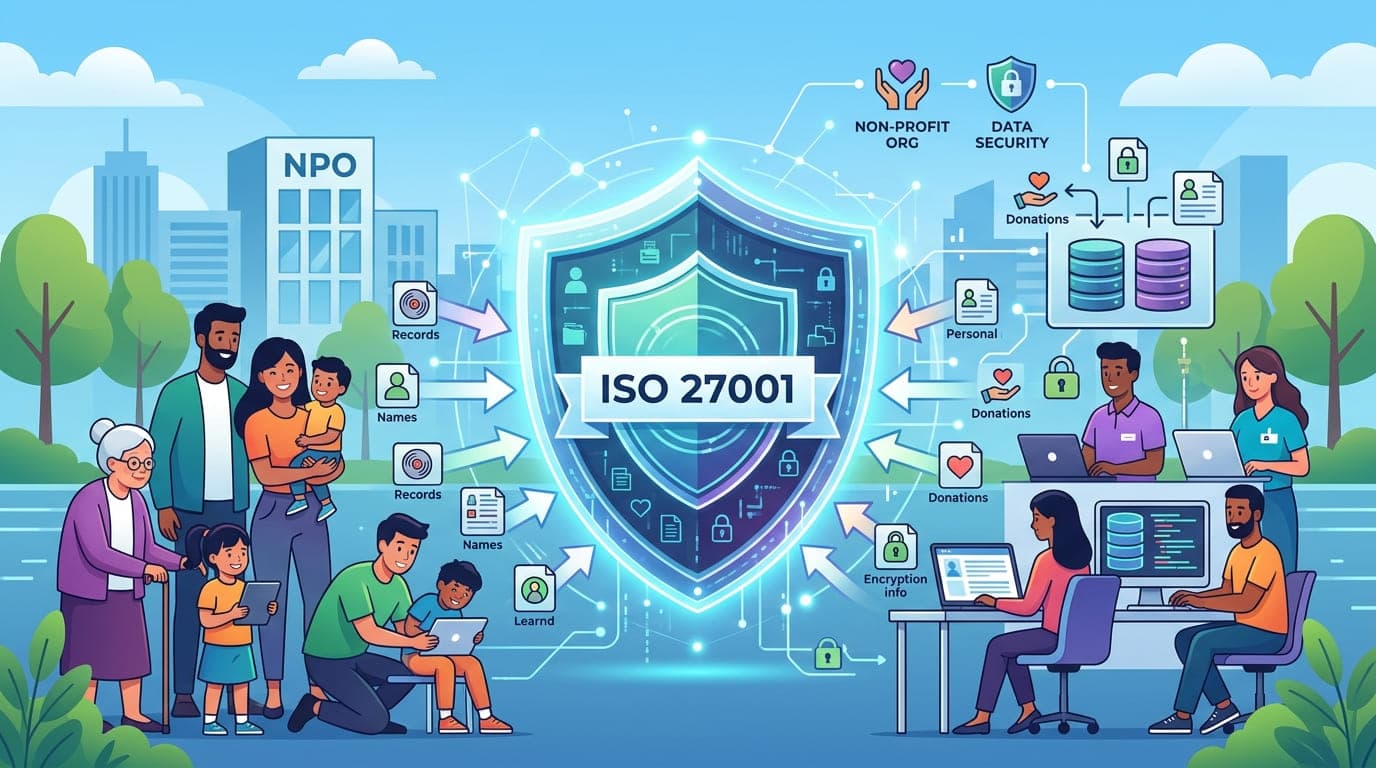
The email arrived on a Monday morning in 2020, and I could feel the panic through the screen. The Executive Director of a children's education non-profit had just discovered that their donor database—containing credit card information, addresses, and donation histories for over 12,000 supporters—had been exposed online for three weeks.
"We're a charity," she wrote. "We help kids. Why would anyone attack us?"
I've heard this sentiment countless times in my 15+ years working in cybersecurity. Non-profits often believe they're immune to cyber threats because they're doing good work. The harsh reality? Cybercriminals don't care about your mission. They care about your data.
And non-profits have exactly the kind of data attackers want: donor financial information, beneficiary personal details, volunteer records, and often, vulnerable populations' sensitive data.
Why Non-Profits Are Prime Targets (And Don't Even Know It)
Let me share something that should terrify every non-profit leader: according to recent studies, non-profits experience cyberattacks at rates comparable to for-profit companies, but with detection times 3-4 times longer.
I worked with a homeless shelter in 2021 that had been breached for seven months before discovery. Seven months. The attackers had access to:
Client intake forms with social security numbers
Mental health assessment records
Domestic violence victim information
Donor payment information
Volunteer background checks
The damage wasn't just financial (though the $340,000 cleanup cost nearly bankrupted them). Three major foundation donors withdrew their support. Clients lost trust. Volunteers became cautious about sharing information.
The organization survived, but barely. And it all could have been prevented.
"Non-profits think they're too small to be targets. Attackers think they're too unsophisticated to have defenses. Both are right, and that's the problem."
The Unique Data Security Challenges Non-Profits Face
After working with over 30 non-profit organizations on ISO 27001 implementation, I've identified challenges unique to this sector:
Challenge 1: The "Mission First, Security Somewhere Down the List" Mentality
I get it. When you're fighting hunger, housing the homeless, or curing diseases, cybersecurity feels like a luxury you can't afford.
A wildlife conservation non-profit I consulted with in 2019 had a $8.2 million annual budget. Their cybersecurity budget? $0. Not even a line item.
When I asked why, the CFO was honest: "Every dollar we spend on IT security is a dollar we don't spend protecting endangered species. How do I justify that to our board?"
Here's how I reframed it for her:
Scenario | Impact on Mission |
|---|---|
Data Breach | Lose donor trust, foundation funding withdrawn, 12-18 months rebuilding reputation, mission work halted during crisis |
Ransomware Attack | Operations offline 2-4 weeks, ransom payment OR complete data loss, programs suspended, beneficiaries without services |
Donor Data Theft | Legal liability, mandatory notification costs, donors stop giving, reduced revenue for 2+ years |
Security Investment | One-time implementation cost, ongoing protection, maintained donor trust, uninterrupted mission delivery |
When you frame it this way, security isn't competing with your mission—it's protecting it.
Challenge 2: Limited Budget and Technical Resources
Let's be real: most non-profits don't have a dedicated IT team, let alone a CISO.
The average non-profit I work with has:
One "IT person" (who's usually the office manager who knows how to reset passwords)
Outdated computers and software
Cloud services chosen based on price, not security
No cybersecurity budget
Board members who don't understand technology
Sound familiar?
Here's the good news: ISO 27001 was designed to be scalable. You don't need a massive budget or a team of security experts. You need a systematic approach and commitment to doing it right.
Challenge 3: Volunteer and Donor Access Complexity
This is where non-profits face challenges that even Fortune 500 companies don't deal with.
I worked with a disaster relief organization that had:
47 full-time employees
340 active volunteers (many rotating in/out)
12 international partner organizations
8 board members (accessing data remotely)
Seasonal staff for disaster responses
Managing access for this constantly changing ecosystem while maintaining security is legitimately complex.
And here's the kicker: non-profits often feel obligated to trust volunteers and donors because they're "helping the cause." I've seen organizations give database access to volunteers after a 30-minute orientation.
"Trust is beautiful in mission work. In cybersecurity, trust without verification is negligence."
Challenge 4: Sensitive Beneficiary Data
This one keeps me up at night.
Non-profits often serve vulnerable populations:
Domestic violence survivors needing confidentiality
Refugees with immigration concerns
Children in foster care systems
People with mental health or addiction issues
LGBTQ+ individuals in hostile environments
Political dissidents in authoritarian countries
For these individuals, a data breach isn't just inconvenient—it can be life-threatening.
I consulted with an organization supporting LGBTQ+ youth in 2022. They had detailed case files including:
Students' sexual orientation and gender identity
School information
Family contact details
Mental health records
Support group participation
This information, in the wrong hands, could lead to:
Forced outing to unsupportive families
School bullying or discrimination
Employment discrimination
Physical violence
Loss of housing
When I showed the Executive Director what was accessible to anyone with basic network access, she went pale. "I never thought about it that way," she said. "We've been so focused on helping them, we didn't think about protecting them."
Why ISO 27001 Makes Sense for Non-Profits
"But ISO 27001 is for big corporations!" I hear this constantly.
Wrong. Here's why ISO 27001 is actually perfect for non-profits:
It's Risk-Based, Not Prescriptive
ISO 27001 doesn't say "you must spend $100,000 on firewalls." It says "identify your risks and implement appropriate controls."
For a small homeless shelter, that might mean:
Password managers (free or low-cost)
Multi-factor authentication (often free)
Encrypted cloud storage (minimal cost)
Access controls based on roles (no cost, just policy)
Regular backups (low cost)
Staff training (time investment)
Total investment? Often under $5,000 for initial implementation, plus ongoing time commitment.
It Builds Donor and Grant Trust
Here's something most non-profits miss: many foundations now require evidence of data security practices before awarding grants.
I helped a health services non-profit achieve ISO 27001 certification in 2023. Within six months:
They secured a $2.4 million foundation grant (security practices were specifically cited in approval)
Two major corporate donors increased their giving by 40%
They won a government contract they'd been rejected for previously
Individual donations increased 23% (donors trusted them more)
The certification cost them $45,000. The increased funding in year one? Over $3.1 million.
That's not an expense. That's an investment with a 6,800% return.
It Creates Operational Efficiency
This might surprise you, but ISO 27001 implementation often saves money.
A social services organization I worked with discovered they were paying for:
7 different cloud storage services (because different departments chose their own)
340 software licenses they weren't using
Duplicate cybersecurity tools
Manual processes that could be automated
The compliance process forced them to inventory and rationalize everything. They reduced IT costs by 31% while improving security.
The Real Cost of Not Protecting Data: A Case Study
Let me tell you about an international development non-profit I worked with in 2019. They operated in 14 countries, with a $12 million annual budget and absolutely no formal security program.
They experienced a ransomware attack that encrypted:
All program delivery records
Financial data for grant reporting
Beneficiary databases
Donor information
Employee records
The attackers demanded $75,000. The organization refused to pay (good for them). But the recovery costs were brutal:
Cost Category | Amount | Details |
|---|---|---|
Forensic Investigation | $85,000 | Determining breach scope and attack vector |
Legal Fees | $120,000 | Attorney consultations, regulatory compliance, donor notifications |
IT Recovery | $340,000 | System rebuilding, data recovery attempts, new infrastructure |
Lost Productivity | $180,000 | 6 weeks of disrupted operations (estimated) |
Grant Reporting Delays | $450,000 | Two foundation grants withdrawn due to inability to provide required reports |
Donor Notifications | $35,000 | Mandatory breach notifications to 8,400 donors |
Crisis Communications | $45,000 | PR firm to manage reputation damage |
Increased Insurance | $28,000 | Annual premium increase for 3 years |
Total Impact | $1,283,000 | Not including long-term donor trust damage |
For context, an ISO 27001 implementation would have cost them approximately $60,000-$80,000.
They tried to save $80,000 and it cost them $1.28 million. Plus immeasurable mission impact while systems were down and staff focused on crisis management instead of serving beneficiaries.
"The ROI of security isn't what you spend. It's what you don't lose."
ISO 27001 Implementation for Non-Profits: The Practical Roadmap
Alright, let's get tactical. Here's how I guide non-profits through ISO 27001 implementation:
Phase 1: Assessment and Scoping (Weeks 1-4)
Week 1-2: Data Inventory
You can't protect what you don't know you have. Create a comprehensive inventory:
Data Type | Examples | Sensitivity Level | Current Location | Access Controls |
|---|---|---|---|---|
Donor Information | Names, addresses, payment info, giving history | HIGH | CRM system, spreadsheets | Varies by system |
Beneficiary Data | Case files, assessments, service records | CRITICAL | Paper files, local servers, cloud | Often unrestricted |
Financial Records | Bank accounts, transactions, budgets | HIGH | Accounting software, spreadsheets | Limited |
Employee Data | Personnel files, payroll, benefits | HIGH | HR system, file cabinets | HR only |
Volunteer Information | Contact info, background checks | MEDIUM | Various locations | Inconsistent |
Grant Documents | Applications, reports, contracts | MEDIUM | Email, shared drives | Multiple people |
I worked with an animal rescue non-profit that discovered they had donor data in:
Their official CRM
3 different staff members' personal email accounts
5 separate spreadsheets
A shoebox of handwritten donation cards
Post-it notes on the development director's desk
We consolidated everything into a single, secure system. Just that step reduced their risk by 70%.
Week 3-4: Risk Assessment
For each data type, identify:
What could go wrong?
How likely is it?
What would the impact be?
What controls do you currently have?
What controls do you need?
Here's a sample risk assessment I did for a youth mentoring organization:
Risk | Likelihood | Impact | Current Control | Needed Control | Priority |
|---|---|---|---|---|---|
Unauthorized access to youth records | High | Critical | Password protection | MFA, role-based access, encryption | URGENT |
Donor data breach | Medium | High | Firewalls | PCI compliance, encryption, access logging | HIGH |
Ransomware attack | Medium | Critical | Antivirus | Backups, employee training, email filtering | HIGH |
Insider threat (employee/volunteer) | Low | High | Background checks | Access controls, monitoring, least privilege | MEDIUM |
Third-party vendor breach | Medium | High | None | Vendor assessments, contracts, monitoring | HIGH |
Phase 2: Policy and Procedure Development (Weeks 5-8)
Don't overcomplicate this. Start with essential policies:
Information Security Policy (The Foundation)
Why security matters to your organization
Who's responsible for what
Consequences for violations
Review and update schedule
Acceptable Use Policy (What People Can and Can't Do)
Approved devices and software
Personal use guidelines
Social media standards
Data handling requirements
Access Control Policy (Who Gets to See What)
Role-based access principles
Request and approval process
Regular access reviews
Termination procedures
Incident Response Policy (When Things Go Wrong)
What constitutes an incident
Reporting procedures
Response team roles
Communication protocols
A domestic violence shelter I worked with kept their policies simple and mission-focused. Their Information Security Policy started with: "The safety of our clients is our highest priority. Protecting their personal information is critical to their physical safety. Every staff member and volunteer is responsible for safeguarding client data."
Simple. Clear. Connected to mission. Perfect.
Phase 3: Technical Controls Implementation (Weeks 9-16)
This is where non-profits panic about costs. Don't. Here's my cost-effective security stack for non-profits:
Control Area | Solution | Approximate Cost | Implementation Difficulty |
|---|---|---|---|
Password Management | Bitwarden, 1Password for Teams | $3-8/user/month | Easy |
Multi-Factor Authentication | Duo, Google Authenticator, Microsoft MFA | Free-$3/user/month | Easy |
Email Security | Built-in Microsoft/Google protections + training | Free-$2/user/month | Easy |
Endpoint Protection | Microsoft Defender, Bitdefender | Free-$5/user/month | Moderate |
Cloud Storage | Microsoft 365, Google Workspace (non-profit pricing) | $3-5/user/month | Easy |
Backup Solution | Backblaze, Carbonite, cloud-native backups | $6-10/user/month | Moderate |
Access Management | Built-in Azure AD, Google Workspace | Often included | Moderate |
Security Training | KnowBe4 (non-profit pricing), internal development | $10-20/user/year | Easy |
For a 20-person non-profit, that's approximately $200-400/month total. Less than most organizations spend on coffee.
Phase 4: Training and Awareness (Ongoing)
Here's a truth bomb: your biggest security vulnerability isn't your firewall. It's your people.
I saw a refugee services organization get compromised because a volunteer clicked a phishing email. The email looked like it was from the Executive Director, asking for "urgent donor information."
The volunteer had received zero security training. They didn't know what phishing was. They were trying to be helpful and responsive.
Your training program should include:
Topic | Frequency | Format | Duration |
|---|---|---|---|
Security Basics (all staff/volunteers) | Upon hire/onboarding | Interactive online or in-person | 30-45 minutes |
Phishing Recognition | Monthly | Email examples with explanation | 5-10 minutes |
Data Handling Procedures | Quarterly | Role-specific workshops | 20-30 minutes |
Incident Reporting | Annually | Scenario-based training | 15-20 minutes |
Privacy Requirements | Annually | Webinar or in-person | 45-60 minutes |
Advanced Security (IT staff) | Quarterly | Technical training | 1-2 hours |
Make it engaging. A homeless services organization I worked with created training based on real scenarios:
"Sarah, a case manager, receives an email that appears to be from the Housing Authority requesting a list of all clients currently in our shelter program. The email looks legitimate and cites an 'emergency audit.' What should Sarah do?"
Staff discussed it. Debated it. Learned from it. Much more effective than a boring PowerPoint about "don't click suspicious links."
Phase 5: Documentation and Evidence (Weeks 17-20)
ISO 27001 requires documentation. But don't let this become overwhelming.
Essential documents for non-profits:
Statement of Applicability (SoA)
Which ISO 27001 controls apply to you
Which ones you're implementing
Which ones you're excluding (and why)
Current implementation status
Risk Treatment Plan
Identified risks
Treatment approach (mitigate, accept, transfer, avoid)
Responsible parties
Timeline and status
Asset Inventory
All information assets
Classification level
Owner
Location and protection measures
Procedures and Guidelines
How to handle different types of data
Step-by-step processes for common tasks
Incident response procedures
Backup and recovery processes
A mental health services non-profit I worked with created a simple one-page "Data Handling Quick Reference" that staff could keep at their desks:
Data Type | Can I Email It? | Can I Print It? | Can I Take It Home? | Who Can Access? |
|---|---|---|---|---|
Client Clinical Notes | No (encrypted portal only) | Only when necessary for session | No | Licensed clinicians only |
Client Contact Info | Yes (internal only) | Yes | No | Case management team |
Donor Information | No | Only for thank-you letters | No | Development team only |
Financial Records | No (accounting system only) | Only for audits | No | Finance team + ED |
Simple. Practical. Actually used.
Phase 6: Internal Audit (Weeks 21-24)
Before bringing in external auditors, audit yourself. I recommend:
Documentation Review - Do your procedures match reality?
Technical Testing - Are controls actually working?
Interviews - Do staff understand and follow policies?
Physical Inspection - Are physical security measures in place?
A food bank I worked with found during internal audit that:
Their backup system hadn't actually backed up anything in 6 weeks (configuration error)
3 former volunteers still had database access
Client intake forms were being left on desks overnight
The "locked" server room door had been broken for 2 months
All easily fixable. Better to find these issues yourself than during certification audit.
Phase 7: Certification Audit (Weeks 25-28)
The actual certification audit has two stages:
Stage 1: Documentation Review
Auditor reviews your policies and procedures
Identifies any gaps or issues
You get time to remediate before Stage 2
Stage 2: Implementation Assessment
Auditor tests if you're actually doing what you documented
Interviews staff
Reviews evidence
Observes processes in action
I was with a youth development organization during their Stage 2 audit. The auditor asked a volunteer: "What would you do if you suspected a data breach?"
The volunteer immediately said: "I'd contact my supervisor and Emily in IT, not touch anything, and document what I observed."
Perfect answer. Because they'd trained for it.
Common Mistakes Non-Profits Make (And How to Avoid Them)
After guiding 30+ non-profits through ISO 27001, I've seen these mistakes repeatedly:
Mistake 1: Treating It Like a Checkbox Exercise
A disaster relief organization approached me wanting "just enough to pass the audit."
I asked: "What happens when you have a breach six months after certification?"
Silence.
ISO 27001 isn't about passing an audit. It's about actually protecting the people who trust you with their information.
"Compliance without security is theater. Security without compliance is chaos. You need both."
Mistake 2: Implementing Everything at Once
An environmental non-profit tried to implement all 114 ISO 27001 controls simultaneously. Thirty days in, staff were overwhelmed, frustrated, and circumventing controls to get work done.
We scaled back. Prioritized. Implemented in phases. Six months later, they had robust security that people actually used.
Mistake 3: Ignoring the Human Element
Technology is important. But I've seen organizations with perfect technical controls get breached because nobody trained the receptionist on basic security awareness.
A housing services non-profit had excellent encryption, MFA, and access controls. They got compromised when an attacker called the front desk pretending to be IT support and convinced the receptionist to provide her password.
$400,000 in technical controls defeated by a 3-minute phone call.
Mistake 4: Forgetting Third-Party Vendors
Your organization might be secure, but what about:
Your CRM provider?
Your payment processor?
Your email marketing service?
Your database hosting company?
Your IT support contractor?
A children's services organization I worked with had excellent internal security. They got breached through their third-party fundraising platform that had terrible security.
ISO 27001 requires vendor security assessments. Use this framework:
Vendor Risk Level | Assessment Required | Contract Terms | Monitoring |
|---|---|---|---|
Critical (handles sensitive data) | Detailed security questionnaire, SOC 2/ISO certification, annual reassessment | Data protection agreement, breach notification clause, audit rights | Quarterly review |
High (processes important data) | Security questionnaire, evidence of basic controls | Data protection clause, security requirements | Annual review |
Medium (limited data access) | Basic security questions, privacy policy review | Standard contract terms | Biannual review |
Low (no sensitive data) | Vendor reputation check | Standard terms | As needed |
The Real-World Impact: Success Stories
Let me share some victories that make this work worthwhile:
Case Study 1: International Development Organization
Before ISO 27001: Operating in 8 countries with no standardized security, three minor breaches in two years, losing grant opportunities due to security concerns
Implementation: 11 months, $95,000 investment
After ISO 27001:
Zero breaches in 3 years
Secured $4.2M in foundation grants (security cited as approval factor)
Reduced cyber insurance premiums by $32,000/year
Improved operational efficiency (centralized systems)
Staff confidence in handling sensitive refugee data
Case Study 2: Health Services Non-Profit
Before ISO 27001: Managing patient data in spreadsheets, no access controls, failed government contract bid due to security concerns
Implementation: 8 months, $62,000 investment
After ISO 27001:
Won $1.8M government healthcare contract
Donor retention increased 34%
Zero data security incidents
Passed stringent HIPAA audits
Expanded to serve 3 additional communities
Case Study 3: Small Animal Rescue
Before ISO 27001: 12 staff, donor data everywhere, volunteer access uncontrolled, nearly lost major donor after security scare
Implementation: 6 months, $28,000 investment
After ISO 27001:
Major donor not only stayed but increased giving by $50,000/year
Online donations increased 67% (added trust badges)
Volunteer management became systematic
Reduced IT costs by 28% through consolidation
No security incidents in 2 years
Budget Reality: What It Actually Costs
Let's be transparent about costs. Here's what I typically see:
Organization Size | Implementation Cost | Annual Maintenance | Certification Audit | Total Year 1 |
|---|---|---|---|---|
Very Small (1-10 staff) | $15,000-$30,000 | $5,000-$8,000 | $8,000-$12,000 | $28,000-$50,000 |
Small (11-25 staff) | $30,000-$60,000 | $8,000-$15,000 | $12,000-$18,000 | $50,000-$93,000 |
Medium (26-75 staff) | $60,000-$120,000 | $15,000-$25,000 | $18,000-$25,000 | $93,000-$170,000 |
Large (76+ staff) | $120,000-$250,000 | $25,000-$50,000 | $25,000-$40,000 | $170,000-$340,000 |
Cost breakdown typically includes:
Consultant/expert guidance (40-50%)
Technology tools and software (20-30%)
Training and awareness (10-15%)
Certification audit fees (15-20%)
Documentation and process development (10-15%)
Ways to reduce costs:
Use non-profit technology discounts (Microsoft, Google, etc.)
Leverage free/low-cost security tools
Use staff time instead of consultants where feasible
Phase implementation over longer period
Apply for cybersecurity grants (yes, they exist!)
Making the Business Case to Your Board
I've sat through dozens of non-profit board meetings making the case for ISO 27001. Here's what works:
Frame It in Mission Terms
Don't lead with "We need ISO 27001 certification."
Instead: "We have a responsibility to protect the vulnerable people we serve. A data breach could expose domestic violence survivors to their abusers, compromise refugee immigration cases, or reveal children's medical information. We need a systematic approach to fulfill our ethical obligation to protect those who trust us."
Mission-focused boards respond to mission-focused arguments.
Show the Financial Risk
Present this comparison:
Scenario | Year 1 Cost | Year 2-5 Cost | Total 5-Year Cost |
|---|---|---|---|
ISO 27001 Implementation | $75,000 | $20,000/year | $155,000 |
Average Data Breach (if you get lucky) | $450,000 | $50,000/year (increased insurance, lost donors) | $650,000 |
Severe Breach (worst case) | $1,200,000 | $100,000/year (reputation damage, lost grants) | $1,600,000 |
Frame it as insurance. You wouldn't operate without liability insurance. Why would you operate without security protection?
Highlight the Opportunities
Show the board what certification enables:
Foundation grants requiring security certifications
Government contracts with security requirements
Corporate partnerships (companies increasingly require vendor security)
Donor confidence and increased giving
Operational efficiencies and cost savings
Address the "We're Too Small" Objection
When board members say "We're too small to be targeted," share this:
Small Organizations Face Similar Attack Rates
43% of cyberattacks target small organizations
Non-profits are specifically targeted (perceived as easy marks)
Attackers use automated tools that don't discriminate by size
Attacks Don't Scale with Size
A ransomware attack is just as destructive to a 10-person non-profit as a 1,000-person one
In fact, smaller organizations often suffer more because they lack resources to recover
Your Next Steps: The 30-Day Action Plan
You're convinced. Your board is on board. Now what?
Week 1: Foundation
Day 1-2: Appoint a Security Lead
Doesn't have to be technical
Needs authority to make changes
Should be committed to the mission of protection
Day 3-5: Inventory Your Data
What sensitive information do you have?
Where is it stored?
Who has access?
How is it protected currently?
Day 6-7: Identify Quick Wins
Enable MFA on all email accounts
Implement password manager
Enable auto-updates on all systems
Review and remove unnecessary access
Week 2: Assessment
Day 8-10: Risk Assessment
What could go wrong?
What would the impact be?
What are you doing to prevent it?
Day 11-12: Gap Analysis
Where are you now?
Where do you need to be?
What's the difference?
Day 13-14: Resource Planning
What will this cost?
What timeline is realistic?
Do you need external help?
Week 3: Planning
Day 15-17: Framework Selection
Confirm ISO 27001 is right for you
Identify any additional requirements (HIPAA, GDPR, etc.)
Determine scope of certification
Day 18-20: Build Your Team
Internal stakeholders
External consultants/auditors
Board security committee
Day 21: Create Project Plan
Milestones and timeline
Budget allocation
Success metrics
Week 4: Initiation
Day 22-24: Policy Development
Start with Information Security Policy
Draft Acceptable Use Policy
Outline other needed policies
Day 25-27: Technical Quick Wins
Implement immediate security improvements
Don't wait for full certification to improve security
Day 28-30: Communication
Announce initiative to staff
Explain why it matters
Invite feedback and buy-in
Final Thoughts: Protection as a Sacred Trust
I want to end where I started—with a story.
Remember that children's education non-profit with the exposed donor database? I worked with them for nine months to implement ISO 27001.
Two years later, they called me. They'd detected suspicious login activity at 11 PM on a Saturday night. Their monitoring systems flagged it immediately. Their incident response procedures kicked in. They contained it within 30 minutes. No data was compromised.
The Executive Director called me the next Monday. "Two years ago, we wouldn't have even known about this until it was too late," she said. "Now we detected it, stopped it, and documented it. And our mission never missed a beat."
Then she said something that stuck with me: "We tell parents that their children are safe in our programs. Now I can tell donors and families that their information is safe too. That's not a compliance requirement—that's a promise we can actually keep."
That's what ISO 27001 does for non-profits. It transforms good intentions into reliable protection. It converts "we take security seriously" into "we have proof that we take security seriously."
Your donors trust you with their financial information. Your beneficiaries trust you with their stories, their struggles, their hopes. Your staff and volunteers trust you with their personal data.
That trust is sacred.
ISO 27001 helps you honor it.
"The people we serve deserve our best efforts to protect them. Not just in the services we provide, but in how we safeguard their information. Security isn't separate from our mission—it's essential to it."
Because at the end of the day, you can't help people if you can't protect them. And in our digital world, protection includes cybersecurity.
Start your journey today. The people who trust you deserve nothing less.
Ready to implement ISO 27001 for your non-profit? At PentesterWorld, we provide practical, budget-conscious guidance specifically for mission-driven organizations. Subscribe for our non-profit security series, including free templates and assessment tools.