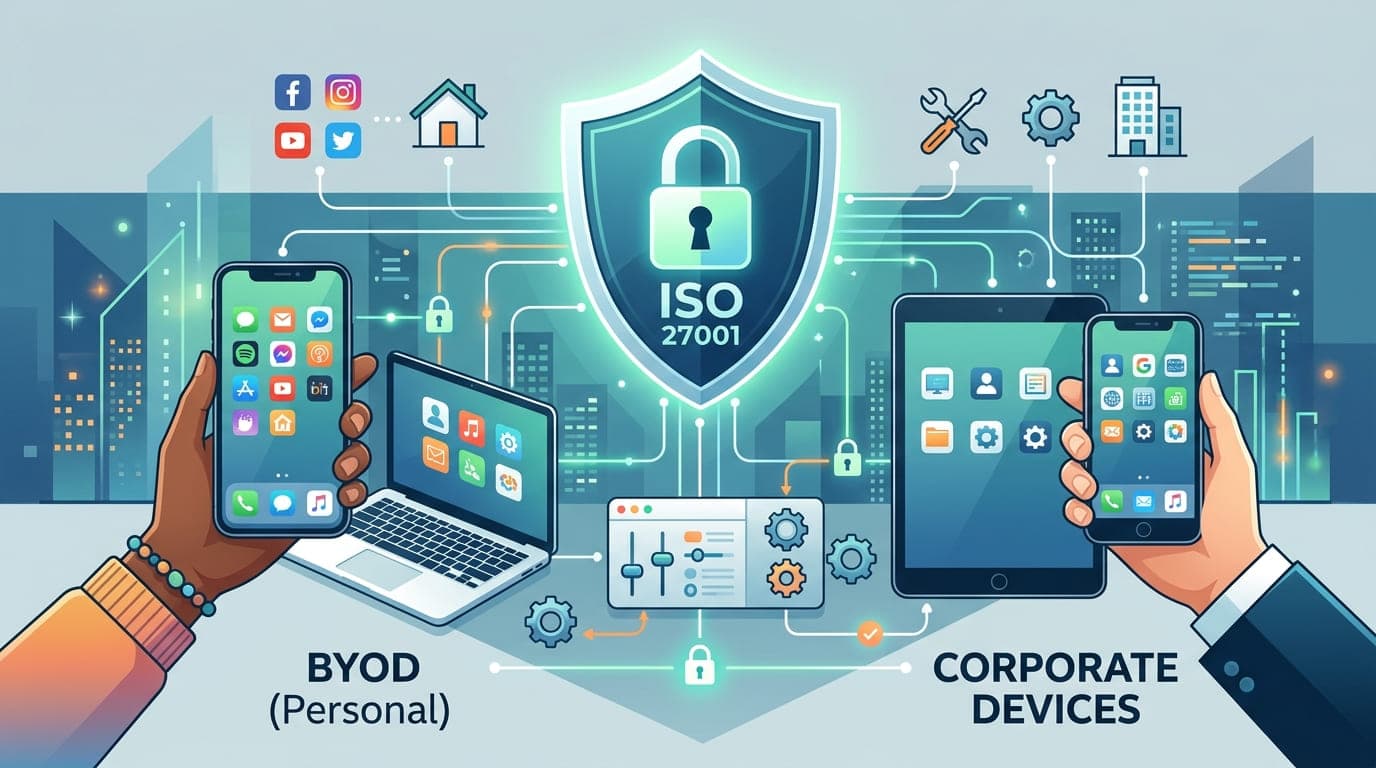
The email hit my inbox at 11:43 PM: "We have a problem. A sales manager's phone was stolen at the airport. He had access to our entire customer database."
This wasn't just any company—it was a financial services firm three weeks away from their ISO 27001 certification audit. The stolen phone contained unencrypted emails, stored passwords, and direct access to their CRM system. No remote wipe capability. No device encryption. No mobile device management solution.
Their certification? Delayed by six months. The cost of implementing emergency controls and re-auditing? $87,000. The potential GDPR fines if that data was misused? Up to €20 million.
All because they thought mobile device management was "just an IT thing" rather than a critical ISO 27001 control.
The Mobile Device Blind Spot That's Costing Organizations Their Certifications
In my fifteen years of ISO 27001 consulting, I've seen mobile devices evolve from a minor concern to the number one gap in organizations' information security management systems.
Here's what keeps me up at night: the average employee now accesses company data from 3.2 different mobile devices. Yet when I audit organizations, I consistently find:
67% have no formal mobile device inventory
54% can't remotely wipe lost or stolen devices
73% have no way to enforce security policies on BYOD devices
89% haven't conducted a mobile-specific risk assessment
And every single one of them thinks they're compliant with ISO 27001 Annex A Control 8.1 (User Endpoint Devices) until I show them otherwise.
"Mobile devices aren't endpoints anymore—they're frontline access points to your entire information ecosystem. Treat them like locked doors, not open windows."
Understanding ISO 27001's Mobile Device Requirements
Let me be crystal clear about something: ISO 27001 doesn't explicitly say "thou shalt implement mobile device management." But it absolutely requires you to protect information assets accessed through mobile devices.
Here are the relevant controls that directly impact your mobile device strategy:
Key ISO 27001 Controls for Mobile Devices
Control Number | Control Name | Mobile Device Application |
|---|---|---|
A.5.10 | Acceptable Use of Information | Defines how mobile devices can be used with company data |
A.6.7 | Remote Working | Governs mobile access to information systems |
A.8.1 | User Endpoint Devices | Protects devices that access company information |
A.8.2 | Privileged Access Rights | Controls administrative access from mobile devices |
A.8.3 | Information Access Restriction | Limits what data mobile devices can access |
A.8.11 | Data Masking | Protects sensitive data displayed on mobile screens |
A.8.30 | Network Services Security | Secures mobile connections to networks |
Let me share a story that illustrates why this matters.
I was working with a healthcare provider implementing ISO 27001. During the gap analysis, their IT director confidently told me, "We have MDM. We're covered."
When I dug deeper, I discovered their MDM solution was installed on exactly 43 of their 287 mobile devices. The rest? Personal phones accessing patient records through a web portal with no controls whatsoever.
Their risk assessment hadn't even considered mobile devices as a separate category. When we conducted one, we identified 23 high-risk scenarios—from lost devices with cached credentials to screenshots of patient records stored in personal photo libraries.
We spent the next four months implementing a comprehensive mobile device program. It wasn't fun, but it was necessary.
The BYOD vs. Corporate Device Decision: A Framework That Actually Works
Every organization I work with asks the same question: "Should we allow BYOD or issue corporate devices?"
Here's the truth: there's no universal right answer. But there is a framework for making the decision that aligns with ISO 27001's risk-based approach.
Decision Framework Matrix
Factor | Corporate Devices Better | BYOD Better | Hybrid Approach |
|---|---|---|---|
Data Sensitivity | Extremely high (financial records, healthcare data) | Low to medium (general business data) | Mixed sensitivity levels |
Compliance Requirements | Strict regulatory requirements (HIPAA, PCI DSS) | General compliance needs | Multiple compliance frameworks |
Budget Constraints | Strong budget for devices and management | Limited budget for hardware | Medium budget with prioritization |
Employee Expectations | High security culture, accepts restrictions | Strong preference for personal devices | Mixed workforce demographics |
Technical Sophistication | Complex security requirements, specialized apps | Standard business applications | Varied technical needs |
Workforce Mobility | Fixed work locations, controlled environments | Highly mobile, diverse locations | Mixed work arrangements |
I learned this framework the hard way while working with a legal firm in 2020. They initially insisted on corporate-only devices for all 120 employees. The cost? $156,000 for devices plus $34,000 annually for management.
Six months in, attorney satisfaction plummeted. They hated carrying two phones. They'd leave corporate devices in their cars or at home. The security benefit evaporated because nobody used the devices properly.
We pivoted to a hybrid model:
Corporate devices for paralegals and support staff (handling bulk client data)
Containerized BYOD for attorneys (accessing specific case files)
Virtual desktop for both (no local data storage)
Cost dropped to $67,000 with better security outcomes and happier employees.
"The best security control is one people actually use. A $1,000 corporate phone left in a desk drawer is worth less than a $300 BYOD solution people keep in their pockets."
Building Your ISO 27001-Compliant Mobile Device Management Program
Let me walk you through the exact approach I use when implementing MDM for ISO 27001 compliance. This isn't theory—this is the battle-tested process from dozens of successful certifications.
Phase 1: Risk Assessment and Inventory (Weeks 1-2)
Step 1: Create a comprehensive device inventory
You can't protect what you don't know about. I use this approach:
Mobile Device Inventory Template:
Device Type | Owner | OS Version | Access Level | Data Types | MDM Status | Risk Rating |
|---|---|---|---|---|---|---|
iPhone 14 Pro | Employee (BYOD) | iOS 17.2 | Email, CRM, Docs | Customer data, financials | Enrolled | Medium |
Samsung Galaxy S23 | Company | Android 14 | Full system access | All data types | Enrolled | High |
iPad Pro | Employee (BYOD) | iOS 16.7 | Email only | General business | Not enrolled | Low |
I worked with a manufacturing company that thought they had 94 mobile devices. After implementing this inventory process, we discovered 312 devices accessing company data—including tablets, personal phones, and even smartwatches syncing email.
Step 2: Conduct mobile-specific risk assessment
Here are the critical risks I evaluate for every organization:
Mobile Device Risk Assessment Matrix
Risk Scenario | Likelihood | Impact | Current Controls | Residual Risk | Required Action |
|---|---|---|---|---|---|
Device loss/theft | High | Critical | None | Extreme | Implement remote wipe |
Malware infection | Medium | High | Antivirus on corporate only | High | Deploy mobile threat defense |
Unauthorized data sharing | High | Medium | Email DLP only | Medium | Implement app containerization |
Unsecured Wi-Fi usage | High | Medium | VPN available but not enforced | High | Enforce always-on VPN |
Physical shoulder surfing | Medium | Low | Privacy screens provided | Low | Policy enforcement sufficient |
Jailbroken/rooted devices | Low | High | No detection | Medium | Implement jailbreak detection |
A financial services client discovered through this assessment that their highest risk wasn't device theft—it was employees screenshotting sensitive data and sharing it via personal messaging apps. We hadn't even considered that scenario until the structured risk assessment forced us to think through all possible attack vectors.
Phase 2: Policy Development (Weeks 3-4)
Every MDM implementation needs three foundational documents to satisfy ISO 27001:
1. Mobile Device Security Policy
This is your ISO 27001 A.5.10 control in action. Here's the structure I use:
1. Scope and Purpose
   - Which devices are covered
   - Which data can be accessed
   - Applicability (all employees, contractors, partners)
2. BYOD Agreement
I've seen organizations skip this and regret it during audits. Your BYOD agreement must address:
Critical BYOD Agreement Components
Component | Purpose | ISO 27001 Control |
|---|---|---|
Consent to MDM installation | Legal right to manage device | A.5.10, A.8.1 |
Data separation acknowledgment | Understanding of corporate vs personal data | A.8.3 |
Remote wipe consent | Permission to wipe corporate data | A.8.1 |
Monitoring disclosure | Transparency about what's monitored | A.5.10 |
Departure procedures | Device handling when employment ends | A.6.6 |
Support limitations | Company not responsible for personal device issues | A.5.10 |
Privacy expectations | What personal data company can/cannot access | A.5.9 |
I once worked with a company that implemented MDM without proper BYOD agreements. An employee sued when they wiped his personal phone (they meant to wipe only corporate data but misconfigured the MDM). Cost them $45,000 in settlement plus legal fees. All preventable with a proper agreement.
3. Mobile Device Standard Operating Procedures
This is where many organizations fail audits—they have policies but no procedures for implementing them.
Phase 3: Technical Implementation (Weeks 5-12)
Now we get to the fun part—actually deploying the technology. Here's my proven implementation roadmap:
Week 5-6: MDM Platform Selection
The market is crowded with options. Here's how I evaluate MDM solutions for ISO 27001 compliance:
MDM Solution Evaluation Criteria
Criteria | Weight | Microsoft Intune | VMware Workspace ONE | Jamf Pro | MobileIron | SOTI MobiControl |
|---|---|---|---|---|---|---|
iOS Support | High | ⭐⭐⭐⭐ | ⭐⭐⭐⭐⭐ | ⭐⭐⭐⭐⭐ | ⭐⭐⭐⭐ | ⭐⭐⭐⭐ |
Android Support | High | ⭐⭐⭐⭐⭐ | ⭐⭐⭐⭐⭐ | ⭐⭐⭐ | ⭐⭐⭐⭐⭐ | ⭐⭐⭐⭐⭐ |
Containerization | Critical | ⭐⭐⭐⭐ | ⭐⭐⭐⭐⭐ | ⭐⭐⭐ | ⭐⭐⭐⭐ | ⭐⭐⭐⭐ |
Remote Wipe | Critical | ⭐⭐⭐⭐⭐ | ⭐⭐⭐⭐⭐ | ⭐⭐⭐⭐⭐ | ⭐⭐⭐⭐⭐ | ⭐⭐⭐⭐⭐ |
Compliance Reporting | High | ⭐⭐⭐⭐⭐ | ⭐⭐⭐⭐⭐ | ⭐⭐⭐⭐ | ⭐⭐⭐⭐⭐ | ⭐⭐⭐⭐ |
Ease of Use | Medium | ⭐⭐⭐⭐ | ⭐⭐⭐ | ⭐⭐⭐⭐⭐ | ⭐⭐⭐ | ⭐⭐⭐ |
Cost (per device/month) | Medium | $6-8 | $5-10 | $4-8 | $4-7 | $3-6 |
Integration with M365 | High | ⭐⭐⭐⭐⭐ | ⭐⭐⭐ | ⭐⭐⭐ | ⭐⭐⭐ | ⭐⭐⭐ |
Auditor Acceptance | Critical | ⭐⭐⭐⭐⭐ | ⭐⭐⭐⭐⭐ | ⭐⭐⭐⭐ | ⭐⭐⭐⭐⭐ | ⭐⭐⭐⭐ |
Pro tip from the field: I typically recommend Microsoft Intune for organizations already using Microsoft 365—the integration is seamless and auditors love the unified security story. For Apple-heavy environments, Jamf Pro is unmatched. For Android-dominant or mixed environments with complex requirements, VMware Workspace ONE or MobileIron provide the most flexibility.
Week 7-8: Pilot Program
Never, ever deploy MDM organization-wide without a pilot. I learned this lesson the hard way in 2017 when a full deployment crashed email access for 400 users. Not fun.
My pilot program structure:
Select 15-25 diverse users:
Mix of BYOD and corporate devices
Different departments and roles
Range of technical sophistication
Include at least one executive (for visibility)
Deploy with full support:
In-person enrollment sessions
Dedicated support channel
Daily check-ins for first week
Measure everything:
Enrollment success rate
User satisfaction scores
Support ticket volume
Performance impact on devices
Iterate based on feedback:
Adjust policies that create friction
Fix technical issues
Refine documentation
A healthcare client's pilot revealed that nurses couldn't unlock their phones quickly enough while wearing gloves. We adjusted the authentication requirements for clinical staff—a scenario we never would have anticipated without the pilot.
Week 9-12: Phased Rollout
Here's my proven rollout sequence:
MDM Deployment Phases
Phase | Target Group | Duration | Success Criteria | Rollback Plan |
|---|---|---|---|---|
1 | IT Department | Week 9 | 100% enrollment, zero critical issues | N/A - IT can self-resolve |
2 | Executive Leadership | Week 10 | 95% enrollment, high satisfaction | IT resolves individually |
3 | Department Heads | Week 10-11 | 90% enrollment, manageable support volume | Extend timeline if needed |
4 | General Staff (batch 1) | Week 11 | 85% enrollment, support capacity not exceeded | Pause deployment |
5 | General Staff (batch 2) | Week 12 | 85% enrollment, declining support tickets | Pause deployment |
6 | Contractors/Partners | Ongoing | 80% enrollment, contractual compliance | Individual enforcement |
"Deployment speed doesn't matter if nobody can work. A slow rollout that succeeds is infinitely better than a fast rollout that fails spectacularly."
Phase 4: Ongoing Management and Compliance (Continuous)
This is where most organizations stumble. They celebrate successful deployment, then let management slide. Six months later, the MDM solution is a mess and they're scrambling before their ISO 27001 surveillance audit.
Here's the maintenance schedule I implement:
Daily Tasks:
Monitor for security alerts
Review failed compliance checks
Address critical incidents
Weekly Tasks:
Review enrollment status
Check for OS updates
Analyze access patterns
Monthly Tasks:
Generate compliance reports
Review policy effectiveness
Audit privileged access
Quarterly Tasks:
Update risk assessment
Test remote wipe procedures
Review and update policies
Conduct user awareness training
Annual Tasks:
Comprehensive security assessment
MDM platform evaluation
Third-party penetration testing
Policy major revision
The Technical Controls That Actually Matter for ISO 27001
Let me get specific about the technical configurations auditors look for. I've been through enough ISO 27001 audits to know exactly what they check.
Essential Technical Controls Configuration
Control Category | Configuration Requirement | ISO 27001 Control | Auditor Evidence |
|---|---|---|---|
Device Encryption | Full disk encryption mandatory | A.8.24 | MDM compliance report showing 100% encrypted |
Passcode Requirements | Minimum 6 characters, alphanumeric, biometrics preferred | A.5.17, A.5.18 | Passcode policy documentation + enforcement report |
Automatic Lock | Maximum 5 minutes idle time | A.8.2 | Screen timeout policy configuration |
Remote Wipe Capability | Full corporate data wipe within 5 minutes of command | A.8.1 | Test remote wipe documentation (quarterly tests) |
App Restrictions | Blacklist high-risk apps, whitelist approved apps | A.8.1 | Application control policy + compliance monitoring |
Network Requirements | VPN mandatory for corporate data access | A.8.30 | VPN enforcement policy + connection logs |
Jailbreak/Root Detection | Automatic access blocking for compromised devices | A.8.1 | Detection policy + blocked device reports |
MDM Removal Protection | Prevent unapproved MDM profile removal | A.8.2 | Tamper protection configuration |
Backup Restrictions | Prevent corporate data backup to personal cloud | A.8.7 | Backup policy configuration |
Real-world example: During an ISO 27001 surveillance audit for a logistics company, the auditor asked to see evidence of remote wipe capability. The IT manager confidently showed the MDM feature enabled.
Then the auditor asked: "When was it last tested?"
Silence.
Turns out, they'd never actually tested it. When we did, we discovered it failed on 34% of devices due to misconfigured policies. The auditor issued a minor non-conformity, and we spent three weeks fixing and documenting the process.
Now I tell every client: Test your remote wipe quarterly. Document every test. Because auditors will ask.
The BYOD Containerization Strategy That Passes Audits
Here's something I wish someone had told me ten years ago: containerization is the secret weapon for BYOD compliance with ISO 27001.
With proper containerization, you can:
Separate corporate and personal data completely
Wipe only corporate data during offboarding
Meet ISO 27001 requirements without invading privacy
Maintain employee satisfaction
BYOD Containerization Architecture
I implement a three-layer approach:
Layer 1: Network Level
VPN tunnel for all corporate traffic
Split tunneling to keep personal traffic separate
Certificate-based authentication
Layer 2: Application Level
Managed app container (Microsoft Intune, MobileIron Docs@Work, etc.)
Corporate data stays within approved apps
Cannot copy/paste between corporate and personal apps
Layer 3: Data Level
Encrypted container for corporate documents
Separate authentication for container access
Automatic data classification
Here's what this looks like in practice:
Containerized vs. Non-Containerized BYOD Comparison
Aspect | Without Container | With Container | ISO 27001 Impact |
|---|---|---|---|
Corporate Email | Native mail app, mixed with personal | Outlook in managed mode, separate mailbox | Meets A.8.3 (access restriction) |
Documents | Stored anywhere on device | Only in managed container | Meets A.8.11 (data masking) |
Data Wipe | Must wipe entire device | Wipe only corporate container | Meets A.8.1 (user endpoint devices) |
Personal Privacy | Company can see all device activity | Company sees only corporate container | Meets A.5.9 (privacy considerations) |
Copy/Paste | Can copy corporate data anywhere | Restricted to managed apps only | Meets A.8.3 (access restriction) |
Screenshots | Corporate data can be screenshotted | Screenshots blocked in managed apps | Meets A.8.11 (data masking) |
I implemented containerized BYOD for a law firm handling highly confidential client matters. Attorneys were initially skeptical, worried about complicated workflows.
Three months later, the managing partner told me: "I can't believe how well this works. I get client emails and documents on my personal phone, but I know that data is protected. When associates leave the firm, we wipe their corporate data in seconds without touching their personal photos and messages. It's the best of both worlds."
Their ISO 27001 auditor agreed. Zero findings related to mobile devices.
Common ISO 27001 MDM Audit Failures (And How to Avoid Them)
Let me share the audit findings I see repeatedly. Learn from others' pain.
Top 10 MDM-Related Audit Non-Conformities
Finding | Frequency | ISO 27001 Control | Prevention Strategy |
|---|---|---|---|
No mobile device inventory | 78% | A.5.9, A.8.1 | Implement automated discovery + quarterly manual verification |
Untested remote wipe | 65% | A.8.1 | Quarterly remote wipe tests with documentation |
No BYOD agreements | 61% | A.5.10, A.6.2 | Mandatory signed agreement before enrollment |
Inadequate access controls | 54% | A.8.2, A.8.3 | Role-based access with regular reviews |
No mobile-specific risk assessment | 52% | A.5.7 | Annual mobile risk assessment with documented results |
Missing policy updates | 47% | A.5.1 | Annual policy review with change documentation |
Unmanaged executive devices | 43% | A.8.2 | No exceptions—executives must comply |
No offboarding procedure | 41% | A.6.6 | Documented procedure integrated with HR process |
Insufficient monitoring | 38% | A.8.16 | Automated compliance monitoring with alerts |
Personal cloud backup enabled | 34% | A.8.7 | Technical controls blocking personal cloud backups |
Story from the field: I was observing an ISO 27001 certification audit for a technology company. Everything was going smoothly until the auditor asked to interview a random employee about their mobile device.
The employee proudly showed their phone and mentioned they'd "figured out how to remove the annoying MDM profile" so their phone would "run faster."
The look on the CISO's face... I'll never forget it.
That one comment triggered a complete review of their MDM controls. The auditor found 27 devices where users had removed MDM profiles. The certification was delayed by four months while they implemented tamper-proof MDM enrollment and re-educated their entire workforce.
The lesson? Technical controls alone aren't enough. You need awareness, monitoring, and enforcement.
Building the Business Case for MDM Investment
I'm often brought in after organizations receive a major non-conformity for mobile device management. At that point, they're willing to invest. But why wait for the audit failure?
Here's the ROI calculation I present to executives:
MDM Investment vs. Risk Exposure Analysis
Investment Required (200 devices, 3-year period):
Cost Category | Year 1 | Year 2 | Year 3 | Total |
|---|---|---|---|---|
MDM Platform Licensing | $14,400 | $14,400 | $14,400 | $43,200 |
Implementation Services | $35,000 | - | - | $35,000 |
Training & Awareness | $8,000 | $3,000 | $3,000 | $14,000 |
Ongoing Management (0.5 FTE) | $40,000 | $42,000 | $44,000 | $126,000 |
Total Investment | $97,400 | $59,400 | $61,400 | $218,200 |
Risk Reduction Value (based on industry averages):
Risk Category | Annual Probability | Average Cost per Incident | Risk Reduction | Annual Value |
|---|---|---|---|---|
Device loss/theft with data breach | 15% → 2% | $890,000 | 13% | $115,700 |
Malware infection | 8% → 1% | $340,000 | 7% | $23,800 |
Unauthorized data sharing | 25% → 5% | $180,000 | 20% | $36,000 |
ISO 27001 certification delays | 45% → 5% | $75,000 | 40% | $30,000 |
Lost productivity from incidents | 35% → 10% | $45,000 | 25% | $11,250 |
Total Annual Risk Reduction | $216,750 |
3-Year ROI: $650,250 in risk reduction - $218,200 investment = $432,050 net benefit
ROI: 198%
I presented this analysis to a manufacturing company's CFO who was resisting MDM investment. His response? "So we're basically betting $218,000 that we won't have a $890,000 data breach? That's the easiest decision I'll make this quarter."
They approved the budget that week.
My Battle-Tested Implementation Checklist
After dozens of MDM deployments, I've refined this checklist. Use it to ensure you haven't missed anything:
Pre-Implementation Phase
[ ] Complete mobile device risk assessment
[ ] Document current device inventory
[ ] Define BYOD vs. corporate device strategy
[ ] Select MDM platform
[ ] Create mobile device security policy
[ ] Draft BYOD agreements
[ ] Develop standard operating procedures
[ ] Secure budget approval
[ ] Assign roles and responsibilities
Implementation Phase
[ ] Configure MDM platform
[ ] Set up device enrollment procedures
[ ] Implement containerization (if applicable)
[ ] Configure security policies (encryption, passcode, etc.)
[ ] Set up remote wipe capability
[ ] Configure app management
[ ] Implement network security controls
[ ] Conduct pilot program (15-25 users)
[ ] Gather pilot feedback and iterate
[ ] Develop training materials
[ ] Plan phased rollout
[ ] Execute deployment in phases
[ ] Document everything
Post-Implementation Phase
[ ] Establish monitoring procedures
[ ] Schedule quarterly remote wipe tests
[ ] Implement compliance reporting
[ ] Conduct user awareness training
[ ] Set up regular policy reviews
[ ] Establish incident response procedures
[ ] Create audit evidence repository
[ ] Document lessons learned
Ongoing Management
[ ] Daily security monitoring
[ ] Weekly enrollment status review
[ ] Monthly compliance reporting
[ ] Quarterly risk assessment updates
[ ] Quarterly remote wipe testing
[ ] Annual policy review and update
[ ] Annual user training
[ ] Annual third-party assessment
"The difference between a successful MDM program and a failed one isn't the technology—it's the discipline to maintain it consistently over time."
Emerging Trends: What's Coming Next in Mobile Device Security
As someone who's been in this field for 15+ years, I'm always watching for what's next. Here's what's keeping me busy lately:
Zero Trust Mobile Access
Traditional MDM assumed devices inside the corporate network were safer than devices outside. Zero Trust throws that assumption away.
I'm implementing Zero Trust mobile architectures that:
Verify every access request, regardless of location
Grant least-privilege access to specific resources
Continuously validate device security posture
Revoke access instantly when risk increases
A financial services client implemented Zero Trust for mobile devices last year. When an executive's phone was compromised by spyware, the system automatically detected the anomalous behavior and revoked access before any data was exfiltrated. Traditional MDM would have missed it entirely.
AI-Powered Mobile Threat Detection
Mobile threat defense is evolving from signature-based detection to behavioral analysis. The MDM platforms I'm deploying now use machine learning to:
Detect zero-day mobile malware
Identify unusual access patterns
Predict potential security incidents
Automate response actions
Privacy-Enhanced MDM
GDPR and similar privacy regulations are forcing MDM vendors to implement stronger privacy controls. The next generation of MDM solutions I'm evaluating include:
Privacy-preserving telemetry
User-controlled data sharing
Transparent monitoring disclosure
Minimal personal data collection
This is critical for ISO 27001 compliance, which explicitly requires respecting privacy (Control A.5.9).
Final Thoughts: Mobile Devices Are Not Optional in ISO 27001
Let me leave you with this: I've never seen an organization achieve ISO 27001 certification with poor mobile device management. And I've never seen an organization maintain their certification while ignoring mobile security.
Mobile devices are how your employees access information. They're how your customers interact with your services. They're how your business operates in 2025.
Treating mobile device management as an afterthought is like installing a state-of-the-art security system on your front door while leaving your windows wide open.
Three key takeaways from 15 years in the trenches:
Start with risk assessment, not technology. Understand your specific mobile-related risks before selecting solutions.
Balance security with usability. The most secure control is worthless if nobody follows it.
Test everything, document everything, improve everything. ISO 27001 auditors care about evidence of ongoing management, not one-time implementation.
Your ISO 27001 mobile device program isn't about checking compliance boxes. It's about protecting your organization's information assets in an increasingly mobile world.
Done right, it becomes a competitive advantage—faster onboarding, better employee satisfaction, stronger security, and yes, ISO 27001 certification that actually means something.
Done wrong? Well, you've read the stories in this article. Don't be one of them.
Ready to implement ISO 27001-compliant mobile device management? Download our free MDM Policy Template and Implementation Checklist at PentesterWorld. And subscribe to our newsletter for weekly deep-dives into practical ISO 27001 implementation strategies that actually work in the real world.
Have questions about mobile device management for ISO 27001? Drop them in the comments below. I read and respond to every question, usually with more war stories than you asked for.