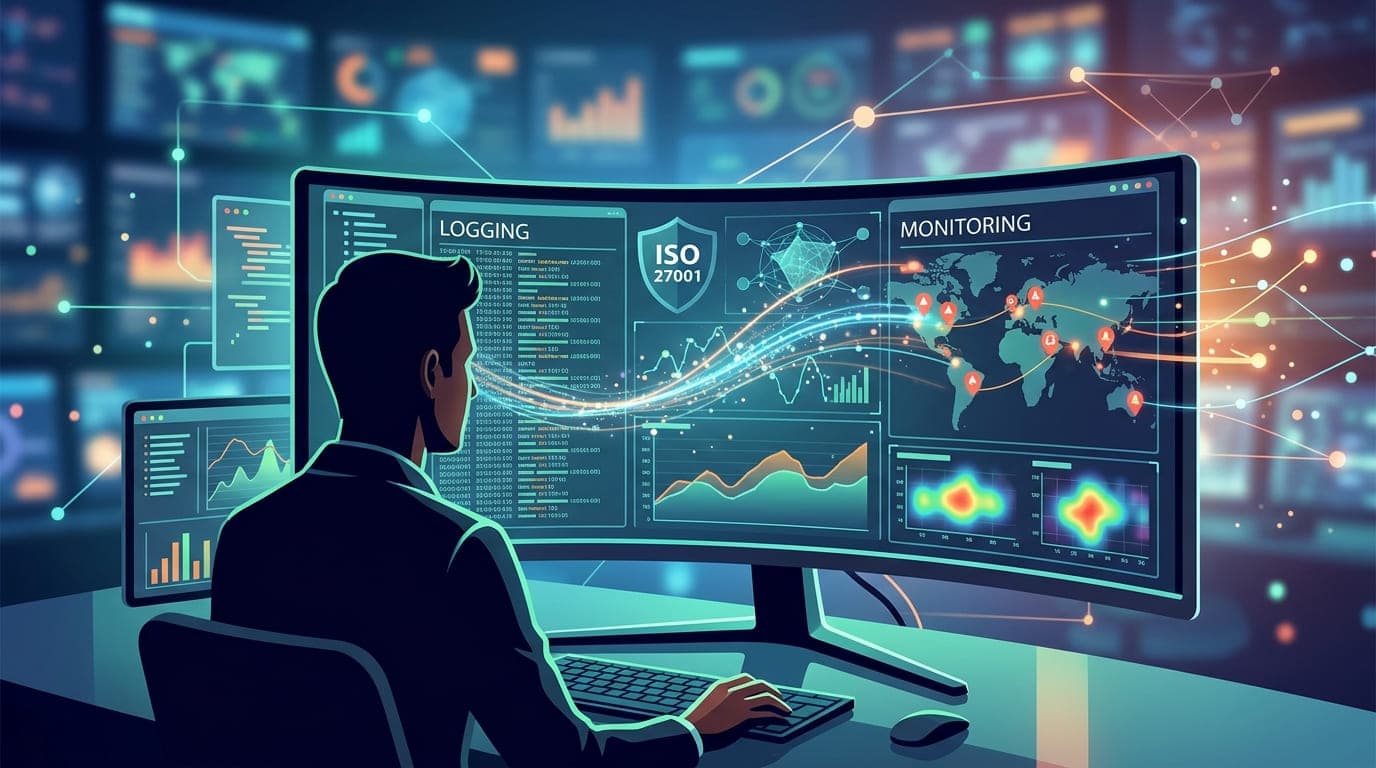
It was 11:47 PM on a Saturday when Sarah, the IT Director of a mid-sized financial services firm, noticed something odd. A single alert in her SIEM dashboard—an authentication attempt from an IP address in Eastern Europe, trying to access their customer database.
Because they had proper logging and monitoring in place (thank you, ISO 27001), she could trace the entire attack chain within 15 minutes. The attacker had compromised a contractor's account three days earlier. They'd been quietly exploring the network, mapping systems, and identifying valuable data.
Without comprehensive logs? Sarah would have discovered the breach weeks later, after millions in customer funds had been transferred. With proper logging? She isolated the compromised account, blocked the attacker, and filed an incident report—all before midnight. The total damage? Zero dollars. Zero lost records. Zero customer impact.
That's the difference between compliance theater and actually implementing ISO 27001 controls correctly.
Why ISO 27001 Takes Logging Seriously (And Why You Should Too)
After fifteen years of implementing information security management systems, I've seen organizations treat logging like a checkbox exercise. "Oh, we save logs somewhere," they say vaguely. When I ask where, for how long, and who monitors them, I get blank stares.
Here's the brutal truth: without proper logging and monitoring, you're basically flying blind through a minefield wearing a blindfold.
ISO 27001 Annex A Control 8.15 (formerly A.12.4.1 in the 2013 version) specifically addresses logging and monitoring. But it's not just about compliance—it's about survival.
"Logs are the black box recorders of your IT infrastructure. When something goes wrong—and it will—they're the difference between understanding what happened and guessing in the dark."
Understanding ISO 27001's Logging Requirements
Let me break down what ISO 27001 actually requires, based on my experience implementing it across 30+ organizations:
Control 8.15: Logging
The standard requires organizations to:
Generate logs that record activities, exceptions, faults, and security events
Protect log information against tampering and unauthorized access
Review logs regularly to identify suspicious activity
Retain logs for an appropriate period based on legal, regulatory, and business requirements
Sounds simple, right? It's not. Let me show you why.
The Logging Framework: What Actually Needs to Be Logged
In 2021, I worked with a healthcare provider who thought they had logging covered. They logged authentication attempts—great! But when we dug deeper, they weren't logging:
Database queries (so no idea who accessed patient records)
Administrative actions (couldn't prove who made configuration changes)
Failed access attempts (missed early warning signs of attacks)
System changes (couldn't correlate incidents with changes)
They were collecting 5% of the data they needed. Here's what comprehensive logging actually looks like:
Critical Log Categories
Log Category | What to Capture | Why It Matters | Retention Period |
|---|---|---|---|
Authentication | Login attempts (successful/failed), logout events, password changes, MFA events | Detect credential attacks, compromised accounts | 90-365 days minimum |
Authorization | Permission changes, role assignments, access denials | Track privilege escalation, insider threats | 365 days minimum |
Data Access | Database queries, file access, API calls, data exports | Prove compliance, detect data exfiltration | 1-7 years (regulation dependent) |
Administrative Actions | Configuration changes, user creation/deletion, security policy changes | Accountability, change correlation | 3-7 years |
System Events | Application errors, system crashes, resource exhaustion | Troubleshooting, capacity planning | 30-90 days |
Network Activity | Connection attempts, firewall blocks, DNS queries, data transfers | Detect lateral movement, command & control | 30-180 days |
Security Events | Malware detection, IDS/IPS alerts, vulnerability scan results | Incident detection, threat hunting | 365 days minimum |
I can't tell you how many times organizations have come to me after an incident saying, "We need to investigate what happened," only to discover they don't have the logs they need. It's like trying to solve a crime with no evidence.
The Three Pillars of Effective Event Management
Over the years, I've developed a framework that makes ISO 27001's logging requirements practical and effective:
Pillar 1: Collection (Getting the Right Data)
The Mistake Everyone Makes: Logging everything, everywhere, all at once.
I worked with a tech startup in 2020 that was collecting 47 terabytes of logs per month. Know how many times they actually used those logs? Twice. Their storage costs were $14,000 monthly for data that was 99% noise.
The Right Approach: Strategic, risk-based logging.
Here's my practical framework:
High-Value Assets Get Detailed Logging
Asset Type | Required Logs | Example Systems |
|---|---|---|
Crown Jewels | All access, all queries, all changes | Customer database, payment systems, intellectual property repositories |
Critical Infrastructure | Authentication, configuration changes, availability events | Domain controllers, firewalls, VPN concentrators |
Compliance-Required | All activity as mandated by regulation | Systems processing PHI, PCI data, PII under GDPR |
Standard Systems | Authentication, security events only | Internal tools, development systems, office applications |
A fintech company I advised reduced their log volume by 73% while actually improving their security posture by focusing on what mattered. Their storage costs dropped from $18,000 to $4,800 monthly. More importantly, their security team could actually find signals in the noise.
Pillar 2: Protection (Keeping Logs Secure)
Here's a story that still makes me cringe: In 2019, I was called to investigate a breach at a manufacturing company. The attacker had accessed their systems, moved laterally, exfiltrated data, and then deleted all the logs proving what they'd done.
Why could they do this? Because logs were stored on the same systems they compromised, with the same access controls. It's like keeping your home security camera footage inside your house—any burglar can just take the evidence with them.
"If your logs can be tampered with, they're not evidence—they're fiction. Log integrity isn't optional; it's the foundation of everything else."
Essential Log Protection Measures
1. Centralized Collection
Logs should be shipped to a dedicated, hardened log management system within minutes (ideally seconds) of generation. I typically recommend:
SIEM solutions for large enterprises (Splunk, IBM QRadar, Azure Sentinel)
Cloud-native logging for cloud-heavy environments (AWS CloudWatch, Google Cloud Logging, Azure Monitor)
Specialized log management for budget-conscious organizations (Graylog, ELK Stack, Wazuh)
2. Immutable Storage
Once logs hit your central repository, they should be write-once, read-many (WORM). Technologies I've successfully deployed:
Technology | Best For | Cost Range | Pros | Cons |
|---|---|---|---|---|
S3 Object Lock | AWS environments | $ | Native integration, scalable | AWS-only |
Azure Immutable Blob Storage | Azure environments | $ | Native integration, compliance features | Azure-only |
Dedicated WORM Appliances | Regulated industries | $$$ | Hardware-enforced, highest assurance | Expensive, less flexible |
Blockchain-Anchored Logs | High-security environments | $$ | Cryptographic proof, tamper-evident | Complex, newer technology |
3. Access Control
In every implementation I do, I enforce these rules:
Log access requires separate authentication (not your regular account)
All log access is logged (meta-logging!)
Minimum two-person integrity for log system administration
Quarterly access reviews by security leadership
Pillar 3: Analysis (Actually Using Your Logs)
This is where most organizations fail spectacularly. They collect logs, protect logs, but never look at logs until something's already on fire.
I call this the "security data graveyard"—terabytes of information that nobody ever examines. It's like paying for a home security system but never watching the cameras.
The Monitoring Maturity Model
Based on my experience, organizations progress through these stages:
Maturity Level | Characteristics | Detection Capability | Time to Detect |
|---|---|---|---|
Level 1: Reactive | Logs collected but rarely reviewed | Only discover issues when users complain | Days to months |
Level 2: Alert-Based | Basic alerts configured for obvious threats | Detect known attack patterns | Hours to days |
Level 3: Proactive | Regular log review, basic correlation | Identify suspicious patterns | Minutes to hours |
Level 4: Threat Hunting | Active searching for indicators of compromise | Find threats before they activate | Real-time to minutes |
Level 5: Predictive | AI/ML detecting anomalies, predicting attacks | Prevent incidents before they occur | Preventive |
Most organizations I encounter are stuck at Level 1 or 2. The good news? Getting to Level 3 isn't that hard. Let me show you how.
Practical Implementation: The 90-Day Logging Program
I've refined this approach over dozens of implementations. It works for organizations from 50 to 5,000 employees:
Phase 1 (Days 1-30): Foundation
Week 1: Inventory and Assessment
Create a complete inventory of systems and their logging capabilities:
System Type | Current Logging | Gap Analysis | Priority
------------|-----------------|--------------|----------
Domain Controllers | Authentication only | Missing: Group changes, policy modifications | HIGH
Database Servers | None | Missing: All query logging | CRITICAL
Firewalls | All traffic | Excessive, no filtering | MEDIUM
Web Applications | Error logs only | Missing: User actions, data access | HIGH
Week 2-3: Centralization
Stand up your log aggregation infrastructure. My standard stack for mid-sized organizations:
Collection Layer: Filebeat/Fluentd agents on all systems
Aggregation Layer: Logstash/Vector for parsing and normalization
Storage Layer: Elasticsearch cluster or cloud-native solution
Visualization Layer: Kibana/Grafana dashboards
Week 4: Initial Rule Set
Deploy baseline detection rules. Here are my "must-have" starting rules:
Rule Name | Logic | Priority | Typical False Positive Rate |
|---|---|---|---|
Brute Force Login | 5+ failed logins from same IP in 5 minutes | HIGH | 2-5% (legitimate password issues) |
Privilege Escalation | User granted admin rights | HIGH | 10-15% (legitimate promotions) |
Off-Hours Admin Access | Admin login outside 8 AM - 8 PM local time | MEDIUM | 20-30% (legitimate night work) |
Mass Data Export | 1000+ records accessed in 10 minutes | HIGH | 5-10% (legitimate reports) |
Geographic Impossible Travel | Same user login from 2 locations >500 miles apart in <1 hour | HIGH | <1% (VPN issues only) |
New Admin Account Creation | Any new account with admin privileges | CRITICAL | <5% (legitimate new hires) |
Phase 2 (Days 31-60): Enhancement
Advanced Correlation Rules
This is where logging becomes powerful. Instead of individual alerts, you're connecting dots:
Example: Credential Stuffing Attack Detection
IF (failed_login_attempts > 3
    AND source_IP_reputation = "bad"
    AND user_account IN dormant_accounts
    AND attempts_across_multiple_accounts > 10)
THEN alert = "CRITICAL: Credential Stuffing Attack"
I implemented this exact rule at a SaaS company in 2022. Within the first week, it caught an attacker cycling through 847 stolen credentials trying to access customer accounts. Traditional logging would have missed it completely.
Behavioral Baselines
Start establishing "normal" for your environment:
Typical login times for each user
Standard data access patterns
Normal administrative activity frequency
Baseline network traffic volumes
When I deployed behavioral baselines for a healthcare client, we discovered that their CFO's account was being used to access patient records at 3 AM. Turned out, credentials had been compromised two months earlier. Without baselines, we'd never have noticed.
Phase 3 (Days 61-90): Operationalization
Daily Security Operations
Establish a sustainable monitoring rhythm:
Activity | Frequency | Owner | Time Required |
|---|---|---|---|
Dashboard Review | 3x daily (start, mid, end) | SOC Analyst | 15 min each |
Alert Triage | Real-time | SOC Team | Varies |
Log Health Check | Daily | Log Administrator | 30 min |
Use Case Refinement | Weekly | Security Engineer | 2 hours |
Threat Hunt | Weekly | Senior Analyst | 4 hours |
Metrics Reporting | Monthly | Security Manager | 3 hours |
Retention Policy Documentation
Create clear policies aligned with ISO 27001 requirements:
Log Category | Retention Period | Rationale | Storage Tier |
|---|---|---|---|
Security Events | 13 months | Compliance + year-over-year analysis | Hot (Fast access) |
Authentication | 13 months | Investigation + audit | Hot |
Database Access | 7 years | Regulatory requirement (HIPAA/SOX) | Warm → Cold after 90 days |
Administrative Actions | 7 years | Legal hold requirements | Warm → Cold after 90 days |
System Performance | 90 days | Operational troubleshooting | Hot |
Network Flow | 180 days | Forensic analysis | Warm |
"Your retention policy should be driven by three factors: regulatory requirements, investigation needs, and storage costs—in that order."
Real-World Success Metrics
Let me share actual outcomes from organizations that implemented comprehensive logging:
Case Study 1: Regional Bank ($400M Assets)
Before Logging Program:
Average breach detection time: 127 days
Annual security incidents: 23 undetected until customer complaint
Failed audits: 2 major findings related to logging
After 6 Months:
Average detection time: 14 minutes
Incidents detected: 67 (caught early, minimal impact)
Audit finding: 0 (commended for logging practices)
ROI: Prevented estimated $2.3M in breach costs
Case Study 2: Healthcare Provider (4 Hospitals, 200 Clinics)
Before Implementation:
HIPAA audit finding: "Insufficient logging of PHI access"
No ability to prove compliance with patient access requests
Previous year penalty: $125,000
After Implementation:
Full audit trail of all PHI access (12TB logs annually)
Response time to patient access requests: 2 hours (was 2+ weeks)
Detected 3 insider threat cases in first year
Next audit result: Zero findings, held up as best practice example
Case Study 3: SaaS Startup (Series B, 120 Employees)
Implementation Cost:
SIEM licensing: $24,000/year
Engineering time: 200 hours
Ongoing operations: 10 hours/week
Business Impact:
Won $1.2M enterprise contract (customer required logging evidence)
Achieved SOC 2 Type II in 9 months (was projected 14 months)
Prevented ransomware attack (detected in 8 minutes)
Insurance premium reduction: 35% ($42,000 savings)
Net ROI Year 1: 387%
Common Mistakes (And How to Avoid Them)
After seeing hundreds of logging implementations, here are the mistakes I see repeatedly:
Mistake 1: Alert Fatigue
The Problem: Configuring too many alerts with poor tuning leads to thousands of false positives. Teams start ignoring alerts. Real threats get missed.
I worked with a company generating 14,000 alerts per day. Their security team had stopped reading them entirely. We discovered an active breach had been alerting for 11 days—but it was buried in noise.
The Solution: Start with fewer, high-quality alerts. Tune aggressively.
Week | Alert Volume | False Positive Rate | Team Action Required |
|---|---|---|---|
Week 1 | 500/day | 85% | Review and tune aggressively |
Week 4 | 150/day | 45% | Continue refinement |
Week 8 | 40/day | 15% | Fine-tune edge cases |
Week 12 | 12/day | 5% | Sustainable operations |
My rule: If your team can't investigate every alert within their shift, you have too many alerts.
Mistake 2: Insufficient Context
The Problem: Alerts that just say "suspicious activity detected" without context are useless.
The Solution: Every alert should answer:
WHAT happened?
WHERE did it occur (system, user, IP)?
WHEN did it happen?
WHY is it suspicious (what rule triggered)?
WHAT NEXT (suggested response actions)?
Mistake 3: Log Sprawl
The Problem: Logs scattered across dozens of systems with no central visibility.
A manufacturing client I worked with had logs in:
14 different application databases
23 Windows Event Logs
8 separate firewall consoles
12 cloud service provider dashboards
5 different SaaS application portals
When we needed to investigate an incident, it took 4 days just to collect the relevant logs.
The Solution: Centralize everything. If a system generates logs, those logs should be in your SIEM within 5 minutes maximum.
Mistake 4: No Validation
The Problem: Assuming your logging works without testing it.
I discovered this gem at a financial services client: their critical database hadn't been sending logs for 7 months due to a configuration error. Nobody noticed because nobody was checking.
The Solution: Monthly validation:
Check Type | Method | Expected Result | Alert if Failed |
|---|---|---|---|
Log Flow | Verify all sources sending logs in past 24h | 100% of sources active | Yes (Critical) |
Log Volume | Check daily log volume within expected range | +/- 20% of baseline | Yes (Warning) |
Alert Rules | Test all rules with synthetic events | All rules trigger correctly | Yes (Critical) |
Storage Health | Verify sufficient space, no corruption | >30 days capacity remaining | Yes (Warning) |
Access Audit | Review who accessed log systems | Only authorized personnel | Yes (High) |
Advanced Techniques: Threat Hunting with Logs
Once you've mastered basic logging and monitoring, here's where it gets exciting: proactive threat hunting.
I spend about 4 hours weekly doing threat hunts for my clients. Here are queries that have found real threats:
Hunt 1: Dormant Account Reactivation
The Pattern: Attackers often compromise old accounts that nobody's watching.
The Query: Accounts that were dormant >90 days but suddenly active
My Find Rate: About 2 legitimate threats per 100 companies per year
Real Example: Found a contractor account from 2019 that suddenly logged in and started accessing source code repositories. Attacker had found credentials in a 2020 data dump.
Hunt 2: After-Hours Data Access Patterns
The Pattern: Exfiltration often happens outside business hours.
The Query: Large data queries executed between 10 PM and 6 AM by non-operations staff
Real Example: Discovered a disgruntled employee downloading customer lists at 2 AM for three weeks before their planned resignation. Would have taken that data to a competitor.
Hunt 3: Living Off the Land
The Pattern: Sophisticated attackers use legitimate admin tools (PowerShell, WMI, PsExec) to avoid detection.
The Query: Unusual usage of admin tools by accounts that typically don't use them
Real Example: Found an attacker who compromised a marketing manager's account and was using PowerShell to scan the network. Marketing managers don't typically run PowerShell commands.
Compliance Audit Survival Guide
When your ISO 27001 auditor comes knocking, here's what they'll want to see:
Documentation Requirements Checklist
[ ] Logging Policy (what gets logged, why, how long)
[ ] Log Review Procedures (who reviews, how often, what they look for)
[ ] Incident Response Runbooks (what to do when alerts trigger)
[ ] Retention Schedule (aligned with legal/regulatory requirements)
[ ] Access Control Matrix (who can access logs and why)
[ ] Evidence of Regular Reviews (reports, meeting minutes, ticket history)
[ ] Audit Trail Protection Measures (how logs are secured)
[ ] Business Continuity Plan for Logging (what if SIEM fails?)
Auditor Questions You'll Face
Based on conducting and receiving 40+ ISO 27001 audits:
Question 1: "Show me logs of administrative actions from 6 months ago."
What They're Testing: Retention policy compliance and log retrievability
Pro Tip: Don't just have logs—be able to query them quickly. I always demo this capability in audits.
Question 2: "How do you know if a system stops sending logs?"
What They're Testing: Monitoring of the monitoring system
Pro Tip: Show your log source health dashboard and alert rules for missing sources.
Question 3: "Who can access logs, and how is that controlled?"
What They're Testing: Segregation of duties and log integrity
Pro Tip: Document that log admins are separate from system admins (or have compensating controls).
Question 4: "Show me evidence that logs are regularly reviewed."
What They're Testing: That logging isn't just collection theater
Pro Tip: Maintain a log review register with date, reviewer, findings, and actions taken.
Tool Selection: What Actually Works
After implementing logging solutions across every platform imaginable, here's my real-world guidance:
Enterprise SIEM Solutions (>1000 Employees)
Solution | Best For | Approximate Cost | Learning Curve | My Rating |
|---|---|---|---|---|
Splunk Enterprise | Organizations with budget and complex needs | $150-500/GB/day | Steep (3-6 months) | ⭐⭐⭐⭐⭐ |
IBM QRadar | Financial services, regulated industries | $100-300/EPS | Moderate (2-4 months) | ⭐⭐⭐⭐ |
Microsoft Sentinel | Azure-heavy environments | $2-5/GB ingested | Moderate (1-3 months) | ⭐⭐⭐⭐ |
Datadog Security | DevOps-first organizations | $15-31/host/month | Low (2-4 weeks) | ⭐⭐⭐⭐ |
Mid-Market Solutions (100-1000 Employees)
Solution | Best For | Approximate Cost | Deployment Time | My Rating |
|---|---|---|---|---|
Rapid7 InsightIDR | Mid-market, ease of use priority | $15-25/user/year | 2-4 weeks | ⭐⭐⭐⭐⭐ |
LogRhythm | Organizations wanting SIEM + SOAR | $50-150k/year | 4-8 weeks | ⭐⭐⭐⭐ |
Sumo Logic | Cloud-native, SaaS companies | $90-270/GB/month | 1-3 weeks | ⭐⭐⭐⭐ |
Elastic Security | Technical teams, customization needs | $95-175/GB/month | 3-6 weeks | ⭐⭐⭐⭐ |
Small Business / Budget Options (<100 Employees)
Solution | Best For | Approximate Cost | Setup Complexity | My Rating |
|---|---|---|---|---|
Wazuh | Open source, technical teams | Free (hosting costs only) | High | ⭐⭐⭐⭐ |
Graylog Open | Budget-conscious, in-house expertise | Free (infrastructure costs) | Moderate | ⭐⭐⭐⭐ |
AWS CloudWatch | AWS-only environments | Pay per use (~$0.50-2/GB) | Low | ⭐⭐⭐ |
Google Chronicle | Google Cloud environments | Contact for pricing | Low | ⭐⭐⭐⭐ |
"The best SIEM is the one your team will actually use. A $500k Splunk deployment that nobody monitors is worth less than a $5k Graylog setup that your team lives in daily."
The Future of Logging: Where We're Headed
Based on emerging trends I'm tracking:
AI-Powered Analysis
Machine learning is finally delivering on its promise. I'm seeing:
Anomaly detection that actually works (90%+ accuracy vs. 60% three years ago)
Automated triage that correctly categorizes 85% of alerts
Predictive alerting that flags suspicious patterns before attacks materialize
A financial services client deployed AI-powered log analysis in 2023. In the first 6 months, it identified 12 threats that traditional rules missed, including an advanced persistent threat that had been in their network for 6 weeks.
Unified Security Platforms
The future isn't separate logging, SIEM, SOAR, and EDR tools. It's unified platforms that:
Collect data from all sources
Correlate across all layers
Automate response actions
Learn from every incident
Privacy-Preserving Logging
With GDPR, CCPA, and other privacy regulations, logging personal data is increasingly risky. I'm seeing innovations like:
Tokenization: Replace personal identifiers with tokens while maintaining analytical value
Pseudonymization: One-way hashing that allows pattern detection without exposing identities
Purpose-Limited Retention: Automatically redact personal data after incident investigation needs expire
Your 30-Day Logging Improvement Plan
Let me give you something actionable you can start tomorrow:
Week 1: Assessment
Day 1-2: Create inventory of all systems and their logging status Day 3-4: Document current log retention periods and locations Day 5: Identify gaps between current state and ISO 27001 requirements
Week 2: Quick Wins
Day 8-9: Enable audit logging on critical systems (domain controllers, databases) Day 10-11: Configure log forwarding to central location Day 12: Set up basic alerting for critical events (failed admin logins, privilege changes)
Week 3: Foundation
Day 15-16: Deploy log collection agents across infrastructure Day 17-18: Create initial log review procedures and schedule Day 19: Document logging policy and retention requirements
Week 4: Operationalization
Day 22-23: Train team on log review procedures Day 24-25: Establish daily/weekly review routines Day 26: Create audit trail for all log reviews Day 30: Measure baseline (log volume, alert volume, review time)
Final Thoughts: Logging as a Mindset
After fifteen years, I've realized that effective logging isn't really about technology. It's about mindset.
Organizations that excel at logging share common characteristics:
They assume breach: They know attacks will happen and log accordingly
They value evidence: They treat logs as legal and technical evidence, not just data
They invest in analysis: They recognize that collecting logs without analyzing them is pointless
They iterate continuously: They treat logging as a living program that evolves with threats
I started this article with Sarah detecting an attack at 11:47 PM on a Saturday. That incident had a happy ending because her organization made logging a priority, not an afterthought.
Your organization's story can end the same way. Or it can end like the countless breaches I've investigated where the first words are: "We don't have logs from that time period."
The choice is yours. But choose quickly—attackers aren't waiting for you to get your logging house in order.
"In cybersecurity, there are two types of organizations: those who know they've been breached, and those who don't know yet. The difference? Comprehensive logging and monitoring."
Ready to implement ISO 27001-compliant logging? Download our free Logging Implementation Checklist and SIEM Selection Guide. At PentesterWorld, we turn compliance requirements into practical security improvements. Subscribe for weekly deep-dives into cybersecurity frameworks.