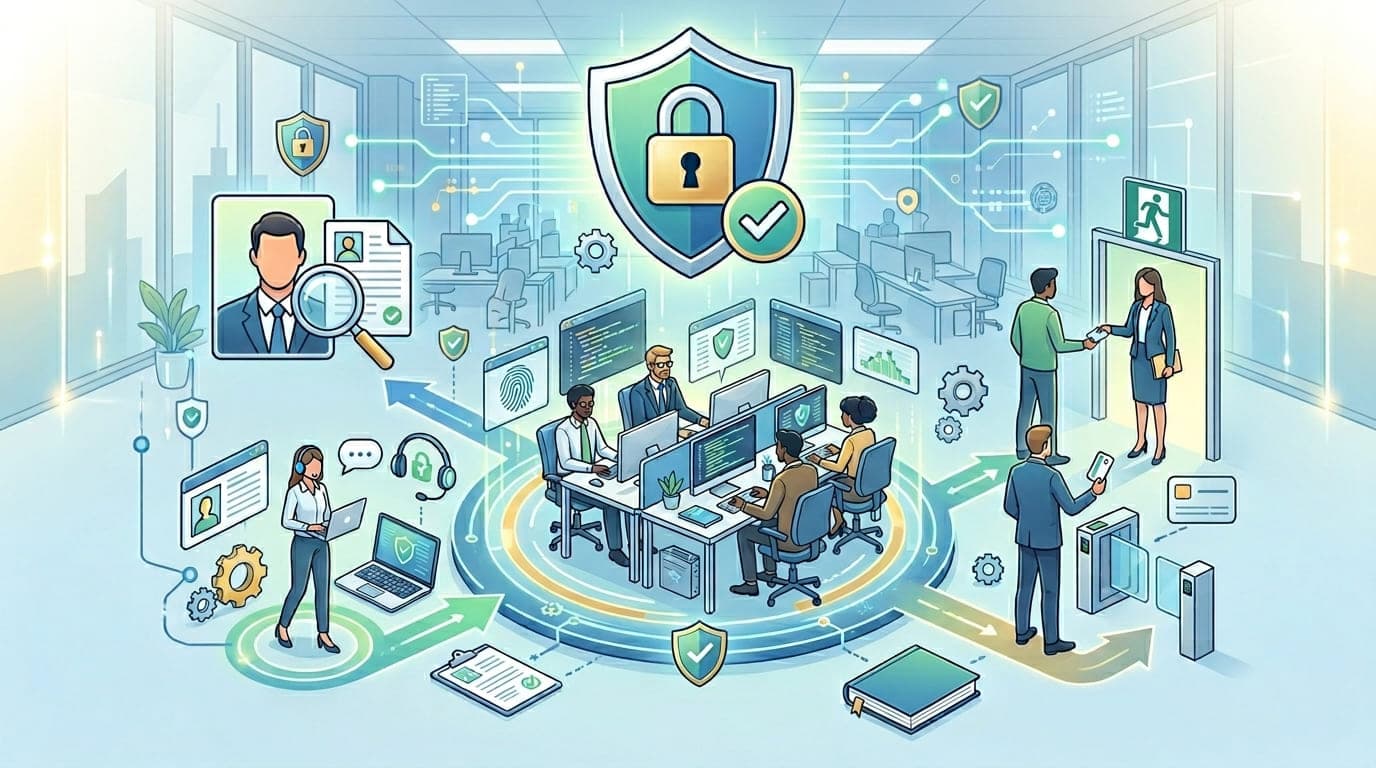
The email arrived on a Monday morning in 2017. A former developer—let's call him Marcus—had been terminated on Friday for performance issues. By Monday, he'd logged into the company's AWS console, spun up 47 virtual machines for cryptocurrency mining, and racked up $23,000 in charges before anyone noticed.
The kicker? His access should have been revoked the moment he was terminated. But there was no process, no checklist, no accountability. The IT team didn't even know he'd been let go until the AWS bill arrived.
That company learned an expensive lesson: your people are simultaneously your greatest asset and your biggest risk. And if you don't have proper personnel controls in place, you're essentially playing Russian roulette with your security.
After 15 years implementing ISO 27001 across dozens of organizations, I can tell you with certainty: Annex A Control 6 (Human Resources Security) is where most breaches actually start. Not from sophisticated hackers, but from the people you hired, trained, and trusted.
Let me show you how to get this right.
Why Human Resources Security Matters (More Than You Think)
Here's a statistic that should make every CISO nervous: 82% of data breaches involve a human element, according to Verizon's 2024 Data Breach Investigations Report. That includes social engineering, misuse of credentials, and simple human error.
But here's what keeps me up at night—most organizations focus their security budget on firewalls, encryption, and monitoring tools while treating HR security as an afterthought. It's like installing a $50,000 security system on your house while leaving the front door wide open.
I once audited a financial services company that had spent $2.3 million on cutting-edge security infrastructure. When I asked to see their background check policy for developers with database access, the HR director looked confused. "We don't do those," she said. "We just check references."
Three months later, they discovered an engineer had been selling customer data to competitors for eighteen months.
"Technology can protect your data from external threats. Only proper personnel controls can protect it from the people who already have legitimate access."
Understanding ISO 27001 Annex A Control 6: The Three Pillars
ISO 27001 breaks human resources security into three logical phases that mirror the employee lifecycle:
Control | Phase | Focus | Common Failures |
|---|---|---|---|
A.6.1 | Before Employment | Screening, roles, responsibilities | Inadequate background checks, unclear job descriptions |
A.6.2 | During Employment | Training, awareness, disciplinary process | No security training, inconsistent policy enforcement |
A.6.3 | Termination or Change | Access removal, asset return, confidentiality | Delayed deprovisioning, forgotten accounts, no exit interviews |
Let me break down each phase with real-world lessons I've learned the hard way.
Phase 1: Before Employment (A.6.1) - The Foundation of Trust
Control A.6.1.1: Screening
I'll never forget consulting for a healthcare company in 2019. During the ISO 27001 gap analysis, I discovered they'd hired a system administrator without any background check. When we finally ran one, we found he had a conviction for identity theft three years prior.
He'd had unrestricted access to 340,000 patient records for eight months.
Here's what proper screening actually looks like:
The Pre-Employment Screening Framework
Role Risk Level | Screening Requirements | Examples |
|---|---|---|
High Risk | Criminal background check, employment verification, education verification, credit check (if handling financial data), reference checks (minimum 3) | System administrators, DBAs, developers with production access, finance team |
Medium Risk | Criminal background check, employment verification, reference checks (minimum 2) | Customer service with data access, HR personnel, sales team |
Low Risk | Criminal background check, reference checks (minimum 1) | Marketing, facilities, roles without data access |
Real Talk from the Trenches:
In my experience, here's what actually matters:
Criminal background checks are non-negotiable for anyone with system access. I don't care if they're an intern. Data doesn't discriminate based on job title.
Employment verification catches more problems than you'd expect. I've seen candidates claim to be "Senior Security Engineers" who were actually help desk technicians. One person inflated their salary by 85%. These are red flags about integrity.
Education verification matters for specialized roles. I once helped a company discover their "CISSP-certified security consultant" had faked the certification. He'd been advising them on compliance for six months.
Reference checks are useless if done wrong. Don't just check the box. Ask specific questions:
"Would you rehire this person?"
"Did they ever have access to sensitive data? Any incidents?"
"How did they handle confidential information?"
The International Challenge
Here's a challenge nobody talks about: what do you do with remote employees in countries where background checks aren't available or reliable?
I worked with a software company that hired developers from 23 countries. Some had robust background check systems. Others had nothing.
Our solution:
Situation | Mitigation Strategy |
|---|---|
No background check available | Require professional references from known companies, extend probation period, implement additional monitoring, limit access during probation |
Unreliable background checks | Use international screening services, require police clearance certificates, implement enhanced onboarding supervision |
Privacy laws prevent screening | Document risk acceptance, implement compensating controls (enhanced access controls, additional monitoring, mandatory security training) |
"When you can't eliminate risk through screening, you mitigate it through controls, monitoring, and trust-but-verify approaches."
Control A.6.1.2: Terms and Conditions of Employment
This is where most organizations get lazy. They have employees sign something during onboarding and never think about it again.
Here's what should be in every employment agreement from a security perspective:
Essential Security Clauses in Employment Contracts
Clause Type | Purpose | Key Elements |
|---|---|---|
Confidentiality Agreement | Protect sensitive information | Define what's confidential, obligations during and after employment, consequences of breach |
Acceptable Use Policy | Define proper use of company resources | Email, internet, device usage, personal use limitations, monitoring notice |
Intellectual Property | Clarify ownership of work product | All work belongs to company, disclosure of prior IP, assignment of inventions |
Security Responsibilities | Set security expectations | Follow security policies, report incidents, protect credentials, device security |
Data Protection | Ensure privacy compliance | GDPR/privacy law obligations, data handling requirements, breach notification duty |
Post-Employment Obligations | Maintain security after departure | Return of assets, continued confidentiality, no data retention, cooperation with investigations |
A Story About Why This Matters:
In 2020, I helped a company respond to a data breach. A departed employee had taken customer lists and used them at his new company. When we threatened legal action, his lawyer pointed out that the employment contract had no confidentiality clause.
We had no legal recourse. The customer data was gone, and there was nothing we could do about it.
The CEO asked me: "How much would it have cost to get the contract right?"
"About $2,000 for a lawyer to review it," I said.
The breach cost them $340,000 in lost customers and another $180,000 in legal fees trying to find a way to stop him.
Role-Based Responsibilities
Not everyone needs the same security obligations. Here's how I typically structure them:
For All Employees:
Maintain confidentiality of company information
Follow acceptable use policies
Protect login credentials
Report security incidents
Complete mandatory security training
Return company property upon termination
For Technical Staff (Additional):
Follow secure development practices
Maintain separate admin and user accounts
Document system changes
Never share privileged credentials
Undergo enhanced background screening
Sign additional NDA for production access
For Leadership (Additional):
Model security-conscious behavior
Support security initiatives
Participate in security governance
Ensure team compliance
Authorize security exceptions (if any)
Phase 2: During Employment (A.6.2) - Building a Security Culture
This is where the rubber meets the road. You can have perfect screening and iron-clad contracts, but if you don't maintain security awareness throughout employment, you're building on sand.
Control A.6.2.1: Management Responsibilities
Let me share something controversial: most security breaches happen because managers don't enforce security policies.
I audited a company in 2021 where the security policy clearly stated: "All employees must use password managers and enable MFA on all accounts."
When I interviewed the teams, 60% weren't using password managers. 40% hadn't enabled MFA. And when I asked their managers about enforcement, they shrugged. "We're too busy to police that stuff."
Six months later, an employee's reused password was compromised in a third-party breach. Attackers used it to access the company's Office 365, exfiltrated confidential M&A documents, and the deal fell through.
Cost of enforcing the MFA policy: maybe 2 hours of manager time. Cost of the breach: a $12 million acquisition.
Manager Security Responsibilities Checklist
Responsibility | Frequency | Accountability |
|---|---|---|
Ensure team completes security training | Annually (minimum) | Manager sign-off required |
Review and approve system access requests | As needed | Document business justification |
Conduct access reviews for team | Quarterly | Remove unnecessary access |
Enforce security policies | Ongoing | Document violations, take corrective action |
Report security incidents | Immediately | No delay tolerance |
Participate in security exercises | Annually | Mandatory attendance |
Support security initiatives | Ongoing | Budget and time allocation |
The Manager Accountability Framework I Use:
When implementing ISO 27001, I make managers personally accountable:
Quarterly Access Reviews: Every manager receives a list of their team's system access. They must certify each access is still needed or remove it. I've seen this catch hundreds of unnecessary permissions.
Training Completion Tracking: Managers get a dashboard showing team training status. Incomplete training blocks their own bonuses. Amazing how quickly compliance improves.
Incident Response Participation: When there's a security incident, managers must participate in the post-mortem. They learn why security matters.
Security KPIs: I include security metrics in manager performance reviews:
Team training completion rate
Security incident count and resolution time
Policy compliance rate
Access review completion timeliness
Control A.6.2.2: Information Security Awareness, Education, and Training
Here's an uncomfortable truth: most security awareness training is worthless.
Employees watch a boring video, click through slides without reading them, pass a quiz by guessing, and forget everything within a week. I've seen companies spend $50,000+ annually on training that has zero impact on security behavior.
Let me show you what actually works.
The Training Framework That Works
Training Type | Audience | Frequency | Method | Effectiveness Measure |
|---|---|---|---|---|
Onboarding Security Training | All new hires | First week | Interactive, role-specific, practical scenarios | Quiz + manager verification of understanding |
General Security Awareness | All employees | Quarterly | Short (10-15 min), engaging, relevant to daily work | Phishing simulation click rates |
Role-Specific Technical Training | Technical staff | Semi-annually | Hands-on labs, real scenarios, technical depth | Practical assessment, code review quality |
Phishing Simulation | All employees | Monthly | Realistic scenarios, immediate feedback | Click rate, reporting rate |
Security Champions Program | Volunteers | Monthly | Deep dives, advanced topics, peer teaching | Program participation, peer training delivered |
Incident Response Drills | Incident response team | Quarterly | Tabletop exercises, simulations | Response time, procedural compliance |
Real-World Success Story:
I worked with a manufacturing company that had a 23% phishing click rate—meaning nearly a quarter of employees would click malicious links.
Here's what we did differently:
Made it personal: Instead of generic "cyber criminals are bad" training, we showed employees actual phishing emails targeting their company. We demonstrated how attackers research employees on LinkedIn and craft targeted messages.
Immediate feedback: When employees clicked phishing simulations, they immediately got a friendly message explaining what gave away the phish. Not shame, but education.
Gamification: We created a leaderboard showing which departments had the best reporting rates (not worst click rates—positive reinforcement). Competitive departments started bragging about their security awareness.
Real examples: Every month, we shared an anonymized story of a real phishing attempt that an employee reported. We explained why it was suspicious and what could have happened.
Within six months, the click rate dropped to 3.7%. The reporting rate increased from 12% to 41%. Employees actively competed to find and report phishing attempts.
"Effective security training isn't about compliance—it's about changing behavior. And behavior changes when people understand why it matters to them personally."
The Security Training Content Matrix
Here's what I actually train people on, based on their role:
Everyone (Mandatory):
Password security and password manager use
MFA setup and importance
Recognizing phishing and social engineering
Reporting security incidents
Physical security (badge usage, visitor management)
Clean desk policy
Acceptable use of company resources
Data classification and handling
Technical Staff (Additional):
Secure coding practices
Credential management (never hardcode!)
Access control principles
Logging and monitoring
Secure configuration
Vulnerability management
Change management procedures
Incident response procedures
Managers (Additional):
Access approval responsibilities
Security policy enforcement
Handling security violations
Supporting security culture
Budget allocation for security
Third-party risk management
HR and Finance (Additional):
Sensitive data handling
Privacy regulations (GDPR, etc.)
Wire fraud prevention
Business email compromise recognition
Vendor verification procedures
Control A.6.2.3: Disciplinary Process
This is the control everyone hates but desperately needs. Without consequences, policies are just suggestions.
I consulted for a company where an engineer repeatedly violated the security policy by sharing his admin credentials with contractors. His manager knew. The security team knew. Nothing happened because "he's too valuable to lose."
Until those contractors used his credentials to access customer data they shouldn't have seen. The breach cost $890,000 in forensics, notification, and legal fees.
The engineer finally faced consequences—he was fired. But it was too late.
Progressive Discipline Framework
Violation Type | First Offense | Second Offense | Third Offense | Immediate Termination |
|---|---|---|---|---|
Minor (unintentional policy violation) | Verbal warning + retraining | Written warning + manager coaching | Final written warning + probation | - |
Moderate (negligent behavior) | Written warning + mandatory training | Final written warning + access restriction | Termination | - |
Serious (intentional violation without malice) | Final written warning + access review | Termination | - | - |
Critical (malicious intent, data theft, sabotage) | - | - | - | Immediate termination + legal action |
Examples by Category:
Minor Violations:
Sharing non-sensitive files via unapproved service
Forgetting to lock workstation occasionally
Missing security training deadline by a few days
Minor acceptable use policy violations
Moderate Violations:
Repeatedly sharing passwords with colleagues
Storing sensitive data on personal devices
Disabling antivirus software
Failing to report known security incidents
Repeated minor violations after warnings
Serious Violations:
Intentionally circumventing security controls
Accessing data without business justification
Sharing confidential information externally without approval
Installing unauthorized software that creates risk
Deliberately ignoring security policies
Critical Violations:
Stealing company data
Sabotaging systems
Selling credentials or access
Intentionally introducing malware
Collaborating with external attackers
The Documentation That Saves You:
Every disciplinary action must be documented:
Security Violation Report
Date: [Date of incident]
Employee: [Name, ID, Department]
Violation: [Specific policy violated]
Details: [What happened, evidence, impact]
Classification: [Minor/Moderate/Serious/Critical]
Previous Violations: [History, dates, actions taken]
Action Taken: [Verbal warning, written warning, termination, etc.]
Remediation Required: [Training, access changes, etc.]
Follow-up Date: [When to review compliance]
Authorized By: [Manager, HR, Security Officer]
I can't tell you how many times proper documentation has protected companies from wrongful termination lawsuits or helped in criminal prosecutions.
Phase 3: Termination or Change (A.6.3) - The Most Dangerous Moment
Remember Marcus from the beginning of this article? His story represents the most dangerous moment in the employee lifecycle: termination.
Here's a stat that should terrify you: 70% of insider theft occurs within 90 days of resignation or termination announcement.
Why? Because people who are leaving take their knowledge with them—and sometimes, they take more than that.
Control A.6.3: Termination and Change of Employment
I have a simple rule: the moment termination is decided, the access revocation clock starts.
The Golden Hour: Termination Checklist
When I implement ISO 27001, I create a mandatory checklist that must be completed during or immediately after the termination meeting. I call it the "Golden Hour" because that's how long you have to secure everything.
Action | Responsible Party | Timeline | Verification |
|---|---|---|---|
Disable network access (AD, VPN) | IT/Security | During termination meeting | Log review |
Disable email access | IT/Security | During termination meeting | Test login attempt |
Disable cloud services (Office 365, G Suite) | IT/Security | Within 15 minutes | Test access |
Disable application access (CRM, ERP, etc.) | IT/Security | Within 30 minutes | Check each system |
Collect physical access badges | HR/Manager | During termination meeting | Badge deactivated |
Collect laptops, phones, devices | HR/Manager | During termination meeting | Asset inventory updated |
Collect keys, access cards | HR/Manager | During termination meeting | Physical inventory |
Change shared passwords employee knew | IT/Security | Within 2 hours | Password rotation confirmed |
Review for personal accounts created | IT/Security | Within 24 hours | Account audit |
Remove from security groups/distribution lists | IT/Security | Within 24 hours | Group membership verified |
Collect company credit cards | Finance | During termination meeting | Card canceled |
Exit interview (security focus) | HR/Security | Same day or before departure | Confidentiality reminded |
Document all access removed | IT/Security | Within 48 hours | Audit trail complete |
The Termination Meeting Protocol:
Based on fifteen years of painful lessons, here's how I advise companies to handle high-risk terminations:
Morning meetings only: Never terminate someone in the afternoon when they can go home and remotely access systems. Do it at 9 AM before they've logged in for the day.
Pre-stage access removal: Have IT ready to disable access the moment the meeting starts. Use a conference bridge or chat room so the manager can signal IT to pull the trigger.
Have a witness: Always have HR or another manager present. Document everything.
Escort to desk: Don't let terminated employees return to their desks alone. Accompany them to collect personal items.
Immediate exit: Once personal items are collected, escort them out. Don't let them "say goodbye to everyone"—that's when data walks out the door on USB drives.
Monitor for attempts: Watch logs for 72 hours after termination for any access attempts.
Real Story: When We Got It Right
I once helped a company terminate a developer who had been making threats about "burning the place down" if he ever got fired. We knew he was high risk.
Here's what we did:
The meeting was scheduled for 9:30 AM on a Tuesday (after he'd be in the building but before he'd done any work)
IT was on a conference bridge with the manager
The moment the meeting started, IT disabled his access
We had legal counsel on standby
We had forensics tools ready to capture any suspicious activity
We'd already rotated every password he had access to overnight (he didn't know)
His manager and a security person escorted him to his desk
We did a full audit of his recent activity
He tried to log in from his phone during the termination meeting. Access denied. He tried again when he got to his car. Access denied. He tried from home that evening. Access denied and logged for potential legal action.
We later found evidence he'd been planning to delete production databases. Our preparation prevented disaster.
"The time to plan for a termination is not when you're terminating someone. It's when you hire them."
Resignation: The Sneaky Risk
Terminations are obvious risks. Resignations are sneakier because people assume departing employees are trustworthy.
They're not. Well, most are fine, but some aren't, and you can't tell which is which.
The Resignation Risk Framework:
Resignation Scenario | Risk Level | Controls |
|---|---|---|
Voluntary, going to non-competitor | Low | Standard offboarding, access removal on last day |
Voluntary, going to competitor | High | Immediate access to confidential data removed, monitor activity, early termination of notice period if suspicious activity |
Voluntary, starting own business in same industry | Critical | Treat as termination, immediate access removal, review all recent activity, send cease and desist reminder |
Voluntary but hostile | Critical | Treat as termination, immediate access removal, monitor for data exfiltration |
The Data Exfiltration Warning Signs:
During notice periods, watch for:
Large file downloads or transfers
Access to data outside normal job scope
After-hours system access
Copying data to personal email or cloud storage
Unusual printing activity
Access to customer lists or strategic documents
USB device usage
Large email attachments to personal addresses
I once caught a departing sales manager who downloaded the entire customer database to her personal Dropbox the day after giving notice. We discovered it because we monitored file transfer activity during notice periods. We revoked her access immediately and pursued legal action.
The Friendly Departure Checklist
Even for friendly departures, you need a process:
Two Weeks Before Last Day:
Review and reduce access to only what's needed for transition
Assign transition responsibilities
Schedule exit interview
Prepare asset collection checklist
Last Day Activities:
Knowledge transfer completion
Asset collection (all physical items)
Exit interview with security focus
Access removal (all systems)
Confidentiality reminder
Final paycheck coordination
After Departure:
Verify all access removed (audit all systems)
Monitor for access attempts (30 days)
Update contact lists and documentation
Review for any data exfiltration
Close out HR and IT tickets
Change of Employment (Internal Transfers)
Don't forget: internal transfers create risk too.
I worked with a company where an engineer transferred from development to sales. Nobody removed his developer access. He retained admin rights to production systems for 14 months until an audit caught it.
The Internal Transfer Protocol:
Transfer Type | Access Action | Verification |
|---|---|---|
Same risk level, different team | Review and remove unneeded access, add new access | Manager approval required for all access |
Lower risk level | Remove all elevated access immediately, add appropriate access | Security team review required |
Higher risk level | Remove old access, require new screening/training, add new access gradually | Enhanced approval and monitoring |
Building a Human-Centric Security Program
After fifteen years of implementing these controls, here's what I've learned: the technical parts are easy. The human parts are hard.
Technology is predictable. Deploy a firewall correctly, and it works. People are unpredictable. Train them perfectly, and they'll still click phishing links occasionally.
But here's the secret: the organizations with the best security aren't the ones with the most restrictive policies. They're the ones where security is part of the culture.
The Culture Framework
Element | Poor Culture | Strong Culture |
|---|---|---|
Security viewed as | IT's problem | Everyone's responsibility |
Policies seen as | Obstacles to work | Protections enabling safe work |
Security team treated as | Police who say no | Partners who enable success |
Incidents handled by | Blame and punishment | Learning and improvement |
Training perceived as | Mandatory torture | Valuable skill development |
Management approach | Do what I say, not what I do | Leadership by example |
How to Build This Culture:
Start at the top: If the CEO doesn't follow security policies, nobody else will. I've seen entire security programs fail because the CEO insisted on exceptions.
Make it easy: The secure way should be the easy way. If your security controls make work harder, people will find workarounds.
Celebrate security wins: When someone reports a phishing email, celebrate it publicly. When a team completes security training early, recognize them.
Learn from mistakes: When someone makes a security mistake, use it as a teaching moment, not a firing opportunity (unless it's intentional).
Invest in people: Security training shouldn't be the cheapest vendor you can find. Invest in quality training that actually changes behavior.
Common Implementation Mistakes (And How to Avoid Them)
After helping dozens of organizations implement Annex A Control 6, I've seen the same mistakes repeatedly:
Mistake #1: Copy-Paste Policies
What they do: Download a generic HR security policy from the internet, change the company name, and call it done.
Why it fails: The policy doesn't match their actual practices, culture, or risk profile. Nobody reads it. Nobody follows it. It's useless.
The right way: Start with your actual practices and risks. Document what you really need to do, not what a generic template says. Make it specific to your organization.
Mistake #2: Security Theater Training
What they do: Purchase the cheapest online training, make everyone click through it annually, and check the compliance box.
Why it fails: Nobody learns anything. Behavior doesn't change. Breach risk stays the same.
The right way: Invest in engaging, relevant training. Measure behavior change, not completion rates. Use simulations and real scenarios.
Mistake #3: Inconsistent Enforcement
What they do: Have strict policies but never enforce them. Or enforce them selectively based on who violates them.
Why it fails: Employees learn that policies don't matter. Culture of non-compliance develops.
The right way: Enforce policies consistently, regardless of seniority. Document violations. Follow through with consequences.
Mistake #4: Termination Chaos
What they do: Wing it every time someone leaves. No checklist, no process, no verification.
Why it fails: Access isn't properly removed. Assets aren't collected. Data walks out the door.
The right way: Create detailed checklists for every scenario. Assign responsibilities. Verify completion. No exceptions.
Mistake #5: Set-and-Forget Background Checks
What they do: Run background checks at hiring, never again.
Why it fails: People's circumstances change. Financial problems, legal issues, and other risk factors can emerge years after hiring.
The right way: For high-risk roles, consider periodic re-screening (every 3-5 years). For everyone, monitor for concerning behaviors and changes.
Measuring Success: KPIs That Actually Matter
ISO 27001 requires measurement and improvement. Here are the metrics I track for human resources security:
Metric | Target | Red Flag | How to Measure |
|---|---|---|---|
Security training completion | >95% within deadline | <90% or trending down | LMS reports |
Phishing simulation click rate | <5% | >10% or trending up | Email security platform |
Phishing reporting rate | >30% | <15% | Email security platform |
Time to revoke access (terminations) | <1 hour | >4 hours | IT ticketing system |
Access review completion | 100% quarterly | Missing deadlines | Access governance tool |
Background check completion | 100% before access granted | Any exceptions | HR system |
Exit interview completion | 100% | <95% | HR system |
Security violations reported | Trending to zero | Increasing or hiding issues | Incident tracking |
Average time to resolve security violations | <7 days | >14 days | Incident tracking |
Your Implementation Roadmap
If you're implementing Annex A Control 6 for the first time, here's your 90-day plan:
Days 1-30: Assessment and Planning
Inventory current HR security practices
Identify gaps against ISO 27001 requirements
Define risk levels for roles
Review employment agreements
Assess training effectiveness
Review termination procedures
Days 31-60: Policy and Process Development
Create or update screening policy
Develop employment agreement templates
Build security training program
Create termination checklist
Establish disciplinary process
Assign responsibilities
Days 61-90: Implementation and Testing
Roll out new processes
Train HR and managers
Conduct first round of access reviews
Test termination procedures
Launch security awareness training
Measure initial metrics
Beyond Day 90: Continuous Improvement
Monthly: Review metrics and adjust
Quarterly: Conduct access reviews
Quarterly: Update training content
Annually: Review and update policies
Annually: Audit compliance
The Bottom Line
Human resources security isn't sexy. It doesn't involve cutting-edge technology or sophisticated threat hunting. It's policies, processes, and paperwork.
But it works.
Every organization I've worked with that has strong HR security controls has had fewer incidents, faster incident response, and better overall security posture than organizations that focus solely on technology.
Because here's the truth: your most sophisticated security tools are operated by people. Your most sensitive data is accessed by people. Your greatest risks come from people.
ISO 27001 Annex A Control 6 gives you a framework to manage that human risk systematically, from the moment someone applies for a job until long after they leave.
Is it perfect? No. Will it prevent every insider threat? No. But it will dramatically reduce your risk and give you a fighting chance when something goes wrong.
"In cybersecurity, we can't eliminate human risk. But we can manage it, reduce it, and prepare for it. That's what HR security controls do."
The question isn't whether you can afford to implement proper human resources security controls. The question is whether you can afford not to.
Because somewhere, right now, someone is planning to leave your company. And what they do in their final days could determine whether you're reading about best practices or writing a breach notification letter.
Choose wisely.
Implementing ISO 27001 and need help with HR security controls? At PentesterWorld, we provide detailed, practical guidance on every aspect of information security management. Subscribe for weekly insights on building security programs that actually work.