I remember the moment it clicked for me. It was 2015, and I was sitting in a conference room with a CIO who'd just received his company's first ISO 27001 certificate. He was beaming with pride—they'd worked for 14 months to achieve certification. Then I asked him a simple question: "What's your plan for next month?"
His smile faded. "What do you mean? We're certified. We're done."
That's when I knew we had a problem.
Three years later, that same company failed their surveillance audit spectacularly. They'd treated ISO 27001 like a finish line instead of what it really is: a continuous journey. The certification they'd worked so hard to achieve was suspended, and they had to start over—costing them over $300,000 and two major enterprise customers.
After fifteen years of implementing and maintaining ISO 27001 across dozens of organizations, I've learned one fundamental truth: certification is easy compared to maintaining it. And the secret to maintenance isn't working harder—it's understanding and implementing the PDCA cycle properly.
What Nobody Tells You About ISO 27001's Beating Heart
Here's something that surprises most people: ISO 27001 isn't primarily about security controls. Yes, Annex A lists 93 controls (updated to 114 in the 2022 version), but those are just tools. The real genius of ISO 27001 lies in its foundation—the Plan-Do-Check-Act (PDCA) cycle.
The PDCA cycle isn't just a nice-to-have concept mentioned in the standard. It's the engine that keeps your entire Information Security Management System (ISMS) alive, relevant, and effective.
I've worked with organizations that implemented every single control perfectly but still failed their surveillance audits. Why? Because they forgot that ISO 27001 is a living system, not a static checklist.
"ISO 27001 without PDCA is like a car without an engine. It might look impressive sitting in the driveway, but it's not taking you anywhere."
Understanding the PDCA Cycle: Beyond the Textbook Definition
Let me break down what PDCA really means in practical terms, based on countless implementations:
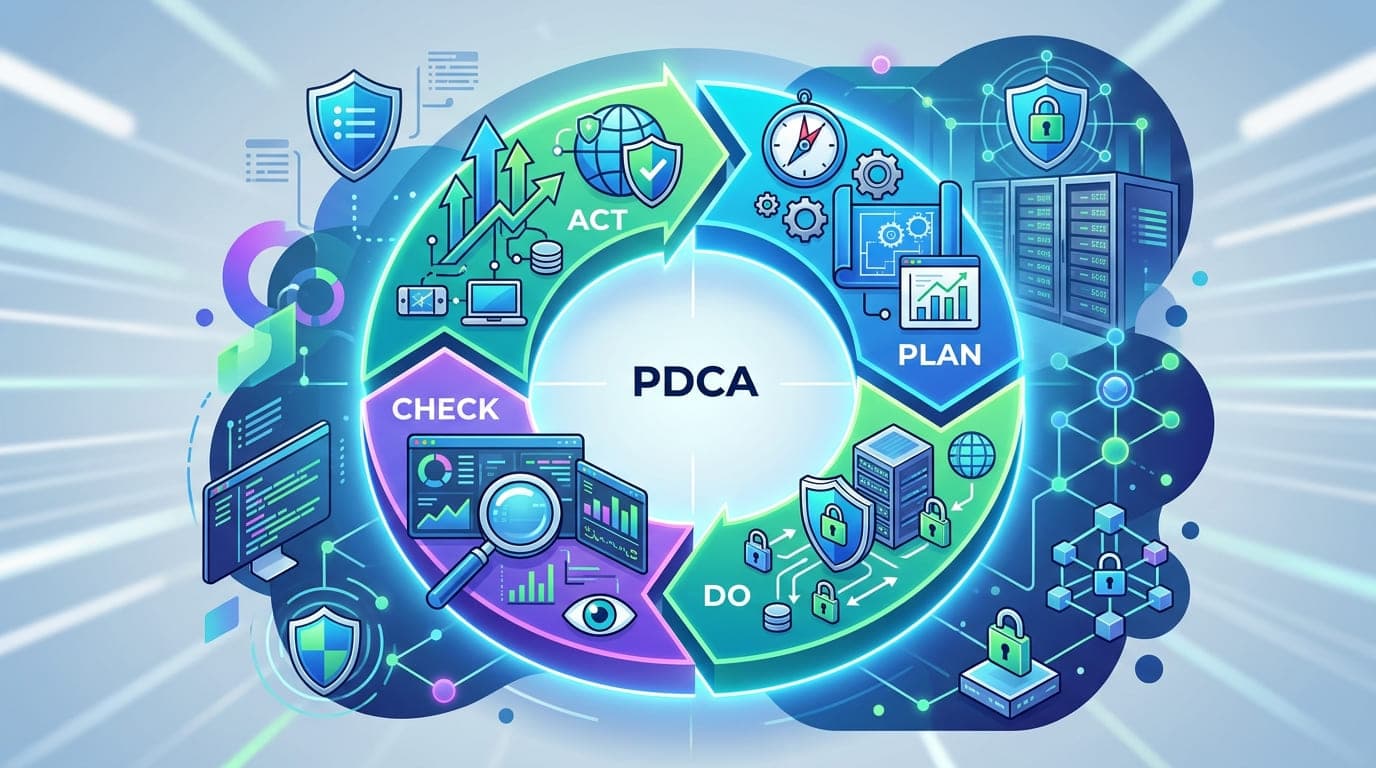
The PDCA Cycle Overview
Phase | ISO 27001 Focus | Real-World Meaning | Common Failure Point |
|---|---|---|---|
Plan | Establish ISMS scope, policy, objectives, processes, and procedures | Define what you're protecting and how | Being too ambitious or too vague |
Do | Implement and operate the ISMS policies, controls, processes, and procedures | Actually build and run your security program | Implementation without documentation |
Check | Monitor, measure, analyze, and evaluate ISMS performance | Verify that what you built actually works | Checking boxes instead of measuring effectiveness |
Act | Take corrective actions, implement improvements, and update the ISMS | Fix problems and make it better | Documenting improvements but not implementing them |
When I explain this to executives, I use a simple analogy: Think of your ISMS like a garden. Planning is deciding what to plant and where. Doing is planting and watering. Checking is monitoring growth and looking for pests. Acting is pulling weeds, adding fertilizer, and adjusting your approach. If you stop at any phase, your garden dies.
Phase 1: Plan - The Foundation That Makes or Breaks You
I once worked with a financial services company that spent three months planning their ISMS. Their competitors thought they were wasting time. Two years later, while their competitors were struggling with surveillance audits and constant rework, this company sailed through with minor findings.
Planning isn't overhead—it's the most important work you'll do.
What Planning Actually Involves
Here's what your planning phase should include, based on what actually works:
1. Context Establishment
This sounds academic, but it's profoundly practical. I've seen organizations skip this step and regret it for years.
Context Element | Questions to Answer | Why It Matters |
|---|---|---|
Internal Issues | What are our business objectives? What's our organizational culture? What technologies do we use? | Determines what controls are realistic for your organization |
External Issues | What regulatory requirements apply? What are industry threats? What do customers expect? | Defines your minimum security baseline |
Interested Parties | Who cares about our security? What are their requirements? | Identifies stakeholders you must satisfy |
ISMS Scope | What systems, processes, and locations are included? What's explicitly excluded? | Prevents scope creep and clarifies boundaries |
A manufacturing company I worked with in 2020 skipped the context establishment. They tried to apply financial services-level controls to their factory floor. It was chaos—productivity dropped 22%, workers rebelled, and the program almost collapsed. We had to back up, establish proper context, and redesign controls that actually fit their environment.
2. Risk Assessment and Treatment
This is where ISO 27001 gets real. I tell clients: if your risk assessment doesn't scare you at least a little bit, you're doing it wrong.
Here's a framework I've refined over years of implementations:
Risk Assessment Stage | Practical Approach | Red Flag Warning |
|---|---|---|
Asset Identification | List all information assets, including data, systems, people, and processes | If your list has fewer than 50 items, you're missing things |
Threat Identification | Document realistic threats specific to your assets and environment | Generic threats like "hackers" aren't useful |
Vulnerability Assessment | Identify weaknesses that threats could exploit | Every asset has vulnerabilities—if you don't find any, look harder |
Impact Analysis | Determine business impact if threats exploit vulnerabilities | Use real numbers: revenue loss, regulatory fines, customer churn |
Likelihood Assessment | Estimate probability based on current controls | "High/Medium/Low" is fine, but quantitative is better |
Risk Calculation | Calculate risk level (typically Impact × Likelihood) | If nothing rates "High," your scale is wrong |
I worked with a healthcare provider who initially rated all risks as "Medium" to avoid difficult conversations. Their auditor rejected it immediately. We redid the assessment honestly—22 high risks, 47 medium, 31 low. The board was shocked but finally understood why security investment was critical. They allocated $2.4 million to address high risks, and it probably saved them from a breach.
3. Statement of Applicability (SoA)
The SoA is your ISMS blueprint. It documents which Annex A controls apply to your organization and why.
Here's the truth: you don't need to implement every control. But you do need to justify every exclusion. And I mean really justify it, not just "not applicable because we said so."
Planning Phase Deliverables Checklist
After planning, you should have:
[ ] Context analysis document
[ ] Interested parties register
[ ] ISMS scope statement
[ ] Information security policy
[ ] Risk assessment methodology
[ ] Asset inventory
[ ] Risk assessment report
[ ] Risk treatment plan
[ ] Statement of Applicability
[ ] Security objectives and metrics
[ ] Implementation roadmap with timelines
"Planning is bringing the future into the present so that you can do something about it now. In ISO 27001, planning is the difference between reactive firefighting and proactive security management."
Phase 2: Do - Where Theory Meets Reality
This is where most organizations stumble. I've seen beautiful planning documents that never translate into actual security improvements.
The Do phase is about implementation with evidence. Every control you implement needs documentation. Every procedure you create needs to be followed. Every training session needs attendance records.
Implementation Strategy That Actually Works
Here's the approach I use for every implementation:
Wave 1: Foundation Controls (Months 1-3)
Control Category | Why First | Implementation Tips |
|---|---|---|
A.5 - Policies | Everything else builds on this | Keep policies high-level; procedures go in separate documents |
A.6 - Organization | Defines responsibilities | Create RACI matrices; avoid "everyone is responsible" (means nobody is) |
A.7 - Human Resources | People are your first line of defense | Background checks, NDAs, security clauses in contracts |
A.8 - Asset Management | Can't protect what you don't know | Use automated discovery tools; manual lists become outdated instantly |
Wave 2: Technical Controls (Months 3-6)
Control Category | Priority | Common Implementation Mistakes |
|---|---|---|
A.9 - Access Control | Critical | Forgetting to document access reviews |
A.10 - Cryptography | High | Implementing encryption without key management |
A.12 - Operations Security | High | Running vulnerability scans without remediation process |
A.13 - Communications Security | Medium | Network segmentation designs that never get implemented |
Wave 3: Advanced Controls (Months 6-9)
Control Category | Focus | Success Factor |
|---|---|---|
A.14 - System Acquisition | Important | Security requirements in procurement |
A.15 - Supplier Relationships | Critical | Third-party risk assessment program |
A.16 - Incident Management | Essential | Tabletop exercises prove you're ready |
A.17 - Business Continuity | Essential | Test your backups; untested backups are wishes |
Real Implementation Story: The Do Phase Done Right
I worked with a SaaS company in 2021 that understood the Do phase perfectly. Their CISO told me something I'll never forget: "We're not trying to implement controls. We're trying to change how we work."
They took their time. Instead of rushing to implement all 93 controls in three months, they:
Month 1-2: Implemented policies and assigned ownership. Every control had a named owner who was responsible and accountable.
Month 3-4: Rolled out access control improvements. They didn't just enable MFA—they ran workshops explaining why it matters, showed employees how to use it, and measured adoption rates.
Month 5-6: Deployed technical controls with heavy automation. Manual controls don't scale; automated controls get better over time.
Month 7-8: Focused on monitoring and detection. You can't improve what you can't measure.
Month 9: Conducted internal audit and tabletop exercises.
By month 10, when they went for certification, the auditor told them it was the smoothest audit he'd conducted in five years. Why? Because they'd actually implemented the controls, not just documented them.
"Documentation without implementation is fiction. Implementation without documentation is invisible. ISO 27001 requires both."
Phase 3: Check - Measurement That Reveals Truth
Here's a pattern I've seen dozens of times: organizations implement controls, create beautiful documentation, then never check if anything actually works.
The Check phase is where you face reality. And reality can be uncomfortable.
What You Should Actually Be Checking
I've developed this framework through trial and error (mostly error):
Performance Monitoring
What to Monitor | How Often | Red Flag Threshold |
|---|---|---|
Access review completion rate | Monthly | < 95% completion |
Vulnerability remediation time | Weekly | Critical: >7 days, High: >30 days |
Incident response time | Per incident | Detection >1 hour, Containment >4 hours |
Training completion rate | Quarterly | <90% completion |
Backup success rate | Daily | <99% success |
Patch deployment rate | Monthly | Critical patches >7 days old |
Internal Audit Program
This is non-negotiable. I tell every client: if you're not auditing yourself more harshly than your external auditor will, you're not ready for certification.
Here's my internal audit schedule:
Audit Focus | Frequency | Sample Size | Documentation Required |
|---|---|---|---|
Policy compliance | Quarterly | 20% of staff | Interview notes, evidence review |
Control effectiveness | Semi-annually | All critical controls | Test results, screenshots |
Risk assessment accuracy | Annually | All high risks | Reassessment documentation |
Incident response capability | Annually | Full tabletop exercise | Exercise report, lessons learned |
Management Review
The management review is where senior leadership evaluates ISMS performance and decides on improvements. I've sat in hundreds of these meetings, and I can spot a failing ISMS in five minutes.
Effective management reviews include:
Agenda Item | What Good Looks Like | What Failure Looks Like |
|---|---|---|
Previous Actions | 90%+ closed, with evidence | Open items from 3+ reviews ago |
Incidents | Trending down, with root cause analysis | Same incidents recurring |
Audit Findings | Few findings, closed quickly | Growing backlog of open findings |
Risk Changes | Documented risk landscape changes | "No changes since last review" |
Performance Metrics | Clear trends, context provided | Raw numbers without analysis |
Improvement Opportunities | Specific proposals with business case | "Everything is fine" |
The Checking Methods I've Found Most Effective
1. Surprise Spot Checks
I worked with a financial institution that scheduled all their access reviews for the first week of each quarter. Everyone knew when reviews were coming, so they'd clean up access just before the review.
I convinced them to do surprise spot checks instead. They discovered that 34% of user accounts had excessive privileges that were granted "temporarily" and never revoked. That single finding led to a complete access governance overhaul.
2. Real Incident Simulations
Tabletop exercises are good. But you know what's better? Unannounced simulations.
A tech company I advised conducted a surprise ransomware simulation at 2:00 PM on a Wednesday. They triggered their incident response plan, notified the incident response team, and watched what happened.
It was chaos. Half the team didn't know where the incident response procedures were documented. The backup restoration process they'd documented didn't work. The communication plan assumed everyone would be in the office (but half the team was remote).
They learned more in four hours of real simulation than they had in six months of theoretical planning. Six months later, they ran the simulation again. This time, they had the "incident" contained in 22 minutes.
3. Metrics That Tell a Story
I'm not a fan of metrics for metrics' sake. Every metric should tell you something actionable.
Here are the metrics I actually care about:
Metric | Why It Matters | How to Use It |
|---|---|---|
Time to Detect | Shows monitoring effectiveness | Trending up? Your detection is failing |
Time to Respond | Shows incident response capability | Compare to industry benchmarks |
Control Failure Rate | Shows implementation quality | High rate? Your implementation was rushed |
Training Effectiveness | Shows awareness program success | Test knowledge, not just attendance |
Third-Party Risk Score | Shows supply chain exposure | Trending up? Time to review vendors |
"What gets measured gets managed. But what gets measured badly gets managed badly. Choose your metrics carefully—they shape behavior."
Phase 4: Act - Turning Insights into Improvements
This is where the magic happens—or where organizations die slowly by documenting improvements that never materialize.
I worked with a healthcare organization that had 127 open corrective actions. Some were over two years old. They kept creating new actions every quarter but never closed existing ones. The backlog grew like compound interest.
Their surveillance audit was brutal. The auditor didn't even look at new findings—he focused entirely on the fact that they'd identified problems but done nothing about them. Major non-conformity. Certification suspended.
The Action Framework That Works
1. Corrective Action vs. Preventive Action
Action Type | When to Use | Example | Common Mistake |
|---|---|---|---|
Corrective | When a problem has occurred | Unauthorized access detected → Revoke access + investigate how it was granted | Treating symptoms instead of root causes |
Preventive | When you identify a potential problem | Manual process prone to errors → Automate before errors occur | Waiting until problems manifest |
2. Root Cause Analysis
I use the "5 Whys" technique, but I don't stop at five—I keep going until I hit something we can actually fix.
Real example from a manufacturing client:
Problem: Unpatched server led to malware infection
Why wasn't the server patched? → Patch was available but not applied
Why wasn't the patch applied? → Server owner wasn't aware of the patch
Why wasn't the owner aware? → Patch notification emails go to distribution list
Why didn't they see the distribution list? → They're not on the distribution list
Why aren't they on the list? → When they took over the server, nobody updated the list
Why wasn't the list updated? → No process for updating asset ownership
Root Cause: Lack of formal asset transfer process
The fix wasn't "patch the server" (that's obvious). The fix was implementing an asset management process that tracks ownership changes and automatically updates notification lists.
3. Improvement Implementation
Here's my implementation framework:
Phase | Timeline | Deliverables | Success Criteria |
|---|---|---|---|
Planning | Week 1 | Improvement proposal, resource requirements, timeline | Approved by management, resources allocated |
Implementation | Weeks 2-6 | Updated procedures, implemented controls, training materials | Controls in place, staff trained |
Validation | Weeks 7-8 | Test results, effectiveness evidence | Improvement achieves intended outcome |
Closure | Week 9 | Closure report, lessons learned | Documented evidence, auditor acceptance |
4. The Improvement Register
I maintain an improvement register for every client. It's the single most important document for maintaining certification:
ID | Issue | Root Cause | Action Owner | Target Date | Status | Evidence |
|---|---|---|---|---|---|---|
IMP-001 | 12% of users have admin rights | No access review process | IT Manager | 2024-03-15 | In Progress | Access review procedure draft |
IMP-002 | Backup failures at 15% | Insufficient storage capacity | Operations Lead | 2024-02-28 | Complete | Storage upgrade receipt, backup logs |
IMP-003 | 45-minute incident detection | Log monitoring manual | Security Analyst | 2024-04-30 | Planned | SIEM vendor evaluation matrix |
Every week, we review this register. Items that turn yellow (approaching due date) get escalated. Items that turn red (overdue) go to management review. Nothing falls through the cracks.
Real Story: The Act Phase That Saved a Company
In 2019, I worked with a retail company that discovered during an internal audit that their backup restoration process had never been tested. They'd been backing up 4TB of data daily for three years but had never tried to restore it.
They decided to test it during the Act phase. The restoration failed. After investigation, they discovered that their backup format was incompatible with their current systems due to an upgrade six months prior. Three years of backups were effectively useless.
This discovery led to a complete backup program overhaul:
Weekly restoration tests
Automated compatibility checking
Redundant backup systems
Quarterly disaster recovery exercises
Four months later, they suffered a ransomware attack. Because of their improved backup program, they restored operations in 11 hours. The incident that could have destroyed them became a minor disruption.
That's the Act phase working perfectly. They found a problem, fixed the root cause, and the improvement saved them when it mattered most.
"The Act phase is where you prove that continuous improvement isn't just a buzzword—it's a survival strategy."
Integrating PDCA into Daily Operations
Here's the secret nobody tells you: PDCA can't be something you do once a quarter. It needs to be woven into your daily operations.
Making PDCA Part of Your Culture
I helped a tech company integrate PDCA into their existing workflows:
Business Process | PDCA Integration | Impact |
|---|---|---|
Sprint Planning | Plan phase: Security requirements included in sprint planning | Security by design, not bolt-on |
Code Reviews | Check phase: Security review checklist in pull requests | 67% reduction in security bugs |
Incident Response | Act phase: Mandatory root cause analysis and improvement for every incident | Incidents per month dropped from 23 to 7 |
Vendor Onboarding | Plan phase: Security assessment before contract signature | Zero security-related vendor incidents in 2 years |
Change Management | Check phase: Security impact analysis required for all changes | Rollback rate dropped from 8% to 1.2% |
The PDCA Meeting Cadence
Based on what actually works, here's my recommended meeting schedule:
Meeting | Frequency | Duration | Attendees | PDCA Phase |
|---|---|---|---|---|
Tactical Security Review | Weekly | 30 min | Security team | Check/Act |
Control Effectiveness Review | Monthly | 1 hour | Control owners | Check/Act |
Internal Audit | Quarterly | Varies | Audit team + auditees | Check |
Management Review | Quarterly | 2 hours | Senior leadership | Check/Act |
Strategic Planning | Annually | 4 hours | Executive team | Plan |
PDCA Metrics Dashboard
I create a dashboard for every client that shows PDCA health at a glance:
PDCA Phase | Metric | Target | Current | Trend | Status |
|---|---|---|---|---|---|
Plan | Risk assessments on schedule | 100% | 100% | → | ✅ |
Plan | SoA review completion | Annually | Last: 3 months ago | ✅ | ✅ |
Do | Control implementation rate | 100% | 97% | ↑ | ⚠️ |
Do | Training completion | 95% | 93% | ↓ | ⚠️ |
Check | Internal audit findings | <5 per audit | 3 | ↓ | ✅ |
Check | Metric collection completeness | 100% | 98% | → | ✅ |
Act | Open corrective actions | <10 | 7 | ↓ | ✅ |
Act | Overdue actions | 0 | 2 | ↑ | ❌ |
This dashboard tells me in 30 seconds if an organization's ISMS is healthy or deteriorating.
Common PDCA Implementation Failures (And How to Avoid Them)
After fifteen years, I've seen every possible way to screw up PDCA. Here are the greatest hits:
Failure #1: Planning Paralysis
Symptom: Six months of planning, zero implementation
Story: A financial services company spent eight months perfecting their risk assessment methodology. They debated risk scales, impact calculations, and likelihood assessments in endless meetings. By the time they finished planning, the threat landscape had changed and they had to start over.
Fix: Set a planning deadline and stick to it. Planning should take 2-3 months maximum. Perfect is the enemy of done.
Failure #2: Implementation Theater
Symptom: Beautiful documentation, zero actual security improvement
Story: A tech startup created 200 pages of security policies and procedures. They looked amazing. The auditor was initially impressed—until he asked employees about them. Nobody had read them. Nobody followed them. They were fiction.
Fix: Implement small, prove it works, then document. Not the other way around.
Failure #3: Check Fatigue
Symptom: Monitoring everything, learning nothing
Story: A manufacturing company tracked 147 security metrics. They spent 40 hours per month collecting and reporting these metrics. But when I asked what they'd learned from the metrics, they had no answer. The metrics existed because the compliance framework mentioned metrics, not because they drove decisions.
Fix: Track 10-15 metrics that actually matter. If a metric doesn't drive action, stop tracking it.
Failure #4: Action Amnesia
Symptom: Identifying problems but never fixing them
Story: I mentioned the healthcare organization with 127 open corrective actions earlier. That's the classic example of Action Amnesia.
Fix: Limit work in progress. Have no more than 10 open corrective actions at a time. Close existing actions before opening new ones.
The PDCA Maturity Model
Organizations evolve through PDCA maturity levels. Here's what I've observed:
Level | Characteristics | Audit Outcomes | Time to Achieve |
|---|---|---|---|
Level 1: Chaotic | PDCA in name only; no systematic approach | Major non-conformities | Starting point |
Level 2: Reactive | PDCA happens when auditor visits | Minor non-conformities | 6-12 months |
Level 3: Defined | PDCA processes documented and followed | Few findings | 12-18 months |
Level 4: Managed | PDCA is measured and controlled | Typically clean audits | 18-24 months |
Level 5: Optimizing | PDCA drives continuous improvement culture | Auditor learns from you | 24+ months |
Most organizations I work with start at Level 1 or 2. Getting to Level 3 is hard but achievable. Level 4 is where you want to be for sustainable compliance. Level 5 is rare—I've only seen it in organizations that truly embrace security as a competitive advantage.
Your PDCA Implementation Roadmap
If you're starting your PDCA journey, here's your 12-month roadmap based on what actually works:
Months 1-3: Plan Phase Foundation
Week 1-2: Context establishment
Define internal and external issues
Identify interested parties
Establish ISMS scope
Week 3-6: Risk assessment
Build asset inventory
Conduct threat and vulnerability assessment
Calculate risks
Develop risk treatment plan
Week 7-12: Planning documentation
Write information security policy
Create Statement of Applicability
Define security objectives
Develop implementation roadmap
Deliverable: Complete planning documentation package
Months 4-6: Do Phase Implementation
Month 4: Foundation controls
Deploy policies
Assign control ownership
Implement basic access controls
Month 5: Technical controls
Roll out MFA
Deploy logging and monitoring
Implement encryption
Month 6: Operational controls
Launch security awareness training
Establish incident response procedures
Deploy backup and recovery systems
Deliverable: All controls implemented with evidence
Months 7-9: Check Phase Validation
Month 7: Measurement implementation
Deploy metrics collection
Begin performance monitoring
Establish baseline measurements
Month 8: Internal audit preparation
Train internal auditors
Develop audit program
Create audit checklists
Month 9: Internal audit execution
Conduct first internal audit
Document findings
Report to management
Deliverable: Internal audit report with findings
Months 10-12: Act Phase Improvement
Month 10: Corrective actions
Address internal audit findings
Implement quick wins
Document improvements
Month 11: Management review
Present ISMS performance to leadership
Secure resources for improvements
Update risk assessment
Month 12: Optimization
Refine controls based on lessons learned
Update documentation
Prepare for certification audit
Deliverable: ISMS ready for certification
The Reality Check: What Success Actually Looks Like
Let me close with some honesty: even with perfect PDCA implementation, you'll still have findings. You'll still have incidents. You'll still face challenges.
I worked with a manufacturing company that achieved ISO 27001 certification in 2020. They implemented PDCA religiously. They had mature processes, engaged leadership, and solid controls.
In 2022, they still had a security incident—a phishing attack that compromised two employee accounts.
But here's the difference: because of their PDCA-driven program, they:
Detected the incident within 18 minutes
Contained it within 2 hours
Conducted thorough root cause analysis
Implemented improved email filtering
Enhanced security awareness training
Documented lessons learned
Shared findings with the board
The incident didn't destroy them. It made them stronger. That's what good PDCA does—it turns problems into opportunities for improvement.
Their auditor actually commended them during the next surveillance audit. He said, "I can see your ISMS isn't just documentation—it's a living system that learns and adapts. That's exactly what ISO 27001 is meant to be."
"PDCA isn't about perfection. It's about progress. It's about being better today than you were yesterday, and better tomorrow than you are today."
Final Thoughts: The PDCA Mindset
After fifteen years and countless implementations, here's what I know: PDCA isn't a process you follow—it's a mindset you adopt.
Organizations that treat PDCA as a checklist struggle with compliance. Organizations that embrace PDCA as a philosophy transform their security posture and often their entire business operations.
The companies I work with that truly understand PDCA don't see compliance as a burden. They see it as a framework for excellence. They don't view audits as tests to pass but as opportunities to validate their improvements.
Start your PDCA journey today. Plan systematically. Implement deliberately. Check rigorously. Act decisively.
And remember: in the world of ISO 27001, standing still is the same as moving backward. The threats evolve. The technology changes. Your ISMS must evolve too.
That's what PDCA gives you—not just compliance, but the ability to adapt, survive, and thrive in an ever-changing threat landscape.
Because in cybersecurity, continuous improvement isn't just a requirement—it's a competitive advantage.