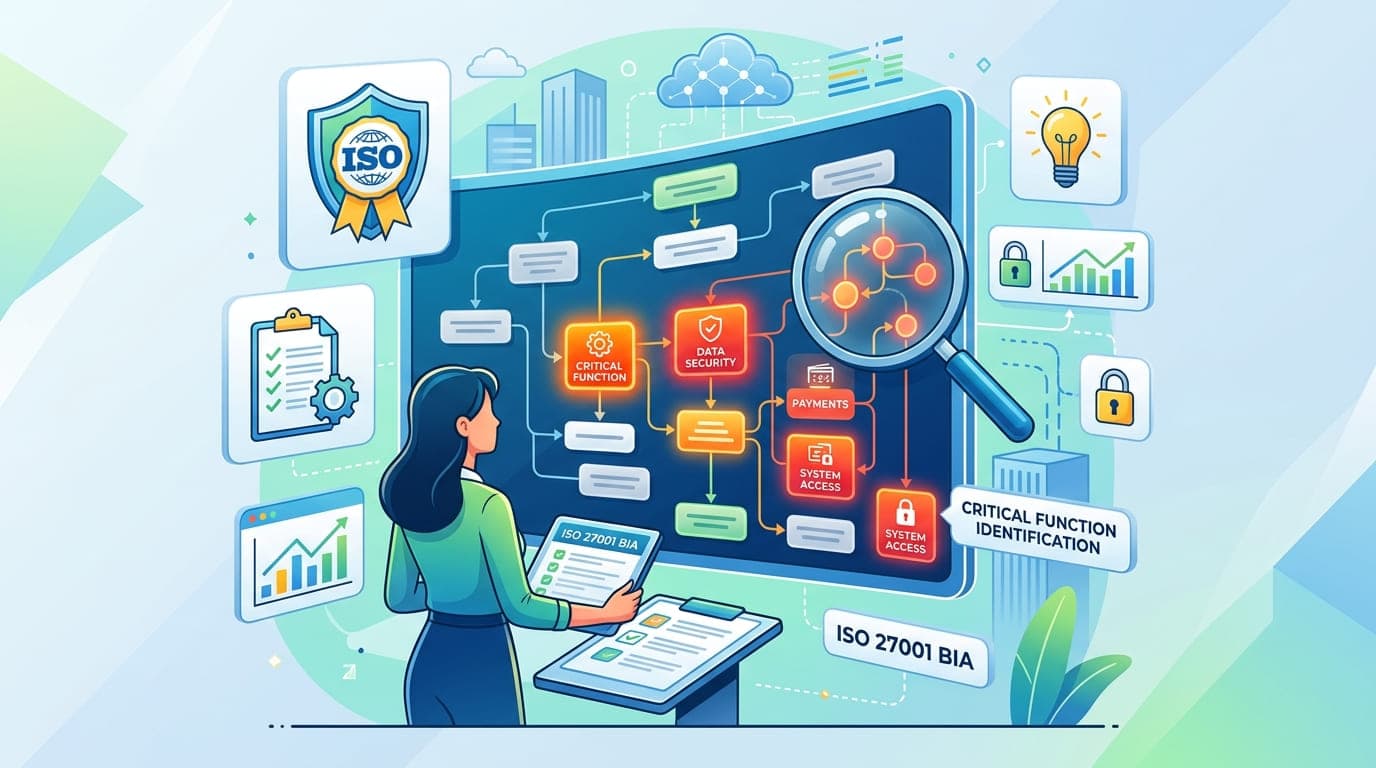
I was three hours into a Business Impact Analysis workshop with a fintech company when their CFO leaned back in his chair and said, "You know what? We've been in business for eight years, and this is the first time we've actually talked about what would happen if our systems went down."
He wasn't joking. And he's not alone.
In my 15+ years conducting BIAs for organizations across every industry imaginable, I've discovered a uncomfortable truth: most companies have no idea which business functions are actually critical until something breaks. And by then, it's too late to plan—you're just reacting, often badly.
The Business Impact Analysis isn't just a checkbox requirement for ISO 27001 compliance. It's the foundation that determines whether your organization survives a crisis or becomes another cautionary tale in someone else's article.
Let me show you how to do it right.
What Business Impact Analysis Actually Means (Beyond the ISO Definition)
ISO 27001 Annex A 17.1 talks about "planning information security continuity" and understanding the impact of disruptions. That's the official language. Here's what it really means:
A Business Impact Analysis forces you to identify which business functions, if disrupted, would cause your organization to bleed revenue, lose customers, violate regulations, or cease to exist.
I worked with an e-commerce company in 2021 that thought they understood their critical functions. "It's obvious," their CTO told me. "Our website. If it's down, we can't sell anything."
Three weeks into the BIA, we discovered something fascinating. Yes, website downtime hurt. But they could survive up to 4 hours of website outage without significant damage—angry customers, yes, but survivable.
What they couldn't survive? Their inventory management system failing. If that went down for more than 90 minutes, they'd start selling products they didn't have in stock. Automated reordering would fail. Their warehouse would grind to a halt. Within 6 hours, they'd be facing contract penalties with fulfillment partners. Within 24 hours, they'd be in breach of their merchant agreements.
That inventory system? It ran on a 12-year-old server in a closet. No backup. No redundancy. No monitoring.
"A Business Impact Analysis doesn't tell you what you think is critical. It reveals what actually is—and those are rarely the same thing."
The Four Questions That Changed How I Approach BIA
Early in my career, I followed the textbook approach to BIA: long questionnaires, formal interviews, endless documentation. It was thorough, comprehensive, and completely useless.
Why? Because I was asking the wrong questions.
Here are the four questions that actually matter:
1. "If This Function Stopped Right Now, When Would Someone Notice?"
This question cuts through all the noise. Critical functions reveal themselves immediately because their absence creates immediate pain.
During a BIA with a healthcare provider, we asked this about their patient scheduling system. The answer? "Within 30 seconds. Our front desk would have a line of confused patients and no way to check them in."
Compare that to their data warehouse system. "Maybe a week? Our analytics team would notice when their weekly reports didn't run."
That's the difference between a critical function and an important one.
2. "If This Stayed Down for 1 Hour, 4 Hours, 1 Day, and 3 Days, What Specific Bad Things Would Happen?"
This question forces people to think in concrete terms instead of vague concerns.
I use this table format in every BIA workshop:
Timeframe | Revenue Impact | Customer Impact | Regulatory Impact | Operational Impact | Reputation Impact |
|---|---|---|---|---|---|
1 Hour | Quantify lost revenue | Customer complaints? | Any immediate violations? | What operations stop? | Social media reaction? |
4 Hours | Cumulative revenue loss | Customer defection starts? | Reporting deadlines missed? | Backlog accumulation? | Press coverage begins? |
1 Day (8 hrs) | Contract penalties? | How many customers lost? | Regulatory reporting failures? | Supply chain disruption? | Industry reputation damage? |
3 Days (72 hrs) | Long-term revenue loss | Permanent customer loss? | Regulatory enforcement action? | Business viability threatened? | Market confidence lost? |
When you force executives to fill this out for each function, suddenly priorities become crystal clear.
3. "What's the Domino Effect If This Fails?"
This is where most BIAs fail. They look at functions in isolation instead of understanding dependencies.
I was working with a manufacturing company that identified production line monitoring as critical. But when we mapped dependencies, we discovered:
Production monitoring depended on the network
The network depended on the authentication system
The authentication system depended on the domain controllers
The domain controllers depended on the SAN storage
The SAN storage had a single power supply from a single circuit
One power failure would take down production across three facilities. But nobody had connected those dots until we did the BIA.
4. "Who Are the Three People Who Could Fix This, and What Happens If They're Unavailable?"
This question exposes single points of failure that aren't technical—they're human.
During a BIA with a software company, we identified their deployment pipeline as critical. "How long to restore it if it fails?" I asked.
"Twenty minutes," the engineering manager said confidently. "Dave knows that system inside out."
"What if Dave is on vacation?"
Long pause.
"Maybe... four hours? We'd need to call him."
"What if Dave is in a car accident and unavailable for a month?"
Longer pause.
"I honestly don't know. Maybe we couldn't deploy at all."
One person held the keys to their entire deployment capability. That's a critical vulnerability that no amount of technical redundancy can fix.
"The most critical business functions often depend on the most overlooked business risks: knowledge that exists in only one person's head."
The Five-Step BIA Process That Actually Works
After conducting over 80 Business Impact Analyses, I've refined this process to be both thorough and practical. Here's the approach that consistently delivers results:
Step 1: Inventory Your Business Functions (Not Just IT Systems)
Most organizations make a fatal mistake: they start their BIA by listing IT systems. Wrong.
Start with business functions. Here's how I categorize them:
Function Category | Examples | Why It Matters |
|---|---|---|
Revenue Generation | Sales processing, payment acceptance, order fulfillment, service delivery | Direct impact on income |
Customer Service | Support ticketing, customer communication, account management, issue resolution | Customer retention and satisfaction |
Production/Operations | Manufacturing, service delivery, inventory management, quality control | Core value creation |
Regulatory Compliance | Financial reporting, regulatory submissions, audit trail maintenance, data protection | Legal obligations and penalties |
Financial Operations | Payroll, accounts payable/receivable, financial reporting, banking operations | Business continuity and legal requirements |
Human Resources | Hiring, onboarding, benefits administration, employee records | Workforce management |
Supply Chain | Procurement, vendor management, logistics, receiving | Operational dependencies |
Communications | Email, phone systems, collaboration tools, emergency notifications | Internal and external coordination |
I worked with a hospital that initially listed 47 IT systems in their BIA. When we shifted to business functions first, we identified 12 critical clinical functions—and discovered that those 12 functions actually depended on 93 different systems, applications, and integrations.
The IT-first approach would have missed 46 critical dependencies.
Step 2: Identify Maximum Tolerable Downtime (MTD) for Each Function
This is where BIA gets real. For each business function, you need to determine how long you can survive without it.
Here's the framework I use:
MTD Classification | Timeframe | Business Impact | Priority Level | Example Functions |
|---|---|---|---|---|
Mission Critical | 0-1 hour | Immediate severe impact, revenue loss, safety risk | P0 | Emergency services dispatch, real-time trading systems, life-support monitoring |
Business Critical | 1-4 hours | Significant revenue loss, customer impact, contract violations | P1 | Payment processing, customer-facing websites, order fulfillment |
Important | 4-24 hours | Moderate impact, operational disruption, customer inconvenience | P2 | Email systems, reporting tools, non-critical customer support |
Essential | 1-3 days | Minor impact, internal inconvenience, workarounds available | P3 | Analytics platforms, training systems, internal wikis |
Nice to Have | >3 days | Minimal impact, deferrable functions | P4 | Archive systems, legacy applications, historical reporting |
A retail client initially classified their inventory system as "Important" (4-24 hour MTD). When we calculated the actual business impact, we discovered:
After 2 hours: Unable to fulfill online orders accurately ($45K/hour revenue impact)
After 4 hours: Warehouse operations grinding to halt ($180K cumulative loss)
After 8 hours: Breach of fulfillment partner SLAs ($250K penalty exposure)
After 12 hours: Stock-out situations causing customer cancellations ($890K at risk)
That "Important" function was reclassified as "Business Critical" with a 2-hour MTD. Their entire disaster recovery strategy changed based on that realization.
Step 3: Calculate Financial Impact (The Numbers That Get Executive Attention)
Here's a truth I learned early: executives care about compliance, but they act on financial impact.
For every critical function, calculate:
Direct Financial Impact Table
Impact Type | How to Calculate | Example Calculation |
|---|---|---|
Lost Revenue | (Average hourly revenue) × (downtime hours) | $50K/hour × 4 hours = $200K |
Recovery Costs | IT resources + consultants + overtime + expedited shipping | $25K + $15K + $8K + $12K = $60K |
Contractual Penalties | SLA violations + late delivery fees + contract breach penalties | $100K + $25K + $50K = $175K |
Regulatory Fines | Specific violation penalties based on jurisdiction | HIPAA: Up to $1.5M per category |
Customer Compensation | Credits + refunds + goodwill gestures | 1,000 customers × $50 = $50K |
Opportunity Cost | Deals lost during downtime + competitive disadvantage | $300K deal lost + market share impact |
I use this detailed impact calculator with every client:
Total Business Impact = Direct Losses + Recovery Costs + Long-term Damage
A financial services firm told me their trading platform had a 1-hour MTD. When we calculated the actual impact:
Hour 1: $2.3M in lost trading revenue + $400K in client compensation
Hour 2: Additional $2.3M revenue + regulatory scrutiny beginning
Hour 4: Potential $15M fine for trading disruption + client defection starts
Hour 8: Market confidence lost, firm viability questioned
That analysis justified a $4.8M investment in high-availability infrastructure. The CFO signed off in one meeting.
"When you translate downtime into dollars, disaster recovery budgets stop being a hard sell and start being a no-brainer."
Step 4: Map Dependencies and Single Points of Failure
This is the detective work that separates good BIAs from great ones. For each critical function, map:
Dependency Mapping Framework
Dependency Type | Questions to Ask | Documentation Needed |
|---|---|---|
Technology | What systems/applications are required? What happens if each fails? | System diagrams, data flow maps, architecture documentation |
Infrastructure | What networks, servers, storage, facilities are needed? | Network topology, power/cooling dependencies, facility layouts |
Data | What data is required? Where is it stored? How is it backed up? | Data flow diagrams, backup schedules, replication topology |
People | Who performs critical tasks? What expertise is required? | Skills matrix, contact lists, training documentation |
Vendors/Partners | What external services are required? What are their SLAs? | Vendor contracts, SLA agreements, escalation procedures |
Processes | What procedures must be followed? What's the workflow? | Process documentation, runbooks, standard operating procedures |
I worked with an insurance company that discovered their claims processing—a critical function with a 4-hour MTD—had 23 different dependencies, including:
3 mainframe systems (one 25 years old)
7 web services (2 from vendors with no SLA)
4 databases (on shared storage with other applications)
12 key personnel (3 nearing retirement)
2 external partners (in different time zones)
5 network segments (crossing 2 data centers)
The scariest discovery? Their "redundant" systems all relied on a single DNS server. If that failed, everything failed, regardless of their other redundancy measures.
Step 5: Define Recovery Objectives (RTO and RPO)
Once you know MTD, you need to define two critical metrics:
Recovery Time Objective (RTO): How quickly must you restore the function?
Recovery Point Objective (RPO): How much data loss can you tolerate?
Here's the relationship:
Business Function | MTD | RTO (Must restore faster than MTD) | RPO (Data loss tolerance) | Technology Required |
|---|---|---|---|---|
Payment Processing | 1 hour | 30 minutes | 0 minutes (no data loss) | Real-time replication, hot standby |
Customer Orders | 2 hours | 1 hour | 15 minutes | Near real-time replication, warm standby |
Email System | 4 hours | 2 hours | 1 hour | Hourly backups, warm standby |
Document Management | 8 hours | 4 hours | 4 hours | 4-hour backup cycle, cold standby |
Analytics Platform | 24 hours | 12 hours | 24 hours | Daily backups, rebuild from backup |
Critical Rule: Your RTO must be significantly less than your MTD to account for detection time, decision-making, and unexpected complications.
A manufacturing client set their production system MTD at 4 hours and their RTO at 3.5 hours. I asked: "How long to detect a failure, make the decision to failover, and handle any unexpected issues?"
They estimated 45-60 minutes.
"So you have 2.5 hours for actual recovery, but you estimated 3.5 hours for the technical process?"
We revised their RTO to 2 hours, which meant upgrading from their planned warm standby to a hot standby configuration. More expensive, but actually achievable.
The BIA Workshop: Running Sessions That Produce Real Results
I've facilitated hundreds of BIA workshops. Here's what works:
The Right People in the Room
Don't invite:
Only IT people (they know systems, not business impact)
Only executives (they know strategy, not operational details)
Too many people (more than 12 becomes unproductive)
Do invite:
Business function owners (they know what breaks and why it matters)
Operations managers (they know how things actually work)
Finance representative (they can quantify impact)
Key technical staff (they understand dependencies)
Risk/compliance officer (they know regulatory implications)
The Workshop Structure That Works
Session 1 (2 hours): Function Identification
List all business functions
Categorize by type (revenue, operations, compliance, support)
Initial priority ranking
No IT systems discussion yet
Session 2 (3 hours): Impact Assessment
For each function: work through the four timeframe table
Force specific numbers and consequences
Document impact in business terms
Identify regulatory implications
Session 3 (2 hours): MTD and Priority Setting
Assign MTD to each function
Calculate financial impact
Prioritize functions for recovery investment
Get executive sign-off on priorities
Session 4 (3 hours): Dependency Mapping
Map technical dependencies
Identify single points of failure
Document people dependencies
Note external dependencies
Session 5 (2 hours): RTO and RPO Definition
Set recovery objectives based on MTD
Identify gaps in current capabilities
Estimate costs to achieve objectives
Create initial remediation roadmap
The Questions That Keep Workshops Productive
When discussions get stuck or too abstract, I use these questions to drive toward actionable outcomes:
"Give me a specific example of what 'customer dissatisfaction' looks like in dollar terms."
"If this happened at 2 AM on Saturday, who would you call, and would they answer?"
"When you say 'critical,' do you mean we'd lose money, lose customers, violate regulations, or cease to exist?"
"What's preventing us from achieving that RTO right now?"
"The best BIA workshops feel uncomfortable because they force people to confront risks they've been ignoring. If everyone leaves feeling comfortable, you probably didn't dig deep enough."
Common BIA Mistakes (And How I've Learned to Avoid Them)
Mistake #1: Confusing "Important" with "Critical"
A software company classified their code repository as "Mission Critical." Their logic: "Without our code, we can't build software."
But when we asked about impact timing:
1 hour down: No impact (developers keep coding locally)
4 hours down: Minor annoyance (can't push/pull changes)
24 hours down: Moderate impact (collaboration hindered)
3 days down: Significant impact (releases delayed)
Mission Critical? No. Business Critical? Maybe. Important? Definitely.
Their actual mission-critical function was customer authentication. If that failed:
Immediate impact: No customer can log in
Within minutes: Support overwhelmed
Within hours: Revenue stops completely
Within 4 hours: Contract SLA violations
See the difference?
Mistake #2: Accepting "We Can't Quantify That" as an Answer
I hear this constantly. "We can't put a number on reputation damage." "Customer satisfaction isn't quantifiable." "How do you measure morale impact?"
Here's my response: Try.
Even rough estimates are better than no estimates. Use these approaches:
What They Say Can't Be Quantified | How to Quantify It |
|---|---|
"Reputation damage" | Survey existing customers: "Would you continue using us after X days of outage?" Calculate revenue at risk. |
"Customer satisfaction" | Historical churn rates after incidents × average customer lifetime value = financial impact |
"Employee morale" | Estimated productivity loss (%) × average hourly labor cost × number of employees affected |
"Brand value" | Comparison to competitors who experienced similar incidents + market analysis |
"Competitive advantage" | Deals in pipeline × probability of loss due to downtime = opportunity cost |
A retail client insisted they "couldn't quantify" the impact of their POS system being down. I asked their store managers: "If your registers are down for 4 hours on a Saturday, what happens?"
They estimated:
70% of customers would leave without purchasing
Average Saturday revenue: $85K per store
125 stores affected
70% × $85K × 125 = $7.4M in lost revenue for a 4-hour outage
Suddenly, quantifying became possible.
Mistake #3: Doing BIA Once and Forgetting About It
Your business changes. New products launch. New vendors are added. New regulations come into effect. Old systems are replaced.
Your BIA must evolve too.
I recommend:
Review Frequency | Trigger Events | What to Review |
|---|---|---|
Quarterly | Routine review | Critical function list, contact information, impact estimates |
Annually | Scheduled update | Full BIA refresh, MTD/RTO validation, dependency mapping update |
Ad Hoc | Significant business changes | New products/services, major system changes, M&A activity, regulatory changes |
A healthcare client learned this the hard way. They did a comprehensive BIA in 2019. In 2021, they launched telehealth services—which quickly grew to 40% of patient visits. But they never updated their BIA.
When their telehealth platform failed in 2022, they discovered:
No recovery plan for telehealth
No backup communication method
No clear understanding of patient safety implications
No contractual SLA with their telehealth vendor
They scrambled for 6 hours before restoring service. Their 2019 BIA was useless because it didn't reflect their 2022 business.
Mistake #4: Letting IT Drive the Business Conversation
I've seen this pattern dozens of times:
IT: "We need to classify this system's criticality." Business: "How critical does it need to be?" IT: "That depends on the impact to the business." Business: "What impact would there be?" IT: "That's what we need you to tell us." Business: "Just make it reasonably critical."
This circular conversation produces useless BIA results.
The fix: Business owners must own the impact assessment. IT owns the technical dependency mapping and recovery planning.
Clear ownership = clear answers.
Turning Your BIA into Actionable Security Controls
Here's where BIA connects to ISO 27001 implementation. Your BIA results directly drive:
Control Selection Based on BIA Results
BIA Finding | Relevant ISO 27001 Controls | Implementation Priority |
|---|---|---|
Mission-critical functions with 0-1 hour MTD | A.17.1.2 (Implementing information security continuity), A.17.2.1 (Availability of information processing facilities) | Immediate - P0 |
Single points of failure identified | A.17.2.1 (Availability), A.12.3.1 (Information backup), A.8.13 (Handling of assets) | High - P1 |
Data loss would cause regulatory violations | A.12.3.1 (Information backup), A.18.1.5 (Regulation compliance) | High - P1 |
Key person dependencies (knowledge gaps) | A.7.2.2 (Information security awareness), A.17.1.1 (Planning information security continuity) | Medium - P2 |
Vendor dependencies without SLAs | A.15.1.2 (Addressing security within supplier agreements), A.15.2.1 (Monitoring of supplier services) | Medium - P2 |
The BIA-to-Implementation Roadmap
Once your BIA is complete, here's how I translate findings into action:
Phase 1 (0-30 days): Immediate Risk Reduction
Address single points of failure for mission-critical functions
Implement basic redundancy where none exists
Document emergency procedures
Establish emergency contacts and escalation paths
Phase 2 (1-3 months): Core Controls Implementation
Deploy backup solutions meeting RPO requirements
Implement redundancy meeting RTO requirements
Develop and test recovery procedures
Address critical vendor SLA gaps
Phase 3 (3-6 months): Comprehensive Security Enhancement
Full business continuity plan development
Disaster recovery testing program
Staff training and awareness
Documentation and process formalization
Phase 4 (6-12 months): Continuous Improvement
Regular BIA reviews and updates
Ongoing recovery testing
Metrics and monitoring
Integration with overall risk management
Real-World BIA Success Stories
Let me share three examples where thorough BIA made all the difference:
Case Study 1: The E-Commerce Company That Saved $2.8M
An online retailer came to me after their website went down for 6 hours during Black Friday. Lost revenue: $2.8 million. They wanted to "make sure it never happens again."
We conducted a comprehensive BIA and discovered their website actually wasn't the critical function. Their payment gateway was—with a 15-minute MTD. Their inventory sync was next—with a 30-minute MTD. The website itself could tolerate up to 2 hours of downtime if they could still process payments and maintain inventory accuracy through alternative channels.
Based on the BIA, we:
Implemented hot standby for payment processing (true 0-downtime failover)
Added real-time inventory replication across three data centers
Created a simplified mobile checkout that could operate independently
Set up geo-distributed website hosting (nice to have, but not the priority)
Cost: $380K investment.
The following year, their primary data center lost power for 3 hours during Cyber Monday. Their customers barely noticed. Payments continued. Inventory stayed synced. Revenue impact: $0.
The BIA showed them where to invest for maximum business protection.
Case Study 2: The Healthcare Provider That Avoided Regulatory Disaster
A regional hospital was pursuing ISO 27001 certification when we conducted their BIA. They assumed patient care systems were all equally critical.
The BIA revealed a more nuanced picture:
Emergency department systems: 0-minute MTD (life-threatening)
Surgery scheduling: 30-minute MTD (OR utilization and patient safety)
Pharmacy systems: 1-hour MTD (medication safety)
Lab results: 2-hour MTD (diagnosis delays)
Patient billing: 24-hour MTD (revenue impact but not safety)
More importantly, we discovered their backup power systems were inadequate for true 0-minute MTD. Their generators took 90 seconds to come online. For life-support and emergency systems, that 90 seconds was unacceptable.
They installed UPS systems and redundant power for true mission-critical systems, while accepting generator-based backup for other critical systems. Differentiated approach based on BIA findings saved them $600K versus their original "make everything redundant" plan.
Six months later, they experienced a regional power outage. Emergency systems stayed online. No patient safety incidents. No regulatory violations.
Case Study 3: The Financial Firm That Transformed Their Recovery Strategy
A wealth management firm initially told me their recovery strategy was "restore everything within 4 hours." One-size-fits-all approach.
The BIA revealed massive inefficiency:
Function | Current RTO | Actual MTD | Technology Investment | Optimization Opportunity |
|---|---|---|---|---|
Trading platform | 4 hours | 15 minutes | $200K annual cost | CRITICAL - needs improvement |
Client portal | 4 hours | 8 hours | $200K annual cost | Over-protected, reduce investment |
Reporting system | 4 hours | 48 hours | $200K annual cost | Way over-protected |
Data warehouse | 4 hours | 1 week | $200K annual cost | Massive waste |
They were spending $800K annually treating everything as equally critical.
After BIA, they:
Upgraded trading to true high-availability (20-second failover): $350K annual cost
Reduced client portal to warm standby (2-hour RTO): $80K annual cost
Moved reporting to cold standby (12-hour RTO): $30K annual cost
Eliminated data warehouse from DR scope entirely: $0 annual cost
New annual cost: $460K Annual savings: $340K Better protection for critical systems: Priceless
"The best BIA doesn't just identify risks—it identifies where you're wasting money protecting things that don't need protection while under-protecting things that do."
Your BIA Action Plan: Starting Tomorrow
If you're ready to conduct a BIA for ISO 27001 compliance (or just to understand your business better), here's your roadmap:
Week 1: Preparation
[ ] Schedule workshops with business function owners
[ ] Gather existing documentation (org charts, system diagrams, disaster recovery plans)
[ ] Prepare workshop materials and templates
[ ] Set expectations with participants about time commitment and importance
Week 2-3: Function Identification and Impact Assessment
[ ] Conduct business function inventory workshops
[ ] Document functions and initial categorization
[ ] Run impact assessment sessions using the four-timeframe approach
[ ] Collect impact data and validate with subject matter experts
Week 4-5: Analysis and Prioritization
[ ] Calculate financial impact for each function
[ ] Assign MTD classifications
[ ] Prioritize functions for recovery investment
[ ] Present findings to executive leadership for validation
Week 6-7: Dependency Mapping
[ ] Map technical dependencies for critical functions
[ ] Identify single points of failure
[ ] Document people dependencies and key person risks
[ ] Catalogue vendor and partner dependencies
Week 8: RTO/RPO Definition and Gap Analysis
[ ] Set RTO and RPO for each critical function
[ ] Compare current capabilities to requirements
[ ] Identify gaps and document findings
[ ] Estimate costs to close gaps
Week 9-10: Documentation and Planning
[ ] Create formal BIA report
[ ] Develop remediation roadmap with timelines and costs
[ ] Build business case for necessary investments
[ ] Present to leadership and secure approvals
Ongoing: Maintenance and Updates
[ ] Schedule quarterly BIA reviews
[ ] Trigger updates for significant business changes
[ ] Conduct annual full BIA refresh
[ ] Integrate BIA into change management processes
Final Thoughts: The BIA That Saved a Business
I'll leave you with one last story.
In 2020, I conducted a BIA for a mid-sized manufacturing company. During dependency mapping, we discovered their industrial control systems—running three production lines worth $50M in annual revenue—had no backup, no redundancy, and ran on software that required Windows XP.
The engineer responsible for these systems was 67 years old and planning to retire in 8 months. Nobody else understood how they worked.
The BIA revealed this critical risk. We had 8 months to:
Document the systems completely
Train replacement engineers
Upgrade to supported platforms
Implement redundancy
We finished with 3 weeks to spare. The engineer retired. The systems kept running.
In 2022, a ransomware attack hit their network. It encrypted everything—except the production control systems, which we'd isolated based on BIA findings. While they recovered their business systems, production never stopped.
Their CEO told me: "If we hadn't done that BIA, we'd have lost our most critical employee's knowledge, had no redundancy, and been completely vulnerable to that attack. We would have lost three months of production. We might not have survived."
That's the power of a properly executed Business Impact Analysis. It's not paperwork. It's not compliance theater. It's survival planning.
The question isn't whether you can afford to do a thorough BIA. The question is whether you can afford not to.