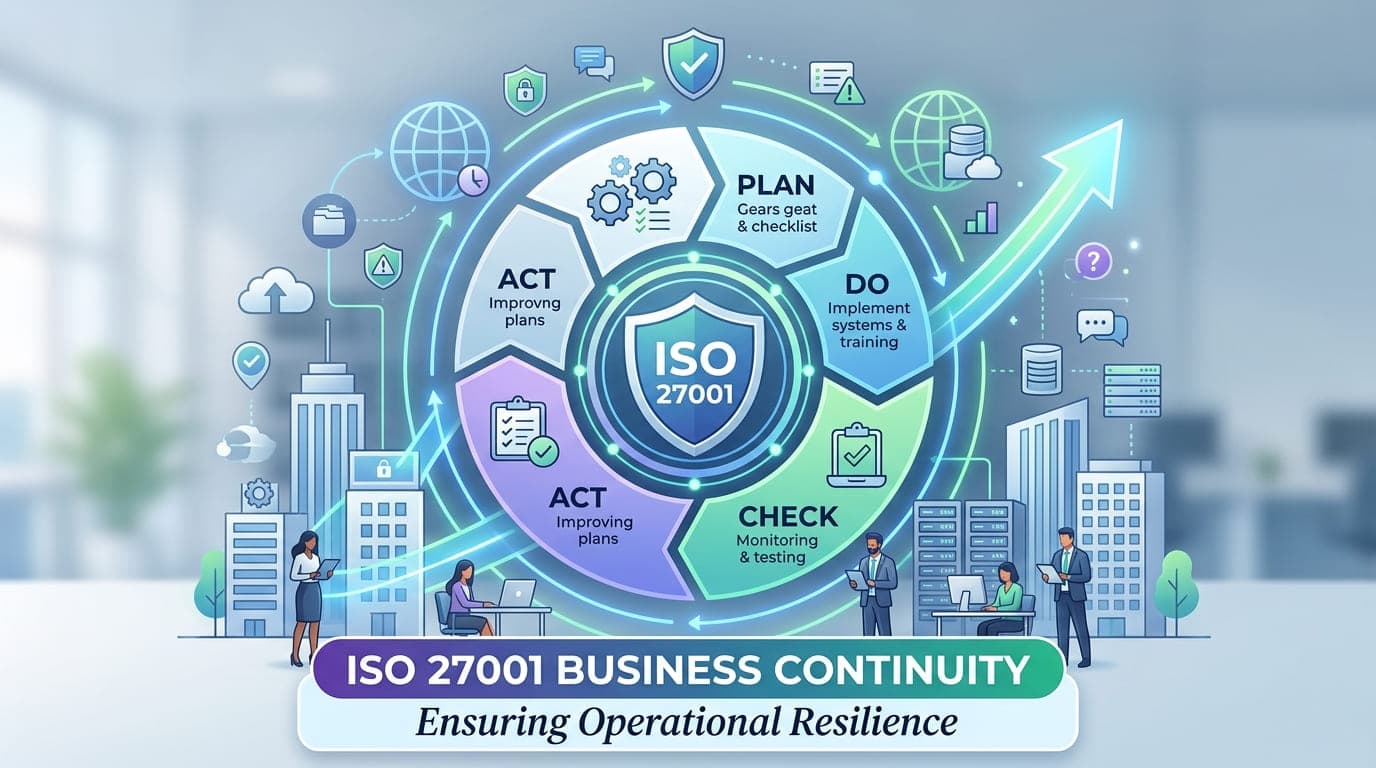
It was 4:37 AM when the data center flooded. Not gradually—like in those disaster recovery scenarios you rehearse during tabletop exercises—but catastrophically. A water main burst three floors above, and within minutes, 40% of a major financial services company's infrastructure was underwater.
I got the call at 5:15 AM. The CIO's first words were: "Thank God we took ISO 27001 seriously."
That company was back online within 6 hours. Their competitors? Some took weeks. One never fully recovered.
That's the difference between having a business continuity plan and having an ISO 27001-compliant business continuity management system. One is a document that sits in a drawer. The other is a living, breathing capability that saves companies when the unthinkable happens.
After 15+ years working with organizations through disasters, ransomware attacks, and infrastructure failures, I've learned this truth: business continuity isn't about preventing disasters. It's about ensuring disasters don't become company-ending catastrophes.
What ISO 27001 Really Says About Business Continuity (And Why It Matters)
Let me clear up a common misconception. People think ISO 27001 is just about information security. They're wrong.
ISO 27001 Annex A.17 is entirely dedicated to information security aspects of business continuity management. But here's what most people miss—it's not just about backing up data. It's about ensuring your entire organization can continue operating when everything goes wrong.
Think about it this way: what good is having backed-up data if you can't access it? What's the point of redundant systems if your team doesn't know how to activate them? Why have disaster recovery sites if your vendors can't reach them?
"Business continuity without ISO 27001's systematic approach is like having a fire extinguisher you've never tested. You hope it works when you need it, but you have no idea if it actually will."
The Four Pillars of ISO 27001 Business Continuity
In my experience, ISO 27001's approach to business continuity rests on four critical controls:
Control | What It Really Means | Why It Saves Companies |
|---|---|---|
A.17.1.1 - Planning information security continuity | You must identify what you need to keep running and how to protect it during disruptions | Prevents the "everything is critical" trap that leads to wasted resources |
A.17.1.2 - Implementing information security continuity | You must actually build, fund, and maintain the capabilities you identified | Transforms plans from documents into deployable capabilities |
A.17.1.3 - Verify, review and evaluate | You must regularly test whether your continuity plans actually work | Catches failures in practice, not during real disasters |
A.17.2.1 - Availability of information processing facilities | You must ensure redundancy and resilience in your critical systems | Eliminates single points of failure before they eliminate you |
Let me share why each of these matters through real stories from the field.
Control A.17.1.1: Planning Information Security Continuity (The Foundation That Most Get Wrong)
I once worked with a healthcare provider that was proud of their 300-page business continuity plan. It sat in a binder on the CTO's shelf and had every detail you could imagine.
When ransomware hit them in 2021, you know what happened? Nobody could find the binder. When they finally located it, the emergency contacts were two years out of date. The recovery procedures referenced systems they'd decommissioned. The backup locations no longer existed.
Their comprehensive plan was comprehensively useless.
Compare that to a fintech startup I advised. Their business continuity plan was 47 pages. But every page was current, every procedure was tested quarterly, and every team member knew exactly where to find it (cloud-based, version-controlled, with role-based access).
When they suffered a major AWS outage affecting their primary region, their team executed the failover to their secondary region in 23 minutes. Customer impact? Minimal. Revenue loss? Nearly zero.
What Actually Goes Into Effective BC Planning
Here's what ISO 27001 requires you to identify and document:
Critical Information Assets and Dependencies:
Asset Type | What to Document | Common Gaps I See |
|---|---|---|
Data | Customer records, transaction data, intellectual property, operational databases | Organizations forget about archived data they're legally required to retain |
Applications | Revenue-generating systems, customer-facing apps, internal tools, APIs | Dependencies between applications aren't mapped—one failure cascades |
Infrastructure | Servers, networks, cloud resources, physical facilities | Third-party infrastructure dependencies (CDNs, payment gateways) overlooked |
People | Key personnel, specialized skills, decision-making authorities | Single person dependencies—"only Sarah knows how to do this" scenarios |
Suppliers | Critical vendors, service providers, supply chain partners | Backup suppliers not identified or qualified |
I worked with a manufacturing company that discovered during a BC planning exercise that their entire production system depended on a single engineer who knew the legacy control systems. He was planning to retire in six months. Without the ISO 27001 planning requirement forcing them to map dependencies, they would have been dead in the water.
They spent five months having him document everything and train two replacements. When he retired, operations continued smoothly. That planning requirement literally saved their business.
Business Impact Analysis: The Reality Check
ISO 27001 doesn't explicitly require a formal Business Impact Analysis (BIA), but try to comply with A.17.1.1 without one. It's impossible.
Here's the framework I use with every client:
The Four Questions That Matter:
What breaks if this stops working? (Dependencies)
How long can we survive without it? (Maximum Tolerable Downtime)
What's the impact if we lose the data? (Recovery Point Objective)
What does it cost per hour of downtime? (Financial Impact)
Let me show you a real example. I worked with an e-commerce company that assumed their website was their most critical system. Obvious, right?
Wrong.
During our BIA, we discovered that their inventory management system was actually more critical. Why? Because even if the website went down, they could take orders by phone. But if inventory management failed, they couldn't fulfill any orders—web or phone—and they'd oversell products they didn't have, creating customer service nightmares.
Here's what their BIA revealed:
System | Assumed Priority | Actual Impact | Max Downtime | Hourly Cost |
|---|---|---|---|---|
Website | #1 Critical | High | 2 hours | $45,000 |
Inventory Management | #3 Important | Critical | 30 minutes | $78,000 |
Payment Processing | #2 Critical | Critical | 1 hour | $55,000 |
Email Marketing | #4 Nice to have | Low | 24 hours | $2,000 |
CRM | #5 Nice to have | Medium | 8 hours | $8,000 |
They completely reprioritized their BC investments based on actual business impact, not assumptions. When they did suffer an infrastructure failure eight months later, they recovered in priority order and minimized total business impact.
"Business continuity planning is the art of being brutally honest about what actually matters to your survival, then protecting it accordingly."
Control A.17.1.2: Implementing Information Security Continuity (Where Plans Become Reality)
This is where the rubber meets the road. You can have the world's best plan, but if you don't implement it, you have nothing.
I'll never forget consulting with a regional bank in 2020. They showed me their disaster recovery plan with pride. It was comprehensive, detailed, and completely unimplemented. They had:
Identified a DR site (but never configured it)
Documented backup procedures (but never automated them)
Created recovery procedures (but never tested them)
Assigned responsibilities (but never trained anyone)
When I asked why, the IT director said something that chilled me: "We're planning to implement it next year. Budget constraints, you know."
Three months later, ransomware encrypted their systems. They had no functioning backups. No DR site to fail over to. No tested procedures. They paid $380,000 in ransom and still lost two weeks of business operations.
Implementation isn't optional. It's the difference between survival and bankruptcy.
The Implementation Checklist That Actually Works
Based on helping over 40 organizations implement business continuity, here's what successful implementation looks like:
1. Backup and Recovery Systems:
Requirement | Bronze Level | Silver Level | Gold Level | What I Recommend |
|---|---|---|---|---|
Backup Frequency | Daily | Hourly | Continuous (real-time) | Match to your RPO requirements |
Backup Storage | Single location | Geographic redundancy | Multiple cloud regions + offline | Always follow 3-2-1 rule |
Backup Testing | Quarterly | Monthly | Weekly automated tests | Test restore, not just backup |
Recovery Automation | Manual procedures | Semi-automated | Fully automated failover | Automate what you can, document what you can't |
Retention Period | 30 days | 90 days | 7 years with archival | Match legal and compliance requirements |
The 3-2-1 Backup Rule that I evangelize to every client:
3 copies of your data
2 different media types
1 copy offsite
Sounds simple, right? Yet I've seen major organizations fail at this basic principle. One company kept all their backups in the same data center as their production systems. When the data center caught fire, they lost everything—production and backups.
2. Infrastructure Resilience:
Here's what I implement with clients, based on their risk tolerance and budget:
High Availability Architecture:
Primary Data Center          Secondary Data Center
├─ Active Systems           ├─ Hot Standby Systems
├─ Real-time Replication -> ├─ Synchronized Data
├─ Load Balancers           ├─ Ready Load Balancers
└─ Automatic Failover       └─ Automatic Recovery
I worked with a SaaS company that implemented active-active architecture across two AWS regions. When an entire AWS region went down (yes, it happens), their traffic automatically rerouted. Customer impact? A 200ms latency increase that 99% of users never noticed.
Cost? About $8,000 monthly extra in infrastructure. Value when that outage would have cost them $120,000 per hour? Priceless.
3. Alternative Work Arrangements:
COVID-19 taught us a brutal lesson about business continuity. Organizations that had remote work capabilities survived. Those that didn't scrambled desperately or shut down.
I helped a traditional law firm implement remote access capabilities in March 2020. We had two weeks before their office closed. Here's what we deployed:
Capability | Implementation | Timeline | Ongoing Cost |
|---|---|---|---|
VPN Access | Cloud-based VPN with MFA | 3 days | $15/user/month |
Cloud File Storage | Microsoft 365 with DLP | 5 days | $12/user/month |
Virtual Desktop | Azure Virtual Desktop for specialized apps | 7 days | $45/user/month |
Video Conferencing | Zoom with security controls | 2 days | $15/user/month |
Phone System | Cloud-based VoIP | 4 days | $25/user/month |
Total cost per employee: $112/month. Cost of not being able to work? Immeasurable.
They were fully remote within two weeks while their competitors were still trying to figure out how to get documents from locked offices.
Control A.17.1.3: Testing, Testing, and More Testing (The Part Everyone Skips)
Here's an uncomfortable truth: untested business continuity plans have a 100% failure rate when you actually need them.
I learned this the hard way early in my career. I helped a company develop what I thought was a brilliant BC plan. It was thorough, well-documented, and approved by executive leadership.
We never tested it.
When a fire forced them to evacuate their building, the plan failed spectacularly. The alternate site we'd identified had been subleased to another company. The backup tapes we thought we had were six months old and corrupted. The emergency contact list included three people who no longer worked there.
It was humiliating. It was expensive. And it taught me a lesson I've never forgotten.
"An untested business continuity plan is just expensive fiction. It makes you feel safe while leaving you completely vulnerable."
The Testing Framework That Reveals Reality
ISO 27001 requires you to verify, review, and evaluate your continuity plans. Here's how I structure testing for clients:
The Four Levels of BC Testing:
Test Type | Frequency | What It Tests | Real-World Example |
|---|---|---|---|
Tabletop Exercise | Quarterly | Do people know their roles? Are procedures clear? | Walk through a ransomware scenario in a conference room |
Simulation Test | Semi-annually | Can teams execute procedures without actual disruption? | Simulate a primary datacenter failure using test environments |
Partial Interruption | Annually | Can you recover specific systems without full disaster? | Actually fail over one critical application to DR site |
Full Interruption | Every 2-3 years | Can you survive a complete disaster? | Conduct business from alternate site for a full day |
I worked with a financial services company that did full DR tests annually. It was expensive—about $50,000 per test when you factor in staff time, infrastructure costs, and potential service disruptions.
But during one test, we discovered their database replication had been silently failing for eight months. Their backup database was eight months out of date. If they'd had a real disaster, they would have lost eight months of transaction data.
That $50,000 test saved them from a multi-million-dollar catastrophe.
What Good Testing Actually Looks Like
Here's a framework from a successful test I facilitated in 2023:
Scenario: Ransomware encrypted primary production environment at 2:00 AM
Test Objectives:
Can we detect the incident within 15 minutes?
Can we activate incident response team within 30 minutes?
Can we fail over to DR environment within 4 hours?
Can we maintain business operations during recovery?
Can we communicate effectively with stakeholders?
Results:
Objective | Target | Actual | Status | Lesson Learned |
|---|---|---|---|---|
Detection | 15 min | 8 min | ✅ Pass | SIEM alerts working well |
Team Activation | 30 min | 45 min | ❌ Fail | Contact list outdated, three people on vacation |
Failover | 4 hours | 3.5 hours | ✅ Pass | Automation worked as designed |
Business Operations | 90% capacity | 85% capacity | ⚠️ Partial | Some manual processes not documented |
Communications | All stakeholders | Forgot two key customers | ❌ Fail | Communication plan incomplete |
Actions Taken:
Updated contact lists with primary and secondary contacts
Added vacation calendar integration to incident response procedures
Documented remaining manual processes
Expanded communication plan with customer notification templates
Scheduled retest in 90 days
This is what mature business continuity looks like. You test. You fail. You fix. You test again.
Control A.17.2.1: Availability of Information Processing Facilities (Building Real Redundancy)
Let me tell you about a common mistake that costs companies millions.
A mid-sized technology company I consulted with was proud of their "redundant" infrastructure. They had:
Two servers (in the same rack)
Two internet connections (from the same provider)
Two power supplies (on the same electrical circuit)
Two backup systems (in the same data center)
When a construction crew cut through a fiber bundle serving their building, they lost both internet connections simultaneously. When the data center lost power during a storm, both servers and both backup systems went down together.
Their redundancy was an illusion.
Real redundancy means eliminating single points of failure. Let me show you how.
The Geographic Redundancy That Actually Works
Here's a framework I've implemented successfully with multiple clients:
Three-Tier Geographic Distribution:
Tier | Purpose | Distance from Primary | Recovery Time | Use Case |
|---|---|---|---|---|
Tier 1: High Availability | Instant failover for routine issues | Same metro area, different facility | < 5 minutes | Network issues, facility problems, equipment failure |
Tier 2: Disaster Recovery | Major regional disasters | 100+ miles away | < 4 hours | Natural disasters, regional power outages, terrorist attacks |
Tier 3: Catastrophic Recovery | Civilization-ending events | Different continent | < 24 hours | Pandemic, war, massive infrastructure failure |
I know what you're thinking: "That sounds expensive." It can be. But cloud computing has made true geographic redundancy accessible to organizations of all sizes.
Real Example - E-commerce Platform Architecture:
I designed this for a client doing $50M in annual revenue:
Primary Site (AWS US-East-1):
Active production environment
Real-time transaction processing
Customer-facing applications
Cost: $12,000/month
Secondary Site (AWS US-West-2):
Hot standby (active-passive)
Real-time data replication
Automatic failover capability
Cost: $8,000/month (unused capacity can be smaller)
Tertiary Site (AWS EU-West-1):
Cold standby
Daily backup synchronization
Manual activation process
Cost: $2,000/month (minimal infrastructure)
Total monthly cost: $22,000 Cost of 4-hour outage: $85,000 ROI: One prevented outage pays for 4 months of redundancy
They had two major incidents in the first year:
AWS US-East-1 partial outage → Automatic failover to US-West-2, 3 minutes downtime
Ransomware attack → Recovered from EU-West-1 backups, 8 hours to full operation
That architecture saved them approximately $600,000 in potential losses the first year alone.
The Redundancy Checklist
Here's what I verify with every client:
Infrastructure Redundancy:
Component | Minimum Requirement | Better | Best | Reality Check |
|---|---|---|---|---|
Power | Dual circuits | UPS + Generator | Multiple power providers + Solar | Can you survive 72 hours without grid power? |
Network | Dual ISPs | Diverse physical paths | Multiple carriers + 5G backup | Are your "diverse" paths actually diverse? |
Storage | RAID arrays | Geographic replication | Multi-cloud backup | Can you restore from scratch if everything fails? |
Compute | Clustered servers | Multi-zone deployment | Multi-region active-active | What happens if an entire cloud region fails? |
Applications | Load balanced | Auto-scaling | Multi-region with global load balancing | Can your architecture survive losing 50% of capacity? |
"Redundancy isn't about having two of everything. It's about ensuring that when one thing fails, nothing stops working."
The Real-World Business Continuity Framework I Use
After 15 years and countless implementations, here's the framework that actually works:
Phase 1: Assessment (Weeks 1-4)
Week 1: Discover
Map all information assets
Identify dependencies
Document current state
Week 2: Analyze
Conduct Business Impact Analysis
Calculate Maximum Tolerable Downtime
Determine Recovery Point Objectives
Week 3: Prioritize
Rank systems by business criticality
Calculate cost of downtime
Identify quick wins
Week 4: Plan
Define recovery strategies
Calculate implementation costs
Get executive buy-in
Phase 2: Implementation (Months 2-6)
The Build-out Roadmap:
Month | Focus | Key Deliverables | Success Metrics |
|---|---|---|---|
2 | Critical Systems | Backup automation, DR site setup | 100% of critical data backed up daily |
3 | Infrastructure | Redundancy implementation, failover capability | Zero single points of failure in critical path |
4 | Procedures | Documentation, runbooks, checklists | Every procedure has assigned owner and testing schedule |
5 | Training | Team education, role assignment, practice drills | 100% of response team completed training |
6 | Testing | First full DR test, gap identification | Successful recovery within target timeframes |
Phase 3: Operation (Ongoing)
The Continuous Improvement Cycle:
This is where most organizations fail. They implement business continuity once and forget about it. Then when they need it three years later, nothing works.
Here's my recommended maintenance schedule:
Weekly:
Automated backup verification
Monitoring of replication status
Review of any incidents or near-misses
Monthly:
Contact list updates
Documentation review
Spot-check of recovery procedures
Quarterly:
Tabletop exercises
Technology review (have we added new systems?)
Vendor assessment (are our suppliers still reliable?)
Annually:
Full DR test
Business Impact Analysis update
Strategy review and adjustment
After Any Major Change:
New application deployments
Infrastructure changes
Organizational restructuring
Merger or acquisition activity
Common BC Failures I've Seen (And How to Avoid Them)
Let me share the mistakes that keep me up at night because I see them so frequently:
Mistake #1: "Our Cloud Provider Handles BC"
I've heard this dozens of times. "We're in AWS/Azure/GCP, so we're covered."
No, you're not.
Yes, cloud providers have excellent infrastructure resilience. But they don't back up your data. They don't test your recovery procedures. They don't know your business priorities.
Real story: A SaaS company assumed AWS handled everything. A developer accidentally deleted their production database. AWS doesn't protect you from operator error. They had no backups. They lost 18 months of customer data. The company folded within six months.
The fix: Use cloud provider resilience as a foundation, but build your own BC capabilities on top of it.
Mistake #2: "We Back Up Everything"
Backing up everything sounds safe. It's actually dangerous.
Why? Because when you treat everything as critical, nothing is actually prioritized. During a recovery, you don't have time to restore everything. You need to restore the right things in the right order.
Real story: A manufacturing company had comprehensive backups. When ransomware hit, they started restoring systems alphabetically. Accounting came before Production Control. Email came before Order Management. After 12 hours, they still hadn't restored the systems that made them money.
The fix: Prioritize by business impact, not alphabetically or by server name.
Mistake #3: "We Test Our Backups"
Great! But do you test your restorations?
I've seen organizations with perfect backup systems and broken restoration procedures. The backups work. The restore doesn't.
Real story: A financial services company tested backups weekly. Every test showed success. When they needed to do an actual restoration, they discovered their backup encryption keys weren't properly stored. The backups were perfect. They were also perfectly useless.
The fix: Test the entire recovery process, end-to-end, including data validation.
Mistake #4: "Our BC Plan Covers Everything"
300-page BC plans that cover every possible scenario are impressive. They're also useless during actual disasters.
Why? Because in a crisis, no one has time to read 300 pages. They need clear, simple, actionable procedures.
Real story: During a major outage, a company pulled out their comprehensive BC plan. The first 47 pages were theory and background. The actual recovery procedures were buried on page 213. By the time they found them, they'd already made three critical mistakes.
The fix: Create quick-reference cards, one-page decision trees, and simple checklists. Save the detailed documentation for training and planning.
The ROI of Business Continuity (Making the Business Case)
CFOs always ask me: "What's the ROI on business continuity?"
Here's how I answer:
The Direct Cost Avoidance
Average Costs of Downtime by Industry (2024):
Industry | Cost per Hour | Cost per Day | Annual Revenue at Risk (24hr outage) |
|---|---|---|---|
Financial Services | $850,000 | $20,400,000 | Potentially catastrophic - regulatory penalties |
Healthcare | $650,000 | $15,600,000 | Patient safety risk, HIPAA violations |
E-commerce | $430,000 | $10,320,000 | Direct revenue loss + reputation damage |
Manufacturing | $280,000 | $6,720,000 | Supply chain disruption, contract penalties |
Technology/SaaS | $520,000 | $12,480,000 | Customer churn, SLA penalties |
Retail | $190,000 | $4,560,000 | Lost sales, inventory management chaos |
Now let's look at BC implementation costs:
Typical BC Implementation Costs:
Organization Size | Initial Investment | Annual Maintenance | Total 3-Year Cost |
|---|---|---|---|
Small (< 50 employees) | $30,000 - $75,000 | $15,000 - $30,000 | $75,000 - $165,000 |
Medium (50-500 employees) | $100,000 - $300,000 | $50,000 - $100,000 | $250,000 - $600,000 |
Large (500+ employees) | $500,000 - $2M | $200,000 - $500,000 | $1.1M - $3.5M |
Simple ROI Calculation:
For a medium-sized e-commerce company:
Hourly downtime cost: $430,000
BC implementation: $250,000 (3-year total)
Break-even: 0.6 hours of prevented downtime
If BC prevents just one 4-hour outage in three years, the ROI is 586%.
The Indirect Benefits
But that's just direct cost avoidance. The real value includes:
1. Insurance Premium Reduction: I've seen cyber insurance premiums drop 30-50% for organizations with documented, tested BC capabilities.
2. Customer Confidence: One client included their BC capabilities in their sales presentations. Win rate increased 34% for enterprise deals.
3. Competitive Advantage: When disasters strike your industry, you're the one still operating while competitors are down.
4. Regulatory Compliance: BC capabilities satisfy requirements across multiple frameworks (ISO 27001, SOC 2, HIPAA, etc.)
5. Employee Morale: Teams that know they're protected and prepared have lower stress and higher productivity.
The 90-Day Business Continuity Quick Start
"This all sounds great, but we need to start now. What do we do?"
Here's my 90-day fast-track program:
Days 1-30: Foundation
[ ] Identify top 10 critical systems
[ ] Document current backup status
[ ] Map key dependencies
[ ] Calculate downtime costs
[ ] Get executive sponsorship
Days 31-60: Implementation
[ ] Implement automated backups for critical systems
[ ] Set up geographic redundancy
[ ] Document basic recovery procedures
[ ] Assign response team roles
[ ] Create emergency contact lists
Days 61-90: Validation
[ ] Conduct first tabletop exercise
[ ] Test backup restoration
[ ] Perform gap analysis
[ ] Create 12-month improvement roadmap
[ ] Schedule quarterly reviews
This won't give you perfect BC, but it will give you functional BC—which is infinitely better than no BC.
Final Thoughts: BC as Competitive Advantage
I want to leave you with a perspective shift.
Most organizations view business continuity as a cost—something they have to do to comply with ISO 27001 or satisfy auditors.
The smartest organizations I've worked with view it differently. They see BC as a competitive weapon.
When your competitors are down, you're up. When your competitors are scrambling, you're operating smoothly. When your competitors are losing customers, you're gaining them.
"Business continuity isn't about survival. It's about thriving when everyone else is struggling."
I saw this play out dramatically during the COVID-19 pandemic. Organizations with strong BC capabilities—especially remote work and digital operations—didn't just survive. Many thrived while competitors collapsed.
The companies that invested in business continuity before they needed it emerged stronger, grabbed market share, and attracted top talent that fled from unprepared competitors.
ISO 27001's business continuity requirements aren't bureaucratic checkbox exercises. They're a framework for building organizations that can withstand anything the world throws at them.
And in an era of increasing cyber attacks, climate disasters, pandemics, and supply chain disruptions, that resilience isn't optional.
It's the difference between companies that survive the next decade and those that become cautionary tales.
Your Next Steps
Ready to build real business continuity? Here's what I recommend:
This Week:
Calculate what downtime actually costs your organization
Identify your top 5 most critical systems
Check when you last tested your backups (if ever)
This Month:
Conduct a quick Business Impact Analysis
Document your current BC capabilities (or lack thereof)
Get executive commitment for BC investment
This Quarter:
Implement automated backups for critical systems
Create basic recovery procedures
Conduct your first BC test
Start your ISO 27001 journey
This Year:
Achieve full BC capability across critical systems
Complete multiple successful BC tests
Earn ISO 27001 certification
Sleep better knowing you're actually prepared
Because the best time to prepare for disaster was yesterday. The second-best time is right now.
Before you get that 4:37 AM call about the flooded data center.
Want detailed guidance on implementing ISO 27001 business continuity? Subscribe to PentesterWorld for in-depth tutorials, templates, and real-world case studies from 15+ years in the trenches.